Mobile menu toggle

You Can Now Make Voice Calls For Free With Facebook Messenger In Any Country

By

Screen Shot 2014-04-03 at 3.55.35 PM

Today Facebook Messenger was updated with the ability to make free voice calls over WiFi both domestically and internationally. Making calls over a cellular connection uses data. The features works similar to FaceTime Audio, which is natively baked into all iOS devices and Macs.

Facebook Messenger technically added VOIP (voice over IP) calling in January 2013, but the feature has been limited to the US, UK, and Canada until now. Facebook users with the Messenger iOS app installed can be called with a new phone icon at the top right of a conversation thread. The calling interface looks almost identical to Apple’s stock Phone app in iOS 7.1.

Messenger was recently updated with group messaging and forwarding. After WhatsApp was bought by Facebook earlier this year, it was revealed that VOIP calling is coming to that app as well in the coming months.

Source: App Store

Live Life, Find Love, Have A Child In Five Minutes: Hero Generations

By

hero generations

Sure, we all love a good game of Civilization V, but we also all know that the epic turn-based strategy can really suck up our time.

That’s one of the reasons we’re so excited about Hero Generations, a Rogue-like strategy game with a unique, personal question at its core: what will you do with the limited time you have left?

You’ll have plenty of choices, but your character will age one year for each turn in the game. If you want to truly influence the kingdom, you’ll need to find a mate, settle down, and have a child.

Your offspring, then, becomes the next controllable character in the game, with all the experience and items that you amassed before you died.

If that doesn’t intrigue you, I’m not sure what will.

TYLT RUGGD: Premium Protection For Your iPad Air [Review]

By

P1040943

The TYLT RUGGD is an iPad Air case that makes protection its priority. Its tough outer shell, triple reinforced corners, and “micro energy absorbing cushions” make it ideal for clumsy commuters who want to make sure their beloved tablet doesn’t get damaged on the train to work.

RUGGD by TYLT
Category: Cases
Works With: iPad Air
Price: $49.99

It’s also practical, with a built-in kickstand for watching movies on the go, and its two-tone design aims to provide a striking look that’s “more awesome that any other [iPad] case on the planet.”

The RUGGD is available in gray and green, and it costs $49.99. Let’s find out if it’s worth it.

Streaming Smackdown: Amazon Fire TV Vs. Apple TV, Chromecast & Roku

By

post-272965-image-f6fba06256be7ca534f01a18c74715e5-jpg

Amazon finally unveiled Fire TV, its much-anticipated set-top box, at an event in New York City on Wednesday. Priced at $99 and powered by Android, the device will take on rivals like the Apple TV, Google Chromecast, and the Roku 3 — but how does it stack up against these already popular devices?

We’ve put together a handy comparison chart to help you decide which is best for you based on hardware, services, and price.

Use A Sharp Eye To Spot Changes In What’s The Difference? [Video Review]

By

post-272898-image-3a707ec1b7592491aecf8c6d14107273-jpg

When in a rush it can be easy to misplace something important. Next thing you know you’re looking everywhere trying to spot what you’ve lost. In the app What’s The Difference the objective is to spot five differences between two like pictures. Can you beat all levels and spot all differences before time runs out?

Take a look at the video and find out what you think.

This is a Cult of Mac video review of the iOS application What’s the Difference? ~ spot the hidden objects in this photo puzzle hunt! – Candywriter, LLC, brought to you by Joshua Smith of TechBytes W/ Jsmith.

This App Reminds You ‘Whether’ You Were Hot Or Cold A Year Ago

By

Whether

I’m kind of obsessed with monitoring and comparing numbers like blog views and podcast downloads. It’s probably a mild form of obsessive-compulsive disorder, but I made up my own word for it: “metriculous.”

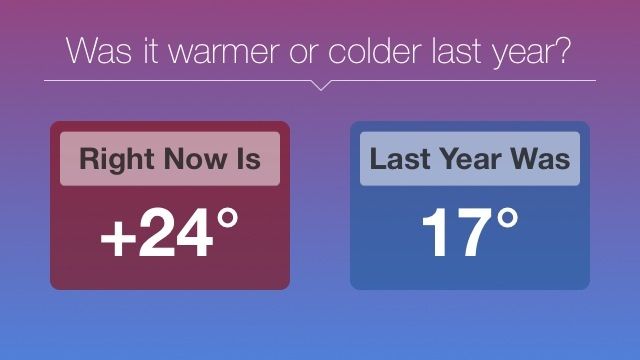
Whether is an app that satisfies that part of your brain, if you have it. It lets you compare today’s temperature, precipitation, wind, and humidity to the same day last year. The temperature panel is free, but you can unlock the rest — and any future ones — for $2.99.

So it’s basically a cool-looking weather app with an extra layer of trivia on top of it for crazy people inquisitive, metriculous types.

Source:Whether App – Free | Sturmware

Monument Valley‘s Charm Makes Up For Its Lack Of Challenge [Review]

By

Monument Valley
Who wouldn't want the team behind Monument Valley rethinking the way we drive. Photo: Ustwo

Monument Valley is what would happen if Fez and The Room (the game, not the movie) took place inside of M.C. Escher’s sketchbook.

Monument Valley by ustwo
Category: iOS Games
Works With: iPhone, iPad
Price: $3.99

It has a vibrant, interesting world full of impossible geometry, mysterious accusers, and bothersome crows. It’s a puzzle game and a jumpless platformer, and it’s endlessly amazing and mind-boggling to behold.

It is also one of the easiest games I’ve ever played, but that doesn’t mean that you shouldn’t check it out.

Map Street Addresses Right Inside Safari [OS X Tips]

By

Maps in Safari

When you want to look up a street address in Safari, you may still be using an old workflow: copy the address from the web page, paste it into the search bar, and then use Google Maps.

With OS X Mavericks, you might even have gone a step further and pasted the address into Apple’s Maps app, and then sending the directions to your iPhone.

There’s another way, though, which offers more immediate gratification: opening the address in Safari.

Lessons From The Heavenly Rise Of Little Inferno

By

Burn, baby, burn.
Burn, baby, burn.

This story first appeared in Cult of Mac Magazine.

Your game may be great, but languish in a cobwebbed corner of the iTunes store. That was almost the fate of Little Inferno, an original downloadable game launched in 2012 by indie outfit Tomorrow Corporation. They made some mistakes — big and small — that all devs hope to avoid.

One of the many cool things at the Game Developers Conference each year is the post-mortem talk, a look at what a game did well, or not so well, by the developers who made the game. This year, we were lucky to hear a talk about Little Inferno and the mistakes the team made along the way.

SkillFeed: Free Access to Over 21,000 Video Tutorials For 45 Days [Freebie]

By

redesign_pcbundle_skillsfeed

Want access to over 21,000 video tutorials on a variety of topics, including design, web development, 3D graphics, and more? Then Cult of Mac Deals has you covered with this free promotion.

Skillfeed is an incredible educational resource for designers, photographers, coders, and anyone else looking to gain (or improve) their skills in a wide variety of programs. They’ve curated the best online classes and videos in the world, so you don’t have to. Just log on whenever (and wherever) you’d like, and learn for free for the next 45 days!

Updated IFTTT Still Reigns As The Best Swiss Army Knife Of Productivity Apps

By

New features make IFTTT even more indispensable.

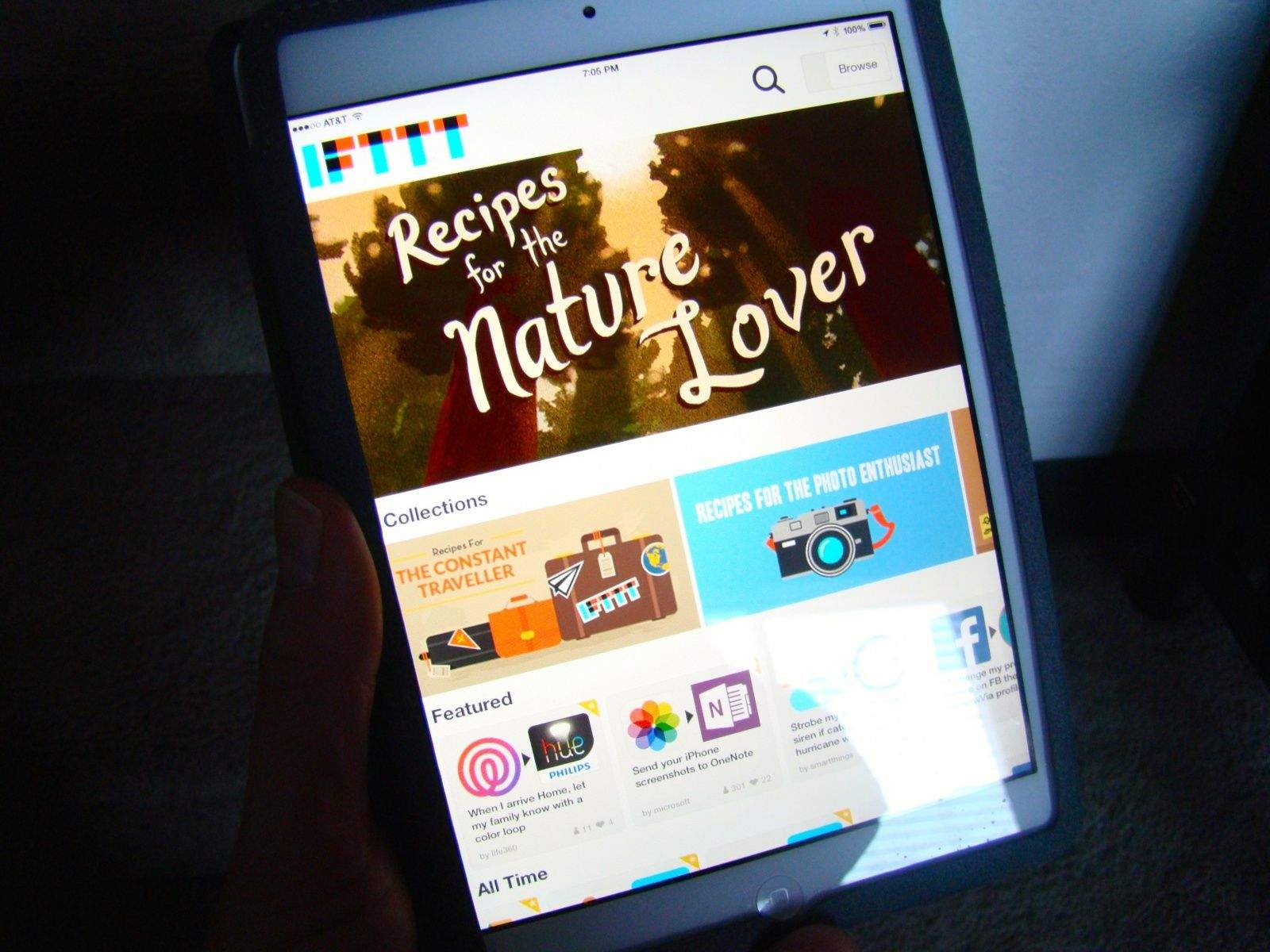
If you haven’t been using If This, Then That (IFTTT) on your iPhone or iPad, you really ought to be.

It’s a really amazing way to connect up all the things you do on your devices, putting them together in new ways for new uses.

Want to send all your iOS photos to OneNote or Evernote? There’s a recipe for that. How about making your Phillips Hue lightbulbs flash a specific color when you pull up into your driveway? There’s an IFTTT recipe for that, too.

Chances are, if you can think of it, you can make it happen, connecting different services and apps like Facebook, Twitter, Instagram, your iOS Photos app, location services, and the like in fantastically useful new ways.

There’s a new update for the iOS app, and it’s got some pretty spectacular new stuff to check out.

Happy Birthday, iPad. Four And All Grown Up

By

ipad-anniversary

The iPad is four years old today and my mom hates it. Maybe not hate. Dislikes. Loathes. I don’t know the right word but for two weeks it sat in Apple’s pristine white box, unwrapped, unlocked, setup and then discarded; snuggling in its brown leather SmartCover completely untouched.

After dismissing it as “just a big iPhone” it’s grown on her in four months, just like it’s grown on us since 2010. Now it’s the only place she watches YouTube, looks at pictures, reads websites, FaceTimes and gets down on Solitaire like Kim Jong-un at a nuclear buffet.

It’s the best damn thing to ever happen for children with tech-illiterate parents.

Spinning Bird Kick! Street Flapper Mashes Up Flappy Bird And Street Fighter II

By

flappy_fighter

Quick, think of two classic game franchises that make perfect sense as a mash-up! Give up? How about Street Fighter II and Flappy Bird? Not convinced of the brilliance of this idea? Well too bad — someone’s done it anyway.

Joining the plethora of Flappy Bird clones to arrive in the App Store since Dong Nguyen’s hit original, Street Flapper lets you take your favorite Street Fighter characters and guide them through an “endurance training” setup composed of the stretchy arms and legs of character Dhalsim.

Is Monument Valley The Most Visually Stunning iOS Game Of The Year?

By

mv_oct13_04

The year might only be three months old but there’s already a contender for ‘most visually striking iOS game of 2014.’

Launched today, Monument Valley looks to combine the gameplay of hit indie game Fez with the brain-twisting art of M.C. Escher.

As can be seen from the above trailer it looks stunningly beautiful, and with developers Ustwo (the team responsible for Whale Trail and Blip Blup) behind it, hopefully the gameplay will be every bit as great. The trailer depicts Princess Ida climbing through landscapes of shifting geometric shapes, optical illusions, and hidden paths — all the while avoiding and outsmarting the enigmatic Crow People.

Pebble’s Latest iOS Update Unbricks The Smartwatch

By

Brick-Anchorman

When Pebble’s last iOS update essentially bricked the smart watch, leaving it capable of only (shock horror) telling the time, we knew that something needed to be done in a hurry.

Fortunately Pebble realized that too, since the company has rushed out a new update for its official iOS app — fixing the bug users had complained about which stopped the Pebble from connecting to an iPhone via Bluetooth.

Spotify Adds Browsable Albums Collections, Dark Theme

By

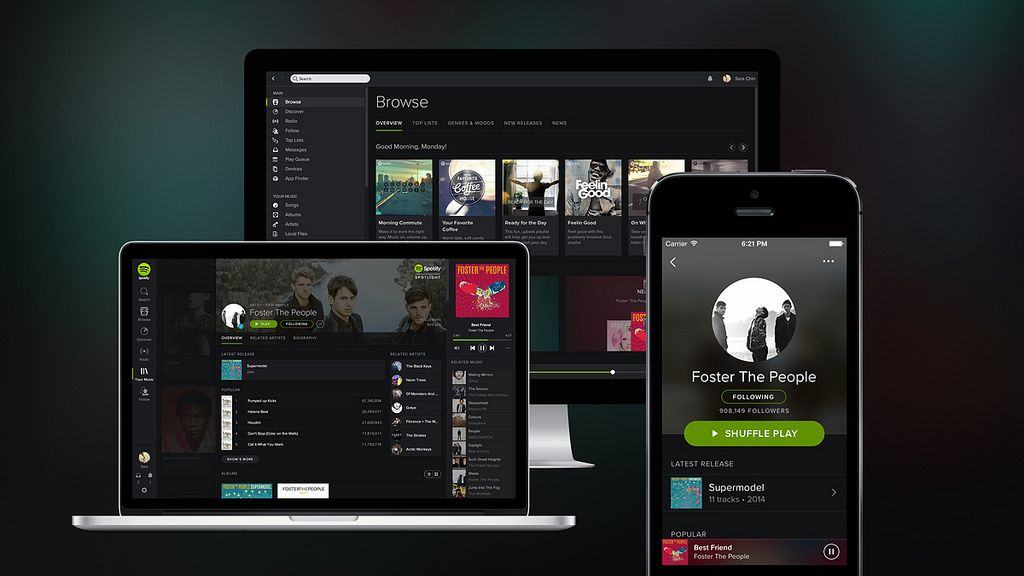
Spotify seems to have solved one major problem with its apps. Until now, the music streaming service has been focussed on playlists, forcing you to organize your music in order to “save” it for later.

Compare this to Rdio, which concentrates on albums and songs, letting your save them to an iTunes-like collection.

Spotify now offers “Your Music,” which is pretty much a copy of Rdio’s collections, and is a very welcome addition.

Lensbaby For iPhone Hits The Sweet Spot

By

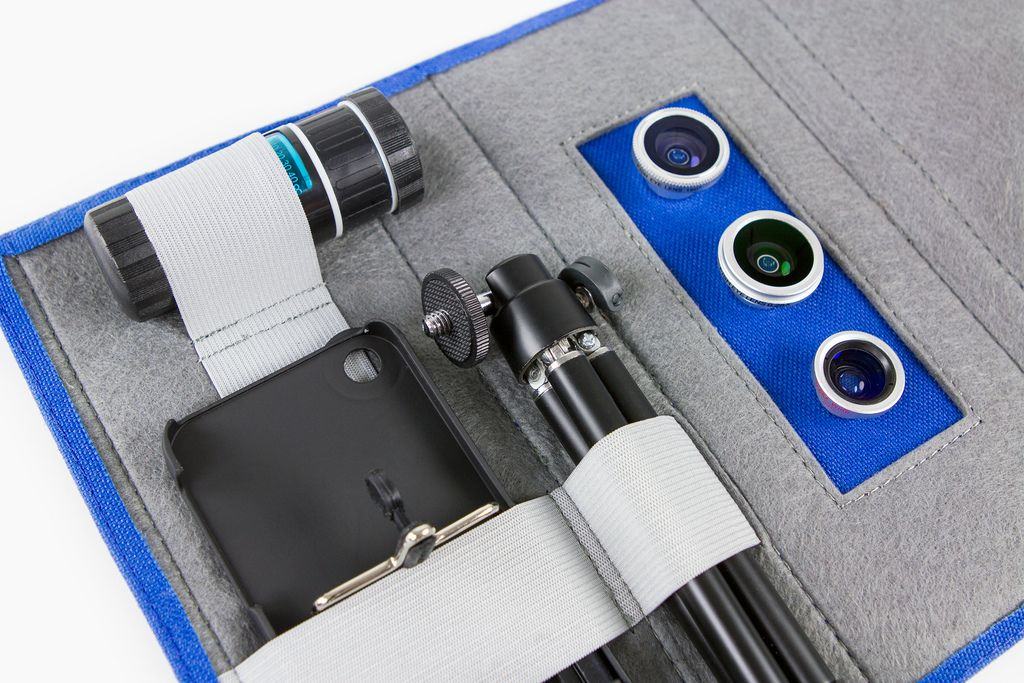
Lensbaby’s new iPhone lens looks awesome. Or it would, if it didn’t attach with magnets. Yes, it’s a super-strong magnet and might therefore avoid the problem suffered by all other magnetically-attached iPhone lenses: they are hell to keep aligned.

But you still have to glue a metal ring onto the back of your iPhone.

Banner Day For Apple Patents Includes 3D Apple TV Remote Control

By

Wiimote-in-Hands

Apple is awarded a lot of patents, many of which it never does much more than sit on top of. After all, in the high stakes (and highly litigious) world of mobile, it’s better to patent a potential innovation than let a potential enemy do so.

Even so, today was a banner day for Apple. In just a single day, Apple was granted a whopping fifty-one different patents, ranging from older products like the unibody MacBook Pro to some much wilder stuff, like a possible 3D Apple TV remote control system.

UpTo Reinvents The iPhone’s Calendar (Again), Ditches Social For Simple [Daily Freebie]

By

upto-2
UpTo's radical remake.

UpTo’s original take on the iPhone calendar was fairly unusual. the app allowed you to follow the calendars of friends or organizations, whose events then appeared on your calendar; you could the interact withe the events more or less the same way you would a Facebook post: There were likes, comments and a handy “I’m in” to signify attendance.

The problem is, in order for anything with a social twist to work, lots of people need to use it — and based solely off my observations while using the app, that didn’t seem to be the case. Also, some users may have found the app overly complicated.

So now, UpTo has been radically redesigned with a focus on layers instead of social connection. But is it better?

Apple Gets An ‘A’ From Greenpeace, While Amazon Flunks Out

By

Screen Shot 2014-04-02 at 10.56.05 PM

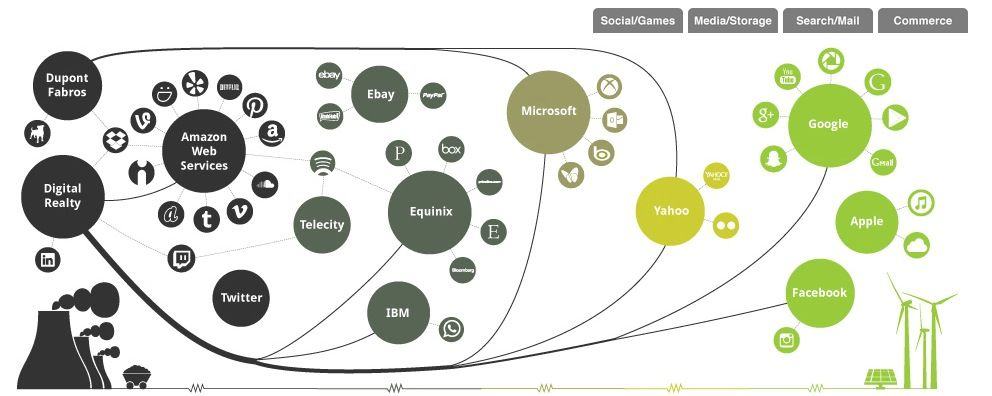
Historically, Greenpeace hasn’t been very happy with Apple. In the past, they have scored Apple last in reports on green-friendly data centers, called the iCloud one of the dirtiest things on the planet, and called Apple less green friendly than Dell, HP and Nokia.

But things have seemingly changed. In a new report on renewable energy used by major Internet companies, Apple came out at 100%, thanks to the wind farms and solar arrays that now allow Apple’s data centers to run on 100% renewable energy. What’s the dirtiest thing on the planet now?

Apple Is Looking To Buy Beleaguered Japanese Chipmaker [Rumor]

By

iPhone-4S-teardown

When Apple starts sniffing around, looking to buy a company, it’s time to pay attention. That goes double if they make chips. Back in 2008, Apple purchased P.A. Semi, a low-powered chipmaker, whose acquisition soon paved the way for an entire series of revolutionary ARM based chips. And recently, Apple purchased a low-energy chip maker who could help power the iWatch.

Now Apple’s out to do it again, this time with Renesas SP, if reports can be believed. But what for?

Auxo 2 Takes Multitasking In iOS 7 To The Next Level For Jailbreakers

By

Screenshot

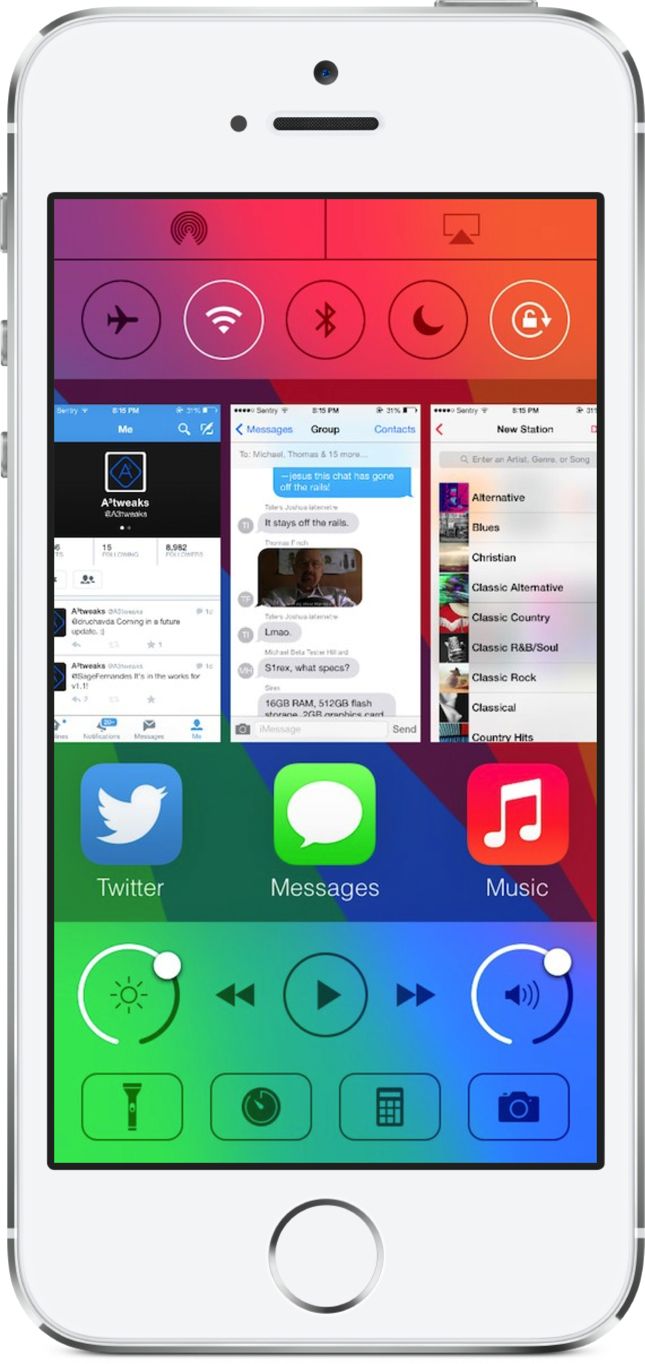
The jailbreak tweak called Auxo did card-based app switching in iOS 6, and then Apple came along and fully implemented the idea in iOS 7. Auxo, which started as a concept that went viral online, was suddenly obsolete.

A successor to Auxo has been in the works for quite some time, and now it’s available for jailbreakers to install in Cydia. Auxo 2 doesn’t reinvent iOS 7 multitasking, but the tweak builds upon it by adding more controls and customization.