The fourth and final season of the madcap workplace comedy Mythic Quest just got a premiere date. Ian, Poppy, David and the rest return to Apple TV+ on January 29.
But that’s not the end. The spinoff Side Quest launches in March.

The fourth and final season of the madcap workplace comedy Mythic Quest just got a premiere date. Ian, Poppy, David and the rest return to Apple TV+ on January 29.
But that’s not the end. The spinoff Side Quest launches in March.


Bill Atkinson, a legendary Apple programmer, let the world know Tuesday he’s in treatment for pancreatic cancer, the same disease that killed his boss, Steve Jobs, in 2011. Atkinson published a post on Facebook asking for prayers.
Recruited by Jobs and Macintosh developer and user interface guru Jef Raskin, Atkinson became employee number 51 at Apple. He’s a primary architect of the original Mac. You can see some of his considerable accomplishments and his Facebook post below.

The UK consumer-advocacy group Which? accused Apple of forcing iPhone and iPad owners to use iCloud, and then overcharging them for the service.
It’s asking for a hefty £3 billion ($3.8 billion) in compensation. That’s about £70 per consumer.
 ★★★☆☆
★★★☆☆
The new Apple Magic Keyboard, updated with USB-C, is a fine option if you want Touch ID and if you like laptop-style membrane keyboards. It’s not my preferred typing experience. It also, unfortunately, only comes in a limited number of colors and only two sizes.
It’s the stock keyboard that comes if you order an iMac. It’s also available if you want an external keyboard on your Mac mini, Mac Studio or a desktop-docked MacBook.
The Magic Keyboard is the only way to get Touch ID on the Mac, which is a pretty excellent experience. You just have to pay the rather high price for it — and the even greater sacrifice of giving up on a clicky mechanical keyboard.
Keep reading or watch our latest video.
 ★★★☆☆
★★★☆☆
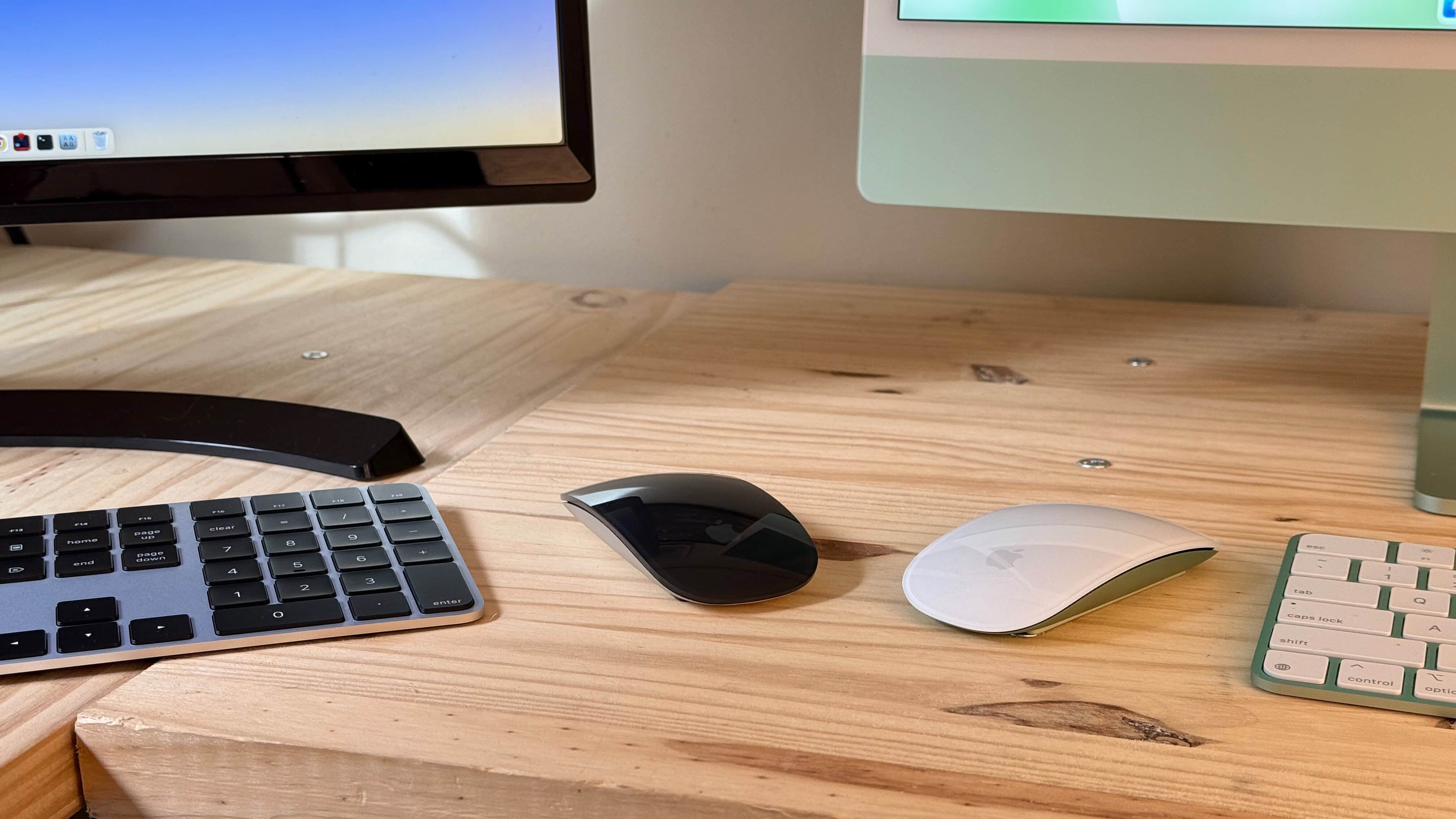
The Magic Mouse has been updated with USB-C, and … well, that’s about it. You can ditch the Lightning cable on your desk, but that’s where the changes end.
It still has a design that’s uncomfortably thin for my hands and lacks modern niceties like Force Touch and multi-device pairing.
The Magic Mouse is, however, still the best (and maybe only) mouse that uses trackpad-style swiping and scrolling gestures in place of a traditional scroll wheel. If you can set all else aside, it’s a great experience.
Keep reading or watch our latest video.
 ★★★★☆
★★★★☆
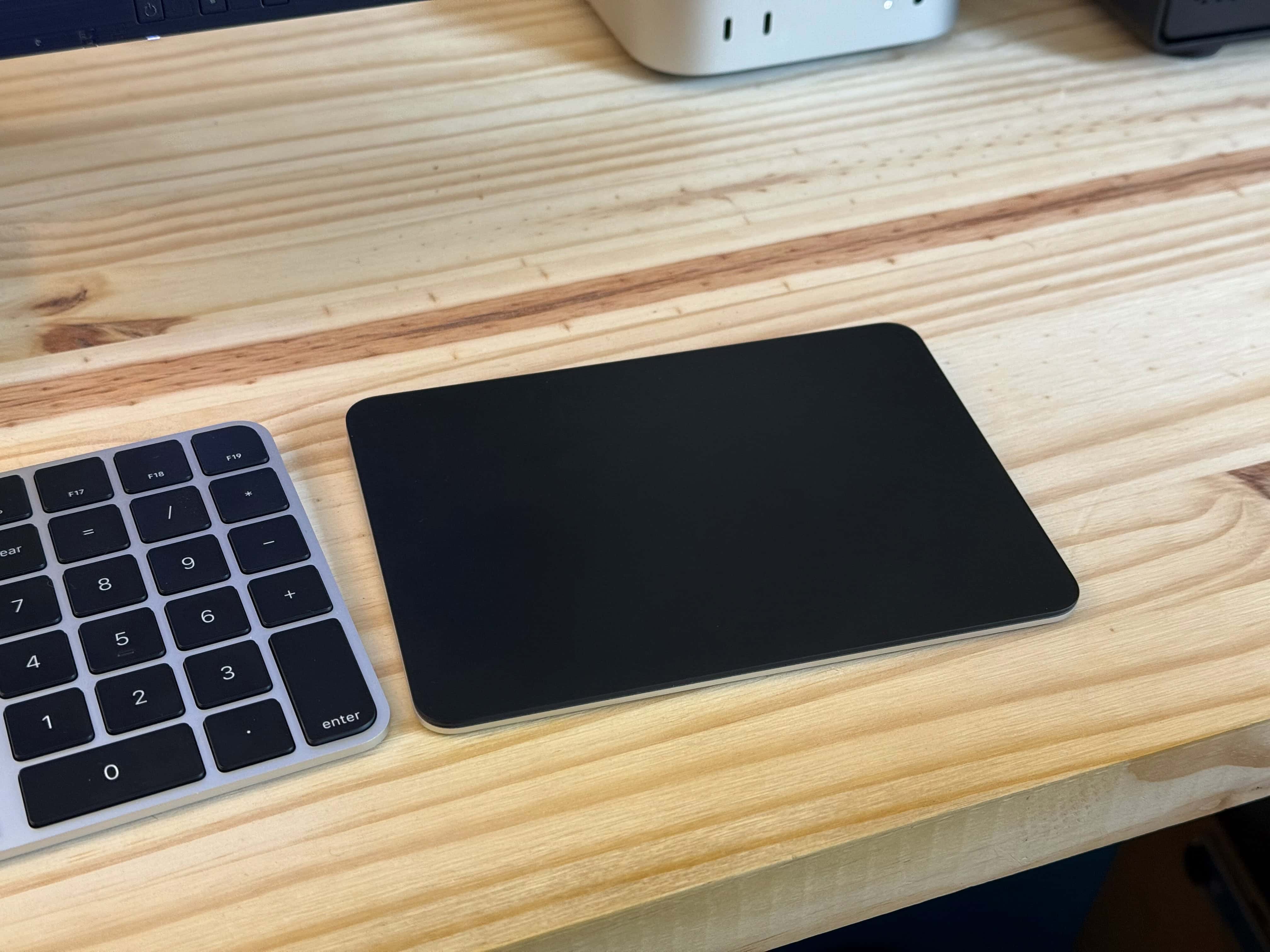
The new Apple Magic Trackpad with USB-C still holds the crown for the best Mac peripheral. It’s the best trackpad in the world and the best input device for macOS.
I was hoping for a little more out of this update, like built-in Touch ID or multi-device pairing. I also wish there were a neutral silver color, not just black and white.
But even without either, it has features that are still unparalleled anywhere else. Force Touch and Apple’s perfected multitouch gestures make the Magic Trackpad the king.
Keep reading or watch our video review.
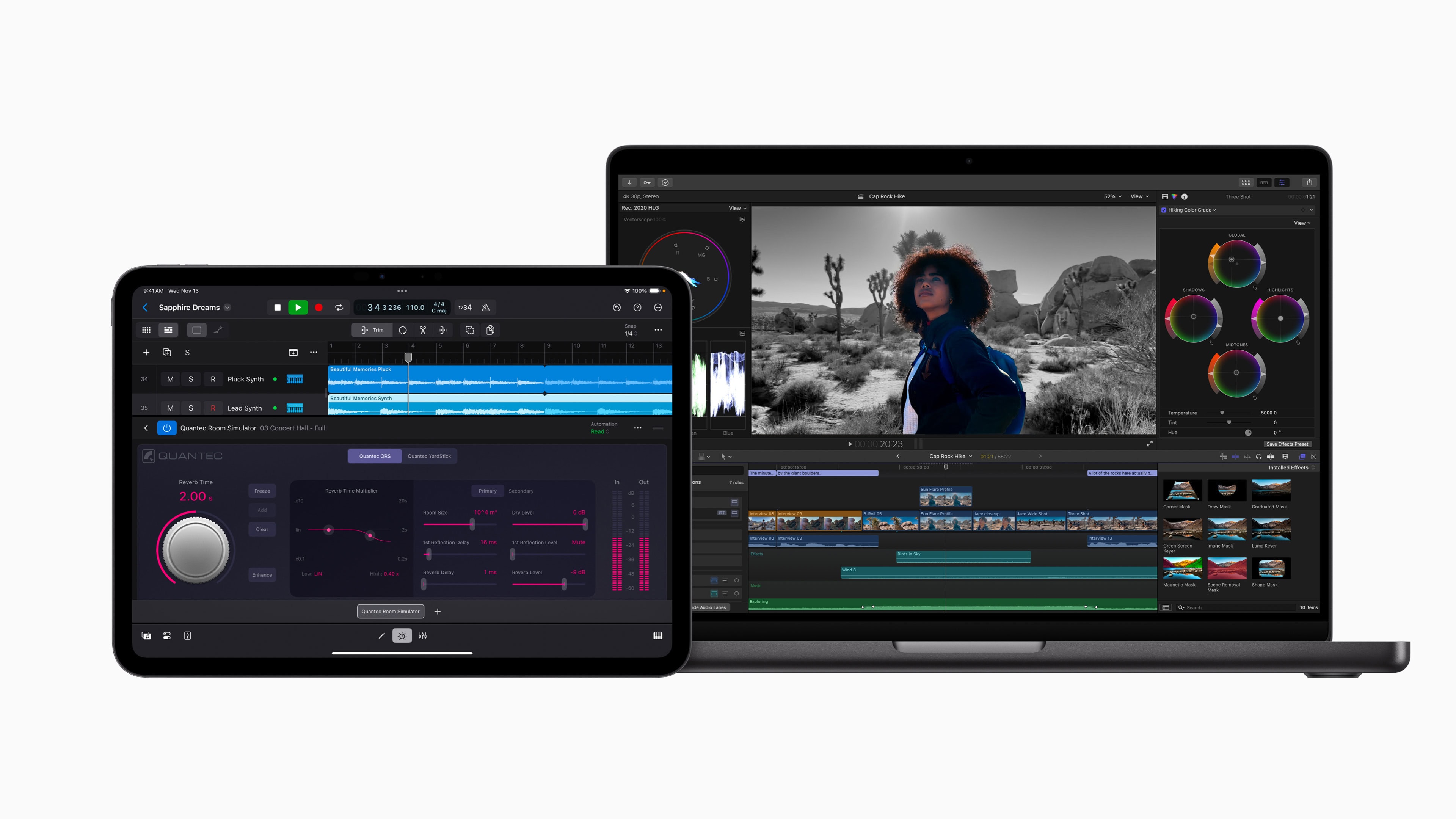
Following the launch of M4-powered Macs on November 8, Apple today rolled out Final Cut Pro 11 for Mac. It brings several new AI-powered features, like Magnetic Mask and Transcribe to Captions.
Final Cut Pro for iPad and iPhone also got an update with multiple enhancements.

Bad Sisters season two sees the Garvey women scrambling in the aftermath of the darkly funny thriller’s first season, a new trailer Apple TV+ dropped Tuesday shows. Will they get away with the “accidental death”? Or will they break ranks and trip up as the law and nosey strangers close in?
Season two of the popular and acclaimed series debuts on Apple TV+ November 13. Watch out for season one spoilers below, by the way, in case you haven’t streamed it yet (and you really should).
Update: The first pair of episodes of Bad Sisters season two premiered Wednesday. It’s two years after J.P.’s death, and it might be time for what the Garvey women did in season one to catch up to them.

The updated version of Capcom’s classic Resident Evil 2 horror game launches on recent iPhone, iPad and Mac computers in under a month.
It’s the latest in the long-running series to hit Apple devices.

Beloved soccer comedy series Ted Lasso, considered Apple TV+’s biggest hit, is the subject of new book by no less than Jeremy Egner, a TV critic for The New York Times. He titled his new tome, released Tuesday, Believe: The Untold Story Behind Ted Lasso, the Show That Kicked Its Way into Our Hearts.
The book, published by Dutton, purports to tell the whole story of the show, from its unlikely conception based on a TV commercial to its surprising, and now ongoing, success. (Production for season four of Ted Lasso kicks off in January.)
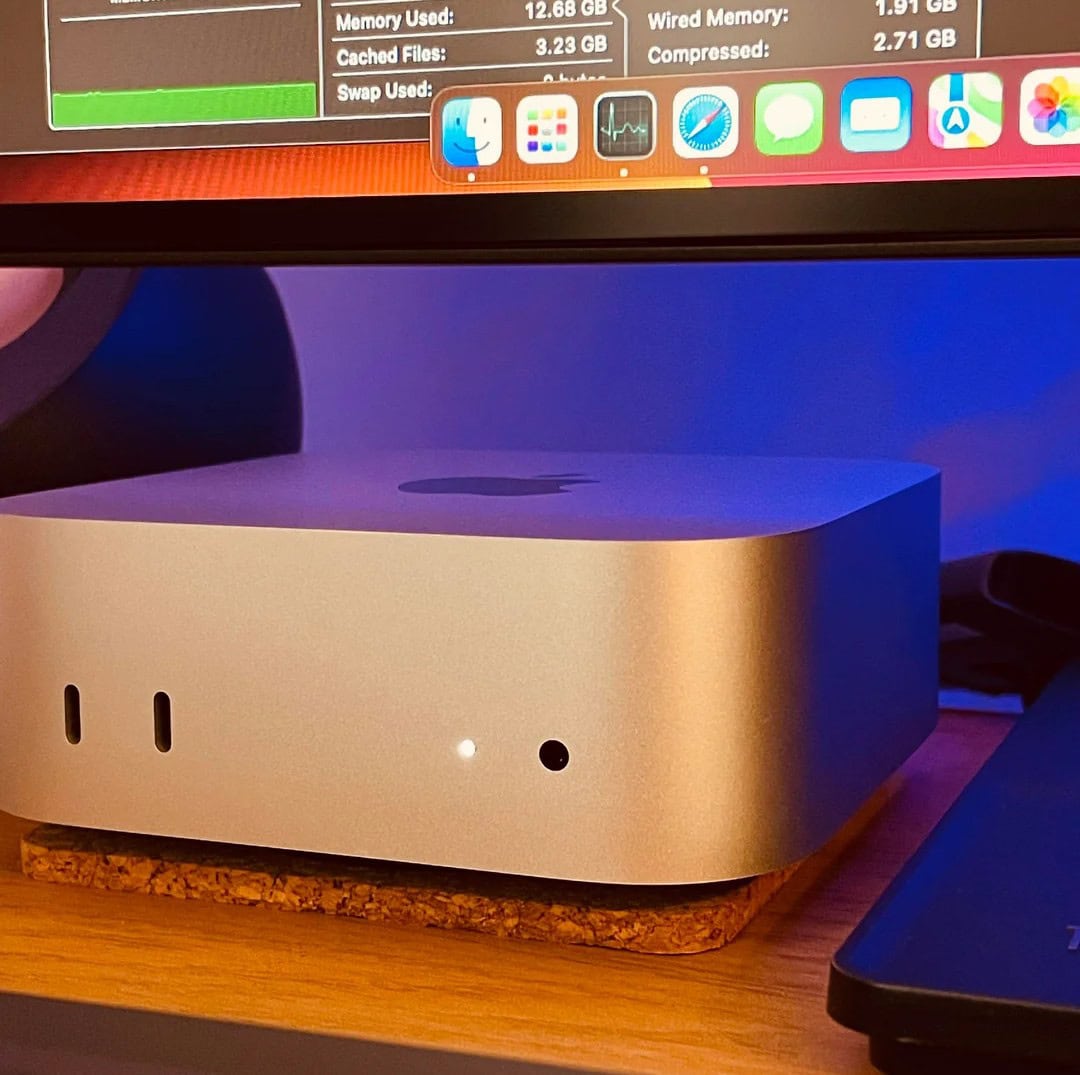
Now that the new M4 Mac mini editions are even smaller than before but mightier than ever, plenty of other Mac users might migrate. That could include laptop devotees. Today’s M3 Pro MacBook Pro user, who also has an M1 Pro laptop, “couldn’t be happier” with his “incredibly impressive” new M4 Mac mini (the base model, no less). And he’s doing some intense work on his new desktop machine, too.

Trying to decide which Apple tablet is right for you? Knowing which is the most popular might help. And there’s no doubt which one earns the top spot: iPad Pro.
You can probably guess the second most purchased iPadOS model.

Looking forward to some holiday downtime, maybe hunched over your Apple device with a glass of eggnog by the fire? Apple is set to expand its gaming catalog of over 200 titles with 15 new Apple Arcade games this holiday season. They include highly anticipated releases and reimagined classics. That sounds like hours of holly jolly fun.

Have your AirPods been sending you excessive volume notifications because you keep cranking them up too loud? It might be time to do your ears a favor by trying out bone-conduction headphones.
These Mezzo+ Bluetooth headphones, on sale now for just $49.99, protect your eardrums as you listen to your favorite jams. They rest outside your ears and use bone-conduction tech to send audio waves to your inner ear through tiny vibrations along your cheekbones.
 ★★★★★
★★★★★
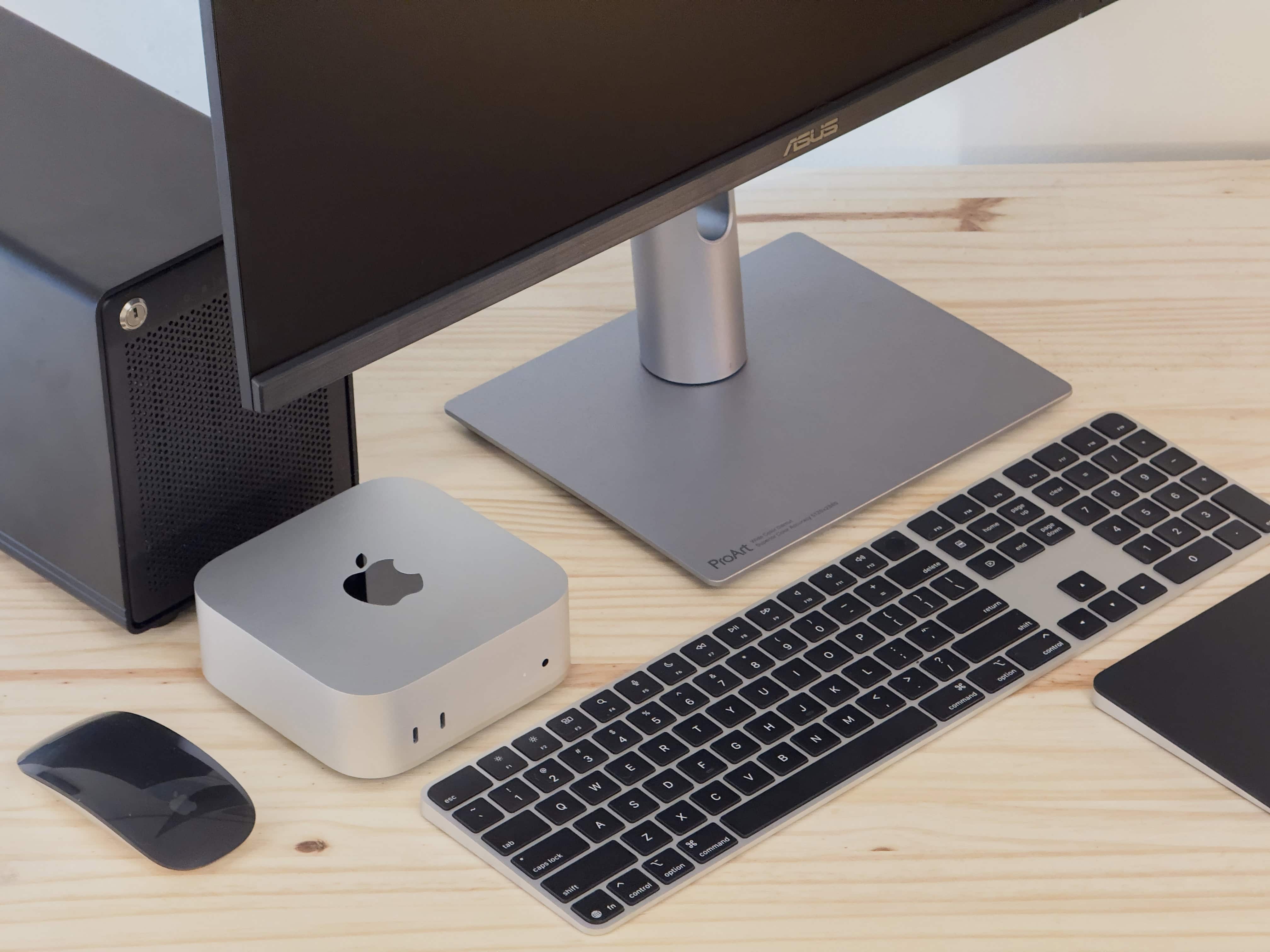
The new Mac mini with M4 Pro chip offers incredible power at an unbelievable price. The diminutive desktop computer reaps the rewards of Apple silicon’s trickle-down performance: It delivers capabilities similar to a Mac Studio (or Mac Pro) with an M2 Ultra, at just a third (or a fifth) of the price of those high-end computers.
We haven’t yet seen what the new M4-series chips will do for the Mac Studio and Mac Pro, but the remarkable Mac mini makes me question how much of a pro user you’d have to be to truly need them. And on top of all that, it’s super-tiny. What’s not to love?
Keep reading or watch our video review.
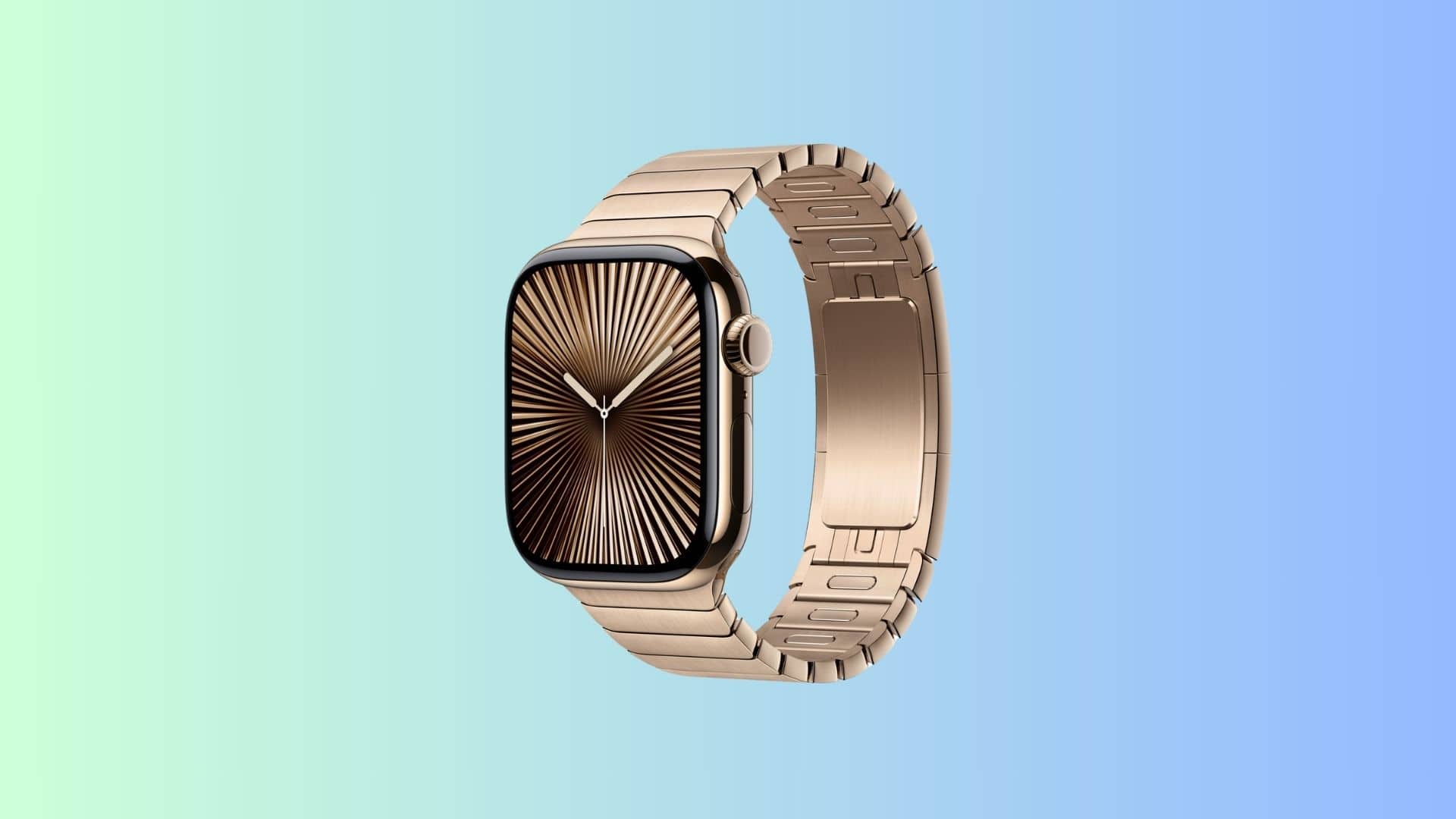
Apple is now selling a Gold Link Bracelet for the Apple Watch. Listed for $349, the band is made from 316L stainless steel alloy and features over 100 components.
Apple first showcased the band while unveiling the Apple Watch Series 10 at its September “It’s Glowtime” event.
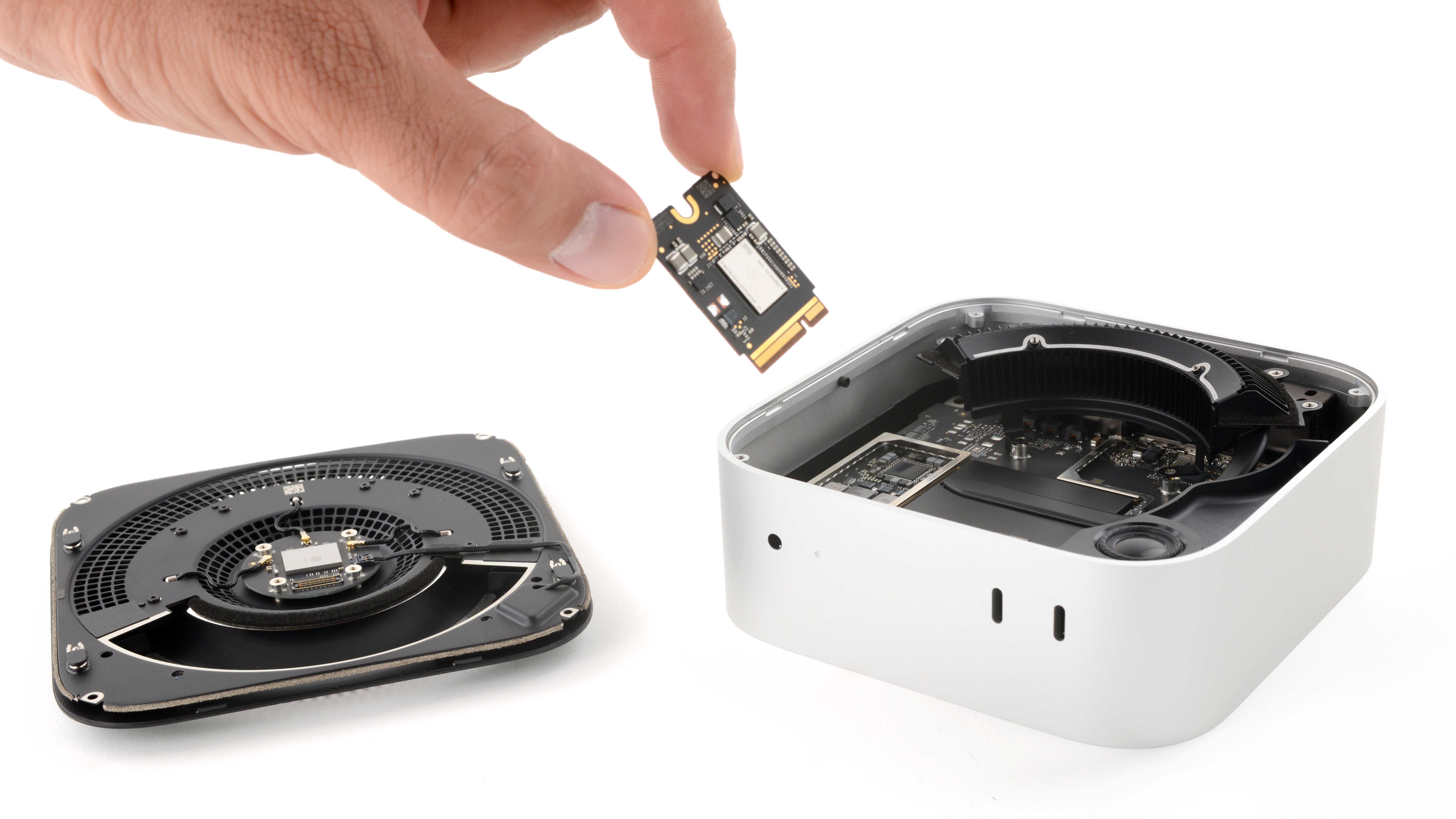
A teardown of Apple’s redesigned M4 Mac mini reveals a removable SSD. More importantly, the storage is upgradeable, though there’s a big catch.
The new Mac mini uses a non-standard SSD, though. So, you cannot just buy an off-the-shelf disk drive for replacement.

Apple is reportedly developing a “command center” for smart homes. It’ll supposedly be an inexpensive, wall-mounted, tablet-like computer used to control smart devices and make video calls. The device also would serve as an access point for the upcoming AI-powered Siri.
This is not much like anything the company offers now, though it does mix in some of the features of an iPad and a HomePod.

You can now enjoy Apple Music Classical on the road per new updates Apple made Tuesday in version 2.1 of the app. It added CarPlay and Siri support to the service, in addition to other minor improvements to raise the quality level.
“Hey, Siri, crank up Brahms’ Sonata for Piano and Violin in G Major, and rip the knob off,” is something you could try saying as you drive around. But will the silence remain?
 ★★★★☆
★★★★☆
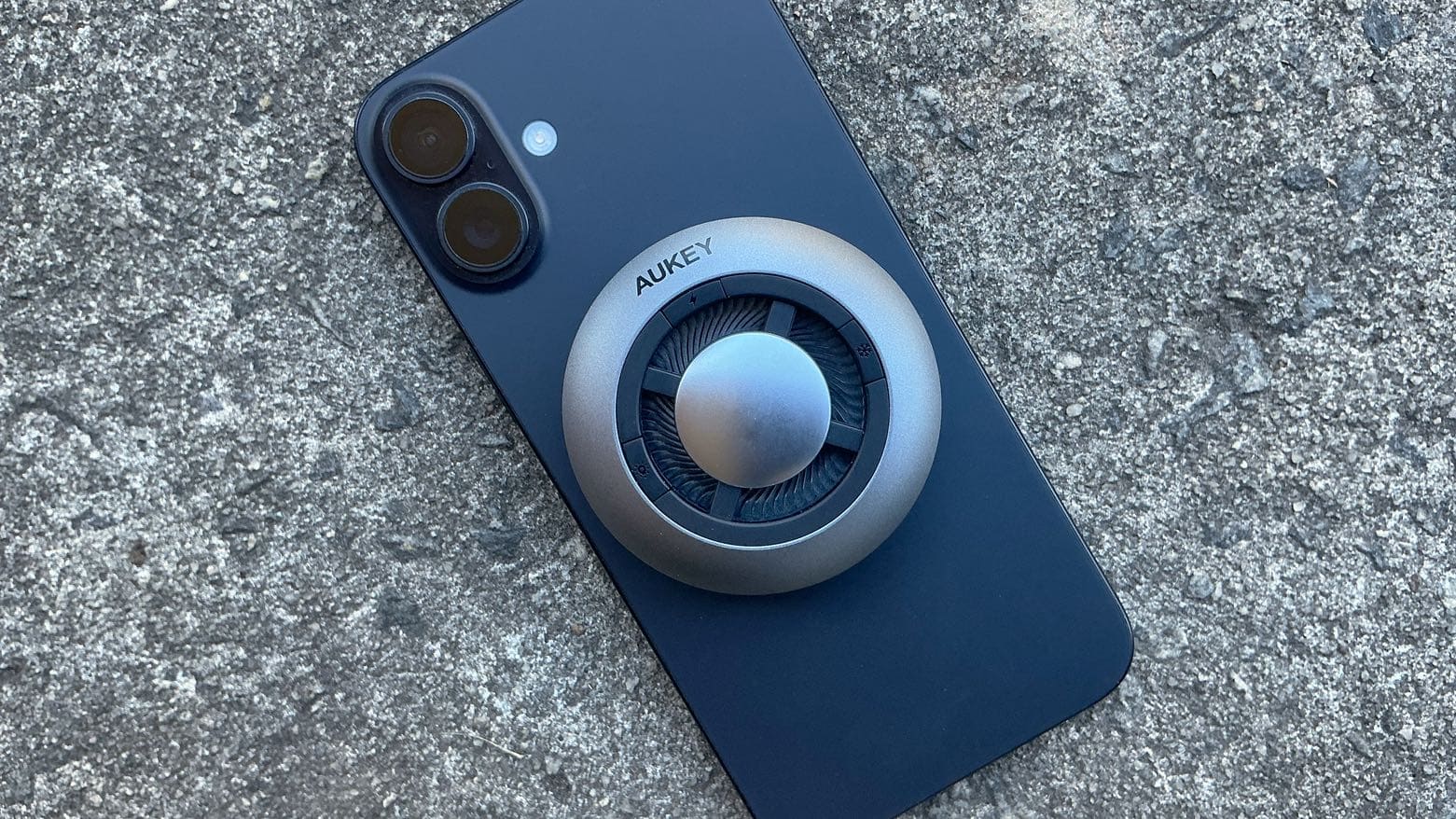
The Aukey MagFusion GameFrost Wireless Charger cools your iPhone or Android while it juices up, preventing the heat that often results from charging from damaging the battery.
I put the accessory through its paces to see how quickly it charges an iPhone 16, and how well it cools the handset.

Accomplished Irish actor Fiona Shaw joined the cast of Bad Sisters in an “inside look” at season two video Apple TV+ released Monday, ahead of the new season’s Wednesday debut. And this Bad Sisters season 2 video, really just a promo, is pretty entertaining.
“Thanks very much for welcoming me into your dangerous, hostile little world,” Shaw quips to the group of woman seated around a table. And later in the chat, she says of the Garvey sisters: “When they’re all together they become a kind of phalanx of meerkats.”
That line provokes gales of laughter from the “Garveys” in a video that is, essentially, a season one recap, a look ahead to the imminent season two and, maybe above all, a celebration of women.
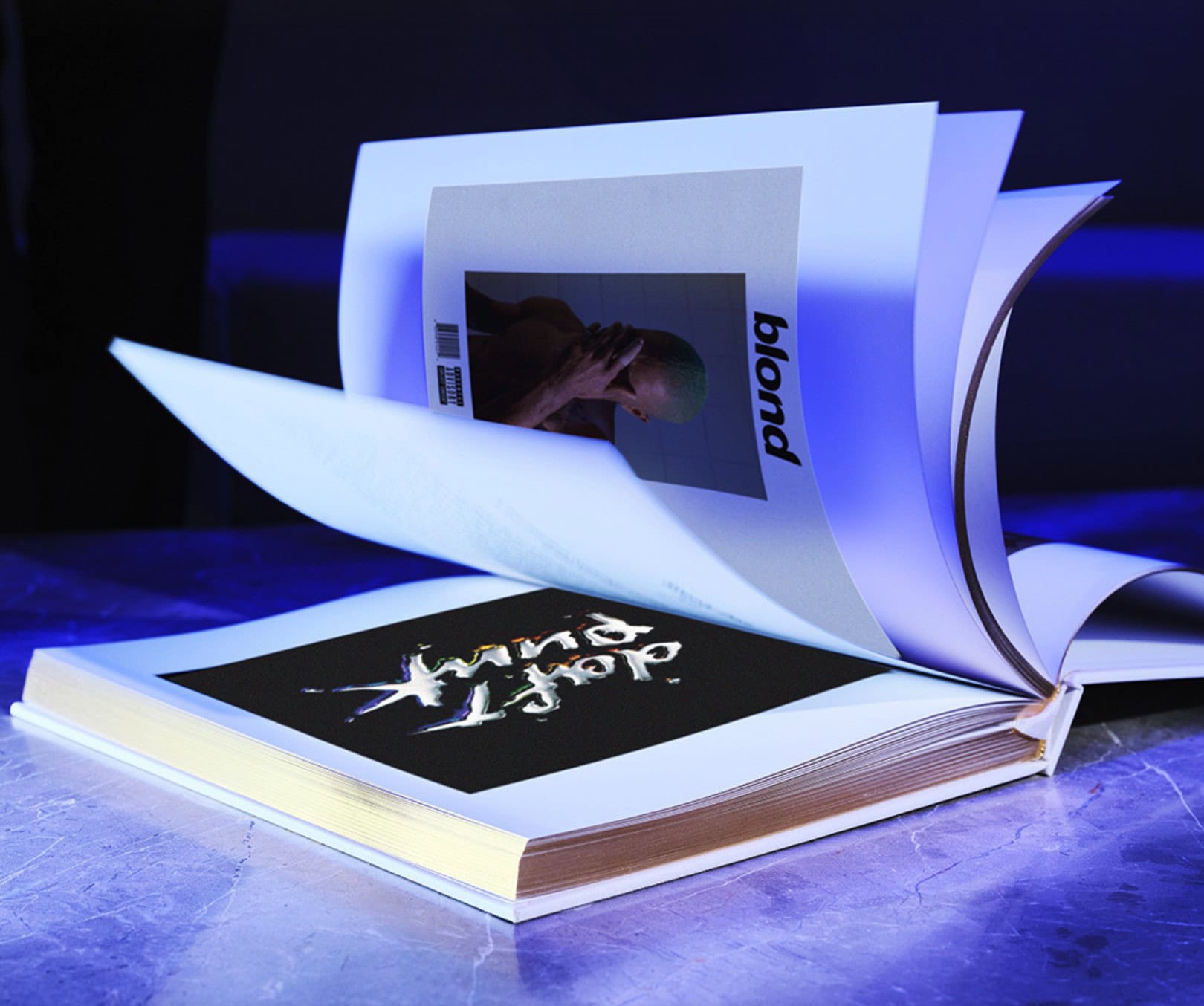
Back when Apple Music put out its 100 Best Albums of all time list, some people expressed shock at the No. 1 pick — 1998’s The Miseducation of Lauryn Hill. And now they might be shocked they’re being asked to pay a whopping $450 for a fancy-schmancy, limited-edition coffee-table book version of the whole list. That seems like an Apple move, doesn’t it? But if you’re into it, act fast — only 1,500 copies exist.
However, before you do … you know you could buy an M1 or maybe an M2 Mac mini with that $450, right? Just sayin’.

If you’re thinking about a lucrative tech career or want to expand your existing skill set, these affordable cloud computing courses give you what you need to level up. With more than 52 hours of content covering AWS, Azure, cloud security and microservices, this course bundle is a powerhouse for anyone serious about mastering the cloud.
For just $29.99, you’ll gain lifetime access to a comprehensive suite of cloud computing courses. This professional knowledge will prepare you for some of the industry’s most sought-after certifications.
 ★★★★☆
★★★★☆
The 2024 iMac with the M4 chip is a stunning and powerful all-in-one. The desktop computer is an endangered breed, but if you have room for one in your life, the new iMac offers a beautiful design and some impressive performance.
Power users might find the base model M4 iMac’s small number of ports and skimpy storage capacity limiting. But the amount of powerful creative work you can get done on this thing speaks to the golden age of the Mac we find ourselves in. There’s not a single bad computer in Apple’s lineup. Everything can edit video or produce a professional podcast or develop apps. So, why not do it from a colorful iMac that sparks joy?
Keep reading or watch our video review.

Apple could enter a new product segment in 2026 with the launch of a smart home IP camera that lets users keep an eye on things when they’re away. The company is seemingly looking to start mass production two years from now.
The smart home camera should integrate seamlessly with other devices in Apple’s ecosystem.