★★★★☆
The right-handed Alogic Apex wireless mouse offers premium features at an affordable price point. Photo: David Snow/Cult of Mac
I recently tested out a new low-cost, high-performance mouse from Alogic. It’s a compelling alternative to hugely popular premium options like the Logitech MX Master 3S wireless mouse — at roughly half the price! After using it for this Alogic Apex mouse review, I found the capable device strikes an impressive balance between features and affordability at a retail price of $59.99 (currently on sale at 15% off).
Use this AI tool to write better resumes and land the job you want. Photo: Cult of Mac Deals
Job interviews can prove intimidating, but these days, there’s a much more important interview going on behind the scenes. It happens the moment you upload your resume. And because it’s crucial that you pass this “invisible interview,” AI Resume Builder could be the most essential weapon in your job-hunting arsenal.
It could help you land that coveted real job interview that’s key to getting your dream job. Fortunately, this resume-writing tool is now on sale for only $39 (regularly $468). You won’t find a better deal than this anywhere else online.
These five Apple products could make you go wow this year. AI image: Midjourney/Cult of Mac
Imagine a Siri capable of opening your preferred email client on your iPhone and sending an important email seamlessly. Picture an Apple-branded smart home hub, elegantly wall-mounted in your kitchen, equipped with Apple Intelligence for instant access to smart home controls and a conversational voice assistant. Envision an iPhone just 6mm thin, standing out for its ultra-sleek, stylish design.
All of this could turn into a reality in 2025, with Apple already working on these devices and services for launch next year.
Buy from Apple's online store in China to save on iPhone, iPad and Mac Photo: Apple
In a rare move, Apple is offering discounts of up to RMB 500 ($68.5) on iPhones in China. The promo runs from January 4 through 7 and only applies to selected payment methods.
Apple rarely provides direct discounts on its products, especially on newer models. However, it seems to be making an exception in China.
Journal lets you build a scrapbook or a diary on your iPhone. Image: D. Griffin Jones/Cult of Mac
A diary can be a great and invaluable record of your life, but who has time for that? Well, now you do: Apple’s iPhone Journal app makes keeping a diary a breeze. Really, it couldn’t be any easier.
Apple’s Journal app, newly updated in iOS 18, lets you build a record of your life into a multimedia digital diary. Your iPhone will pull together details from your photos, locations and events to give you prompts for memories worth writing about.
Here’s the nitty gritty on using the Journal app — and its latest features.
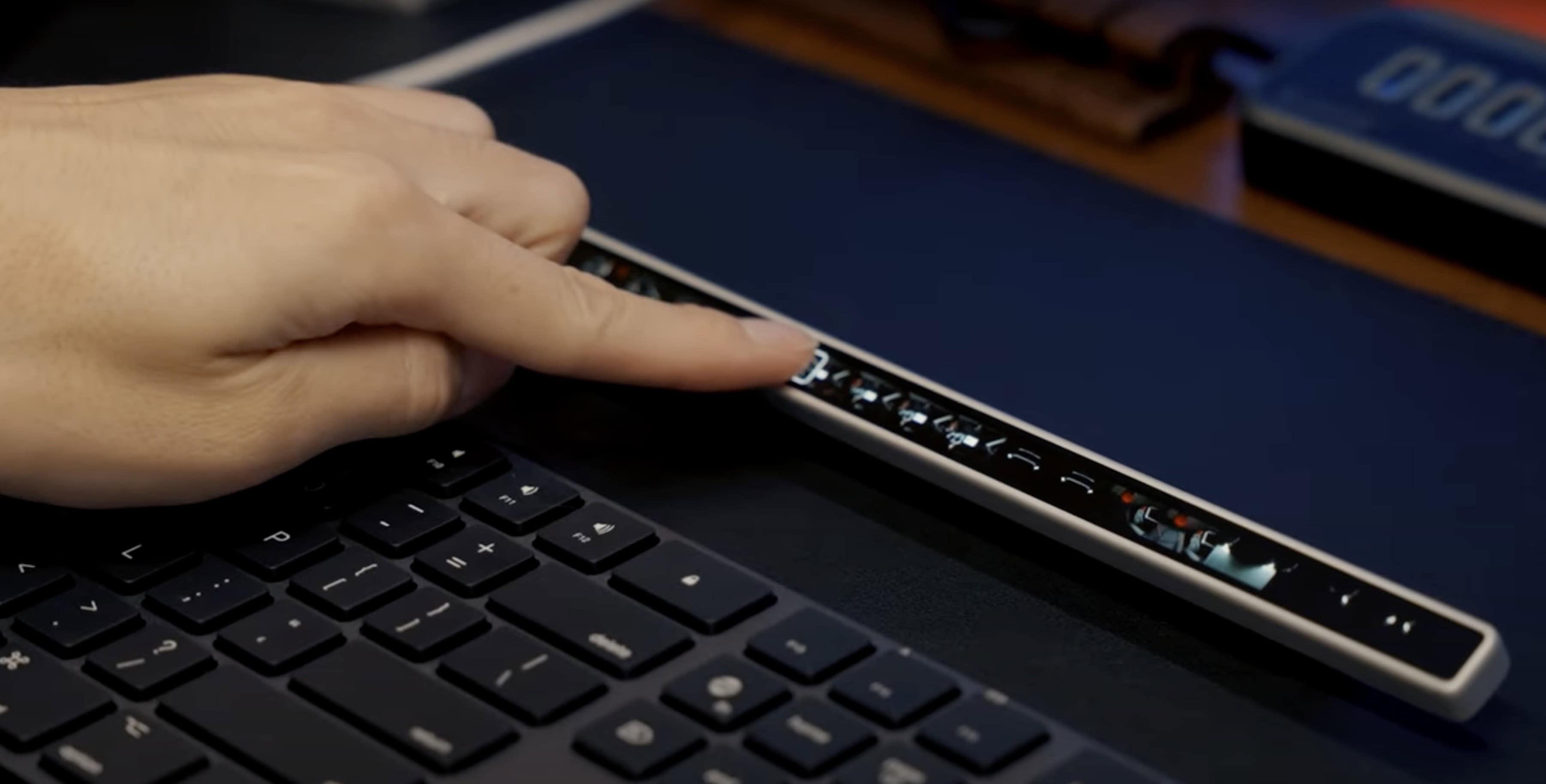
The standalone device features an OLED screen, USB-C connectivity and haptic feedback. Photo: Eniac Technology
A recently launched Kickstarter project aims to breathe fresh life into Apple’s discontinued Touch Bar concept, offering a more versatile and customizable solution for both Mac and Windows users. Flexbar, developed by Hong Kong startup Eniac Technology, reimagines the controversial MacBook Pro feature as a standalone accessory that promises to deliver on the Touch Bar’s original potential.
“The discontinuation of the original Touch Bar didn’t mean the concept was flawed — it simply wasn’t taken far enough to reach its full [potential],” the Eniac team said. “There’s something undeniable [about the idea]: the potential for a customizable, adaptive interface that could streamline workflows was immense. We decided to step in.”
Update: Eniac sent out a reminder Tuesday that Flexbar’s Kickstarter campaign ends Thursday (January 2, 2025), so time to participate is waning. You can still pledge to get one Flexbar for $179 $149, two for $358 $219 or three for $537 $299. And it appears the device will most likely go into regular production, as funding reached $284,612 by Tuesday, well over the campaign’s goal of $2,576.
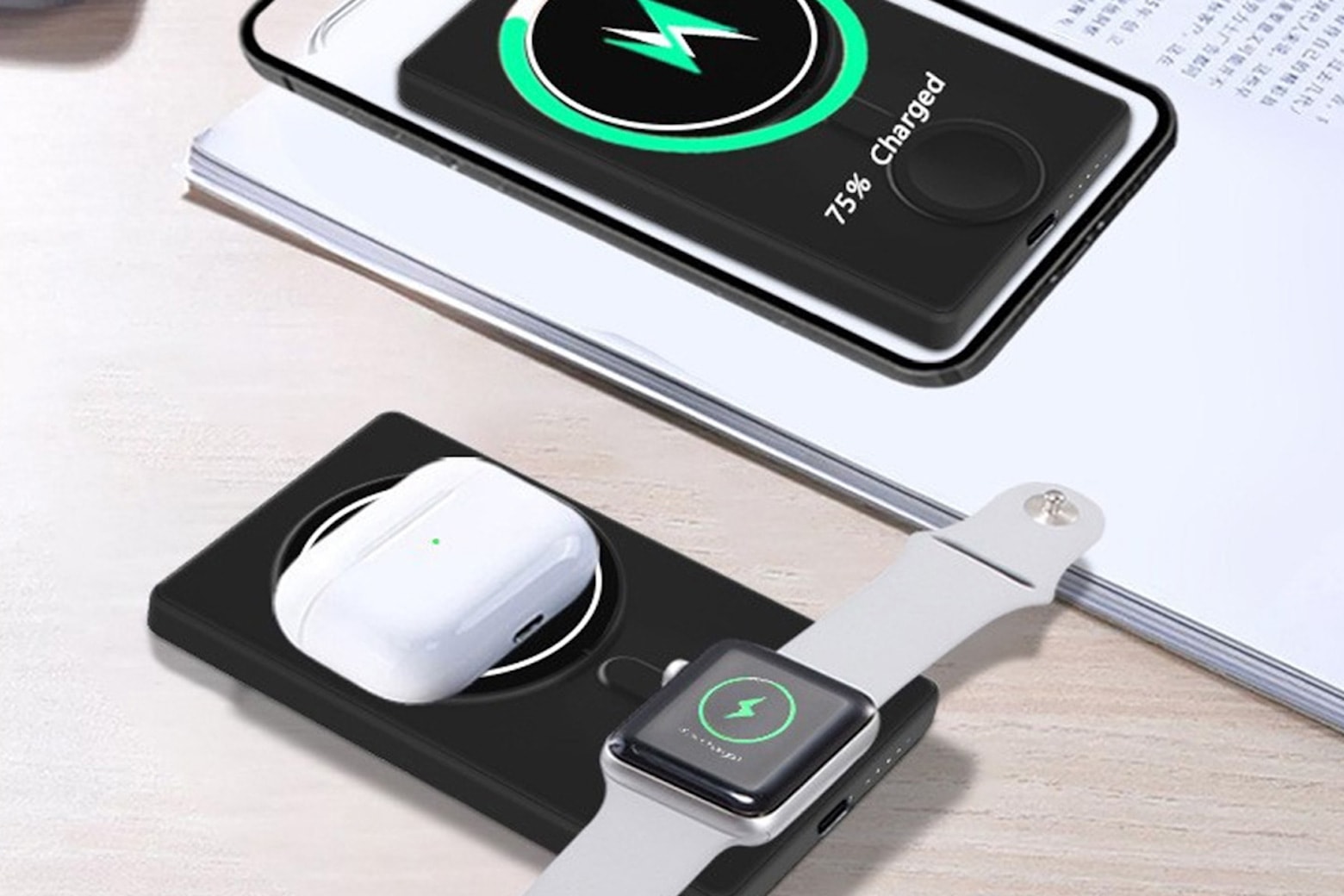
For less than $40, you can get a portable wireless charger that works with iPhone, AirPods and Apple Watch at the same time. Photo: Cult of Mac Deals
If an iPhone, some AirPods and an Apple Watch all make it into your everyday carry, you need a three-way power bank that can charge them all at once.
For a limited time, you can score major savings on a multidevice wireless charger that can do it all. Normally sold for $119, this versatile (and very portable) power bank is discounted to just $39.99. It would make a great addition to your EDC — and a fantastic gift for any Apple fan.
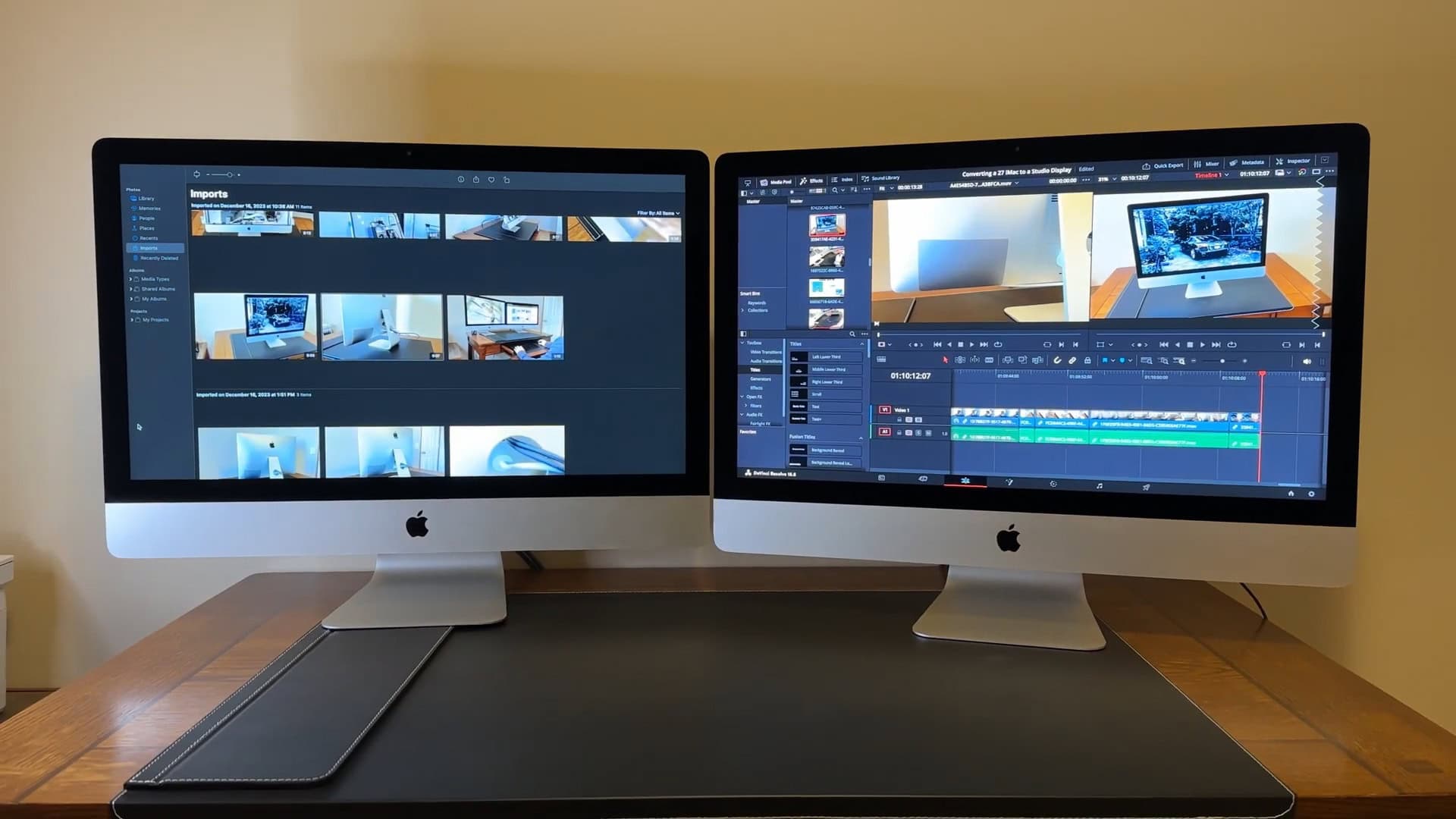
One of these iMacs is actually an external display, with specs similar to the Apple Studio Display. Photo: Run Young/YouTube
With some careful modding, you can use an iMac as a display — and save more than $1,300 to get a high-end monitor similar to Apple’s pricey Studio Display.
Apple’s Studio Display is one of only a small handful of 27-inch Retina 5K displays on the market, boasting a resolution of 5,120 × 2880. Unfortunately, it costs quite a handful — $1,599. If you have an old iMac 5K sitting around, you already have a computer with the exact same display panel inside. So if you are willing to spend about $190 in parts and can convert it to a Studio Display, you can save a big chunk of change.
Here’s how you can mod it yourself — but be warned, it’s not for the faint of heart.
Apple's homepage paid tribute to former U.S. President Jimmy Carter following his death Sunday at 100. Photo: Apple
Apple dedicated its homepage Monday to the memory of former President Jimmy Carter, who died Sunday at 100 years old. Carter lived longer than any other U.S. president and seemed to do more than most former heads of state after his term in office.
“Today, we honor President Carter’s lifetime of service and his commitment to leaving the world better than he found it. May he rest in peace,” Apple CEO Tim Cook wrote in a post on X. Both the X post and the Apple website showed the same image of Carter in work clothes with a tool belt on a construction site. The Plains, Georgia, native worked for many years building homes for the homeless through nonprofit group Habitat for Humanity.
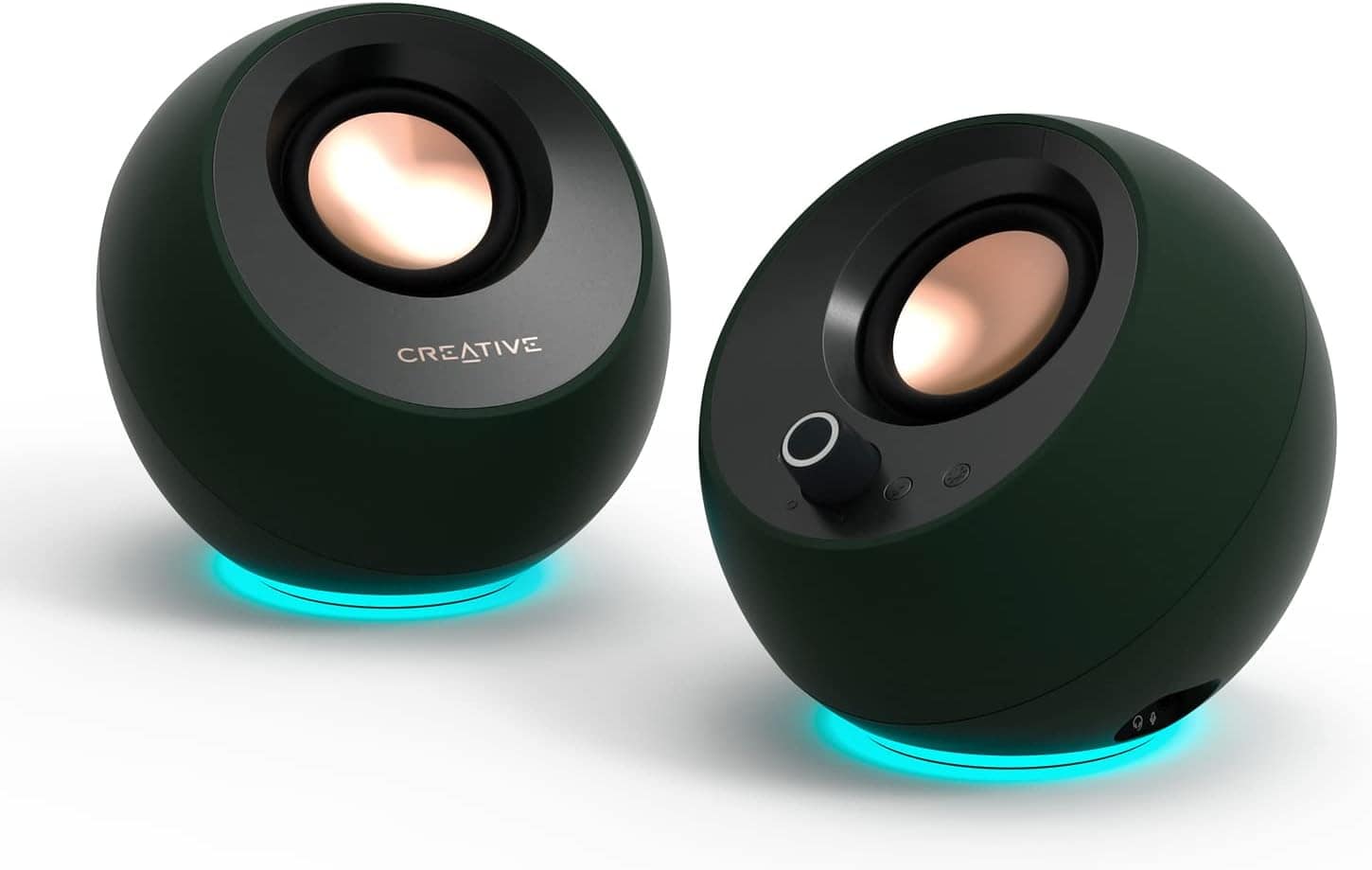
The round little speakers are tilted at an ideal angle for use on a desk. Photo: Creative
As good as some speakers built into computers and monitors sound these days, it still often pays to use external speakers on the desktop. Today’s setup features a powerful M4 Pro Mac mini — with an improved built-in speaker, no less — but the user still opts for Creative Pebble Pro speakers in the computer setup.
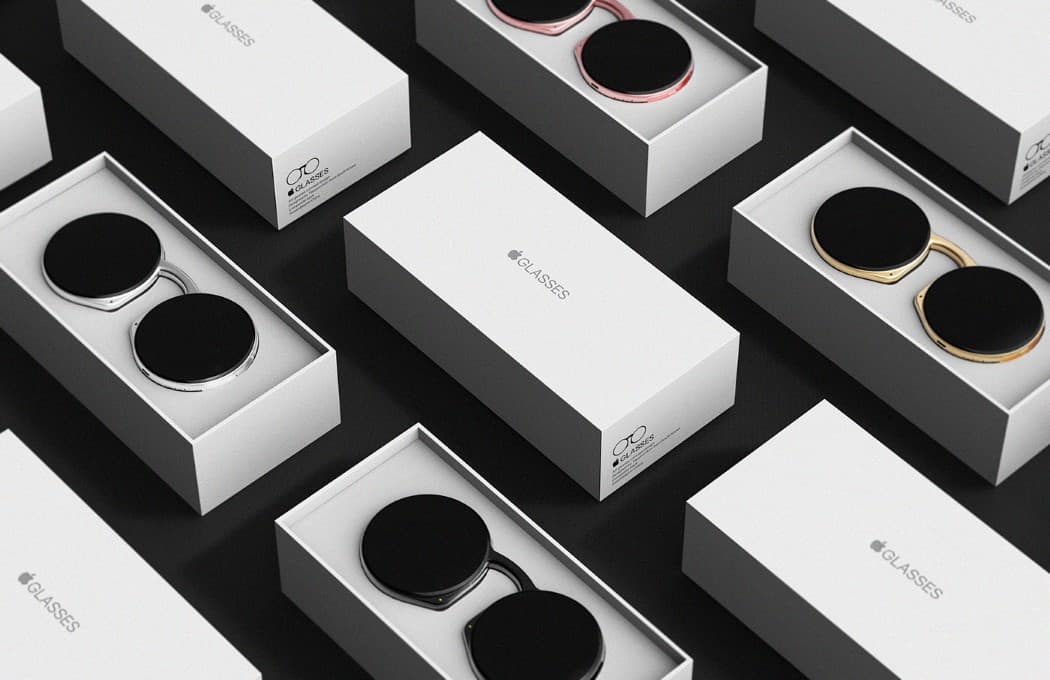
Apple needs smart glasses or it risks getting left behind. Concept: Taeyeon Kim
It’s time for Apple to get into smart glasses. This is an emerging product category that combines AI, cameras and audio… three components that the iPhone-maker is either already expert at or is working hard to improve.
Apple Glasses could be critical for the company long term because it would be an important step toward someday making the Vision Pro AR headset into a viable product.
Anyone can watch Apple TV+ for free January 4-5, 2025. Photo: Apple TV+/Cult of Mac
Apple TV+ will open its doors to all for an unprecedented free streaming weekend, January 3-5, 2025. That gives everyone unlimited access to its entire catalog of original content. In other words, the streaming service — which normally costs $9.99 monthly — will make its full library of over 250 original TV shows and movies available without requiring a subscription.
Apple's planning a big push into smart homes in 2025, and HomePods will be part of it. Image: Cult of Mac
Apple’s significant expansion of its smart home lineup in 2025 should include new HomePod and HomePod mini models. The company plans to introduce both a display-equipped HomePod and a refreshed HomePod mini amid a renewed focus on the smart home market.
As usual, you can expect Apple to emphasize quality audio as well as airtight security. Here’s what to expect from HomePod and HomePod mini in 2025.
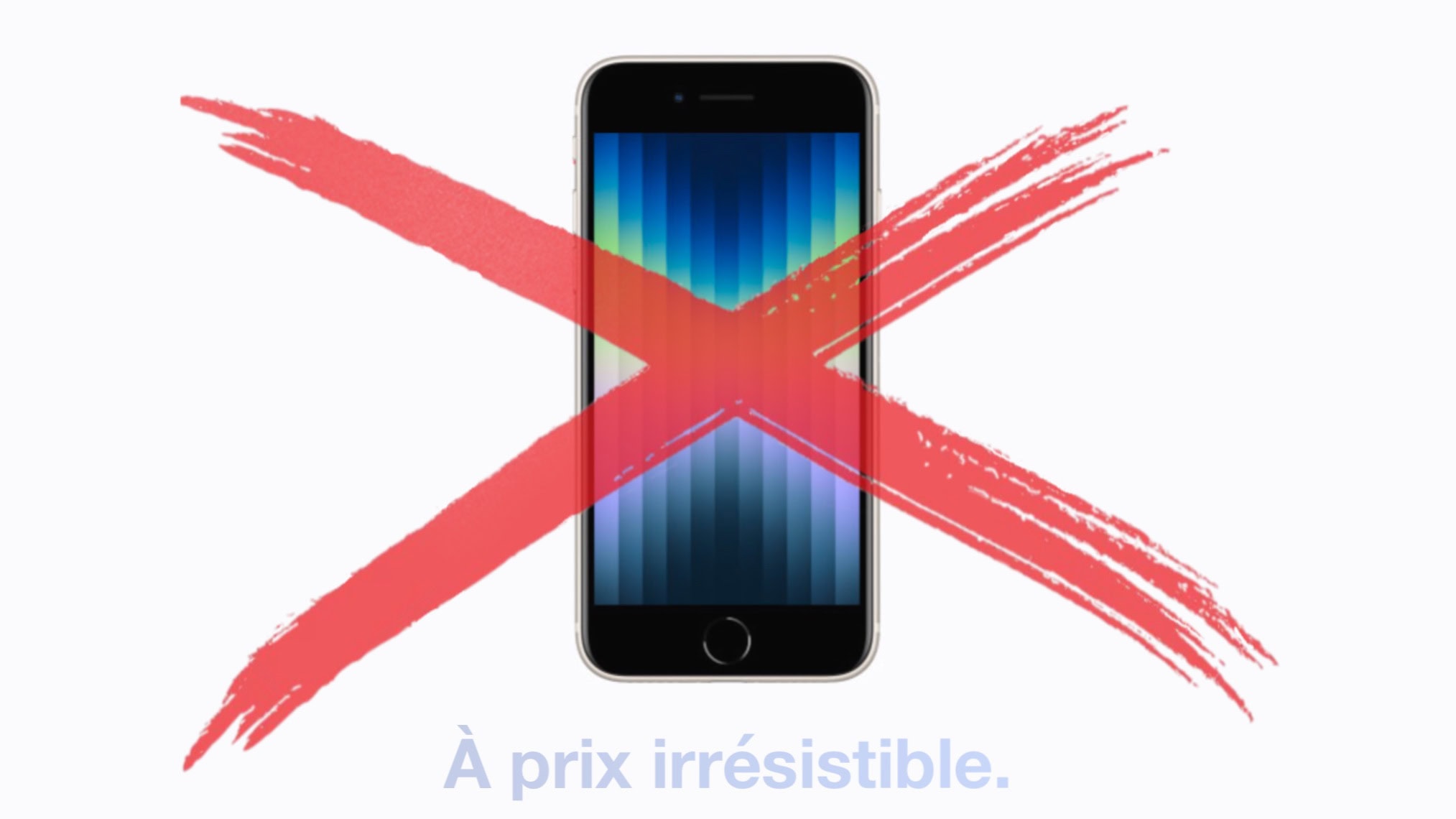
The iPhone SE is among the Apple products pulled from Apple stores in the EU.
Image: Apple/Cult of Mac
It’s no longer possible to buy an iPhone 14 or iPhone SE 3 from Apple in the EU. And many of Apple’s older accessories also disappeared from the company’s shelves in the European Union, too.
It’s all a result of a EU law that, as of Saturday, banned the sale of handsets with proprietary charging ports. Apple was a primary focus of the legislation.
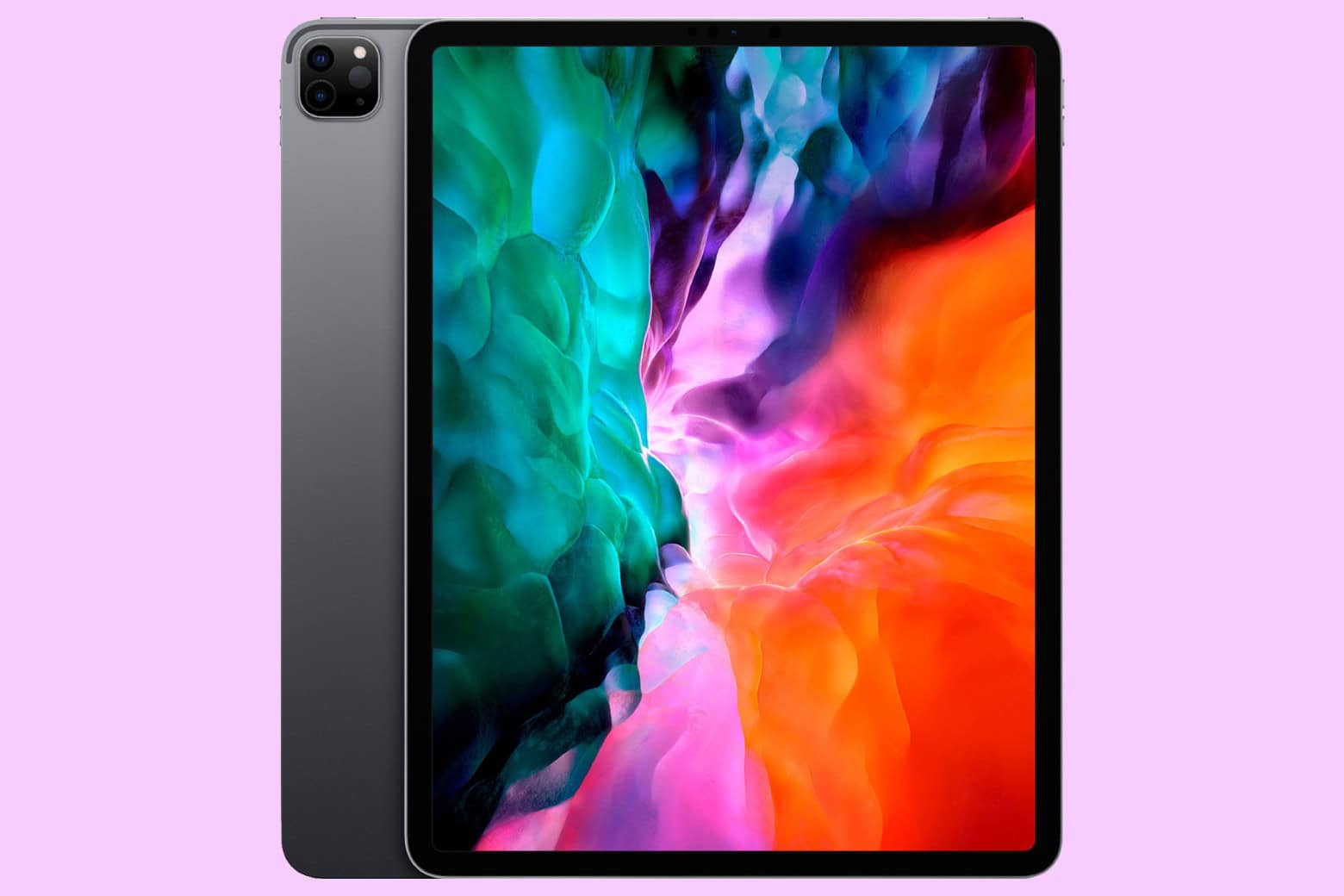
Don't miss your chance to grab a giant 12.9-inch iPad Pro at a great price. Photo: Cult of Mac Deals
Looking for a powerhouse tablet without the premium price? This grade-A refurbished 12.9-inch iPad Pro delivers pro-level performance and versatility for just $519.97. Whether you’re a creative professional, a multitasking pro or a casual user who craves performance, you can get it with this fourth-gen iPad Pro model from 2020.
Apple Watch could have an Ultra-good year in 2025. Image: Cult of Mac
2025 should be an Ultra year for the Apple Watch. In an unusual move, Apple only launched the Apple Watch Series 10 this year. It kept the Ultra 2 around, only releasing a new black titanium colorway. If you’re curious about the latestApple Watch rumors, there’s plenty of speculation about what’s coming next.
But next year won’t be all about Apple’s most expensive smartwatch. For more budget-conscious customers, the third-gen Apple Watch SE should arrive in 2025.
Here are my picks for the best iPad cases available now. Image: Cult of Mac
You unwrapped a shiny new iPad for Christmas or Hanukkah — congratulations! — and now you need a case for it. I’ve tested a bunch of these and have recommendations for the best iPad cases.
These protect your computer from life’s little mishaps. But you can also get an iPad case with a built-in keyboard and trackpad to upgrade your table to a ultralight laptop.
You can quickly and secretly switch out of Private Browsing without anyone noticing. Image: Dosso Dossi/Public domain
So, you’ve been using Safari’s Private Browsing mode on your iPhone or iPad, for whatever reason, but you forget to close out of the tab. The next time you open Safari, you’ll be thrown into whatever unscrupulous web page you had open last time — and the result can range from unfortunate to embarrassing, depending upon what you were looking at and where you are when you unexpectedly resume the Private Browsing session.
Luckily, iOS offers a foolproof way to avoid reopening a Private Browsing mode session. Let me show you how.
Take a look in the mirror behind the setup to see the portrait display's RGB lighting wheel. Photo: [email protected]
Today’s dual-display MacBook Pro setup sits on a desk up against a mirrored wall. In the photograph above, that let’s us see the nifty ring of colorful monitor RGB lighting built into the back of the LG UltraGear display — a decorative and functional touch included in an aging but still formidable external display for serious gamers.
The 11th-generation iPad is just a few months away. And new iPad Pro and iPad Air models are on the way, too. Photo: Cult of Mac
2025 will finally bring the much-anticipated 11th-generation iPad, a version of the budget tablet with a faster processor capable of accessing the latest Apple Intelligence features.
In addition, expect faster iPad Pro and iPad Air models in 2025 — one sooner than might be expected.
Don't take chances with your personal data. Photo: Cult of Mac Deals
Need online security you can take anywhere? The Deeper Connect Air is a VPN travel router that offers encrypted browsing to keep your info from prying eyes, along with a slew of other benefits. The device uses advanced, military-grade encryption to safeguard all data that passes through it, making your online interactions confidential.
Whether you’re handling sensitive business data at a cafe or browsing personal content in a hotel room, your information remains private and secure. You can get the extremely portable Deeper Connect Air for just $149.97 (regularly $219) with free shipping.
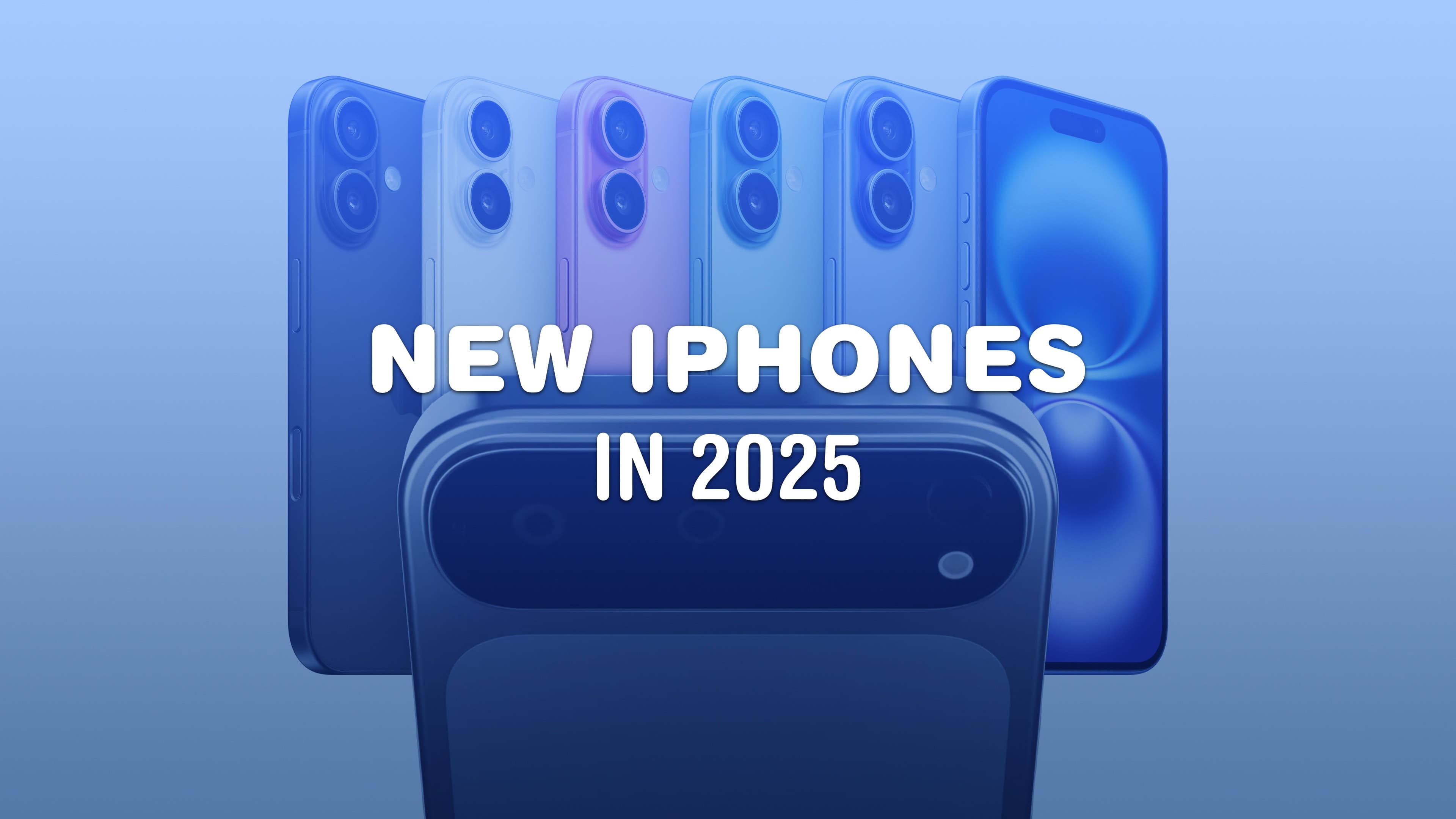
There’s a lot being cooked up for the iPhone next year.
The 2025 iPhone lineup is going to see one of the biggest design shakeups in the product’s history. Not only will there be an entirely new model — the super-slim iPhone 17 Air — the Pro phones are getting the first all-new design in years, with a radical new camera array that’s sure to polarize opinion. Plus, the entry-level models and the iPhone SE are getting lots of worthy trickle-down upgrades. With these innovations, Apple iPhone 17 is set to redefine smartphone design and functionality. Discover how iPhone 17 Air will mark a new beginning for Apple.
It’s going to be a very exciting year. Here’s what 2025 has in store for the iPhone.
Learn every time you stream with a discount subscription to Curiosity Stream. Photo: Cult of Mac Deals
If the ever-growing library of excellent documentaries on Apple TV+ leaves you wanting more, consider a discounted lifetime subscription to Curiosity Stream. Home to some of the best documentaries streaming online, the service offers a fun and educational alternative to the usual Netflix noise.
Plus, unlike other streaming services, you can lock in forever access to Curiosity Stream for just $159.97 (regularly $399.99). For that one low price, you’ll gain a lifetime of original and entertaining documentaries.
Big upgrades could be in store for Apple's AirPods lineup in 2025. Image: Cult of Mac
AirPods Pro 3 keep generating buzz as we approach the launch of Apple’s next-generation premium wireless earbuds. Here’s what to expect from AirPods Pro 3, which probably will arrive in early 2025.
While the current AirPods Pro 2 model dominates the market two years after launch, rumors say its successor will bring substantial improvements and new features. Unfortunately, you probably shouldn’t expect changes to the recently updated AirPods 4 and AirPods Max in 2025. We could see updated earbuds or headphones from Apple subsidiary Beats, though.
You’ll be one happy duck with your new AirPods. Photo: Apple
If you’re a super lucky duck, then Santa may have left you a pair of AirPods. They are truly one of the best products Apple ever made, because they really do offer a huge upgrade on all previous headphones. Here’s how to set up your new AirPods.
 ★★★★☆
★★★★☆