Mobile menu toggle

Newsstand - page 236

Ask A Genius Anything: Email Problems, Managing iCloud Storage And Fixing Random iPhone Reboots

By

askageniusanything

This is Cult of Mac’s exclusive column written by an actual Apple Store Genius who answers all your questions about working at an Apple Store. Our genius must remain anonymous, but other than “Who are you, anyway?” ask anything you want about what goes on behind that slick store facade.

This week our Genius answers some of the most common questions Geniuses get about how to fix iPhone email problems, as well as what to do when your free iCloud storage becomes too full. Also, if you’ve upgraded to iOS 7 recently you may have noticed your iPhone rebooting at random. Our genius will tell you whether it’s a hardware or software issue and how to troubleshoot it before taking you iPhone to the genius bar.

Got a question you want the inside scoop on? Send us your questions and the answers will be published first in Cult of Mac’s Magazine on Newsstand. Send your questions to newsATcultofmac.com with “genius” in the subject line.

Q: My iPhone keeps restarting randomly.  Is it a hardware issue, or is there anything I can do to fix it?

Most of the time an iPhone restarting randomly is a software issue. App updates that have bugs can cause this to happen, especially new iOS 7 apps that haven’t worked their bugs out. Or it can even be an operating system issue.

The first step to a solution would be to notice when it usually happens. If it happens during the use of a particular app, you might try removing the app and reinstalling it from the App Store. If it is one of the apps included in iOS or you have tried removing apps and your iPhone continues to restart unexpectedly you should restore your iPhone using iTunes. Make sure to do a backup before proceeding with the restore as it will remove all the content and restore the factory settings.

If after restoring the backup you still encounter the restarting issue you may need to set the phone up as a new device, as the issue may be stored in your backup.

Personally, I have found my iPhone performs much better when I have restored it and set it up as new. This is a good way to clean up your iPhone if you want a fresh start. If it is still restarting randomly, it may need to be replaced so make a reservation at the Genius Bar for service.

Q: I keep getting notifications that my iPhone hasn’t been backed up to iCloud because there is not enough storage. What should I do?

This is probably one of the more commonly asked question in the Apple Store. If you have iCloud backups turned on for your iPhone, it will regularly save your camera roll, accounts, documents and settings.

The free iCloud storage space is 5 GB which is pretty small if you’re trying to store all your photos and documents in the cloud. The warning pops up whenever backups require more space than your storage plan size.

If you look in the Settings app on your iPhone you can view your iCloud backup and storage settings in the iCloud settings.

Here you can view your iCloud storage size. Click into the to “Manage Storage” option to display your backups and see the size of each backup. You can select each one to see how much space is required for the next backup. You can also delete an old backup from inside the backup info at the very bottom of the page.

You might also want to consider whether to upgrade your iCloud storage. Apple makes it easy to upgrade storage right from the backup settings by clicking change storage plan and choosing a storage plan up to 55 GB for $100 a year thats charge annually to your iTunes account.

If you don’t want to upgrade, trimming your backups below your allotted storage plan will get you back up and running. If you want to ditch the service altogether, just disable iCloud backups in the iCloud settings and have fun with iTunes — unless you like living life on the edge without a backup.

Q: My Mail.app suddenly stopped being able to send and receive emails. What should I check?

In most cases, at least cases in the store, mail accounts quit working due to incorrect passwords, however there are other possibilities as well.

Here are a couple steps to follow to get your account working again. While trying these steps, first make sure to confirm you have a good Wi-Fi or 3G/4G connection on your iOS device to ensure a connection to your mail servers.

1. Verify you have the correct password. If you have changed the password recently, you will have to update it in your settings. Go to the Mail, Contacts, Calendars page in the Settings App and update your password for the account login. If your account requires SMTP password authentication, you’ll have to also update the password in your outgoing settings. If it still doesn’t work, try logging on the web to make sure you aren’t trying the wrong password.

2. Verify you have the correct settings for you email provider by going to your web mail. Most providers have an easy-to-follow guide on how to setup their email accounts with iOS devices.

3. If that still doesn’t work, sometimes Account Settings data can get corrupted over time. Try removing the account and adding it back on.

These three steps usually get people back up and running.

Editor’s Letter

By

striscia

If you’ve ever hesitated over whether to “like” the status update about your cousin’s fractured leg or dearly departed pug, you get that technology can be awkward at times.

Yet thanks to our iPhones, we carry around a device that allows us to help find the way, locate a first responder, donate to disaster victims and reach-out-and-touch someone in a thousand ways that boy scouts of yesteryear could only dream about.

Do you need a ride? A place to sleep? Want my leftovers? Even in more pedestrian situations, we’re helping each other more thanks to our phones – as you might remember from our issue focused on how apps are breaking down social barriers.

Maybe your gran told you to never talk to strangers, but now you’re couch surfing, carpooling and maybe even getting free food from them thanks to apps. And you have no intention of going back to those dark “stranger danger” days.

Yet, the connection between acting compassionately and technology isn’t so apparent. Every time we zone out playing games during that tedious daily commute, let an iPad babysit our kids, send a scathing tweet or shut off someone’s Facebook statuses, we are going in another direction. Definitely not the kind of direction that earns you a merit badge.

So much so, that tech and compassion might strike you as an “oxymoron,” as Sona Mehring the CEO at Caring Bridge told a recent audience of about 350 educators and tech experts, telling the story of the nonprofit she started in 1997 to help two friends with a premature baby keep friends and family in the know.

She wasn’t preaching to the converted at Stanford’s inaugural Technology and Compassion Conference. Rather, she was connecting the dots for a crowd of about 350 — many of them educators — who were either initially as skeptical as she was or unsure where the good could be found in devices that are more frequently in the news for bringing out the worst in people.

After all, the benefits hyped from “killer apps” are rarely their saintly virtues.

But it seems an arbitrary distinction: when talking broadly about technology, it’s not inherently good or bad. Like any other tool, it depends on what you do with it. Use your hammer for Habitat for Humanity, it’s all good. Hit your co-worker with it bang-bang Maxwell style, and the hammer of justice will come find you.

As heavy technology users — or developers — we have a new mission. It’s to spread this idea that even if the old news adage if “it bleeds it leads” still holds up in pixels, tech is not inherently cold, inhumane, or even evil.

Read on for more about how companies and nonprofits are working to expand the reach of tech with heart and soul.

Top iOS Apps Of The Week

By

100 Pushups

Browsing the App Store can be a bit overwhelming. Which apps are new? Which ones are good? Are the paid ones worth paying for, or do they have a free, lite version that will work well enough?

Well, if you stop interrogating me for a second, hypothetical App Store shopper, I can tell you about this thing we do here.

Every week, we highlight some of the most interesting new apps and collect them here for your consideration. This time, our picks include a way out, the coolest app name ever, and some intimidating cakes.

Here you go:

Official 100 Pushups — Health & Fitness — Free

Recently, I realized that I didn’t even want to look at myself without a shirt on. So I downloaded the new official 100 Pushups app, and it claims it can do something about this whole … situation I have going on here. It’s a six-week program with three sessions per week, and it will send you reminders so you don’t “forget” to exercise. First you show it how many pushups you can do, and then it assigns you to a Beginner, Intermediate, or Advanced program. Somehow, I’m not so out of shape that I didn’t qualify for the Advanced tier.

…ladies.

Official 100 Pushups

Cake Ideas

Cake Ideas — Food & Drink — Free

Sometimes the name of an app is a woeful understatement.

Cake Ideas doesn’t contain “ideas” so much as the most complicated baking projects I’ve ever seen. Some of the recipes contained within include lists of things you must pick up at a hardware store because the cakes in question are so badass that they have freaking skeletons. It won’t show you how to make all of them — instructions for the one shaped like a wedding gown would probably melt your phone — but if you’re planning a wedding or just like looking at fancy cakes, prepare to be impressed.

Cake Ideas

Emergency Exit

Emergency Exit — Utilities — $0.99

If you’re like me, you never go into a new building without knowing how to leave as quickly and safely as possible. I usually apply this skill at parties, which is why I don’t get invited to very many of them. But Emergency Exit wants to use that same thinking to get people out of airports, casinos and other public buildings in case the worst happens. It uses Indoor Google Maps and your own location to show you all the ways you can get out, including those on other floors. The app already includes 100+ sites in 12 countries and the developer plans to keep adding more.

Emergency Exit

Verticon

Verticon — Productivity — $0.99

If you need to know how how many inches are in a meter or talk to your non-American friends about the weather, Verticon can help you out. It’s a quick conversion tool that you can use to easily calculate equivalent values for weight, speed, length, time, temperature, and pressure, and it all happens inside a super clean and uncluttered interface. You just pick your units and enter a number for the starting figure, and it spits out the converted number at the bottom. You can also switch between the two with a single tap.

Plus, its name sounds like a Bond villain’s evil supercomputer or a new kind of Transformer, and that’s just straight awesome.

Verticon

Shops

Shops! — Utilities — Free ($1.99 for full unlock)

I have reason to believe that some of the people reading this have some shopping to do. And if you’re looking for a way to organize what you need to buy, Shops! is here to help. It’ll let you set up individual lists for different stores, and then you can check them off as you pick them up. And if you’re feeling especially tech-crazy, you could even use it alongside BestRoute Free to make every part of the trip as efficient as it can be.

Other than that part where you have to park and be around all those people. We don’t have an app to make that suck less, yet.

Shops!

Editor’s Letter

By

striscia

I don’t get around much anymore. After moving back to San Francisco from Milan a couple of years ago, most of my jaunts are to and from the Cult of Mac offices in the Mission, which is exactly 3.8 miles from my house. I know the precise distance thanks to Google Maps, which I consult in oracle-like fashion on my computer (and iPhone) since it tends to accurately predict how much misery the trip will involve at any particular time.

At first, determined to take public transportation, I downloaded NextBus, the transit app tasked with telling riders when, you know, the next bus will trundle along to the corner stop. It worked well, until it didn’t (NextBus: 13 minutes. 10 minutes later, it’s 19 minutes. Then it’s 13 minutes again) and the capriciousness of it pushed me into buying a secondhand Vespa. Now I simply calculate whether it’s worth slaloming in traffic or sliding down the less-trafficked hills to get to work.

Starved for adventure, when the chance came to go to Hong Kong, I loaded up my iPhone with paid guidebooks, magazines, maps and a dictionary or two. (When I first hit the States, my phone was a Nokia whose sole killer application – and it was pretty great – were those pre-loaded maps.) I even went a little app-happy, causing my Visa card to trip the “possible fraud” alert due to iTunes purchases.

What did I actually use on the trip? None of the stuff I paid for. Evernote (free version) held all the tips from people about navigating the fragrant harbor — including the address for Shoeman Lau, where I got some beautiful kicks — and every single branch of Din Tai Fung for a daily dumpling fix.

The free, English version of the Metro app is geared towards tourists and proved key for trip planning, maps and general sightseeing. Google Maps helped locate places for restoration during the most strenuous shopping trips. Hootsuite (also the free version) let me communicate with my travel partners when we got separated through direct messages over Twitter. And the free restyled version of the Associated Press app was about all I had time for in terms of reading material.

If you’re like me, you hate buying stuff that you don’t use — and can’t even pass along to someone who might be interested in a Cantonese-English dictionary thanks to those DRM shackles.

In view of the upcoming holidays — and maybe a beach or ski vacation to recover from all that enforced family time? — we sounded out dozens of people who travel extensively for a living to find out what they cannot live with out on their iPhones as they navigate domestic and international trips.

Happy trails!

Ask A Genius Anything: Repairing Apple Devices Abroad And Maximizing iPhone Battery Life

By

askageniusanything


This is Cult of Mac’s exclusive column written by an actual Apple Store Genius who answers all your questions about working at an Apple Store. Our genius must remain anonymous, but other than “Who are you, anyway?” ask anything you want about what goes on behind that slick store facade.

This week our Genius dishes on how to get your iPhone or MacBook fixed by Apple when you’re outside the country you purchased it in. Also, you may have noticed your battery life dipping a bit since upgrading to the iOS 7, our Genius will take you through the steps to troubleshoot your battery issue and eek out every extra minute of juice possible.

Got a question you want the inside scoop on? Send us your questions and the answers will be published first in Cult of Mac’s Magazine on Newsstand. Send your questions to newsATcultofmac.com with “genius” in the subject line.

I bought a MacBook Pro in Hong Kong to use here in the Philippines. The display suddenly blanks one day, and, seriously, it hasn’t met water yet. There are no Apple Stores here and I have an upcoming trip to Canada. Can I bring it to an Apple Store there? What can I expect?

Definitely, take it in. The MacBook Pro comes with a one-year international warranty. Apple’s support page online lists the contact info for each country so check beforehand to see what your options are in that country as they vary from country to country. If you are visiting near an Apple Store make an appointment and take it in.

They will want to scan your MacBook’s hardware and run some diagnostics to find the cause of the issue. Make sure to backup your data before as with any service appointment. If they find a hardware failure they may have to keep the Mac for a couple days for repair. Make sure to plan your trip for an appropriate amount of time.

I got an iPhone in Japan and sadly, I’ve left Japan but I found out that the phone can’t be unlocked even if I jailbreak it. Now that its home button doesn’t work, can I bring it to an Apple Store elsewhere for possible repair or replacement? If it’s still under one year, I’m guessing that it’ll be free, but how much will it cost if it weren’t under warranty anymore? (Let’s say I’ll bring it to the Apple Store in downtown San Francisco, for example.)

The iPhone does not have an international warranty and the warranty varies by country. For this reason, if your iPhone is in need of service, you might have to take it to the country of origin. Remember that iPhones are also different across the world as cellular technology varies. Different countries have different parts and replacement models based on what is sold in that country. Prices for replacements and repair options vary, too.

If you want international coverage for an iPhone, AppleCare+ Service Agreements are international, although certain models might have to be shipped. If you took it to the Apple Store in San Francisco, they might troubleshoot and diagnose the iPhone for you, but they’d tell you that you have to take it to the country of origin for service unless you have AppleCare+.

My iPhone’s battery life seems to have fallen off a cliff lately, what are some things I can do to make it last longer?

The main causes for short battery life, in my experience, are the display, cellular usage, and location services. You can customize your settings for the latter in the Settings > Privacy > Location Services menu and turn off the services for unnecessary apps or disable the services completely. There a lot of system services that can be disabled at the very bottom of the menu. Also, try keeping your brightness in the 50% range and use auto-brightness if desired to keep the display from consuming your battery.

Your cellular usage can also be customized in the Settings > Cellular menu. Turn off cellular data for high consuming apps or disable it completely. You can save a little more by turning off Wi-Fi or Bluetooth when not in use if you don’t have an iDevice with Bluetooth 4.0. Turning on Reduce Motion in the Accessibly Settings along with using static backgrounds as opposed to the dynamic backgrounds may help on models without the M7 coprocessor.

If things still don’t seem to be working right, bring the iPhone to the Genius Bar. We can test the iPhone battery as well as run software diagnostics with a battery usage analysis that graphs battery percentage in the last two weeks. Details on each hour of processing can be accessed to see what apps or services consumed the battery, such as brightness or cellular data and even what most used apps. It’s great to be able to say a battery tested perfect and your Facebook addiction is the cause. In other cases, when everything looks great you might have to dig deeper. Sometimes software issues can cause battery life issues and a restore may be necessary while other times you might just need to manage your Mail’s push and fetch settings.


The Best New Books, Albums And Movies In iTunes This Week

By

picks

Rather than slogging through a lake of reviews to find something you’re just going to put down after 30 minutes, Cult of Mac has once again waded through the iTunes store to compile a list of the best new movies, albums and books to come out this week.

Enjoy!

Best Albums:

Disclosure – “Settle”

disclosure-settle-1500x1500-1370291426


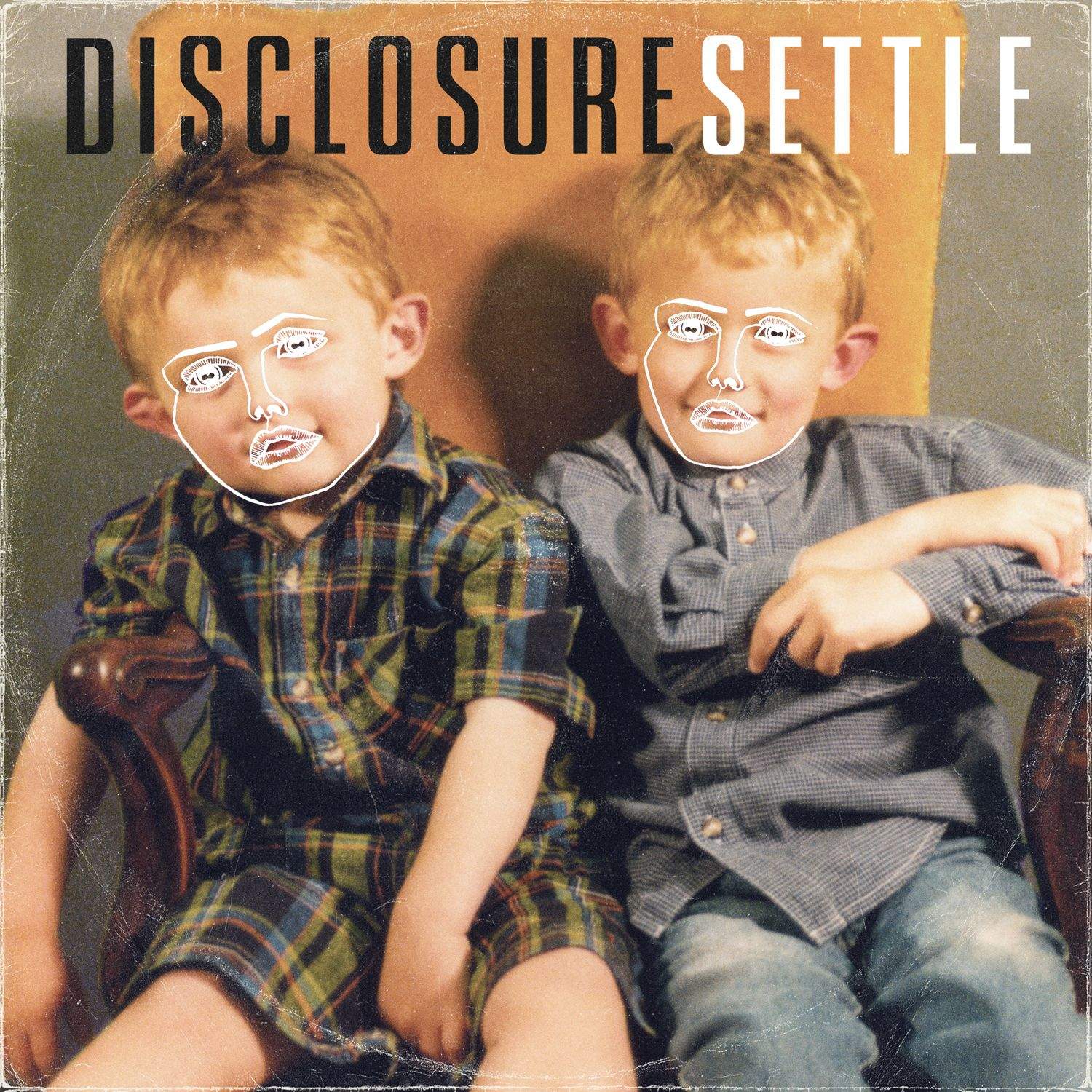
2013 is quickly winding down, which means other than a river of holiday albums, most of the good stuff is already out for the year.  One album that you might have missed that’s definitely worth a listen is “Settle” from the U.K. sibling duo of Guy and Howard Lawrence. The entire album is full of irresistible dance grooves and catchy synth hooks, perfect to mix in during your company’s annual Christmas party once things get really drab.

iTunes – $9.99

Britney Spears – “Britney Jean”
britney-jean-album-cover-britney-spears-35920943-960-951-1385498535


Speaking of dance music, Britney Spears hasn’t been like really relevant in almost a decade, but she’s got a new album out and ya know what? It’s not bad if you just like pop, but it’s great if you like dancing. “Britney Jean” is Spears’ eighth studio album and probably the best thing she’s released since “Circus,” thanks to a loaded deck of glittery pop bangers that feature stars such as will.i.am, T.I., and her sister Jamie Lynn, who’s got her own debut album coming out, too.

iTunes – $13.99

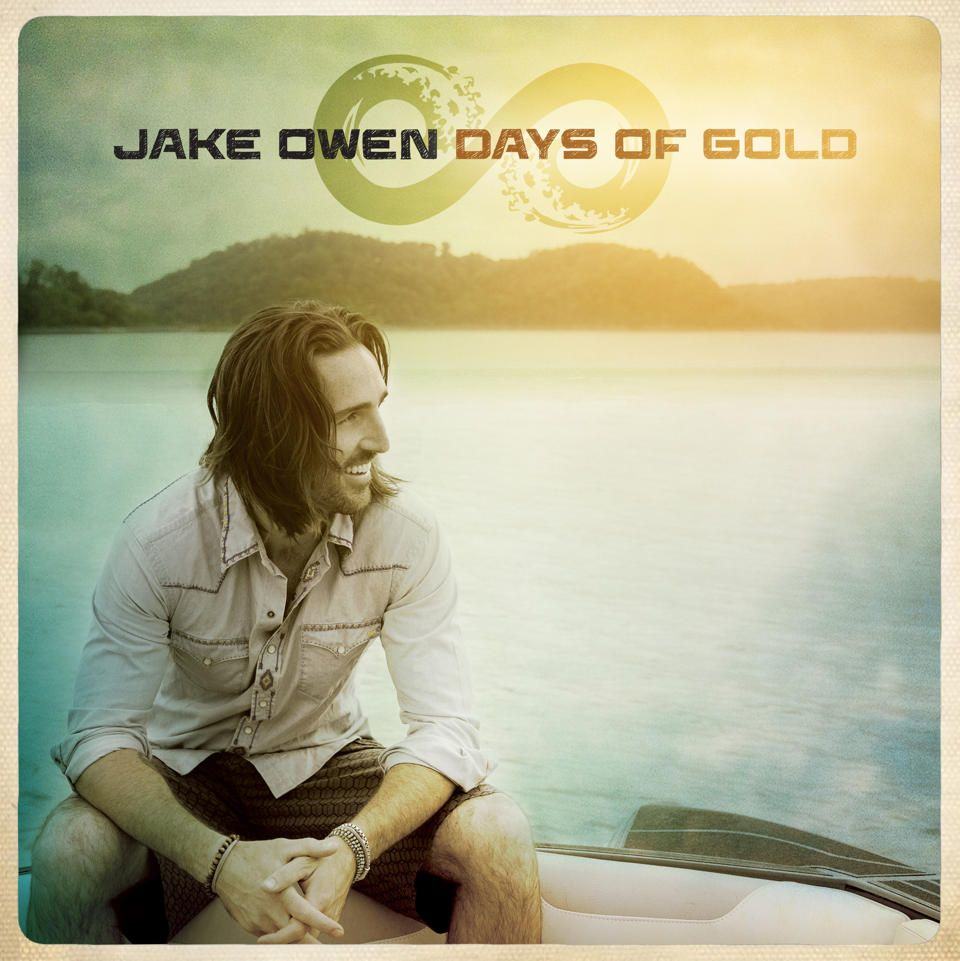
Jake Owens – “Days of Gold”

jakeowens


We never feature any country artists in the magazine, mostly because George Strait and Garth Brooks’ best years are long gone and who else is there? Oh, how about Jake Owen? His new album “Days of Gold” has a nice mix of modern country jams like “Beachin” and “Life of the Party” but he also shows off a bit of old school country charm in “Ghost Town” and “What We Ain’t Got.”

iTunes – $11.99

Best Books

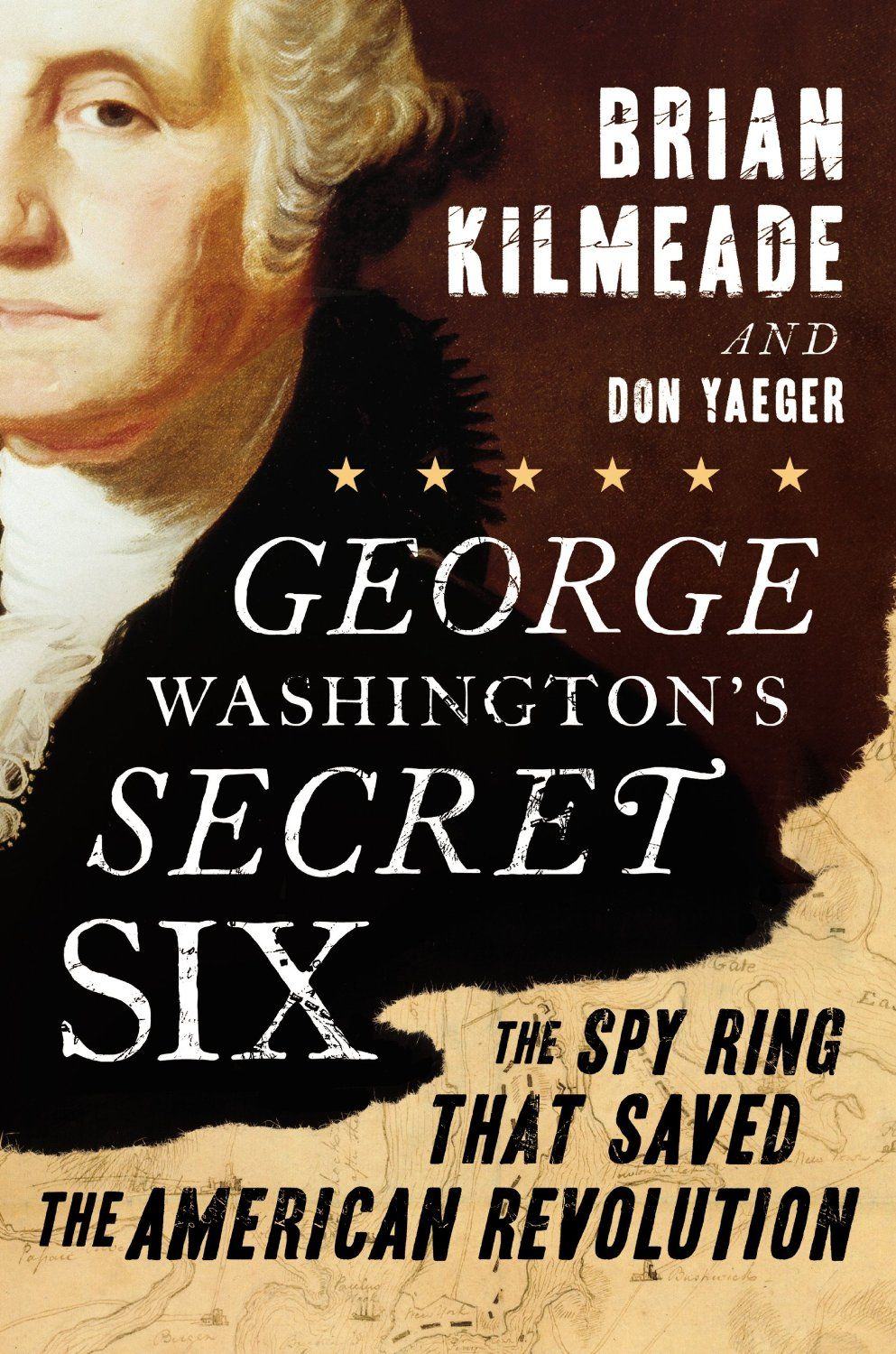
George Washington’s Secret Six: The Spy Ring That Saved The American Revolution

by Brian Kilmeade & Don Yaeger

George-Washington-Secret-Six

Thanksgiving is over and I’m just barely crawling out of my turkey comatose, but what better way to be a little bit more thankful for the U-S-of-A than learning about the crazy spy games our illustrious founding fathers used to beat the British during the Revolutionary War?

“George Washington’s Secret Six” plunges readers into the highly sophisticated and deeply secretive intelligence network George Washington organized to infiltrate New York and learn the British’s secret war plans. The Secret Six’s identities were so secret that one spy wasn’t uncovered until the 1900s, while another kept his identity secret from Washington the entire time.

The book details how General Washington rallied from his hasty retreat from New York in August 1776 and used his top-secret group called The Culper Spy Ring to gain the upper hand on the British, making for one of the most interesting Revolutionary War stories you’ve never heard about.

iTunes – $10.99

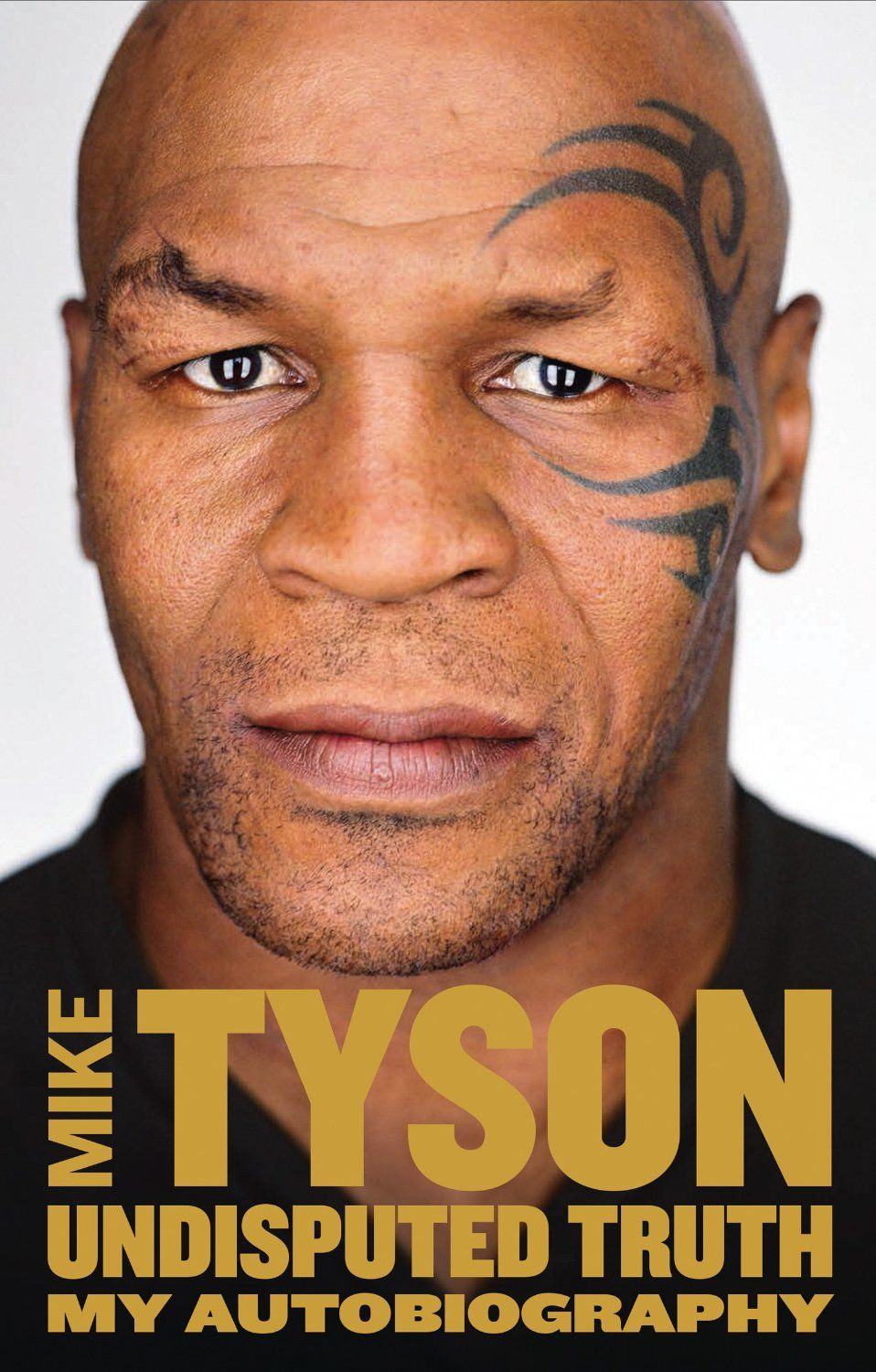
Undisputed Truth

by Mike Tyson and Larry Sloman

miketyson


Mike Tyson is a weird dude. He’s gone from being the youngest heavyweight champion ever, to biting opponents ears off in the ring. The guy fought his way out of the poor streets of Brooklyn to become the most ferocious warrior the ring has ever seen, only to lose millions of dollars during the height of his fame leading to years of hard partying and criminal proceedings.

“Undisputed Truth” isn’t just a great autobiography about one of the most iconic boxers of our time, but it’s a raw and honest portrait of what makes Mike Tyson tick. Tyson dishes on what it was like to be a brilliant fighter compromised by reckless behavior as well as how he fought his way back to find success in acting with performances in movies like the “Hangover” films, his one-man stage show, and the relationships he’s built with his family.

iTunes – $14.99

The Walking Dead, Vol. 19: March To War

by Robert Kirkman & Charles Adlard
walkingdead


The Walking Dead TV show on AMC is about to go into its dreaded mid-season break but if you’re looking for more zombie action to enjoy during the holidays, check out the latest issue of “The Walking Dead” graphic novel. Volume 19: March To War is a collection of issues #109-114 that portray the lives of community leaders Rick, Ezekiel, Gregory and Negan as they approach an truly epic battle that promises to completely change the world of The Walking Dead. If you thought the show was an emotional thrill ride, just wait til you peek inside the gory pages of “March To War.”

iTunes – $14.99

Best Movies

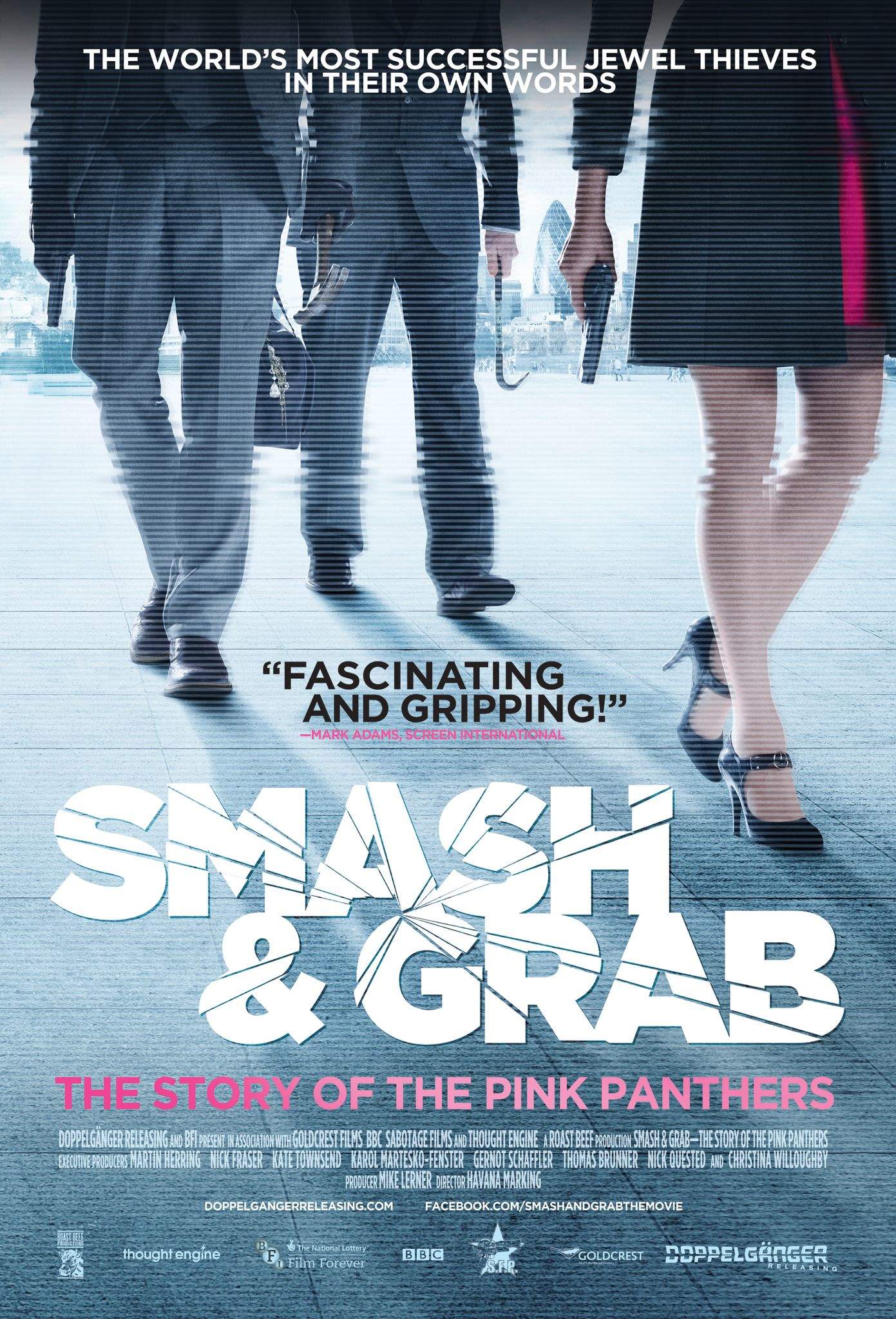
Smash & Grab: the Story of the Pink Panthers

pinkpanthers

Everybody loves a good heist movie, but its so much more thrilling when the stakes of getting thrown in jail for life are actually real. “Smash & Grab” is a documentary about a real life crew of professional jewel thieves called The Pink Panthers who have been responsible for some of the most audacious robberies around the world over the last decade.

Director Havana Marking makes use of incredible security footage and in-depth interviews with police and even some anonymous Panthers about some of the clever techniques the gang used in some of their incredible heists, showing that you don’t always have to go the expensive “Oceans 11” route just to steal gigantic diamonds.

iTunes – $9.99

Percy Jackson: Sea of Monsters

seaofmonsters


Families should find a lot of enjoyment  in the latest Percy Jackson movie over the Christmas Break. “Sea of Monsters” follows Percy Jackson – the half-human son of Poseidon – on his quest to prove that he’s not just a “one-quest wonder” after saving Olympia and the rest of civilization in the last flick.

Fans of the book series might be a bit disappointed in the screen adaptation of “Sea of Monsters,” but if you’re a fan of Greek mythology or just need a good family-friendly action movie with a bunch of monsters in it, you’ll enjoy watching Percy and his demigod friends save the world again on their quest to find the fabled Golden Fleece.

iTunes – $14.99

Kick-Ass 2

kick-ass-2

After taking out Frank D’Amico in the first movie, self-made superhero Kick-Ass is trying to return to life as normal with his new foul-mouthed assassin friend Hit Girl, but pretty soon the world of superheroes pulls them into a new deadly challenge.

Red Mist – son of the deceased Mr. D’Amico – has gained control of his family’s wealth after accidentally killing his mother, so he decides to reinvent himself as the aptly name “Motherfucker.” Armed with new arsenal of deadly toys, The Motherfucker becomes the leader of a gang of super-villains sworn to take out Kick-Ass. To defeat the evil villains Kick-Ass and Hit-Girl find some new friends of their own in Colonel Stars and Stripes (Jim Carrey) and Night Bitch. Needless to say the film is stocked full of colorful language and catastrophic levels of violence that are sure to delight you in completely inappropriate but oh-so-funny ways.

iTunes – $14.99

Top iOS Apps of the Week

By

Dog Diary

Browsing the App Store can be a bit overwhelming. Which apps are new? Which ones are good? Are the paid ones worth paying for, or do they have a free, lite version that will work well enough?

Well, if you stop interrogating me for a second, hypothetical App Store shopper, I can tell you about this thing we do here.

Every week, we highlight some of the most interesting new apps and collect them here for your consideration. This time, our picks include a map of the moon, a big green button, and a diary for your dog.

Here you go:

Dog Diary — Lifestyle — Free

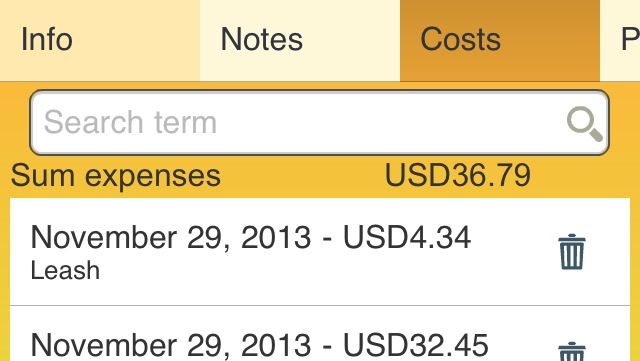
Dog Diary is an app that helps you keep track of all the people and events in your canine friend’s life. You can store important, pet-related contacts, expenses and photos. You can also create entries for multiple animals to keep everything organized. It’s an address book, a photo album and a bookkeeping program all in one. You can also track measurements like body temperature, provided you’re not shy about pulling out your phone as soon as the vet pulls out the thermometer.

I’m still waiting for an app that will walk the little guy for me once it gets snowy out, but we might need a robot for that.

Dog Diary

Support by Sony

Mobile Support by Sony — Utilities — Free

Owners of Sony products might want to check out its new mobile support app, which will hopefully save you from having to click around a website looking for the right troubleshooting or contact page.

It contains links to forums, troubleshooting, documentation, and support areas, and it will take you directly to the page you need in Safari and it covers information for TVs, computers, cameras, software and a bunch of other things. You can also get Sony news updates and press releases, if that’s your thing, but the app’s main value is preventing users from falling into bottomless Net-holes.

Mobile Support by Sony

Moon Chart

Moon Chart — Reference — $2.99

If you’re looking for a quick, easy-to-use reference guide for that giant rock in the sky, Moon Chart is a pretty good one. It’ll show you the phase and point out what scientists have named all those holes and fiddly bits and it’s all indexed. So if you have a bet with your buddy as to where Flammarion is in relation to Sinus Medii, this app will help you settle that weird, random thing I just made up.

Moon Chart

TimeStamp

TimeStamp — Productivity — Free

I’m a fan of apps that are basically just a giant button that does one thing easily, so TimeStamp really appeals to me. It’s a productivity tracker that independent contractors can use for invoicing purposes. It may also be of interest to people trying to figure out where their time goes. It’s just a big green button that you touch to stop and start, and when you’re done timing whatever it is, you can just drop your results into the appropriate category on the second tab.

My browse-to-watch Netflix ratio is something like 5 to 1. That’s unsettling.

TimeStamp

Publisher’s Letter

By

striscia

The worst gift I ever gave was the time that I presented my father with a doormat for Christmas.

In my defense, he was impossible to buy for and I had already tried everything. Robes. Records. Books. In total desperation on Christmas Eve, I noticed that his doormat was all frayed and coming apart.  This struck me as a genius idea. Practical. Useful. Not one more piece of junk cluttering up his life. It seems to me that gift giving is too often about buying more stuff for people who don’t need it; here was an opportunity to give him something he would use every day and actually needed. kahney

It seemed like an inspired purchase until he opened it up. There was the family reunited on Christmas morning, staring at a crappy doormat. Dad was unimpressed. Then my brothers started cracking up. It quickly became a family joke: my gift to him was the worst Christmas gift of all time. It was too late to resurrect my reputation for that year and many years after, despite all my thoughtful presents.

I didn’t start out as a bad gift giver. When we were kids, my brothers and I used to spend a lot of time making stuff for our parents. We went through an Origami phase that folded in the thoughtful with the handmade:  I remember laboring over a box for my mom to keep her jewelry in, for example. And of course, my parents would make a big fuss over our handiwork, like parents do.  Then, as you grow up, you end up being lazier about choosing presents. You lose touch with your parents and sometimes the other people in your life. You don’t know what they’re interested in or really need.

Gift giving can become a meaningless routine — the worst gifts to my mind are the really generic ones. Like a tie rack or electric wine bottle opener. You know, basically anything for sale in the SkyMall designed to placate that loved one you forgot about while traveling. These are the inexcusable gadgets that don’t work better than the no-tech versions, plus the batteries die, they require space on the counter, etc. And, let’s face it: you cannot really improve on a corkscrew. (How many wine bottles do you open on a daily basis, anyway?) That’s the kind of  default gift you fall back on because it costs a little more, it’s designed as a “gift item,” and when you don’t know what else to get someone, you buy it.

Enter the 2013 Cult of Mac Gift Guide. We’ve picked out the stuff that is genuinely useful, that will add some value to your iDevices and those of your loved ones. Charlie Sorrel, our reviews editor, is captaining the effort. All year round, he wades through thousands of press releases and has a great eye for striking gadget paydirt with things you really want and need to own. Plus you can bet that he’s seen every iPhone handlebar accessory and pedalled them all out, too, with an eye to keeping your wallet half full, which never hurts.

What’s on my list? This year, my mom got her very first iPhone. (A gold one!) So I’ll be looking out for something useful for her; she’s a typical retiree who takes a lot of pictures but is used to be taking them with a regular camera.

Spoiler alert: she definitely won’t receiving an iDoormat.

Top iOS Apps Of The Week

By

Writedown

Browsing the App Store can be a bit overwhelming. Which apps are new? Which ones are good? Are the paid ones worth paying for, or do they have a free, lite version that will work well enough?

Well, if you stop interrogating me for a second, hypothetical App Store shopper, I can tell you about this thing we do here.

Every week, we highlight some of the most interesting new apps and collect them here for your consideration. This time, our picks include an app for quick notes, food television, and an app to help you visually keep track of your life.

Here you go:

Writedown — Productivity — Free (Pro version: $2.99)

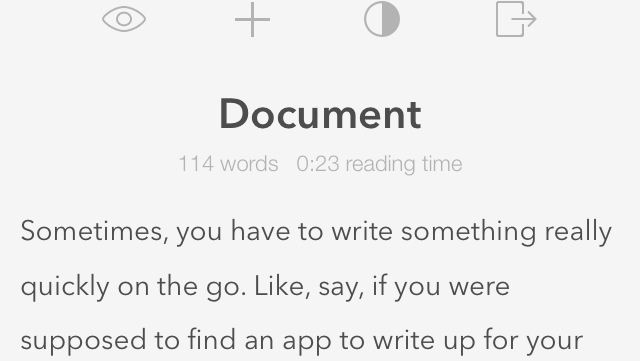
Sometimes, you have to write something really quickly on the go. Like, say, if you were supposed to find an app to write up for your daily post on a tech blog.

Actually, never mind that example. It’s crazy and would never happen. But if it did, Writedown might be a good fit. It’s a quick and easy document creation tool that cuts out all the distractions (other than ads, in this Lite version). You just type your thing in a clean interface, and then you can export it to a text, e-mail, social media, or share it with AirDrop.

It’s bare bones, quick, and easy to use. Not that I’m using it right now.

Crazy.

Writedown

Seasons

EndlessTV – Seasons — Lifestyle — Free

Now that we’ve gotten that pesky Halloween thing out of the way with all its gross movies and candy and fun, we can get down to the serious business of planning “The Holidays.” And if you’re need appropriate programming on your phone or iPad right now, EndlessTV’s “Seasons” app might be what you need. It features quick-loading, topical shows (mostly about food) that you can swipe through at your leisure.

I learned how to make a pumpkin pie from an actual pumpkin and I don’t even know what I’m going to do with that knowledge.

EndlessTV – Seasons

Time Planner

Time Planner — Productivity — Free

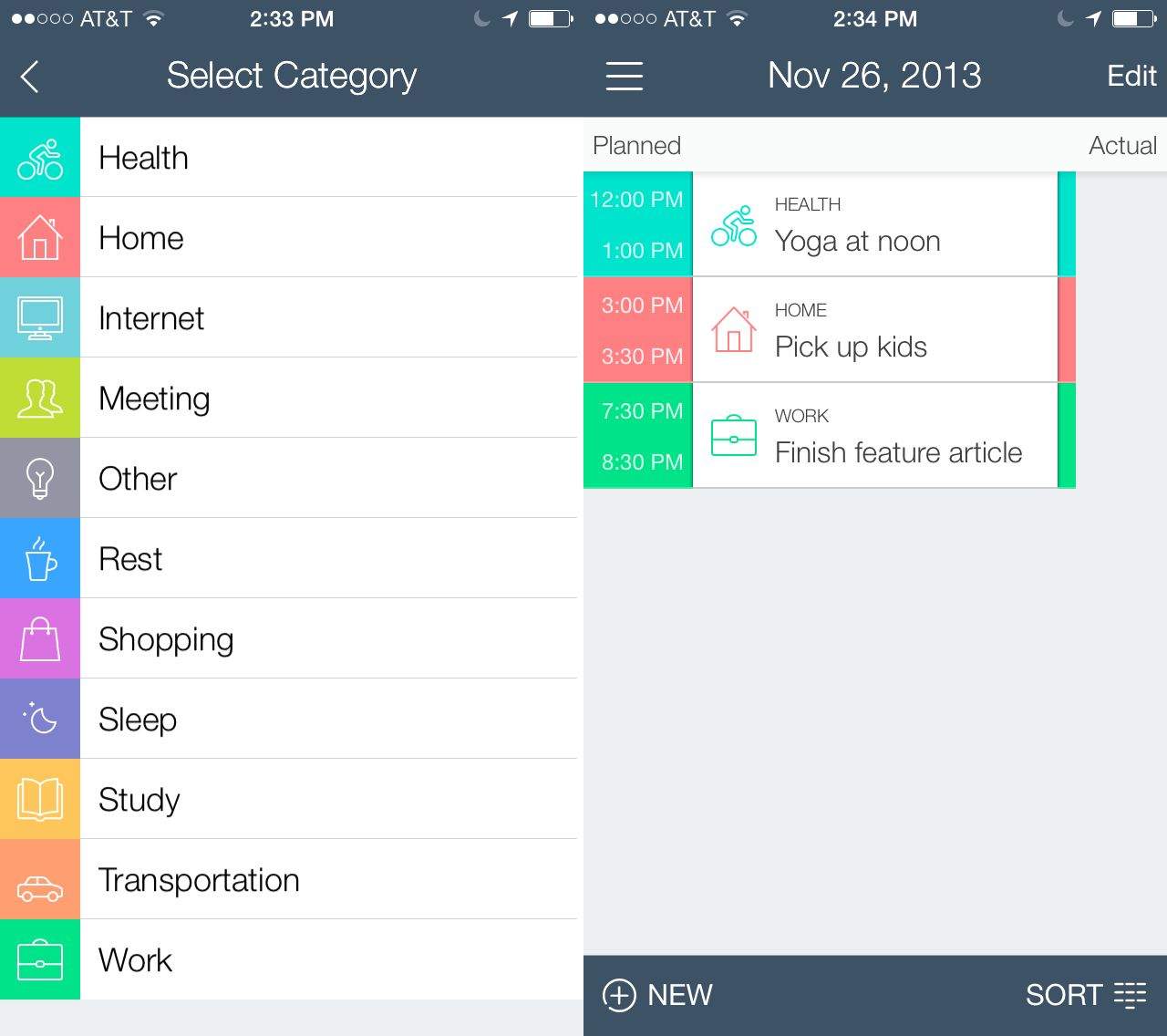
When you need to track stuff you need to do, it’s essential to have an app that can handle tasks and to-do items as well as a robust calendaring system. Time Planner does just that, and does it very well. It also adds a colorful palette, a nicely organized way of creating tasks and reminders, and a list of categories that really helps you focus in on what each task is about.

Choose to add a task to Home, Work, Rest, Lifestyle, and other categories to color the tasks with a visual cue. When you start looking at your schedule for the day, you’ll have a colorful reminder of the things you’ll need to focus on, perhaps noticing that you spend too much time at work, and not enough on restful activities.

You can have Time Planner remind you of stuff you need to do by day, time, or location, which is pretty much what all to-do apps should have these days.

Time Planner

Songkick Concerts

Songkick Concerts — Music — Free

Like live music? Got an iOS device full of music? Songkick Concerts looks like the app for you, then, as it trawls your music library to find concerts in your area. Be the first one to grab tickets to hot events, all based on your own music preferences. Sounds good, right?

If you’re traveling to a new city, never fear, as you can use Songkick Concerts to search your destination for upcoming concerts from those very same artists. Want to see Kanye West in Madison Square Garden? I mean, who wouldn’t? Use this app to find out when and where he’s playing, and tap through to buy tickets right within the app itself.

Of course, you’ll want to use Songkick Concerts to bargain shop as well, since it lets you compare venues and prices for all the artists you must obviously want to go see, since they’re in your music library.

Songkick Concerts

The Best New Albums, Books And Movies On iTunes This Week

By

picksoftheweek

Rather than slogging through a lake of reviews to find something you’re just going to put down after 30 minutes, Cult of Mac has once again waded through the iTunes store to compile a list of the best new movies, albums and books to come out this week.

Enjoy!

Best Movies

“The World’s End”

the_worlds_end_movie-wide

Simon Pegg and Nick Frost reteam with director Edgar Wright (Shaun of the Dead) in this entertaining thrill ride that pits a band of misfits against some sort of cosmic interstellar powers hellbent of global domination. Twenty years after their first epic pub crawl attempt, the “five musketeers” reunite in their hometown to complete the ultimate challenge – one night, five friends, twelve bars – a boozy quest on which only the strongest will survive.

After Simon Pegg’s character cons his Musketeers friends into coming to the pub crawl a bizarre series of encounters with the out-of-this-world locals, they realize their inebriated battle to reach the final pub, The World’s End, may be the least of the troubles. They’ve having the time of their lives, ready to take on the world… but tonight they may have to save it

iTunes – $14.99

“Elysium”

Elysium-Movie

In the year 2159, the world is divided in two. There are the wealthy folks who reside on a pristine man-made space station called Elysium, and the rest of us, crammed into a giant favela known as Earth. Jodie Foster plays yet another hardass woman in killer suits – Secretary Delacourt – who will stop at nothing to make sure the happy, luxurious lifestyles of the citizens of Elysium stay happy and luxurious. That of course riles the peasants of Earth who are trying to get in to this extra-terrestrial paradise by any means possible. Matt Damon jumps into the lead role of Max who agrees to on a life-threatening mission that will hopefully bring equality to everyone. Viva La DAMON!

iTunes – $17.99

“Despicable Me 2”

ea_dm2_poster

Super villain Felonious Gru is back, this time as an adoring father to his adopted girls in the 3D-sequel to the worldwide blockbuster.  Here, partnered with secret agent Lucy Wilde (voiced by SNL veteran Kristen Wiig), Gru, along with the wildly unpredictable Minions (surprise: also up for their own film, expected to debut in 2015), must figure out how to keep his cover while also dealing with the everyday duties of a doting father.  The film ends with a world made safe and wedding bells.

iTunes – $19.99

Best Books

“Anything That Moves: Renegade Chefs, Fearless Eaters, and the Making of a New American Food Culture”
by Dana Goodyear

9781594488375_custom-439a84757dd7d4b3b1e71cc8add0b7fe897804ec-s6-c30

A new American cuisine is forming where animals never before considered (or long since forgotten) are emerging as delicacies. What used to scrap is now the centerpiece of a meal.

Dana Goodyear’s anticipated debut, “Anything That Moves,” is a rollicking, fork-fuelled adventure and behind-the-scenes look at the way we eat. Goodyear breaks bread with insect-eaters and blood drinkers as well as chefs who make food out of roadside leaves and wood, and others who serve endangered species and Schedule I drugs—a cast of characters, in other words, who flirt with danger, taboo, and disgust in pursuit of the sublime. Behind them is an intricate network of scavengers, dealers, and pitchmen responsible for introducing the rare and exotic into the marketplace. “Anything That Moves” is a revelatory look into the raucous, strange, fascinatingly complex world of contemporary American food culture, and the places where the extreme is bleeding into the mainstream.

iTunes – $14.99

“Dallas 1963”
by Bill Minutaglio & Steven L. Davis
dallas1964

Not a year goes by without 50 new books on John F. Kennedy hitting bookshelves, but following the recent 50th anniversary of his assassination, it’s worthwhile to take a closer look at the socio-political climate around Dallas during the months and weeks leading up to Kennedy’s fateful drive through the city on November 22nd, 1963.

Bill Minutaglio and Steven L. Davis explore the dark forces at work that led many people to warn President Kennedy to avoid Dallas on his fateful trip to Texas. “Dallas 1963” presents a clear, cinematic and revelatory look at the tragedy that transformed America. Countless authors have attempted to explain the assassination, but this is the first book that tries to explain Dallas.

Minutaglio and Davis lead us through intimate glimpses of the Kennedy family and the political workings of the Kennedy White House, to the obsessed men in Dallas responsible for climate of hatred that led many to blame the city for the president’s death. The authors provide an accurate understanding of what happened in the weeks and months leading to John F. Kennedy’s assassination.

iTunes – $12.99

“A Reader’s Book of Days: True Tales from the Lives and Works of Writers for Every Day of the Year”
by Tom Nissley

areadersbookofdays

“A Reader’s Book of Days” features bite-size accounts of events in the lives of great authors for every day of the year. One day features Marcel Proust starting on his monumental “In Search of Lost Time” and another has Virginia Woolf scribbling in the margin of her own writing, “Is it nonsense, or is it brilliance?” Fictional events that take place within beloved books are also included, from the birth of Harry Potter’s enemy Draco Malfoy to the date of the infamous blood-soaked prom in Stephen King’s “Carrie.”

It includes the more usual compilations of the days on which famous authors were born and died; plus lists of recommended reading for every month of the year as well as snippets from book reviews as they appeared across literary history; and throughout there are wry illustrations by acclaimed artist Joanna Neborsky.

“A Reader’s Book of Days” is filled with memorable and surprising tales from the lives and works of Martin Amis, Jane Austen, James Baldwin, Roberto Bolaño, the Brontë sisters, Junot Díaz, Philip K. Dick, Charles Dickens, Joan Didion, F. Scott Fitzgerald, John Keats, Hilary Mantel, Haruki Murakami, Flannery O’Connor, Orhan Pamuk, George Plimpton, Marilynne Robinson, W. G. Sebald, Dr. Seuss, Zadie Smith, Susan Sontag, Hunter S. Thompson, Leo Tolstoy, David Foster Wallace, and many more with nearly 2,000 stories total.

iTunes – $11.99

Best Albums

“Songs for the Philippines”

Various Artists

Songs for the Philippines

Music picks this week aren’t all that hot, thanks, but for those looking for some old music in a new form, Universal Music has rounded up some of its hottest artists for a compilation album to help those in the Philippines affected by the recent typhoon.

All proceeds from each sale of “Song for the Philippines” will be donated to the Philippine Red Cross. As the Philippines recovers and rebuilds in the aftermath of Typhoon Haiyan’s devastation, some of music’s biggest names are brought together on this benefit album. Including songs from The Beatles, Bob Dylan, Beyoncé, Adele, U2, Lady Gaga, Justin Bieber, Lorde, and Imagine Dragons. If you’re looking for a new grip of great singles – minus Linkn Park – and do a little bit of good at the same time, here’s your digital product of the week to purchase.

iTunes – $9.99

“Dance (RED) Save Lives, Vol. 2”

Various Artists

danceredsavelives

Jony Ive just wrapped up his big RED auction with Marc Newson and Bono this week that raised over $46 million for Project RED to fight AIDS and Tuberculosis. If you’re like me and couldn’t afford to drop $1,805,000 on Jony’s fancy Leica M8 but need another excuse to contribute to the cause you could pick up the new Dance (RED) Save Lives album.

All proceeds from the sale of the album and singles featured in it are donated to the Global Fund. The sequel to the 2012 compilation of high-energy dance anthems follows the same brilliant model as the first album, bringing together the biggest names in EDM, hip-hop, and pop to build awareness about the global fight against AIDS. Once again, the roster of talent is stunning – everyone from megaclub acts like Calvin Harris, deadmau5, and Major Lazer to up-and-coming artists like Munich electro quintet Claire and sultry L.A. thumping remake of Bob Marley’s “Sun Is Shining.” Exuberant production, big hooks, and anthemic choruses make this an exhilarating ride.

iTunes – $9.99

One Direction

Midnight Memories

one-direction-midnight-memories-cover-art

Normally I wouldn’t be one to promote teenie bopper girl bands, but the holidays put me in mind of the things I’m grateful for.  One of those things is that we’re NOT still part of the U.K., so it seems only fitting to celebrate their latest musical plague export that has enthralled girls across the home of the brave – One Direction.

With the brilliant transition from individual X Factor contestants to charismatic arena-filling heartthrobs, One Direction has emerged as the boy band of the millennium next two or three years. The band’s deliriously catchy mix of glossy pop hocks, classic rock guitar riffs, and pulsing electronic beats made 2012’s “Take Me Home” a global sensation. The quintet of Harry Styles, Niall Horan, Zayn Malik, Liam Payne, and Louis Tomlinson offered a first taste of the highly anticipated follow album “Midnight Memories” with the aptly titled single, “Best Song Ever” and deliriously catchy, sing-along singles like “Story of My Life.”

iTunes – $14.99

Home And Away, The Mac Still Has It — Holiday Gift Guide 2013

By

normincies leather aluminum bag

Normincies Leather and Aluminum Bag

From $643 — Cases — Mac

This absurdly hot bag is the cool equivalent of those nylon executive laptop cases that are so lame you can’t even call them dorky. It has the usual attache-case features inside, with pockets to keep everything in place when you open it, along with a splash of fashionable color.

Outside is an aluminum band which protects the case and doubles as a handle, and the whole thing is wrapped in lovely nappa leather. If your significant other absolutely has to use a briefcase, you should make it at least as cool as this one.

Normincies Leather and Aluminum Bag

Gräf & Lantz MacBook Sleeve

$50 — Cases — Mac

graf lantz


iPad cases never felt so good. No, I mean that literally. They never “felt” so good. Get it? It’s because these Gräf & Lanz iPad sleeves are made from felted wool, and… Never mind.

I won’t bother with a description other than to say that they’re felt and come in lots of nice bright colors. Instead I ‘ll tell you something about felt so you can regale the lucky recipient with your impressive knowledge on Christmas morning:

Felt is made by a process called wet felting where the natural wool fibres, stimulated by friction and lubricated by moisture (usually soapy water)…

That line came straight from Wikipedia, and proves that the Wikipedia authors do have hot blood running through their brains after all.

Gräf & Lantz MacBook Sleeve

Pad & Quill Field Bag

$329 — Cases — Mac


Padquill

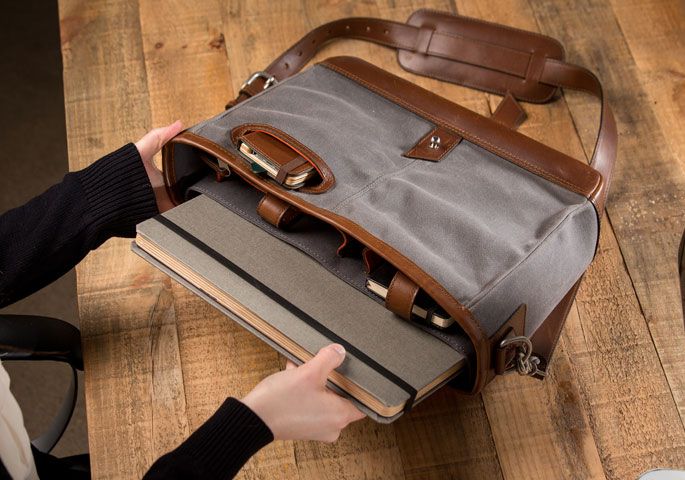
The Field Bag is a notebook and iPad bag from Pad&Quill, and is designed and made with as much care as the company’s everlasting bookbindery iCases. The leather even comes with a 25-year warranty.

Inside the waxed canvas outer are plentiful pockets, enough to hold cable sand chargers along with MacBooks and iPads. And the vertical shape means that it will hand comfortably at your side.

You’ll have to love the giftee though, as the Field Bag will cost you $329.

Field Bag

Smart Travel Router

$45 — Chargers & Batteries — Anything

smart travel router


This gadget really is handy for the frequent traveller. Plug it into the mains and you have a two-port USB charger, but that’s just the beginning. The little dongle also plugs into just about any socket in the world, and will wrangle networks wireless and wired alike. It can work as a router, as a repeater (boost a signal in a big hotel suite), an access point (make a network so your devices can talk to each other), or as a client, turning an Ethernet-only device into a wireless device.

You could pay $45 for any of these features alone, but all together the price is a steal. I’m probably going to buy one for myself — at least that way I have a chance of getting something I want this year.

Smart Travel Router

Cartella Pro

$100 — Cases — iPad

PQ Contega Nov 2013-102

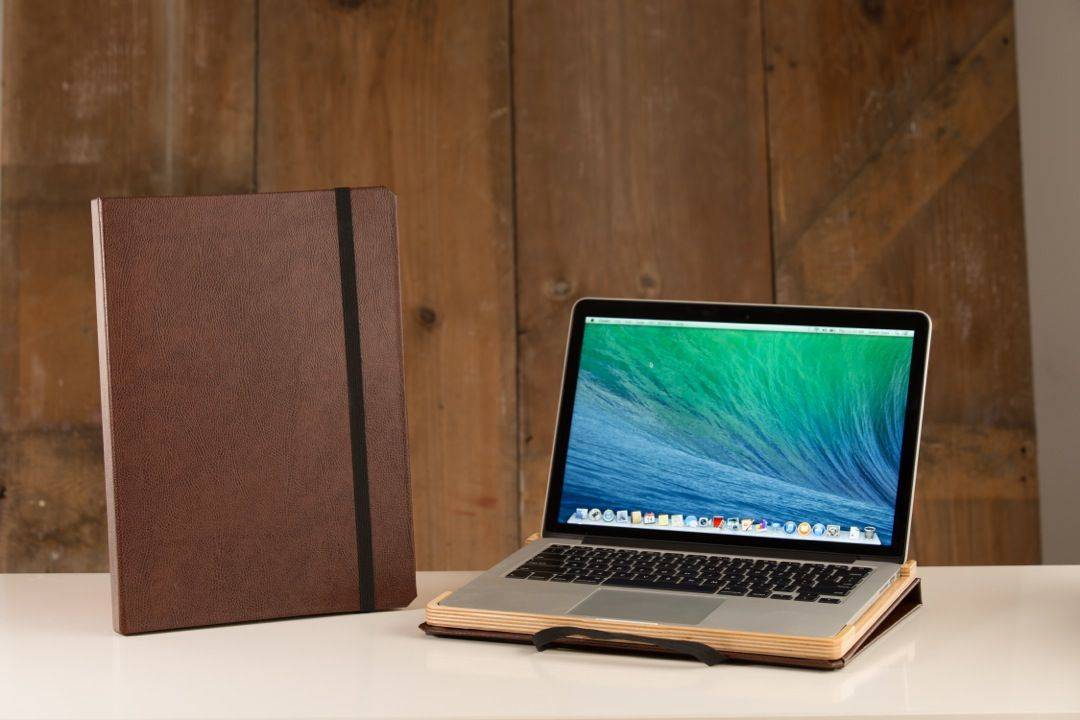
Got a friend who likes to hide their CRT TV in a giant faux-wooden cabinet at the end of their bed? Or that buys those speakers that hang on the wall and look like paintings on canvas? Then you should buy them a Cartella case for their Retina MacBook Pro, which comes from the fine and upstanding folks at Pad&Quill.

Not only will it turn their 21st-century gadget into a centuries-old book, it does it with protection (a baltic birch frame), style (a leather bookbindery cover) and some measure of practicality (you can use the MacBook while it’s in the case without impeding airflow).

Not that your luddite friend/family member will care about such modern niceties. Maybe you should just ignore him and buy this for yourself instead.

Cartella Pro

Landing Zone

From $50 — Docks & Stands — Mac

LZ_PRO2_4124-540x390

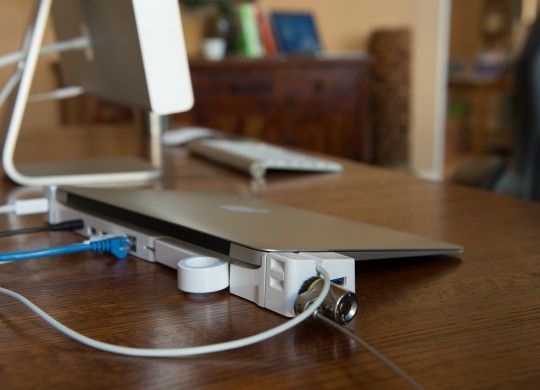
Here’s the perfect gift for your annoying uncle who bought MacBook Air when he really should have bought an iMac. You know the guy: he has his little 13-inch Air perched on the desk with tubes and wires running to it like it was a in a hospital emergency room after being found unconscious at home with a vacuum cleaner pipe… [That’s enough –ed]

Ahem. Back to your uncle, whose poor MacBook is tied to the desk by external hard drives, thunderbolt accessories, an external display, an Ethernet dongle and probably a powered USB hub to keep it all going. What he needs is the Landing Zone dock, an amazing piece of plastic and steel which leaves the MacBook free to come and go.

The units are fitted to specific models (make sure you buy the right one) and clamp onto the back of the Mac like a facehugging alien onto a, uh, face. It inserts itself into all available ports, and can be ejected with a single lever. Meanwhile, you can hook up all your peripherals and even the power cable to the dock and leave them permanently connected.

Landing Zone

MiniDrive

$20 — Storage — Mac

IMG_1754

Having an ultra portable MacBook with enough battery power to work all day and then watch a few adult videos in the hotel afterwards? Priceless. Having just 128GB on which to store your business-trip entertainment? Lame, with a capital “lay.”

Which is why you should buy your husband/lover a MiniDrive, a tiny sliver of plastic that acts like the iPhone’s SIM card tray, only instead of a SIM it carries a microSD card. And instead of working with an iPhone it slides into the redundant SD card slot on the side of a MacBook Air.

It’s a semi-permanent solution, the idea being that you add a high-capacity (up to 64GB) microSD card and enjoy the extra storage. Speed depends on the speed of the card you buy (the SanDisk Ultras are a good bet), but for the odd porno you should be good.

MiniDrive

Dogfight: How Apple and Google Went to War and Started a Revolution [Review]

By

applevsandroid-e1294785453955
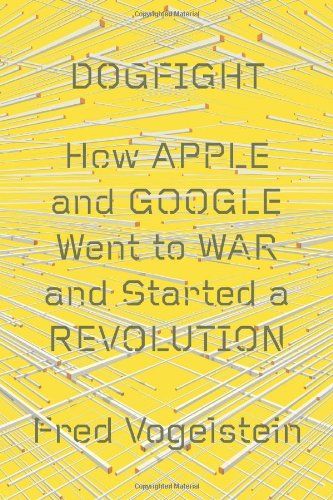
Dogfight: How Apple and Google Went to War and Started a Revolution” by Fred Vogelstein
Category: Book
Price: $19.81 hardcover

Back in early 2008, “Dogfight” author Fred Vogelstein wrote an article for Wired that still ranks as one of my favorites of recent years. Called “The Untold Story: How the iPhone Blew Up the Wireless Industry” Vogelstein told — with characteristic aplomb — the story of how the iPhone rose from top secret research project to industry-changing device. (Cult of Mac talked to Vogelstein about the iPhone wars in our interview.)

No doubt that article, along with Vogelstein’s other pieces of reportage over the past several years, made him long for a larger canvas upon which to tell not just the story of 21st-century Apple, but also its complex changing relationship with Google: a rivalry that Steve Jobs once predicted would end in nothing less than (hopefully metaphorical) “thermonuclear war.”

Vogelstein clearly recognizes the importance of this feud and observes that Apple vs. Google (or, more specifically, Apple vs. Android) is in this regard the latest era-defining tech rivalry: the successor to previous clashes of the titans including Apple vs. Microsoft in the 1980s, and Microsoft vs. Netscape was in the 90s. Like Bill Gates and Steve Jobs, Google and Apple started out as friends and allies, and one of the strands this book tugs on is the degree of collusion which existing between both companies as they pared down the competition, before eventually turning on each other.

“Vogelstein clearly recognizes the importance of this feud”

As companies, the differences between Apple and Google are both legion and fascinating. Although both grow out of the same libertarian Silicon Valley impulse, their mission statement and subsequent outlook on the world is very different. Apple, Vogelstein posits, has prospered because of its Jobsian focus on form and function; a company built by marketers. Google, on the other hand, is a company in thrall of engineers, whose “zaniness and embrace of chaos” makes it the ideological opposite of the ordered, secretive Apple.

With Apple as a Fordist company making physical products, and Google as an informational one specializing in search, if they were modest companies Google and Apple need never clash. But of course they aren’t, and their eventual collision is made inevitable by both companies’ ultimate mission statement of expanding to fill the role of operating systems of our lives — a one-stop tech shop of the type most recently explored in Dave Eggers’ latest novel “The Circle.”

It is the lack of this larger story — about what Apple and Google say about the modern digital world — that I felt most wanting in parts of “Dogfight.” Vogelstein tells the company vs. company narrative compellingly, but having introduced Apple and Google’s personalities — and then illustrated them with plenty of anecdotal tidbits, many taken from testimony given in the 2012 Samsung vs. Apple patent trial — he doesn’t always do enough to push the implications as far as he might. The disappointment of this is made all the more tangible by virtue of the fact that these “big picture” demands are exactly the thing that Wired (where Vogelstein presently works) typically does so well.

“There can be few who will fail to be gripped by the author’s ability to take potentially dry information and present it in the manner of a fast-moving cinematic narrative”

Whatever criticisms can occasionally be leveled at it, one thing that absolutely can’t be said about is that Wired fails to appreciate technology’s grand narrative — with every minuscule or infinitesimal advance lauded as part of an overall march toward a utopia staffed by machines of loving grace.

As companies that embrace their role as purveyors of digital ideology (Google’s promise to not be evil, compared with Apple’s stated desire to think different), both Apple and Google could be used as the vessels through which to explore the modern digital age; serving as a cliff notes primer on the big tech issues of the day — as well as its major players. At its best, “Dogfight” hints at this idea; stringing together the basis for a compelling argument as to why the smartphone and tablet should be “an inflection point, such as the moment when the PC was invented, when the Internet browser took hold, when Google reinvented web search, and when Facebook created the social network.”

That it doesn’t do this consistently most likely has as much to do with the book’s timing (coming very much in the midst of proceedings, before enough time has elapsed to draw overarching conclusions) as it does with Vogelstein’s (considerable) talents as a tech writer.

But if this is what “Dogfight” sometimes fails to do, what does it succeed at? Long-time Wired readers will know what to expect here. Although there are parts of the book where reader interest flags — such as a history of patent infringement suites that reads like an unnecessary excerpt from a first-year legal textbook — there can be few who will fail to be gripped by the author’s ability to take potentially dry information and present it in the manner of a fast-moving cinematic narrative à la “The Social Network.” These “character moments” and fun pieces of behind-the-scenes trivia proliferate. It hardly takes me to point out that Vogelstein has a great eye for detail — and he pulls out fun factoids from well-trodden ground, such as the fact that the iPhone building was labeled “Fight Club” on account of Apple’s secrecy and the fact that the first rule of Fight Club is that you don’t talk about Fight Club.


Ultimately, if there is a challenge to the book it might simply be the familiar one in today’s age of digital overload of too much available information. “The Untold Story: How the iPhone Blew Up the Wireless Industry” was published in 2008; less than a year after the iPhone made it to market. At the time, not only was the smartphone war a hot new topic, but there was still a slew of new details about its back story unfamiliar to most readers.

Steve Jobs promised to go "thermonuclear war" on Google
Steve Jobs promised to go “thermonuclear war” on Google

To paraphrase Dinah Washington, “what a diff’rence several years make.” Since then we have had Walter Isaacson’s well received (and widely read) Steve Jobs biography, as well as Steven Levy’s “In The Plex: How Google Thinks, Works and Shapes Our Lives” — to name just two of the volumes written about Apple and Google and the changing nature of digital media in general. As Vogelstein will know from his years of solid tech reporting, latecomers entering an entrenched marketplace can have difficulty cementing themselves, regardless of the quality of what they have on offer.

If you’re a regular consumer of tech news, or even one who glances, perhaps, just once a week at Cult of Mac or Cult of Android and has done with it (shame on you!), you’re still likely to know a lot of what is reported here. Because of Apple’s secrecy it is their side of the story (as opposed to Google’s) that likely holds the most tantalizing revelations and unsurprisingly this is the side that Vogelstein didn’t have ready access to, as he acknowledges in his afterword.

That’s not to say that you won’t get some value out of “Dogfight,” but it is likely the kind of “completist” value you might get from finding a deleted scene to a familiar film as opposed to uncovering a whole new narrative you didn’t know existed.

If you’re a tech newbie, on the other hand and are looking for a swift read that sums up the Google vs. Apple story in as to-the-minute detail as possible — and don’t want to pick up two books (Isaacson and Levy) which are now two years old — this book comes recommended. If you enjoy Vogelstein’s writing and want something that reads like an expanded Wired article (no bad thing in itself) this may be the book for you.

Just be aware that while it tells the story of battles, no one has yet won this particular war.

dogfightProduct Name: Dogfight: How Apple and Google Went to War and Started a Revolution
The Good: Vogelstein can spin a compelling narrative out of potentially dry news events
The Bad: Much of the information will already be well known to readers
The Verdict A lively, if occasionally lacking, summary of the Google vs. Apple clash
Buy from: Amazon.com

[rating=good]

Ask A Genius Anything: Getting A Job In Cupertino, Apple Deals And Secret Store Features

By

askageniusanything

This is Cult of Mac’s exclusive column written by an actual Apple Store Genius who answers all your questions about working at an Apple Store. Our genius must remain anonymous, but other than “Who are you, anyway?” ask anything you want about what goes on behind that slick store facade.

This week our Genius dishes on how whether working at the Apple Store could get you a gig working in Cupertino as well as Apple’s motivations for never offering big sales on its iDevices and Macs. Then our Genius will take you on a tour of the secret little features at the Apple Store you might not have noticed on your last visit.

Got a question you want the inside scoop on? Send us your questions and the answers will be published first in Cult of Mac’s Magazine on Newsstand. Send your questions to newsATcultofmac.com with “genius” in the subject line.

Will working at the Apple Store help me land my dream job of working for Apple in Cupertino?

Probably not. Apple Retail is an entirely separate division of Apple Corporate. Growth within the retail store happens, although rare. I have met a couple of managers who have gone from specialist to genius and then on to leadership roles. However, most managerial and other leadership positions are filled by candidates with leadership experience at other retailers. They may know how to command a team of workers and how to talk to customers, but they often lack familiarity with the ins and outs of Apple’s retail procedures on a low level. Transferring from a retail position to a corporate position is unheard of, as far as I know.

The reason might not be because Apple holds their retail team in low esteem. Apple seems to take pride in its talented workforce, although the pay doesn’t always match that pride. Those who work in the retail store often work there because they have experience in retail and lack the needed education or experience for corporate positions. An Apple store employee with a qualifying education just might have an edge on another candidate with the same qualifications but who knows how the stores operate.
Even on Black Friday, Apple is a scrooge. Why doesn’t the Apple Store ever have big sales?

In the past, Apple’s Black Friday deals have been modest, to say the least. Why would a company that struggles to manufacture enough products just to keep up with the demand discount these phenomenal full price products that seem to sell themselves? They don’t need “door busters” to bring people into their stores but if a meager discount can bring in just a few more, why not?

Apple Stores sell more during the last quarter than any other. Any large discounts would take away from their already stellar holiday revenue.

If your wallet is hurting this season, check out your options in the Online Apple Store in the refurbished and clearance section. These deals are often much better than any offered on Black Friday and still have the full Apple warranty.

Otherwise, you’re more likely to find a better deal at another retailer. If you’re set on buying from Apple and want to avoid lines, I recommend purchasing your stuff online and avoiding the craziness altogether. Try personal pickup to get your product from your closest Apple Store without waiting in lines if you’re worried about getting a $2,000 Mac stolen from your porch.

What are some hidden “features” of the Apple Store that most customers don’t know about/notice?

Apple Stores are designed to be more and more efficient every day. Next time you visit a store, take a look around to see some of the hidden features that help the wood-and-steel adorned stores sell as many iDevices as possible. It’s easy to spot our portable Point of Sale (POS) systems which consist of an encased iPod with dedicated apps that allow us to scan products and swipe cards.

What you might not see is the cash drawers at the end of the display tables. With one click these drawers pop open wirelessly for cash transactions. Our special iPods, called EasyPays, can also print receipts to the hidden printers underneath the product tables.

The tote bags that are given to carry out purchases can also be found here. The tables also house security alarms that are triggered if a device is removed from the table. Inside, there’s also a network and power hubs for the display products. You can usually find a couple of card terminals around the store that are used in case of EasyPay issues.

If you’re at the Genius Bar, in the training or setup area and need a quick charge, check under the tables – or bar depending on the store – to find hidden power outlets and ethernet ports for wired network connections, cables not included.

You can also request any inventory from any EasyPay. Requested inventory is brought out, often  in under a minute, after a chime is played in the back to notify our inventory specialists to bring the product out to the specified user.
Employees at the Genius Bar can now make a similar request to bring out your device for pickup after repair from the iPads they use to process all service and repairs. Behind the Genius Bar there’s a whole range of hidden drawers to store the various cables and peripherals needed to diagnose and troubleshoot Macs. The setup tables have a similar drawer in the side of their tables that store the tools and cables to transfer contacts to new iphones.

Apple Collectibles, Keep This — Toss That

By

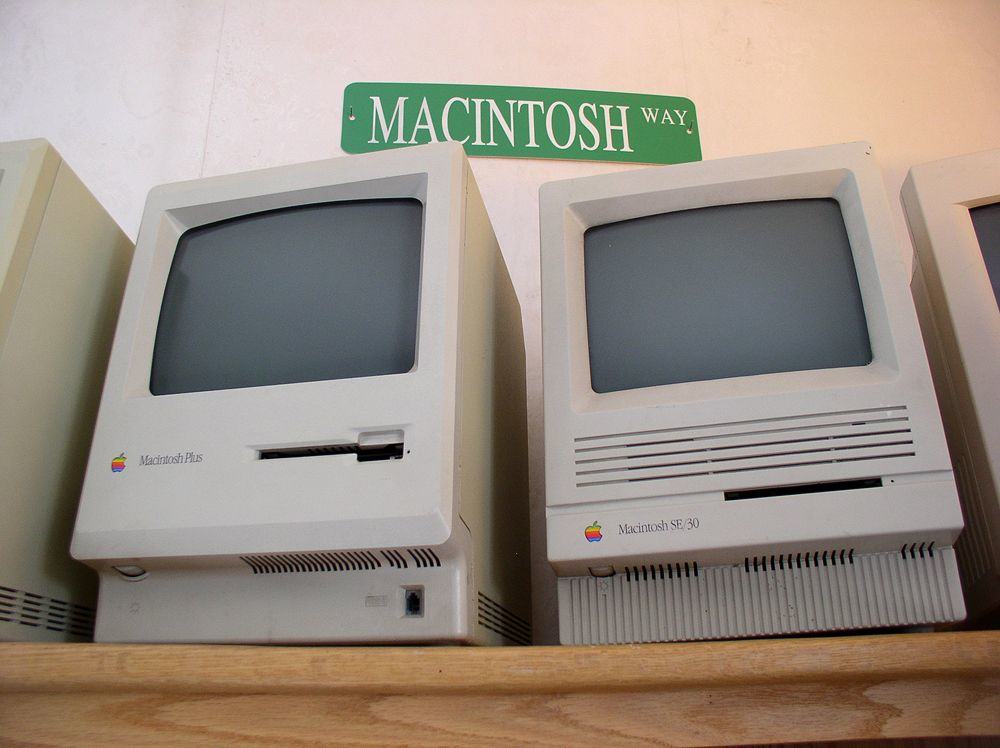
-VMM Macintosh Way

Have you ever looked around your garage or spare bedroom and thought: “There’s enough Apple stuff here to start a museum?”

That’s pretty much what happened to Adam Rosen, who runs the Vintage Mac Museum, a private collection of all working machines, out of his Boston-area home. (Take a peek at his prized pieces in the gallery in this edition.)

The certified Apple consultant and Cult of Mac contributor on all things vintage gave us the skinny on what to do with your burgeoning collection: what to toss, what to hunt for on eBay and what to beg your significant other to let you keep.

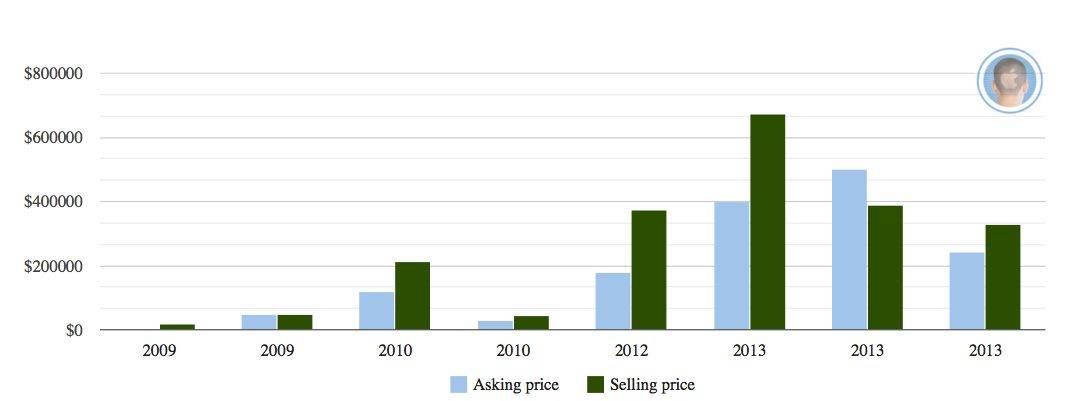
Cult of Mac: Since 2009 when the Apple 1s started resurfacing the prices have gone from under $20,000 between private collectors to over $300,000 at Christie’s – any thoughts on whether this is having any effects on the general market for Apple collectibles?

Adam Rosen: Apple 1 prices have been unreal, they’ve sold as high as $670k!  This has definitely had an effect on the size of the market for Apple collectibles, expanding it significantly.  The effect on value is more variable.

For rare items and prototypes, value has definitely gone up. If you have a prototype clear case Macintosh SE, yeah, that’s gonna interest people.  But there were a lot of Apple IIs and Macs manufactured.  With so many more people aware of the prices of rare Apple systems the market gets flooded with common models. A Mac Plus today is only worth about $100, even if it’s been in the attic for 20 years.

CoM: A few years back,  you said the size of a collection depends on what the person you live with will tolerate – does that still stand? Is there stuff you’ve decided to sell or give away that you were previously holding on to?

AR: That definitely still stands.  I’ve been contacted more than once by fellow collectors whose significant other has decided that it is Time for Things to Go, and they are willing to offer me a good deal!

I’m currently single – which lessens pressure from others to shed possessions – but it’s still necessary to purge occasionally in order to reclaim living space.

CoM: You have also said that the original 128K Macintosh is always desirable, does that still stand?

 AR: That is still true, and the value has increased.  A working 128k Mac is currently worth $750-1,000, one with an original box and packaging can command double that.  Vintage Mac prices spiked after Steve Jobs passed away, they’ve come down since but the first model will always be desirable.

CoM: If taking up space with old computers is a problem – what smaller collectibles are worth having?

AR: Funny you should ask that, as my collection has expanded I’ve become more interested in smaller promotional and marketing items.  They cost less and look nice next to other equipment.  Few are investment worthy yet, but collectively they have some value.

Original Apple marketing schwag is always desirable – posters, pins, buttons.  Store display banners are prized, though these can be large. “Think Different” posters are nice but still fairly common – buy a set and hold on to those.  Items signed by Steve Jobs are highly valuable; things by Woz not as much, since he has signed so much.  Apple clothing, manuals and stationary don’t really command much value.

CoM: What’s the most prized piece in your collection and why? How has that changed over the years?

AR: This has definitely changed over the years. I have a Mac Plus where the back and one side have been replaced with plexiglass to show off an internal hard drive upgrade.  This isn’t a translucent prototype, more like a working “cutaway drawing” of the Macintosh.  It’s a very unique piece.

I recently bought a 128k Mac with original packaging, I’ve wanted one of those for some time.  It’s a must-have for any serious Mac collector.

I’m also a big fan of the Picasso-style artwork.  Last year I bought one of those lighted Macintosh logo dealer signs which Apple supplied for the Mac’s introduction.  These are gorgeous, I love turning it on and looking at the light reflect inside the engraved glass.

CoM: Any thoughts or advice on finding or buying prototypes? That last Christie’s auction also had that clear cased SE, for example…

AR: eBay is probably the most likely place to find prototypes, it’s the biggest worldwide marketplace.  Craigslist can also be a good place to find old tech, especially in the larger cities.  Of course, knowing people who once worked at Apple never hurts!

Prototypes of products nobody cared about may not be worth anything.  For example, nobody is looking for a developmental Apple III system.  But if you can find an unshipped Apple tablet prototype from the 1980s or 90s, grab it.

By the time things show up at Christie’s you know you’re not going to be getting a bargain!  I don’t know how much that clear SE actually sold for, I think the last bid I saw was $5,000.  That’s still a lot more than a standard SE, which sells in the $100 range.


The Dizzying Rise (And Fall?) Of Apple 1 Prices

By

AAApple1prices

Price info from auction houses; view sources here.

The very first computer Apple ever made has all the hallmarks of a valuable collectible: scarcity, novelty and impracticality.

Steve Jobs and Steve Wozniak cobbled together about 200 of them in a Los Altos garage in the late 70s. (That garage is now slated to become an historical destination.) The Apple 1 cost $666.66 and the pioneers of home computing who bought it had to add their own case, keyboard, video display and power supply to actually use it.

Those machines seemed to be largely forgotten on the larger resale market until 2009, when the economic squeeze made collectors realize those humble-looking relics could morph into serious cash.

The auction escalation for these machines began slowly, with a tech journalist telling the seller of the first one of the bunch to crop up on eBay that “I don’t think your computer is valuable enough to spark much general media interest,” but that a small following of avid collectors would be enough to start a “bidding war.”

Not exactly: that first machine earned its owner $18,000, about $2,000 over the top sum the journalist thought it might fetch. Not bad, but not enough to pay off your mortgage, like the ones selling for around $300,000 just a few years later.

Very few of these iconic homespun machines work – those that can still crunch the cassette interface are worth a lot more, so are those that come with the collateral, including the original box and typed letters on binder paper from a young man who signed himself Steven Jobs. (Watch Wendell Sander, Apple employee no. 16, fire up his Apple 1 for a memory dump using an iPod in our video.)

Since that first auction, media interest has soared. And so have the prices. Once the large auction houses got involved, the prices levitated to a record $671,000 for a working Apple 1 this year.

“I do feel that some of the recent auction prices attained for the Apple 1 are absurd,” Dag Spicer, senior curator of the Computer History Museum told Cult of Mac. The Mountain View, California home to calculating curios holds over 100,000 items, most of them donated, including two Apple 1s. “The death of Steve Jobs and Apple’s ascendancy as the world’s most valuable company has something to do with it.”

There are a few signs that the trend won’t keep climbing. The New York Times reported that an Apple 1 on the auction block in London failed to meet its $75,000 reserve price and another one sold for $375,000 instead of the $500,000 Christie’s expected. The most recent auction in Germany closed without a single bid — though the Apple 1 fetched about $330,000 after the last gavel sounded.

The friendly atmosphere – and the amateur collector-friendly prices – stopped when the auction houses realized that there was plenty of new money to be had with old circuits.

“Auction houses exist to maximize profit for the seller (and thus themselves as they get a hefty commission),” Spicer said. “The effect this has is (in my opinion) to inflate the monetary value of objects.  Auction houses live on what early 20th-century circus barkers called ‘ballyhoo’ — they whip up emotions with arresting curatorial text and glossy catalogs in order to create a sense of magic and uniqueness about an object.  And, of course, the auction process itself, in which passionate, well-heeled buyers compete against each other, itself serves to raise prices.”

Still, if you want to dig into garage and estate sales seeking a mother lode in a motherboard, you might want to keep Mike Willegal’s site bookmarked. Willegal tends an online registry that has positively ID’d 48 Apple 1s and warns that reproductions are getting harder to tell from the originals. Willegal says owners may be in good faith but cautions: “If you are in the market for an original Apple 1, be extremely careful about what you are investing in.”

And it pays to watch prices, Computer History Museum’s Spicer says: “I have seen an Apple 1 selling for $75K in the last year… so to that buyer who spent 500,000 Euro on one…well, ooops!  Lesson: Do your homework!”


The Second Life Of The World’s Oldest Working Macs

By

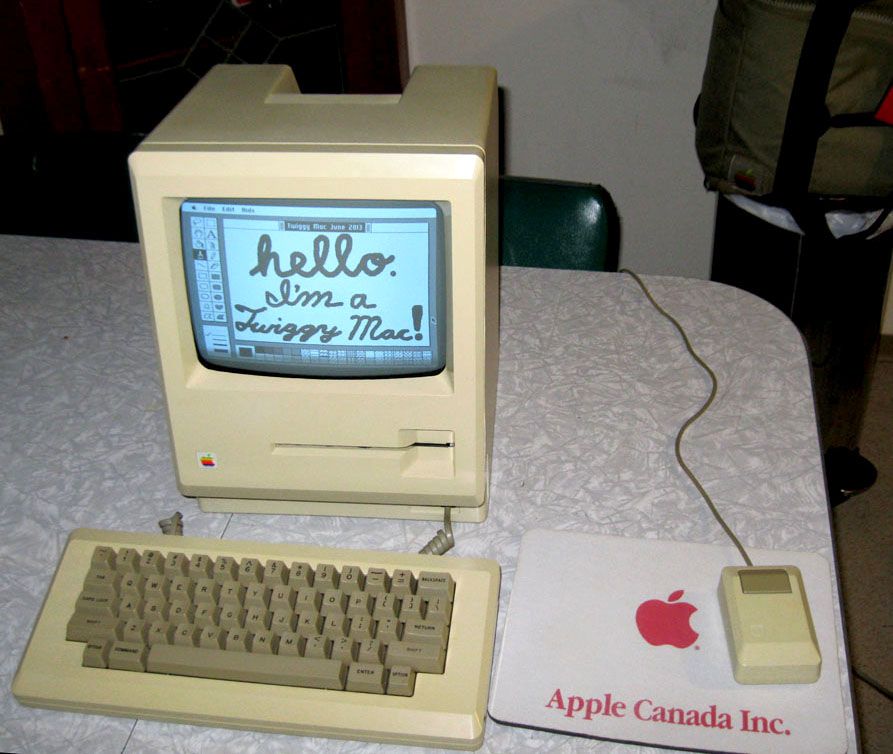
Hello I'm a Twiggy Mac
Macintosh 128K prototype with Twiggy floppy disk drive (photo: Adam Goolevitch)

Old computers tend to lead sedentary lives. Parked in shelves and closets, maybe touched by the occasional dusting; the lucky ones still run old games from time to time. But sometimes one becomes a sensation.

The Twiggy Macintosh is a prototype Macintosh 128k that used a 5.25-inch disk drive. Long thought lost to history, two of these primordial Macinti were recently resurrected and returned to life in full working glory. Their rebirth brought about a rare reunion of the original Macintosh design team. And one of them recently repaid the effort by fetching about $40,000 at an auction.

They are — without a doubt — the oldest working Macs in the world.

Here is the story of their amazing journey.

Top iOS Apps Of The Week

By

On A Day Like This

Browsing the App Store can be a bit overwhelming. Which apps are new? Which ones are good? Are the paid ones worth paying for, or do they have a free, lite version that will work well enough?

Well, if you stop interrogating me for a second, hypothetical App Store shopper, I can tell you about this thing we do here.

Every week, we highlight some of the most interesting new apps and collect them here for your consideration. This time, our picks include guides to this day in history, redecorating and cooking steaks.

Here you go:

On A Day Like This — Reference — $0.99

On A Day Like This is a brand-new app that fills you in on significant events for any day you choose. You just swipe in the date you want, and you can flip through events, births, deaths, and holidays and observances. It’s a simple, clean, easy-to-use app that contains a lot of interesting and potentially useful information.

For example, did you know that November 14 is the day that scientists discovered 90377 Sedna, an object that is orbits the sun at three times the distance of Neptune? Slip that into conversation at work and see what happens.

On A Day Like This


HousePlan

Houseplan — Productivity — Free

In the past, whenever I’ve wanted to change the furniture layout in a room, I’ve broken out the graph paper and made a tiny scale mockup of the space and everything in it. HousePlan is a new app that is designed specifically to keep things like that from happening. First, you place the walls, windows, and doors, and then you can figure out where the furniture goes before you actually have to lift anything. It’s quick and easy to use and the best part is that you don’t have to wonder if that piece of paper you just threw away is a scrap or your chifferobe.

Houseplan


SteakMate

SteakMate — Health & Fitness — Free

How do you know when a steak is done? You have the finger and thumb trick, the weirder face test, the less elegant “cut it open and look at it” test, or a meat thermometer.

Those wanting a more high-tech way to handle meat cookery might want to try SteakMate, a new app that provides custom timers for your grilling needs. You enter in the cut, thickness, cooking method and desired doneness, and it tells you what to do, including when to flip and how long to let it rest. It can even track multiple steaks simultaneously.

Plus, it’s way cleaner and less awkward than touching the steak and then your face.

SteakMate

DeskWorkout

1 Minute Desk Workout — Health & Fitness — Free

You know how it goes: You’re sitting there at work and you know you should take a break before your hands fall off, but you have all this stuff to do and you’ll get to it after you do this one last thing, but then you don’t. And then you get carpal tunnel syndrome. Like, immediately.

Enter 1-Minute Desk Workout. It will remind you to take hand and back breaks every hour and it’ll walk you through 60 seconds of exercises while it’s at it. It’s kinda like your mom telling you to stop playing video games and go outside. But for your cubicle.

1 Minute Desk Workout


Upcycling

Upcycling — Entertainment — Free

Green-lifestyle blog Eve of Reduction saw your landfill at Whole Foods the other day and thinks it looks tired and kinda flabby. It wants to help, so it has a thing you might want to check out.

Upcycling is a free app full of instructions and suggestions for repurposing and repairing out-of-use items. It’ll show you how to reupholster a chair, what you can do with used paint cans, and show you cool things other people have done with their would-be junk. It’s all arranged and indexed conveniently within the app, and even if you don’t do anything in there, it’s still interesting to browse through.

Upcycling

Publisher’s Letter

By

striscia

When I moved to the States 20 years ago from the UK, I had two suitcases. One contained my clothes and other worldly possessions. The other case was filled with my crappy old Macintosh.

The Mac was obsolete even then, but leaving it behind was unthinkable. I held on to it for decades, hauling it across the country and multiple house moves. I’d still have it now, if I hadn’t cooked it showing my kids the joys of OS 6. Moronically, I blocked the top vents with a box and the explosive pop of overheated circuits nearly gave me a heart attack.

Leander Kahney, Publisher

The busted Mac was just one of a garage-full of creaky old Apple technology I chucked out recently in a major de-cluttering (mandated, btw, by the wife). The list is too heartbreaking to mention in full, but included dozens of desktops and laptops, as well as boxfuls of obsolete iPods, mice, keyboards, modems, printers, monitors and cables.

Other things that I threw out and probably shouldn’t have? I also disposed of boxes of Apple press passes and press kits, including one for the special-edition U2 iPod that included a nifty poster. I kept one “Think Different” poster (featuring Gandhi) but recycled a bunch of others.

Why did I hoard all this stuff? Mostly laziness. eWaste is a headache. It’s easier to just hold onto it. But part of it was because a lot of this stuff still worked! I might have gotten a new, bigger monitor, but there was nothing wrong with the old one. Sure, it’s VGA resolution, but it still functions!

And then, I always felt there would be a time when I needed that FireWire extension cord, or a serial-to-USB adapter. Right? I’d kick myself if I had one once but threw it out when I needed it. But mostly it was sentimentality. Each item had a specific memory, triggered by softly stroking its chunky beige keys.

Ask A Genius Anything: Keeping Your Data Secure, Skipping Troubleshooting And Secrets Staff Won’t Tell You

By

askageniusanything

This is Cult of Mac’s exclusive column written by an actual Apple retail store genius who answers all your questions about working at an Apple Store. Our genius must remain anonymous, but other than “Who are you, anyway?” ask anything you want about what goes on behind that slick store facade.

This week our Genius dishes on how to make sure technicians don’t snoop through your personal data when you bring your Mac into the Genius Bar to get fixed. We also talk about the most polite ways to explain to a genius that you’re not an idiot, as well as other secrets the Genius Bar staff won’t tell you.

Got a question you want an inside scoop on? Send us your questions and the answers will be published first in Cult of Mac’s Magazine on Newsstand. Send your questions to newsATcultofmac.com with “genius” in the subject line.

Q: Can you trust the Genius Bar to not access the data on your Mac when you take it in for service? What should I do before going in to make my data safe?

A: I don’t think technicians are accessing people’s data as often as the internet confessions make it sound. Sure, there have been abuses, just as with any other company, people can’t always be trusted to follow policy or respect privacy.

For me and my coworkers, it’s never been a question. We have far too many other repairs and tasks to bother with anybody’s personal data, aside from the many practices and procedures of the store that prevent such abuses like requiring more than one technician in the Genius Room while doing repairs.

If you don’t like the idea of your data possibly being accessed while it’s in for service, you may want to create a Time Machine backup of your Mac and erase its contents for service. For very sensitive information, one might go as far to zero all the data on the disk multiple times, but no one in the Genius Room is going to try to recover data on a disk. Then again, I don’t know what you might be trying to hide.

To erase and reinstall OS X, create a Time Machine or other backup of your preferences on an external hard drive and check to make sure the contents are intact. Afterwards, restart your Mac and hold down the “Command + R” keys to boot to the recovery disk. Then you can go to disk utility and select your startup disk and erase it. Once erased, you can reinstall Mac OS X and set up the Mac so your technician can boot it up. Once service is complete, restore your data to your Mac using Migration Assistant or your method of choice.

Q: What is the least douchey way to explain to an Apple Genius that I know a fair bit about computers to skip past the dumbed-down troubleshooting, questions and explanations?

A: I love it when people come in and they can explain the problem clearly. Tell your technician what troubleshooting steps you have taken to reproduce or fix the issue. Explaining the issue clearly and describing proper steps for determining the need for service tells me you know what you’re talking about. It also helps speed up the process. There may be some required procedures — as in any other warranty or paid service — but hopefully your explanation has answered most of these and will make the process quicker.

Q: What are some of craziest things you seen while working on someone’s computer?

A: I actually haven’t seen anything that ridiculous…There are so many customers to help that most geniuses don’t have time to run through your iPhone or MacBook and see all your naked selfies — but that hasn’t stopped some customer’s private stuff from just popping up. One time I was helping a mom and her 17-year-old son who had a problem with his iPhone.

I had the kid unlock the iPhone and then proceeded to troubleshoot his Wi-Fi issue. Keep in mind that I always make sure to keep the customer’s screen visible to them so they can see what I’m doing on their device. So I opened up Safari to run some diagnostics and the first thing that came up was a big porn site with huge images of the some of the best, most vile debauchery the world has to offer. I closed the tab as quickly as I could, but the damage was done. His mom saw it and just exploded — launching into a loud, anti-porn rant right there in the store.

That was awkward.

Exclusive Jony Ive Book Excerpt: The Origins Of A Genius, Who Is Also A Really Nice Guy

By

jony_ive

The first time I met Jony Ive, he carried my backpack around all night.

Our paths crossed at an early-evening party at Macworld Expo in 2003. As a journeyman reporter hustling for Wired.com, I knew exactly who he was: Jonathan Paul Ive was on the cusp of becoming the world’s most famous designer.

I was surprised he was willing to chat with me.

We discovered a shared love of beer and a sense of culture shock, too, both of us being ex-pat Brits living in San Francisco. Together with Jony’s wife Heather, we reminisced about British pubs, the great newspapers and how much we missed British music (electronic house music in particular). After a few pints, though, I leapt up, realizing I was late for an appointment. I hurried off, leaving without my laptop bag.

Top iOS Apps of the Week

By

Roman Ruins HD

Browsing the App Store can be a bit overwhelming. Which apps are new? Which ones are good? Are the paid ones worth paying for, or do they have a free, lite version that will work well enough?

Well, if you stop interrogating me for a second, hypothetical App Store shopper, I can tell you about this thing we do here.

Every week, we highlight some of the most interesting new apps and collect them here for your consideration. This time, our picks include one that’ll help you mix paint, another that will help you keep tabs on your Twitter numbers, and something for the little monsters.

Here you go:

Roman Ruins HD — Reference — $4.99 (special launch price; reg. $9.99)

If you’re a fan of ancient Rome — and who isn’t? — but can’t justify the expense to actually go and look at its old buildings, you might want to have a look at Roman Ruins HD. It’s a new iPad app that collects a wealth of high-definition pictures, virtual tours, and/or 3D overhead shots of over 350 sites. You can read all about the places, and some locations also use the app’s cool Google Street View integration to let you pretend you’re walking through them. But you’ll have to provide your own bored, screaming children, tired feet and sunburn for the full experience.

Roman Ruins HD

True Color True Color — Entertainment — $1.99

True Color is one of those apps that definitely has a practical application but is also just fun to mess around with. Its purpose is to create “formulas” for different hues so that artists can properly mix paints to match and you can easily take samples from your photos. You can also just mess around with the four component colors — red, yellow, blue, and white — to get the tone right before you go wasting all your acrylic on experimenting.

But it’s also good for curiosity. The picture over there, for example, is the exact color of Jake from Adventure Time. Did you know he was 24 percent red? Because I didn’t.

True Color

Followers on Twitter Followers on Twitter — Social Networking — $0.99 (Pro version)

Alright, maybe it only does that for me, but what Followers on Twitter definitely does is give you a quick look at your follower numbers. In addition to what Twitter will tell you, it also lets you know when people take you off of their feeds, how many users aren’t following you back, and how many you’re snubbing. You can also easily delete multiple tweets at once, and I know a guy who could probably make good use of that feature after some unfortunate late-night drunken tirades.

Oh, you don’t know him. He lives in Canada.

Followers on Twitter

Relaxia Lite Relaxia — Health & Fitness — Free ($3.99 unlock)

The App Store is full of things that play white noise or some ocean sounds to punch your ticket for the Sleepy Train to Snoozeville, but I haven’t seen one as good-looking and versatile as Relaxia. It has six noise “themes” with about eight sounds in each; you can play multiple files at once and adjust their volumes to make your own custom mix of sleep fuel, and you can set a timer so it’s not still playing in the morning.

Because it would really be awful if you woke up, thought it was raining and then it wasn’t.

Relaxia

Artpop

Artpop — Music — Free

Are you a creative, psychic Lady Gaga fan with an interest in intergalactic travel? If not, does any of that at least sound like something you’d like to see? Hey, Artpop.

It’s a slick, shiny app that ties in with Gaga’s latest album, which is also called Artpop. It’s also a social-media platform, a music player, an art creation and sharing app, and a chatroom. You create your “Aura” (read: avatar), and then you can make projects using a combination of preloaded shapes and patterns and your own pictures and share them with all the other little monsters on the app.

Plus, it’ll tell you if Lady Gaga actually looks at your creation, so it’s kind of the ultimate super-fan experience.

Artpop

This Week’s Best New Books, Albums, And Movies On iTunes

By

picksoftheweek

Rather than slogging through a lake of reviews to find something you’re just going to put down after 30 minutes, Cult of Mac has once again compiled a list of the best new movies, albums and books to come out this week.

Enjoy!

Best New Movies

Man of Steel

man_of_steel_poster

Superhero movies are a dime a dozen now, but “Man of Steel” takes action fans back to where it all began: Superman. From Warner Bros. Pictures and Legendary Pictures comes “Man of Steel” starring Henry Cavill in the role of Clark Kent/Superman, with the special visual direction of Zack Snyder. The film opens with the story of Superman’s homeworld, Krypton, and how it was destroyed. Safely evacuated to Earth as an infant, Superman is raised by Kevin Costner in Smallville while coming to grips with extraordinary powers that are not of this world. As a young man, he journeys to discover where he came from and what he was sent here to do. But the hero in him must emerge if he is to save the world from annihilation and become the symbol of hope for all mankind.

iTunes – $19.99

Red 2

Red-2-Movie-Poster

A very safe sequel bet with a cast of friendly, recognizable, and bankable stars, “RED 2” is a breezy romp of global espionage and superhero superspies where the wealth of violence is played for laughs and the sly grins stay firmly planted on the faces of everyone involved. As fans of 2010’s RED will fondly remember, the hero characters are from the AARP generation, which is also what drives the primary conceptual joke and defines the title acronym: Retired, Extremely Dangerous. In round two, former secret agent Frank Moses (Bruce Willis) is drawn out of retirement (again) by his former cohort Marvin (John Malkovich, acting Malkovich-crazy and loving it) to service a plot that involves a Cold War-era nuclear bomb hidden in Russia and the international effort to retrieve it.

iTunes – $19.99

Best Kept Secret
bestkeptsecret

This documentary takes you into the lives of students at JFK High School in the middle of a run-down area in Newark, New Jersey. The public school is designed for all types of students with special education needs, ranging from those on the autism spectrum to those with multiple disabilities. Janet Mino has taught her class of young men with autism for four years. When they all graduate in the spring of 2012, they will leave the security of the public school system forever. “Best Kept Secret” follows Mino and her students over the year and a half before graduation. The clock is ticking to find them a place in the adult world – a job or rare placement in a recreational center – so they do not end up where their predecessors have, sitting at home, institutionalized, or on the streets.

iTunes – $12.99

Best New Albums

Blood Orange
“Cupid Deluxe”

cupiddeluxe

Singer, songwriter, and producer Dev Hynes’ follow-up to “Coastal Grooves” is a mix of hazy electronica, treading bass lines, and waves of stirring Prince-inspired vocals. From the stark mid-tempo rapping on “Clipped On” to the blog-buzzing harmonies of “Chamakay,” “Cupid Deluxe” is dimensional, hypnotizing, and amorphous. With contributors ranging from Chairlift’s Caroline Polachek to Dave Longstreth of Dirty Projectors, “Cupid Deluxe” is a distinct and mesmerizing album that proves Hynes is as talented at a soundboard as at a microphone.

iTunes – $7.99

Lady Gaga
“ARTPOP”

artpop

Lady Gaga’s music is fueled by wild creativity and artful provocation. With her third studio album, “ARTPOP,” Gaga reunites with Born This Way co-producer Madeon. T.I. Too $hort & Twista work out alongside her with “Jewels N’ Drugs” and R. Kelly can “Do What U Want” in no uncertain terms.

Gaga explains in interviews that she’s seeking “the reverse of Warhol,” where she brings high art to pop music, where once Warhol brought a pop sensibility to high art. Lady can theorize all she wants, but she also knows that it don’t mean a thing it if ain’t got that swing and “ARTPOP” is loaded with hyperactive beats and hyper-caffeinated compositions like “G.U.Y.” (Girl Under You – yhatzee!), “Manicure” and “ArtPop” where even when she’s tributing Versace in “Donatella,” she kinda means herself, too. How much “art” is delivered is debatable, but she’s certainly not shy delivering her truth. Ten of the album’s 15 tracks come with an “explicit” tag. Now outrageousness is something we expect from Lady Gaga.

iTunes – $14.99

Jhene Aiko
“Sail Out”

sail-out

“Sail Out” is the debut extended play (EP) by American recording artist Jhené Aiko, released through Def Jam Recordings. The trippy RB fueled EP features 7 haunting tracks with special appearance from some of the biggest names in hip-hop, such as Kendrick Lamar, Childish Gambino, Ab-Soul, and Vince Staples.

iTunes – $5.99

Best New Books

“The Essential Calvin And Hobbes”
by Bill Waterson

calvinandhobbes

Bill Watterson hasn’t put out a new “Calvin and Hobbes” comic strip in nearly 20 years, but every kids’ favorite troublemakers have made it to iBooks for the first time ever.

The strip follows the richly imaginative adventures of Calvin and his trusty tiger, Hobbes. Whether a poignant look at serious family issues or a round of time-travel (with the aid of a well-labeled cardboard box), “Calvin and Hobbes” will astound and delight you.

Beginning with the day Hobbes sprang into Calvin’s tuna fish trap, the first two Calvin and Hobbes collections, Calvin and Hobbes and Something Under The Bed Is Drooling, are brought together in this treasury. Including black-and-white dailies and color Sundays, “The Essential Calvin and Hobbes” also features an original full-color 16-page story that will transport you back to the very first time you fell in love with Calvin and his stuffed tiger.

iTunes – $12.99

“Jony Ive: The Genius Behind Apple’s Greatest Products”

by Leander Kahney
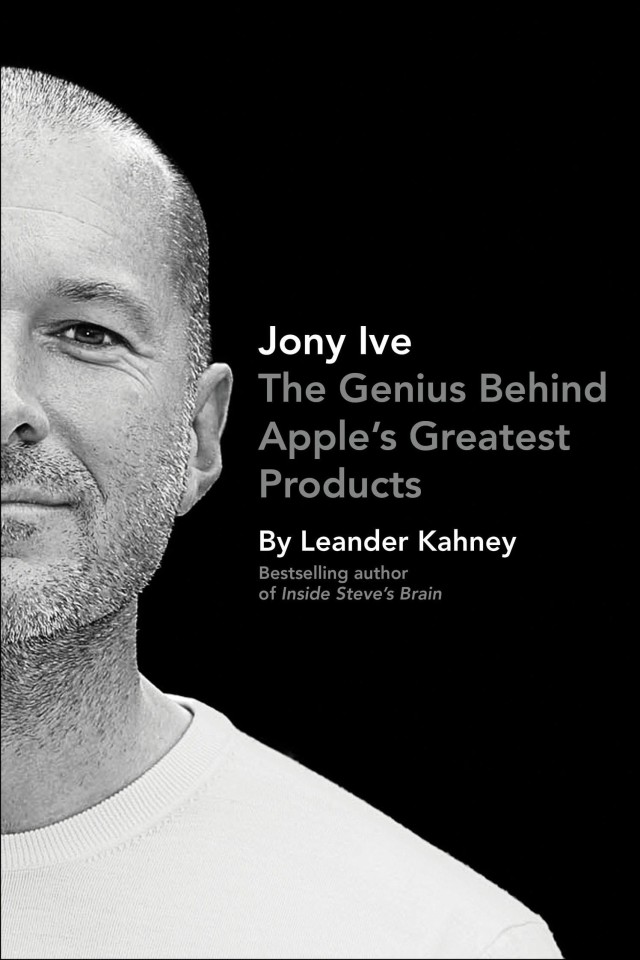
9780241001776

Did I include my boss’ new book in the weekly roundup just because he’s the dude writing my checks? Maybe. It never hurts to get on el jefe’s good side, but Leander’s book is also packed with some of the most insightful Apple revelations about Apple’s design processes since Walter Isaacson’s Steve Jobs bio. “Jony Ive: The Genius Behind Apple’s Greatest Products” is well worth a read for any Apple fan who wants to know all about the guy who crafted the iPod, iPhone, iPad, iMac, MacBook Air, and every other major Apple product you’ve fallen in love with over the past two years.

iTunes – $11.99

“Furious Cool: Richard Pryor and the World That Made Him”
by David Henry & Joe Henry
Furious Cool

Richard Pryor was arguably the single most influential performer of the second half of the twentieth century,and certainly he was the most successful black actor/comedian ever. Controversial and somewhat enigmatic in his lifetime, Pryor’s performances opened up a new world of possibilities, merging fantasy with angry reality in a way that wasn’t just new—it was unthinkable.

His childhood in Peoria, Illinois, was spent just trying to survive. Yet the culture into which Richard Pryor was born—his mother was a prostitute; his grandmother ran the whorehouse—helped him evolve into one of the most innovative and outspoken performers ever, a man who attracted admiration and anger in equal parts. Both a brilliant comedian and a very astute judge of what he could get away with, Pryor was always pushing the envelope, combining anger and pathos, outrage and humor, into an art form, laying the groundwork for the generations of comedians who followed, including such outstanding performers as Eddie Murphy, Chris Rock, and Louis C.K.

Now, in this groundbreaking and revelatory work, Joe and David Henry bring him to life both as a man and as an artist, providing an in-depth appreciation of his talent and his lasting influence, as well as an insightful examination of the world he lived in and the influences that shaped both his persona and his art.

iTunes – $12.99
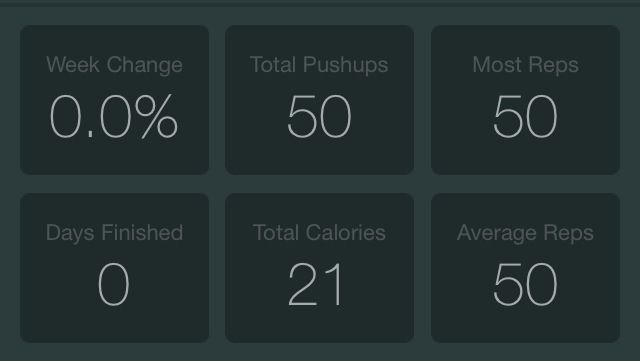
Ask A Genius Anything: Making Love Connections At Apple And How To Get Hired

By

askageniusanything

This is Cult of Mac’s exclusive column written by an actual Apple retail store genius who answers all your questions about what it’s like to work at an Apple Store. Our genius must remain anonymous, but other than “Who are you, anyway?” ask anything you want about what goes on behind that slick store facade.  

This week our Genius dishes on what it’s like to go through the hiring process at Apple, along with details on the best ways to score a gig working behind the Genius Bar and how to ask out that hot genius you’re crushing on.

If you’ve got a question you want an inside scoop on, send us your questions and the answers will be published first in Cult of Mac’s Magazine on Newsstand. Send your questions to newsATcultofmac.com with “genius” in the subject line.

What’s the best way to get hired at the Apple Store?

Apple looks for talented individuals who are passionate about helping people enrich their lives through their products and services. They want happy, friendly people who can start up a conversation with anyone. If you’re interested, spiff up your resume and apply for the retail store at apple.com. If you know anyone at the Apple Store you are applying at, ask them to submit a employee referral. If at first you do not succeed, try again. Stores receive a huge amount of applications so it may take a couple tries to get an invite to an open house for an hiring event.

The hiring events usually have a large group of people. While Apple looks people who know their product, they first look for someone who is nice, whether talking to a fellow applicant, a manager, or a disgruntled customer. Participate enthusiastically in all steps of the interview process even if it seems a little cheesy. Make sure to show a passion about providing the best experience in and out of the store for Apple’s customers.

If you get a second interview it will most likely be in a group setting again although smaller. Make sure not to get too boastful of your achievements. If you must brag, mention the successes of your team as a whole. Team players are a must. Show interest in other people’s responses and make it a group activity. Those who are willing to learn and work as a team to provide the best customer experience will make the cut.

How did you deal with the ridiculous and humiliating interview process? Did the lobotomy hurt?

I really needed a job at the time. I talked with someone who had already been through the interview process that gave me a heads up of what to expect. I knew they’d be looking for someone with an attitude that followed the company’s values. I went along with it all and said what I thought they wanted to hear. I even clapped when everyone else clapped.

I had several group interviews and they were pretty tough. You weren’t just on the spot with an interviewer but also with the other applicants listening to your responses. I was glad to be done with it all once I got the job offer. As for the lobotomy, it may have made the core training a little less torturous.

Can you date customers? Any tips on how to ask a Genius out?

Dating customers is against Apple policy. The policy protects both the employee as well as the customer. I have seen customers who come in consistently to get “help” from the same employee multiple times who are definitely interested but this only makes the employee less likely to actually pursue something.

If you are love struck by your technician at the Genius Bar, I suggest the straightforward approach. Ask for a card and give them your number maybe or ask them if you can have their number. Don’t be surprised if they say they can’t contact you, but tell them to call you outside of work. Don’t let a little Apple policy keep you from your love connection, but don’t make them completely say no by coming on to someone while they are at work.