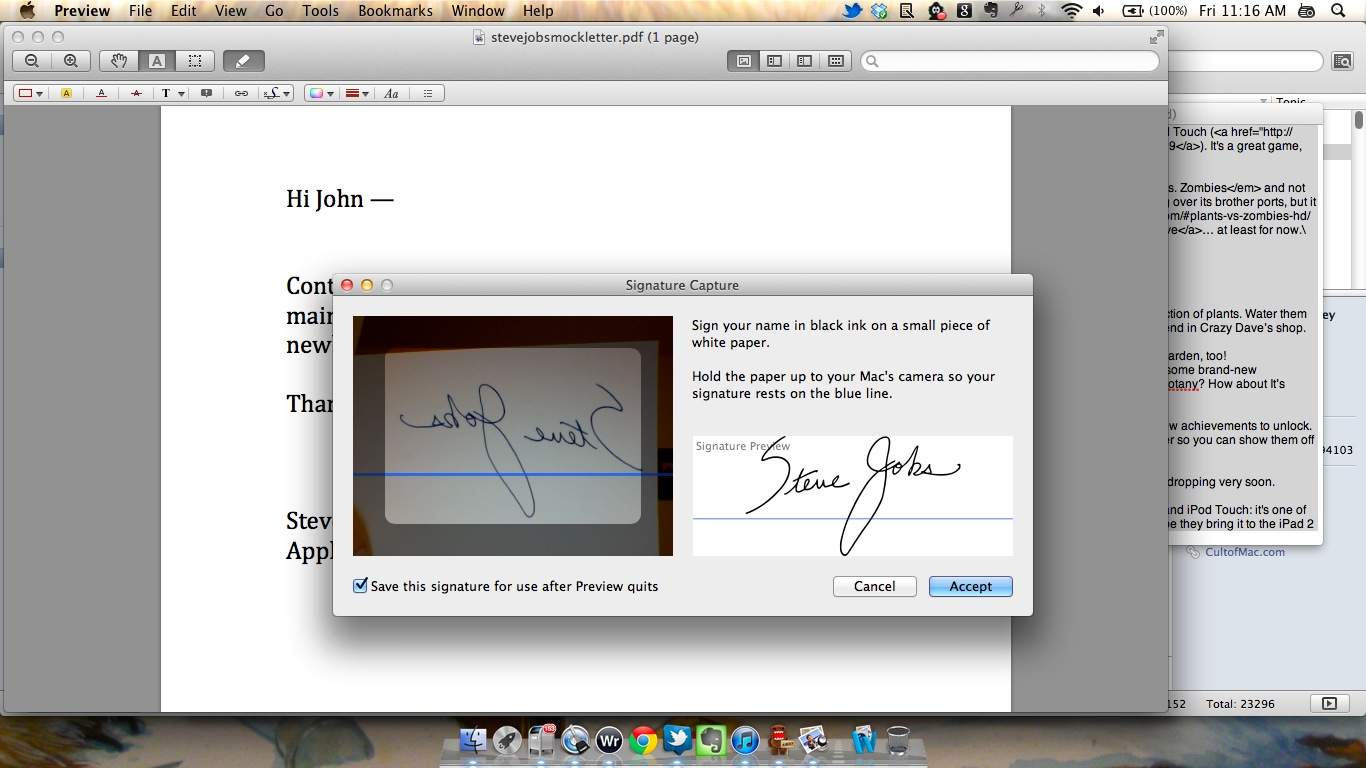
There’s plenty of software programs on the Mac App Store that will allow you to add a signature to a PDF, but come Lion, you won’t need any of them: Preview.app will do it by creating a perfect digital pen signature via FaceTime.
Here’s how to sign a PDF in Preview under OS X Lion.
1) Open Preview.app under Lion, Click the Annotations button and select the option “Create Signature From Face-Time Camera…”
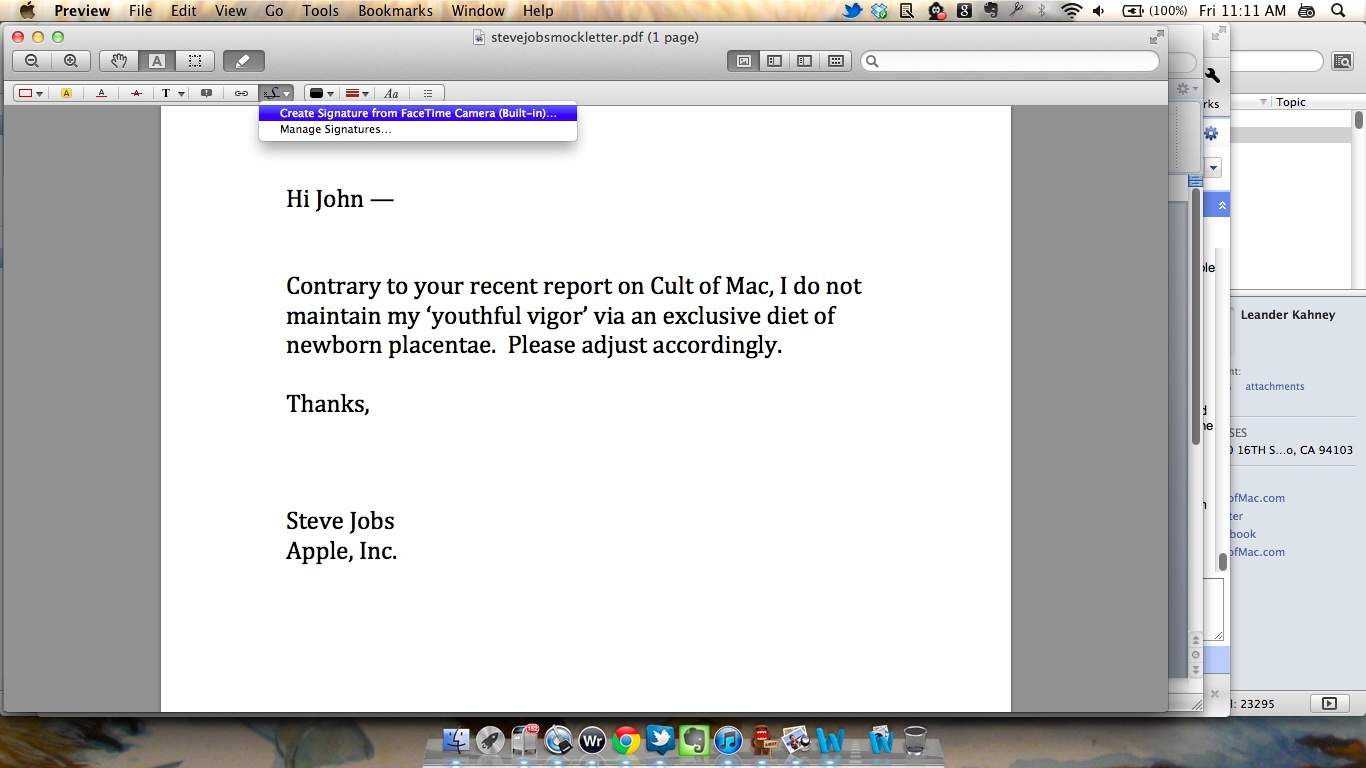
2) Make your signature on a piece of unlined paper and hold it up to your FaceTime camera so that it aligns with the blue line. Click ‘Accept’ when you like the preview.
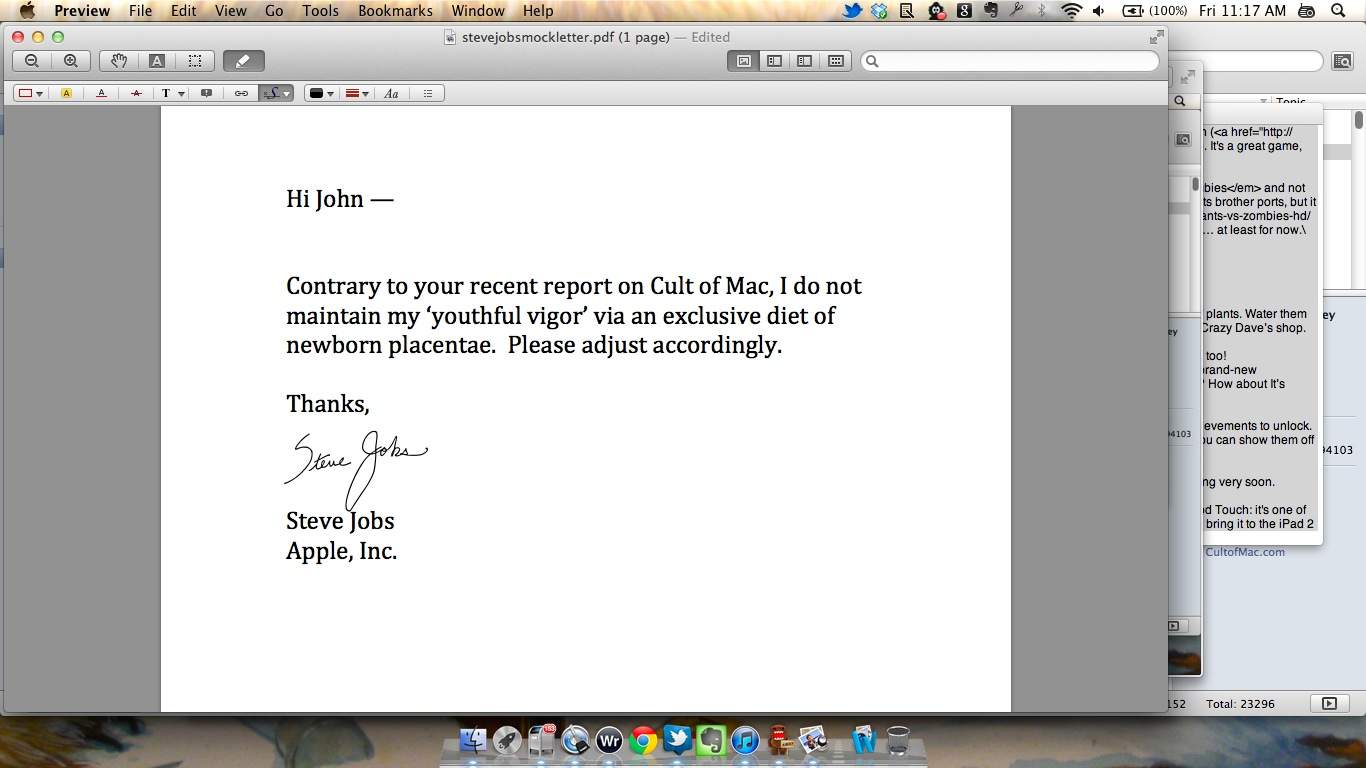
3) Once you’ve accepted the signature, you can easily drag it into place anywhere on the PDF you’re trying to sign.
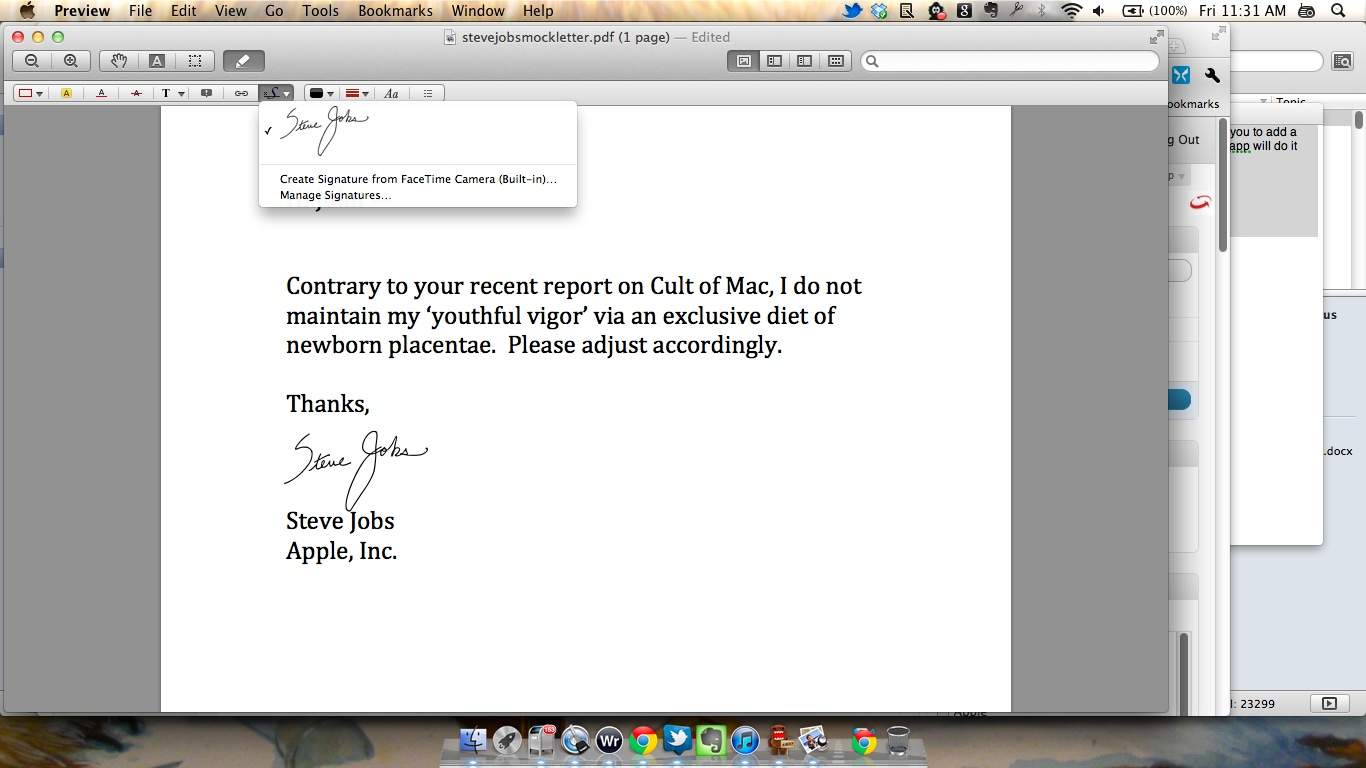
4) Need to sign more documents? The signature you just entered is now readily accessible as a signature from a drop-down within Preview


24 responses to “You Can Now Sign PDFs Using Lion’s Preview App [Screenshots, How-To]”
So is this only for the newer macs with the HD facetime cameras, or will it work with older macs like my macbook 5,3 that have the lower resolution isight camera?
It’s gonna look like crap.
I think it’ll be fine.
This is really coooooooool.
Great, a better way to take other people’s signatures and input them into a document… only issue I see with it.
Nice concept though.
Having a password option would be more comforting to me if my signature has now become part of the menu item. Someone unauthorized on the system could abuse the owners signature. I can see my kids using my signature to sign their report card.
You can always delete your signature after each use.
My guess would be that it will apply some smoothing after the scan, so it will probably look good no matter what. This is Apple we’re talking about, people. Design and good looks often come before functionality.
I don’t think you need an HD camera to get a clear shot of a signature..
I keep bmp and tif files of my signature on file just for that purpose.
If you are worried your kids are going to steal your signature for their report cards, you’ve got FAR more things to worry about!
Works very well – saved me a lot of time and impressed with the quality of the capture – managed to do a smooth effect to the outline which helps it scale and look more like a signature than a scan. Would also like to be able to password protect my signatures though.

