
Apple seeded the second beta of iOS 7.1 to developers nearly a month after 7.1 beta 1 was released. Once again, Apple’s beta doesn’t contain any major new features but there are a couple useful tweaks that you’ll enjoy hidden among all the bug fixes, performance improvements and speedier animations.
Here are the five biggest changes Apple made to iOS 7.1 today:
Button Shapes
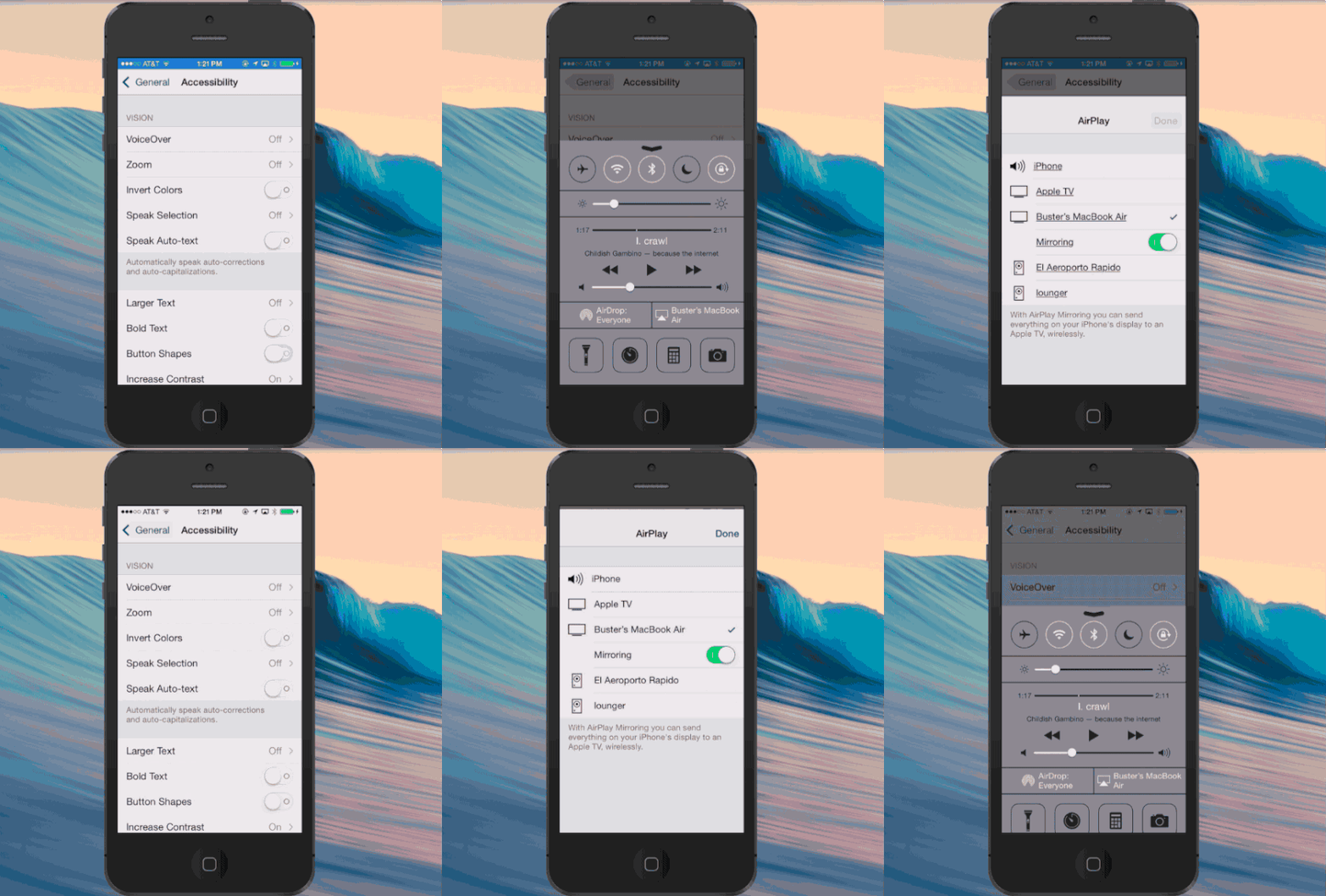
Confused whether some of the text floating around in iOS 7 is just a label or a button? Yeah, you’re not alone and it looks like Apple has a quick fix. iOS 7 beta 2 introduces a new Accessibility feature that turns on button shapes. While most buttons get a grey shading, other button shapes consist of a simple underlining of text – like the Send button in Messages and devices in the AirPlay menu.
Calendar Is More Useable
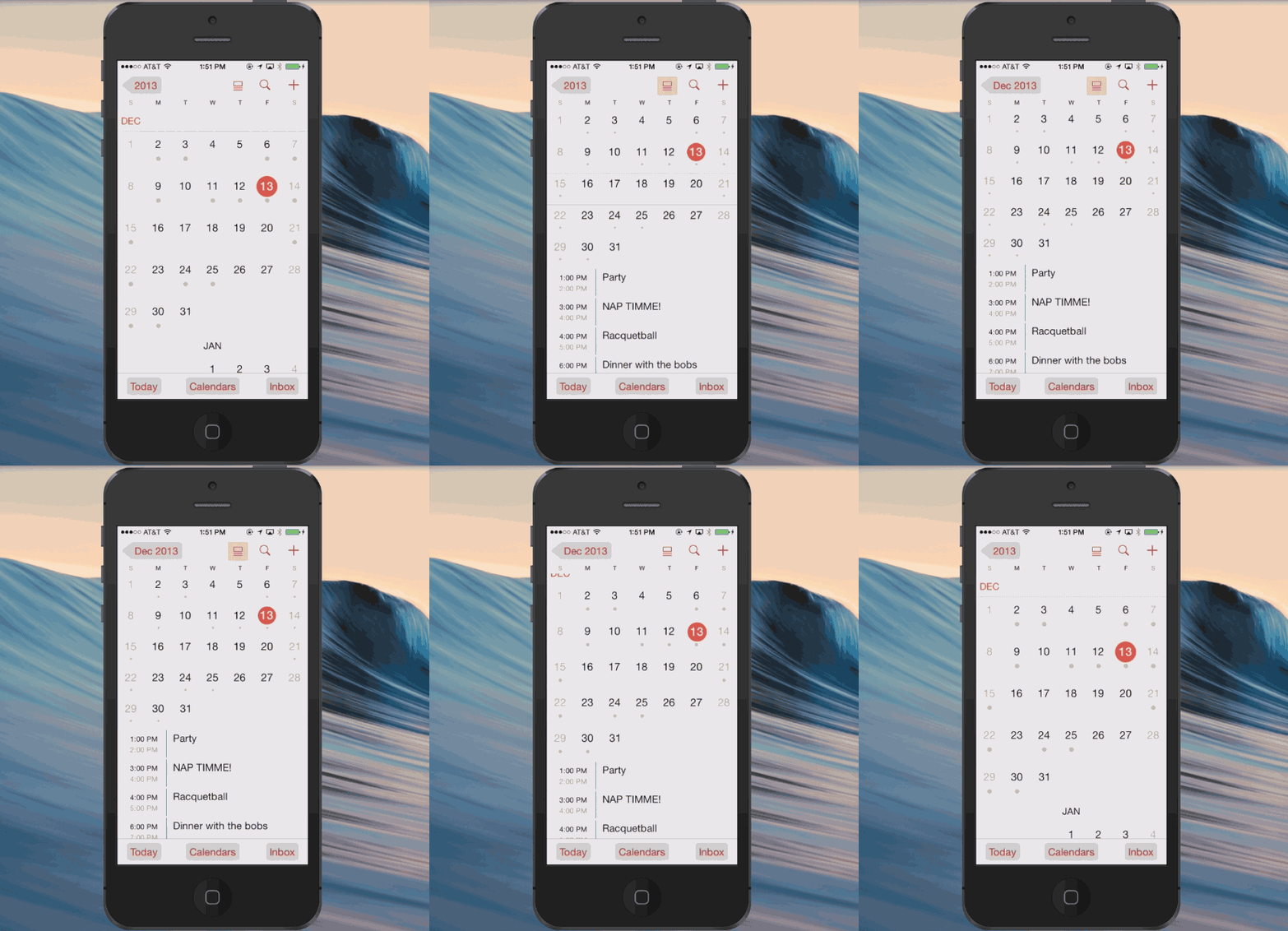
Calendar still needs a lot of attention but the new beta does redesign one desperately lacking feature: List View. You can toggle the setting next to search button to see the list view of your activities for the day while the full calendar remains in view.
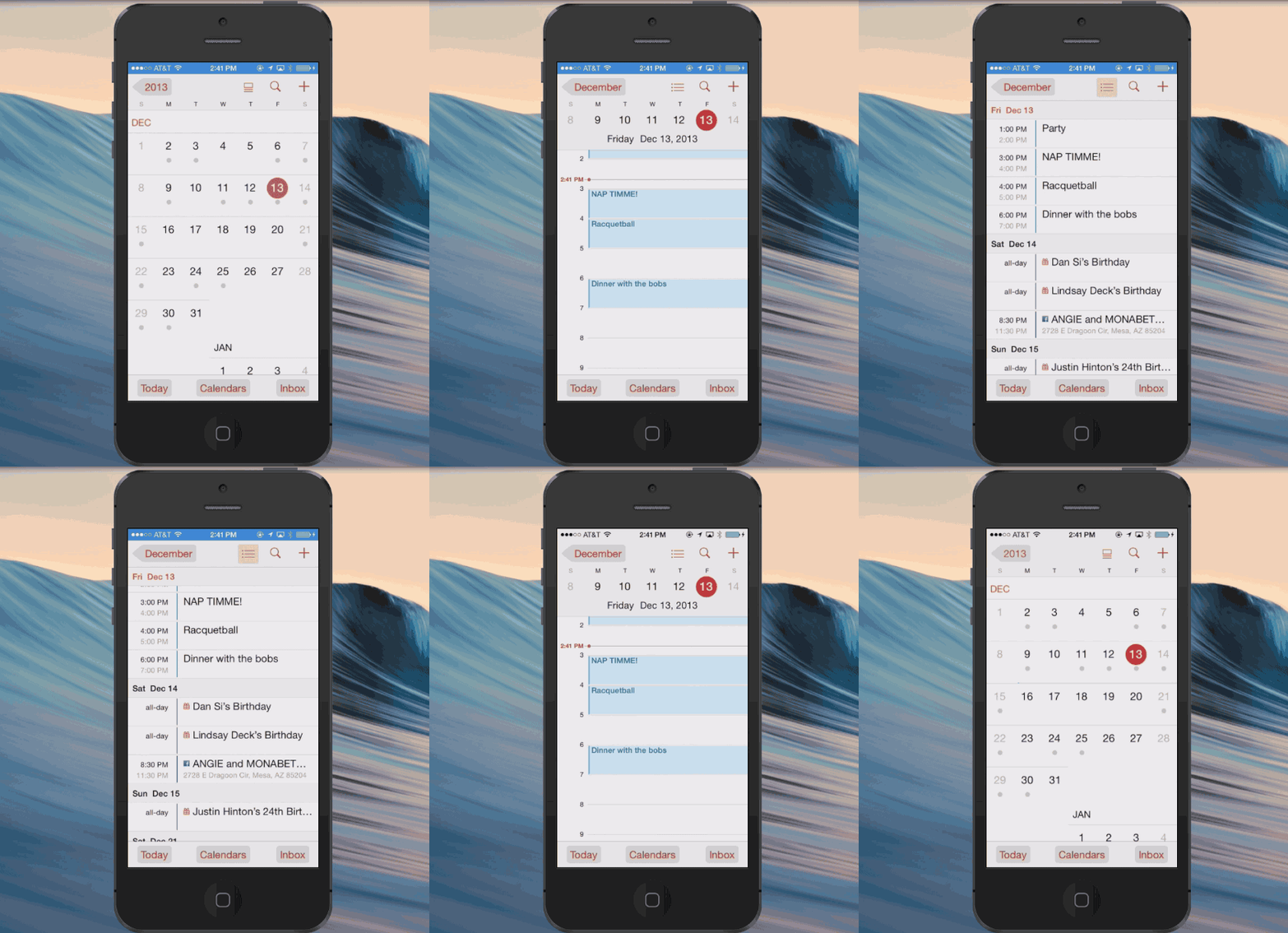
You can also switch over to just viewing your activities in the list view as well.
Tweaked Control Center
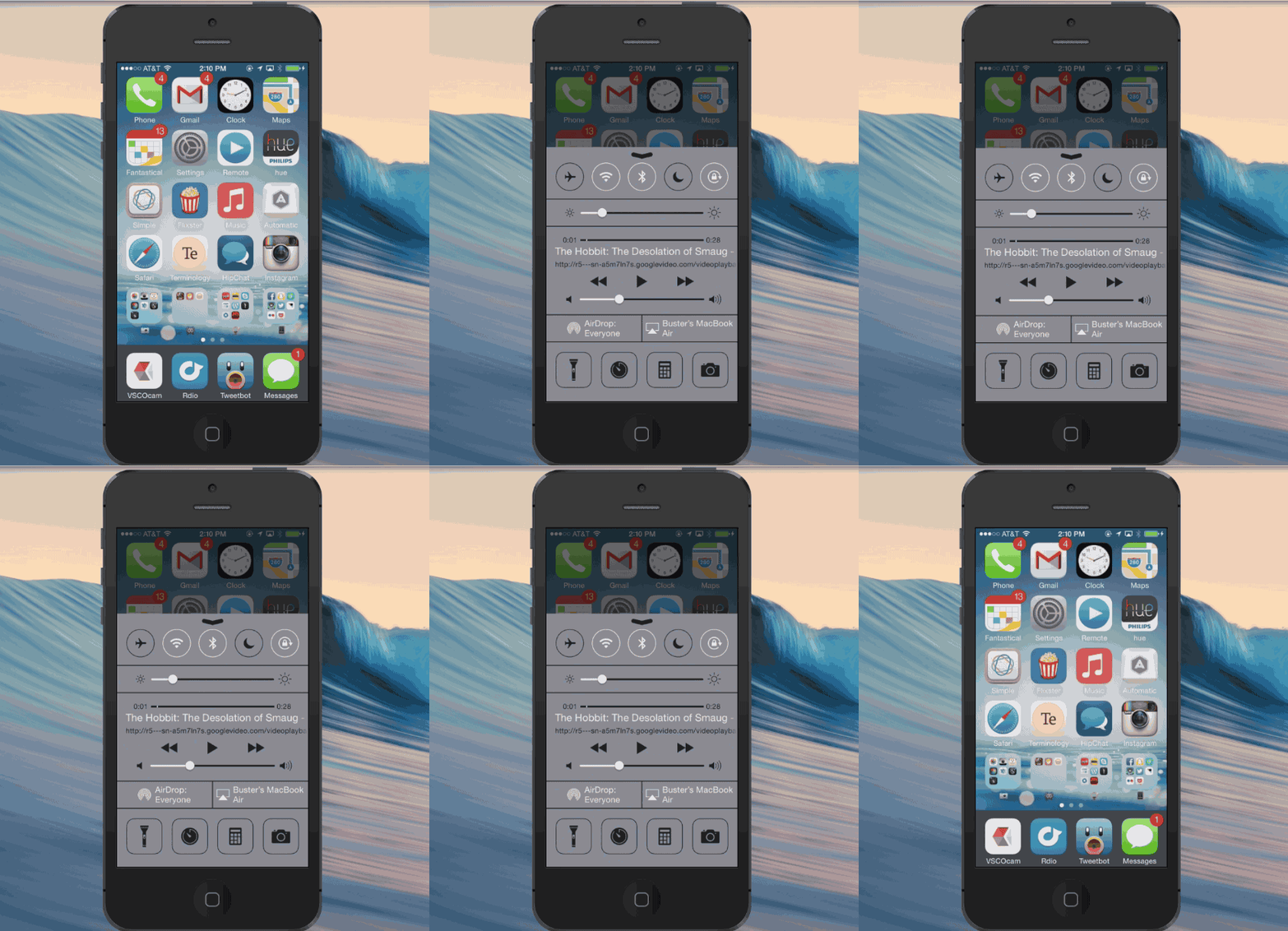
Apple added a new bounce animation when you pull up Notification Center. The audio controls section now has a label display which app is currently playing sound.
Death Of The Dark Keyboard
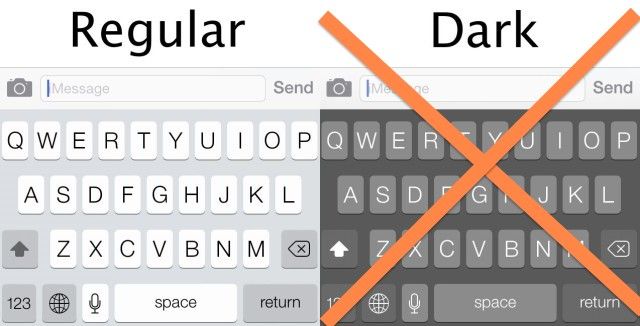
The dark keyboard that Apple enabled in the Accessibility settings for iOS 7 beta 1 has already gotten the axe but 3rd party apps like Tweetbot 3 still have access to it.
Speedy Animations
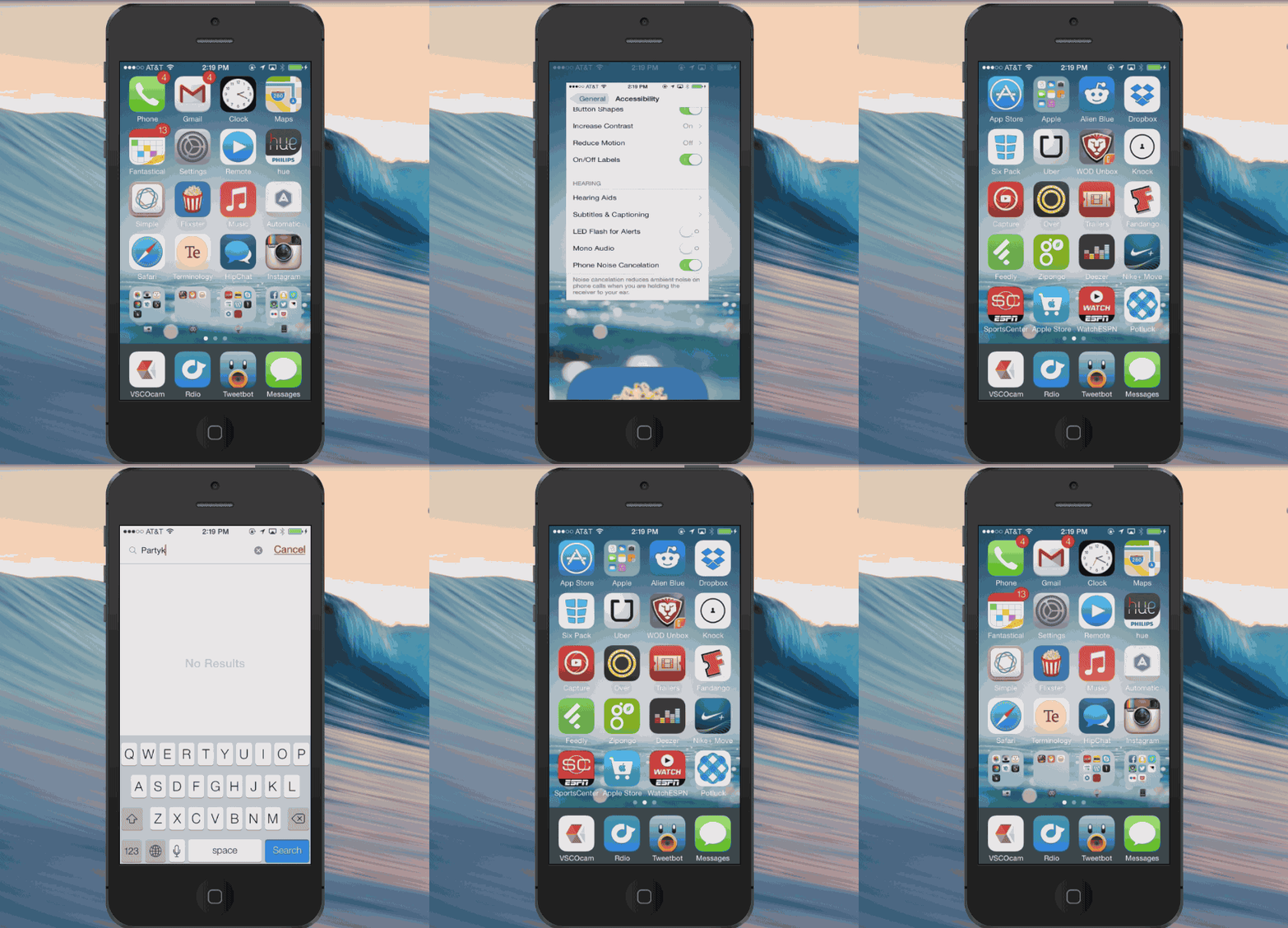
Overall, iOS 7 beta 2 is mostly full of bug fixes but one of the welcomed tweaks are the faster animations. Animations for opening folders, apps, pulling up Spotlight, Multitasking, and more feel a micro-second faster.

Buster Hein is a freelance writer who lives in Phoenix, Arizona. Twitter: @bst3r.


12 responses to “The Five Biggest Changes Apple Made To iOS 7.1 Today”
How do you see list view on the Calendar now without the split screen? I only have the button with the square on top of the two lower lines. The calendar now takes up the entire screen with any appointments limited to one line at the bottom. I can not longer see all the appointments for a day on one screen or the list of events. Calendar is basically unusable as it is now. Is there some setting I’m not seeing?
Found it. If you have the list view button on for month, you cannot drill down into a day. Once you drill down into a day, the different list button appears.
Calendar events no longer allow you to choose any one of the 60 minutes of the hour. Only five minute increments again. BOOOOOOOOOOOOOOOO
Nice, but I like this better
http://dribbble.com/shots/1431164-iOS-8-Mission-Control/attachments/210434
https://www.youtube.com/watch?v=e0U2NQ_0snA
love ya <3 7.1 rocks