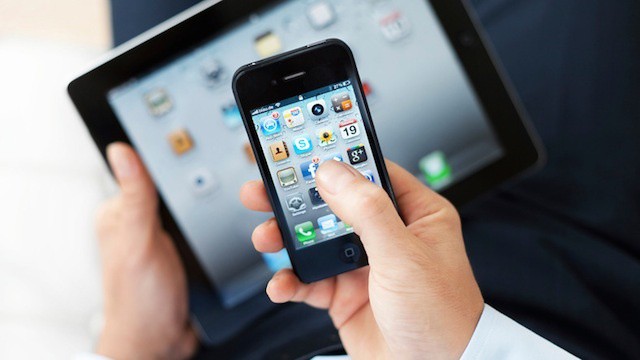
The concept of employees bringing their own devices to the office has seen a meteoric rise in popularity over the past couple of years. When the term BYOD first entered the IT lexicon, most CIOs and systems administrators tended to shrug off the suggestion that their company might consider such a non-traditional approach. Today, surveys show more than fifty percent of organizations are considering or have already adopted BYOD policies.
While the concept of BYOD is pretty easy to grasp (companies actively support user-owned devices and may even encourage employees to bring their iPhones, iPads, and other devices into the office), exactly what BYOD translates to in the real world can vary widely.
As industry analyst and Forbes contributor Maribel Lopez points out, surveying companies on whether they’ve adopted BYOD isn’t really asking the right question:
We should’ve asked, ‘”What, if anything, are you allowing employees to access on their personal devices?”
The issue is that some companies consider allowing employees to access their corporate email and calendar on their iPhones or other devices to be implementing BYOD. That’s a very basic use of personal devices compared to companies that are rolling out volume purchased apps, letting users connect to corporate clouds and collaborative tools, and working to create a managed information solution for employee devices either by managing the devices themselves or by creating dedicated secure storage containers for business data on the devices.
Some companies will allow email and calendar access from personal devices but not allow access to a corporate Wi-Fi network or not allow remote network access using a VPN connection. Some will only support one or two specific devices, such as iOS devices and BlackBerries, which are seen as the two most secure platforms at this point.
Ultimately, this means that BYOD has become a catch all term. It’s a concept that doesn’t have a black or white (yes we support BYOD or no we don’t) definition. Rather each company’s concept and implementation of BYOD is some shade of gray. That doesn’t mean that the BYOD trend won’t push forward or that companies with a very narrow definition of BYOD won’t eventually add more capabilities – allowing minimal use alone may push users to ask for more functionality. But it does mean that when consumers, IT leaders, and anyone watching the consumerization of IT unfold needs to consider the range of possible meanings for the term BYOD.

Ryan Faas is a technology journalist and consultant living in upstate New York who has written extensively about Apple, business and enterprise IT, and the mobile industry. In addition to writing for Cult of Mac, he is a contributor to Computerworld, InformIT, and Peachpit Press. In a previous existence he was a healthcare IT director as well as a systems and network administrator. Follow Ryan on Twitter and Google +.

