Mobile menu toggle

News - page 1906

Kindle 3.0 Gets Updated For The New iPad’s Retina Display

By

Image courtesy of Macstories.net

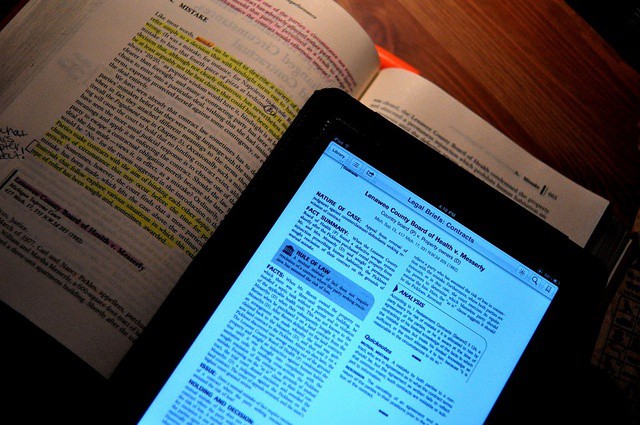
By all accounts, text-heavy apps really shine on the new iPad’s Retina Display, so I’m glad to see that Amazon have already updated my favorite iOS e-reading app to work at native 2048×1536 resolution.

And that’s not all. Amazon has also taken the opportunity to redesign the Kindle library view so that it’s organized in two separate tabs, “Cloud” and “Device,” which should make it easier to tell which e-books you have stored locally and which ones need to be slurped down from Amazon’s databanks.

You can download Kindle 3.0 on the App Store right now for free.

Letter From London: Waiting In Line For The New iPad

By

london_iPad_lineup
.@Redbulluk Please come to Regent street Apple store, we need energy in the queue. PLEASEEEEE. RT guys!!

Camping out for a new Apple product is a time-honored tradition. Outsiders think it’s crazy, and even some insiders do — couldn’t you preorder it this year — but waiting for the product is just part of the reason you do it. It’s really about the camaraderie, the friendship, the adventure.

Craig Fox, organizer of the upcoming JailbreakCon, is roughing it on the streets of London outside Apple’s flagship Regent Street Store. Even if you’ve never considered waiting in line for a new Apple product, his account of the experience might just change your mind.

Here’s his report:

MLB Players And Coaches Are Just As Excited For The iPad 3 As You Are

By

Rob Coughlin of the Cincinnati Reds believes the new iPad's Retina display will allow the team to improve their game.
Rob Coughlin of the Cincinnati Reds believes the new iPad's Retina display will help the team improve their game.

With your new iPad pre-order ready to be loaded onto tomorrow’s truck for delivery, you’re probably pretty excited right about now. But maybe not as excited as some MLB players, coaches, and scouts. Apple’s device allows them to identify tactics and improve their game, and scout for new talent. It’s also great for keeping in touch with their families while they’re away from home, and they’re expecting the third-generation device to be the best iPad yet.

Configurator Makes Big Improvements To Business/School iOS App Management

By

Pre-loading apps using Configurator
Pre-loading apps using Apple Configurator

Virtually everyone who’s ever used an Apple product has an Apple ID. This user account for all things Apple is most commonly used with the iTunes Store and the iOS and Mac App Stores. It’s used to both authorize purchases and to allow you to access content or run apps after they’re downloaded. Apple’s philosophy is that every person should have their own Apple ID and that each of us should use our individual Apple ID (and only that Apple ID) on each of our devices – iPads, iPhones, iPods, Macs, even PC’s running iTunes or other Apple software.

That’s a great concept, but it creates a big challenge when iOS devices are used in business or school environments. When someone configures an iOS device for an employee or student with a selection of apps and other content (like iBooks 2 textbooks), they need to use an Apple ID. But once that device is deployed, the end user may need or want to purchase additional apps or other materials.

This is often a stumbling block for business-owned devices. And it’s something that Apple has finally begun to address with Apple Configurator.

iFixIt Opens Up The New iPad [Teardown]

By

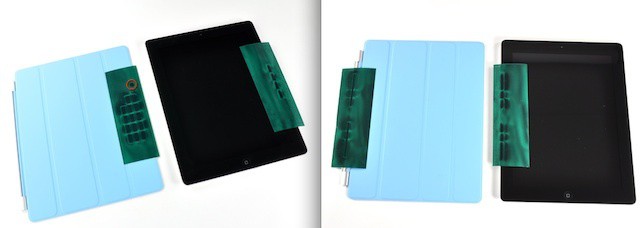
Aren't those suction cups cute?

In their normal fashion as dissectors and vivisectionists of the gadget world, the fine ladies and gents over at iFixIt — who flew all the way to Australia to get a literal crack at the new iPad early — have just opened Apple’s latest tablet up, as reported by their Twitter feed:

The first legit-purchased, legit-owned iPad 3 is now also the first legit-opened iPad… in the world.

Stay tuned. We’ll let you know what mysteries they find inside.

Dutch Court Denies Samsung’s Bid To Ban Sales of Apple’s iPhone and iPad in the Netherlands

By

post-153540-image-5c84a25836da75724645d7a14eee9493-jpg

In the latest patent war saga, a Dutch court ruled that Samsung cannot assert 3G patents against Apple products using Qualcomm’s baseband chips — as Samsung has a licensing deal with the U.S. chipmaker — thus denying their bid to ban the sales of the iPhone and iPad in the Netherlands. However, Samsung didn’t consider the ruling a complete loss as the Hague court also ruled that Samsung could seek damages over the use of Intel chips. While Apple doesn’t use Intel chips, this gives Samsung ammunition against those that do.

Quicken Finally Works With Lion But Is It Too Little, Too Late?

By

Intuit finally releases a Lion-comatible version of Quicken
Intuit finally releases a Lion-compatible version of Quicken

When Lion was released last summer, there was a big outcry because Apple had decided to kill off Rosetta, the emulation engine that allowed Macs with Intel processors to run apps designed for Macs with Power PC processors. Apple’s position was that it had made the switch to Intel and stopped selling Power PC Macs five years earlier and it was time for users and developers to move on. Most developers did move on to releasing universal apps that could run on Macs with either processor or that were Intel-only.

One company that dragged its heals was Intuit, maker of the popular Quicken personal finance app. When Lion shipped, users of Quicken 2007, the most recent version, were faced with options that really weren’t that good: not upgrade to Lion, install a stripped down version called Quicken Essentials that was built for Intel Macs, run the Windows version of Quicken, or switch to a different app.

Curly-Wired Handset Turns iPhone Into Retro CB Radio

By

Oh, man. If you use this thing, the laydeez will totally love you

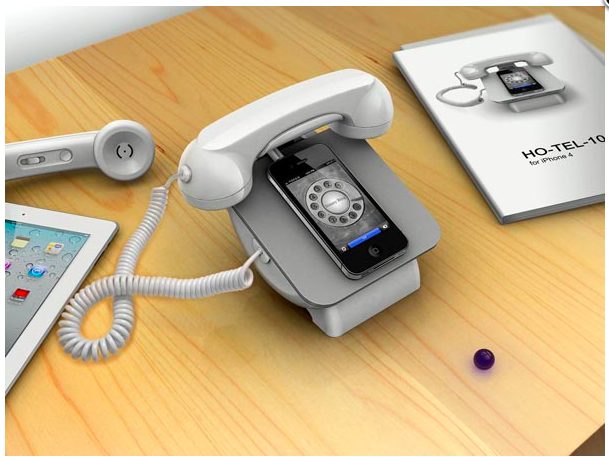
I thought it was impossible to do anything dorkier than wearing a Bluetooth headset all day long, because you’re, like, so important that you’ll be getting a call any minute now. Well, it turns out that I was wrong. Check out the Tomko Transceiver for iPhone, a plug-in handset that makes your iPhone work like a CB radio.

The New iPad Takes Much Longer To Charge Than The iPad 2

By

ipadcharger
Your new iPad will be spending a lot more time with its battery charger than the iPad 2.

Every single thing about the new iPad is more power hungry than the iPad 2. The Retina Display requires more power to drive its double resolution display. The LTE capability requires more battery to suck in faster mobile data speeds. Even the doubled RAM capacity uses more electricity.

Despite all of this, though, the new iPad has the same great battery life as the iPad 2: 10 hours of battery using 3G, 9 hours battery using LTE. Apple’s achieved this extraordinary feat by packing almost twice the battery capacity into the same space.

That’s great news when you’re around town. But it comes at a cost: charging the new iPad to full is a total bitch.

Apple Stock Flirts With $600 Per Share

By

aapl_600
First stop $600, next stop $1000?

For the first time ever, Apple stock briefly touched, then dropped below, the price of $600 per share. Making that milestone even more impressive is the fact that AAPL just reached $500 per share for the first time a month ago.

Mark my words, Woz is right: Apple’s going to reach $1000 per share become the world’s first trillion dollar company.

[via MacRumors]

Your New iPad Might Be ‘Out For Delivery’ In U.K., But Here’s Why It Won’t Arrive Early

By

ups-ipad-delivery
He won't be arriving at your door today.

I’ve been obsessing over my iPad pre-order so much since I placed it that I’m checking it tracking status almost hourly. I know it’s not going to arrive early, but I can’t help myself.

If you’re like me and you live in the U.K., you may have noticed that your iPad is listed as “out for delivery” today. But here’s why it won’t be arriving on your doorstep early.

Infamous iPhone Hacker Geohot Arrested For Marijuana Possession In Texas Speed Trap

By

Geohot-George-Hotz
It's hard to believe a clean cut, law abiding youth like this would smoke marijuana, isn't it?

You only need to look at the bloodshot eyes, crunchy appearance and tossled hair of famed PS3 and iPhone hacker George “geohot” Hotz to realize that this is a mind which works best when jerkied in the cannabinoid vapours inhaled from a tightly packed magic jaybone. He’s a viper from birth, and we wouldn’t have him any other way.

But the cops would. That’s why they arrested him for cannabis possession while driving to SXSW to deliver a speech on hacking.

Early Reviews Of The New Apple TV Are In, And Not Much Has Changed

By

cult_logo_featured_image_missing_default1920x1080
Apple's newest set-top box includes 1080p video and a beefier chip.

With all the attention deservedly going to the new iPad, it can be easy to forget that Apple also launched a third-gen Apple TV set-top box at its March 7th media event. The little hockey puck included 1080p HD video support and a faster processor, but that’s basically it. Not much has changed since the last Apple TV.

Apple has given early review units of the new Apple TV to certain publications to review. Here’s what they have to say:

Carriers Win Again: The New iPad Won’t Let You Use FaceTime Over 4G

By

Poor Dieter Bohn from The Verge can't make a FaceTime call over 4G on his new iPad.
Poor Joshua Topolsky from The Verge can't make a FaceTime call over 4G on his new iPad.

The new iPad uses blazing fast LTE 4G networking to let you stream YouTube faster than you can say “Tim Cook’s your uncle,” but you still can’t use the tablet to make FaceTime calls over 4G or 3G. Calls fail to connect when the third-gen iPad isn’t connected to a WiFi network, just like they do on the iPhone.

iPhone users have been hammering for FaceTime over 3G since the video calling technology was introduced by Steve Jobs and Jony Ive back in 2010, but Apple has yet to flip the switch. Due to the data-heavy nature of video calls, the carriers are likely to blame.

Sparrow For iPhone Email App Now Available In The App Store

By

Screen Shot 2012-03-14 at 11.15.03 PM
Will Sparrow be enough to tear you away from the clutches of Apple's Mail app?

The highly-anticipated iPhone email client called Sparrow is now available in the App Store. The app costs $2.99 and promises an enhanced emailing experience. Flagship features include a unique and gorgeous interface, a threading system for messages, enhanced contact integration, better search, and more. If you’re ready to try something besides the default Mail app, Sparrow is definitely worth checking out.

It’s Fabulous: Here’s What Early Reviewers Are Saying About The New iPad

By

Can Apple's early iPad reviewers charm you into buying the new iPad?

Apple always gives a few select media outlets a sneak preview of their newest products so they can post their reviews before the rest of us peons get to own their magical device. The embargo on reviews for the new iPad just lifted this evening, and so far everyone’s impressed with the retina display and 4G speeds, but is there anything they’re disappointed with in the new iPad?

Here’s what the first reviewers are saying:

Apple Will Now Give You $320 For Your Used iPad 2

By

Reuse

The arrival of the new iPad will be upon us in less than two days. Selling your old iPad to supplement the cost of the new iPad can be a quick and easy way to save money. Last week we published a guide on how to get the most money for your iPad, but it looks like another option has just emerged. Apple has updated their Reuse and Recycling program to include trade in values for the iPad 2 which will give consumers up to a $320 gift card to trade in their used iPads.

Is Apple Configurator The Right Tool For Your Business?

By

Apple Configurator - Is it right for your school or business?

One of the first things most IT folks will think about Apple Configurator is that it’s pretty limited compared to some of the mobile device management suites on the market (including Apple’s Profile Manager in Lion Server). MDM suites are designed to make device management as easy, automatic, and wireless as possible. Most include robust monitoring and reporting features – virtually all can use Apple’s push notification system to update a managed device at any time.

Configurator, on the other hand, requires connecting each iOS device to a Mac using a USB cable to perform any administrative tasks like configuring device settings, assigning a device to a user, installing apps, or updating iOS. That means that Configurator isn’t appropriate for a lot of businesses or workplace situations. Yet, for some organizations, Configurator is a more ideal tool than most MDM suites because of its hands-on approach.

So, what kinds of environments is Apple Configurator suited to?

How to Hide Carrier Name In Your iPhone’s Status Bar [Jailbreak]

By

Screen Shot 2012-03-14 at 11.37.29 AM

Whenever I share a screenshot of my jailbroken iPhone the number one question I’m always asked is, “How did you get rid of your carrier name like that??” The answer is actually a very simple one, as there are a host of Cydia tweaks that will let you hide your iPhone’s carrier name and other status bar elements.

If you’re itching to clean up your own status bar, here’s what you need.

Dominate The Line Outside The Apple Store & Get A New iPad Before Anyone [Survival Guide]

By

line
Don't get overwhelmed by the lines, just follow our Launch Day guide

Obviously, the best way to get the new iPad on launch day was to pre-order it as soon as Apple’s website came back up. That option is now gone and you’re looking at shipping times of 2-3 weeks before you can get a new iPad in your hands.

It’s ok. Despite everything Samsung says, waiting in line for the iPad isn’t that bad. In fact, it can even be a lot of fun. If you’re planning on braving the weather and the crowds Friday morning here is our killer guide on the gear you need to not just survive, but thrive on launch day and walk away with the new iPad model you want.