Total Recall, the official game for the upcoming science-fiction thriller, is now available on Android and iOS. It’s a fast-paced first-person shooter that follow’s the movie’s storyline across eight missions, promising a wide variety of weapons for “non-stop, adrenaline-pumping action.”
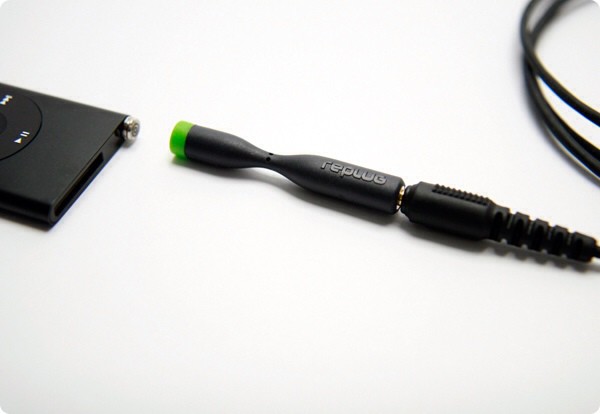
Snap! The Replug will break off in emergencies, leaving your cables safe.
Replug is a gadget that could – if it had existed a few years ago – would have saved me a fortune; literally hundreds of dollars. It is a simple and excellent idea: a magsafe connector for your headphones, only without the magnets.
Did this patent tip Apple's intent to buy AuthenTec?
Whenever Apple moves to purchase a company, you know they’ve got something up their sleeves, and it’s not hard to imagine the possibilities of their latest acquisition: maker of fingerprint sensor chips, AuthenTec.
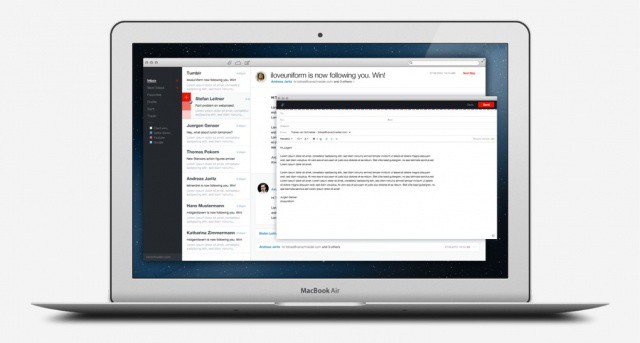
Remember that concept we showed earlier this month you for an awesome email app called .Mail? We pleaded with creator Tobias van Schneider to turn his idea it into a reality, and it looks like he listened, because .Mail is coming to your Mac. And you can sign up now to be the first to know when it drops.
BioWare's classic Baldur's Gate will return with new content this September.
BioWare’s 1998 classic role-playing game Baldur’s Gate is being rebuilt for Mac, PC, and iPad. It will be an enhanced version that incorporates both the original Baldur’s Gate and the Tales of the Sword Coast expansion — with the same classes, races, and plot points — as well as new content and features we’ve never seen before. The title is being developed by Overhaul Games, which just announced a September 18 release date.
Four new cities were treated to some AT&T 4G LTE goodness today, while other experienced increased coverage. Every carrier, other than Verizon, appears to enjoy switching on four markets at a time. Still, those living in the following cities will now feel better about being included in the world of 4G LTE:
During the period of April 2010 and March 2012, gross margins on iPhone sales in the US ran 49 to 58 percent. Gross margins on iPad sales during the same period were much lower, according to a court filing in the Samsung vs Apple patent dispute that begins in earnest on Monday, scheduled to take place in U.S. District Court, Northern District of California, called Apple Inc v. Samsung Electronics Co Ltd et al, 11-1846.
The filing was unveiled today in a statement by an Apple expert witness, though Apple has declined to comment on the filing itself.
Sorry, Apple, but this stays in bankruptcy court for now.
US District Judge George Daniels denied Apple’s proposal to move the patent dispute with Eastman Kodak Company out of bankruptcy court and into his own District Court today. If Apple had been granted the proposal, it could have been tough going for Kodak’s plans to actually sell the technology.
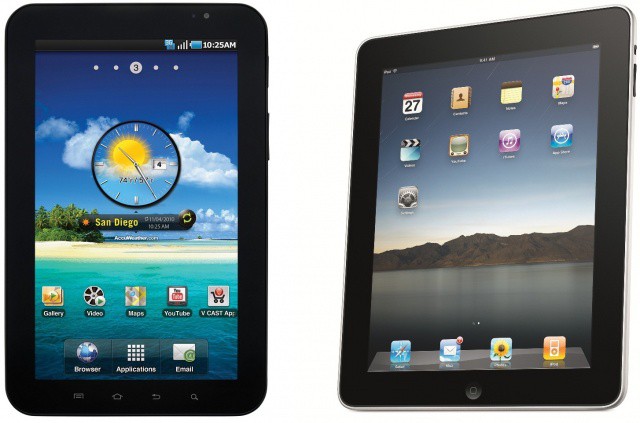
Judge Birss thinks the Galaxy Tab just isn't as cool. We agree.
Today, a London court granted Apple’s proposal to postpone a controversial order given earlier this month that Apple must post a public notice on Apple UK website as well as several British newspapers. The reprieve will remain in effect until October, when Apple will have a chance to appeal the decision in a British courtroom.
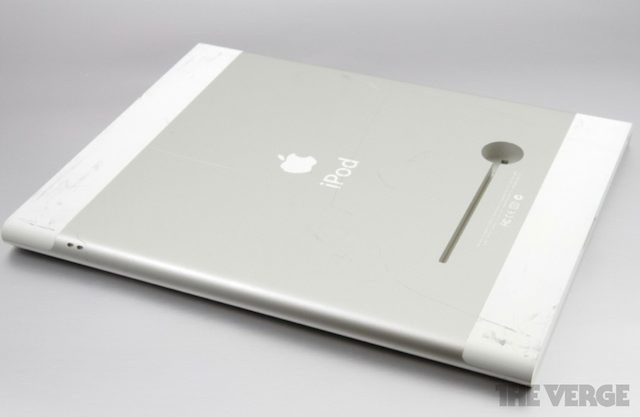
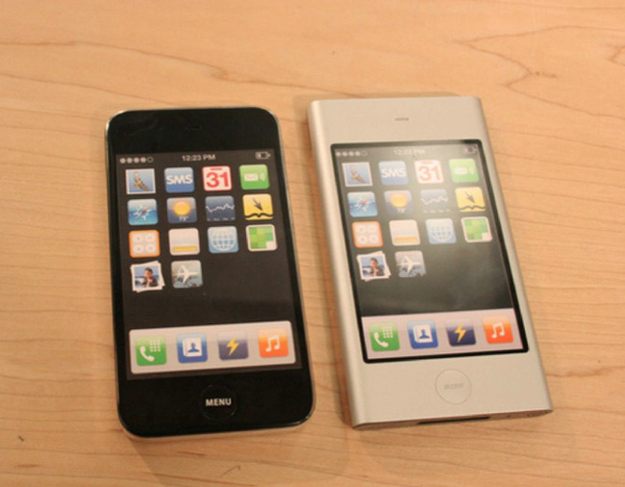
To go along with the recent images of the original iPhone 4 prototype we reported on today, The Verge uncovered a trove of early iPad and iPhone prototype images from the Samsung vs Apple legal documents. At one point Apple was seriously considering an integrated kickstand for the iPad, kind of like the Microsoft Surface.
As far as the iPhone goes, there’s a few ugly prototypes with awkward corners, elongated screens, and bulky cases that look similar to the Lumia 900. It’s interesting to see how much refinement Apple’s design team does on a single idea. Most of the prototypes are a little rough to start out with but as time progresses Apple really nails the simplicity of the device. Check it out:
In the picture above you can see two iPhone prototypes that Apple was working on way back in 2006. They provide an amazing glimpse of just how long the prototyping phases of iPhones can last, because the original iPhone didn’t come out till June 2007, and then the iPhone 4 wasn’t seen till 2010.
The prototype images come from court filings in the Samsung vs Apple legal proceedings where Samsung plans to argue that Apple ripped off Sony’s design as inspiration for the iPhone. In fact, a few of the renders for the iPhone 4 like device have the Sony logo on them as you can see below:
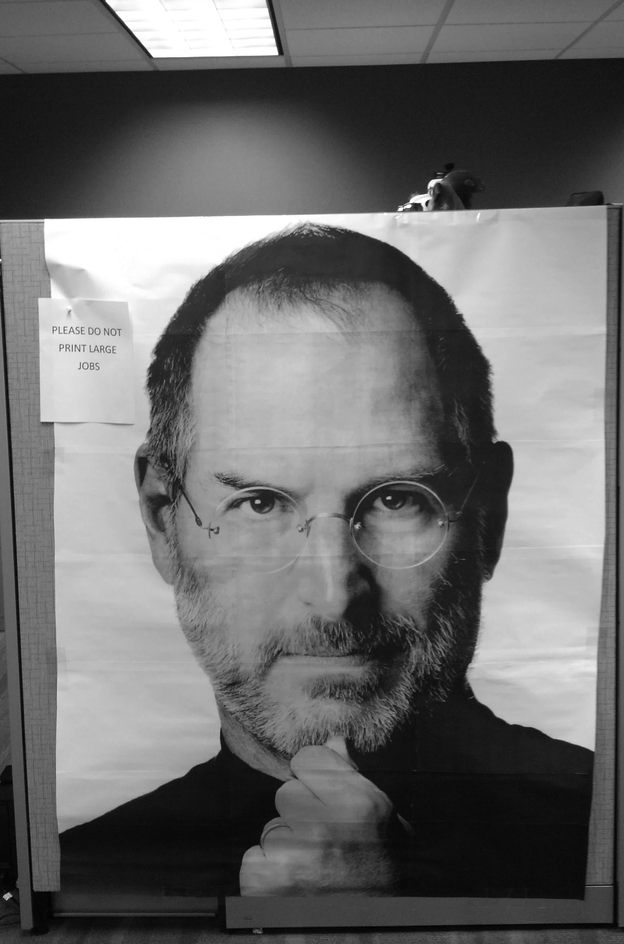
I hate it when people at the office hog the printer with their 5,327 page T.P.S reports. You probably do too. Just make sure not to post a memo stating “PLEASE DO NOT PRINT LARGE JOBS” because someone might think you meant “Jobs” instead of “jobs”, and this whole thing will happen.
If you’re a fan of the Bluth Family and have been eagerly anticipating the return of their adventures you probably already know that after a seven year hiatus, Arrested Development is coming back on the air next year for a fourth season thanks to a streaming partnership with Netflix.
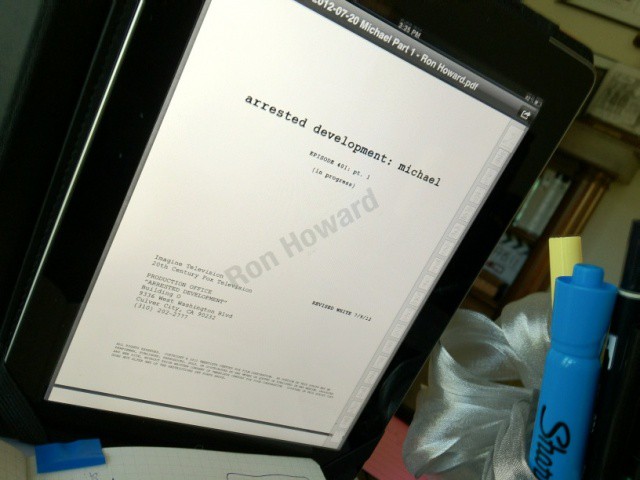
But hey, Franklin, guess what? The fourth season is already being written, and here’s the first episode script being read on narrator and executive producer Ron Howard’s iPad to prove it, who says it’s “very funny” and has “lots of lines for the narrator.”
Okay, there’s not much else here, but if you’re a fan of Arrested Development, just seeing a page from the script is enough to get you pumped. Either way, it sure beats Losing It! or Armageddon II: Armageddon, films that Maeby Funke produced after “conning” her way into a job as a prominent Hollywood executive.
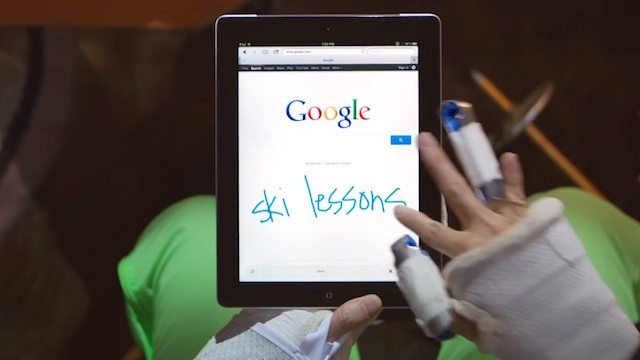
Want to hear something silly? Today Google introduced this odd beta feature called Handwrite that’s supposed to change the way you interact with search on your iPad, iPhone or other mobile devices.
The way it works is that instead of pulling up the Google homepage on your iPhone and typing in your search query, you just draw the words instead. It’s suppose to be a “fun and easy new way to search,” but it’s probably one of Google’s worst concepts and here’s why.
After months of construction work on the old Banco Espanol de Credito building on Passeig de Gracia, Apple has today taken the wraps off of its new flagship retail store in Barcelona, Spain. Cult of Mac has exclusive first pics from the scene.
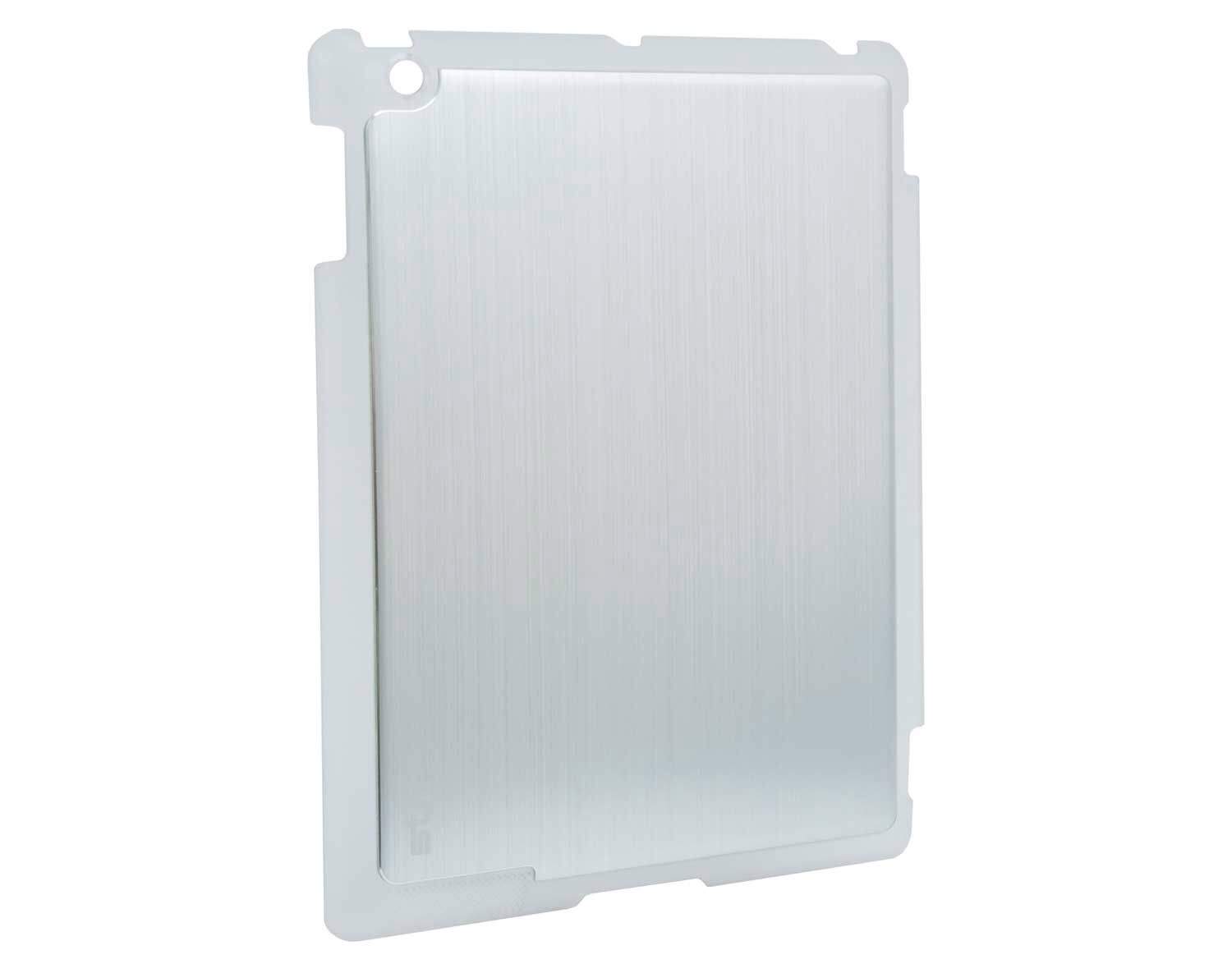
This smart iPad case from Aussies STM Bags is called the Half Shell, so let’s get the TMNT jokes out of the way now. Done? Good. Let’s continue, because this case has an interesting little secret.
With iOS 6, Apple is looking to replace Google Maps with their own Cupertino solution that also provides 3-D maps of cities across the globe. Google isn’t going down without a fight though, so they just updated their Google Earth app for iOS to include 3-D maps before people get comfy with Apple’s Flyover solution in iOS 6.
New users can get a kick-start from their existing social networks
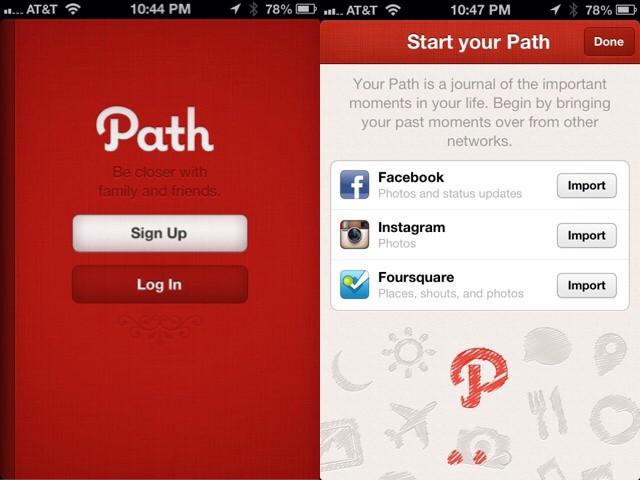
A new update to the private social network app Path brings a curious secret feature: you can now automatically import your Facebook, Instagram and Foursquare updates without doing anything. But there’s a catch: you’ll need to sign up for a new account to do it.
Don’t you just love iCloud and how it seamlessly keeps all of your information synced up, making you feel all warm and light and free? Don’t you just want to marry it, or maybe live inside a nice fluffy iCloud synced world? Maybe not. But now you can, if you move to Melbourne, Australia and buy this gorgeous house that’s shaped like the iCloud logo.
Do you see it? How the structure makes an iCloud shadow there on the pool? Ok, we put that there to help you visiualize it, but seriously, this house looks almost exactly like the iCloud logo, and it’s just as crazy on the inside as the outside.
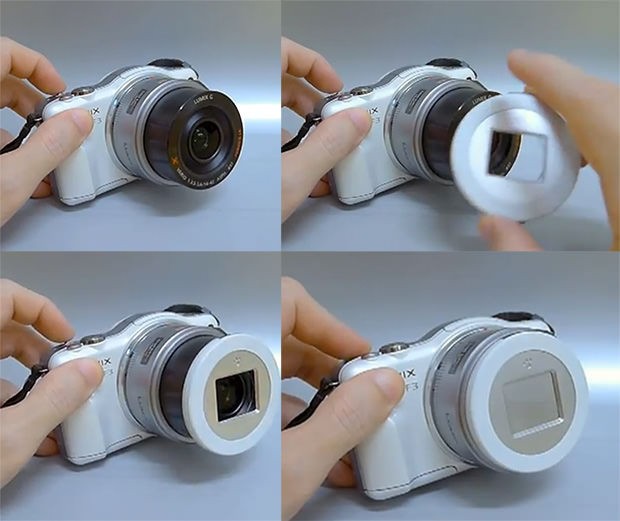
The X-Cap gives any camera an automatic lens protector.
This is the X-Cap, a prototype self-opening lens cap for compact cameras. It’s a straight replacement for the removable lens caps increasingly found on higher-end point-and-shoots, and turns them into low-end point-and-shoots.
Valve co-founder Gabe Newell knows a thing about Microsoft. After all, he initially founded Valve Software — makers of such mega-hits as the Half-Life, Portal and Left 4 Dead series, as well as the popular Steam digital delivery service — using the millions he made working for Microsoft for 13 years.
So when Gabe Newell says that he thinks Windows 8 is going to be apocalyptical for PC makers and cause OEMs to start fleeing the platform in droves, it’s worth paying attention. Especially since Valve’s Steam delivery service is putting increasing emphasis on Windows alternative OSes like Linux and, yes, the Mac.
Apple suppliers are enjoying huge revenue boosts thanks to the iPhone 6
There’s always been a stigma around Apple products that they’re really just made for rich people. Almost all of Apple’s machine’s cost well over $1000, and the iPhone and iPad are two of the most expensive products in their categories.
Some people say only rich people can afford Apple products, and maybe they have a small point. A recent report shows that Apple is the company of choice for users whose net worth is more than $100,000, and it just become more popular the more money you earn.
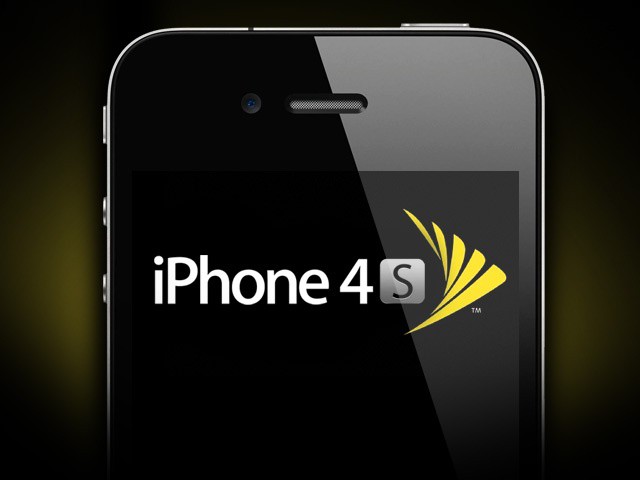
Despite strong iPhone sales, Sprint reported a net loss of $1.2 billion last quarter.
Sprint announced its financial results for the second quarter of 2012 today, which includes “strong” iPhone sales of 1.5 million units. 40% of these devices went to new customers, but they couldn’t help the carrier get out of the red. It reported a net loss of $1.2 billion over the three-month period, compared to a net loss of $847 million for the same quarter last year.
Earlier this month, we thought Boxcar had given on third-party push notifications for iOS. But it seems that couldn’t be further from the truth. In fact, the service is about to get a new lease of life after being acquired by Kwaga, the company behind WriteThat.name.