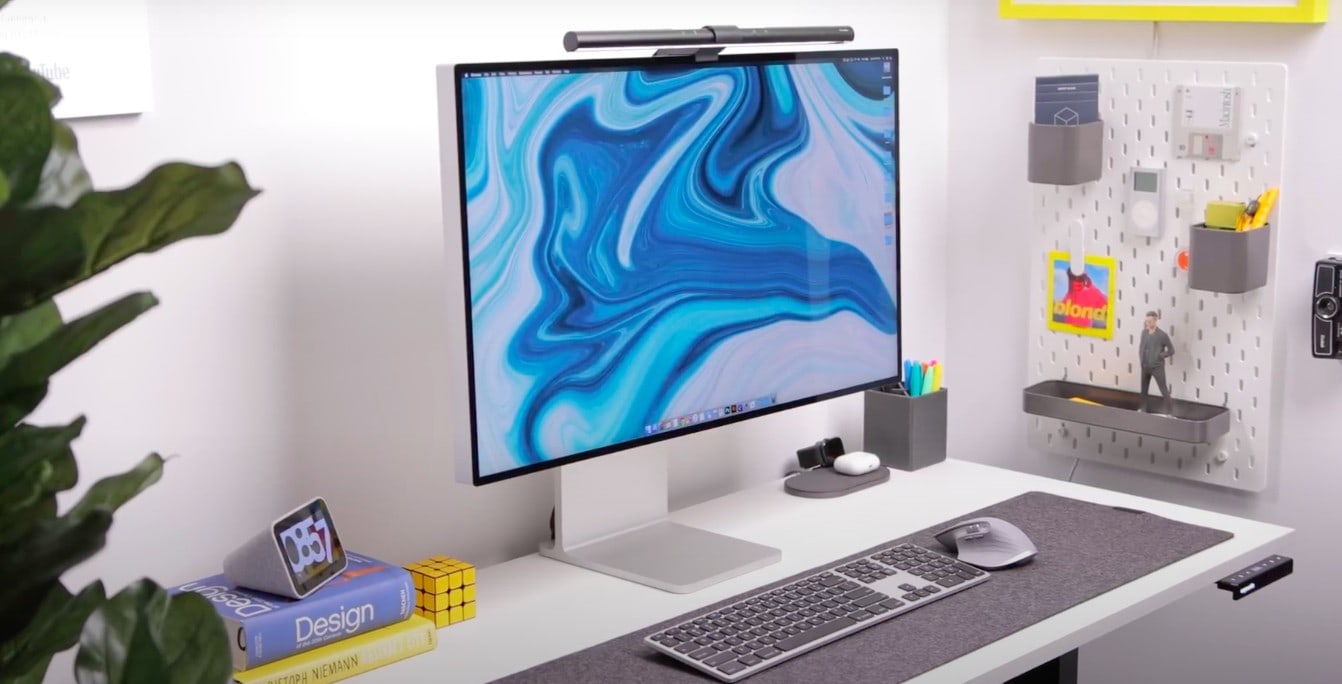
At the beginning of the year, the owner of this striking setup decided to start from scratch. He abandoned his two-monitor config and went with something more minimal — the impeccable $6,000, 32-inch Apple Pro Display XDR. Thats why, for him, scaling down to one monitor is actually an upgrade.
This post contains affiliate links. Cult of Mac may earn a commission when you use our links to buy items.
The owner, who asked to be referred to by his Instagram name @canoopsy, uses a 2019 MacBook Pro. He also has a 2020 iPad Pro, which is as good a sidekick as Andy Richter. He drives things with the venerable Logitech MX Master 3 mouse, which is perfect for multitasking, and his Matias FK418BTB Wireless Keyboard is a great Magic Keyboard impersonator.
A smart speaker is any tech-literate person’s best friend. And for @canoopsy, his Fido is a Lenovo Smart Clock. In addition, two Edifier R12U Bookshelf Speakers add to the minimalist look while only costing $18. With no built-in speakers in the Apple Pro Display XDR, the Edifiers give him the gift of sound.
A Native Union XL 3-Device Wireless Charger allows him to charge his Apple Watch as well as two other Qi-compatible devices on the same roomy charging pad.
The rest of the setup consists of gadgets that simplify his life. A swiveling Nekteck Power Strip is one the most well-designed surge protectors out there. Along with that, a Twelve South USB Hub gives him a ton of charging slots.
A BenQ ScreenBar Task Lamp lights up his setup without any glare. And a Vivo Sliding Track stores his MacBook underneath his desk, freeing up precious desk space.
All of this, as well as a lot of cable management, makes this a pretty cool setup.
Shop these items now:
- Apple 32-inch Pro Display XDR ($5,998)
- Mid-2019 MacBook Pro ($1,299)
- Apple 11-inch 2020 iPad Pro ($798)
- Logitech MX Master 3 wireless mouse ($99)
- Matias FK418BTB wireless keyboard ($119)
- Edifier R12U bookshelf speakers ($18)
- Native Union XL 3-Device wireless charger ($150)
- Lenovo Smart Clock with the Google Assistant ($80)
- BenQ ScreenBar e-Reading LED task lamp ($214)
- Nekteck surge protector power strip ($22)
- Twelve South StayGo USB-C hub ($82)
- Vivo black sliding tray track ($50)
Via: @canoopsy
If you would like to see your setup featured on Cult of Mac, send some high-res pictures to [email protected]. Please provide a detailed list of your equipment. Tell us what you like or dislike about your setup, and fill us in on any special touches or challenges.


