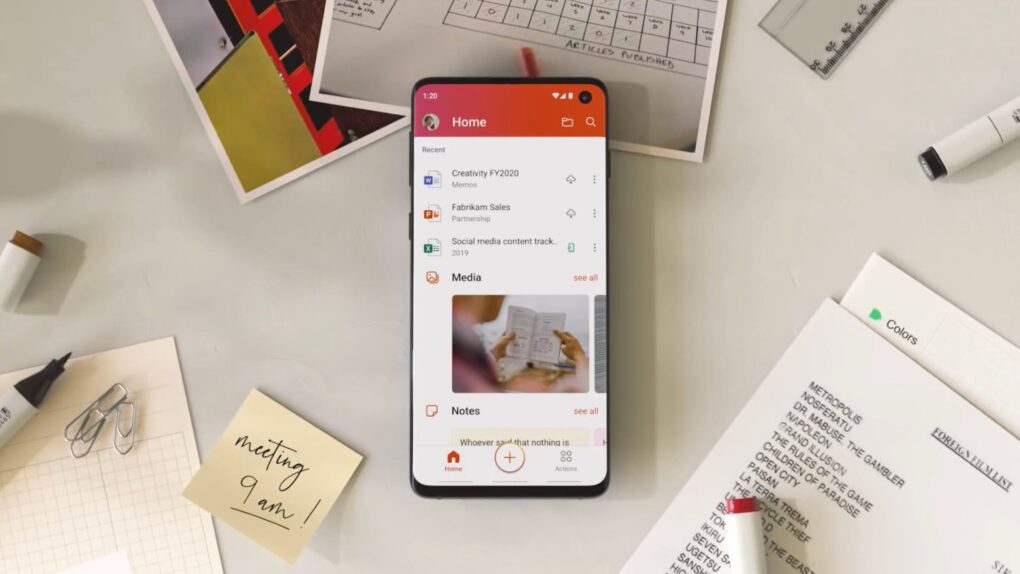
If you use an older Mac, iPhone or iPad, Microsoft might be about to break your Office apps. Starting July 13, Word, Excel, PowerPoint, Outlook and OneNote will stop letting you edit, save or create new files unless you meet certain requirements. You’ll still be able to open and print documents, but that’s it.
The move affects more people than you might think. If you’re running anything older than iOS 17 or macOS 11 Big Sur, your Office apps will mostly be defunct. Microsoft calls it “reduced functionality mode,” which is a fancy way of saying your Office apps will lose editing functionality.
Microsoft Office apps stop working on older iPhones, Macs
Microsoft’s looming compatibility cutoff serves as a reminder that software support can become just as important as hardware upgrades. In this case, some Apple users will find that popular Microsoft Office apps lose core features on their aging machines, effectively turning productivity software into little more than a document viewer.
The change reflects a broader trend across the tech industry, where companies increasingly prioritize newer platforms to support AI features, security updates and modern development frameworks. That’s all good, but the flipside is that these decisions can leave aging devices functional but increasingly constrained.
“This issue affects both Microsoft 365 subscribers on macOS, iPhone, and iPad, and those with non-subscription software, including Office 2021 or Office 2019 on macOS,” Microsoft said in a support document. “For most users, updating your OS, and updating your apps will resolve it.”
How to check if you’re affected
Will this Microsoft clampdown affect you? If you are on macOS 12 Monterey or iOS 17 or later, you’ll be just fine — although you might need to update your Microsoft software. But if your devices are too old to run these OS versions, there’s no update coming.
(To check, do the following: On your Mac, go to Apple menu > System Settings > General > Software Update. On your iPad or iPhone, go to Settings > General > Software Update.)
To see if you need to update your Microsoft software, open Word on your Mac. Find and click on About Word. If your build is older than 16.83, editing will be disabled on July 13. The same goes for iPhone and iPad users running a version of Microsoft 365 older than 2.93.
What you can do
If you can’t update your Apple device to a compatible operating system, Microsoft says you can copy files to OneDrive and use the free Office web apps at microsoft365.com to create and edit files. It works, but you will be limited to browser tabs instead of a native app.
If you are using Microsoft Office 2019, which Microsoft no longer supports, you can do the same thing. Alternatively, you can subscribe to Microsoft 365 or purchase Microsoft Office 2024.
If you don’t want to pay Microsoft, try using Apple’s Pages, Numbers and Keynote apps. They are free for all Mac and iPhone users and can handle Microsoft Office file formats pretty well. The free LibreOffice is a solid open-source option Mac owners might consider.
Remember, the deadline for things to go haywire is July 13. If you use Microsoft Office, it’s worth checking your build number, and your Apple operating systems, now.

Anurag Chawake is a tech-focused writer specializing in smartphones, apps and consumer technology. His interest in computers began during the Windows 98 era, eventually leading him to explore everything from operating systems to mobile devices and PC hardware. Anurag previously contributed to The Indian Express, covering Apple, Android, gaming and the broader technology landscape.


5 responses to “Microsoft will break Office apps on older iPhones, iPads and Macs next month”
Microsoft should be renamed to Swiss Chess. It and Git Hub are full of holes as is the cheese.
Buying (sometimes at great expense, depending upon the version) a standalone app advertised as a one-off / lifetime product and then lose access to updates is one thing. To intentionally turn off its functionality in order to force users to buy newer – ideally a subscription – is quite another.
I have an 2017 Air (Monterey) which I still pull out for work and travel, and I recently got the nag banner informing me that it’s functionality had been restricted – on Home Office Business 2021. I did find a solution online which has (maybe only temporarily) fixed that and regained operation – but its like Microsoft is intentionally pushing its users to the (often free) competition.
I’ve got LibreOffice in my back pocket if any other silly nonsense occurs.
You can get Office 2024 for Mac LTSC for $31 on Groupon. Legal.
Microsoft Office 2011 on one of my Macs.
Will be interesting to see IF they can cripple it ?
As Baz mentions, LibreOffice is a great workaround !
And yet, here’s ‘Cult of Mac Deals’ sending me an email offering “Pay Once, Yours Forever — Incredible Deal on Microsoft Office 2021!” when that is patently *not* the case.
Meanwhile, update support for 2021 runs out in October – and then its only a matter of time before they disable it completely, even it doesn’t need to be.
‘…forever’ offering users false advertising.