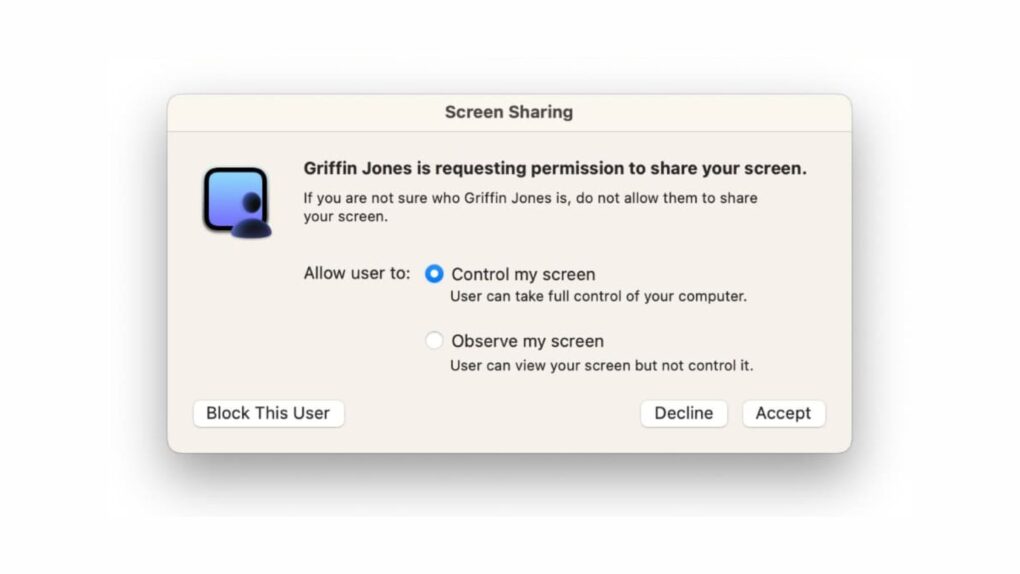
A macOS Screen Sharing vulnerability that Apple patched earlier this month is now being actively exploited by hackers. Attackers use the flaw to seize control of Macs and install cryptocurrency miners.
The bug allows attackers to bypass Screen Sharing’s login screen without needing any valid credentials. Once inside, attackers escalate to full root access and install Monero mining software on compromised machines. If you didn’t already update your Mac’s operating system, you should do it as soon as possible.
How the macOS Screen Sharing vulnerability works
Typically used for troubleshooting, tech support and transferring files, macOS‘ Screen Sharing feature lets a person view and control another Mac remotely over a local network or the internet. It provides a handy way to view a distant Mac’s desktop and control the computer from afar.
Obviously, you don’t want someone accessing your Mac without your permission Apple revealed the dangerous vulnerability in stark terms in its security notes for the update that patched the problem earlier this month: “An attacker on the network may be able to authenticate to Screen Sharing without valid credentials.”
The flaw — tracked as CVE-2026-65400 in the National Institute of Standards and Technology’s vulnerability database — carries a CVSS severity score of 7.1. The vulnerability arises from an authentication flaw in Screen Sharing, the built-in feature that lets users remotely view and control their Mac over a network.
Because older versions of macOS fail to validate login attempts, an attacker can connect to Screen Sharing without requiring a valid username or password.
Screen Sharing runs on port 5900 by default, with macOS opening it in the firewall whenever the feature is enabled. Machines are most exposed when this port can be reached from the open internet, which is usually via a router’s port-forwarding setup.
Apple already fixed the Mac vulnerability
Apple shipped a patch for this flaw on August 6. It addressed the problem in macOS Tahoe 26.6.1, macOS Sequoia 15.7.9 and macOS Sonoma 14.8.9. The company’s security notes describe it as “improved state management.”
At that time, Apple had no evidence of the flaw being exploited. But that changed within days.
The Netherlands National Cyber Security Centre updated its advisory on August 12, confirming that the exploit was being actively used. The agency said it was notified of incidents on multiple systems where port 5900 was reachable from the internet.
In each case, the agency said attackers gained full root access and deployed a Monero cryptocurrency miner on those Macs. Root access gives an attacker near total control, opening the door to data theft and credential harvesting as well.
How to protect your Mac: Upgrade ASAP to fix macOS Screen Sharing vulnerability
The simplest fix for this dangerous vulnerability? Update macOS to the latest version. Apple’s fix covers Tahoe, Sequoia and Sonoma, but Macs running on older builds remain exposed.
Owners who cannot update right away can check if Screen Sharing is switched on. You can find it by heading to System Settings> General > Sharing. Here, you can switch off the Screen Sharing toggle if you see it enabled.
If you rely on Screen Sharing for remote access, pair it with a virtual private network. Also, make sure to disable the feature the moment a session ends. That combination should sharply narrow the window in which a Mac stays exposed to the internet.

Anurag Chawake is a tech-focused writer specializing in smartphones, apps and consumer technology. His interest in computers began during the Windows 98 era, eventually leading him to explore everything from operating systems to mobile devices and PC hardware. Anurag previously contributed to The Indian Express, covering Apple, Android, gaming and the broader technology landscape.

