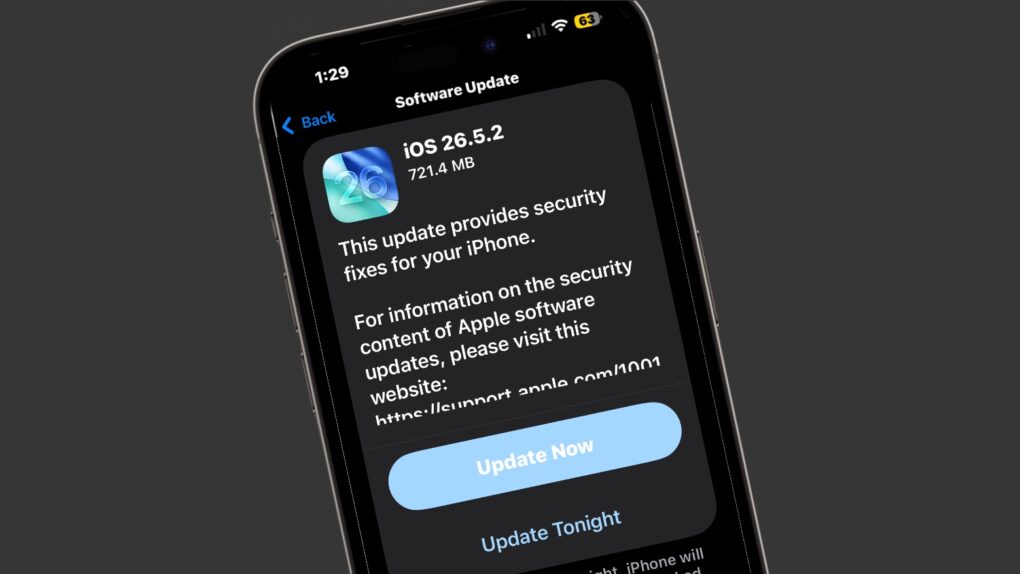
Apple released iOS 26.5.2, macOS Tahoe 26.5.2 and iPadOS 26.5.2 on Monday with no additional features but lots of security fixes. There are no fewer than 29 of them listed in Apple’s documentation.
Clearly, even though they lack fun new features, you should install these updates ASAP.
New iOS, iPadOS and macOS updates make Apple devices more secure
Apple has long made security a central focus of both iOS and macOS, continually improving its software to protect users from emerging threats. The company regularly releases updates that patch vulnerabilities, strengthen privacy protections and add new security features designed to keep personal data safe.
For example, Monday brought simultaneous security patches to iPhone, iPad and Mac.
The release note for iOS 26.5.2 makes the focus clear: “This update provides security fixes for your iPhone.” The iPadOS 26.5.2 version is nearly identical.
Apple’s support document listing the security content for this update (and iPadOS 26.5.2) lists the many, many changes, most of which are related to WebKit, Apple’s browser engine that powers Safari and many other apps. The separate macOS Tahoe 25.5.2 support document shows the same.
None of the security holes being closed are marked as critical. That means hackers apparently did not take advantage of them. But Apple nevertheless offers these types of fixes as soon as possible after security researchers find the problems.
Now it’s up to iOS, iPadOS and macOS users to do their part. These updates are available to millions of devices around the world, helping ensure that iPhones, iPads and Macs remain protected against the latest malware, hacking techniques and other cybersecurity risks as the threat landscape continues to evolve.
How to install iOS 26.5.2, macOS 26.5.2, and iPadOS 26.5.2
iOS 26.5.2 and iPadOS 26.5.2 are available as an over-the-air download through the Settings app on compatible iPhones. Users can install the update by opening the Settings app on the handset or tablet, navigating to General, then Software Update.
To download the macOS Tahoe update, go to Apple menu > About This Mac. Then click Software Update.

Ed Hardy has been writing full-time about tech for 26 years, and using it for much longer than that. His intro to Apple was a Macintosh SE/30 (which he still has), but now he uses a 13-inch iPad Pro as his primary computer.
That’s because he’s a “tablet first” type of guy. Rather than use a Macbook, he connects a keyboard case to the iPad. And instead of a desktop Mac, he connects his tablet to a 27-inch display and full-size keyboard. (So don’t try to tell him that everyone has to use a Mac to be productive.)
Before coming to Cult of Mac, Ed wrote for NotebookReview, TabletPCReview and Brighthand, as well as other sites.

