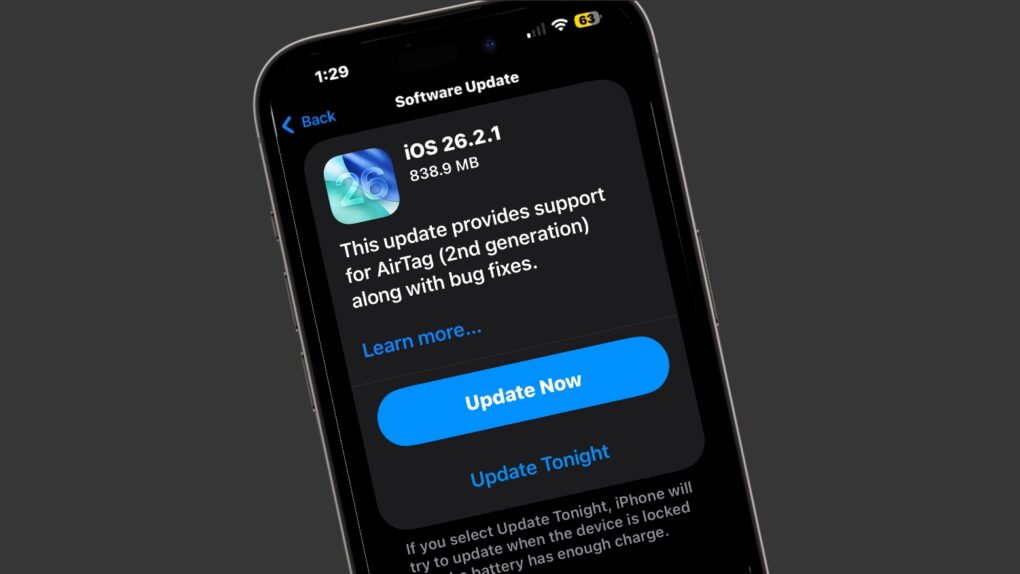
There’s a fresh round of system software updates for iPhone, iPad and Apple Watch on Monday. Apple released iOS 26.2.1, iPadOS 26.2.1 and watchOS 26.2.1 to support AirTag 2, a tracker tag also introduced on Monday.
Note that Mac users didn’t get an equivalent macOS 26.2.1 update — likely because Macs and AirTags aren’t truly intended to be used together.
Update your devices with iOS 26.2.1, iPadOS 26.2.1 or watchOS 26.2.1
Apple periodically releases major updates for its various operating systems with significant new features. It brought out iOS 26.2 in December and is hard at work on its replacement, iOS 26.3, for example. Between these come incremental releases, like the ones just introduced.
Apple’s AirTag 2 hit store shelves on Monday with longer range and a louder speaker. The iPhone maker’s latest OS upgrades are to support this accessory. The official description of iOS 26.2.1 and iPadOS 26.2.1 makes this clear.
Apple says of both, “This update provides support for AirTag (2nd generation) along with bug fixes.”
watchOS 26.2.1 is necessary because Apple Watch wearers can use Precision Finding on the wearable to locate their AirTag. (The feature works with Apple Watch Series 9 or later and Apple Watch Ultra 2 or later.)
But don’t go looking for macOS 26.2.1 — It doesn’t exist.
Plus a lengthy list of updates for previous versions
Those running an older iPhone or iPad operating system who can’t or don’t want to move to the latest version have a wide range of new options going all the way back to iOS 12 from 2018.
That’s because Monday also brought iOS 18.7.4, iPadOS 18.7.4, iOS 16.7.13, iPadOS 16.7.13, iOS 15.8.6, iPadOS 15.8.6, iOS 12.5.8 and iPadOS 12.5.8.
How to install iOS 26.2.1, iPadOS 26.2.1 and watchOS 26.2.1
iPhone and iPad users can install iOS 26.2.1 and iPadOS iOS 26.2.1 directly by opening the Settings app and going to General > Software Update. Alternatively, you can update your devices by connecting them to a Mac (or to a PC running iTunes).
The watchOS 26.2.1 update can be installed directly onto an Apple Watch, as long as the wearable is connected to Wi-Fi. From the Settings app, navigate to General > Software Update. Or install it from an iPhone by opening the Apple Watch app and going to My Watch > General > Software Update.

Ed Hardy has been writing full-time about tech for 26 years, and using it for much longer than that. His intro to Apple was a Macintosh SE/30 (which he still has), but now he uses a 13-inch iPad Pro as his primary computer.
That’s because he’s a “tablet first” type of guy. Rather than use a Macbook, he connects a keyboard case to the iPad. And instead of a desktop Mac, he connects his tablet to a 27-inch display and full-size keyboard. (So don’t try to tell him that everyone has to use a Mac to be productive.)
Before coming to Cult of Mac, Ed wrote for NotebookReview, TabletPCReview and Brighthand, as well as other sites.

