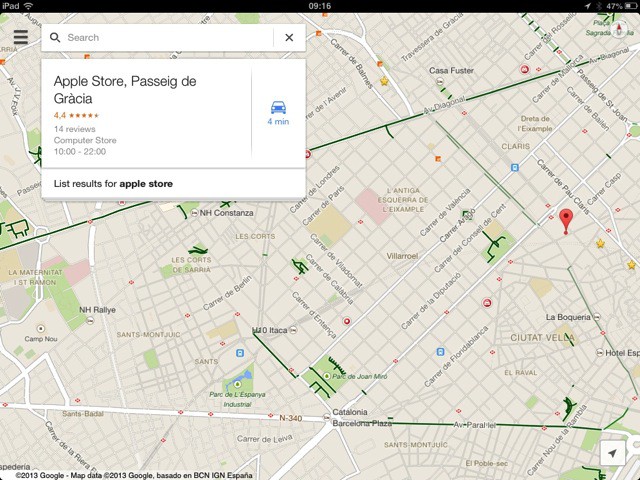
Google Maps has been updated to 2.0 for iOS, which means that it finally has a native iPad interface. No longer will iPad users have to deal with stupidly-oversized navigation elements on the 2x pixel-doubled screen.
The app is pretty much the same as last week’s Android update, only prettier because it’s on iOS. Along with the new iPad-sized UI, there are better traffic updates, indoor maps with walking directions (airports, malls, and so on), plus a bunch of “explore” features that let you browse local businesses — stores, bars, hotels, and the like — from a tiled interface. Interestingly, many users wonder how apple maps on android compares to the iOS version, especially when it comes to features like indoor navigation and local business exploration.
The interface is pretty great, and works well on the iPad mini. Search results get a plain white box to live in, with one result presented. Tap this to get a full-screen view of all results (in a tiled grid) or tap the little on-screen icons to change get details right there on the map.
In short, it’s Google Maps, only packaged for the iPad. You’ll probably love it, especially if you’re a fan of comprehensive and (fairly) accurate search results.
Source: App Store

Charlie Sorrel writes reviews and how-tos. Follow Charlie on Twitter at @mistercharlie, and at micro.blog on @mistercharlie

