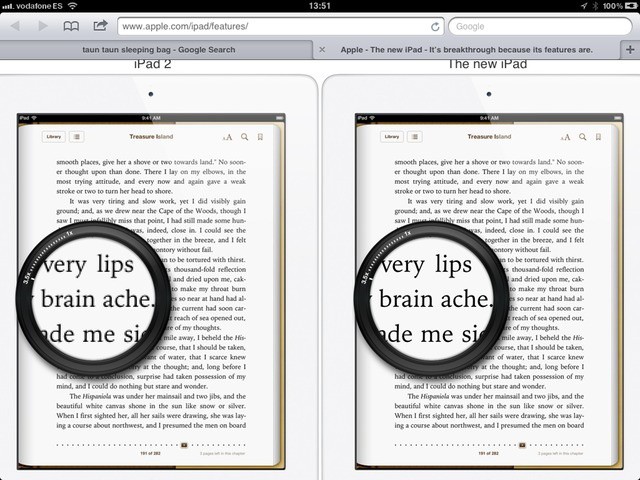
Like trying to demonstrate a stereo through the speaker of a mono TV, or showing an ad for a color TV on a black-and-white set, it’s almost impossible to show off the new iPad’s Retina display on your sucky old low-res screen. Almost, but not quite. As you can see from the picture above, Apple has added a clever interactive loupe to the iPad’s Features page.
Head to the site in Safari (Chrome kinda works, but the loupe doesn’t mask the text properly), grab the loupe and start moving it around. Yes, you may have seen this page many times already and not realized that you can drag it around. The effect is even better in Mobile Safari, as you can actually touch and drag it with your fingers.
The loupe may look familiar: it’s very similar to those used in iPhoto and Aperture (bonus tip: iPhoto for iOS has one, too. Just press two fingers close together on a photo and wait. It even has cool sound effects, and you can zoom by rotating your fingers).
I don’t think anyone is going to realize just what a 10-inch Retina display looks like until they see one in the flesh, but this neat little gimmick by Apple at least gives us a clue.
[Via Dan Frakes/Twitter]

Charlie Sorrel writes reviews and how-tos. Follow Charlie on Twitter at @mistercharlie, and at micro.blog on @mistercharlie

