Mobile menu toggle

Apple’s New iOS 5 Weather App Delivers ‘Here You Are’ Weather

By

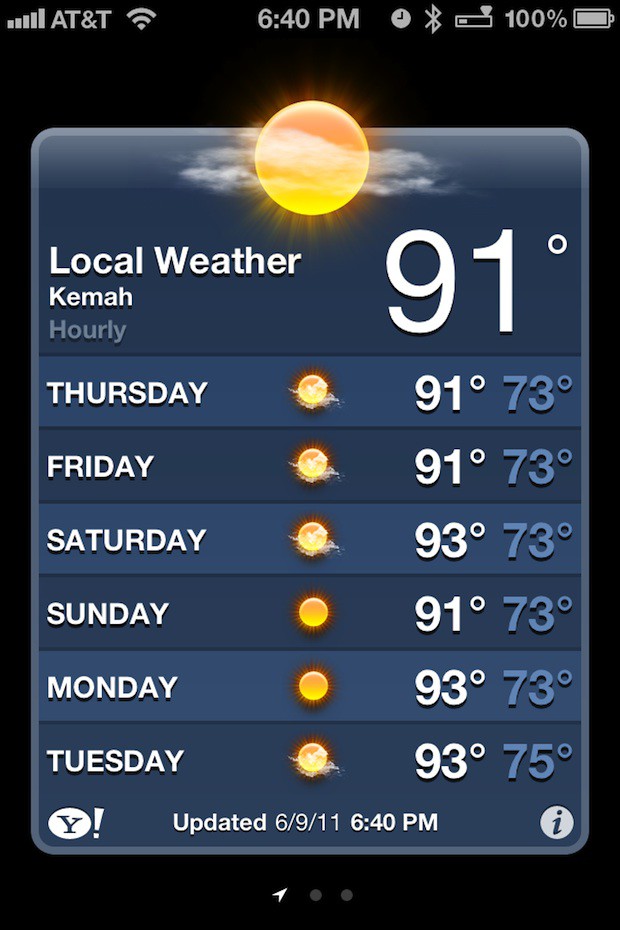
weatherlocal

If you’d like to monitor the weather in other locales within the U.S. or across the globe tap the information local located at the bottom right side of the screen. It looks like a circle with a letter “i” inside.
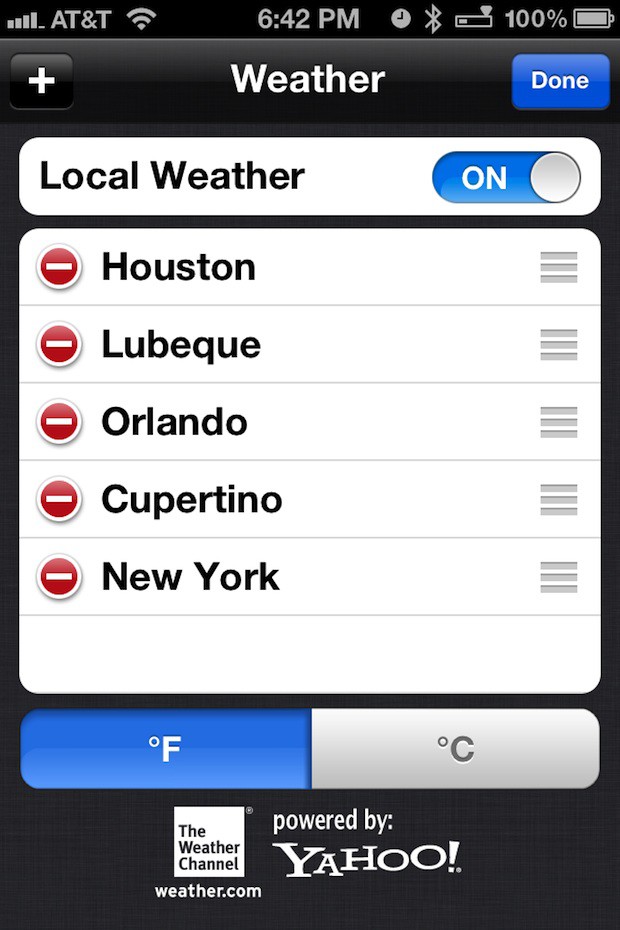
Configure the Weather app using this panel accessed by tapping the information icon at the lower right side of the screen.

The app included Cupertino and New York by default. I added Orlando, Florida, Houston, Texas, and  the area of Lübeck Germany to the app. You do this by pressing the plus symbol to add one. Clicking Done brings you back to the weather display. Simply swipe left and right like you would on your Home screen to view the weather for each locale.
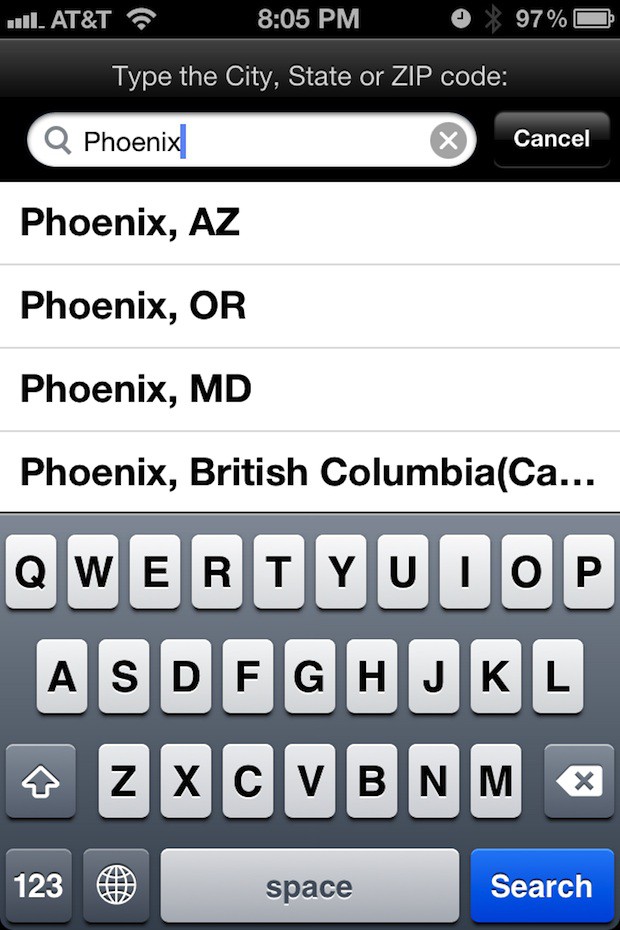
Search for other locales, add them, and watch the weather there.

If for some reason you don’t like the local weather option you can toggle it on and off in the settings above.

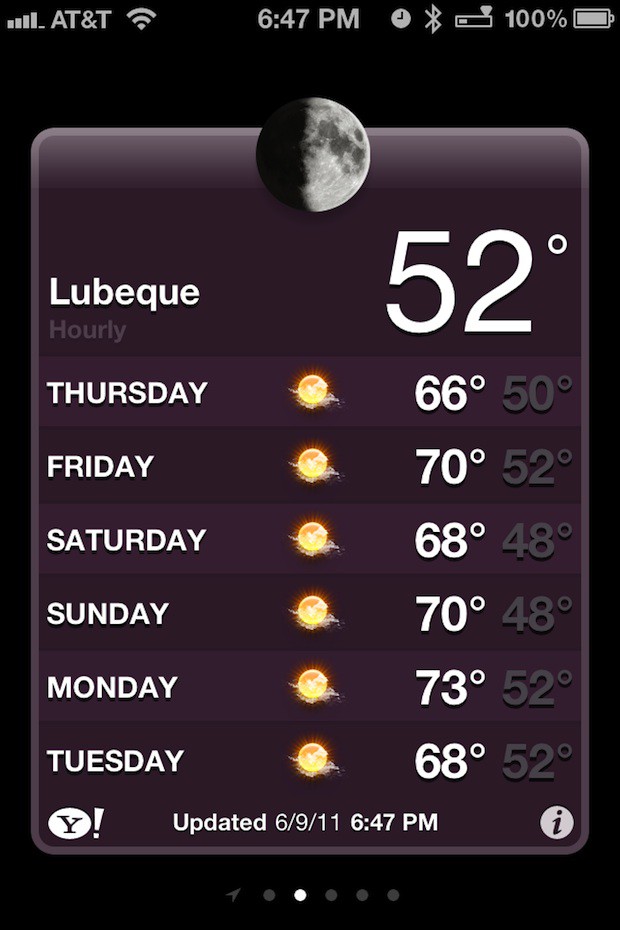
Here’s what the weather was like in the area around Lübeck Germany today:
  • Subscribe to the Newsletter

    Our daily roundup of Apple news, reviews and how-tos. Plus the best Apple tweets, fun polls and inspiring Steve Jobs bons mots. Our readers say: "Love what you do" -- Christi Cardenas. "Absolutely love the content!" -- Harshita Arora. "Genuinely one of the highlights of my inbox" -- Lee Barnett.

28 responses to “Apple’s New iOS 5 Weather App Delivers ‘Here You Are’ Weather”

  1. Eric Handler says:

    Should I know what the Icon next to the battery percentage is, or is that something that has yet to be discussed due to NDA?

  2. c_cooper88 says:

    I’m intrigued.
    In the last screenshot, what is the icon in the menu bar between the bluetooth and battery percentage representing?

  3. Freak6767 says:

    Just the bluetooth headset icon

  4. KillianBell says:

    Unless I’m very much mistaken, I think it represents a Bluetooth headset is connected?

  5. cmsj says:

    Presumably the battery indicator for the official apple headset

  6. Richard says:

    Its looking more and more like the GPS is going to be switched on much more in iOS 5.   Although the weather app.  obviously just needs to-do a quick location lookup as it is activated.  The Reminders app with its notifications on arriving or leaving a location need location services running the whole time.   I wonder what this will do to average battery life and temperature of device.

  7. Eric Handler says:

    People still have those things?  Didn’t they stop selling them?  Also, teach me to not care about wires and just use a wired headset…

  8. joch says:

    It’s the battery charge left in a bluetooth headset, such as the apple one, or a jawbone.

  9. Bogie635 says:

    More likely is that it’ll use the cached cell-tower triangulation data to provide your location… The app doesn’t need to be GPS precise to make this local weather feature work. I doubt the reminder app will need GPS accuracy for it’s alerts either.

  10. thomas says:

    I hope ist will run on iPad as well. Still waiting for Stocks on iPad…

  11. Kevin Olson says:

    This still seemed a little buggy in the beta, like the hourly temps are sometimes wonky, but local weather is something that should have been in there long time ago.  I signed up for a dev account and have a few UDID registration spots still open if anyone is interested. $8 iosdevaccess at gmail dot com

  12. Ed says:

    This application would be markedly improved if it also showed the time of the location you were interested in. So, of I am in California and checking the weather in London I should also see what time it is in London. This would save time flipping back and forth between the clock. If this could simulaneously show temperature in centigrade – though in smaller – font – that would be even better.

  13. nthnm says:

    I hope other weather apps include this. I don’t like Apple’s weather app but I’d like this feature. I have a few different locations and I’ve looked at the wrong city while planning before.

  14. Smittyofdhs says:

    It’s the icon for the Jawbone Icon headset. The Icon sends battery data stats to the iphone which then displays it in the form of that icon.  

Leave a Reply

