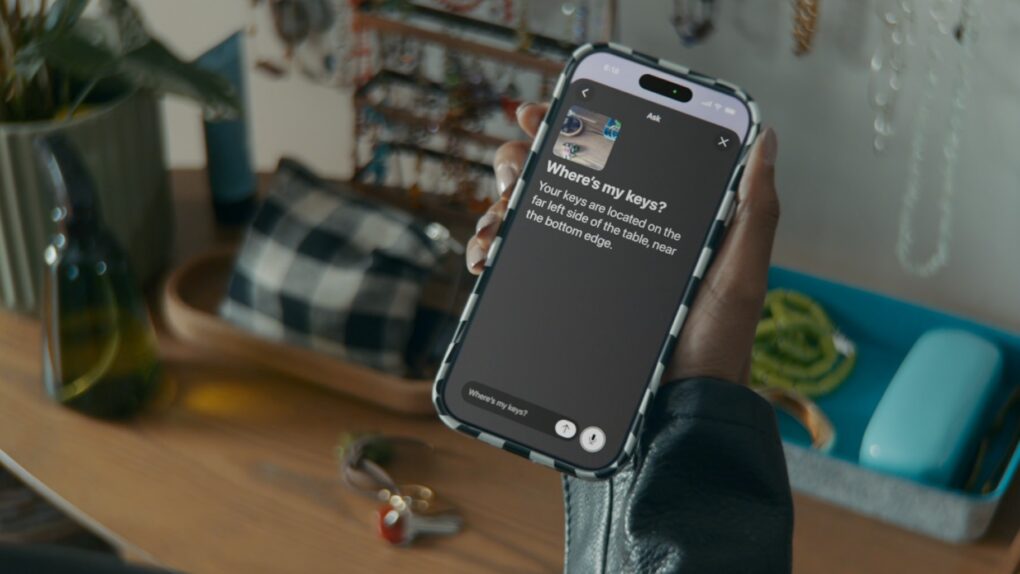
Apple previewed a sweeping set of accessibility upgrades Tuesday that weave Apple Intelligence into some of its most relied-upon features — VoiceOver, Magnifier, Voice Control and Accessibility Reader. We can expect to see all changes arrive later this year.
The company also announced auto-generated subtitles for uncaptioned video, a new eye-tracking wheelchair control feature for Vision Pro and the launch of an adaptive MagSafe accessory called Hikawa Grip & Stand for iPhone.
“Apple’s approach to accessibility is unlike any other,” said Apple CEO Tim Cook. “Now, with Apple Intelligence, we are bringing powerful new capabilities into our accessibility features while maintaining our foundational commitment to privacy by design.”
Apple Intelligence powers updated accessibility features
Later this year, Apple Intelligence will add capabilities to crucial Apple accessibility features like VoiceOver, Magnifier, Voice Control and Accessibility Reader.
“The accessibility features our users rely on every day become even more powerful with Apple Intelligence,” said Sarah Herrlinger, Apple’s senior director of Global Accessibility Policy and Initiatives. “With these updates, we’re bringing new, intuitive options for input, exploration, and personalization — designed to protect users’ privacy at every step.”
VoiceOver and Magnifier get smarter descriptions
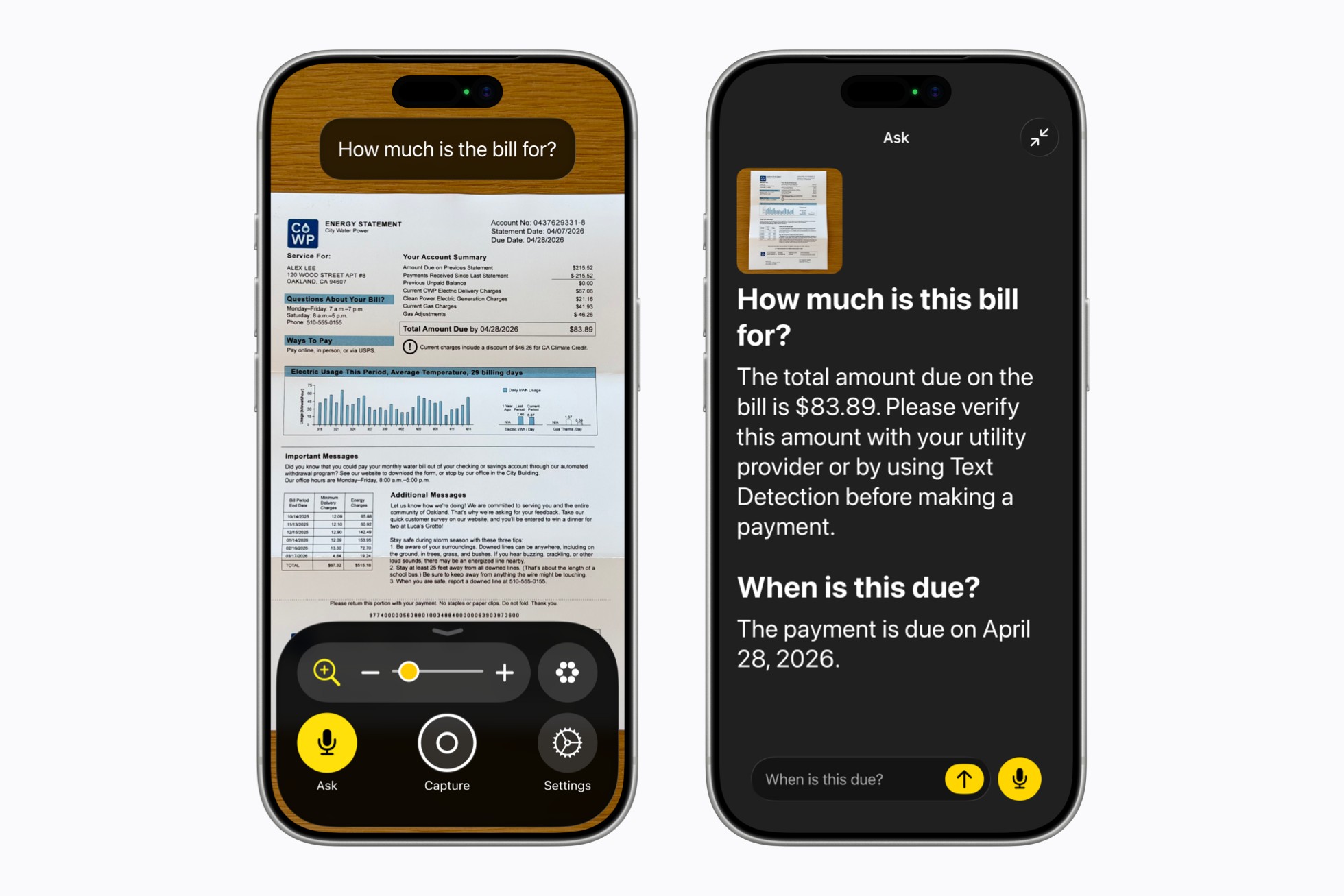
Photo: Apple
For users who are blind or have low vision, both VoiceOver and Magnifier are gaining Apple Intelligence-powered upgrades. A new Image Explorer in VoiceOver delivers richer, more detailed descriptions of images across the entire system — photographs, scanned bills, personal documents and more.
An update to Live Recognition lets users press the Action button on iPhone to ask a question about what the camera is pointed at and receive a spoken response. And follow-up questions get support in natural language.
Magnifier gets a similar treatment. Apple Intelligence brings visual descriptions to its high-contrast interface. Users will be able to control the app by voice — saying things like “zoom in” or “turn on flashlight” — and can also use the Action button to ask questions about what they’re looking at.
Voice Control moves beyond memorized commands
Voice Control will undergo a natural-language overhaul. Instead of needing to recall exact button labels or grid numbers, users will be able to describe what they see on screen and speak commands accordingly. For example, a user could say “tap the guide about best restaurants” in Maps, or “tap the purple folder” in Files.
Apple says the approach, called flexible input, can also help in apps where interface elements aren’t properly labeled for accessibility. The feature will initially be available in English in the U.S., Canada, the UK and Australia.
Accessibility Reader handles more complex content
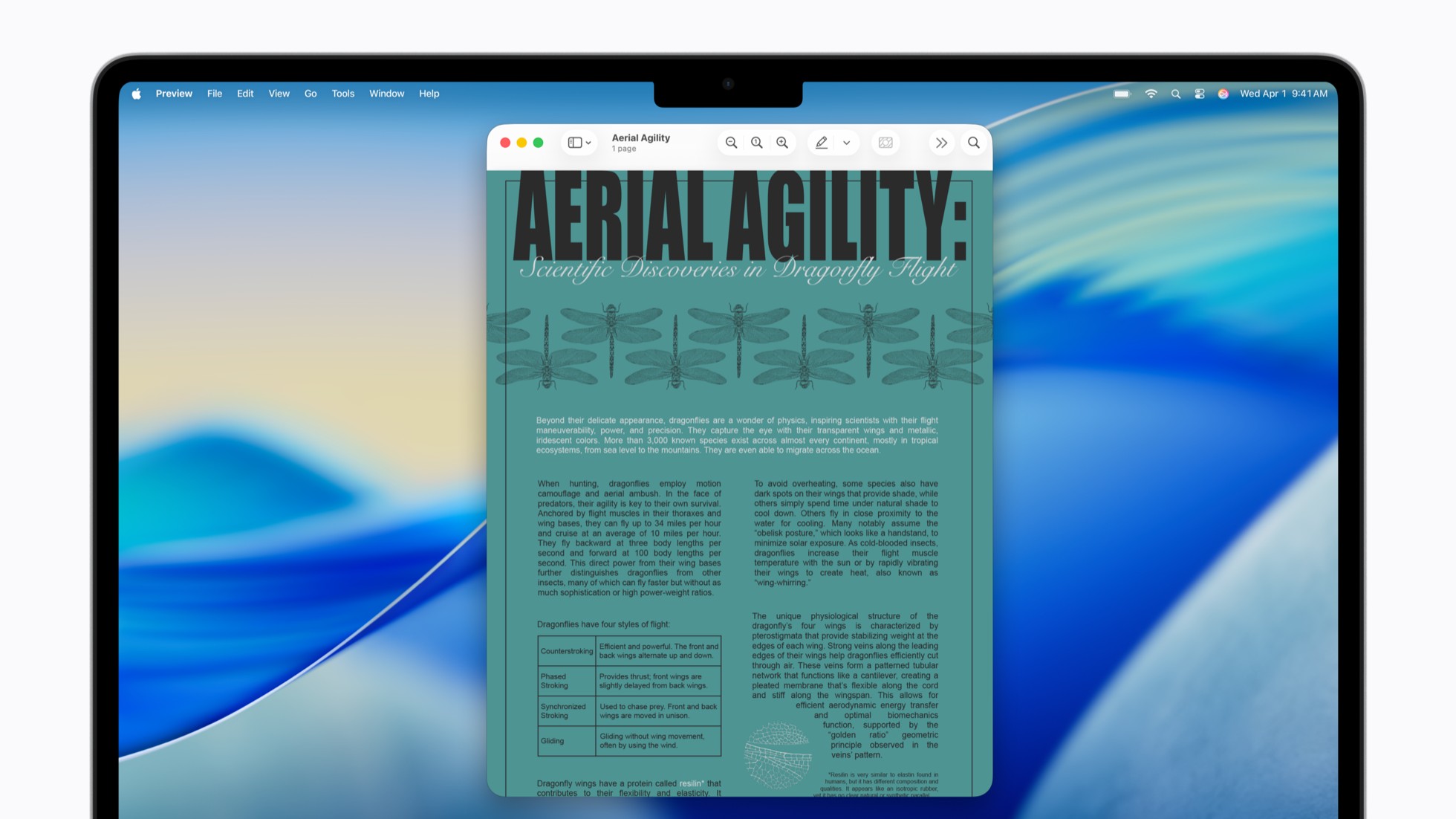
Photo: Apple
Accessibility Reader, which reformats text for users with dyslexia, low vision and related needs, gains the ability to handle more demanding source material. It will now work with multi-column layouts, tables and images found in scientific papers and similar documents.
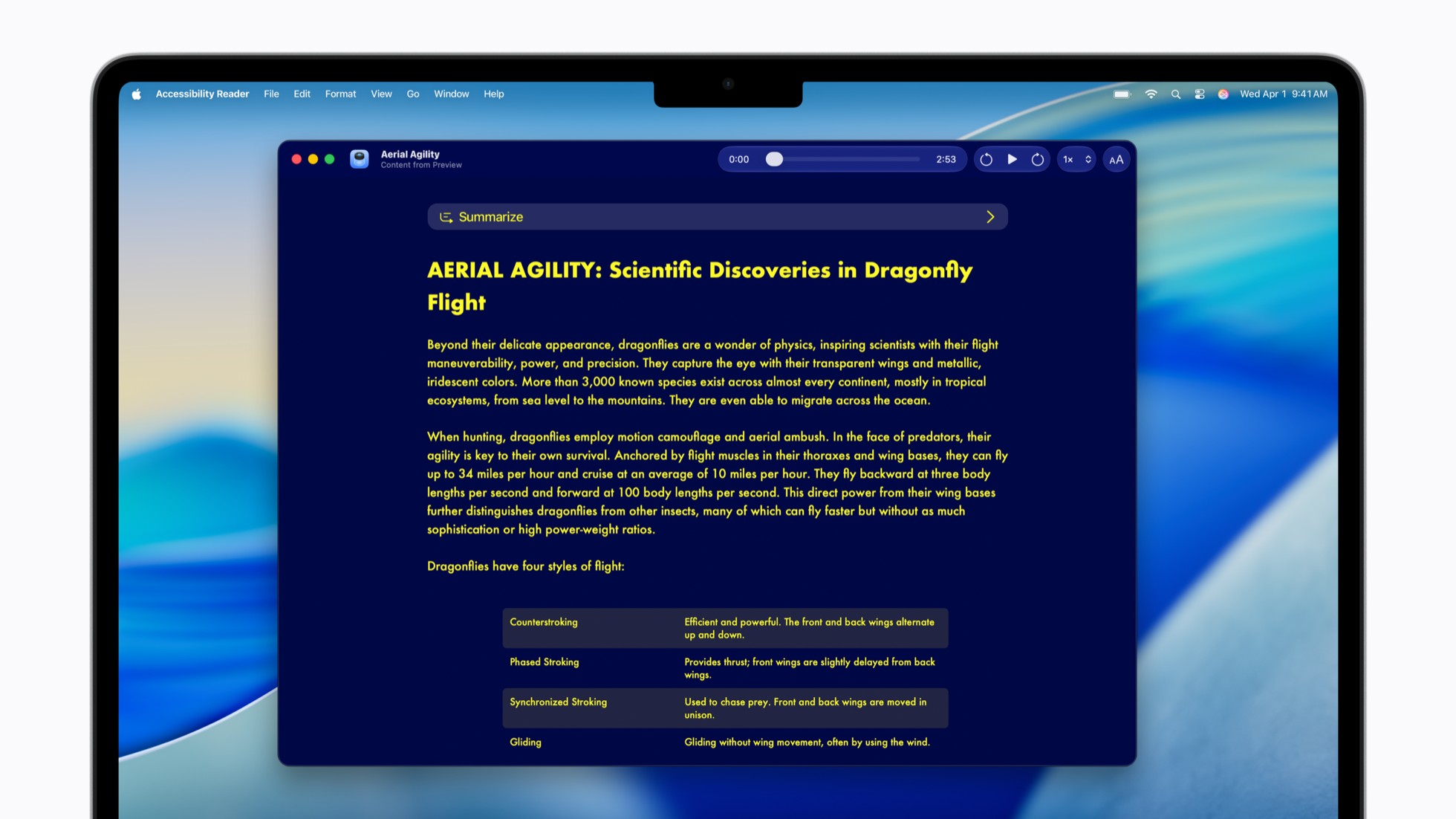
Photo: Apple
New on-demand summaries let readers get an overview before diving into a full article. And built-in translation allows users to read content in their preferred language while keeping their custom font, size, and color settings.
Auto-generated subtitles coming across Apple devices
Apple will also add on-device generated subtitles for video content that doesn’t already include captions. That includes personal clips, videos shared by friends and family, and streamed content.
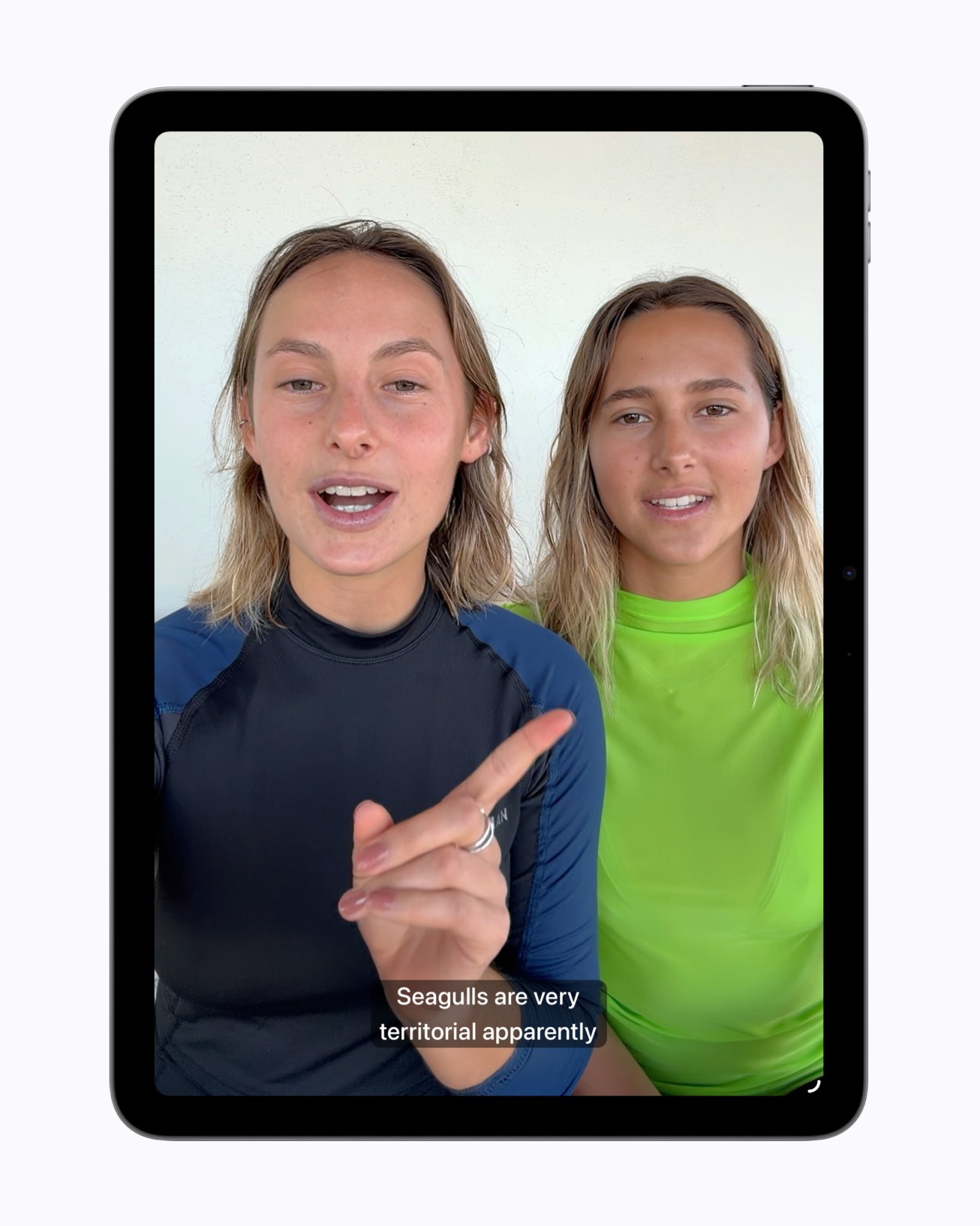
Photo: Apple
Because the speech recognition runs on-device, Apple says the process is private. The feature will appear automatically across iPhone, iPad, Mac, Apple TV and Vision Pro, with appearance settings customizable in the video playback menu or in Settings. At launch, it will be available in English in the U.S. and Canada.
Vision Pro can now steer wheelchairs
One of the more striking announcements is a new wheelchair control feature for Vision Pro. Leveraging the headset’s precision eye-tracking system, users will be able to operate compatible alternative drive systems for power wheelchairs entirely with their eyes. That option matters greatly for people with conditions like ALS for whom joystick controls aren’t viable.
The feature launches with support for Tolt and LUCI drive systems in the U.S., via both Bluetooth and wired connections, with Apple saying it plans to expand compatibility over time.
Pat Dolan, a Team Gleason patient advisory board member who has lived with ALS for a decade, welcomed the announcement.
“The option to control my power wheelchair on my own is gold to me,” they said. “With this new feature, Apple is developing life-enhancing technology for the people who need it most.”
Hikawa adaptive grip now available worldwide
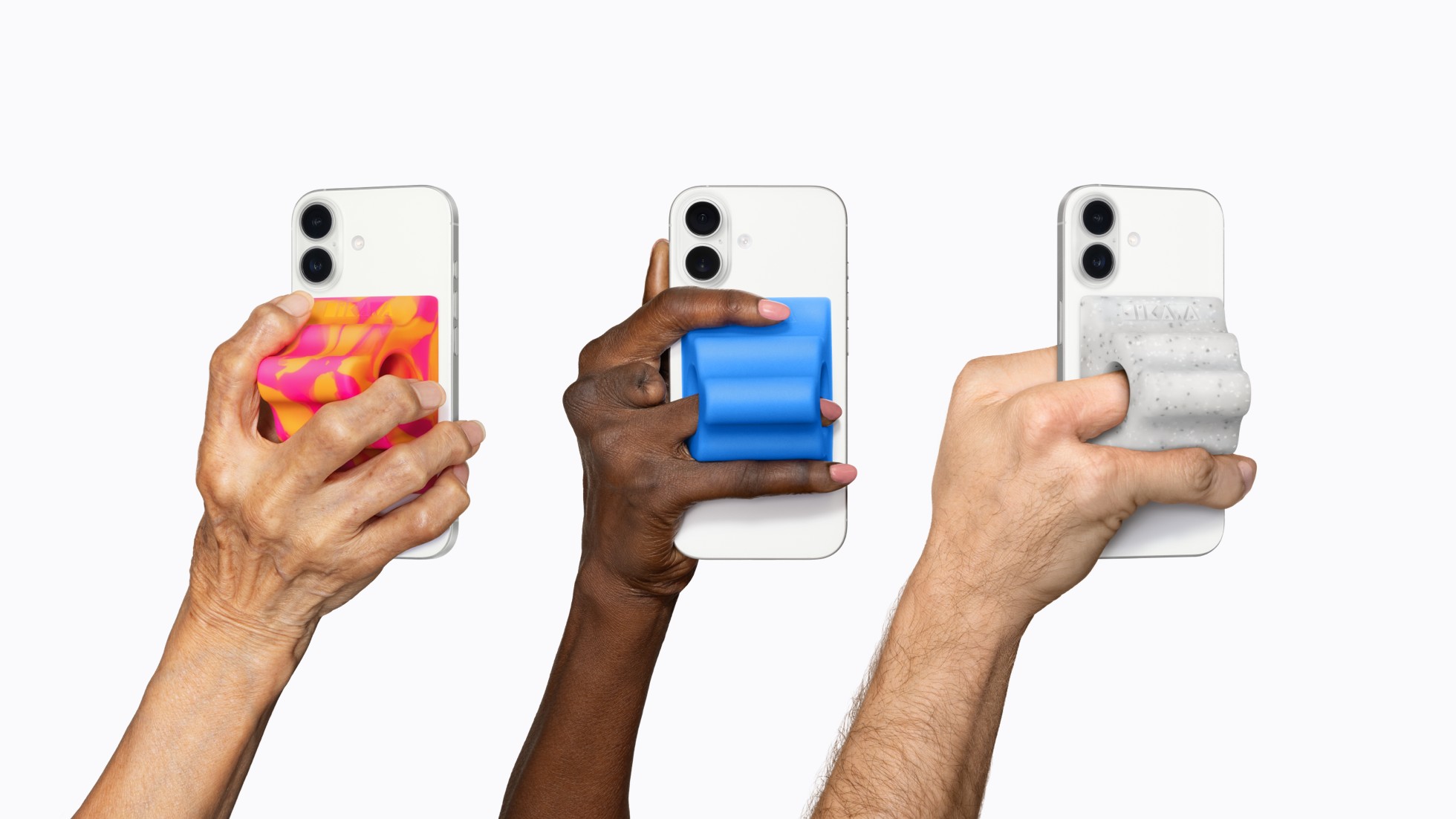
Photo: Apple
Also launching Tuesday on the Apple Store online: an expanded lineup of Hikawa Grip & Stand for iPhone in three new colors. Designed by Los Angeles-based designer Bailey Hikawa in close collaboration with people who have disabilities affecting grip and mobility, the MagSafe accessory helps users hold iPhone in whatever way works best for them. The product becomes available worldwide for the first time through a partnership between Hikawa and PopSockets.
Hikawa will appear at a Today at Apple session at Apple The Grove in Los Angeles on May 20, alongside author Shane Burcaw and actor Alex Barone. They’ll talk about iPhone as an assistive device and the broader value of accessible design.
Other updates in the pipeline
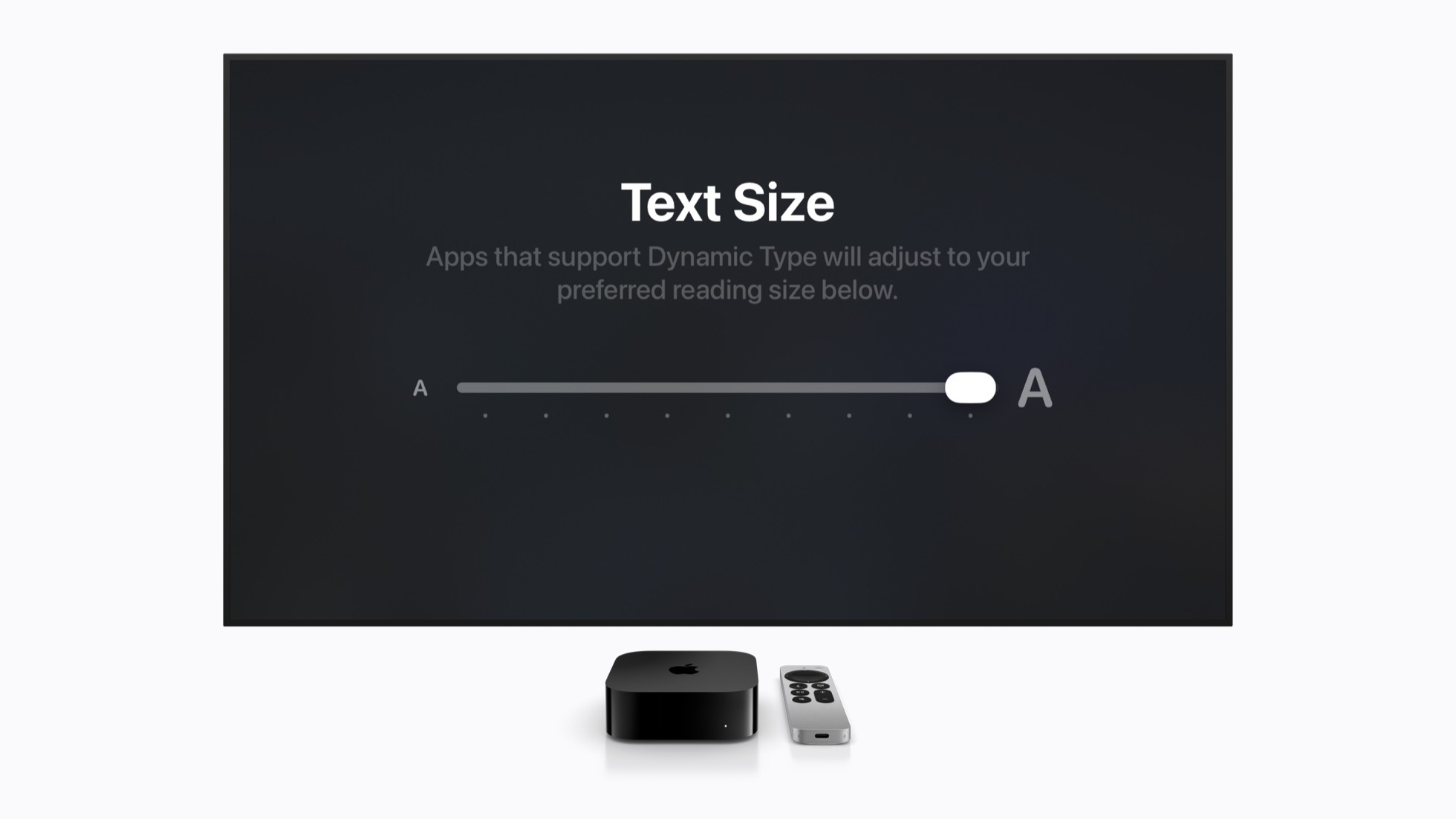
Photo: Apple
Among the additional features coming later this year:
- Vehicle Motion Cues head to visionOS to help reduce motion sickness for Apple Vision Pro users traveling as passengers.
- Made for iPhone hearing aids will pair and hand off between devices more reliably.
- tvOS gains Larger Text support for low-vision viewers.
- Name Recognition — which alerts deaf and hard-of-hearing users when someone says their name — will expand to more than 50 languages.
- Developers building sign language interpretation apps will also gain a new API for adding a human interpreter to a live FaceTime call.
- Additionally, the Sony Access controller will work as a game controller with iOS, iPadOS and macOS. Deep customization options will aid users who find traditional controllers difficult to use.
Source: Apple

David Snow, an expert on Apple hardware and software, writes on a variety of technological and cultural topics for Cult of Mac. They include Apple news, technology buying guides, and features about computer setups and Apple TV shows and movies.
With 30 years of experience covering technology and other subjects, he has written and edited for numerous print and online publications, including CMP Media, TechTV.com, CNET, Wired News, Red Herring magazine, Law.com, The National Law Journal and Law Technology News magazine. Among other roles, he served as executive editor of the Law.com network of websites and editorial director, technology, for ALM Media.
Snow graduated with a B.A. from Syracuse University with majors in magazine journalism and psychology. While there, he worked as a reporter for The Daily Orange newspaper and associate editor of Equal Time magazine.
Founder of the blog At the Waterline, he can be reached on X (formerly Twitter) via @atthewaterline and on Mastodon via @dsnow.

