Macbook Pros with Retina displays; Mountain Lion’s best new features; the secrets of iOS 6; Apple announced a glut of new software and hardware at last week’s World Wide Developers Conference, and if you’d like to relive the glory, or need help making sense of it all, don’ miss the second part of our special-edition WWDC CultCast.
Subscribe now on iTunes to catch both of our special WWDC episodes, and peep the full show notes after the jump!
Yesterday, we reported that according to the speculation of display expert Dr. Raymond Soneira, the new Retina MacBook Pro could conceivably use Sharp IGZO display technology originally meant for the new iPad.
At the time, we were a little skeptical of the claim. Turns out we were right, as the new displays don’t use IGZO at all.
The new MacBook Pro's Retina display, without its pretty casing. Image courtesy of iFixit.
Apple mentioned during its unveiling of the MacBook Pro last week that it has made some substantial changes to the construction of the notebook’s display to help make it super thin. Unlike existing MacBooks, the new Pro does away with a cover glass and case to measure just 1.5mm thin, essentially making the entire display just an LCD panel.
The premium battery life in the new MacBook Pro comes at a premium.
If you’re in the market for a new MacBook Pro, particularly of the Retina display variety, expect to shell out a little more than usual for a new battery. Apple’s updated pricing list for MacBook battery replacements shows higher than ever battery costs.
In the run up to the release of the new iPad, there were many rumors that Apple was going to use Sharp IGZO display technology to make a much more bright and vibrant Retina iPad with much better battery efficiency.
That didn’t pan out: Sharp delayed the debut of IGZO, and Apple instead was forced to release a Retina iPad that was thicker than the iPad 2 in order to accomodate a bigger battery necessary to drive the display.
But according to one expert, IGZO may have crept into the new Retina MacBook Pros…
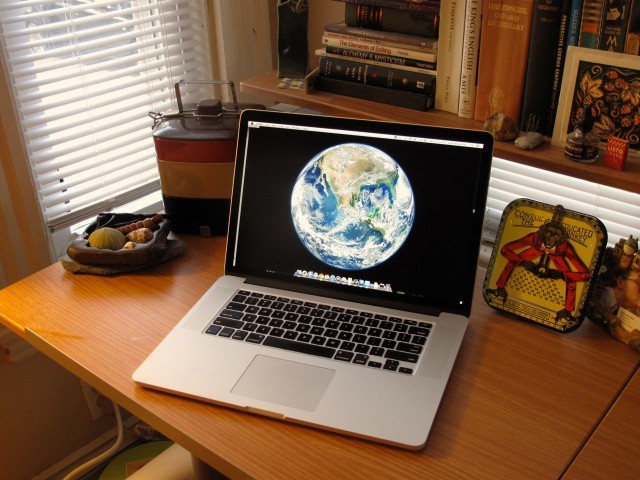
Here at Cult of Mac, we’ve been playing around with our new Retina MacBook Pro — look for our review tomorrow — and we decided to install Mountain Lion on our shiny new ultra high-res notebook and take Apple’s latest operating system for a spin.
It runs a peach, of course, but one thing we noticed when we were playing around in the Displays preferences in Mountain Lion was that there is an option to set your display resolution as for “Best for AirPlay,” along with the other two regular options which appear in OS X Lion: Best for Retina display, and Scaled.
You'll need Superman vision for this desktop resolution.
The new Retina MacBook Displays may have an incredible resolution of 2880 x 1800 pixels, but OS X doesn’t treat it as such. Instead, it treats the display as a 1440 x 900 HiDPI display in its default configuration, meaning that while text, video and images may look crisper, you don’t actually get 2880 x 1800 pixels worth of desktop space.
In the Displays panel in Systems Preferences, you can tell your Retina MacBook Pro to give you more desktop space, up to the equivalent of 1920 x 1200, but that’s as far as it goes. What if you want a 2880 x 1800 desktop, though, with each pixel mapped one to one? There’s an app for that.
New Macs! Mountain Lion! iOS 6! The second part of our WWDC special edition CultCast is now on iTunes, and in this brand new episode, no fruity pebble is left unturned.
Join us as we discuss the pros and cons of Apple’s new Macbook Pro with Retina display, the mysteriously missing iMac and Mac Pro updates, and the best and worst new features of Mountain Lion and iOS 6. Yes sir, we cover it all on this special WWDC edition MEGASODE of the CultCast.
Subscribe now on iTunes, and find out why 2012 is going to be a great year to be an Apple fan.
Apple’s attention to detail, its subtle understanding of the way we interact with our machines, just never ceases to amaze. Case in point: did you know that Apple precisely angles all of the screens on its Apple Store display units to encourage you to walk up and touch them? It’s true!
The new Retina MacBook Pros are only Apple's first step towards the living display of the future.
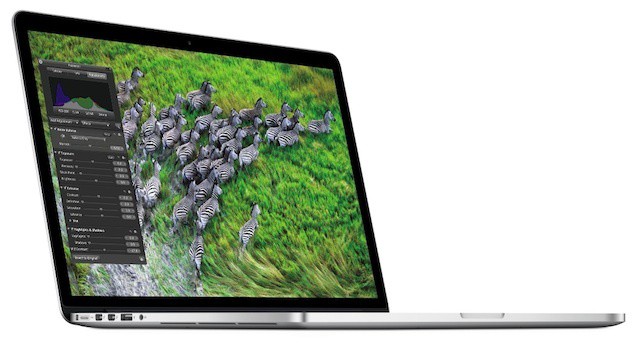
Apple’s new MacBook Pro follows the fine tradition of the iPhone 4 and third-gen iPad in that it has a super high-resolution Retina display: a 2880 x 1800 panel with an amazing 220 pixels packed in per inch.
It’s an incredible display. In fact, it’s such an incredible display that it actually has about one million, seven hundred thousand pixels more than it needs to satisfy Apple’s definition of Retina, leading some to claim that those pixels are all going to waste.
Nothing could be further from the truth.
Apple’s new MacBook Pros have absolutely great displays, but they need every single pixel they have, because the truth of the matter is that Apple’s got a long way to go before it catches its display tech up to the incredible power of human vision. And that’s a good thing, because it means we’ve got a lot to look forward to.
Apple really wants you to buy into their beautiful Retina display future. So much so, that if customers want to buy an old style MacBook Pro with the same specs as the new MacBook Pro with Retina display, they’re going to have to pay an extra $300 to get it. That extra $300 comes with an optical drive, one extra pound of aluminum, and a lower resolution screen, just so the fatty MacBook Pro can keep up with its slimmer sister everyone’s drooling over, but hey, at least you’ll still have an Ethernet port.
When opening up his new MacBook Pro, an Apple customer recently found the laminated card pictured above that was probably lost in the packaging by some worker at the Foxconn factory. Obviously it’s in Chinese, which adds a bit of mystery to the card because most of us Americans can’t read it. Does the card contain Apple’s secret plans for world domination? Maybe it’s an invitation to a top secret party?
You'll be able to replace your new MacBook Pro's SSD, but it won't be cheap.
iFixit has described Apple’s new MacBook Pro as the “least repairable laptop” it has ever opened up, and subsequently gave the device a repair score of 1/10. However, just like the MacBook Air, you’ll be pleased to know that it is possible to upgrade the new MacBook Pro’s solid-state storage yourself.
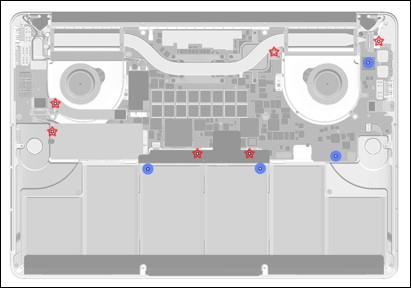
This is the what the new MacBook Pro looks like once you get inside.
Before the vast majority of us have even had the pleasure of signing for our new MacBook Pro delivery, iFixit has torn the notebook apart to reveal its internals. Although this is undoubtedly Apple’s best portable yet — what with its stunning Retina display, super speedy solid-state storage, and Intel’s latest Ivy Bridge processors — iFixit describes it as “the least repairable laptop” they’ve ever taken apart.
“Apple has packed all the things we have into one beautiful little package.” For consumers, this means incredible expensive repair bills, and little to no upgradeability at all.
Order a new MacBook Pro today and you'll be waiting until mid-July to receive it.
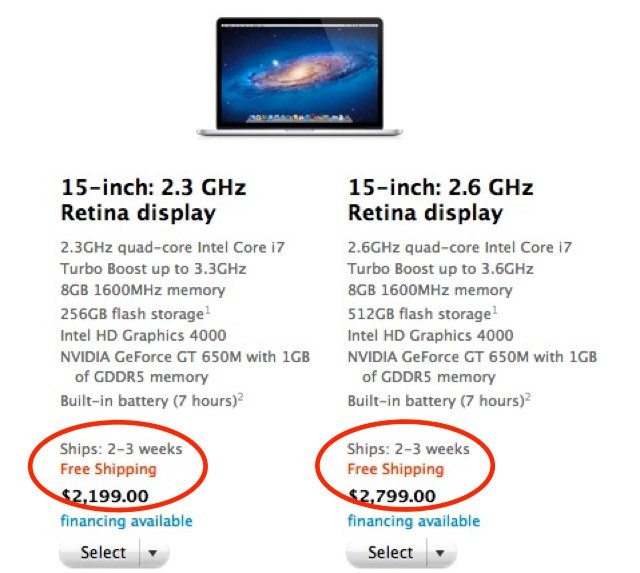
Like all of Apple’s popular products, the MacBook Pro suffered a shipping delay soon after it went on sale on Monday. It first appeared in the Apple online store with a 5-7 day wait, but it didn’t take long before than turned into 7-10 days. On Tuesday the delay slipped again to 2-3 weeks. And this morning that situation has only gotten worse.
Notice the slight difference in reflection on these sliders, which I got just by tilting my iPhone?
Apple is renowned for its obsession with detail and making even the slightest things — such as internal components — just as beautiful as the devices that house them. That’s why, during his recent WWDC keynote, Tim Cook said Apple’s new MacBook Pro was more beautiful on the inside than rival machines are on the outside.
This attention to detail is evident in iOS 6, where the slider reflections change as you tilt your device.
Over at Anandtech, they’ve posted a fantastic first look at the MacBook Pro’s Retina display, which naturally confirms that Apple’s new laptop display is every bit as gorgeous and futuristic as we all think it is. What I was most interested in, however, was the new settings panel for the Retina display, which actually gives users the option to choose on-the-fly between having clearer graphics or more desktop space. What a great idea.
Apple’s been releasing a surprising number of updates for their next-gen Retina MacBook Pros… all the odder given the fact that pretty much no one has one. We can only assume there are some software kinks that still need working out, which is why — following last night’s software update — Cupertino has just released a new update for the trackpad to “address an issue where the trackpad may not respond consistently to user input.”
If you have a Retina MacBook Pro — which you almost definitely don’t — go grab it.
We couldn’t wait! Catch an all-new CultCast right now in iTunes to find out everything you need to know about Apple’s brand new Macbook Pro with Retina display.
And don’t miss another new episode at our normal time, this Thursday night, with the rest of our WWDC coverage. We’ll be discussing all of Apple’s updated Macs, and the new and noteworthy features in iOS 6 and Mountain Lion.
All that and our thoughts on Apple’s quiet Mac Pro update on this special edition of CultCast! Don’t miss a beat, subscribe now on iTunes, and let the hardware lusting begin.
It’s hard to believe, but there was a time when Apple’s computers were accused of being strictly last generation.
Their computers were made with clunky Power PC processors, and Windows PC owners smirked at the wheezing Mac platform. Michael Dell even famously said the whole company was so behind the times that if it were up to him, he’d euthanize it.
How things change.
While the rest of the industry was counting Apple out, a Steve Jobs newly returned to Apple spent the early part of the last decade quietly assembling a time machine. Following the iPad, iPhone and MacBook Air before it, the retina-display MacBook Pro announced Monday at the Worldwide Developers Conference in San Francisco is just the latest time traveler Apple has sent back to us from the future.
It’s a machine so shiny, so shimmering, so futuristic, so unlike anything else out there that it will take the PC-making competition at least a year to release a truly competing product. How did this even happen? How did Apple assemble its time machine, and why can’t the likes of Sony, HP, Dell, Acer and Lenovo seem to catch up?
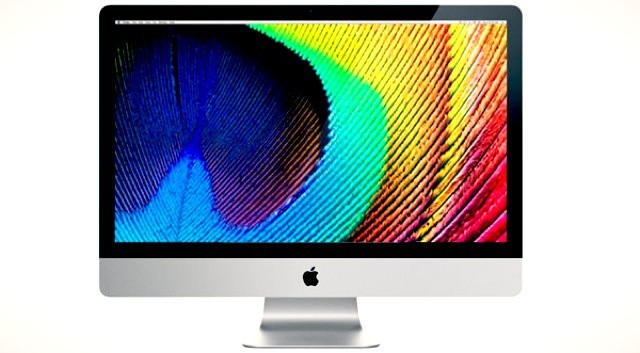
When this happens, the iMac won't have a Retina display... it'll practically have a Quantum display. Mock-up by Stephen Smith.
Yesterday’s announcement of the new, slim next-gen MacBook Pro took pretty much everyone’s breath away. Largely thanks to an incredible new 2880 x 1800 Retina display, the next-gen MacBook Pro is, without a doubt, the most powerful notebook a video or photo professional could own.
It’s also, technically, overkill. Packing an amazing 220 pixels per inch, the new MacBook Pro actually has almost two million more pixels than it needs to qualify as retina.
Make no mistake. Apple blew the doors open with this one. We were curious, though, what this meant for the rest of the Mac line. So we did the math, and as it turns out, when Apple’s other Macs are updated to Retina Displays, the next-gen MacBook Pro we’re all drooling over? It’ll be the worst Retina display of the entire Mac line.
There's a good chance your next iMac won't look like this one.
There were suggestions that Apple would refresh its iMac at WWDC yesterday — alongside the updates it issued to the MacBook Air, MacBook Pro, and Mac Pro. However, the Cupertino company’s popular all-in-one didn’t get a mention during the two-hour keynote. That could be because it is hard at work on redesigning the iMac and the Mac Pro.
According to one Apple executive, both machines will receive big updates next year.
According to the support site, “the update includes fixes that improve graphics stability, external display support, and USB 3 device support.” Which is fantastic for all those folks that bought one and are just wasting away without stable graphics or solid USB 3.0 abilities. Which, you know, they aren’t.
The new MacBook Pro highlights Apple's battery design know how
While the new MacBook Pro’s retina display, light weight, and thin format factor were all show stoppers, the notebook’s battery is also a major feature and feat of engineering. Apple claims that despite powering all those pixels, the new MacBook Pro with Retina display has a battery will last for seven hours on a single charge and offer a full month of standby power. Unsurprisingly, much of the its internal space is devoted to the mammoth battery required for that feat.
The new MacBook Pro with Retina display isn’t the first Apple device to sport a massive built-in battery. The new iPad also sports one and the MacBook Air line has had most of its internal space devoted to its battery for years. Each new mega-battery from Apple represents an advance of battery technology that few other companies could deliver.