MacUpdater lets you see apps needing updates at a glance. And it can update many of them with one click. Photo: Leander Kahney/Cult of Mac
If you’ve built up a big collection of Mac apps, especially if they’re from various sources, it’s a chore keeping them up to date for optimal functionality and security. That’s unless you have a stellar utility like MacUpdater.
Now available in version 2.3, MacUpdater makes keeping your software updated effortlessly. And better yet, Cult of Mac readers can get 15% off the software’s price with a special coupon. See below.
Grab two lifetime licenses to Microsoft Office for Windows or Mac during this limited-time deal.
Photo: Cult of Mac Deals
You’ve probably used Microsoft Office before. More than a billion people have. However, using it and having lifetime access are two very different things. With a lifetime license to Office, you can rely on this software suite to manage things like your home budget (without a subscription cost eating into it).
For a limited time, we’ve got two-packs of lifetime licenses for Microsoft Office Home and Business for Mac 2021 and Microsoft Office Professional 2021 for Windows on sale for $69.99 each.
Is your iPhone 14 stuck on the Apple logo? Don't take it in for repairs. You can probably fix it yourself. Photo: Tenorshare
This post on how to fix iPhone 14 stuck on Apple logo is presented by ReiBoot iOS system recovery tool.
The iPhone 14 lineup brings enhanced performance and new features as promised by Apple. From design to premium user experience, iPhone 14 seems to be a nearly perfect smartphone. However, just like previous iPhone models, iPhone 14 can face system glitches occasionally.
One of the most common issues reported by users is “my iPhone 14 is stuck on the Apple logo.” What happens is that iPhone 14 remains stuck on the white/black Apple logo and does not allow you to do anything. So, if you are also facing this issue, remain calm. It is one of the common issues with iPhones that is easily fixable.
Here we will discuss in detail the best methods to fix iPhone 14 stuck on the Apple logo, including the one-click instant fix offered by ReiBoot iOS system repair.
Quit pulling your hair out over PDFs. Grab this PDF converter for Macs and relax. Photo: Cult of Mac Deals
PDFs may be one of the most popular file types online, but they can be a bit of a pain to deal with. If you’ve ever used an online converter site instead of a dedicated PDF app, then you’re probably well aware of that.
PDF Converter Pro is a macOS app that makes working with this ubiquitous file type easier. And lifetime licenses are on sale for $29.99 — a whopping 70% discount — during Deal Days. This event is our version of Amazon’s Prime Day, and we’re offering discounts on a curated collection of apps, gadgets, online courses and more. No coupon is needed, but the sale ends at midnight tonight.
The DearMob iPhone management app is a good way to moves files between your Mac and iPhone, and vice versa. Photo: Digiarty Software
This post on transferring files between iPhone and Mac is brought to you by Digiarty Software.
Transferring things like documents and photos between your Mac and iPhone can be tricky, especially when file sizes get large. Here are the top five ways to transfer files from Mac to iPhone and back again.
This thesis writing app is a must-have for students and costs less than $20. Photo: Cult of Mac Deals
Enjoyable thesis writing: For many students, it may sound like an oxymoron. But using a great app that eliminates the fuss around writing and editing papers can be key to making the whole process quick and painless.
MonsterWriter is one of the best-reviewed Mac writing apps out there. And right now, you can purchase a lifetime license on sale for just $19.99 (regularly $34).
When photos go missing on your Mac, you might need a tool like Recoverit. Photo: Wondershare
This post on deleted photo recovery is brought to you by Wondershare.
From an average Joe to a professional photographer, many users store pictures on their MacBooks or iMacs. Due to its high reliability and faster speed, macOS is a great option for saving digital pictures or videos. Unfortunately, accidental deletion is also a common incident for Mac users.
Due to a wide variety of reasons, people can delete or lose important pictures permanently. If you’re stuck in a similar situation, we’re here to help. In today’s guide, we’ll take a closer look at how to recover permanently deleted photos on Mac.
Is your iPhone stuck in a boot loop? Dr.Fone can help. Photo: Wondershare
This iOS system repair post is presented by Wondershare, maker of Dr.Fone.
Apple devices like iPhones have great reputations for reliability, but nothing’s perfect. And if you find your iPhone stuck on the Apple logo while booting up — often called a “boot loop” — what to do about it can be a real head-scratcher.
Fortunately, there is software designed to help fix that and other problems. One such option is Dr.Fone from Wondershare.
Race to the finish line with this speed reader training app. Photo: Cult of Mac Deals
Between long emails, intensely meticulous meeting notes, research materials and everything else that requires your eyes on a page, how much time do you spend reading every day? There’s no convenient summary of your co-worker’s memo online, so you can’t exactly skip the reading you’re required to do — but you might be able to make it pass faster.
With ZapReader, you can train to become a speed reader and learn to race through text using helpful software and instruction from experts. Right now, you can snatch up a lifetime subscription to ZapReader on sale for $39.99 (regularly $499).
FixGo can solve all kinds of iPhone problems, including the dreaded boot loop. Photo: iToolab
This post on iPhone boot loops is brought to you by iToolab FixGo.
iPhones are justifiably well-known for reliability, but problems can come up. Sometimes malware’s the culprit. Other times a software update doesn’t end well and jams up your handset.
On those rare but incredibly frustrating occasions when your iPhone can’t get past the Apple logo and keeps rebooting — known as getting stuck in a “boot loop” — or freezes up for any reason, iToolab FixGo can help.
The Mac app can fix all kinds of operating-system problems with iPhone, iPad and iPod touch.
iTubeGo is a great tool for downloading videos as MP3 or MP4 files. Image: iTubeGo
This YouTube download post is brought to you by iTubeGo.
If you like downloading videos and other media from various websites, a great utility to have is iTubeGo YouTube Downloader. With it, you can download YouTube videos, audio, playlists and whole channels quite easily and quickly. And you can easily convert files to other formats, like MP3 and MP4.
We’ll get into more detail below about iTubeGo YouTube Downloader and where you can get it.
With AnyGo, you can quickly and easily fake the GPS location of your iPhone. Image: iToolab
This GPS spoofing post is presented by iToolab.
A typical reason people want to “spoof,” or fake, a GPS location shown on a device is to play location-based augmented-reality games like Pokémon Go — without having to do all that walking.
And a highly effective, easy-to-use and affordable tool for changing and controlling your GPS location on iPhone, iPad or iPod touch — anywhere in the world, and for whatever reason — is iToolab AnyGo.
Try out this Mac app that gives you a library of 5 million simple images for projects and wordless communication.
Photo: Cult of Mac Deals
As much technology as we have, it’s still hard to land in a foreign country and ask someone where the bathroom is. From ancient Sumerian to Google Translate, language has been used to connect civilizations. And for that whole time, a universal means of communication could have been really helpful.
The Noun Project is working to create a global visual language composed of simple, easily understandable icons. And right now, you can gain access to its entire library of 5 million icons at a reduced price. Purchase five years of unlimited access to the Noun Project library for $79.99 (regularly $199).
Get more out of life with Lunatask's productivity-boosting features. Photo: cottonbro/Pexels License
Productivity apps can definitely help you stay on top of the dizzying array of tasks in the modern world. But when you use a different app for every endeavor, you end up wasting precious time.
All-in-one productivity app Lunatask bundles a to-do list, a notebook, a habit tracker, a Pomodoro timer and a journaling app into one neat hub to keep you focused. And for a limited time, you can get a lifetime subscription for only $49 (regularly $180).
Sleek design, power features, no promoted tweets ... what more could you want? Image: Joe White/Cult of Mac
Twitter might be going through a turbulent time, but for many of us in the tech community, it remains our de facto town square — a place where we can meet to share our views, opinions and hopes.
Like most of us here at Cult of Mac, I’ve been using Twitter for years. And although I’ve switched between clients more than a handful of times, my favorite Twitter app is Twitterrific.
In fact, I’d even say that Twitterrific is the best Twitter client for iPhone and iPad. Stick around to find out why.
These TweetDeck for Mac alternatives are worth checking out. Photo: Rajesh
With Twitter killing off TweetDeck for Mac today, users who didn’t plan ahead might be scrambling for options to manage their feeds.
While TweetDeck will continue to function on the web, many power users prefer a native Mac app. Luckily, you can find several worthy TweetDeck alternatives for Mac users that will help you get a handle on your Twitter obsession.
This security app checks your Mac's security for you.
Photo: Cult of Mac Deals
Despite an old rumor about invincibility, Macs remain vulnerable to malware and hackers. However, one of the most common threats Macs face actually comes from a little closer to home: you.
The Pareto Security app helps you manage your Mac’s built-in security features so you don’t inadvertently compromise your computer or network just because you want to download a wallpaper from a sketchy website.
It routinely checks your Mac security settings, making sure everything’s up to snuff. And you can purchase a one-time lifetime license for this personal security tool for Mac for just $12 (regularly $17).
CleanMyMac X adds monitors for the processor, HD, RAM and more. Photo: MacPaw
MacPaw’s CleanMyMac X now includes five new ways to track the health of Mac computers. They monitor the CPU, RAM, storage, battery and more. The software already blocks malware and ensures other third-party apps are always up to date.
MacPaw also announced that its raffle to raise money for Ukrainian aid brought in far more than expected.
Tenorshare 4DDiG helps you recover lost data from a T2 Mac. Photo: Tenorshare
This post is brought to you by Tenorshare.
With the launch of Apple’s T2 Security Chip in 2018, the custom silicon has increased the overall security of Macs. But as good and efficient as a T2-secured Mac is, it isn’t immune to data loss.
If you accidentally delete files, suffer a malware attack or botch formatting your hard drive, you can lose data on a Mac with a T2 Security Chip. Sometimes even a system crash can mangle your files.
Setapp has great productivity apps for macOS and iOS. Photo: [email protected]
A subscription service might not sound like a great way to get your apps, but don’t sell it short. Many folks find subscribing to Setapp is an easy and worthwhile way to get more than 200 apps that help with a variety of tasks — and that someone else has already curated.
After all, the main alternative is diving into the vast app ocean of the App Store. Good luck finding just what you need in there before you drown.
In honor of World Productivity Day — that’s right, at least try to look busy on June 20 — we take a look at some of Setapp’s great tools.
Many apps can make using your MacBook or iMac even easier, as well as more productive. Photo: Apple
Want more out of your Mac? These six suggestions for solid software are presented by our friends at SaaSGenius.
Though many of us associate the wide world of apps with our iPhones and iPads, they’re crucial for making the most of your MacBook or iMac, too. The best Mac apps can help you expand on your Mac’s capabilities in fun and interesting ways.
Macs are famously easy to use, but great apps make them even easier. And the right apps can jack up your productivity, too. Sometimes the only trouble is finding the best ones.
The list below covers some of our favorite apps to install on a new Mac. Some are free in the App Store (available in your Mac’s Dock or under the Apple menu at top left of your screen). Others you can download from developers’ websites.
Give your dad MS Office for life with this bundle.
Photo: Cult of Mac Deals
For Father’s Day this year, skip the tie and get Pops something he can use for the rest of his life: a lifetime license to Microsoft Office for Mac. It’s the gold standard when it comes to software. And if he doesn’t own the latest version, he’s missing out.
Filmora offers many advanced features to make editing your videos easy. Photo: Wondershare
It might look glamorous, but actually making videos is challenging. Once you get past the writing and the filming, you still have to get through the editing.
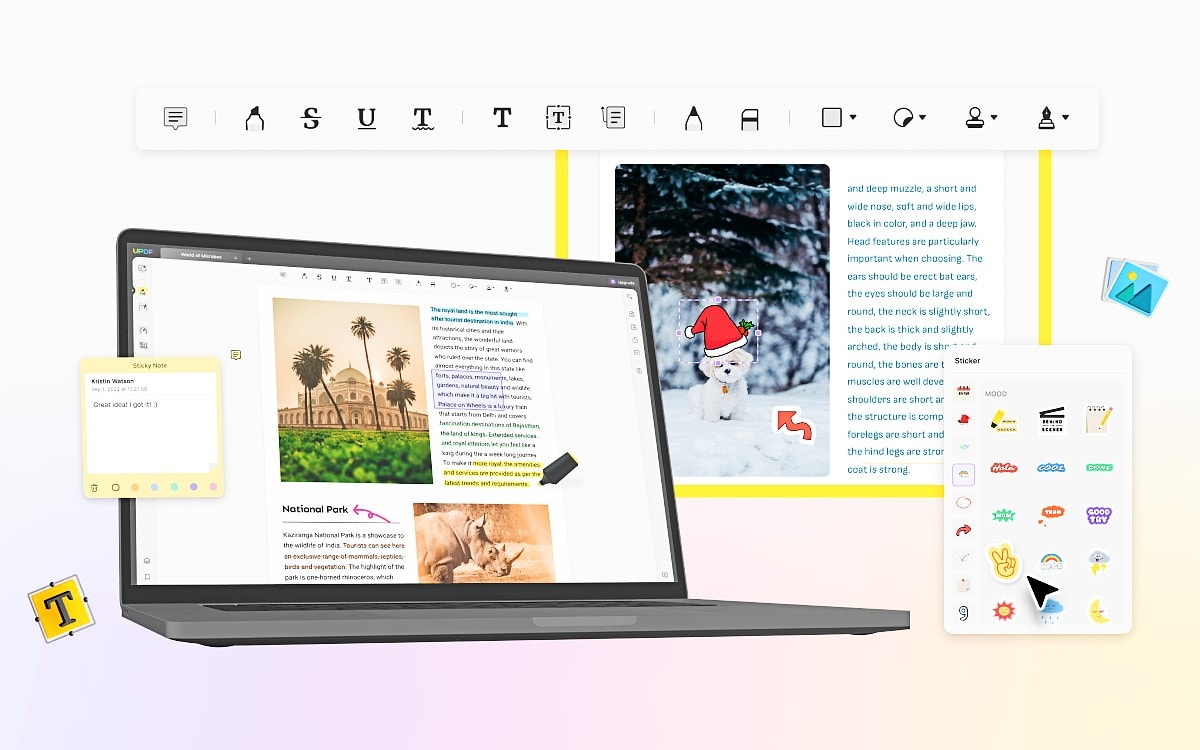
Wondershare PDFelement Professional is a simple PDF editor loaded with features. It caters to everyday users as well as professionals who need advanced tools. And you can get a perpetual license on sale for $119 (regularly $159) for a limited time.
These 9 apps can completely overhaul your Mac.
Photo: Cult of Mac Deals
Your Mac might be able to do a lot more than what you’re using it for. You might already be browsing and working, but it can do so much more if you have apps that put your hardware to use. The Complete Utility Pro Lifetime Mac Bundle is a nine-app deal full of useful Mac apps for work and fun games. And right now, it costs only $49.