Mobile menu toggle

iOS - page 91

Memoto Camera Photographs Your Entire Life, Every 30 Seconds [Kickstarter]

By

1351160555.jpg

I own a cheap plastic tape measure. I also own (or rather, haven’t yet tossed out) a conference lanyard with a retractable card holder for my laminated ID.

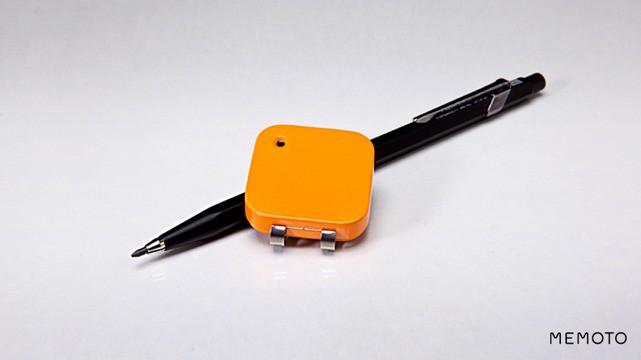
Why am I telling you this? Because both of them look just like the Memoto, a teeny-tiny lifeblogging camera which you wear around your neck or clip on your clothes. Like both of my crapgadgets, the Memoto is small and inconspicuous. Apart from the bright-orange color…

Some Apple Stores Will Let You Swap Your 3rd Gen iPad For The New 4th Gen Within 30 Days

By

Pick up a new iPad within the last 30 days? Ask Apple to swap it for the latest model.

While some companies churn out new smartphones and tablets every month, Apple has traditionally given us at least 12 months with our iOS devices before replacing them with newer models. So it was a big surprise to us all when it announced a new and improved fourth-generation iPad on Tuesday, just seven months after the third-generation iPad went on sale.

If you bought a “new” iPad within the last 30 days, however, don’t be too miffed your device is already obsolete — because you could be one of the lucky ones. If you take your device into an Apple Store, there’s a chance you’ll be able to swap it for a brand new, fourth-generation model free of charge.

Locate, View And Share All Your Files On iOS With iFile [Sponsored Post]

By

iFile_512x512

Sick of opening all your files in different apps? The new iFile app is a multifunctional text, image, music, document, and video reader. You can edit, browse, watch and listen to almost any kind of file that your iOS device can read, all from a single app.

You can also share files with friends, run a portable web server on your iPhone, sync files to Dropbox, and more…

Borderlands Legends Coming To iOS Next Week, But It’s Not What You’re Expecting

By

It's finally here, but it wasn't worth the wait.
It's official!

On Monday, we learned Gearbox Software was finally gearing up to bring its Borderlands franchise to iOS. An advert in a digital game guide for Borderlands 2 revealed the title’s name, Borderlands Legends, and promised that the title would arrive this month.

Gearbox has now confirmed that Borderlands Legends will be hitting the App Store on October 31, but it might not be what you were expecting.

How To Remove Apple’s Stock iOS Apps Without Jailbreaking [Video]

By

Goodbye, Stocks!
Goodbye, Stocks!

While most of Apple’s stock iOS apps are pretty handy, there are a few that the large majority of us probably never open. I’m talking about apps like Stocks, Voice Memos, and Weather (which always seems to be inaccurate in the U.K.). Unfortunately, the Cupertino company doesn’t allow us to remove these, so the only way to do it was to jailbreak. Until now.

Thanks to a nifty new web app, you can temporarily remove stock iOS icons from your device without jailbreaking. Here’s how.

Stainless Games Fixes Carmageddon’s Save Game Bug

By

Install Carmageddon's latest update to ensure your progress isn't lost the next time you play.

Stainless Games brought the 1997 classic that is Carmageddon to the App Store last week, but its launch was marred by a nasty save game bug that was capable of wiping all the progress you had made in the game.

Thankfully, the company has now issued an update that fixes the problem.

Fan-Requested In-App Purchases Coming To Fieldrunners 2 In New Update

By

Fieldrunners 2 IAP

Fieldrunners 2 is one of my favorite iOS games, hands down. Developer Subatomic Studios has taken the tower defense genere to a new level with this sequel to their popular and multi-platform game, Fieldrunners. This second game was released in July of this year, almost 4 years after the first iteration came out on iOS, then Mac.

Today, the studio announced that they’ve added in-app purchasing to the game, something many games come with from the start. Those games, however, typically come at no up-front cost. Fieldrunners 2 was released as a premium, paid game, at $2.99 for the iPhone and $7.99 for the iPad version. Why did they add this freemium-style in-app purchasing system to a game that’s already doing well as a paid app?

The fans of the game wanted it.

From You To The Web, Instantly: Photoset Does One Thing Very Well [Review]

By

Grab some photos, hit upload. That's it.

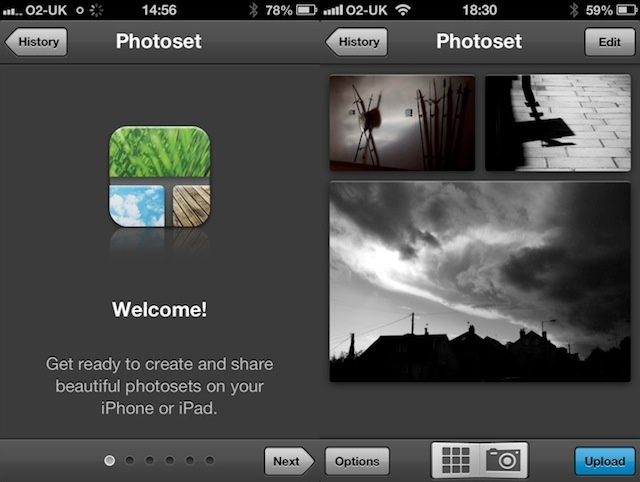
Quick, answer this one: what’s the quickest, easiest, no-sign-ups required way to get a bunch of photos from your iPhone to the internet, right now?

Instagram? Nope. You’re kind of right, but Instagram has its limitations. And you need to sign up to use it. Apple’s Photo Stream? Closer, but you still need to be using iCloud.

The quickest, easiest and no-sign-uppiest service I’ve yet seen has to be Photoset, a new thing from the people who make Tumblr.

Actions: Control Your Mac Apps From Your iPad

By

1350905061.jpg

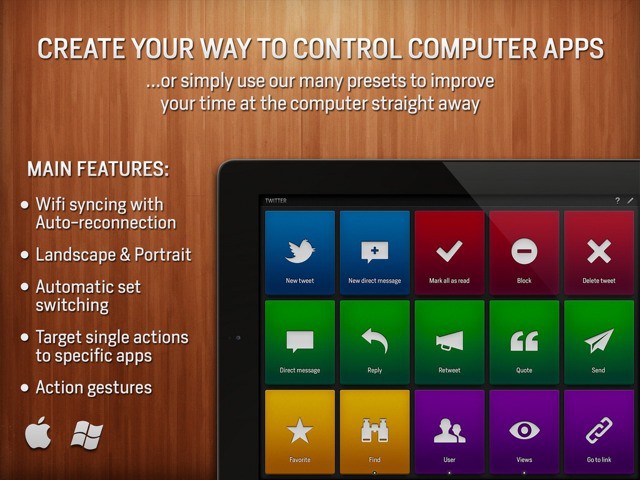
Actions turns your iPad into a remote control for your Mac. No, it’s not a VNC app which lets you project your desktop onto your tablet’s screen. Nor is it a media remote (although it can be). Instead, Actions lets you assign, uh, actions to easy-to-tap tiles on the iPad’s screen, and these actions are then performed on the Mac (or PC).

The short version: Actions lets you trigger Mac keyboard shortcuts from your iPad.

With The iPad Mini On Its Way, It’s Time To Say Farewell To The iPad 2 [Report]

By

The iPad 2 was the first iPad to bring us front- and rear-facing cameras.

When Apple unveiled the third-generation iPad earlier this year, it reduced the price of the iPad 2 to just $399 in an effort to provide fans with a more affordable option, and to stave off the competition from cheaper Android slates as much as it could. But with the iPad mini set to make its debut tomorrow, will there still be a need for the iPad 2?

One analyst thinks not.

Bored Of Sliding? New Tweak Lets Your Pinch To Unlock Your iOS Device [Jailbreak]

By

With Pinch to Unlock, you can get your finger in on the action.

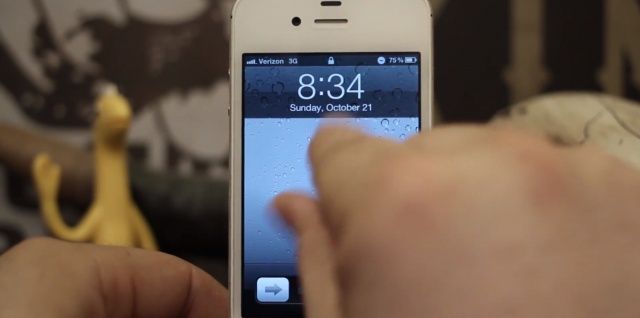
Apple’s iOS lock screen has remained largely unchanged for the last five years. That’s probably because it serves its purpose pretty well, but sometimes it’s nice to try something different. Thanks to Pinch to Unlock, a new tweak for jailbroken iPhones, you can do just that. Rather than sliding to unlock your device, you just pinch.

Borderlands Legends Shooter Coming To iOS This Month

By

I cannot wait for this.

Borderlands, Gearbox Software’s awesome first-person shooter series, is set to make its debut on iOS this month. Revealed in a advert within a Borderlands 2 digital strategy guide, the game will be called Borderlands Legends and it’ll allow you to play one of four original Borderlands heroes for the first time on iPhone, iPad, and iPod touch.

This Week’s Must Have iOS Apps: The Wider Image, M.dot, Checkmark & More [Roundup]

By

Screen Shot 2012-10-21 at 08.32.31

A wonderful new news app from Reuters kicks off this week’s must-have apps list, providing you with an “unprecedented photography experience” that allows you to immerse yourself in the biggest news stories from around the world. Also included in the roundup is a terrific app for making mobile websites from your iPhone, a new weather app, and more.

This Week’s Must-Have iOS Games: Carmageddon, Sonic Jump, Mikey Shorts Halloween & More [Roundup]

By

Screen Shot 2012-10-20 at 10.07.07

Kicking off this week’s must-have iOS app is the 1997 violent driving sensation that is Carmageddon. It finally makes its debut on iOS, and it’s an exact port of the original. It’s accompanied by Sonic Jump, Sega’s latest release; Mikey Shorts Halloween, and True Skate.

85% Of New iOS Gamers Quit After One Day

By

deletegames

Most people will download almost any iOS game, no matter how silly it looks, as long as it’s free. They just won’t stick around for more than one day. A new study on user engagement in free-to-play social games discovered that 85% of new players in the U.S. never go back to the game after the first day.

Beware: Carmageddon Save Bug Could Wipe All Your Progress

By

Install Carmageddon's latest update to ensure your progress isn't lost the next time you play.
Follow the walkaround below to ensure your Carmageddon progress isn't lost.

Earlier this week, Stainless Games brought the 1997 reckless driving sensation that is Carmageddon to iOS, and I haven’t been able to put it down since — it’s as good today as it was 15 years ago on the Dreamcast. However, it does have one issue holding it back: a save game bug that could wipe all your progress.

SpotMail Tweak Lets You Start New Emails From Right Within Spotlight [Jailbreak]

By

A snappier way to send new emails.

Here’s a nifty little tweak that’ll help you write new emails a little quicker: It’s called SpotMail, and it lets you create new emails from directly within Spotlight on your jailbreak iOS device. All you have to do is type in the recipient’s email address and hit search.

Belkin Wemo Baby Monitor: Even Your Rugrat Can Pronounce Its Name

By

1350559490.jpg

Be-be, wo-wo, boo-bee. These are the kind of phrases a human being can only get away with uttering in public if still under the age of two. Fortunately, these are also the only words these underdeveloped fools can manage. There’s probably a lesson about ability vs. ambition hidden in there somewhere.

Which is to say that the Belkin Wemo baby monitor is probably the best-named baby monitor ever. Even your dumb infant can ask for it by name.

Should Apple Be Rejecting All Apps About Steve Jobs?

By

Steve Jobs Timeline for iOS.
Steve Jobs Timeline for iOS — rejected.

Apple’s App Store review policy has received a lot of criticism in the past. Often times it rejects apps for a good reason, like if they contain nudity or they’re offensive. But on the odd occasion, its decision to reject a certain app leaves us puzzled. Here’s a good example of that.

Nuskha Labs recently submitted its new app to the App Store. Called Steve Jobs Timeline, it documents the life story of Apple’s co-founder, and includes famous quotes and images. It sports a nice, creative user interface; it’s not offensive, and it doesn’t break Apple’s App Store terms. But the Cupertino company rejected it anyway.

EA Server Crash Causes Player Progress, In-App Purchases To Be Wiped From Theme Park For iOS

By

That's what it should say.

EA’s free Theme Park game for iOS broke down yesterday, and gamers were unable to access the parks they’d spent time building. The company managed to get everything working again, but once the game was back online, users found that all of their progress had been wiped.

The parks they’d build, the achievements they’d earned, and worse, the items they’d bought using in-app purchases were gone.

Checkmark Update Brings Repeat Reminders And Super-Cool Map Integration

By

1350556722.jpg

Checkmark, the supper-slick location-aware reminders app for the iPhone, has gotten a feature bump in its newest update that almost (almost!) makes it a new app.

And if you don’t already have Checkmark, then shame on you — the $2 app not only makes location-based reminders on your iPhone way easier and way better than the built in reminders, but it also works on your iPad.

Open Tabs From Mobile Safari On Your Mac OS X Mountain Lion Machine Via iCloud [OS X Tips]

By

iCloud Tabs on Mac OS X Mountain Lion Safari

I got really used to using Chrome on my desktop and laptop Macs before Mountain Lion came out with Safari 6 at its heels. I try to use Chrome on my iOS devices, for the history and bookmark synching, I really do, but more often than not, I end up using mobile Safari, because a) it’s the default for all clicked links in other apps and b) I really, really like Reader.

Now, if you’re using Safari on both your Mac and your iPhone, iPad, or iPod touch, you’ll be pleased to know that you can access the tabs you’ve opened on your iPhone on your Mac, and vice versa, as long as you’re using iCloud. Let’s take a look at how we do this.