Mobile menu toggle

iOS - page 105

Little Masters Is The Closest You’ll Get To Pokemon On iOS

By

I cannot wait for this.

I spent a good chunk of my childhood playing Pokemon on my Game Boy, and I’d love to be able to relive those days on my iPhone. Unfortunately, Nintendo is adamant it won’t be bringing any of its titles to iOS. While that’s a huge disappointment to most of us, some developers see it as an opportunity to create some great alternatives.

Little Masters is exactly that — an alternative to Pokemon for iOS. And as you can see from the screenshots above, it’s remarkably similar.

RIM Loses Down Under As Qantas, IBM Australia Ditch The BlackBerry

By

Qantas becomes the latest company to ditch the BlackBerry in favor of the iPhone.

While most CIOs and IT leaders are taking steps to reduce their reliance on RIM’s BlackBerry Enterprise Server (BES), some major BlackBerry business customers are ready to abandon RIM’s services and its BlackBerry smartphones in one fell swoop. The latest company to announce such a migration is the Australian airline Qantas.

The company told the Australian (registration required) that it had made the decision to trade its 1,300 BlackBerry devices and related service packages for iPhones. The move, which Qantas expects will deliver significant cost savings, follows a company-wide survey in which a “large majority” of employees said that they’d prefer iPhones.

Like other companies and organizations that have announced similar transitions this year, Qantas chief information officer Paul Jones pointed to the iPhone’s ease of use and popularity as reasons for selecting the iPhone.

My Xbox LIVE Update Allows You To Control Your Xbox 360 Remotely From Your iPad

By

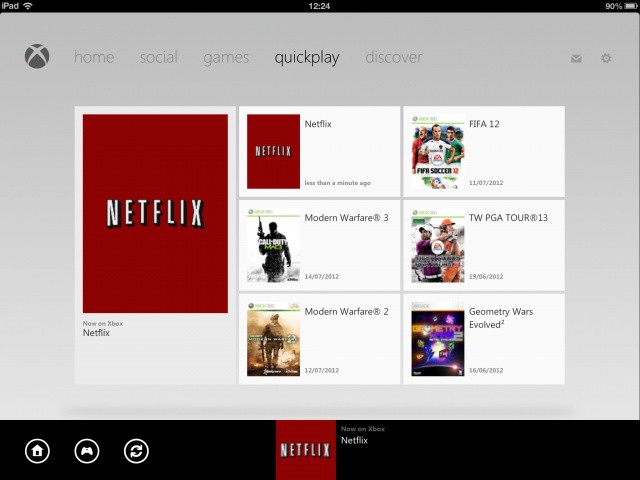
You can now use your iPad as a remote control for your Xbox.
No more buying batteries for your Xbox 360 remote.

Microsoft’s free My Xbox LIVE app for iOS just got a brand new update that introduces the ability to use your iPad as a remote control for your console. You can use it to navigate your way around the menus, control media playback, and to “find fresh entertainment” in the new Discover section.

Hatch Tweetbot for Mac’s Egg Icon Into A Blue Robot Bird [How-To]

By

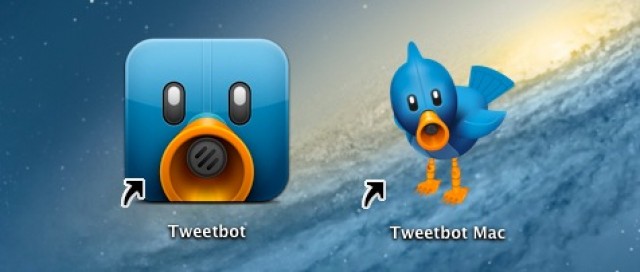
Get rid of that alpha egg and get the bird icon Tweetbot for Mac before it hatches.

One of the many clever little touches accompanying last week’s official unveiling of the Tweetbot alpha for Mac was the icon: signifying’s the app’s alpha status, the blue robotic bird icon we all know and love on iOS was replaced with a metallic silver egg. Get it? Because it’s still not hatched.

I still love that joke, and it’s a great example of the little things Tapbots does that sets them apart from the rest… but I have to say, over the course of the last week using Tweetbot as my Mac Twitter client, I’ve missed having Tweetbot’s iconic blue bird in my dock. Here’s how to give Tweetbot for Mac the same icon as on iOS.

It’s Official, Siri Wants To Show You Pictures Of Stallions [Humor]

By

post-179171-image-0197f372cd4c13fbcf3e6f87030e9658-jpg

We’ve already shown you how well Android’s Jelly Bean voice search performs in respect to Siri, but one reviewer has managed to uncover a hidden obsession of Siri’s: Siri likes to show you pictures of stallions! After asking Siri and Android’s new voice search a barrage of real world questions, it became apparent Siri only had one thing on the mind: male horses.

iCloud.com Email Addresses Are Now Available With iOS 6 Beta 3

By

icloud

Along with today’s launch of iOS 6 Beta 3, Apple has started to roll out iCloud.com email addresses to developers. When iOS users signed up for iCloud in the past they received an email address @me.com. Now that MobileMe has been shut down, Apple is starting to transition over to @iCloud.com email addresses.

Skype Acknowledges “Rare” Bug Causing Some Messages To Be Sent To Unintended Contacts

By

post-179089-image-9e8df6d848a2137d23de6338d33b181b-jpg

You might want to hold off on the sexting via Skype for a bit, as Skype has acknowledge a “rare” bug, which according to complaints on Skype support, appears to send messages to unintended contacts. The Skype team has already responded and plans on pushing out a fix soon.

“We are aware that in rare circumstances IM’s between two contacts could be sent to an unintended third contact. We are rolling out a fix for this issue in the next few days and will notify our users to download an updated version of Skype.”

How The iPhone Is Revolutionizing Nursing

By

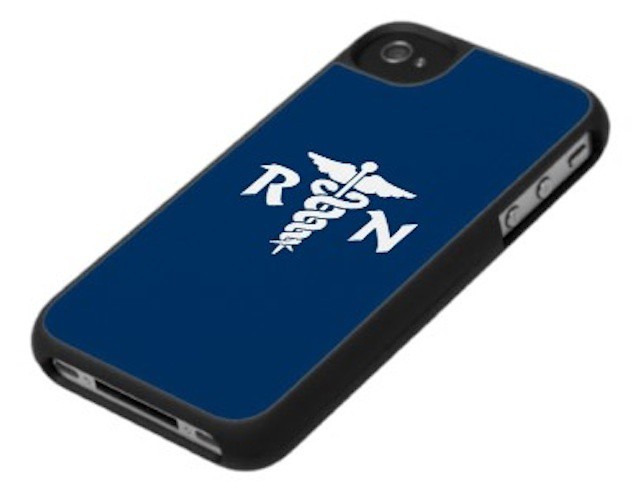
Nurses embrace iPhones/smartphones for somewhat different uses than doctors.

When it comes to talking about iOS devices in healthcare, most of think of doctors carrying iPads the way that they used to carry lengthy paper charts or clipboards. We think about doctors looking at X-rays and other diagnostic tests on an iPad, perhaps even using the iPad to illustrate a broken bone, illness, or surgical procedure.

Doctors, however, aren’t the only healthcare professionals to be embracing mobile technology. A new study shows that the vast majority of nurses have also embraced mobile devices, particularly the iPhone and other smartphones. It also highlights that differing needs of healthcare professionals when it comes to mobile technology.

Apple Attempts To Block Russian Servers Circumventing iOS In-App Purchases

By

in-app-purchases1
The hacker circumventing in-app purchases like these is Apple's latest target.

Apple is working to block the Russian servers that are allowing users to circumvent iOS in-app purchases and obtain content for free. The Cupertino company reportedly began blocking certain IP addresses over the weekend, and had one server taken down. But despite its efforts, the service continues to work.

Expert: Apple’s HDTV Will Have A Retina Display

By

But it won't have any more pixels than your existing set.

Having been spoiled by Retina displays since the iPhone 4 was launched back in 2010, it’s slightly disappointing when Apple releases a new product that doesn’t have one these days. But there won’t be any disappointment with the upcoming Apple HDTV, according to one expert.

DisplayMate CEO Dr. Ray Soneira firmly believes that the Cupertino company’s much-anticipated set will feature a Retina display, just like all “premium” Apple products in the future. Not just because it’s incredible technology, but also because Apple wants to be consistent.

Going Camping? Take The BioLite And Charge Your iPhone With Fire

By

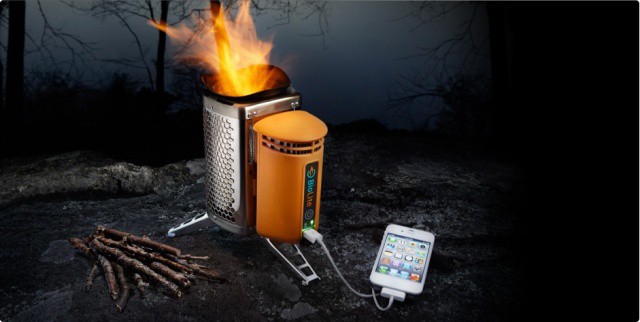
BioLite should be the first thing you pack for your next camping trip.

I hate camping. I don’t see the appeal in sleeping in a cold, damp tent, with no access to a shower or electricity. Once your iOS devices run out of battery, what is there to do?

Well, with the BioLite, they won’t run out of battery, because you can charge them by burning almost anything you can get your hands on, including twigs, sticks, leaves, pine cones, or your best friend’s favorite book.

This Week’s Must-Have iOS Apps: UX Write, Simpsons Comics, Spacecraft 3D & More [Roundup]

By

Bongo's Simpsons Comics make their debut on iOS, NASA teaches us about spacecraft, Apple lets us manage our torrent downloads, and more.

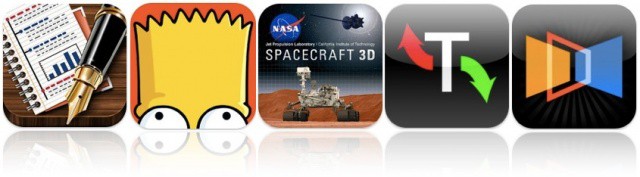
Kicking off this week’s must-have apps roundup is an incredible word processor called UX Write, which makes working with large, complex documents on the go a breeze. You’ll also find Simpsons Comics, the latest app from comiXology that brings Bongo’s Simpsons library to iOS; a wonderful app from NASA that allows you to get up close and personal with the spacecraft used to explore our solar system, and more.

This Week’s Must-Have iOS Games: Tiny Wings, Amazing Alex, Pocket Heroes & More [Roundup]

By

Tiny Wings finally comes to the iPad, and Rovio finally releases a game that isn't called Angry Birds.

Kicking off this week’s must-have games roundup is a massive update to Tiny Wings — one of my favorite iOS games — which adds a brand new game mode with 15 levels, Retina visuals, and more. You’ll also find Amazing Alex, the latest game from Angry Birds creator Rovio; a wonderful multiplayer RPG; a retro Neo-Geo shooter, and more.

Nielsen: Android And iOS Continue To Lead Smartphone Market Share In The U.S.

By

post-178879-image-b4d36bf639f82469c88757060db0f1e3-jpg

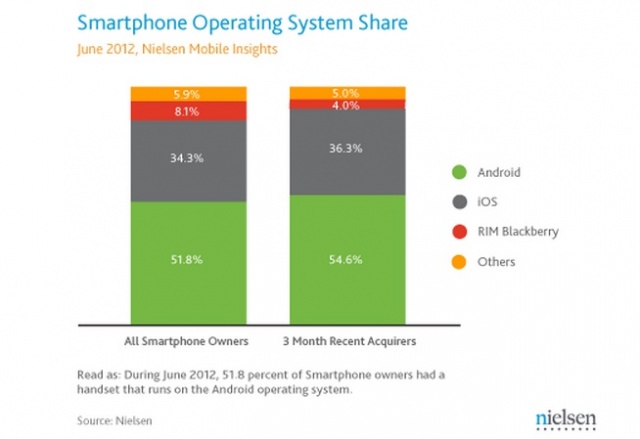
No surprises as the latest Nielsen numbers show Android and iOS leading U.S. smartphone market share. Both operating systems continue to gain at the expense of RIM — who has all but fallen into the “Other” category. Speaking of the “Other” category: Windows mobile, Windows 7, Symbian, and Palm/WebOS were all grouped together, combining for a measly 5.9% market share.

Rovio Confirms Amazing Alex Is Coming To Mac & PC

By

Get ready to build some crazy contraptions on your Mac.

After landing on Android and iOS yesterday, Rovio has confirmed that Amazing Alex will be making its way to Mac and PC. The new physics-based puzzler is Rovio’s first break away from the hugely successful Angry Birds series, and it’s already gotten off to a great start, rocketing up to the number one spot in the App Store’s paid charts in several countries.

Sparrow For Mac Gets Retina Graphics, Notification Center Support, Goes On Sale

By

Sparrow looks better than ever in version 1.6.2.

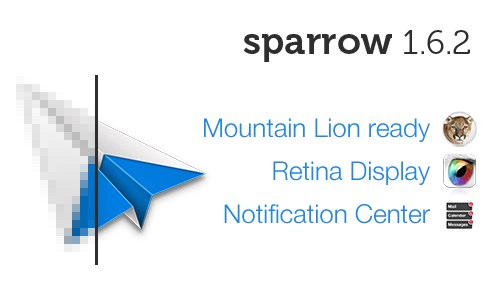
Sparrow, my favorite mail client on both Mac and iOS, just received a new update that will be particularly exciting to those of you with the new MacBook Pro. In addition to support for OS X Mountain Lion and Notification Center, Sparrow 1.6.2 brings high-resolution graphics for the new MacBook Pro’s Retina display. It’s also on sale for just $4.99 until Monday, July 16.

iPhones and iPads Are Robbing Us Of Truly Work-Free Vacations

By

Using personal iPhones and iPads in the office, leads many people to work from them while on vacation.
Using personal iPhones and iPads in the office leads many people to work from them while on vacation.

Our iPhones and iPads, which enable us to work and be on call virtually anywhere at any time, will lead to more than half of us working while on vacation. That’s the result of a new study that looked at how technology impacts the work/life balance. iOS devices are common players in the bring your own device (BYOD) era. As BYOD programs lead many of us to use our personal iOS devices and other mobile technology for work-related tasks, they also encourage an “always on” attitude from employers and employees alike.

The study, commissioned by enterprise remote access vendor TeamViewer, shows that just over half (52%) of professionals expect to work while on vacation in one capacity or another.

It also comes on the heels of a similar study that we reported last week. That study showed that always-connected devices like the iPhone and iPad lead most of us to work well past the end of the business day. A practice so common, in fact, that many of us will work an extra seven hours outside of normal business hours and outside of the office each week.

Send Your iOS App Idea To App Idol And You Could Get It Developed And Win $1,000

By

Yeah... I'm not great with Photoshop.

If you’ve though of an awesome idea for an iOS app, but you haven’t got a clue how to write code and you haven’t got the time to learn, then App Idol may be able to help. The competition is giving you the chance to win $1,000 and see your app idea turned into a reality. But you’ll have to be quick; the deadline for applications is July 24.

World Of Goo Creators Tease Utterly Bizarre New Mac Game, Little Inferno

By

post-178529-image-aad1dab4e8b8f7564a909c7783104549-jpg

If you’ve ever gamed on your Mac or iPad, you’re probably a big fan of the Tomorrow Corporation and their indescribably weird physics puzzler, World of Goo. They’re now teasing a new game, called Little Inferno, and while there’s no gameplay to go by, it looks even weirder, taking place in a world suffering from a mysterious ice age in which children must burn their old toys and mementos and breathe in the fumes in order to stay warm and fight off encroaching death.

Yup. Absolutely bonkers. There’s no release date yet, but you can pre-order the alpha for $14.99, which will get you access to the game early on the PC or Mac. The iOS version will probably come out a few months after release if World of Goo is anything to go by.

Source: Little Inferno

Why iOS Users Have High Business App Expectations And How To Meet Them

By

In the office or on the road, iOS business users have high expectations for IT and internal business apps.

One of the unique traits around iOS devices used in business and enterprise environments is that users have much higher expectations for mobile tools and processes than they do for traditional PC applications, processes, and user experiences. That’s true whether the device is employee-owned or provided by an employer.

It’s easy to see why most iPhone and iPad users have these higher standards. With iOS, Apple has created a platform that is app-driven and offers an incredible selection of apps to users. Apple, and many iOS developers, have done an amazing job of getting rid of anything that stands between the iOS user and the experience of content that they are watching, reading, or creating. That delivers an immersive experience that is unlike the vast majority business or productivity tools loaded on workplace PCs.

Metroon Theme For DreamBoard Brings Windows 8’s Metro UI To Your iPhone [Jailbreak]

By

What would Steve Jobs think?

When you’re getting a little bored of looking at the same old home screen, the DreamBoard app for iOS can completely revamp your device with a whole new look. Couple that with a new tweak called Metroon and you have yourself an iPhone that runs Windows 8 (well… almost) — complete with a Metro user interface, live tiles, and even the “Charms” bar.

As RIM Falters, iPhone/iPad Deployments Become Contingency Plans

By

If RIM falters, iPhone/iPad pilot projects become the contingency plans.

Enterprise customers form the backbone of RIM. Many of them are now preparing contingency plans in case the BlackBerry maker goes out of business or is bought by another technology company. Many enterprises first began thinking about contingency plans in the wake of RIM’s large-scale outages last year.

What those contingency plans look like varies. Some companies are soliciting advice from leaders in the mobile management like MobileIron. Some are revisiting their agreements with RIM. Others have already begun migrations away from the BlackBerry.

Google+ iOS App Updated With Full Support For iPad, Events Integration, And More

By

The new iPad interface for Google+ on iOS.

Google has released a major update to its Google+ iOS app that brings full support to the iPad’s Retina display. Borrowing from the Android version, Google+ on the iPad relies heavily on images and sports a very clean, minimal interface. The iPhone version of Google+ was updated weeks ago with a similarly clean UI, probably due to the fact that Google acquired Kevin Rose’s talent at the app development firm Milk.

In today’s update, the location-based Google+ Events feature has been integrated into the universal app. You can attach photos directly from your device’s Camera Roll and add them to your posts. You can also start and join hangouts in-app and stream them to your TV using AirPlay.

Google To Pay $22.5 Million For Bypassing Privacy Settings In Safari On iOS [Report]

By

Screen Shot 2012-07-10 at 2.11.52 PM

Back in February it was discovered that Google was bypassing Apple’s privacy settings in Mobile Safari on iOS. The search giant was making ad revenue from Safari users’ web activity by ‘tricking’ the default iOS browser to allow multiple tracking cookies.

6 months later, and Google is about to pay the “largest penalty ever levied on a single company” by the U.S. Federal Trade Commission (FTC). Google will pay $22.5 million to settle the charges issued by the FTC, and the code in question has already been disabled by Google in Safari on iOS.