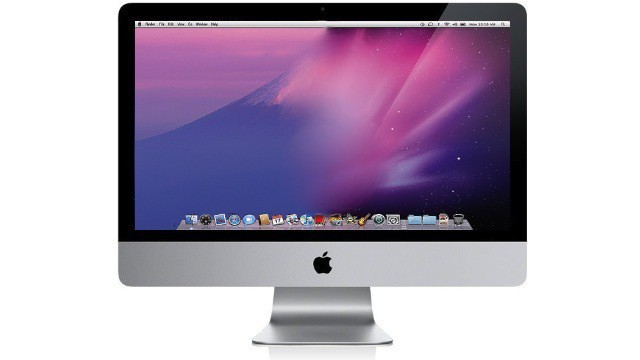
As the impending launch of Mac OS X Lion creeps closer and closer, it’s getting harder and harder to wait for all of the new features Apple has promised, like Launchpad and AirDrop, just to name a couple. Well, if you want to get a taste of Mac OS X Lion before it’s here, there are a few quick things you can do to transform your aging install of Snow Leopard into a Lion like experience. In this video, I’ll show you what to do.
49 responses to “Transform Mac OS X Snow Leopard Into Lion [Video How-To]”
awesome video! any way to get rid of scrollbars? :)
hmm, not that I’ve heard of yet. I’m always looking though…
Any way to get a Classic environment game like Railroad Tycoon II to run under Snow Leopard?
You’ll want to look into the SheepShaver emulator.
did he say daaaack. whats wrong with you Michael, you cant even pronounce Dock properly.
Can’t wait for Lion. I love Snow Leopard, but I’m ready for the next step in Mac OS X..
I didn’t want to wait for Snow Lion to release, so I downloaded the dev build.
I am so used to reverse scrolling that going back to normal scrolling feels so backwards and confusing. Go figure.
Whoever did that video has a speech impediment. Wtf is a dack? Lol learn how to pronounce the words before you make a video, or just type the article. Other than that, I was a nice walkthrough and I’m definitely stoked for lion
thanks
As the launch of Lion gets closer and closer it’s getting easier and easier to wait because the wait is shorter! You won’t find me messing around with my system like this when I can have it all with the Lion upgrade really soon!
I find it odd that there’s no light(s) below the app icon on the dock which tells you if the app is running. In Lion, I wonder how I would be able to tell, now that the lights are gone.
Shame that the video requires Flash, I’d love to see it but my computer is thankfully Flash free :)
hey you missed a cool one.If you set up your spaces so that theres 4 in a horizontal line, and then download? better touch tool to set up four finger slide to the left and right.Then you have mission control!!!
lion is the way to go, hopefully its what its hyped upto be
Oh, for the love of….! Just wait for the release, thunder and tarnation, people have the patience of a chicken on a hot teflon skillet these days.
youtube has a html5 video option http://www.youtube.com/testtub…
The one thing that every one is missing in their iOS 5/Lion rumors is Air Drop between Mac and iOS. Like mover+ or lite and mover connect.
Well, dat’s what happens when you live up nort der hey.
That is a great idea.
Neat!
Do you know what happened to the developers of Quick Pick and DropCopy? Did Apple buy the companies/products? Because the features on Lion are identical to these apps.
Would you like to aviator a journalist line on my blog?
Regards
argentina apartment rental
ATV Rental Utah
Although I do concur with your spot, I someone my own reservations.
NYC Escort
tungsten rings
Hey there! Nice video, I found it very helpful. :)
Quick question though- at 3:52 how did you make Safari to reopen the last page you had up? At least I’m assuming that’s what you did. The only reason I don’t use Safari is because I can’t figure out how to reopen the tabs that I had open the last time I closed it. Any suggestions?
It was just minimized.
huh
I think Lion is a great OS but it’s not just as stable and robust as Snow Leopard. Lion is more an iOS-like feel to the desktop environment, which is cool but not what some mac users (like me) are looking for. I’m always diggin’ in what apple hast to offer and i gotta say i am really thankful to them, still i’d rather stay with Snow Leopard for my good old macbook unibody and my iPad to get everything on the go :) Cheers! great tutorial by the way.

