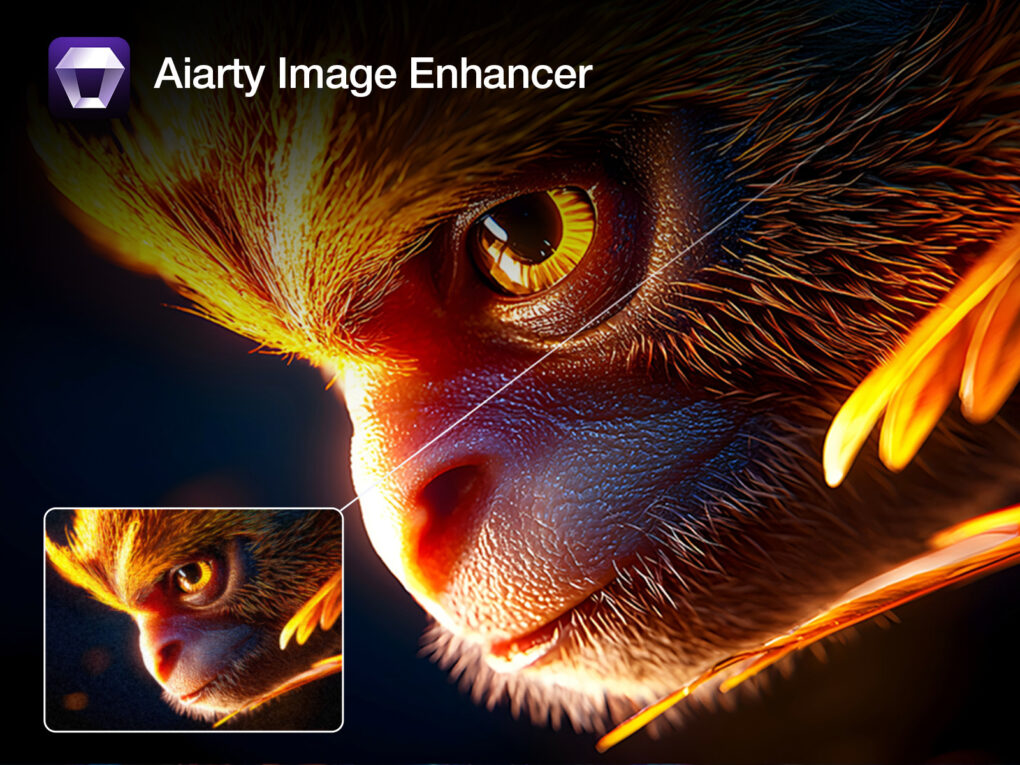
If you’ve used iPhones and digital cameras for years, chances are older images in your photo library don’t quite hold up anymore — but an image upscaler like Aiarty Image Enhancer can help.
Early iPhone shots, low-light photos, scanned prints and older, low-resolution images often look soft, grainy or blurry on today’s large, high-resolution displays. Aiarty Image Enhancer, available for Mac and PC, is designed to solve exactly those problems.
It’s a focused, AI-powered photo enhancement application that prioritizes speed, simplicity and natural-looking results — without subscriptions or complicated editing tools. And for a limited time, you can get a great deal on it.
Aiarty Image Enhancer: An easy-to-use image upscaler for clear, natural-looking pictures
Instead of trying to replace a full photo editor, Aiarty Image Enhancer concentrates on the tasks that many Mac users actually need: upscaling images, reducing graininess (aka “noise”), restoring clarity and cleaning up photos quickly. Its license options — available as a one-year or lifetime plan — are cost-effective and avoid locking you into a monthly subscription.
Streamlined AI image enhancer and upscaler delivers natural results
Aiarty Image Enhancer avoids overwhelming users with complex controls. The interface is clean and approachable, making it easy to get started even if you’re not a professional photographer.
Crucially, the image upscaler and enhancer processes photos locally on your Mac, so your images stay private and performance remains consistent. Results focus on preserving natural textures and details rather than creating an artificial or over-sharpened look.
Pros
- Strong AI upscaling that improves clarity.
- Natural-looking noise reduction with adjustable strength.
- Quick color-correction tools.
- Local processing — images stay on your Mac.
- Batch enhancement for multiple photos.
- Simple drag-and-drop workflow.
- No subscriptions: Pay once, own it forever.
Cons
- Big batches or large upscales can take time depending on your Mac’s specs.
How Aiarty Image Enhancer performs in everyday use
If you’ve used photo editing software for years, AI tools like image upscalers can sometimes feel unpredictable. Aiarty Image Enhancer keeps things simple by pulling the most useful AI enhancements into a single, focused app.
Common use cases include:
- Rescuing legacy photos: Fix old iPhone and camera photos that look soft or noisy on modern Retina displays.
- Fixing low-light grain: Clean up night shots, concerts and indoor event photos.
- Cleaning up family photos: Restore scans for sharing, physical albums or long-term archiving.
- Upscaling for prints: Prepare images for physical prints or high-resolution Mac wallpapers.
- Consistency: Prepare photos for social posts and slideshows with uniform clarity and color.
- One-click color polish: Use built-in color correction to fix “flat” or dim photos by adjusting exposure and vibrance instantly.
You can preview changes instantly and fine-tune the enhancement strength without endless tweaking.
How to upscale and enhance photos on Mac with Aiarty Image Enhancer
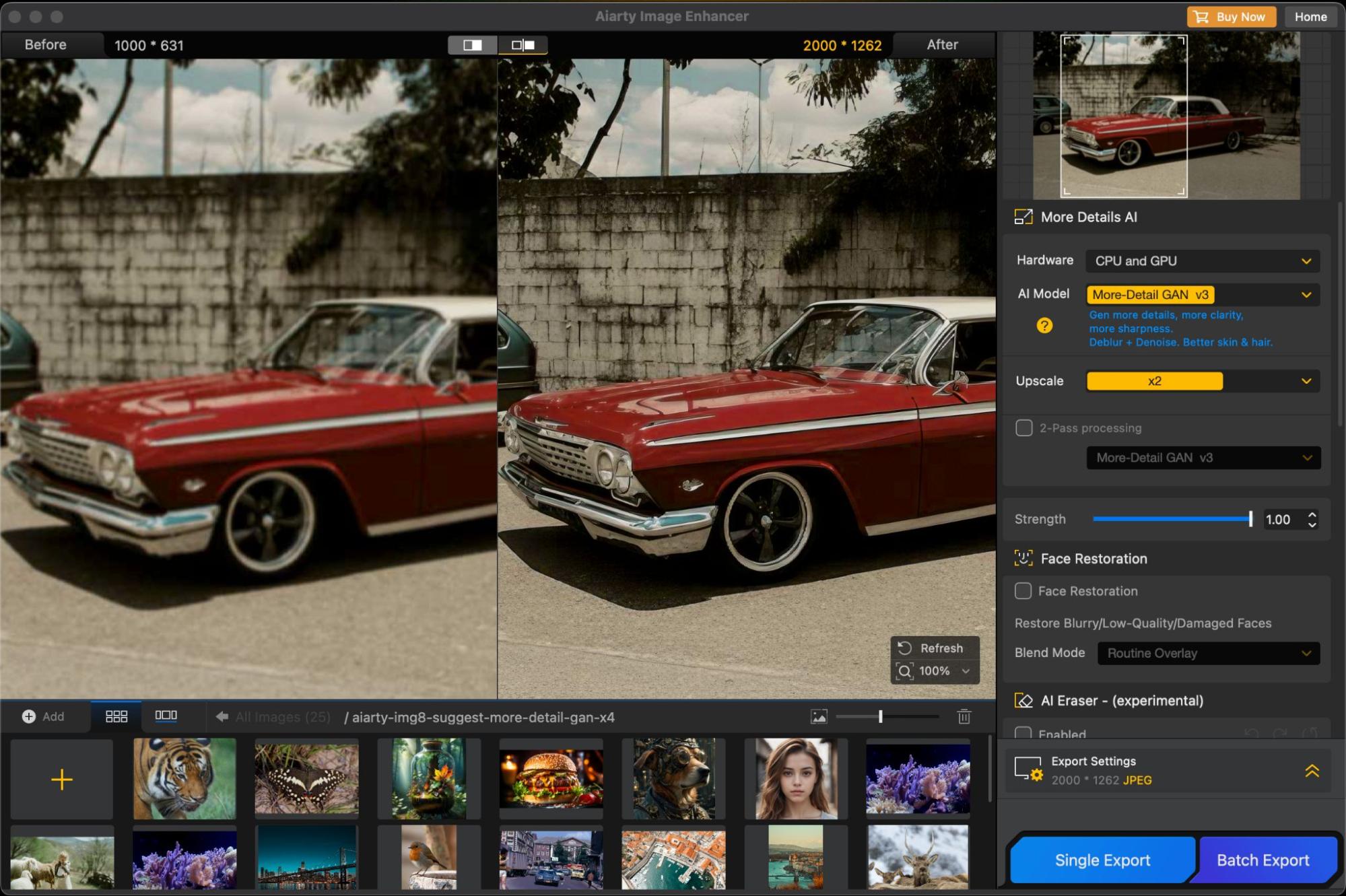
Image: Aiarty
Enhancing photos on a Mac is simple and fast with Aiarty Image Enhancer. Just follow these steps:
1. Drag and drop your photo (or a whole folder) into the app.
2. Choose the AI model that fits your image style.
3. Select enhancement options (1× for refinement, up to 8× for large upscales)
4. Adjust enhancement strength or apply quick color tweaks for the perfect look.
5. Export your enhanced photo in seconds.
Aiarty makes photo enhancement on Mac fast, smooth and clutter-free. The image upscaler gives you professional-quality results without the hassle.
AI models explained — which one should you use?
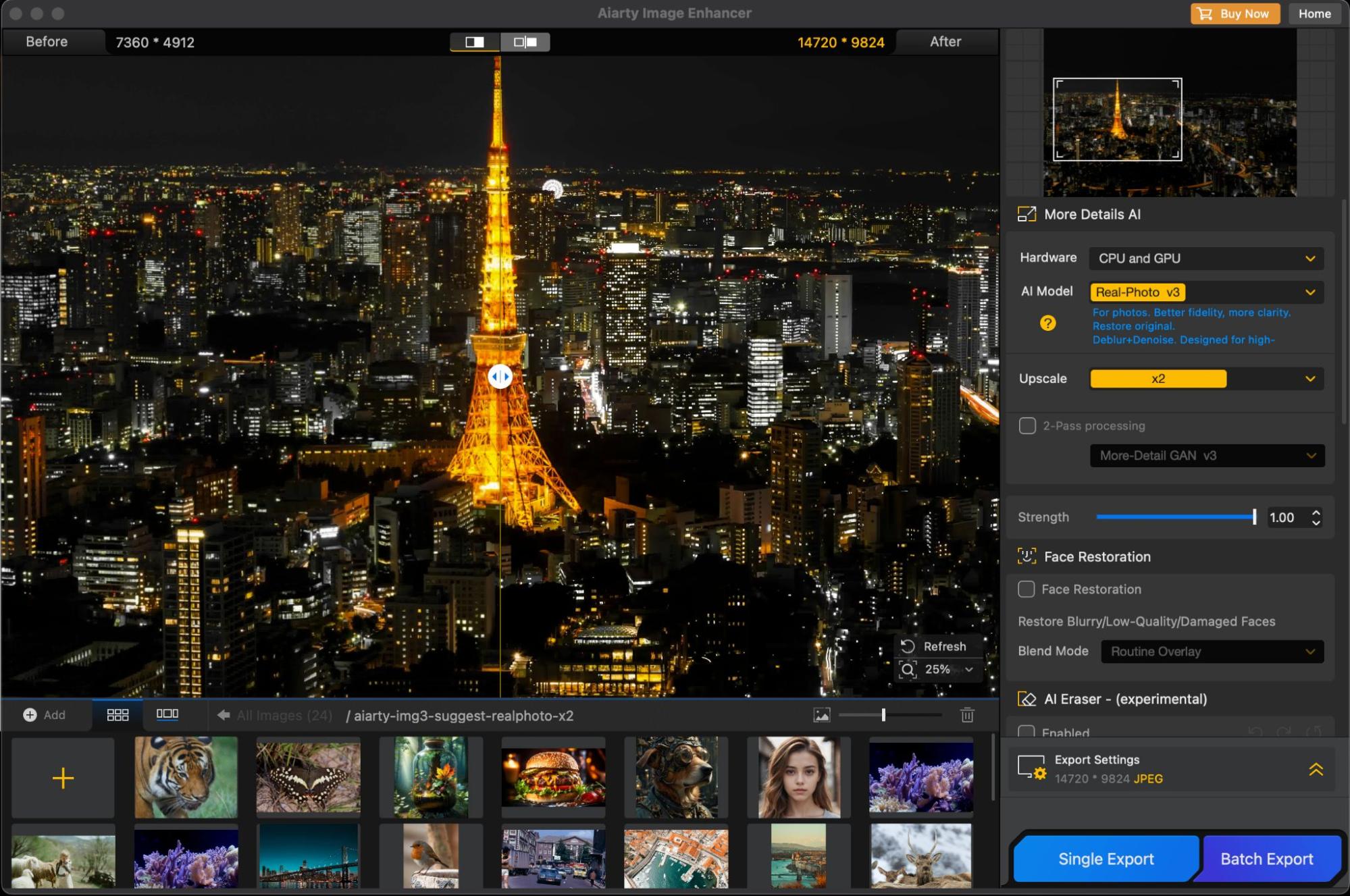
Image: Aiarty
Aiarty Image Enhancer includes five AI models, each designed for different types of photos. You don’t need to worry about technical details. Just choose the AI model that best fits the image you want to upscale or enhance.
The most useful ones are:
- More-Detail GAN v3: Enhances realistic textures while keeping skin, hair and fine details looking natural. Best for: Portraits, close-ups, surface textures, and intricate patterns.
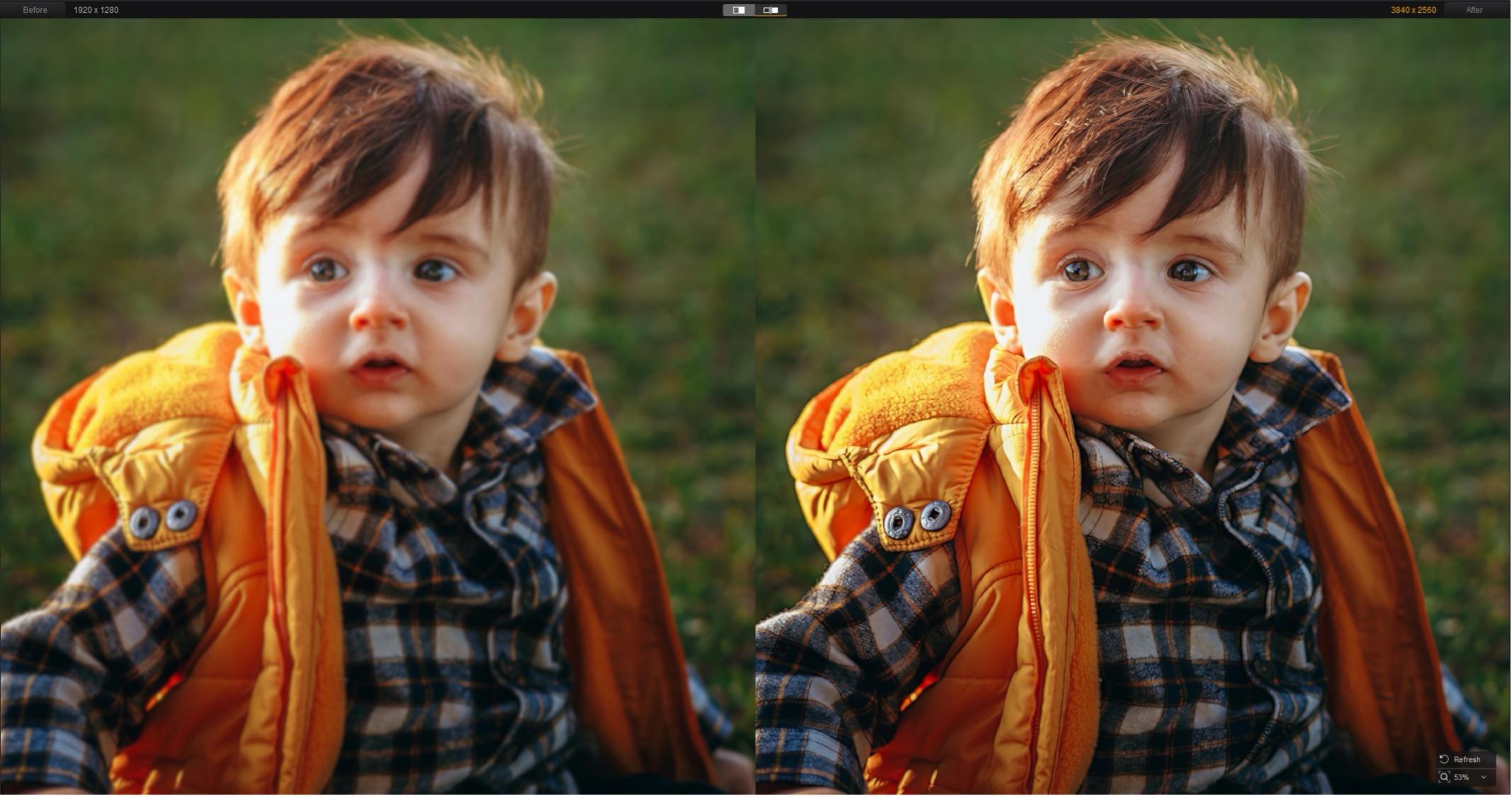
Photo: Aiarty
- Real-Photo v3: Designed for photorealistic images and restoration, especially older or noisy photos. Best for: Landscape, wildlife, portrait, family photos, product shots, etc.
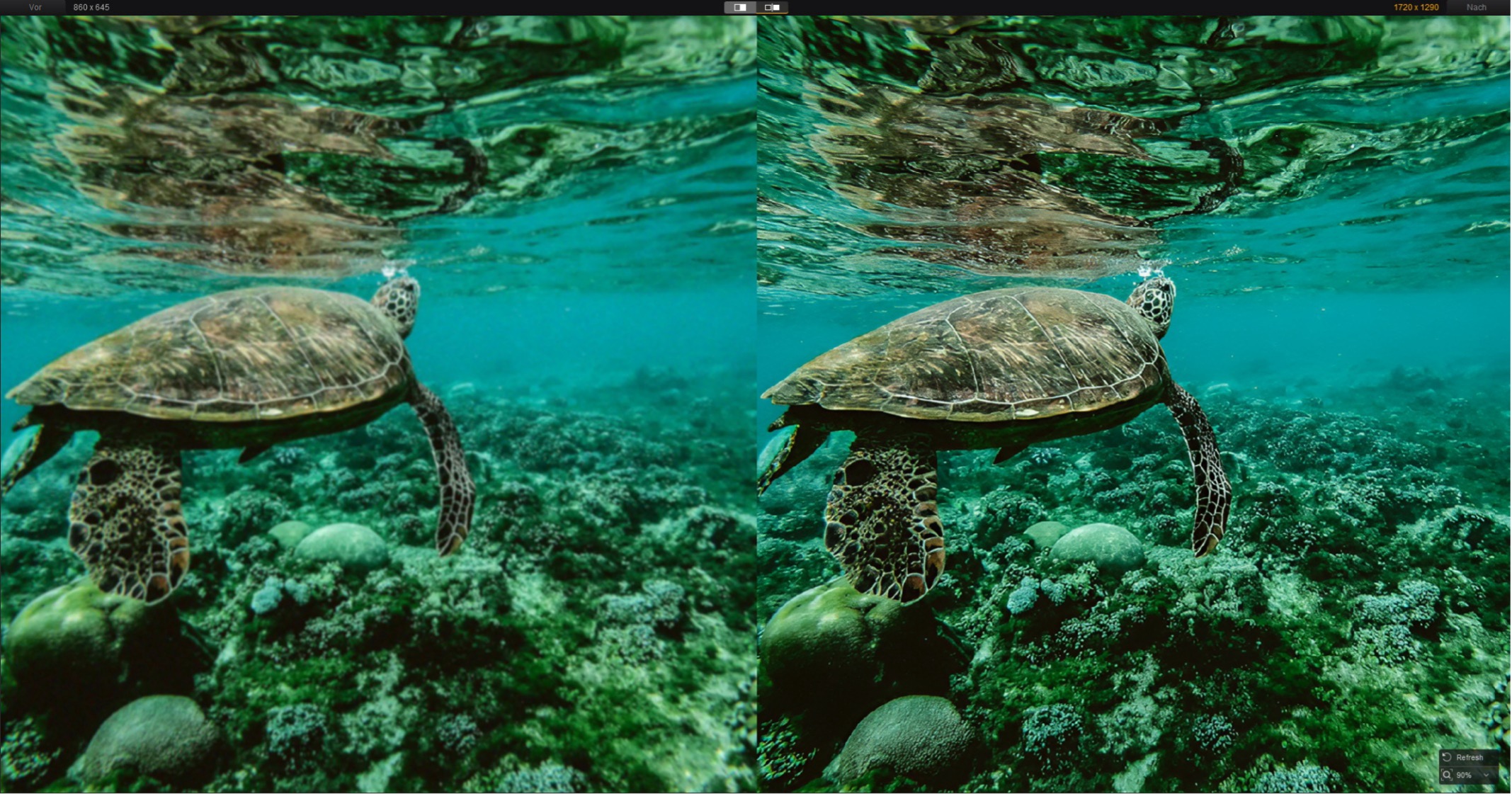
Photo: Aiarty
- AIGCsmooth v3: Smooths out digital artifacts while preserving original characteristics. Best for: AI-generated images, anime, line art and smooth digital surfaces.
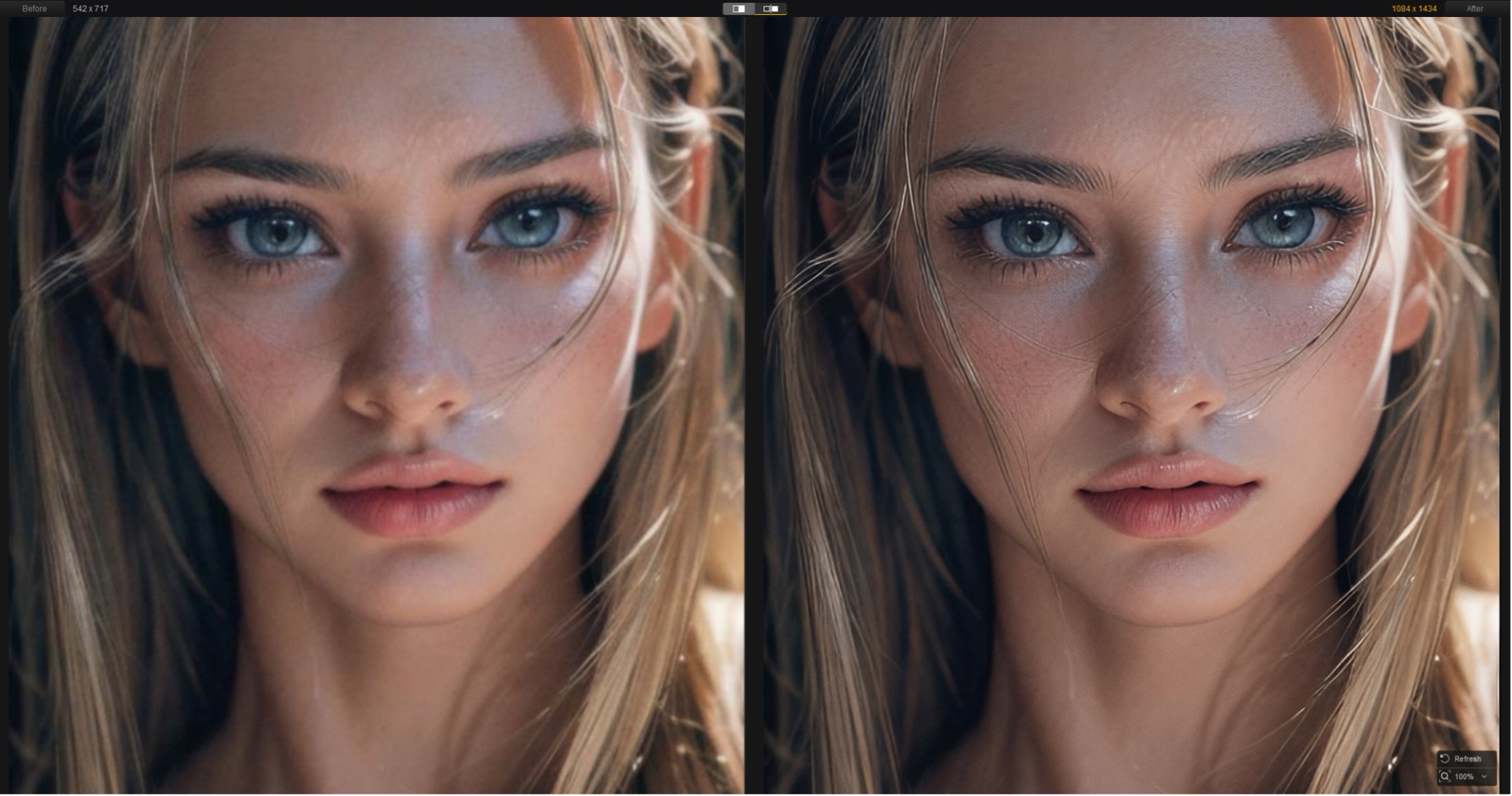
Photo: Aiarity
Aiarty Image Enhancer also includes a lightweight color-correction panel, so you can fine-tune colors and balance without jumping between apps. It’s handy for quick adjustments when you don’t want to open a full editor like Photoshop or Lightroom.
There’s also an AI Eraser (currently in beta) for removing unwanted objects from photos. Results can vary with complex scenes or detailed textures, but for simple cleanups — like removing small distractions — it saves time compared to manual retouching.
The deal: Save 49% (plus an extra $5) on image upscaler Aiarty Image Enhancer
Aiarty Image Enhancer is available for macOS and Windows with a straightforward, non-subscription license. This is a great alternative for those tired of the SaaS model.
- Lifetime license: $79 (regularly $155), includes lifetime updates and use on up to three devices.
- One-year license: $65 (regularly $85), one year of updates for one device.
- Exclusive coupon: Use code NYSPECIAL at checkout to take an additional $5 off the lifetime license (valid through January 31).
- Free download
Includes a 30-day money-back guarantee and free technical support.
Final thoughts
The real strength of Aiarty Image Enhancer is its focus. The image upscaler delivers fast, high-quality AI results without the clutter of a complicated interface. It won’t replace a full photo editor — and it doesn’t try to. Instead, it offers Mac users a practical way to deblur, color-correct and upscale images with minimal effort.
If you have a hard drive full of grainy memories, this is a fast, private and affordable way to bring them into 2026.
Learn more and get the deal at aiarty.com.


