PCMag’s iPad review is a must watch. It’s a quick, breezy tour through the iPad and what it can do (iWork, games and eBooks, etc.). The best I’ve seen so far, including Apple’s guided iPad tours.
Must-Watch Video: PCMag’s iPad Review



PCMag’s iPad review is a must watch. It’s a quick, breezy tour through the iPad and what it can do (iWork, games and eBooks, etc.). The best I’ve seen so far, including Apple’s guided iPad tours.
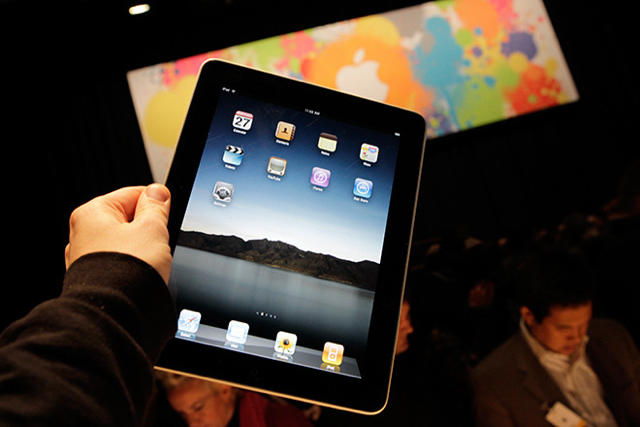
The big three tech reviewers — Walt Mossberg, David Pogue and Ed Baig — have all given the iPad pretty enthusiastic reviews. Of course, being pro reviewers, they are obliged to remain cooly professional and criticize shortcomings like the lack of Flash, multitasking and camera. But read between the lines, and these are pretty much double-thumbs-up:
WSJ’s Walt Mossberg: iPad has better than 10 hours battery life, email and other writing is surprisingly easy and productive, and digital newspapers are “gorgeous and highly functional.”
As I got deeper into it, I found the iPad a pleasure to use, and had less and less interest in cracking open my heavier ThinkPad or MacBook.
NYT’s David Pogue: Thinks nerds will be unmoved but technophobes will love it. Says it’s not as good as a laptop for “creating stuff,” but miles better for consuming books, music, video, photos, Web and e-mail.
For most people, manipulating these digital materials directly by touching them is a completely new experience — and a deeply satisfying one.
USA Today’s Ed Baig: Says Apple is “rewriting the rulebook for mainstream computing.”
Apple has delivered another impressive product that largely lives up to the hype.

Ever the genius engineer, Woz has figured out a simple and elegant way to run two iPhone apps simultaneously (otherwise known as multitasking).
He has two iPhones.
Having two iPhones also doubles his battery life.
“By the way, I solved the problem of battery life and [the lack of] multitasking on the iPhone,” Woz told Dan Lyons of NewsWeek. “I just have two iPhones, so if the battery runs down on the first one, I can use the other. And if I’m talking on one, I can use the other one to look something up. You would not believe how much use I get out of that.”
Genius.

The New York Times this morning calls Tony Fadell the “godfather” of the iPod (he’s leaving Apple for greener pastures). But the title should probably go to Jon Rubinstein, the former head of Apple’s Mac and iPod divisions and now CEO of Palm.
The history of the iPod’s development is told here and here, but the short story is:
1. In late 2000, Steve Jobs asked his executive team to look at gadgets people were attaching to the Macs. Perhaps Apple could do a better job of designing them. Videocameras were an obvious candidate, but they were already pretty good. Jobs wasn’t sure Apple could do better. But early MP3 players were a different story — they were horrible.
2. Jon Rubinstein, the head of hardware, hired Tony Fadell to look into making some prototypes, but the project didn’t go into high gear until Toshiba showed Rubinstein a tiny 1.8-inch hard drive it had just developed. They had no idea what to do with it, but Rubinstein did.
3. Rubinstein called Jobs to tell him he’d found the perfect technology for an MP3 player, and he kept Fadell on to oversee the early protoypes. Fadell did such a good job, he went on to become head of the iPod division and eventually took Rubinstein’s job.
As Steven Levy says in his writeup of the iPod’s development, The Perfect Thing:
There is no single “father of the iPod.” Development was a multitrack process, with Fadell, now on staff, in charge of the actual workings of the device, Robbin heading the software and interface team, Jonathan Ive doing the industrial design, Rubenstein overseeing the project, and Jobs himself rubbernecking as only he could.
However, I give credit to Rubinstein, who was at the heart of the development process. He had the initial technological insight, put together the team to develop it, and led the charge to keep improving and updating the device. If there’s a godfather of the iPod, it’s Jon Rubinstein.

The first shipments of iPads have arrived at the huge UPS facility in Louisville, KY, and will soon be heading to customers’ home towns.
The UPS shipping info for CoM’s iPad, which was ordered last month, says the iPad is undergoing “UPS internal activity” (whatever that is) in Kentucky. UPS ‘s all-points international air hub is based in Louisville.
We were surprised the iPad is already here. When we last checked the shipping info a couple of hours ago, the precious iPad was supposedly sitting in Shenzhen, China, where it was assembled.
Little did we know it was being airfreighted to the U.S. and would soon be rescanned into UPS’s system.
UPS system is unbearable, btw. The constant updates providing an incentive for obsessive checking and rechecking. I can’t wait until Saturday.

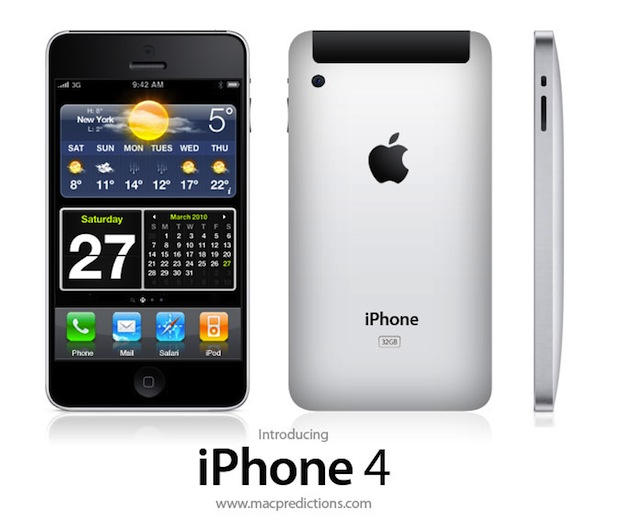
Here’s a very cool mockup of the iPhone 4G with an aluminum “unibody” enclosure from our friend Graham Bower of MacPredictions.com.
The mockup takes its style cues from Apple’s current lineup of unibody MacBook Pros, which are carved from single slabs of aluminum. Metal gives the iPhone a much nicer look and feel.
Like today’s rumors, Graham is predicting a front-facing camera and a high-resolution screen. A high-res screen would allow the iPhone to display more than one app at a time (multitaking!):
And given that the iPhone OS now supports multiple resolutions, a higher resolution screen is also eminently possible. Perhaps we’ll even be able to pinch and zoom the icons on the Springboard. A higher resolution screen also makes dashboard widgets for the default Springboard screen more likely – it’s hard to believe that Apple will sit by while Android and Windows Phone 7 Series are enjoying this feature.
Thanks Graham!

Several tidbits of information about the iPhone 4G are circulating today:
The front-facing camera has been rumored for some time and evidence for videochat capabilities has been found in the iPhone 3.2 SDK. The 960×640 screen is double the current 480×360 resolution.
Engadget says the high resolution (most Android phones are around 800×400) will earn the name “iPhone HD” (makes sense). Engadget was also tipped the iPhone will be launched on June 22nd (a Tuesday, naturally).
The Apple-designed A4 chip is a full system-on-a-chip with better graphics capabilites than the current Samsung-made ARM CPU, making it capable of powering the HD screen without taking a performance hit.
And third-party multitasking was pulled from the iPhone 3.2 SDK at the last minute, so it’s ready to go for both the iPhone and the iPad.
Via 9to5Mac, Daring Fireball and Engadget.
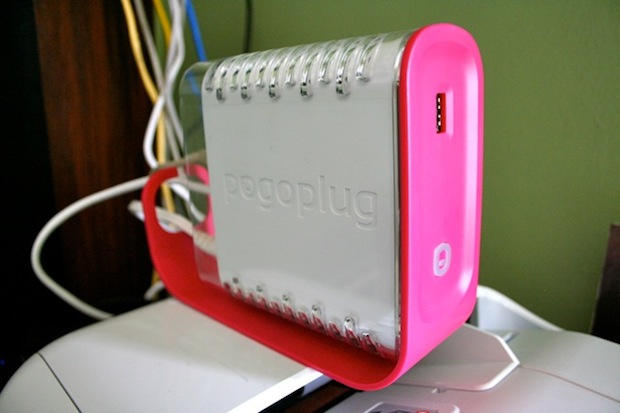
For years I’ve been shuttling movies and TV shows between Macs at home and work using a portable hard drive.
But now that same drive is hooked to the internet thanks to the Pogoplug, a nifty $129 device that turns any USB hard drive into your own little cloud server accessible over the Internet.
Sitting on a bookshelf at work, the Pogoplug serves up all my files over the Net, even to my iPhone. It’s also going be a great complement to the iPad (arriving Saturday), storing all my media and streaming music and movies over the net without eating up the iPad’s limited memory.
Apple is working on two new iPhones for a summer launch, including an iPhone for Verizon, the Wall Street Journal claims.
While Apple has unveiled a new iPhone every June or July since launching the product in 2007, the new model with CDMA capability, the cellular technology used by Verizon, is notable because Apple and AT&T Inc. have long had an exclusive relationship with the iPhone. That has given AT&T a competitive edge over other carriers including Verizon for the last three years.
While Apple has unveiled a new iPhone every June or July since launching the product in 2007, the new model with CDMA capability, the cellular technology used by Verizon, is notable because Apple and AT&T Inc. have long had an exclusive relationship with the iPhone. That has given AT&T a competitive edge over other carriers including Verizon for the last three years.
A Verizon iPhone has looooong been rumored, the Journal story is a major step towards confirmation. The Journal cites “people briefed on the matter.” Apple, AT&T and Verizon all declined to comment.
A Verizon iPhone would be a huge win for Apple. Verizon is the biggest carrier in the U.S, with 91.2 million customers. It’s network is reputed to be the fastest and most reliable.
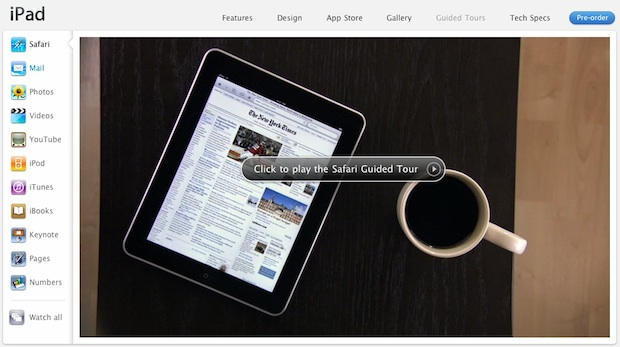
As the launch of the iPad approaches, Apple has published a slew of guided video tours of the new device.
Published on Apple’s website, the tours include guides on how to use Safari, Mail, YouTube, and the iWork suite.
The tours also include a closer look at the iBooks app, which now seems to have previously-undisclosed features like word search, table of contents and a ratings/review popup. The tour also reveals a system-wide Dictionary.
All in all, the iPad looks really slick. I can’t wait for Saturday.
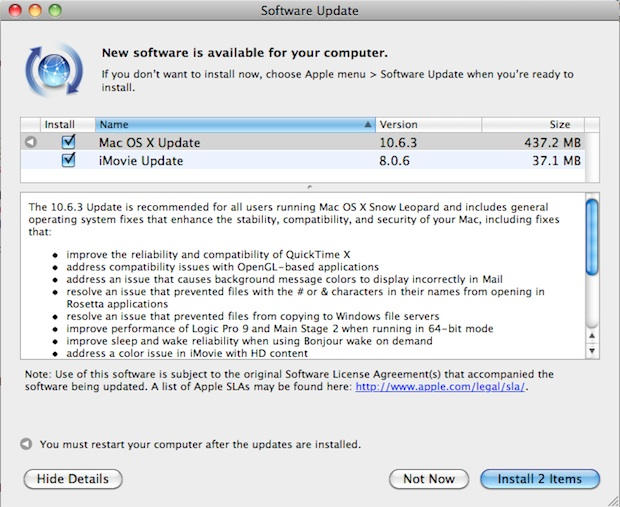
The 10.6.3 update has just been released and includes a raft of bug fixes for QuickTime, OpenGL and more.
The 437.2MB update is available via Software Update and is recommended for all users of Mac OS X Snow Leopard.
The list of fixes, enhancements and improvements is after the jump:

Although they are supposed to be mortal enemies, Steve Jobs was just spotted chatting amiably with Google’s Eric Schmidt at a coffeeshop in downtown Palo Alto, reports Gizmodo.
Overheard from the conversation were two lines by Jobs. Enthusiastically, “They’re going to see it all eventually so who cares how they get it.” Which seemed to be about web content, said the tipster. And, “Let’s go discuss this somewhere more private,” after they noticed the crowd gathering around… Schmidt was very quiet, listening, and Jobs was doing a lot of the talking.
And as Giz notes, what’s that black thing on the table? An iPad maybe?
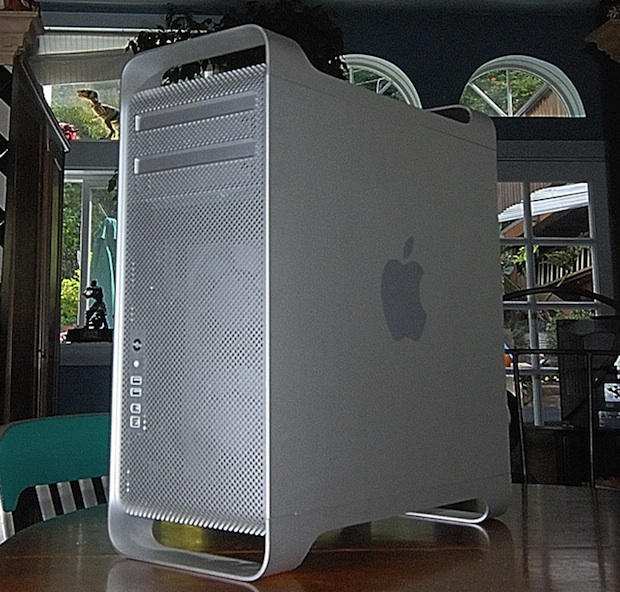
Someone just forwarded me this hilarious story about a woman who was pinned to the floor by her Mac Pro.
The Mac Pro is a big, heavy machine and can weigh upwards of 40 lbs. The story circulated on an Apple consultant mailing list recently. Here it is, typos and all:
This is by far one of the funniest tech calls that I have ever recieved. One of my clients called this morning to say she is trapped under her MacPro tower and she needed me to come asap to help her out. I asked “where are you?” and she said “at home not at the studio”. She screamed “just get here!”. So I rushed over there, punched in the key code to get through the gate and entered her house calling out her name. I found her laying flat on her back on the staircase with the MacPro crushing her chest. I ran up there to pull the tower off her and I couldn’t help but to laugh. You see she is this small 4 foot 6 inches middle aged tiny lady. She just didn’t have the strenght to push the tower off. She had this idea to move the tower upstairs but because the tower was so heavy for her, she thought she could pull the tower while laying flat on her back over her body. Crawling the machine slowly up the stairs. It didn’t work. Helped her move the tower upstairs but the tower ended back down stairs anyway. It was just too funny.
So there you have it. Pro tip: Don’t move heavy machines around by putting them on your body and crawling across the floor.
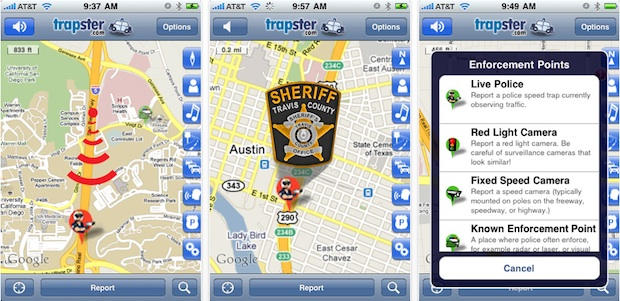
Trapster is a popular iPhone app that alerts drivers to police speed traps, red light cameras and DUI checkpoints. It’s attracting between 15,000 and 50,000 new users a day. Among those new users are are some of the most unlikely – the police themselves.
Trapster is partnering with several police departments to get cops to add their own traps to the database. The company is training cops how to use the software. The Travis County Sheriff’s Department in Austin, Texas, is already publicizing its use of the app, and the company expects to announce more partnerships soon.
“It’s more effective at slowing people down than issuing citations,” says Trapster founder and CEO Pete Tenereillo. “It’s not about revenue; it’s about enforcement.”
Travis County Deputy Tom Carpenter told a local TV news crew the same thing: “Our job is compliance, so if I can slow traffic down by just being there, that works too,” he says.
Tenereillo disclosed more interesting facts: Trapster’s biggest competition is not nav apps, but Pandora. And even though navigation apps are popular, people hardly use them.
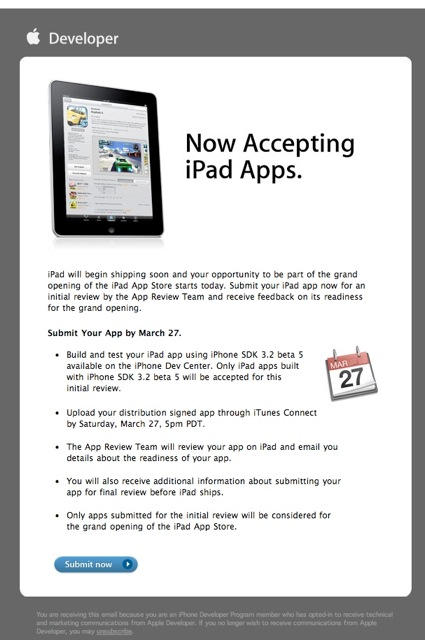
Apple is now accepting iPad apps for a “grand opening” of the iPad App Store, according to an email just sent to registered developers.
“iPad will begin shipping soon and your opportunity to be part of the grand opening of the iPad App Store starts today,” the email says.
There’s no details about when the store’s grand opening will be. Apps have to be submitted by March 27 to be part of the grand opening. The iPad is due to hit stores on April 3.
See the screenshot for more details.
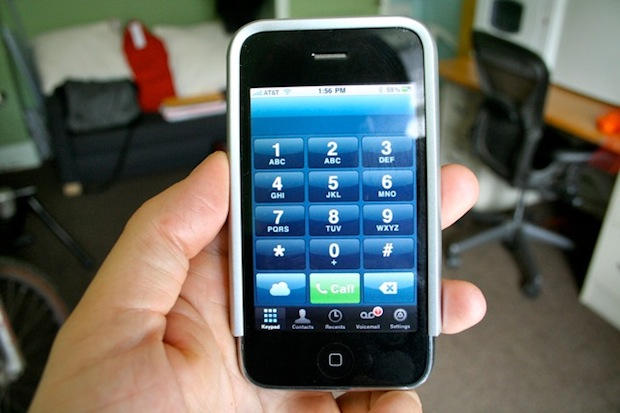
Last year I signed up for a landline phone for my office. I wish I hadn’t for two reasons:
1. No one calls me.
2. Toktumi’s Line2 iPhone app, which adds a second, distinct number to my iPhone.
With a service like Line2, there’s no need for a physical phone at my place of work. I give my Line2 number to all my contacts, and it’s just like having a phone at work — except this office phone is always with me.
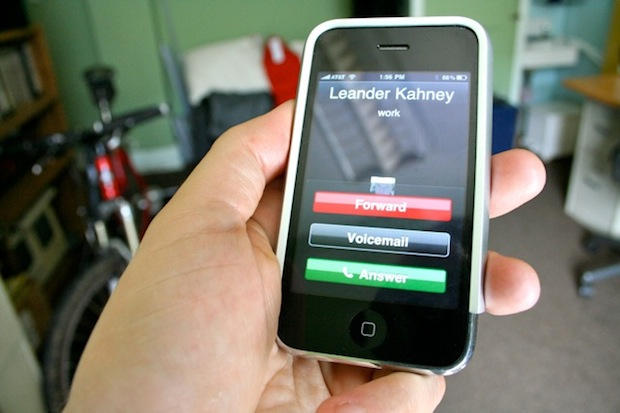
Like most people, I don’t like giving out my iPhone number for work but I do it all the time. But when the Line2 number rings, I know it’s a business call. I can route it straight to voicemail, or use the sophisticated Auto Attendtant to make my little company look big and important. “Dial one for the news desk,” it says, “or dial two for advertising and sales.” There’s no telling that both departments are one and the same: me.

Way back in 1991, just as Apple was transitioning from 68k to PowerPC chips, the braniacs at Xerox PARC were predicting it’s entire iPod, iPhone and iPad strategy. And next up for the iPad is a blackboard-sized device.
Nearly 20 years ago, just as personal desktop computers were taking off, researchers at Xerox started thinking about the next stage: ubiquitous computers and the cloud.
They envisioned a range of always-connected devices that came in three basic form-factors: Tabs, Pads, and Boards. They are described thus in a Scientific American article:
“Ubiquitous computers will also come in different sizes, each suited to a particular task. My colleagues and I have built what we call tabs, pads and boards: inch-scale machines that approximate active Post-It notes, foot-scale ones that behave something like a sheet of paper (or a book or a magazine), and yard-scale displays that are the equivalent of a blackboard or bulletin board.”
The inch-scale “tabs” are Apple’s iPhone and iPod touch, plus smartphones from Google and Palm. The foot-scale “pads” are the iPad and the 50-odd tablets coming out this year. And next up are yard-scale “boards,” which will act a big-screen hubs in the home and interactive workspaces in the office. Microsoft’s Surface table is the best current example, but more big-screen devices are inevitable as component prices come down thanks to the flat-screen TV industry.
What’s amazing is how twenty years later PARC’s vision describes Apple’s transition into a “mobile” company with a range of devices accessing the cloud. It’s fitting that the vision that should come for the same lab that invented more-or-less personal desktop computing.
Via Adam Rosen: Ubiquitous Computing 2010 – Tabs, Pads, Books and Clouds.

Apple seems to be changing its tune on VoIP apps for the iPod touch. Less than a week after it was submitted, Toktumi’s Line2 VoIP app has been approved by Apple. The $14.95 a month app turns the iPod touch into a fully-featured telephone.
“Interesting was how quickly it was approved – less than a week from submission!” says Toktumi’s founder and CEO, Peter Sisson. “I think its an important development.”
Already available for the iPhone, Toktumi‘s Line2 app joins Skype and Truphone For iPod on the touch, but boasts more features, Sisson says. As well as unlimited U.S. and Canada calling and low international rates, the app has a host of “professional-grade” features, such as call waiting, conferencing, call transfer and visual voicemail.
“It turns the iPod touch into a serious telephone,”Sisson says. “It’s a real telephone. You use it over Wi-Fi and you’re spending $15 a month and that’s it.”
In January, Apple approved an update of the Line2 app on the iPhone to make and receive phone calls over a 3G or WiFi. The approval was in stark contrast to Apple’s earlier stance on VoIP apps, which seemed hostile. Apple’s position was highlighted by the spat over Google Voice, which Apple still hasn’t approved for the App Store.
On the iPhone, the Line2 iPhone app provides with an additional number. It’s pitched at business users as a way of separating business and personal calls.
It also provides a host of advanced, business-oriented call control features like caller-specific call forwarding, after-hours settings, voicemail by email and an auto-attendant (“Press 1 for…”). And it can be used to avoid roaming charges when travelling overseas.
Avaliable as a free 30-day trial, Line2 is $14.95 a month, pay-as-you-go. Here’s the iTunes Link.
Hit the jump for a couple of videos showing how it works.

If you’re in the market for an iPad — and you know you are, because it’s killer — you’re probably wondering which model to buy.
Naturally, you’re looking at the cheapest $499 iPad, which has Wi-Fi only, but you’re thinking you might also want 3G. After all, you can pay-as-you-go for data, and who knows when you might need it? And what about storage?
I’ve though it through, and concluded that most people should buy the 32GB iPad with Wi-Fi + 3G, including the wireless keyboard. Here’s why:
Update 2: Apple is sending out emails confirming the 5.30 AM PST/8.30 AM EST time, according to TidBits and others. Emails were sent to customers who signed up for pre-order info (I signed up but didn’t get the message for some reason).
Update: Reader Bob Penn says the staff at his local Apple store insists that pre-orders begin at midnight. I for one will be staying up until the witching hour just to see.
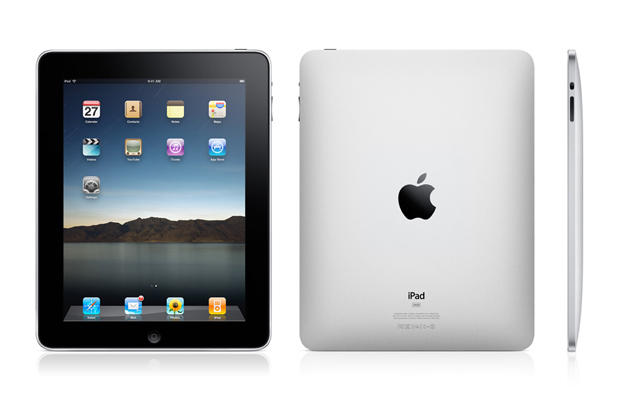
Pre-oders for the iPad start at 5.30 AM PST on Friday March 12, Apple PR told TUAW. That’s 8.30 AM for East Coasters.
Better set your alarm clocks.
All models of the iPad will be available for pre-order, but only the Wi-Fi model will ship on April 3. The 3G model won’t be available until late April.
UPDATE: Seth at 9to5Mac is now backtracking. While he says he’s received multiple tips that Mac Pros will be updated, he thinks the MacBook Pros tip might have been fake. “Shame on us,” he says.
Our friend Seth Weintraub at 9to5Mac thinks MacBooks and Mac Pros will be updated within a week. Seth received a tip that Apple’s pro desktop and portable line are being refreshed in the next few days — maybe as early as tomorrow, but more likely next Tuesday.
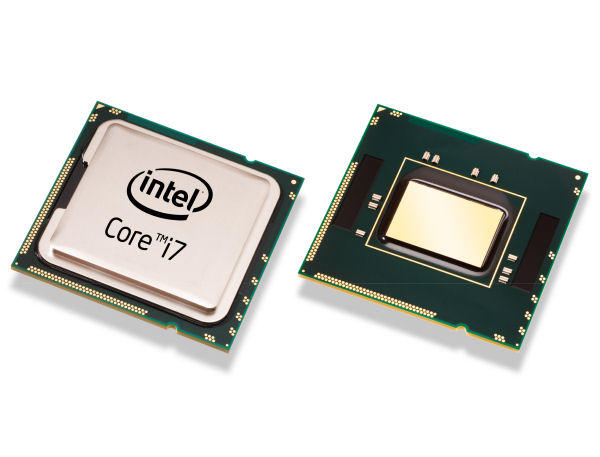
A refresh of the Mac Pros is already widely-rumored. The desktops are expected to be refreshed next week with the Intel Core i7-980x, a six-core screamer. But maybe new MacBooks are in line also? The new MacBook Pros will get Intel i5 and i7 processors, just like the current line of higher-end iMacs. The basic 13-inch MacBook Pro will have an Intel i5 processor, while the 15-inch and 17-inch MacBooks will have quad-core i7 processors.
If true, these machines will be screamers.
In February, MacRumors readers claimed to have found a GeekBench benchmark from a Core-i7 M620 MacBook Pro running an unreleased version of Mac OS 10.6.2. Current MacBook Pros score in the 3700-4000 range. However, this result is to be taken with a very large pinch of salt: forum readers say they’ve been planting fakes.
Either way, DO NOT BUY A MacBook Pro or Mac Pro for a while: updates are imminent.
With just a few weeks to go before the iPad hits stores, here’s the best way to ensure you’re at the head of the line to get one (or three).
If history is any indication, the iPad will be in short supply when it goes on sale April 3. Plus there are rumors of production delays that may further constrain supply.
The best way to get one is to place an advance order on Apple’s online store the minute Apple starts accepting them on Friday March 12.
Trouble is, no one knows what time Apple will update its online store. But there’s a way to get alerted.
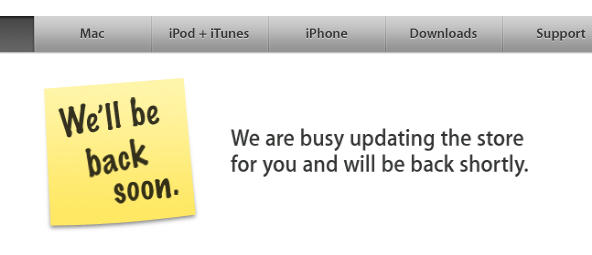
Thanks to a bunch of nerds in Berlin, you can be pinged the minute the store is taken offline and, more importantly, when it comes back up.
AppleStoreCheck.com constantly monitors Apple’s online store for changes. Sign up, and the service will alert you by email, RSS or Twitter the minute Apple starts taking iPad pre-orders.
As AppleStoreCheck says: “We’ll check the Apple Store for new products and changes – so you don’t have to.”
iPad pre-orders will initially be limited to US customers, but includes both iPad Wi-Fi and Wi-Fi+3G models, which will ship later. The iPad will be available to pick up from the Apple Retail stores on April 3, or delivery through the mail.
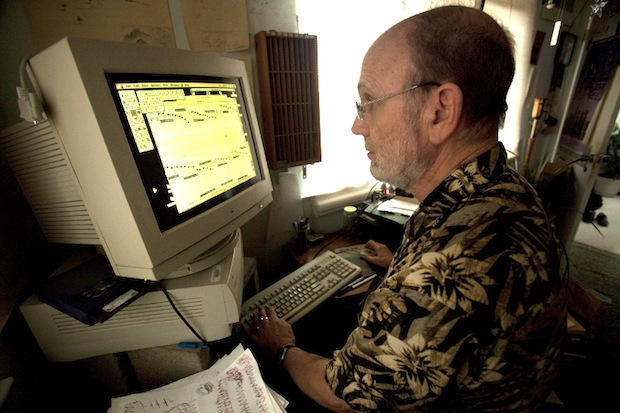
The world’s most advanced music AI runs on a rickety old Power Mac 7500.
Called Emily Howell by its creator, music professor David Cope, the program just released “her” first album, From Darkness, Light, in January.

Having purged the App Store of porn, it looks as though Apple is now clearing the App Store of Wi-Fi finders.
On Wednesday, it appears that Apple removed several popular Wi-Fi stumbers from the App Store, including WiFi-Where, WiFiFoFum and yFy Network Finder.
Apple sent a note to the developer of WiFi-Where on Wednesday saying their app has been removed because it uses “a private framework to access wifi information.”
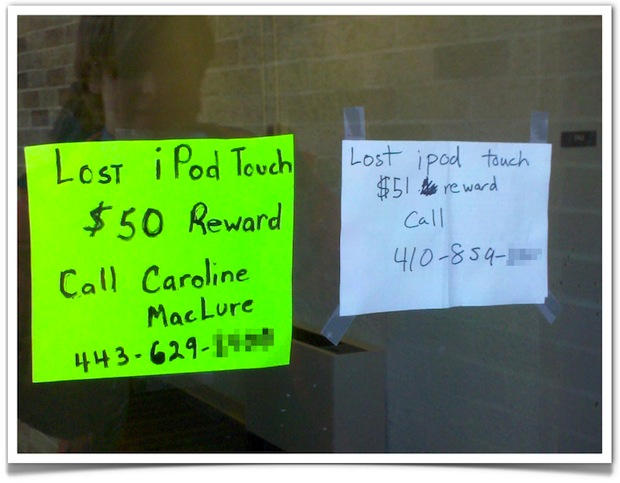
One person’s lost iPod touch is another person’s opportunity to pick it up cheap.
It’s clearly a joke. A real scammer would replace the sign altogether with a new phone number — their own.
What would you do?
Via The High Definite.