Accessories maker iOttie unveiled two new MagSafe car mounts for iPhone this week, including one with smart cooling.
The Velox Pro with the cooling feature is top of the line, while the Velox Mini is more affordable.


Accessories maker iOttie unveiled two new MagSafe car mounts for iPhone this week, including one with smart cooling.
The Velox Pro with the cooling feature is top of the line, while the Velox Mini is more affordable.


Apple has shared its annual Mother’s Day gift guide to help you celebrate your mom on May 14 in the United States and many other countries. Dozens of gift ideas, from AirTags to iPhones to various accessories, cover a range of prices from $15 to about $1,000.
And you can “make it mom’s” with free engraving of emojis and messages on a range of gifts, too.

Esteemed Danish audio brand Bang & Olufsen unveiled its new portable Beosound A5 speaker Thursday. The pricey and powerful device’s design results from a collaboration with the Danish-Italian duo GamFratesi.
“Beosound A5 is our new high-end portable speaker which combines Bang & Olufsen’s long-standing approach to timeless design with our vision on sound for the future,” said VP of Product Marketing Michael Henriksson.
“We’re excited to collaborate with GamFratesi for the first time, to create two speaker designs that are rooted in a Scandinavian aesthetic with a distinct design signature on their own,” he added.

Any conversation about “perfect” displays might just start and end with Apple’s Pro Display XDR. But not everyone is rich enough to buy one of those 6K monitors, which cost $5,000 or more. So the popular 5K Studio Display might have to do, along with something complementary.
One option graces today’s featured MacBook Pro setup. It recently swapped out ultra-wide and 4K monitors for a Studio Display and and the eccentric LG DualUp. They seem especially well-suited to certain types of workers.

Before the big April Sale ends, you can still snatch up hot deals on Microsoft software at software activation keys provider CdkeySales.com. In other words, it’s not too late to nab great prices on Microsoft Windows, Office and more. Don’t miss it.
What could be better than paying less than full price for Windows 10 and other crucial software from CdkeySales? You can click on the links below to secure low prices on loads of Microsoft software. Plus, Windows 10 comes with a free upgrade to Windows 11.
CdkeySales’ prices are always affordable. But to get the absolute best savings possible, enter promo code CULT at CdkeySales.com. That will slash an additional 30% off the site’s super-low prices on keys for Windows 10 Pro Global, Microsoft Office 2021 Pro and more.
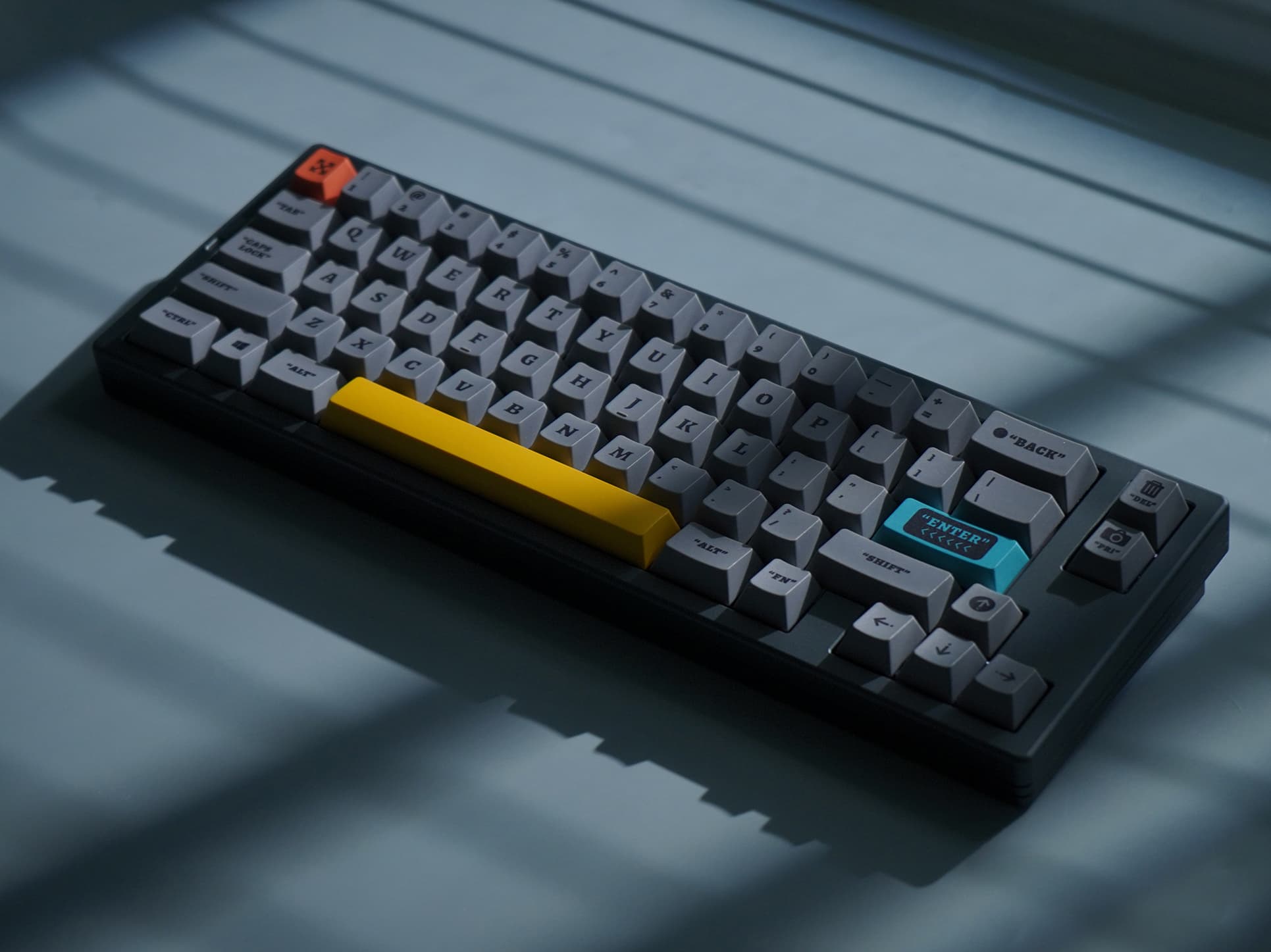
Epomaker and Createkeebs said Thursday their recent collaboration resulted in their release of the compact new High65 V2 mechanical keyboard.
“Featuring a compact and portable 65% layout, the High65 V2 is the ideal choice for professional gamers and keyboard enthusiasts alike,” the companies noted.

Before Apple subsidiary Beats could get the word out, a listing appeared briefly on Amazon.com Tuesday showing upgraded Beats Studio Buds+ coming out May 18.
They take the same shape as existing Beats Studio Buds, but they feature a cool new transparent design option, upgraded performance and a slightly higher price of $169.95.

With National Small Business Week starting Sunday, Apple profiled three small businesses Wednesday, describing how they harness Apple products to grow.
In addition, the company will feature “Grow Your Business with Apple” Today at Apple sessions next week in select U.S. cities.
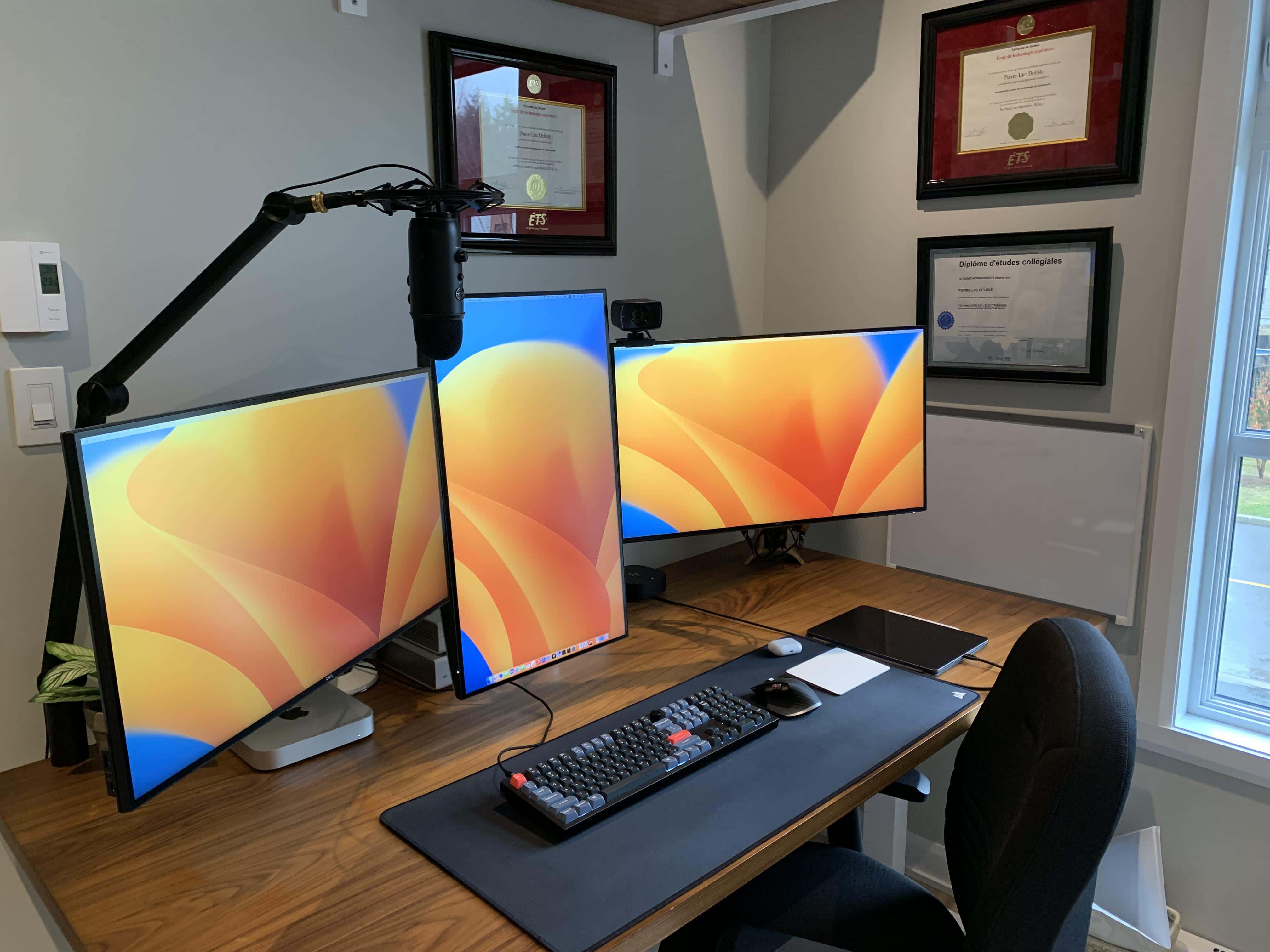
Just when you thought you’d seen every arrangement of displays known to computer setups, something comes along to surprise you. Today’s featured M2 Pro Mac mini setup puts a portrait-mode display at center and two landscape-mode displays sticking out like wings on either side of it. It’s kind of odd how rarely seen it actually is.
Another rarity is the user’s amazing assortment of audio components, including an unusually big “Schiit stack.”

Apple previewed MixC Shenzhen Wednesday, showing off its second retail store to open in China’s third most-populous city after Shanghai and Beijing.
“We are very excited to open a beautiful new Apple Store in Shenzhen and deepen our connection with the local community,” said Deirdre O’Brien, Apple’s senior vice president of Retail.
“At Apple, we’re constantly innovating to deliver the best possible experience for our customers, and our incredible team members in Shenzhen can’t wait to welcome them when doors open on Friday,” she added.

DJI said Tuesday its new flagship consumer drone, the DJI Mavic 3 Pro, features the company’s first triple-camera setup, adding a 70mm medium-telephoto lens to previous configurations.
“The additional 70mm 48MP medium telephoto lens gives beginner and professional content creators alike increased creative options when shooting aerial images and video,” B&H Photo Video said in a press release about the news.
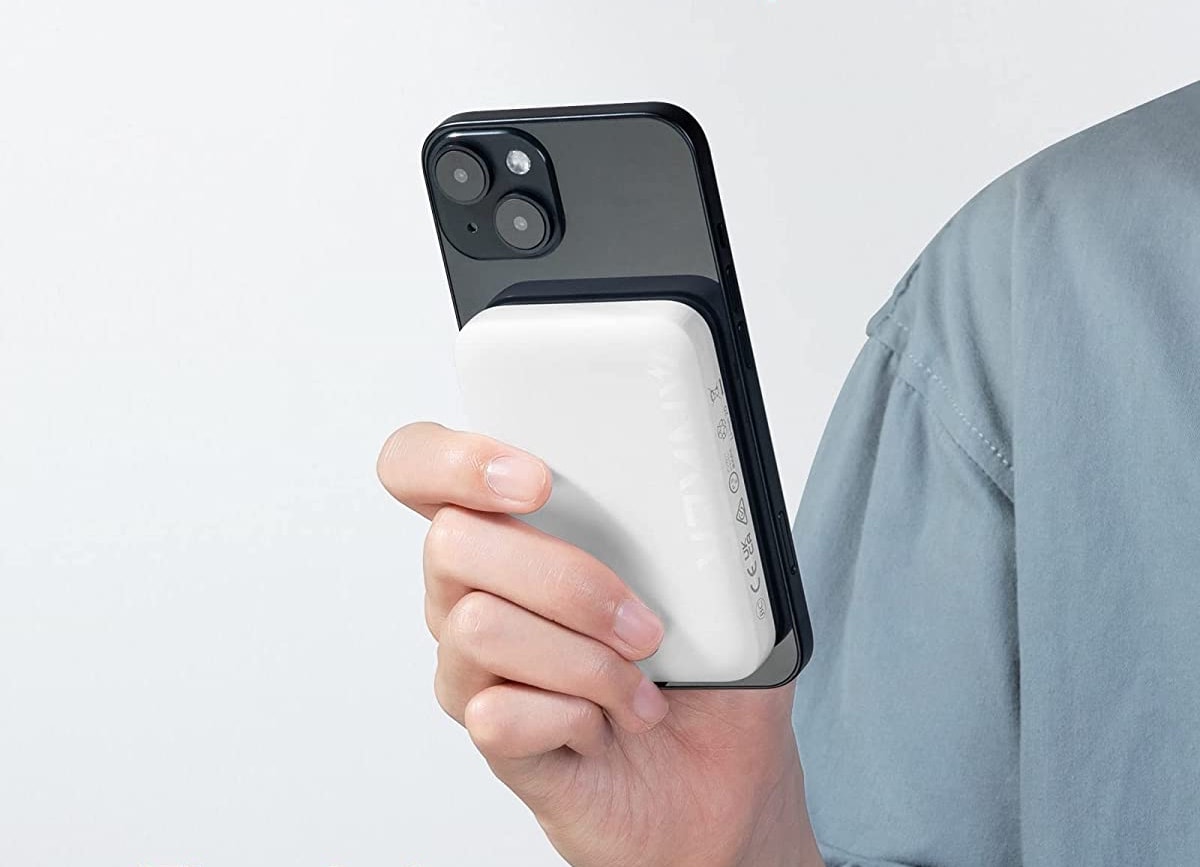
Anker unveiled its newest and lowest-priced magnetic power bank Monday. And a 30% off launch discount makes the new 321 MagGo Battery PowerCore 5K an even better deal. See below for details.
Update: This deal has expired. Nevertheless, the power bank is only $31.99, which is a third of the cost of Apple’s own version.
 ★★★★☆
★★★★☆
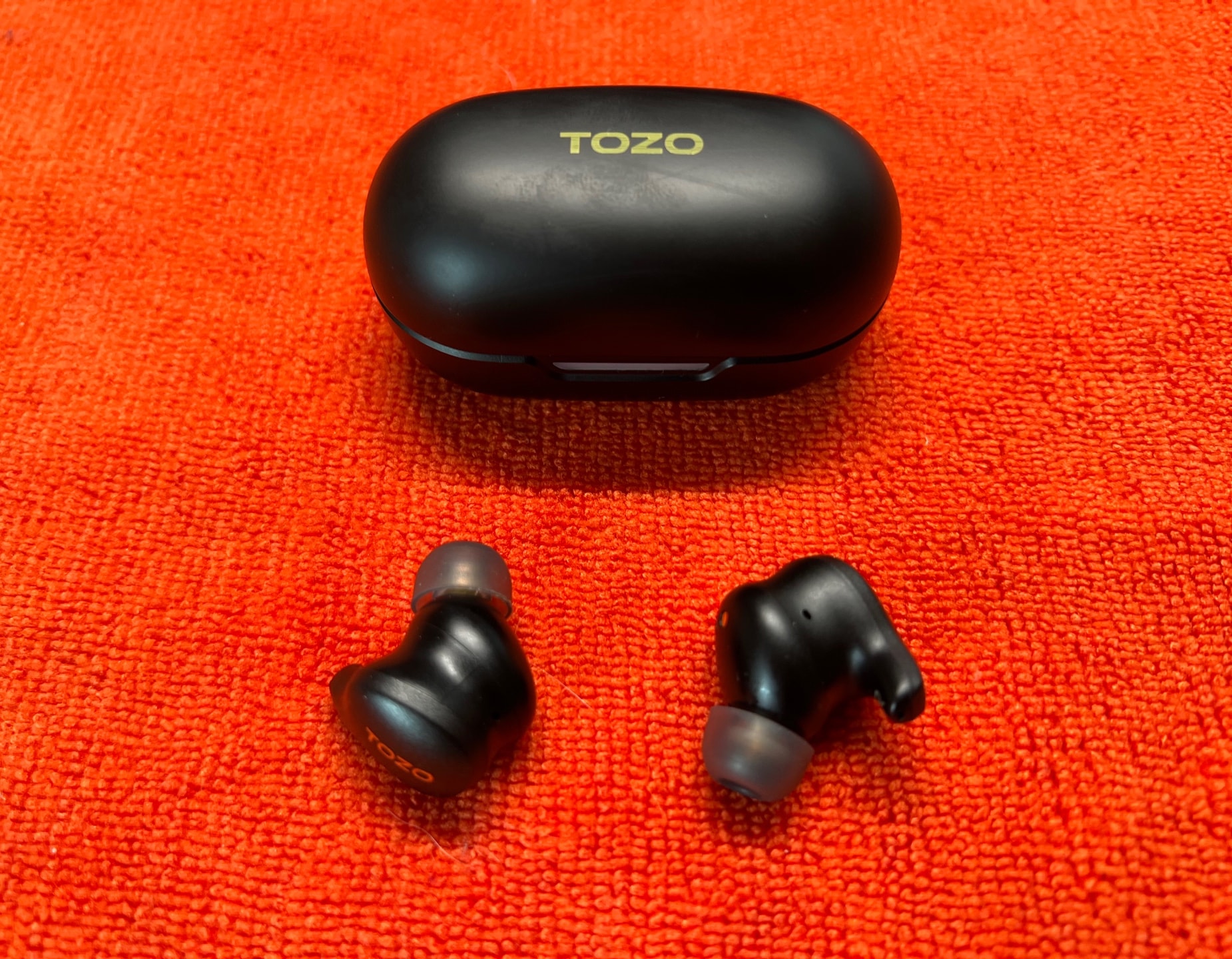
Already known for surprisingly good budget earbuds, Tozo rolled out new flagship active noise-canceling (ANC) wireless earbuds at CES 2023 to compete with the big players. And the Tozo Golden X1 Wireless Earbuds do just that, with a sleek design, quality sound but somewhat meh noise cancellation for a reasonable price (especially with available discounts).
Tozo sent me a pair of Golden X1 buds to check out. They sound excellent — as good as premium earbuds that cost twice as much — but the active noise canceling could be better.

Zagg brand Gear4 rolled out its new Apollo Snap 2 Magnetic AirPods case last week for Apple’s second-generation top-shelf earbuds.
The case’s magnets hold the lid tight and provide MagSafe and Qi wireless charging power.
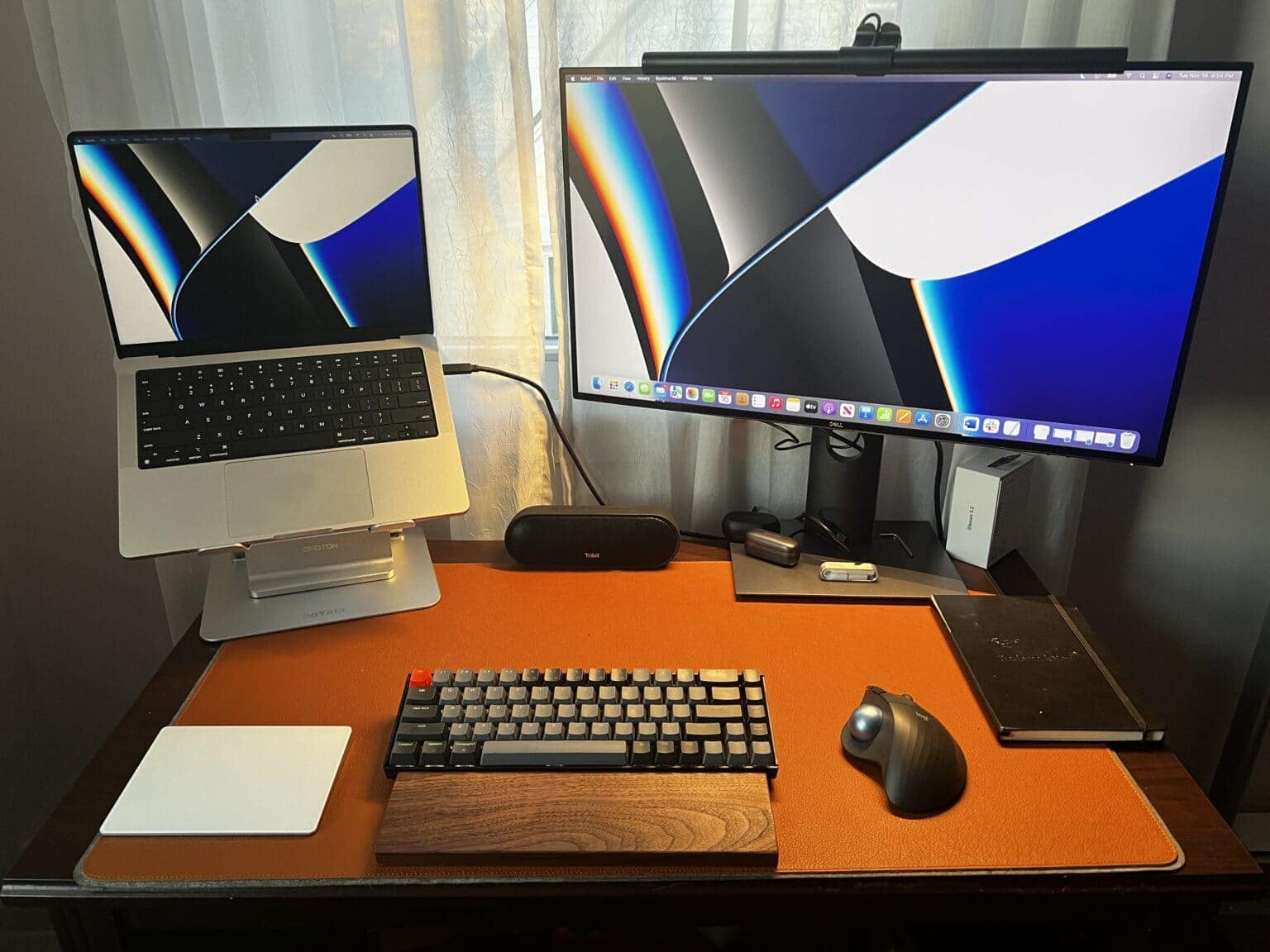
Computer setups aren’t all about the main machine and displays that cost hundreds or thousands of dollars. Plenty of smaller, less-expensive items turn out to be crucial — like gadget stands, USB-C hubs, the perfect mouse, smart light strips, desk mats and much more.
Today’s featured setup is a tribute to all the little things that make a difference — even double-sided tape.
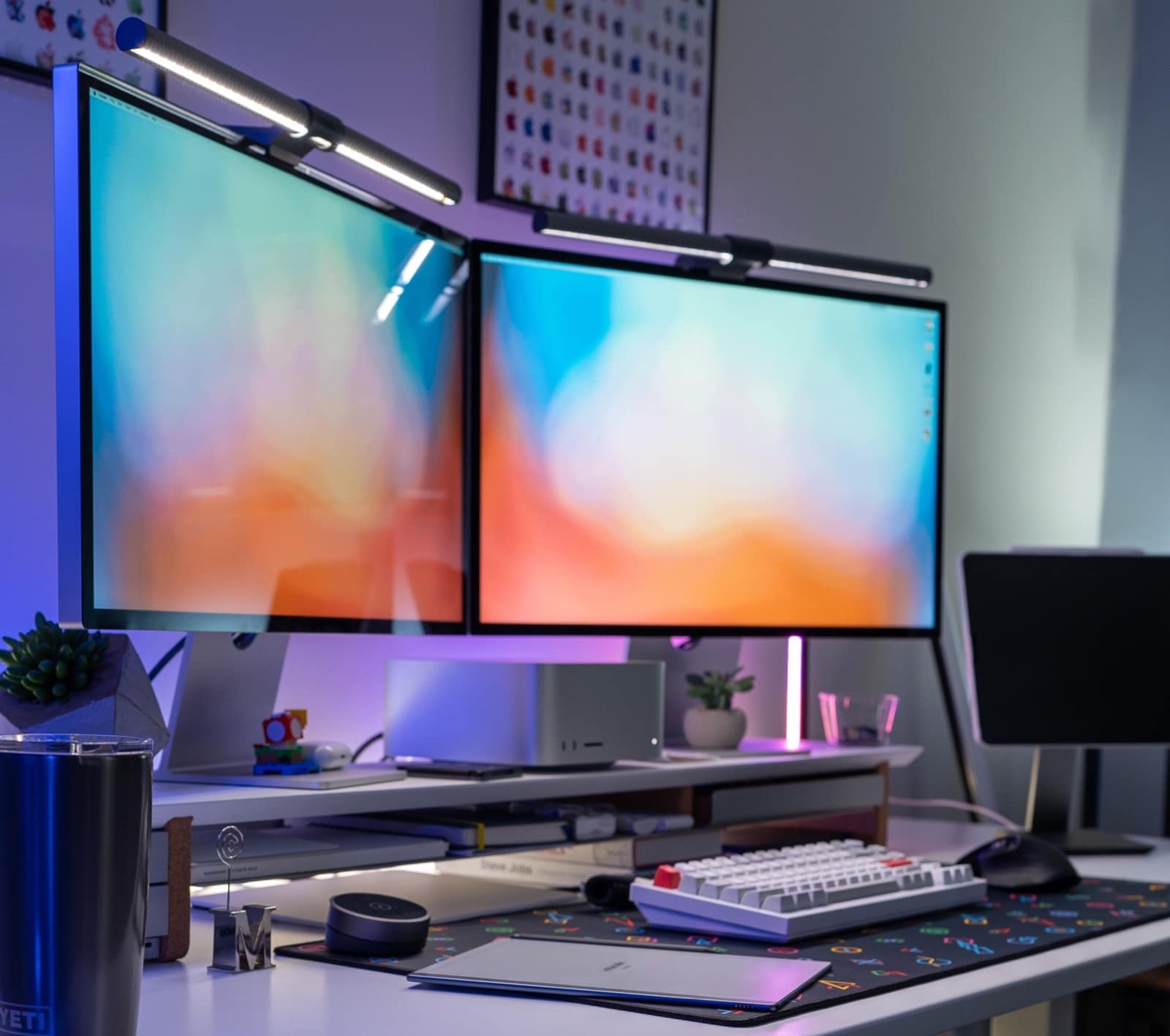
A computer setup sporting a Mac Studio desktop computer and two Studio Displays is a marvel to be envied. And yet, the two gorgeous displays in today’s featured workstation present some problems, believe it or not.
They make the user wish Apple would just make a widescreen monitor.

Apple TV+ dropped a teaser trailer Thursday for the upcoming drama series Lessons in Chemistry, starring Oscar-winner Brie Larson. She plays a frustrated young scientist in the early 1950s who gets fired from a lab, takes a job as host of a TV cooking show and “sets out to teach … a lot more than recipes,” according to the streaming service.
Based on the best-selling novel of the same name by Bonnie Garmus, the new series debuts this fall, Apple TV+ said.
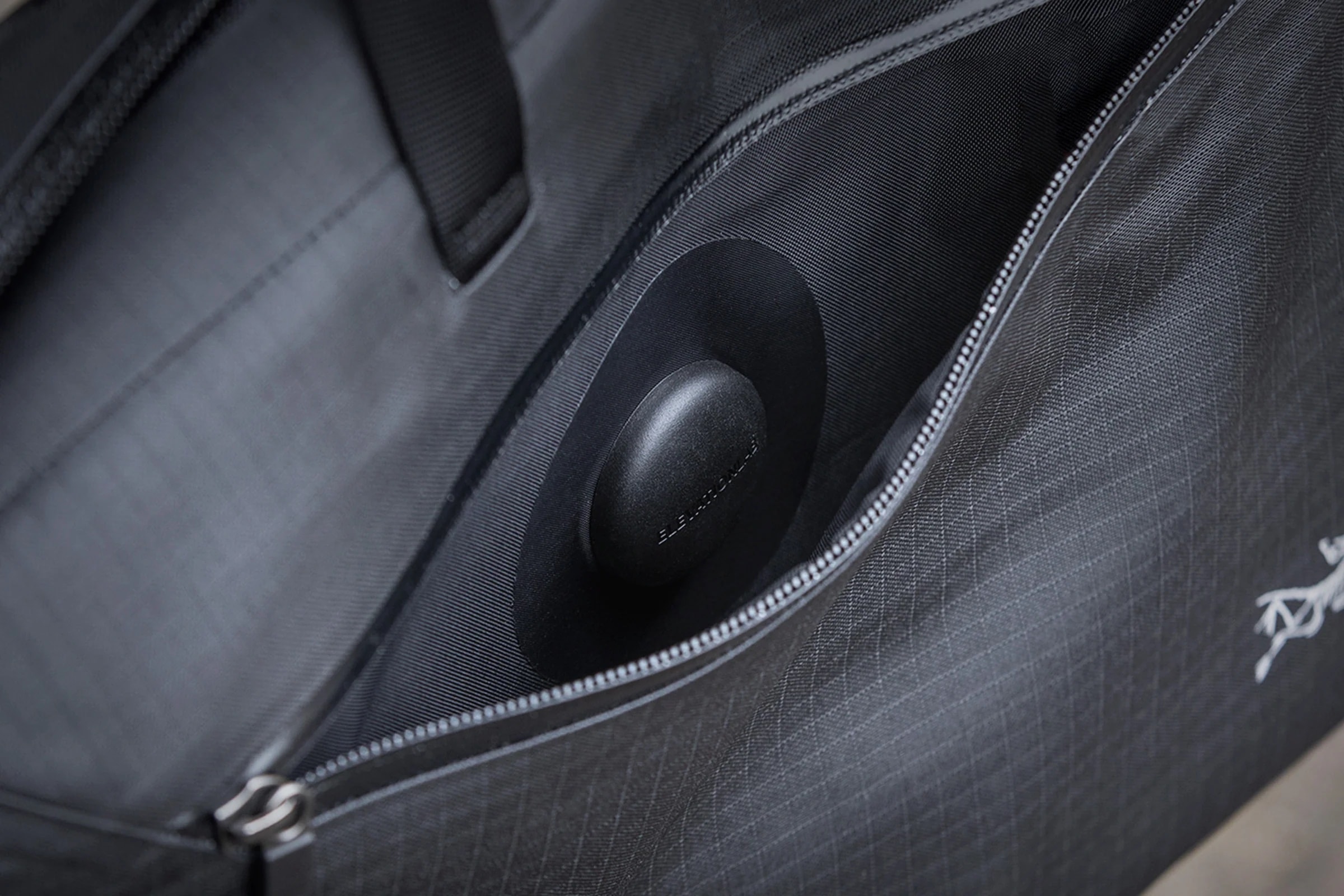
ElevationLab released a new accessory called TagVault: Fabric on Wednesday, saying it’s “the first AirTag fabric mount.” You can discretely stick the fabric holder for Apple’s tracking device almost anywhere, like inside your suitcase or in the lining of a jacket.
 ★★★★☆
★★★★☆
Whether it’s an RGB-plagued mouse or a stereo system that’s trying too hard, I tend to scoff at devices that light up in all the colors of the damned rainbow. But if they light up and also sound as good as Edifier’s QD35 Tabletop Bluetooth Speaker, I guess I’m sold. Let’s party.
Edifier recently sent me a unit to check out. You can read my thoughts below. In brief, the QD35 may not be everyone’s main stereo system, but it could be an ideal one-room speaker — whether that’s a kitchen, bedroom, rec room or man-cave/she-shack.

If you’re among the many people who stick with leather Apple Watch bands because they’re handsome, durable and timeless, can we interest you in a double leather band? They’re called double tour bands, and Speidel makes a beauty in brown leather.
You might think a bunch more fine leather would make it expensive. But the Speidel Brown Leather Double Tour Band stays under the $50 mark in the Cult of Mac Store.
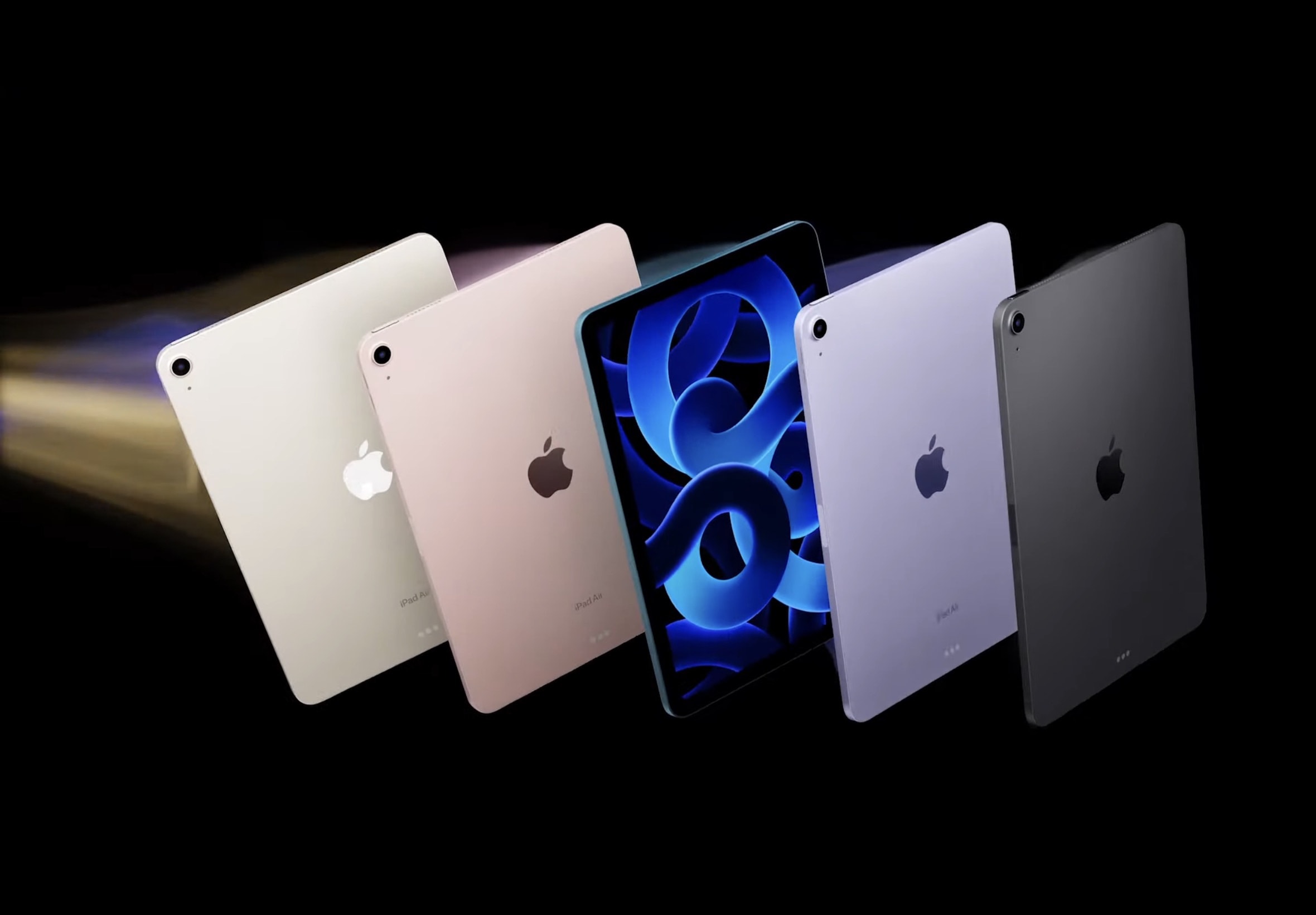
If you bought an iPad Air (5th generation) soon after it came out for full price — like I did — you hate to see news like this. Amazon just marked nearly every 2022 model down as much as $119, hitting all-time-low prices for both cellular and Wi-Fi versions.
But if you’re anybody else — like someone who needs a great iPad — it’s wonderful news. You can save $100 or more.

With Earth Day coming up on Saturday, Apple devoted the top of its website’s homepage Wednesday to the company’s 2023 Environmental Progress Report. It recaps recent press materials about carbon neutrality and recycling measures, but also goes into comprehensive detail about Apple’s longterm approach to climate change.
“Behind every product is a plan for the future” serves as the 114-page tome’s tagline.
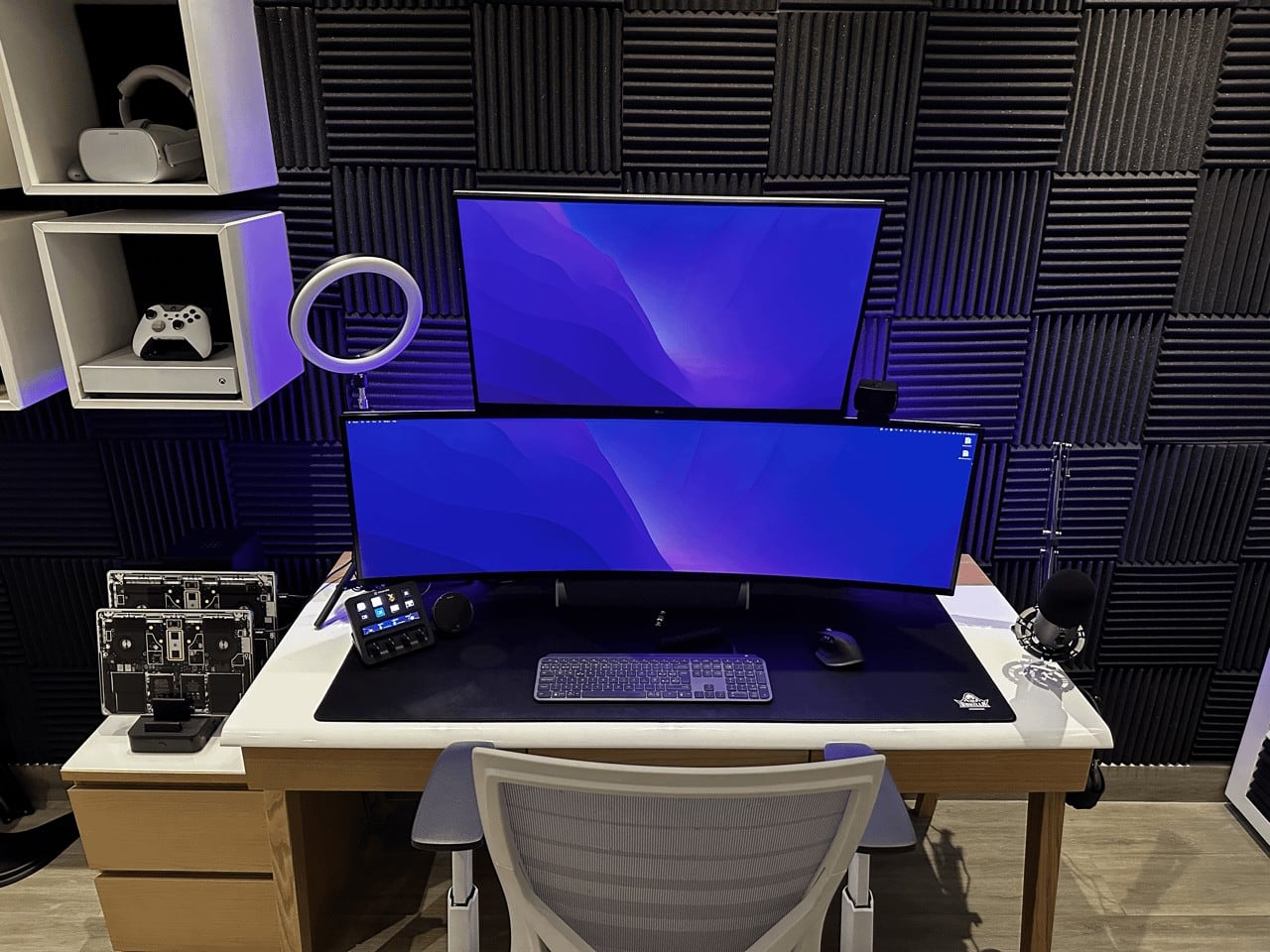
What’s better than having two MacBook Pro laptops in your computer setup? Having the two powerful machines wrapped in cool-looking skins that confound and excite onlookers, of course.
Such is the case with today’s dual-MacBook Pro, dual LG-display workstation that the user depends on for coding and videoconferencing.
.jpg "Celebrate Earth Day with Bluetti and its green power solutions")
With our planet and its people facing increasingly dire problems due to climate change — exhaustion of resources, extreme weather, energy crises — the time is now to find ways to live sustainable lifestyles. Investing more in energy storage and reuse helps in the here and now, and also benefits generations to come.

Apple TV+ lit the fuse on upcoming mystery-thiller City on Fire, releasing its first trailer Tuesday. The eight-episode series takes its tale of murder, arson and family drama from the acclaimed novel of the same name by Garth Risk Hallberg.
City on Fire debuts with three episodes on Friday, May 12, on Apple TV+.