Imagine if games like Guitar Hero weren’t just a stupid waste of drunken time but actually taught you to play the guitar instead. That way, you could actually get some benefit from the hours you pour into practicing the game.
Tabrider is that game. It’s an interactive training app which you play with your real guitar. It looks pretty neat.
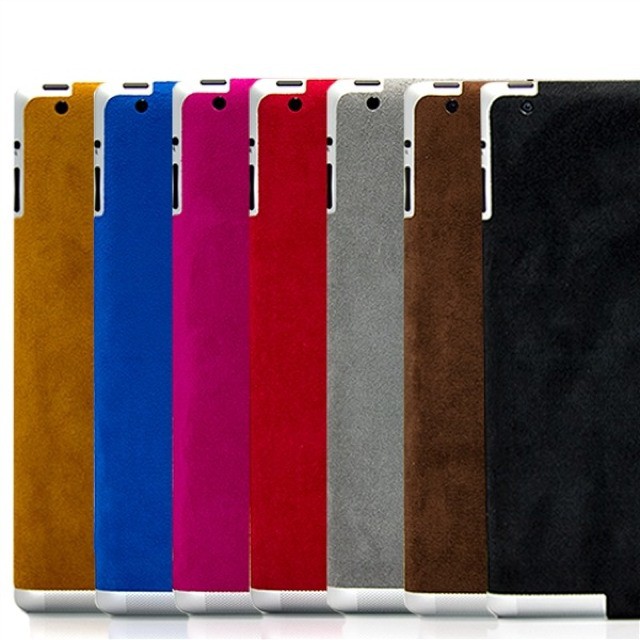
SlickWraps really needs to get on the ball and make one of these ultrasuede wraps for the iPad mini. As it is, the regular iPad sized version looks great, but this non-slip, soft-touch rear cover has baby tablet written all over it.
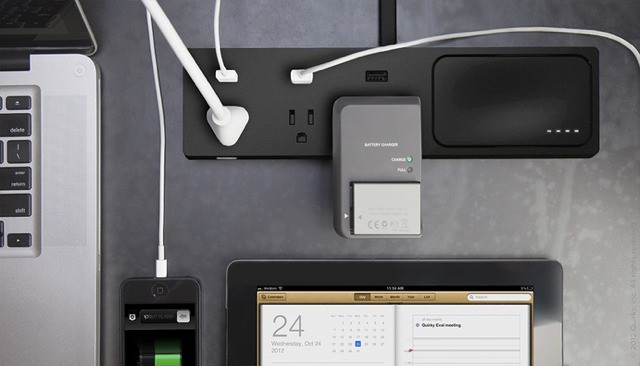
Quirky’s Pickup Power wants the be the last power-strip you’ll ever need. It houses AC outlets, USB chargers and – the best part – a detachable battery pack that’s always charged and ready to go.
Cobook, the excellent contacts replacement app for iPhone, has added something called Livecards in a brand-new 2.0 update. Livecards is a way to make sure your contacts are always filled out and up to date, without you doing anything.
It looks like someone finally solved the “Google your keys” problem in a way that real humans will use. It’s called Linquet, and it’s a little coin-sized trinket you attach to anything to stop you from losing it. This might sound familiar, but it looks like Linquet finally got it right
If you like good coffee and don’t own an Aeropress, you’re missing out – the thing is just $30 and it’ll make better coffee than a stovetop moka pot, and it’s fun to use to boot.
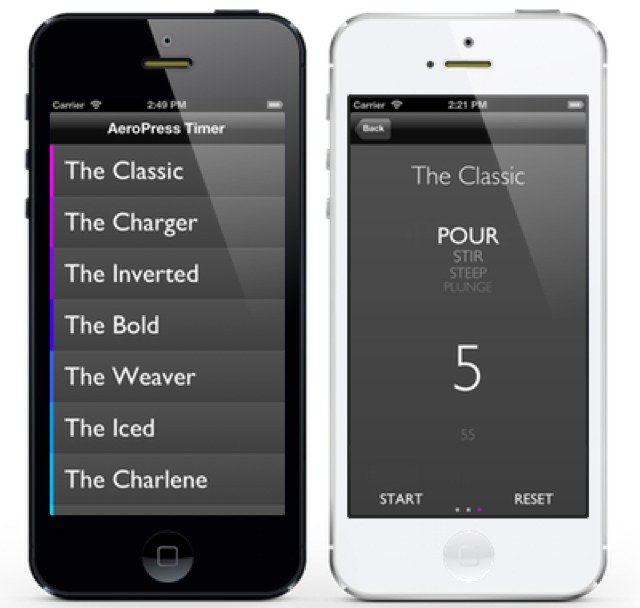
And better still, there’s now a companion app. Developed by Jarrod Glasgow, Aeropress Timer is an iPhone app which combines Aeropress recipes with a countdown timer for the perfect cup, every time.
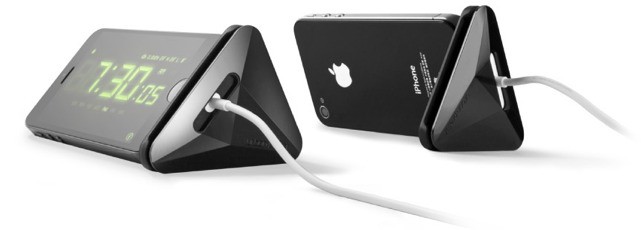
Often, simple=good. And the Sine Cable Stand from UrbanPrefer is both simple and good. It does two things: works as a cord-wrapper for your iPhone’s power cable, and acts as a handy-dandy stand for your iPhone while it charges.
Ever wish you could connect all your Thunderbolt accessories to one single box and then just hook that up to your MacBook? No, of course not. Because you don’t have any Thunderbolt accessories. Nobody does, unless they like spending double for a hard drive or have picked up one of Apple’s nice Thunderbolt displays. Which include the dock anyway.
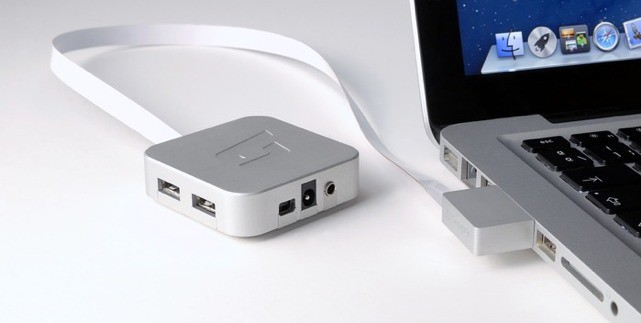
No, what you need is the MacDock, a neat little Apple-TV-like box which connects a wealth of accessories to your vintage MacBook via it’s Mini DisplayPort and USB ports.
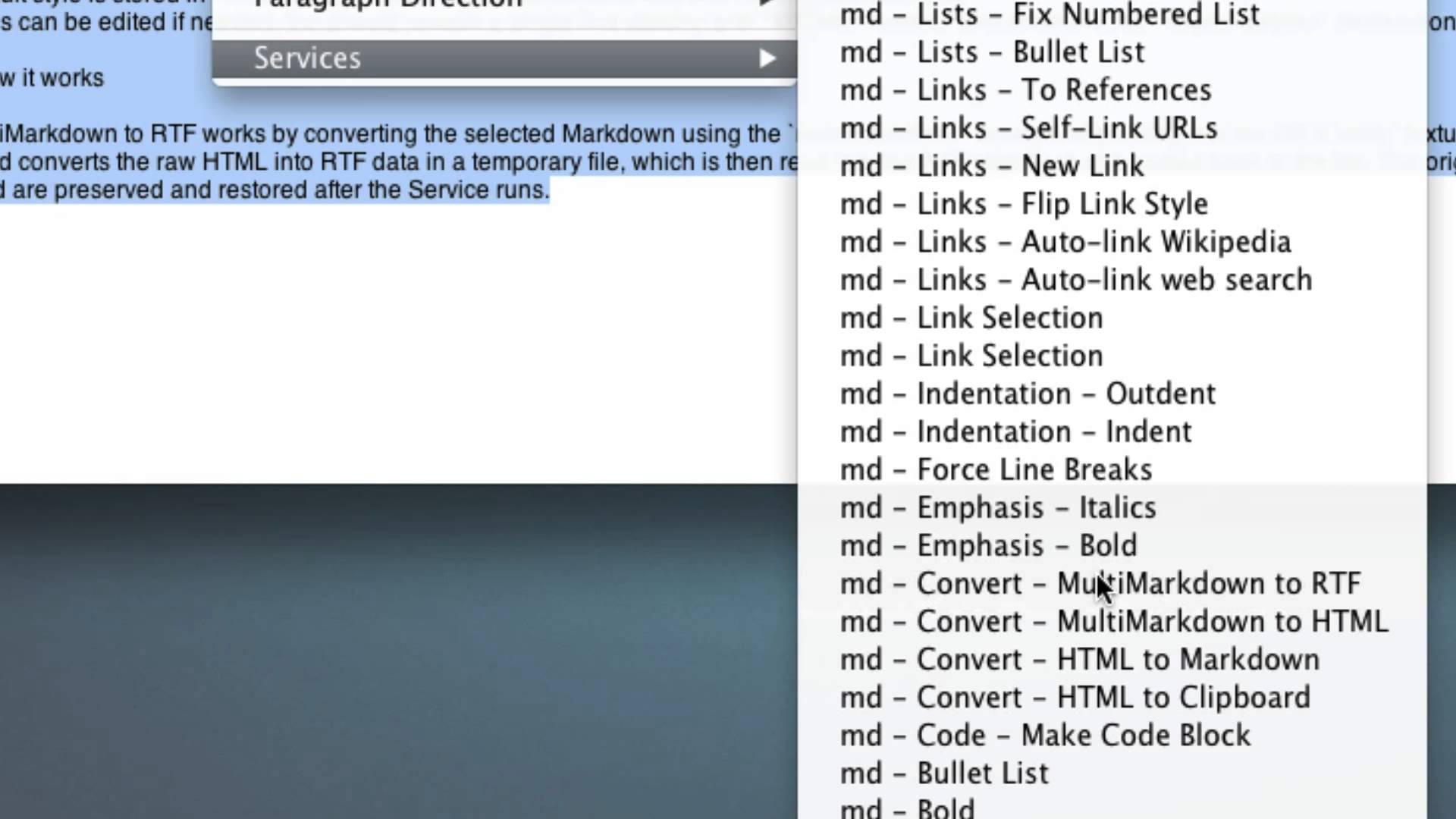
The hardest working nerd and code-wizard on the internet, Brett “I just built this” Terpstra, has added a rather great new feature to his Markdown Service Tools pack for the Mac. Among many other updates, you can now convert Markdown to rich text, in-line.
The National Geographic might have hit on something with its new “Found” service. Almost, anyway. Found is a Tumblr tmblg tumble-blog featuring photos from the 125-year history of the National Geographic magazine.
So far there are just a handful of pictures on the new Tumblr, but go take a look at it from the Tumblr app on your iPad be reminded that somebody already invented a time machine, and called it a camera.
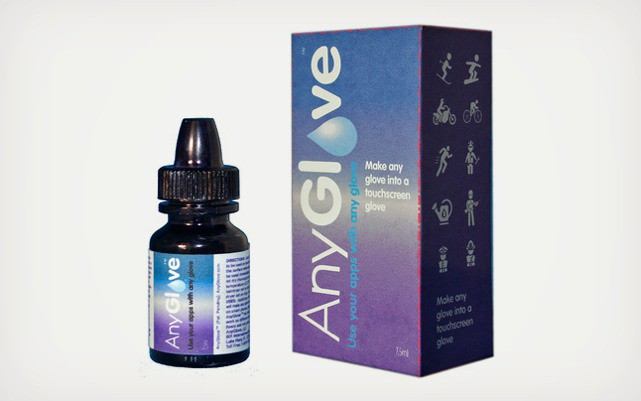
Anyglove is a gel which turns any glove into a touch-screen-friendly glove. Buy a bottle, drip-drip-drip some drops onto the fingers and thumbs of your favorite gloves and voila! (or “viola!” or “walla!” as they say in internet forums) you can now operate a capacitive screen.
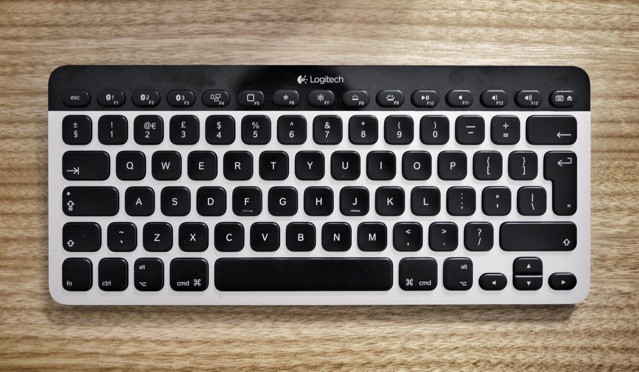
K811 Easy-Switch by Logitech Category: Keyboards Works With: Mac, iPad, iPhone Price: $99
This review is slightly unusual: We already published a review of the same device a couple of weeks ago: the Logitech Easy-Switch keyboard. I liked the look of it so much that — on Killian’s recommendation — I went out and bought one of my own. Or rather, I bought one, returned one and searched the internet high and low for another one.
So why the “duplicate” review? Because I use a keyboard in a different way than Killian. Where he sits at the dining room table surrounded by iDevices and Macs, I work not only in different rooms but in bars (cafes), on buses, wherever I might be. So I figured I’d write a very different review.
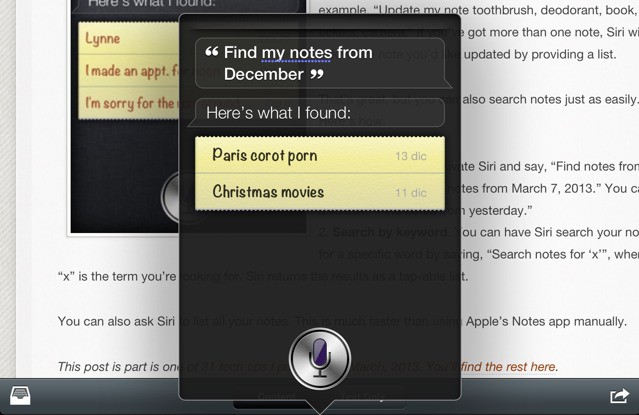
Did you know you can search your iPhone’s notes using Siri? Neither did I. But according to Dave Caolo at 52 Tiger, you can not only get Siri to flip through your notes for you, you can even find notes from a particular day.
Any of you out there familiar with the Muji CD player? It is/was a cute little box which you’d hang on the wall, press a CD onto and enjoy the tinny sound of tiny speakers spitting high-grade digital files into your ears.
Now you can — like any civilized person — ditch the spinning disk and just enjoy the music. Muji has now launched a Bluetooth speaker that looks a lot like the old CD box.
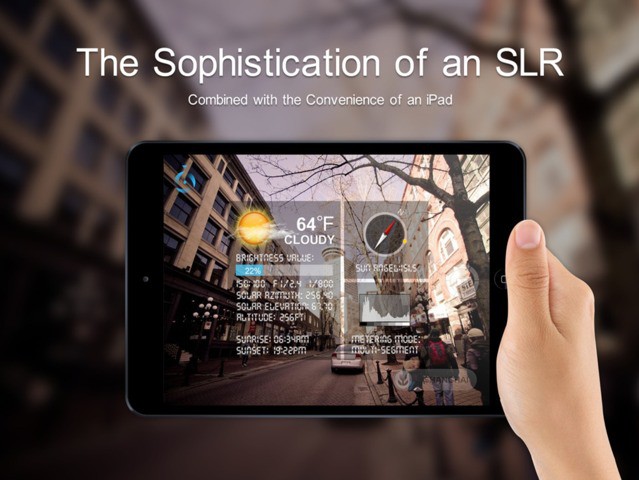
Remember Blux Camera? Back in October of last year, I described it as “the camera app Rick Deckard would use.” I stand by that, only now Blux has gotten a little remote companion which makes it even more Blade-Runnerier to use.
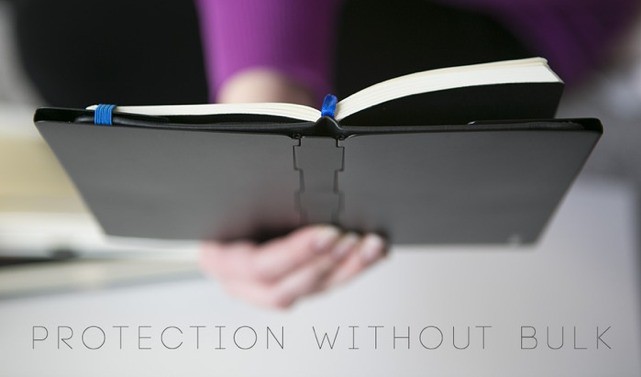
Oh Lord, the end is clearly, nearly nigh. Why? Because Kickstarter is now hosting a project to make aluminum notebook covers. No, not covers for your notebook computer. Covers for your hardcover paper notebook. The pull quote at the top of the pitch page says it all:
5052 Aluminum-Magnesium Alloy notebook & journal covers to keep your corners and pages straight.
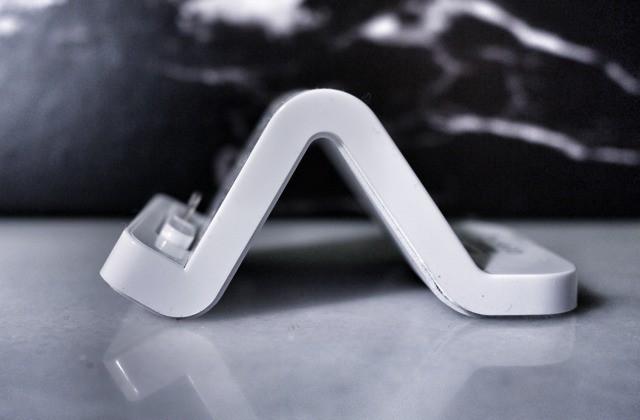
White Wave Dock by Modern Tech Category: Docks Works With: All Lightning iDevices Price: $22
For the longest time, there were no Lightning docks available for iPhones or iPads, and it looks like Apple will never make one. I have some thoughts on why that might be, but we’ll get to that in a bit. For now, we’re going to take a quick look at the seemingly crappy dock I picked up from Amazon last month. It’s called the “White Wave Lightning Dock Docking Charge Station for Apple iPad Mini/ iPad 4G/ iPhone 5/ iPod Touch 5G/ iPod Nano 7G,” which should give you some idea of the kind of SEO-mad company behind it.
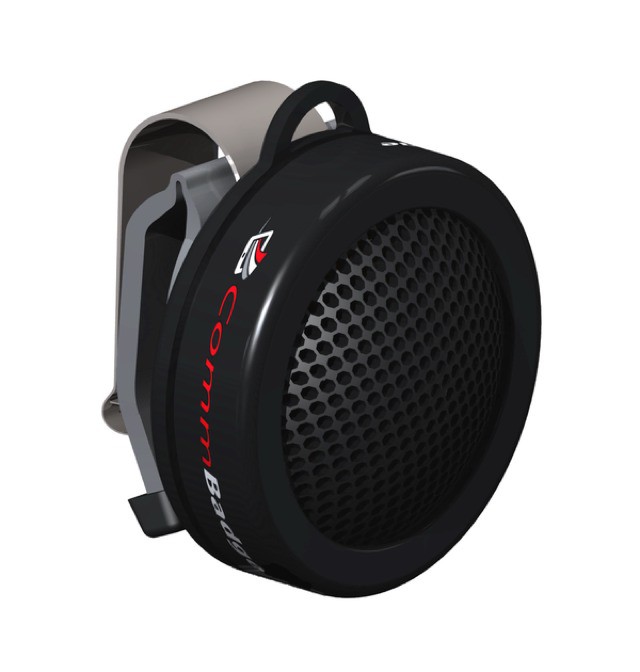
I shall apologize now for bringing you yet another crowd-funded gadget today, but this is something special. I won’t dilly-dally here: It’s a frikkin’ Star Trek button for talking to Siri.
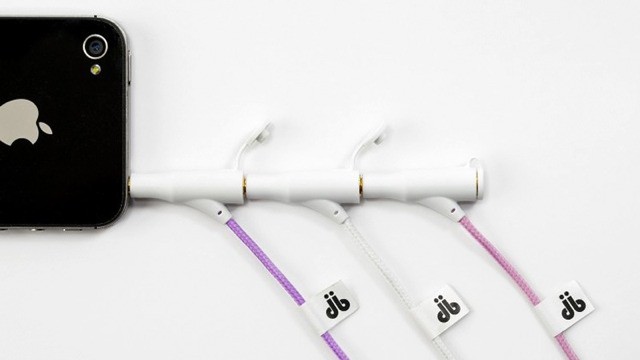
The db on these headphones stands not for douche-bag but for Duobuds. And now you’ll have no excuse not to share your music when somebody asks — unless you’re the d-bag, that is.
Have you ever written this in a forum, addressed to a software developer: “I have $50 here which I’ll totally give you if you make this app”? No, of course not, because that would make you a thoughtless individual — we all know that software costs way more than that to develop.
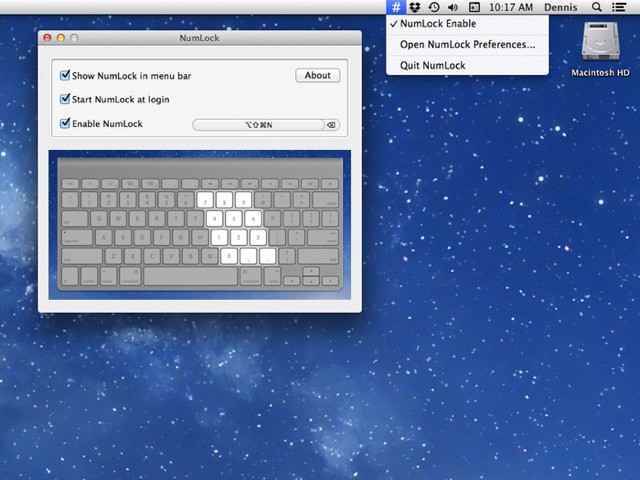
Take NumLock, for example. It’s exactly the kind of app that forum-begging is made for. It turns back on the num-lock that Apple removed from its keyboards for seemingly no reason other than the aesthetic. How much would you promise a developer that you’d “totally pay” for an app to re-enable the number keypad? Well, now you can put that money where your, uh, keyboard is, and pitch in to DenVog’s cheap-as-chips Kickstarter campaign.
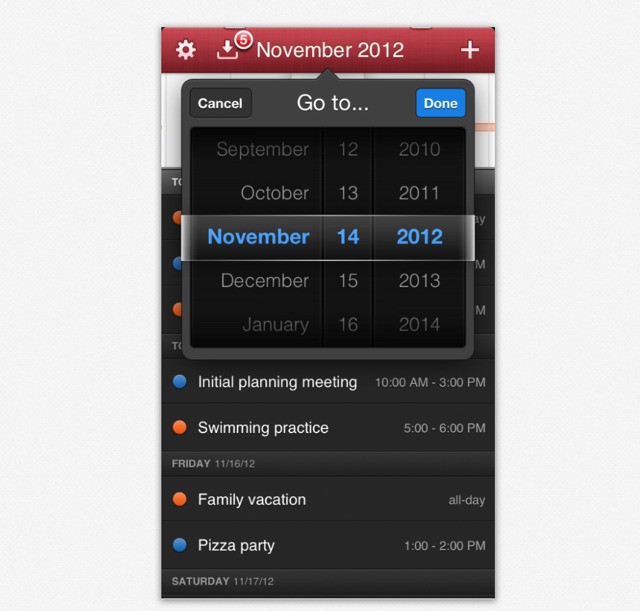
Flexibits’ fantastic calendar app Fantastical has reached v1.1. In numerical terms, this is just the addition of 0.1 to the original 1.0. But in terms of app goodness, it’s much more hugerer.
Use Evernote on iOS? Wish it had proper saved searches? Or note links? Wish it was a little faster to browse and find what you’re looking for? Then you might want to take a look at the rather excellent Clever HD for iPad, a full-featured Evernote client which could even replace the official app on your iDevice.
Everyone’s favorite recalcitrant Scottish blogger, programmer and whisky drinker Matt “Legend” Gemmel has made available these fantastic iPhone 5 wallpapers, ready for your retro-tendo reminiscences.
Matt made the set of five tall-papers (what I somewhat annoyingly just decided to call the iPhone 5’s tall wallpapers) to commemorate his new-found love of Nintendo gaming on the Mac.
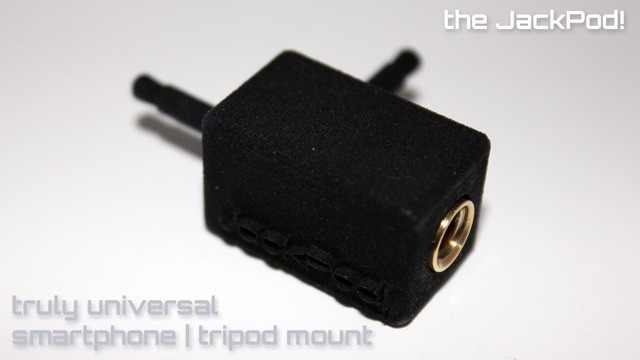
Yeah yeah I know. Another damn iPhone tripod mount. And on Kickstarter no less. I hear you: “Come on Sorrel, you handsome beast you1. Can’t you pick something new to write about?”
Well, cynical but smart reader — this one’s different. I promise. And it’ll work with pretty much any camera-phone ever.
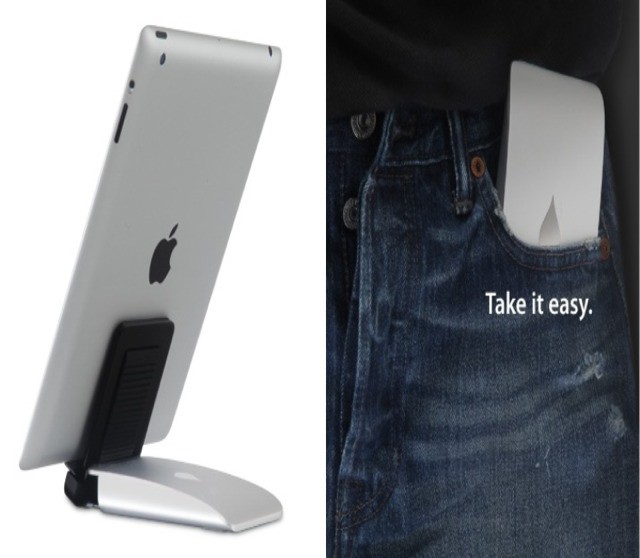
iPad stands: You really do need one. Some are happy with the Smart Cover, which is fine for typing and movie watching, but not much else. And the really smart folks use the PadPivot, which is still my go-to do-everything stand (I’m using one right now).
But if what you want is a sturdy-looking stand for an iPad, whether in portrait or landscape orientations, and whether its in a case or out, then the Slider looks to be worth a look. It’s handsome, at least.