Just because you've hidden them, it doesn't mean they're gone forever.
Back in October, we highlighted one of the new features in iOS 5 that allows you to hide previous App Store purchases from your ‘Purchased’ list. It’s great for removing all those apps and games that you may be ashamed of, such as Hello Kitty Parachute Paradise. But what happens if you want to reveal those purchases again?
It’s rare to see government agencies at the front of the technology curve, but it’s becoming more common with U.S. federal agencies after U.S. CIO Steven VanRoekel declared at CES that 2012 the year of mobile for the federal government. While most agencies have pushed to reevaluate their mobile technology option during the past few months, the Environmental Protection Agency seems to leading the government charge to mobile.
The EPA announced earlier this week that the agency has adopted a new “mobile first” policy. Under the policy, it is a setting forward-thinking IT mandate than even the most tech-savvy companies have yet to consider or embrace: develop solutions for mobile devices first and then re-work those solutions to function on the desktop.
Music Unlimited offers over 10 million tracks from just $3.99 per month.
Music streaming services like Spotify, Rhapsody, and Rdio are set to face yet another competitor on iOS, as Sony prepares to make its own service available to the iPhone and iPad. The company’s COO, Shawn Layden, has confirmed that Music Unlimited will be making its way to the App Store “in the next few weeks.”
Check out the best Retina-ready games already available in the App Store.
Since the new iPad made its debut in the U.S. and nine other countries last week, iOS developers have been working hard to optimize their titles for the device’s Retina display. There are already some fantastic games on offer that are Retina-ready, so we’ve compiled a list of the best so that you can get you game on in stunning high-definition, and compared them to their iPad 2 counterparts so you can see how nice the new graphics look.
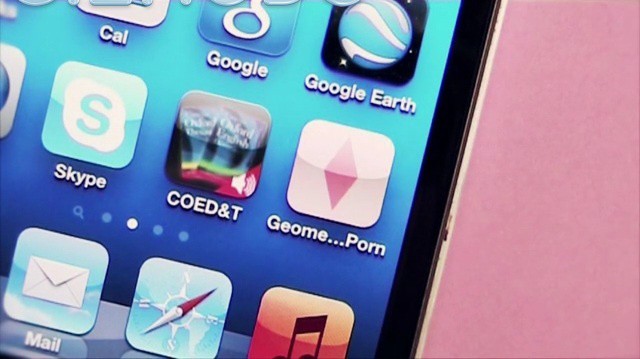
Rhombi, triangles, and rectangles probably don’t elicit a sexual response from you most times, but Apple thinks those beautiful shapes can be a little bit too orgasmic when combined in different configurations. Artist Luciano Foglia’s app of geometric shapes was recently rejected by Apple because they claimed it contained “excessively objectionable or crude content.” But it’s just a bunch of geometric shapes, so why did Apple label it as pornographic? Take a look and judge for yourself:
Before Apple released its iOS 5.1 update to the public earlier this month, clicking on a Yelp link after performing a search with Siri did absolutely nothing. Now, however, it’ll take you straight to Yelp’s iOS app — or the App Store if you don’t already have it installed.
Telltale is expected to bring The Walking Dead to iOS in April.
Telltale Games, the studio behind popular iOS games like Back to the Futureand Monkey Island, is developing a new series based on the hit TV show The Walking Dead. If that news alone doesn’t get you excited, then check out this incredible teaser trailer.
WoW will hit the App Store, just as soon as its developer has an epiphany.
Blizzard, the company behind the hugely popular MMO World of Warcraft, has revealed that is constantly looking at ways in which it can bring its title to the iPhone, and admits that it would be “foolish” not to explore the possibility. It promises that as soon as it has perfected the mobile experience, we’ll know about it.
Over the past few days, a large number of iOS users have been reporting that their App Store downloads are becoming stuck on the “Waiting” status when they attempt to install or update a number of apps at once. It is thought that the influx of Retina updates for the new iPad is causing an App Store overload.
Fortunately, there is a simple workaround. Here’s how to fix that frustrating “Waiting” freeze.
Everywhere you look these days, people are gaming with their iPhones and iPads. Whether it’s a new variation of a classic game like Tower Defense or a smash hit like Angry Birds or Words with Friends, you see — and know — that there are thousands of games out there to played on this platform.
But you’ve got this idea for a game. One that would be perfect for iOS. Problem is, you don’t know how to execute that idea, nor do you have the budget to have someone take that part of the process on.
Well, if you hurry you can still pick up the iOS game development course from Cult of Mac Deals, because it may just be your ticket.
The Retina-ready iPad game Namco demoed onstage at Apple’s media event last week has gone live in the App Store. Sky Gamblers: Air Supremacy costs $5 as a universal download for the iPhone and iPad.
Like Skies of Glory and other 3D flight simulators, Sky Gamblers uses your iOS device’s accelerometer and gyroscopes to control your fighter jet in the air. The graphics looked stunning onstage last week, so we can’t wait to try this game on our new iPads this weekend!
HotSwap gives you your own account with your own bookmarks, tabs, and settings.
Have you ever leant your iPad to a friend or family member and when you get it back you find they’ve logged out of all of your social networks and closed all those tabs you were saving for later?
With Skyfire’s new HotSwap feature on the iPad, you can setup different accounts for each users so that everyone has their own profile while browsing the web — with their own bookmarks, tabs, and settings. It’s perfect for sharing.
By all accounts, text-heavy apps really shine on the new iPad’s Retina Display, so I’m glad to see that Amazon have already updated my favorite iOS e-reading app to work at native 2048×1536 resolution.
And that’s not all. Amazon has also taken the opportunity to redesign the Kindle library view so that it’s organized in two separate tabs, “Cloud” and “Device,” which should make it easier to tell which e-books you have stored locally and which ones need to be slurped down from Amazon’s databanks.
You can download Kindle 3.0 on the App Store right now for free.
Virtually everyone who’s ever used an Apple product has an Apple ID. This user account for all things Apple is most commonly used with the iTunes Store and the iOS and Mac App Stores. It’s used to both authorize purchases and to allow you to access content or run apps after they’re downloaded. Apple’s philosophy is that every person should have their own Apple ID and that each of us should use our individual Apple ID (and only that Apple ID) on each of our devices – iPads, iPhones, iPods, Macs, even PC’s running iTunes or other Apple software.
That’s a great concept, but it creates a big challenge when iOS devices are used in business or school environments. When someone configures an iOS device for an employee or student with a selection of apps and other content (like iBooks 2 textbooks), they need to use an Apple ID. But once that device is deployed, the end user may need or want to purchase additional apps or other materials.
This is often a stumbling block for business-owned devices. And it’s something that Apple has finally begun to address with Apple Configurator.
There are a number of half-baked third-party email clients for the iPhone, but until now, there hasn’t been a real replacement for the iPhone’s built-in Mail app. Sparrow for iPhone finally changes that. It’s crammed full of terrific features that make Apple’s solution look pretty amateur, and yet it’s still incredibly easy to use. In fact, I think it’s just as spectacular as Sparrow for the Mac.
Will Sparrow be enough to tear you away from the clutches of Apple's Mail app?
The highly-anticipated iPhone email client called Sparrow is now available in the App Store. The app costs $2.99 and promises an enhanced emailing experience. Flagship features include a unique and gorgeous interface, a threading system for messages, enhanced contact integration, better search, and more. If you’re ready to try something besides the default Mail app, Sparrow is definitely worth checking out.
Remarks, along with PDF Expert, will be one of Readdle's first apps to get high-resolution artwork.
We’re huge fans of Readdle’s productivity apps here at Cult of Mac, and we’re delighted that they’re getting ready for the new iPad’s Retina display. Remarks and PDF Expert will be Readdle’s first two apps to get high-resolution artwork in their latest updates, in addition to a number of new features.
One of Camera+'s great new features is much-improved sharing.
Camera+, one of the most popular photography apps for the iPhone, has been updated to version 3 today. In addition to a fancy new icon, the update brings a ton of new features including improved photo sharing, focus and exposure locks, workflows, and more. The release also quashes several bugs.
Remember when a mysterious new category appeared in the App Store on the eve of the this past week’s iPad announcement? The discovery led most of the Apple blogosphere to believe that some sort of interactive catalog experience would be making its way to the new iPad’s gorgeous Retina display. How exciting!
As it turns out, the Catalogs section of the App Store has launched, and it’s not really that amazing at all. In fact, it’s pretty awful.
An App Store app called iTether got a lot of attention a few months ago for allowing free 3G tethering from any iPhone. Despite the fact that carriers don’t officially support such activity apart from their exorbitant data plans, Apple originally approved iTether. The app shot to the top of the charts before it was pulled less than a day later. If you didn’t get your hands on it then, you were out of luck.
The creators of iTether are announcing something big today. Tether is launching a new HTML5 web app for the iPhone that lets you tether your 3G-enabled iPhone or iPad to any wireless-enabled device. No monthly fee. No jailbreak required.
A recent update to the iTunes Terms and Conditions adds an interesting clause regarding free trials for in-app subscriptions in the iOS App Store. Ever since the launch of the App Store in 2007, users have been clamoring for some kind of demoing system for paid apps. It looks like Apple may be slowly making strides towards that reality.
Publishers “may offer a free trial period” via in-app subscriptions in an iOS app, according to Apple.
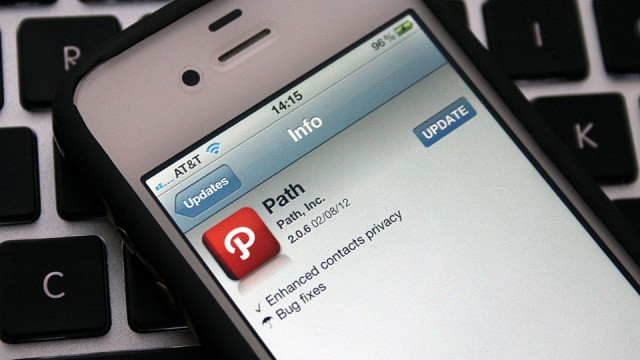
A new version of social networking app Path is now available in the App Store for iPhone users. Path 2.1 features several new features and improvements, including a Shazam-like ‘Music Match’ tool for identifying music playing around you.
The app’s camera features have also been improved with focus and exposure options and a new setting called “Pow!” for creating comic book-style pics. Nike+ integration has been added to let you journal your runs in Path.
If you’re anything like me, now that you’ve pre-ordered your new iPad, you’ll be obsessing over its order status. You know it’s not going to arrive until March 16, but once every hour you’ll logon to the Apple online store to see how your package is getting on anyway.
It’s even easier to do this with the free Apple Store app for iPhone. Here’s how.
We told you that Apple announced the stunningly beautiful iPhoto for iPad today during the keynote, and it’s already available for download in the App Store! The $5 app is actually a universal download for the iPhone and iPad, so you get even more bang for your buck!
Apple has silently added a new section to the App Store called “Catalogs.” On the eve of the iPad 3 announcement, the section seems to have launched prematurely, as it’s not yet visible with the rest of the App Store’s categories. You can only find it by visiting this direct link, and there are no apps available to download in the iTunes directory.