Black Friday is a great time to upgrade your Mac, but you don’t have to buy new hardware to make it more useful. The right apps can save you time, fix everyday annoyances and add features you wish Apple had built into macOS.
This year’s Black Friday and Cyber Monday Mac app deals include discounts on CleanShot X, BetterTouchTool, Things 3, Mimestream and more, with savings of up to80%.
Best Black Friday and Cyber Monday Mac app deals
From better screenshots to smarter file management, these apps tackle different parts of your daily workflow. Many are one-time purchases, while others offer a discount on the first year of a subscription.
If your setup needs a hardware upgrade as well, check out our best Black Friday deals to upgrade your iPhone, iPad and Mac. Otherwise, the apps below offer plenty of ways to improve the Mac you already own.
Table of contents: Best Black Friday Mac app deals
- CleanShot X: Upgrade your screenshots
- BetterTouchTool: Make your Mac work your way
- Things 3: Give your to-do list an upgrade
- Paste: Stop losing things you copied
- Supercharge: Fix the little macOS annoyances
- Dato: Keep your next meeting in view
- PopClip: Put useful actions beside selected text
- TextSniper: Copy text you can’t select
- Velja: Send links to the right browser
- Anybox: Get your bookmarks organized
- Bloom: Give Finder a different look
- Folia Files: Bring your file tools together
- Vitals: Find out what’s slowing down your Mac
- Mole: Tidy up your Mac
- AlDente Pro: Take control of MacBook charging
- iStat Menus: Put system stats in your menu bar
- Mimestream: Give Gmail a proper Mac app
- Cotypist: Spend less time typing
- Fluent: Bring AI into the apps you use
- Proton Pass: Upgrade your password manager
CleanShot X: Upgrade your screenshots
Screenshot: Rajesh Pandey/CultofMac
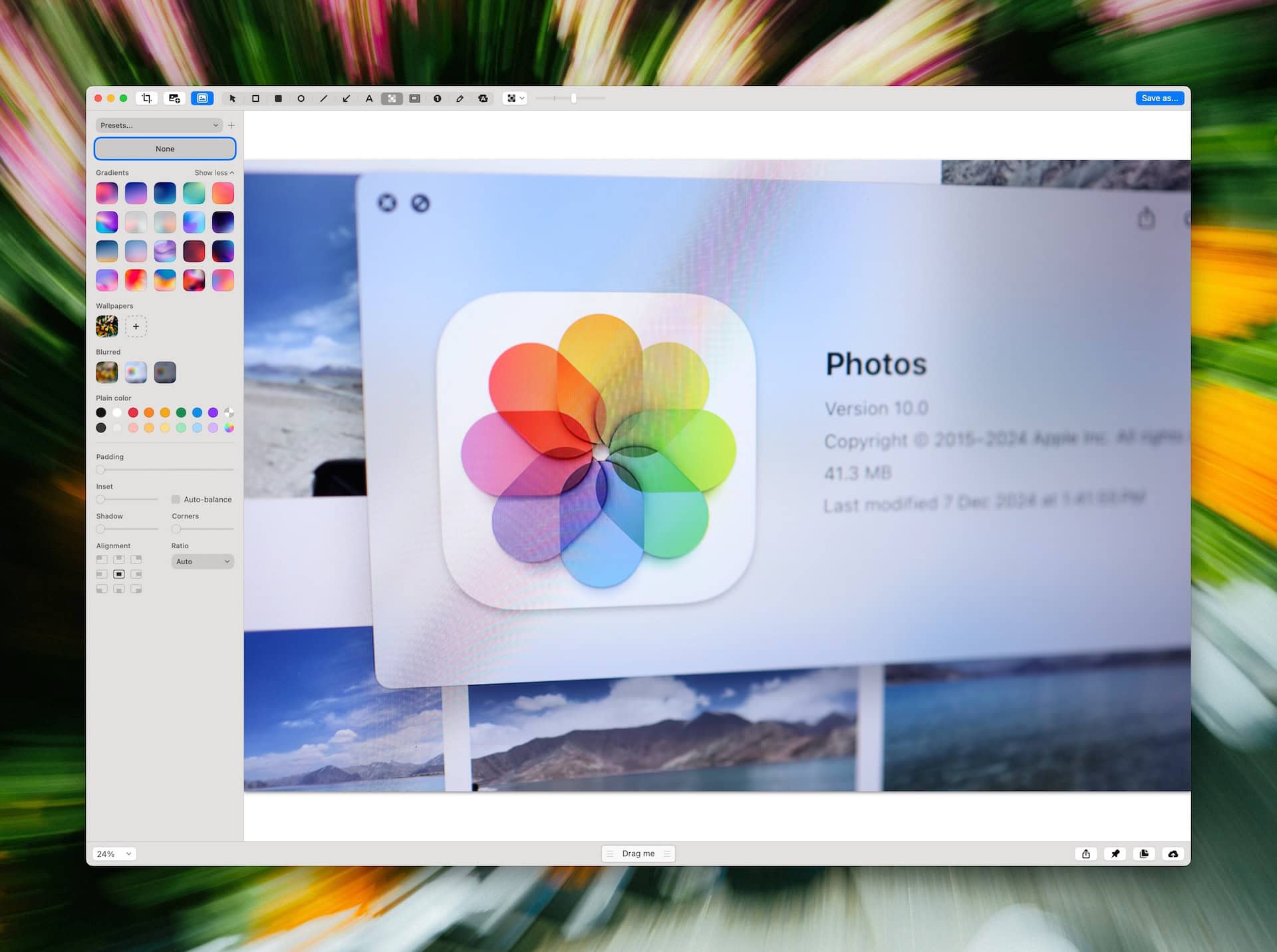
macOS already comes with an excellent built-in screenshot tool, but CleanShot X takes things up a notch. It adds scrolling captures, annotations, screen recording and easy cloud-based sharing. if you take a lot of screenshots or videos for your work, CleanShot X is a no-brainer, especially at its discounted Black Friday price.
The Basic license is a one-time purchase with one year of updates. You can keep using the version after that, though you won’t get access to major features.
For Black Friday, you can get the CleanShot X Basic license for $24.50 instead of $35 — 30% off. Pro is 50% off its first year on annual billing, at $5 per user per month, billed annually.
Buy now: CleanShot X
BetterTouchTool: Make your Mac work your way
Screenshot: Rajesh Pandey/Cult of Mac
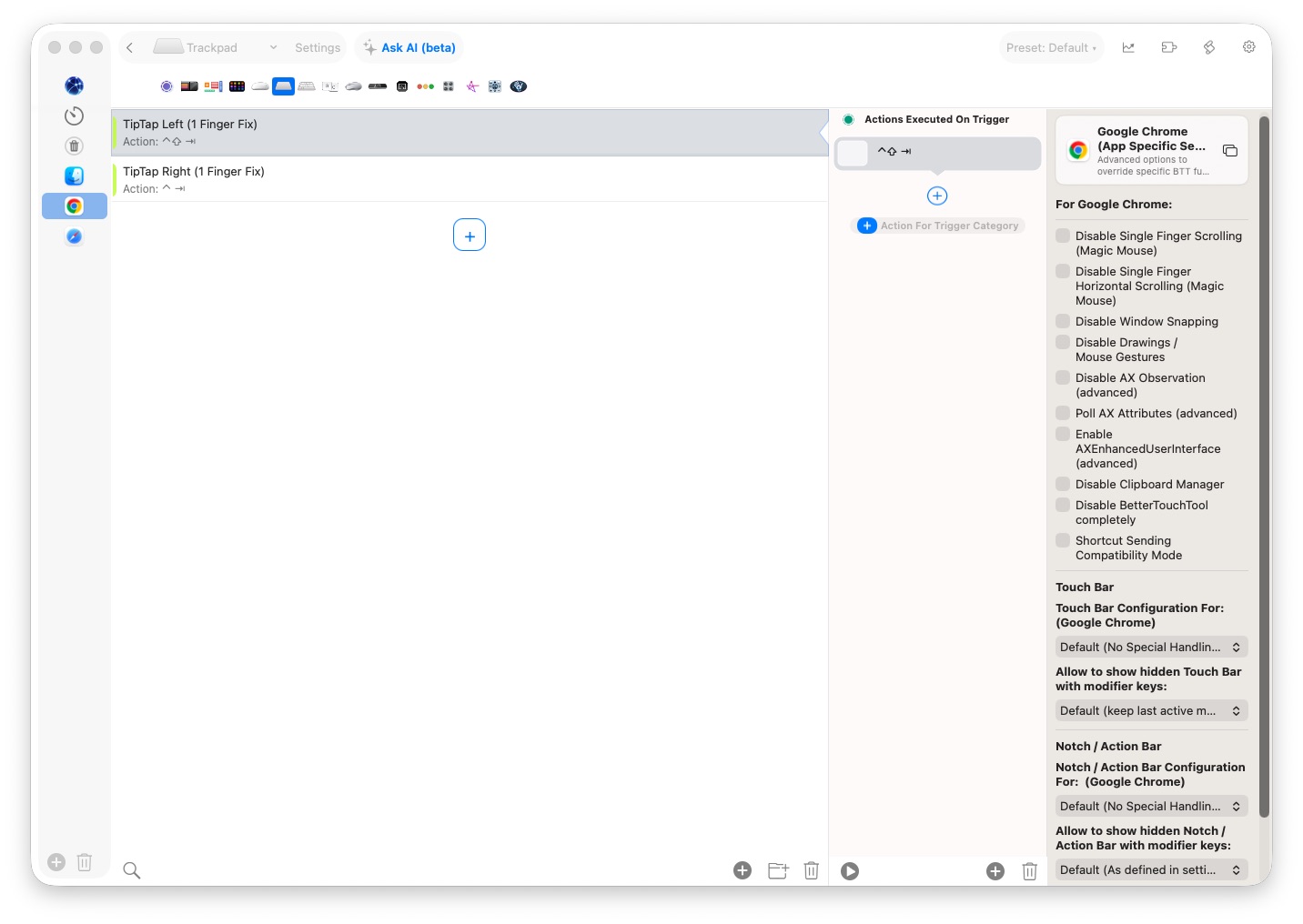
if there is one Mac utility you must buy this Black Friday, make it BetterTouchTool. It lets you customize trackpad gestures, mouse buttons, keyboard shortcuts and more. You can assign actions to the controls you already use and chain several actions together to automate repetitive jobs.
With MCP support, you can use ChatGPT or Claude to get help in setting up BetterTouchTool the way you want.
This Black Friday, you can get a lifetime license of BetterTouchTool for $15 instead of $25 — 40% off. The Standard license, which includes two years of updates, drops to $10.50 from $15. Sale ends November 30.
Buy now: BetterTouchTool
Things 3: Give your to-do list an upgrade
Things 3 brings your tasks, projects and daily plans into a straightforward interface. It’s worth considering if you want a dedicated task manager that helps you decide what to work on today.
The Mac app is a one-time purchase, although the iPhone and iPad versions are sold separately.
For Black Friday, Things 3 for Mac is available for $34.99 instead of $49.99 through November 30. The App Store price already includes the discount.
Buy now: Things 3
Paste: Stop losing things you copied
Paste keeps a searchable history of your clipboard, so copying something new doesn’t mean losing what came before it. You can pin snippets you reuse and sync your clipboard history across Mac, iPhone and iPad.
That makes it useful for everything from gathering links to reusing templates and moving between documents.
Instead of its usual price of $29.99, Paste is available with a big 50% off the first year of the Annual plan through December 1. That drops its price to $14.99. Use the code BLACKFRIDAY2026 at checkout on the website.
Buy now: Paste
Supercharge: Fix the little macOS annoyances
Supercharge packs Finder improvements, trackpad gestures, keyboard shortcuts and other macOS tweaks into one app. True to its name, it adds tweaks and a bunch of small features to supercharge your Mac experience.
Supercharge is available with a 40% off for Black Friday until November 30.
Buy now: Supercharge Black Friday offer
Dato: Keep your next meeting in view
Dato puts a calendar, upcoming events, reminders and world clocks in your Mac’s menu bar. Its fullscreen meeting notifications are particularly useful if you tend to miss a small alert while concentrating on something else.
It also provides a quick way to check your schedule without opening a separate calendar window.
Dato is available as a one-time purchase on the Mac App Store with 30% off for Black Friday.
Buy now: Dato
PopClip: Put useful actions beside selected text
PopClip displays an action bar when you select text, giving you shortcuts for copying, searching, sharing and more. Extensions let you add other actions. It’s an app that you never knew you needed until you try it.
For Black Friday, you can a lifetime license of PopClip for $20.30, down from $29. The offer ends December 1.
Buy now: PopClip
TextSniper: Copy text you can’t select
TextSniper extracts text from images, videos, PDFs and other parts of your screen. It can also recognize on-screen QR codes and barcodes.
Usually available for $7.99, you can get TextSniper for $2.40 with the code BFMA26. The offer ends November 30.
Buy now: TextSniper
Velja: Send links to the right browser
Velja lets you choose which browser, browser profile or app opens a link. You can set rules so work links go to one browser while personal links open in another.
If you juggle several browser profiles, it can save you from repeatedly opening links in the wrong place.
This Black Friday, you can get Velja from the App Store for 40% off.
Buy now: Velja
Anybox: Get your bookmarks organized
Anybox organizes bookmarks across Mac, iPhone and iPad, with tags, folders and search. It can also archive webpages.
The app is available for $29.99 instead of $49.99. A steep 40% off for Black Friday. The App Store discount applies automatically through December 2.
Buy now: Anybox
Bloom: Give A powerful Finder alternative

Photo: Rajesh Pandey/Cult of Mac
Bloom is a Finder alternative with workspaces, layouts and theme customization for people who want a different file-browsing experience.
With a 25% discount for Black Friday, you can get Bloom for $12 instead of $16. Use the code BLACKFRIDAY2026. The offer runs through November 30.
Buy now: Bloom
Folia Files: Bring your file tools together
Folia Files offers multiple file panes, tabs and saved layouts, alongside connections to servers and cloud storage. Its search can look inside documents and images, and an integrated terminal gives more advanced users another way to work.
The website edition includes every future update, with a license covering three or six Macs.
Instead of $49.99, you can get Folia Files for $34.99 after a 30% discount.
Buy now: Folia Files
Vitals: Find out what’s slowing down your Mac
Screenshot: Rajesh Pandey/Cult of Mac
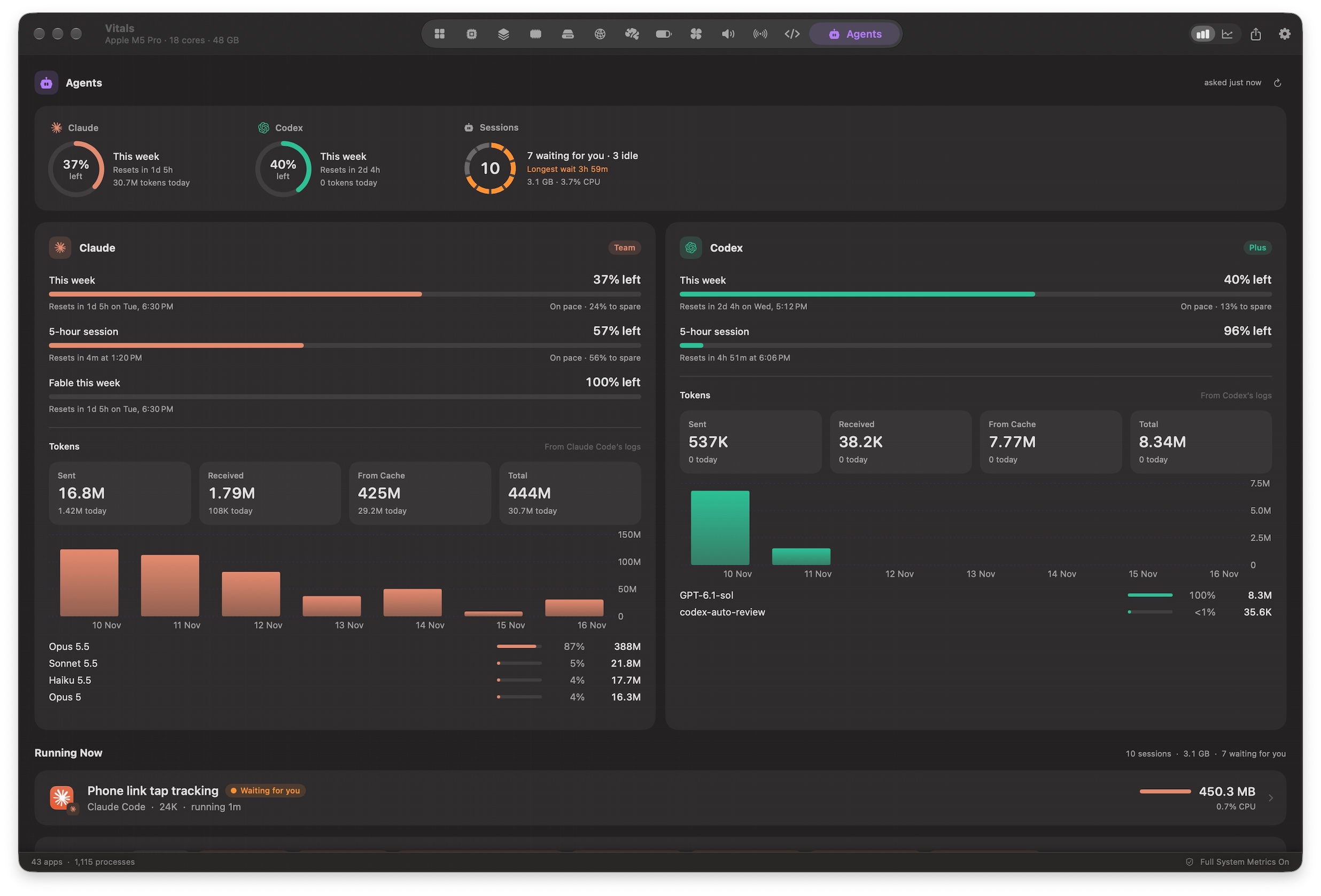
Vitals shows CPU, memory, energy, disk and network usage by app, helping you make sense of what your Mac is doing. Its history makes it easier to investigate problems after they happen.
It also supports MCP, letting compatible AI assistants query your Mac’s performance information.
A lifetime license of Vitals is down to $12.99 for one Mac. That’s 73% off the usual price. A two-Mac license costs $19.99.
Buy now: Vitals
Mole: Clean your Mac
Mole combines cleanup tools, app management, disk analysis and system monitoring in one single app. You can use it to review what’s taking up storage, remove unwanted apps and keep an eye on your Mac.
This Black Friday offer applies to the paid Mac desktop app. Its price drops to $15.20 after a 20% discount for Black Friday.
Mole’s separate command-line tool remains free and open source.
Buy now: Mole
AlDente Pro: Take control of MacBook charging
AlDente lets you control how far your MacBook charges, making it worth a look if your laptop spends most of its time plugged into a dock. The Pro version adds features such as heat protection, charging schedules and calibration tools.
A charge limiter is also available in the free version, so you can try the basic idea before paying.
AIDente Pro is 30% off for Black Friday, with the offer ending on December 1 at 9 a.m. CET.
Buy now: AlDente Pro
iStat Menus: Put system stats in your menu bar
iStat Menus puts CPU, memory, network, disk, temperature and battery information within easy reach. You can choose the readouts you want in the menu bar and open the detailed menus when you need to investigate further.
It’s a useful option if you prefer to keep performance information visible while you work.
Bjango’s Black Friday sale runs from November 26–December 1 and drops the price of iStat Menus by 50%.
Buy now: iStat Menus
Mimestream: A native Gmail Mac client
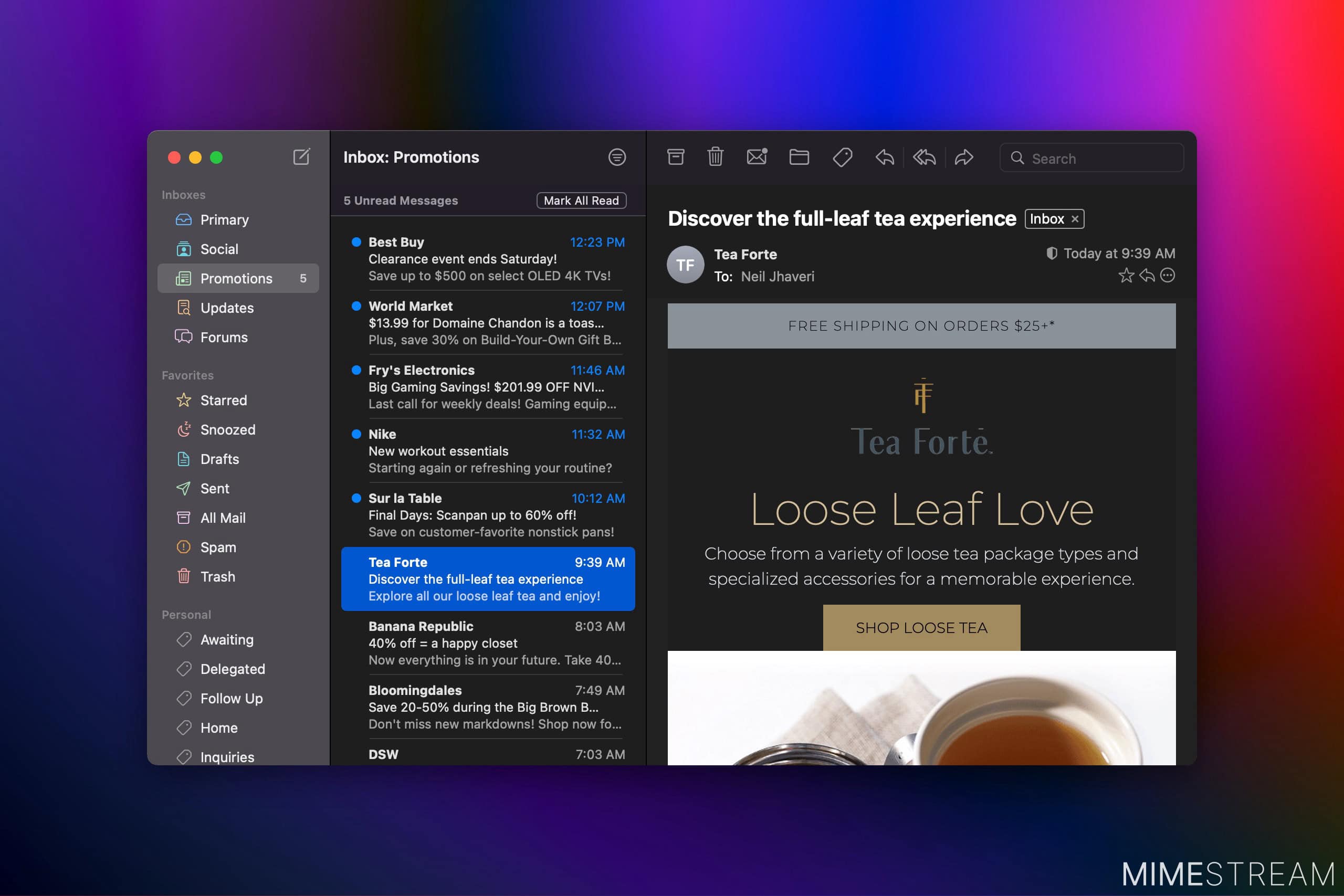
Screenshot: Mimestream
Mimestream brings Gmail to a native Mac email client while retaining features such as labels, categories and search. It’s worth considering if Gmail is central to your work but you’d prefer to manage your inbox outside a browser tab.
For new customers, Mimestream is available for $34.99 instead of $49.99 for the first year with the code BF2026. It renews at $49.99 per year.
Buy now: Mimestream
Cotypist: Spend less time typing
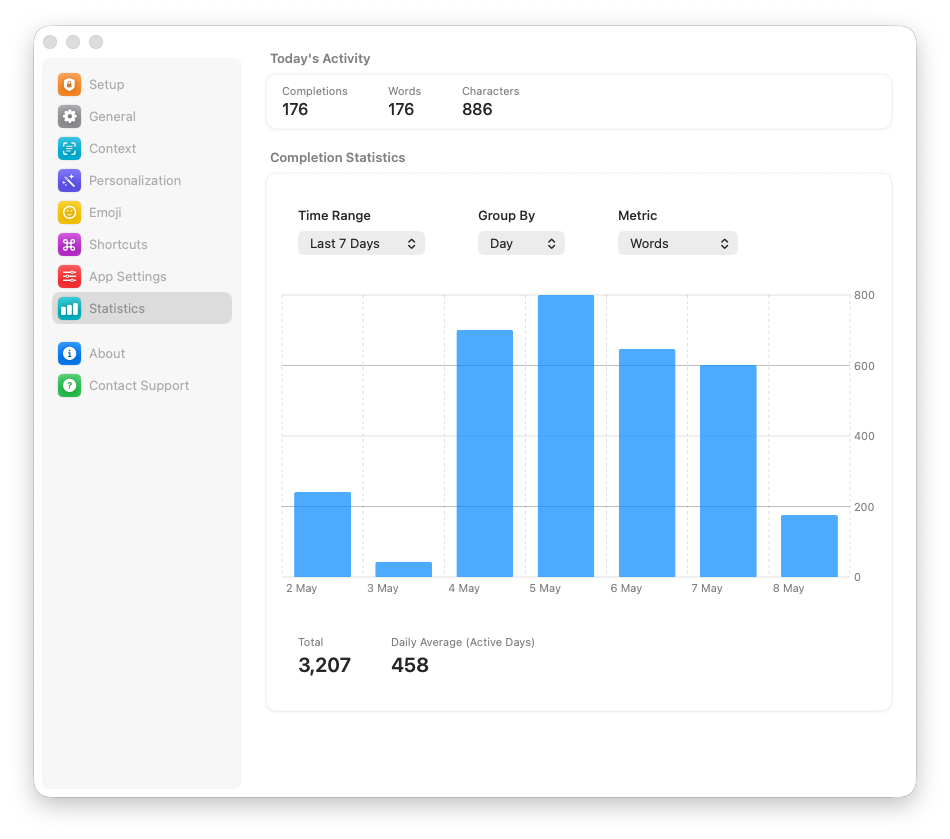
Screenshot: Rajesh Pandey/Cult of Mac
Cotypist suggests your next words as you write in Mac apps. Press Tab to accept a suggestion, or keep typing if it isn’t what you had in mind.
It runs locally on Apple silicon Macs, making it an interesting option for anyone who wants writing assistance without sending their text to a cloud service.
You can get the first year of Cotypist Plus for $57.60 instead of $72. The Pro version is available for $86.40, down from $108 for Black Friday. Monthly plans are listed with a 20% discount for Black Friday.
Buy now: Cotypist
Fluent: Bring AI into the apps you use
Fluent gives you a way to call an AI assistant from within Mac apps, using selected text or other context to help with the task. You can set up actions for rewriting, replying and working with documents, with support for local models and external AI providers.
For Black Friday, you can get Fluent with 25% off using the codd BF2026. The Basic license with lifetime upgrades costs $36.75 instead of $49 for one Mac.
Buy now: Fluent
Proton Pass: Upgrade your password manager
Proton Pass combines password management with hide-my-email aliases, helping you use separate addresses when signing up for websites and services. The paid Plus plan includes unlimited aliases.
It’s a useful addition to the roundup if you want an upgrade that extends beyond your Mac.
You can get a year of Proton Pass Plus for $23.88. Yearly subscriptions renew at $35.88.
Buy now: Proton Pass
Pick the apps that fix your everyday frustrations
The best Mac app deal is one you’ll use long after Black Friday. CleanShot X and TextSniper make sense if you regularly work with screenshots or text, while Bloom and Folia Files suit anyone who wants more from Finder. Mimestream, Cotypist and Fluent tackle different parts of a busy workday.
Try the free trials where available, then choose the apps that solve a problem you already have. With several of these offers ending before Cyber Monday, check the deadline before leaving a purchase until the last minute.

Rajesh has been writing about consumer technology for over a decade, with a strong focus on iPhones, Macs and Apple’s ecosystem. He enjoys digging into Apple software updates, hardware changes, and discovering new Mac apps that make work faster and more enjoyable.
You can reach out to him at mail[at]rajeshpandey.me.