A free MacBook trackpad tool can make your Mac talk even with its speakers muted. The twist? All sounds come from the trackpad’s haptic motor.
Called NO SPEAKER, the open-source tool shakes the trackpad glass fast enough to make speech. It’s a neat party trick but also shows what Apple’s haptic hardware is capable of.
The MacBook trackpad speaker tool turns haptics into a voice
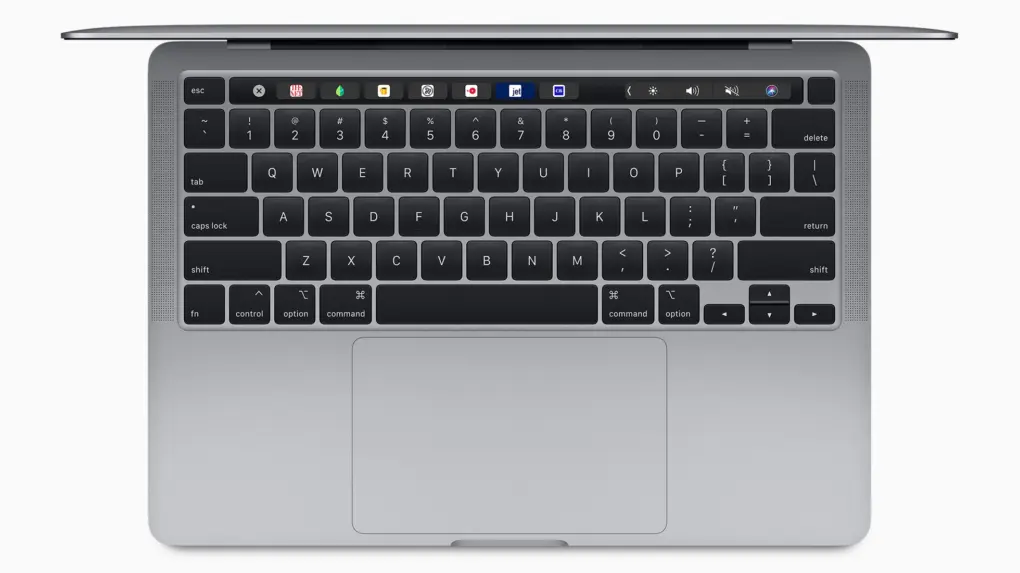
Here’s the trick. A MacBook trackpad has no speaker, of course, but it does include a small motor that taps the glass. That’s how you feel a click. NO SPEAKER drives that motor up to 4,000 times a second, which is fast enough to make audible sound.
Developer Cody Collier released NO SPEAKER on GitHub on November 22. They also shared a demo post on X, which has already drawn more than 25,000 likes.
i made my macbook trackpad talk using only the vibrations from its haptic motor
my speakers are muted, every sound you hear is coming from the trackpad itself
open source, try it here: https://t.co/MPEKltkFxO pic.twitter.com/5rTtqdErDP
— cody (@codycollier) November 22, 2026
As for speech, the tool has macOS speak a line into memory first. Collier says that it then picks out the voice’s two strongest resonances every 10 milliseconds, with the motor playing them back as tones.
Collier’s pitch is simple: “Mute your Mac. Your trackpad will still talk.” The built-in demo runs for about a minute and half, during which it talks, sings and raps.
Expect a quiet, robotic voice
Don’t expect hi-fi quality sound from NO SPEAKER. The motor is built for short taps, not for audio. That means the voice is faint and robotic. Collier recommends users to put their Mac on a table, since it’s much quieter on your lap.
The tool types every line on screen as its speakers, so you can read along. You can also feed it your own text, switch to another macOS voice, or even play a rising test tone. But it won’t play music files or audio from other apps.
You’ll need a Force Touch trackpad
NO SPEAKER requires a Force Touch trackpad. That means MacBook models from 2015 and on. Plus, the Magic Trackpad 2 and newer will work, too. Apple Silicon Macs require macOS 12 or later. If you are still on an Intel Mac, make sure you have macOS 13 or later.
And as is the case with most things, there’s a catch. The developer has tested NO SPEAKER on a MacBook Pro with an M5 running macOS 27.2.1. This means Intel Macs, the Magic Trackpad, and older macOS versions are still untested. Loudness may also vary between trackpads.
To try it, you can try pasting a one-line command into Terminal. It points to a script you can read on GitHub first. Alternatively, you can also download a zip file from the release page, which is signed with a Developer ID and notarized by Apple.
Apple could break it with an update
NO SPEAKER relies on MultitouchSupport, a private macOS framework. Apple’s public haptics API offers only three fixed taps, according to the project page. But because the framework is undocumented, a macOS update could break the tool.
Collier says the tool never pushes the motor past its normal maximum strength. While going past it would make it louder, the problem is that the driver starts to stall. Long sessions might also make the motor wear out faster.
Apple never designed its trackpad to sing. Somehow, it does anyway.

Anurag Chawake is a tech-focused writer specializing in smartphones, apps and consumer technology. His interest in computers began during the Windows 98 era, eventually leading him to explore everything from operating systems to mobile devices and PC hardware. Anurag previously contributed to The Indian Express, covering Apple, Android, gaming and the broader technology landscape.