Apple’s HomeView will reportedly include an anti-spoofing protection that locks a profile after three attempts to fool the display’s face recognition. After that, users will apparently need an iPhone to get back in.
That matters because HomeView will sit in a kitchen or hallway, showing personal messages and calendars. The security protection should keep siblings from spying on each other.
And a tougher lockout cooldown system is reportedly on the way, too.
How HomeView anti-spoofing works
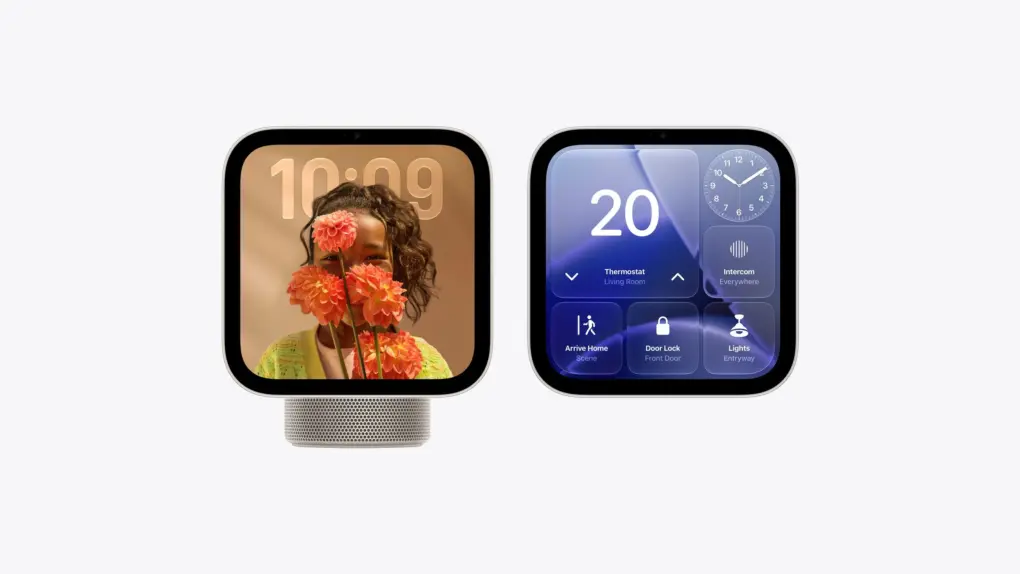
HomeView is an upcoming smart home hub designed to put Siri, smart home controls and personal information in one convenient, public place. The $299 device features a touchscreen display and a camera that recognizes individual household members, allowing it to show personalized information such as messages, calendar appointments and reminders. Controlling access is important.
The new security details about the hub come from pdfu, an X user who laid out the system in a post. According to them, HomeView calculates a face-liveliness score to spot fakes.
And once the device detects three spoof attempts, that person will have to authenticate using their iPhone. Until they do, HomeView won’t show any of their personal data.
The image in the post also shows the lockout screen. It reads, “You’ll need to authenticate on your iPhone to continue.” That shows up instead of the usual prompt asking an unrecognized speaker to step in front of the display.
3 strikes and you’re out. HomeView comes with anti-spoofing protection. Once the device attributes three spoof attempts for a profile, you’ll need to authenticate with iPhone to access personal data.
HomeView also has a lockout cooldown system in development. Similar to Security… pic.twitter.com/dP8njWO5VE
— pdfu (@itspdfu) November 4, 2026
It’s probably a safety net on top of how HomeView works. Apple says personal content from apps like Messages and Calendar only shows up when the user’s face is recognized. Their paired iPhone or iPad also needs to be present and recently unlocked.
But note that HomeView does not include Face ID. Its facial recognition system is more basic.
A lockout cooldown could also be underway
Apple’s Security Lockout is a protective feature that temporarily disables access to an iPhone after too many incorrect passcode attempts. Each additional failed attempt increases the waiting period before someone can try again
The pdfu post also describes Apple building a lockout cooldown system for the HomeView. It seems to be modeled on the Security Lockout system on iPhone.
That means your first lockout might clear right away, while the second brings a one-hour wait. The third one means four hours, and the fourth one would make you wait eight hours.
That count drops by one for every eight hours since your last lockout, down to zero. So if you happen to clear the first lockout and stay out of trouble for eight hours, the next one will have no wait. But unlike iPhone, there’s reportedly no permanent lockout that forces a device reset.
None of that cooldown is live as of now, meaning you can clear any lockout instantly using your iPhone. The anti-spoofing mechanism will reportedly be enabled in HomeView Software 27.2.
HomeView arrives November 13
HomeView costs $299 in the US and goes on sale Friday, November 13. Setup requires a compatible iPhone or iPad with the latest software.
Apple’s launch announcement has no mention of the lockout feature, so details could change before or after launch.

Anurag Chawake is a tech-focused writer specializing in smartphones, apps and consumer technology. His interest in computers began during the Windows 98 era, eventually leading him to explore everything from operating systems to mobile devices and PC hardware. Anurag previously contributed to The Indian Express, covering Apple, Android, gaming and the broader technology landscape.