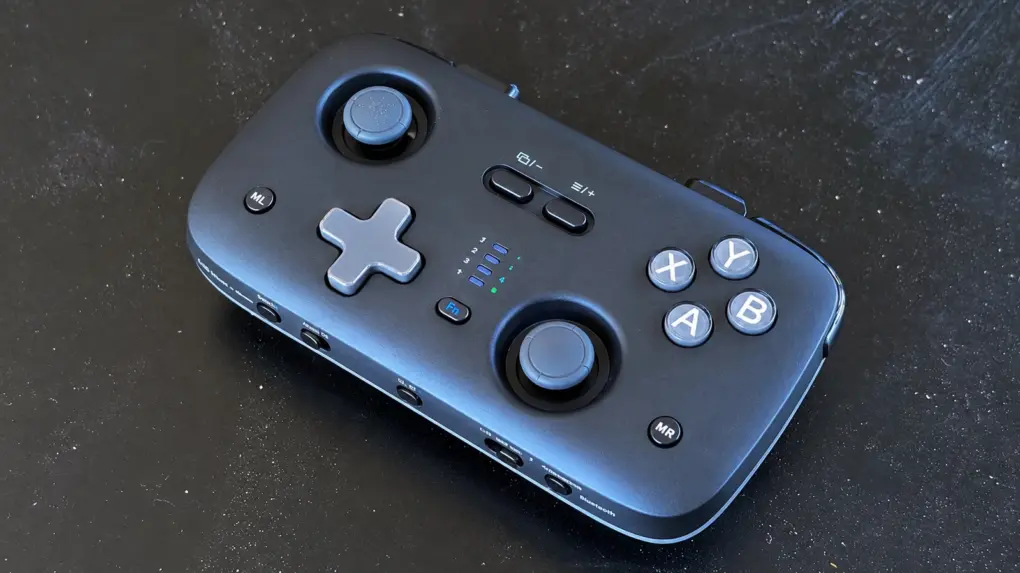
The Jsaux VoidJoy SkyLark S1 Pro game controller packs an impressive assortment of features into a portable and lightweight design.
A highlight is extreme flexibility. It connects to Mac, iPad and iPhone, as well as a Nintendo Switch 2, Android or PC. And connections can use Bluetooth, 2.4GHz wireless or USB.
I put the very affordable gamepad to the test and came away generally pleased. Here’s what I like and what I don’t.
This post contains affiliate links. Cult of Mac may earn a commission when you use our links to buy items.
Jsaux VoidJoy SkyLark S1 Pro review
I play games daily. While I enjoy a light, casual game, RPGs are my real love. Sometimes I play on my iPhone, but I’m much more likely to move the serious gaming to my iPad.
Years of experience taught me that playing an RPG or FPS with onscreen touch controls brings only frustration. My fingers slip off the virtual buttons and sticks because I can’t feel them. And soon my character is dead because it stopped running or attacking.
That’s why I use an external game controller, no matter what device I’m gaming on. So I want a gamepad that works with all my computers and includes all the buttons and sticks I need.
The device also must be easy to carry around. Sure, I game at home, but also on planes, in hotel rooms, in rental houses… wherever I am.
The Jsaux VoidJoy SkyLark S1 Pro saves me from the need to carry a full-size controller when I want to game on the go.
Made to go anywhere, without holding back on what matters. TMR sticks, optical linear triggers and multi-platform compatibility — all packed into a pocket-size game controller.
- Very affordable
- Supports many platforms
- Quite portable
- Virtually no grips
- Unusual trigger placement
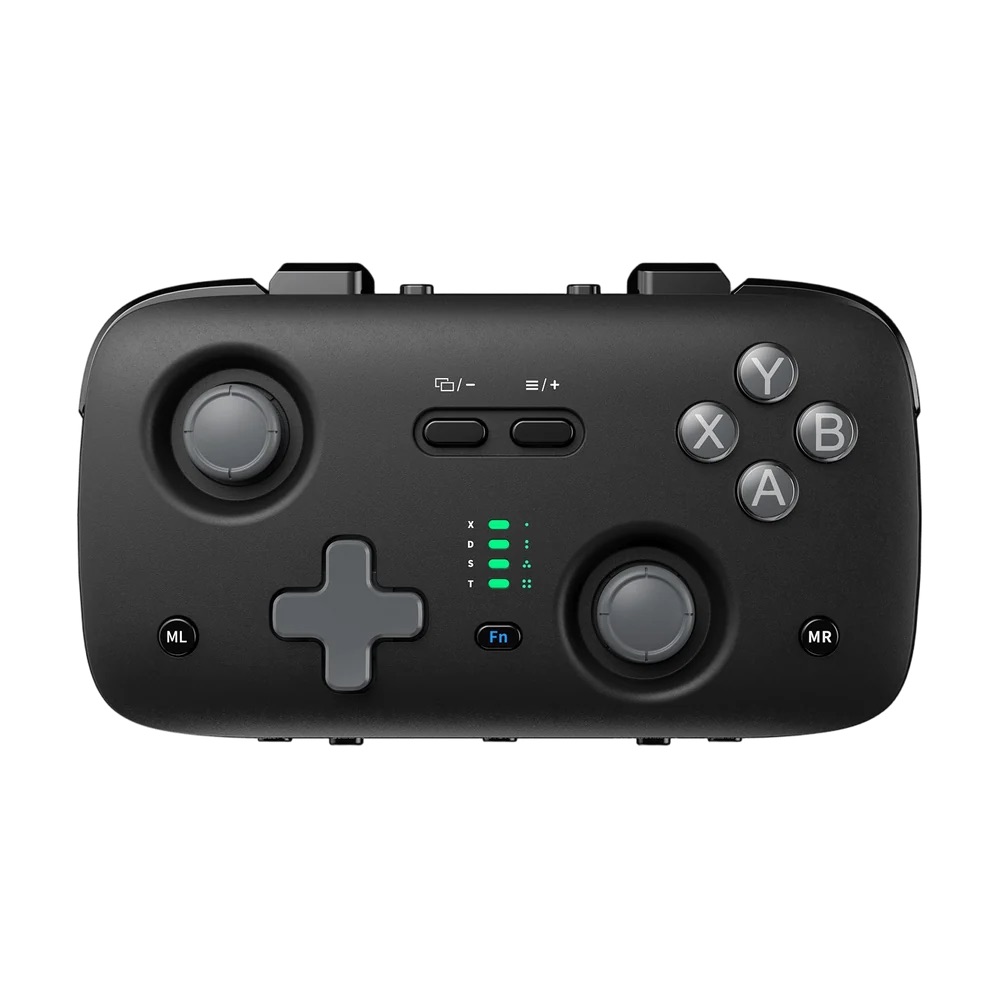
Table of contents: Jsaux SkyLark S1 Pro review
- Small enough to take almost anywhere
- TMR thumbsticks and adjustable triggers
- Fairly comfortable to hold, but no grips
- For Mac, iPad and iPhone
- So many more options
- Let’s try some gaming
- Jsaux SkyLark S1 Pro review: Final thoughts
- Pricing
Small enough to take almost anywhere
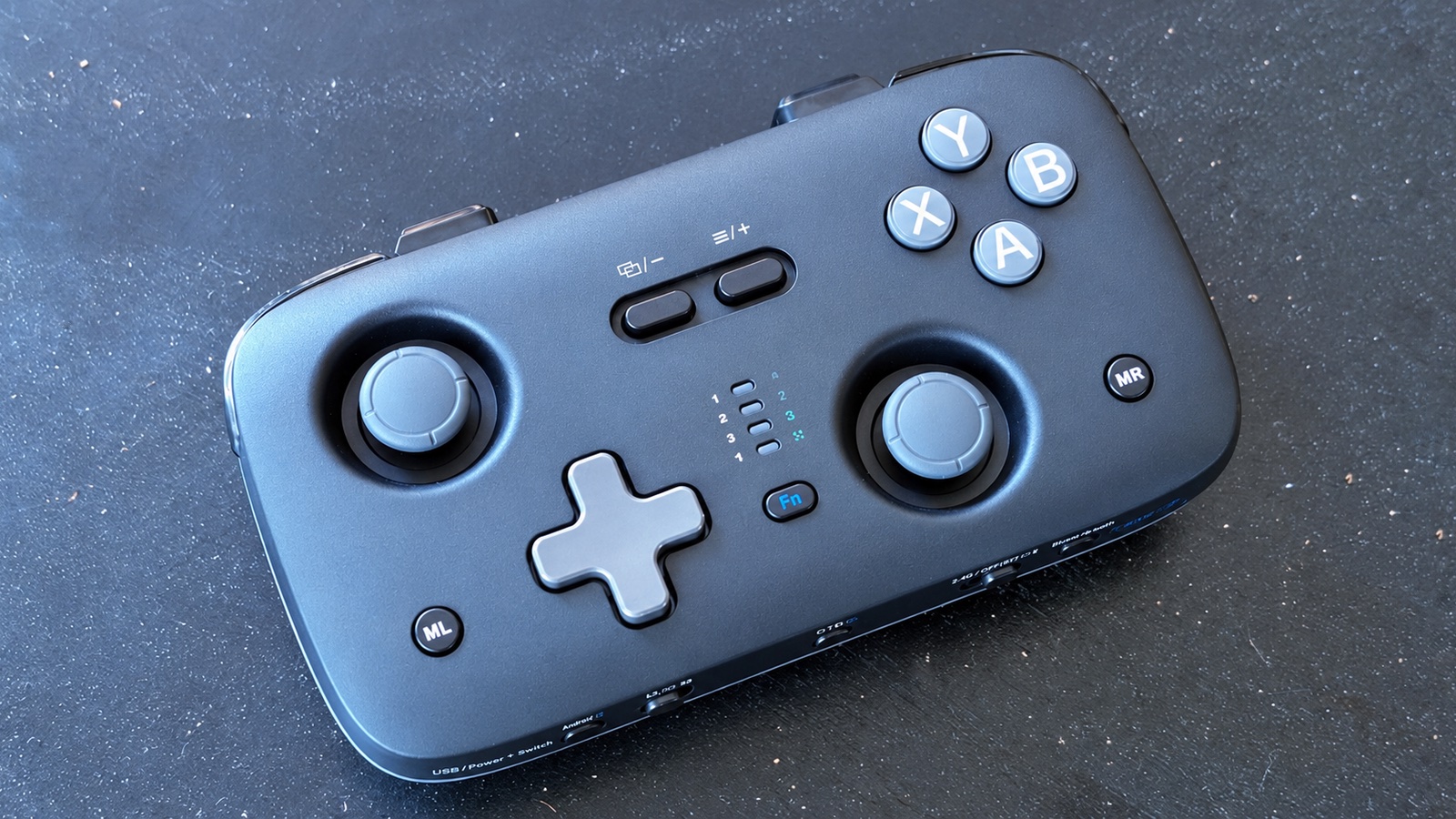
Photo: Ed Hardy/Cult of Mac
The SkyLark S1 Pro’s best selling point is obvious as soon as you see it: It’s considerably smaller and lighter than a standard console controller. Its compact dimensions make it easy to carry in a backpack or jacket pocket.
The gamepad measures roughly 5.2 inches by 2.9 inches by 1.3 inches and weighs about 4 ounces.
I’ve reviewed many portable game controllers over the years, and this is one of the smaller multi-device options I’ve used. It even invites comparison to the brilliant Ohsnap Mcon.
That said, the Mcon protects most of its buttons and sticks when they aren’t in use, while Jsaux’s device leaves them all exposed. You’ll need to be somewhat careful when carrying it around.
TMR thumbsticks and adjustable triggers
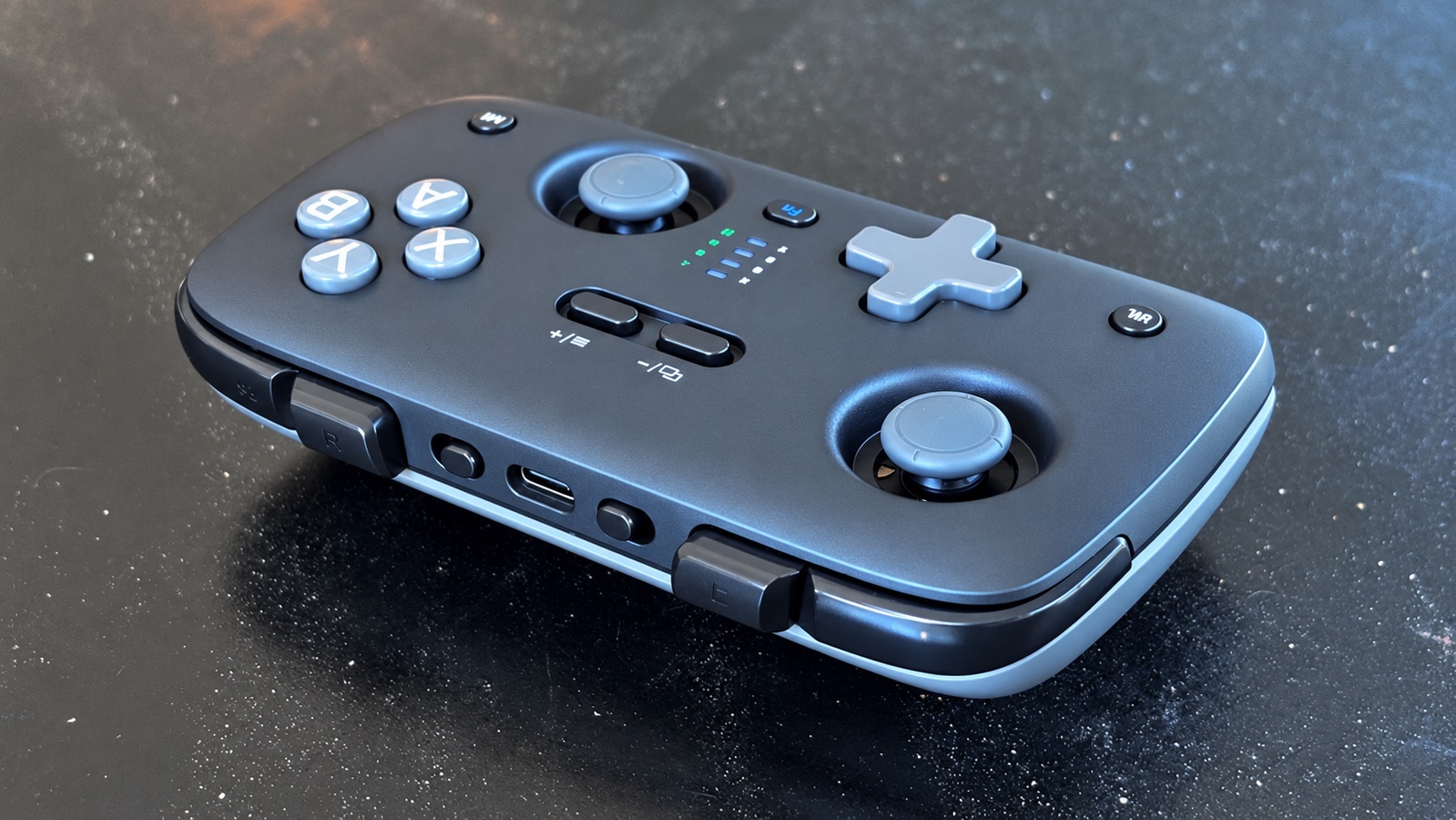
Photo: Ed Hardy/Cult of Mac
The pocket-size design nevertheless makes room for all the standard buttons, sticks and triggers.
The first time I picked up the SkyLark S1 Pro, I was impressed by how roomy the buttons and sticks felt. Unlike many portable game controllers, everything isn’t cramped together.
The XYAB buttons are full-size and are actually slightly farther away from the right thumbstick than on my official Xbox controller (as shown here). The same is true for the D-pad and the left joystick. So they are the opposite of cramped.
Speaking of the sticks … Jsaux built in tunnel magnetoresistance (TMR) thumbsticks, which are designed to deliver precise input without the physical contact used by conventional potentiometer-based sticks. Like Hall effect sticks, TMR sensors reduce the risk of stick drift over time.
That said, both sticks are recessed and offer less travel than the sticks in full-size game controllers I’ve used. These do feel a slight bit cramped.
As for the other controllers, the SkyLark S1 Pro sports optical linear triggers that are adjustable.
Which is great… except that the triggers are located to the left or right of the shoulder buttons, not below them. That’s not unprecedented, but it’s not where my fingers automatically look for them. Some mental adjustment is needed.
Fairly comfortable to hold, but no grips
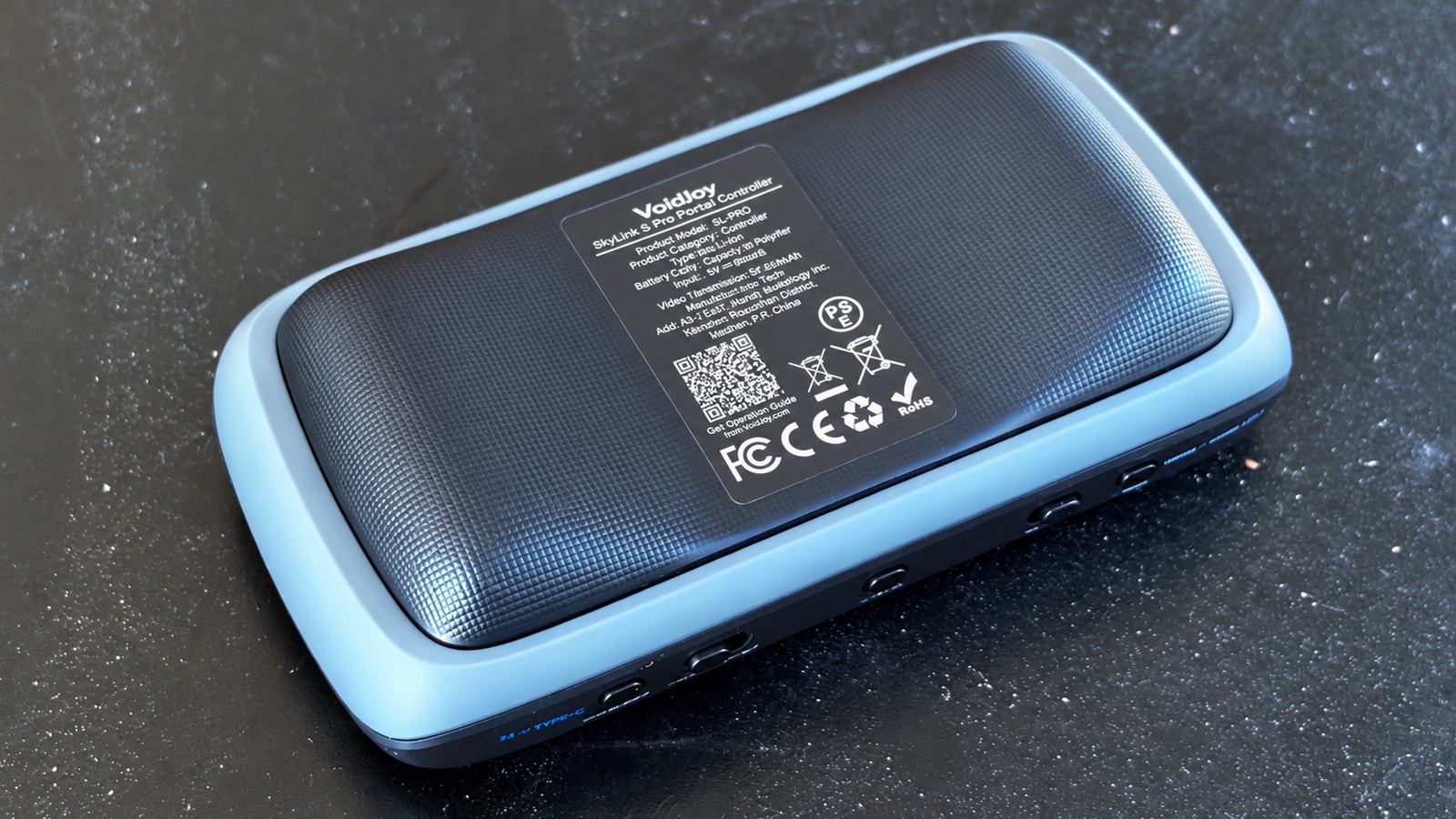
Photo: Ed Hardy/Cult of Mac
Trigger location isn’t the only adjustment required. The Jsaux SkyLark S1 Pro really doesn’t offer much in the way of grips. The bottom has a small pair of them, but these don’t extend downward as grips should. This means that, when I’m holding the game controller, my last two fingers have nothing to wrap around.
The result is that the gamepad isn’t as comfortable to hold for long periods as a traditional controller with full-size grips.
On the other hand, Jsaux makes this accessory extremely lightweight. It’s so much lighter than a standard Xbox controller, which really needs grips because it’s not just heavy; it’s front-heavy.
For short gaming sessions, I really don’t notice the lack of grips. Even medium-length ones. But if I get really into what I’m playing and hours go by, my hands start to feel cramped.
For Mac, iPad and iPhone
I can set the Jsaux SkyLark S1 Pro to pretend to be an Xbox Bluetooth controller, which allows it to connect to my iPhone, iPad and Mac.
Plus, there’s a bonus feature: I set up the accessory with my iPhone and my iPad, and can now jump between them with the flip of a switch.
A Mac holds its own screen up while I’m gaming, and I have a stand for my iPad, even when I’m traveling. A stand is needed for gaming on an iPhone, too.
I bring that up because many iPhone game controllers wrap around the device so that the buttons and sticks are on either side of the screen. Or they magnetically attach to the handset. Jsaux’s does not.
So many more options
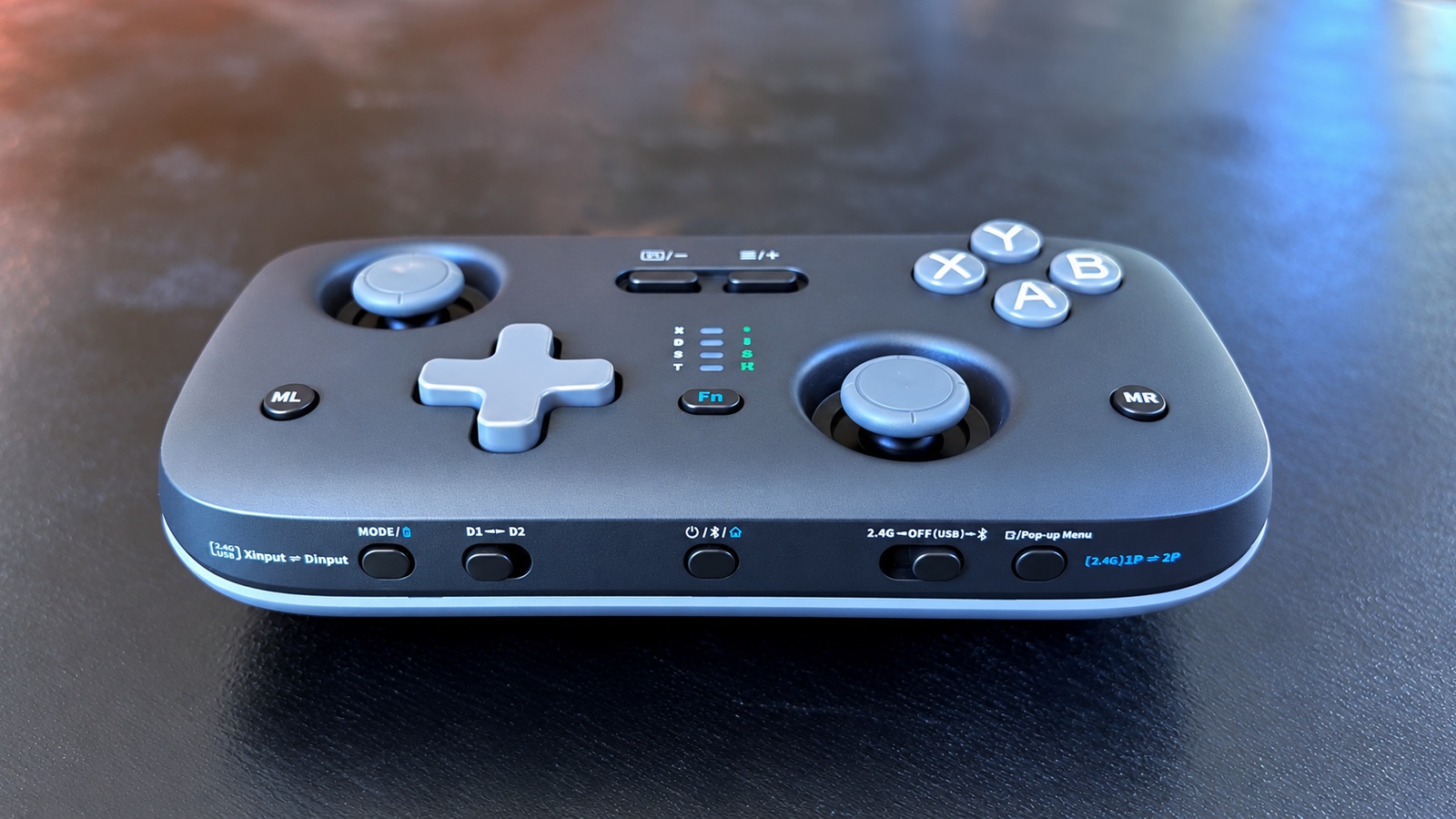
Photo: Ed Hardy/Cult of Mac
While Apple devices must connect to the controller using its Xbox emulation, that’s far from the only one offered by the accessory. It supports Bluetooth, 2.4GHz wireless and wired USB-C connections. That makes it compatible with a broad selection of devices, including Windows PCs, Android devices, Nintendo Switch consoles and the Switch 2. Just note that it isn’t compatible with Xbox consoles or PlayStation 5.
In addition, the SkyLark S1 Pro supports button remapping, turbo inputs, macros, adjustable stick sensitivity and dead-zone controls through the KeyLinker companion app. These options allow players to tailor the controller to individual games and preferences.
I strongly recommend keeping a copy of the manual because there are so many buttons and switches needed for all these options that you won’t figure them out on your own.
I’m not going into most of these options as very few are compatible with iPhone and iPad gaming. And while you can do button remapping with the KeyLinker app, I find that easier to do with iOS/iPadOS by going into Settings > General > Game Controller.
But it’s amazing there are this many options on a necessity as affordable as this one.
Let’s try some gaming
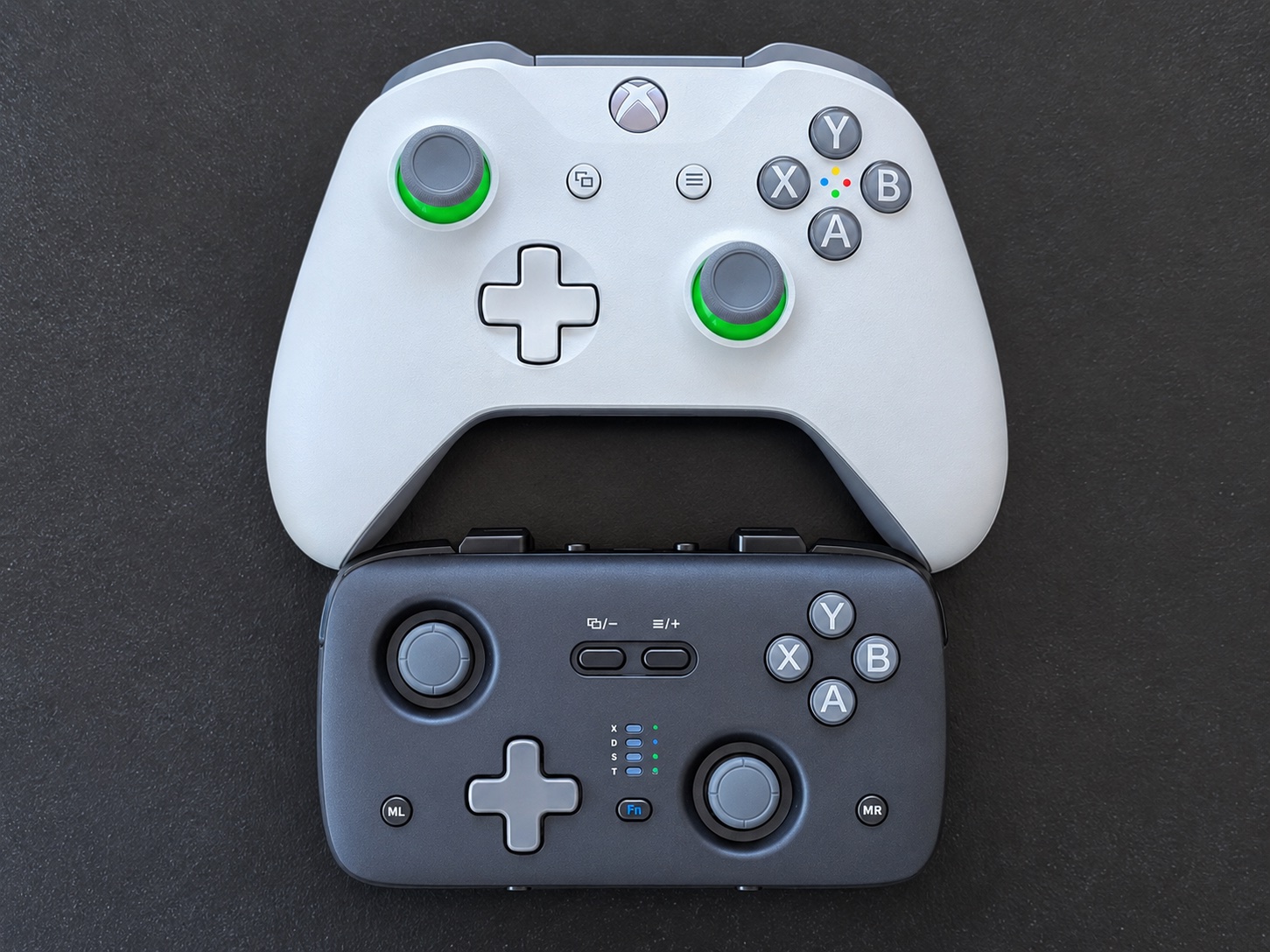
Photo: Ed Hardy/Cult of Mac
I have a collection of classic games I always play to test game controllers. Not because there’s anything special about them, but because I’m so familiar with them that if a problem comes up, I know it’s caused by the accessory, not the software.
One of these is Oceanhorn 2. It’s my go-to because it uses every single button, stick and trigger so I can test them.
And the Jsaux SkyLark S1 Pro passed with flying colors. Everything worked perfectly. In a few minutes, I mostly forgot I was reviewing a new controller and just had fun.
That said, this is how I identified my complaints with the accessory I noted earlier: not quite enough stick travel, the minimal grips, as well as the non-standard placement of the shoulder buttons and triggers.
During many hours of enjoyable testing, I barely made a dent in the first battery charge I put on the accessory. When I eventually need to juice it back up, I only need to connect it to a power source via its USB-C port.
Jsaux SkyLark S1 Pro review: Final thoughts
While I genuinely like this game controller, it’s not right for someone who just wants a gamepad for their iPhone. You’ll be happier with a clip-on model.
But if you want a controller to, say, play on an iPad and a Switch 2 and maybe occasionally a PC, then the SkyLark S1 Pro is absolutely worth investigating.
Especially at its low, low price.
★★★★☆
Pricing
The Jsaux SkyLark S1 Pro sells for $49.99. And that’s not a special deal — that’s the regular price.
Made to go anywhere, without holding back on what matters. TMR sticks, optical linear triggers and multi-platform compatibility — all packed into a pocket-size game controller.
- Very affordable
- Supports many platforms
- Quite portable
- Virtually no grips
- Unusual trigger placement
Jsaux provided Cult of Mac with a review unit for this article. See our reviews policy, and check out more in-depth reviews of Apple-related items.

Ed Hardy has been writing full-time about tech for 26 years, and using it for much longer than that. His intro to Apple was a Macintosh SE/30 (which he still has), but now he uses a 13-inch iPad Pro as his primary computer.
That’s because he’s a “tablet first” type of guy. Rather than use a Macbook, he connects a keyboard case to the iPad. And instead of a desktop Mac, he connects his tablet to a 27-inch display and full-size keyboard. (So don’t try to tell him that everyone has to use a Mac to be productive.)
Before coming to Cult of Mac, Ed wrote for NotebookReview, TabletPCReview and Brighthand, as well as other sites.

