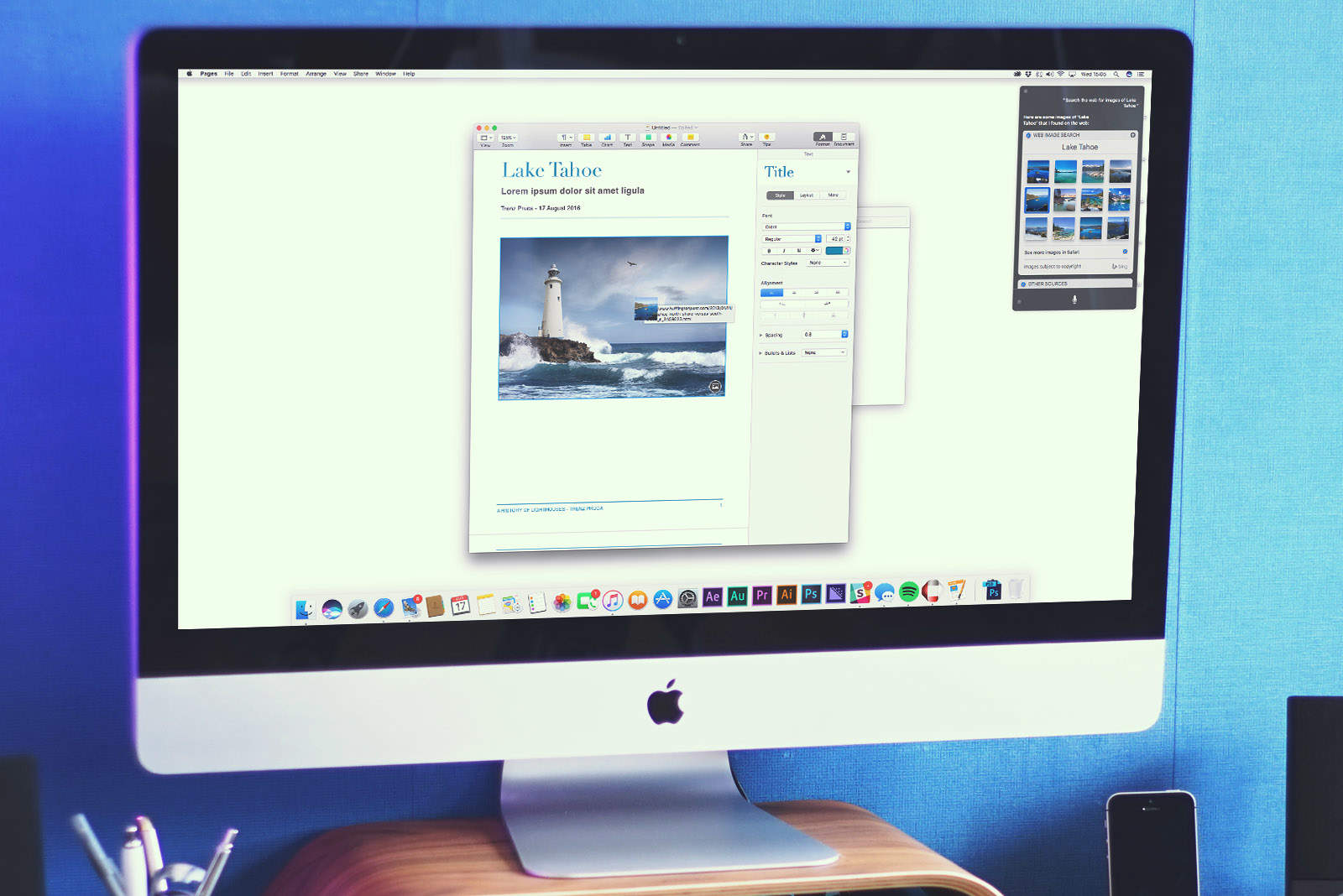
The Mac debut of Siri on macOS Sierra opens up a ton of intriguing new use-cases in terms of functionality. One of the most useful? The ability to use Apple’s virtual assistant to search for photos either on the web or your own computer — and then drag them into directly into apps.
Here’s how to use the feature when running Apple’s next-gen macOS, which is currently in public beta and will be released this fall.
Hey, Siri — find me photos!
To begin, you’ll want to click on the new Siri icon on the dock, by holding down CMD + Space or clicking the Siri icon in the top right of the menu bar.
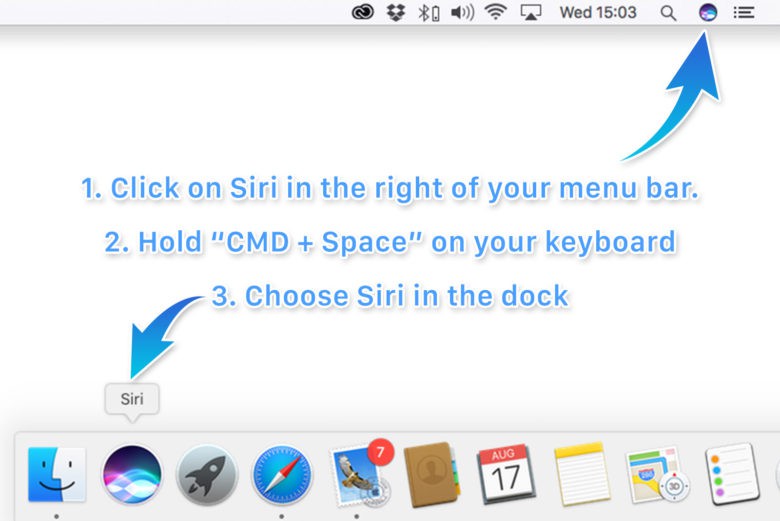
Photo: Ste Smith/Cult of Mac
Next, ask Siri to find an image of your choice, specifying whether you want this to be from your own Mac or from the web. For example, “Siri, find me images of Lake Tahoe on my Mac.” If you choose to search the web, Siri will bring up a selection of 12 images from Bing via Safari. (At present, there’s no way of choosing a different search engine.)
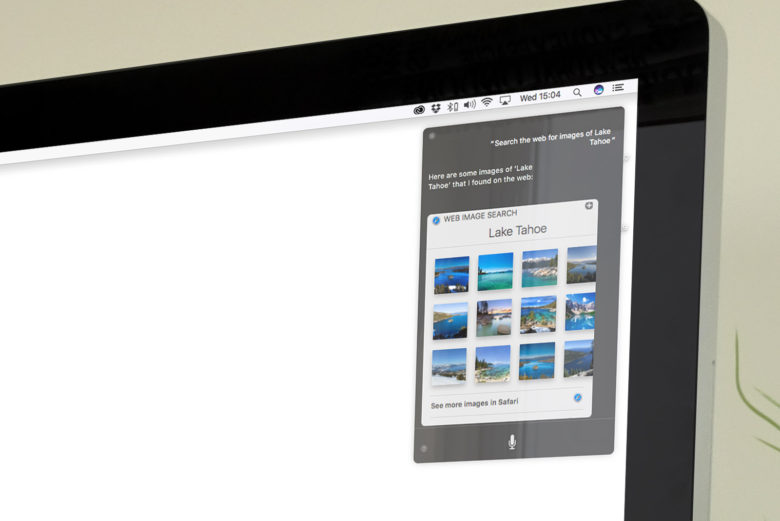
Photo: Luke Dormehl/Cult of Mac
Once you’ve done this, you can then drag and drop images directly from the Siri window into apps such as Pages, Messages, or others. Alternatively, you can drag the images to your desktop or another folder within Finder so you can use them at a later date.
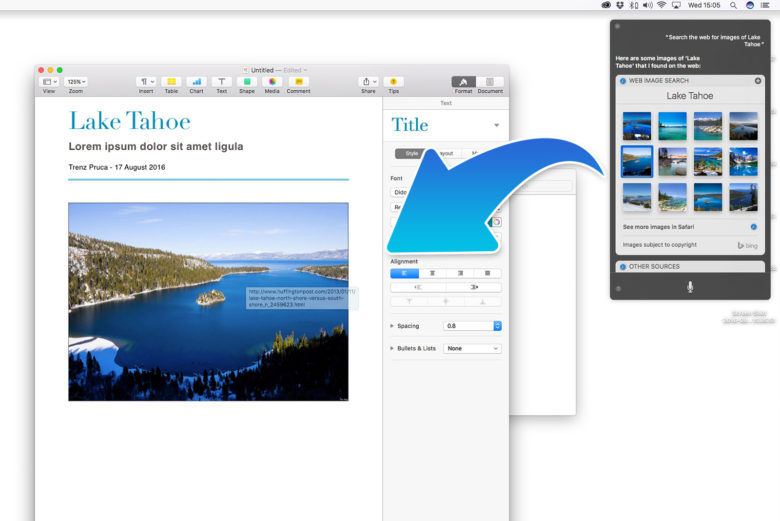
Photo: Luke Dormehl/Cult of Mac
Pretty neat, huh?

Luke Dormehl is a U.K.-based journalist and author, with a background working in documentary film for Channel 4 and the BBC. He is the author of The Apple Revolution and The Formula: How Algorithms Solve All Our Problems … and Create More, both published by Penguin/Random House. His tech writing has also appeared in Wired, Fast Company, Techmeme and other publications.


2 responses to “How to use Siri to search, drag and drop images on macOS Sierra”
I get paid close to 6000-8000 bucks on monthly basis for freelancing at home. For anyone ready to do simple online jobs for 2h-5h a day from your home and earn good income while doing it… Then this work opportunity is for you… FAVE.CO/1Pj8UFH
I am getting paid in the range of 6k-8k bucks a month with an online job. Everyone willing to do basic freelance jobs for several hrs /day from your living room and make valuable income while doing it… This is an opportunity for you… SELF44.COM
dgerert