Mobile menu toggle

iOS App Store Now Lets You View Your App Purchase History [updated: iTunes too]

By

iphone updates


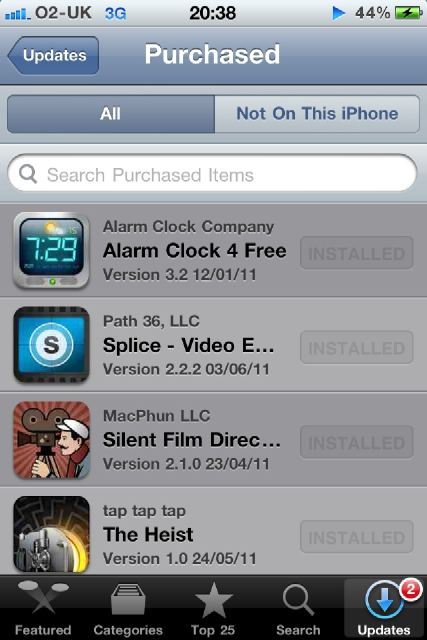
Looks like the small tweaks are starting to roll in. A couple of our Twitter followers sent us pictures of a new feature for the App Store on their iPhones that allows them to view their recent app purchase. The app lets you view not only what you’ve purchased, but also what apps aren’t installed on the current iOS device you’re using.


Now, I’m not sure about most people, but I find myself sharing apps with a couple of my friends who have recently purchased iPhones. Having been an iPhone user since the first model came out, I’ve downloaded a ton of apps but can’t remember them all when a friend asks me what apps they should try out. This new feature, while incredibly simple, could prove to be particularly useful in a lot of different circumstances.

How about you? Do you and your friends share apps?

(picture sent from Twitter user Omar_Almaary)


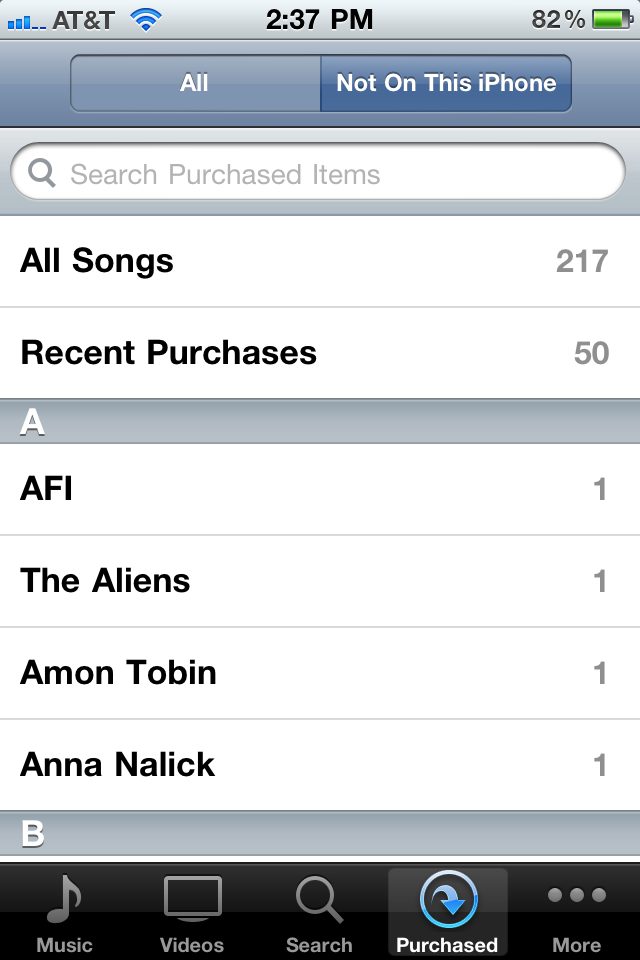
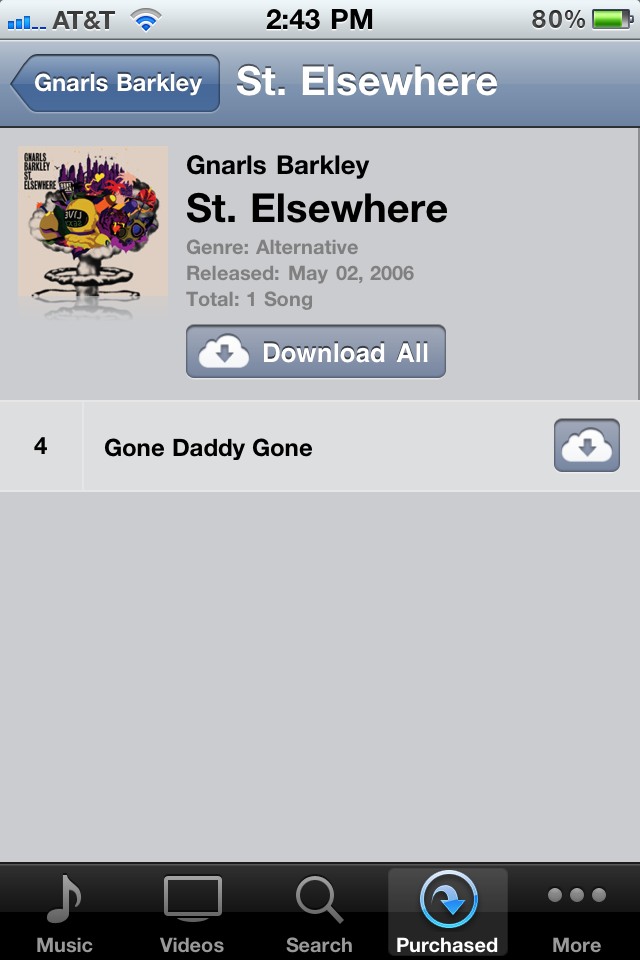
update: The change has also been reflected in the iTunes app as well. Twitter user bacichon sent in some pics to show that you can now download previous iTunes music purchases to your phone as well.
  • Subscribe to the Newsletter

    Our daily roundup of Apple news, reviews and how-tos. Plus the best Apple tweets, fun polls and inspiring Steve Jobs bons mots. Our readers say: "Love what you do" -- Christi Cardenas. "Absolutely love the content!" -- Harshita Arora. "Genuinely one of the highlights of my inbox" -- Lee Barnett.

18 responses to “iOS App Store Now Lets You View Your App Purchase History [updated: iTunes too]”

  1. Brad says:

    Not seeing Purchased on my Verizon iPhone 4 (iOS 4.2.8)

  2. BigPig says:

    Me either…

  3. Sean Liu says:

    The implementation is actually kind of annoying because I don’t want to see a list of everything I ever downloaded, just the ones that I still want. There should be a way to hide certain apps.

  4. bored says:

    I see them… anyone find a way to delete these? =/ Some of them are a bit embarrassing ;)

  5. Neier says:

    Apps on the “Not on this iPhone” list can be re-downloaded into the phone by pressing an iCloud icon next to the app name.  

  6. dale2000 says:

    Me either.  Perhaps it’s a Canada thing?  Or a gradual roll-out thing.

  7. Mitchell Eng says:

    Me too. Singapore here.

  8. Guest says:

    This feature is only available on iOS 4.3+.  Verizon users will have to wait until iOS 5.

Leave a Reply

