My biggest gripe with my Apple Watch is not the sluggish hardware, the lack of GPS nor the dependance on my iPhone. These are all problems to be sure. But it is the bad user interface design that often drives me so mad that my force-taps turn into force-thumps of frustration.
With an update to the Apple Watch operating system expected at the Worldwide Developers Conference next month, here’s my top 10 list of interface improvements I’d like to see in the upcoming watchOS 3. These essential changes would spare my wrist from future incidents of wrist rage.
10 Apple Watch UI tweaks for watchOS 3
1. Less focus on apps
Apple has recently erased all trace of the Apple Watch app launcher from its marketing. And who can blame them. The tiny hexagonal grid of circular app icons is fiddly to tap, and the apps themselves are sluggish and difficult to use.
And yet, the app launcher remains unavoidable when you use the Apple Watch — it is bizarrely easier to reach than the watch face itself, since you pull it up with a single press of the Digital Crown.
This needs a major rethink. Apps should be massively reduced in prominence and, where possible, they should be eliminated altogether. For example, if the built-in Workout app was extensible, it could support third-party running platforms like Nike+ and Strava without the need for third-party apps. And support for messaging platforms like Twitter and Facebook could be built right into the Notification Center.
2. Pushing the Digital Crown should take you to the watch face. Always.
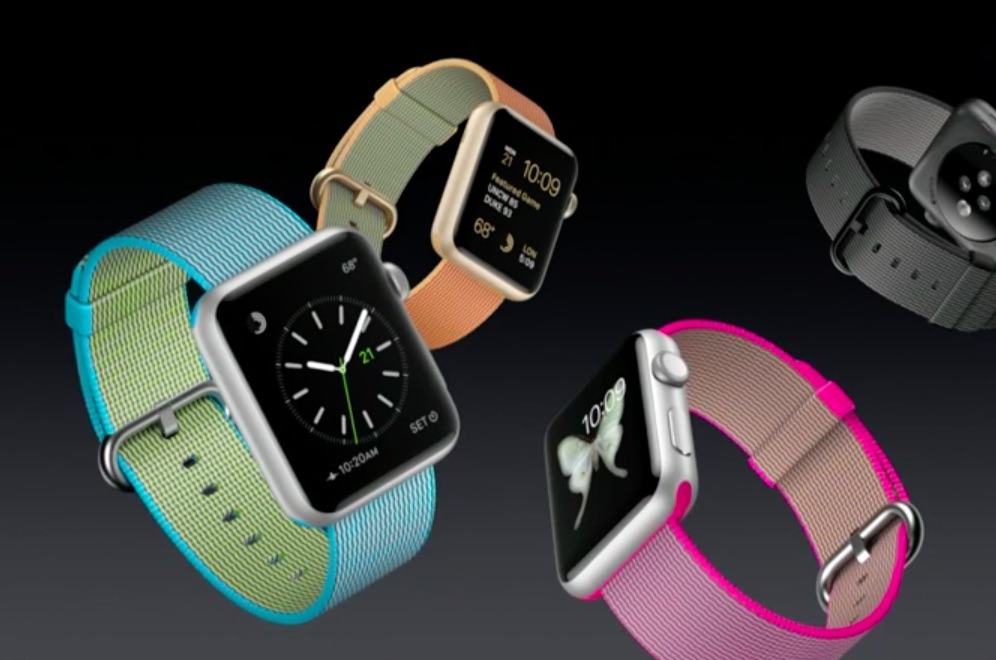
Photo: Apple
The watch face is the single most important screen on the Apple Watch. And yet it often requires multiple presses of the Digital Crown to reach it: one to return to the app launcher, and a second to take you to the watch face. To make matters worse, with each press you have to wait for a fancy animation to finish.
On the iPhone, pushing the home button returns you to the home screen. The Digital Crown is the Apple Watch equivalent of the iPhone’s home button, but the difference is that for the wearable, the home screen is really the watch face — not the app launcher.
3. The Digital Crown is for scrolling, not zooming
When Apple unveiled its smartwatch, the Digital Crown was positioned as a solution for zooming, since the watch screen was too small for the iPhone’s two-fingered pinch gesture. But this turned out to be a solution to a problem that does not exist. Apple Watch is not used for apps that need zooming, like photo and mapping apps. It is used for delivering short messages. Any app that requires you to zoom in to see something on the watch’s tiny screen has failed. Parsimony is the secret to great Apple Watch interface designs.
The ability to scroll using the Digital Crown was only added late in the development process of Apple Watch. As a result, there are some odd incongruities with the way it has been implemented. For example, in the app launcher, scrolling the Digital Crown opens apps by zooming into them. This makes no sense at all. It’s about time Apple gave up on the idea of zooming on Apple Watch and accepted that the Digital Crown’s primary purpose is for scrolling.
4. Swipe up to access apps
If pressing the Digital Crown always takes you to the watch face, then a new location is required for apps. The most obvious place to put them is where glances are currently located, with a swipe up from the bottom of the Apple Watch face. This leaves them still easily accessibly, but less prominent, since you could only reach them from the watch face, and no longer via a dedicated hardware button. This would also help to blur the rather arbitrary distinction between apps and glances.
5. Glances accessed via complications
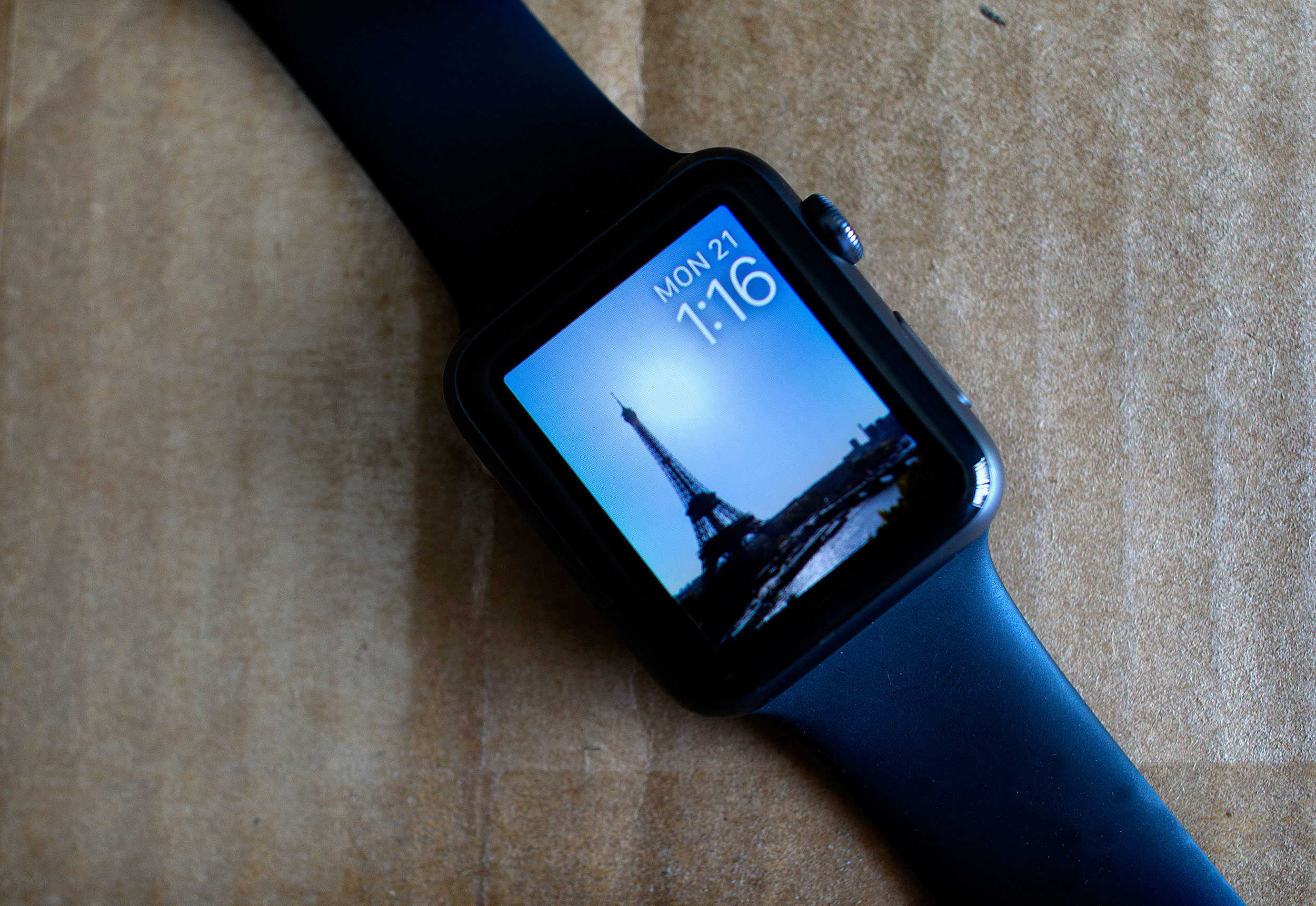
Photo: Jim Merithew/Cult of Mac
The main problem with Apple Watch glances, which Cupertino calls “scannable summaries of the information you view most frequently,” is that they are so slow to update that it is just not possible to glance at them. In fact, “Stares” would be a better name for them, since you have to stare at them for ages as you wait for them to update.
They also seem extraneous now that Apple has introduced third-party complications that do pretty much the same thing, albeit with less screen space. Rather than scrap glances altogether, I think they could work well as a “quick look” when you tap on a complication.
6. Apps should not be mandatory for developers
If you are a developer and you want to create complications, notifications or glances for Apple Watch, currently you are forced to produce a watch app as well. This results in some developers creating pointless apps, while others decide not to develop for Apple Watch at all.
For example, I develop a gym-logging app. Interactive notifications would be great on the Apple Watch, because they could show you what exercise you should do next and let you check off each set as you complete it. A complication would also be cool, so you can see your rest timer right on your watch face. But it is just not realistic to try to edit complicated workout programs using a tiny Apple Watch app. In reality, it’s always going to be faster to take your iPhone out of your pocket to do that. So, interactive notifications and glances are great for gym logging, but an Apple Watch app is pointless.
Watch apps are the least interesting aspect of the watchOS platform. So it is about time they become optional for developers, rather than mandatory.
7. Use the side button for selecting
The side button is currently used to access Digital Touch, the Apple Watch’s quirky messaging platform. And while this can be fun for doodling, let’s be honest — it is hardly a feature that is important enough to justify its own button. It should be relegated to an app, so the side button can be freed up for something more useful.
There are so many situations when using the touch screen is not practical, like in damp conditions (which interfere with the capacitive touch sensing system) or when you can’t look down at the watch screen. This means that the physical buttons are invaluable. Apple Watch has only two, so it needs to make far better use of them.
With a traditional web browser, you don’t have to click on the controls to use them — you can also tab between them using keyboard access and select them by hitting the return key. Apple Watch could offer a similar feature, letting you select the highlighted option by pressing the side button.
This would require a fairly fundamental change to the watchOS user interface. It would require screens to provide “focus” for one user interface element at a time, so you could see what you would be selecting when you pressed the side button. But I think the benefits would be worth the upheaval: By eliminating the need to tap the screen in most cases, the screen will less frequently be obscured by the user’s finger.
8. App menu as a scrollable list
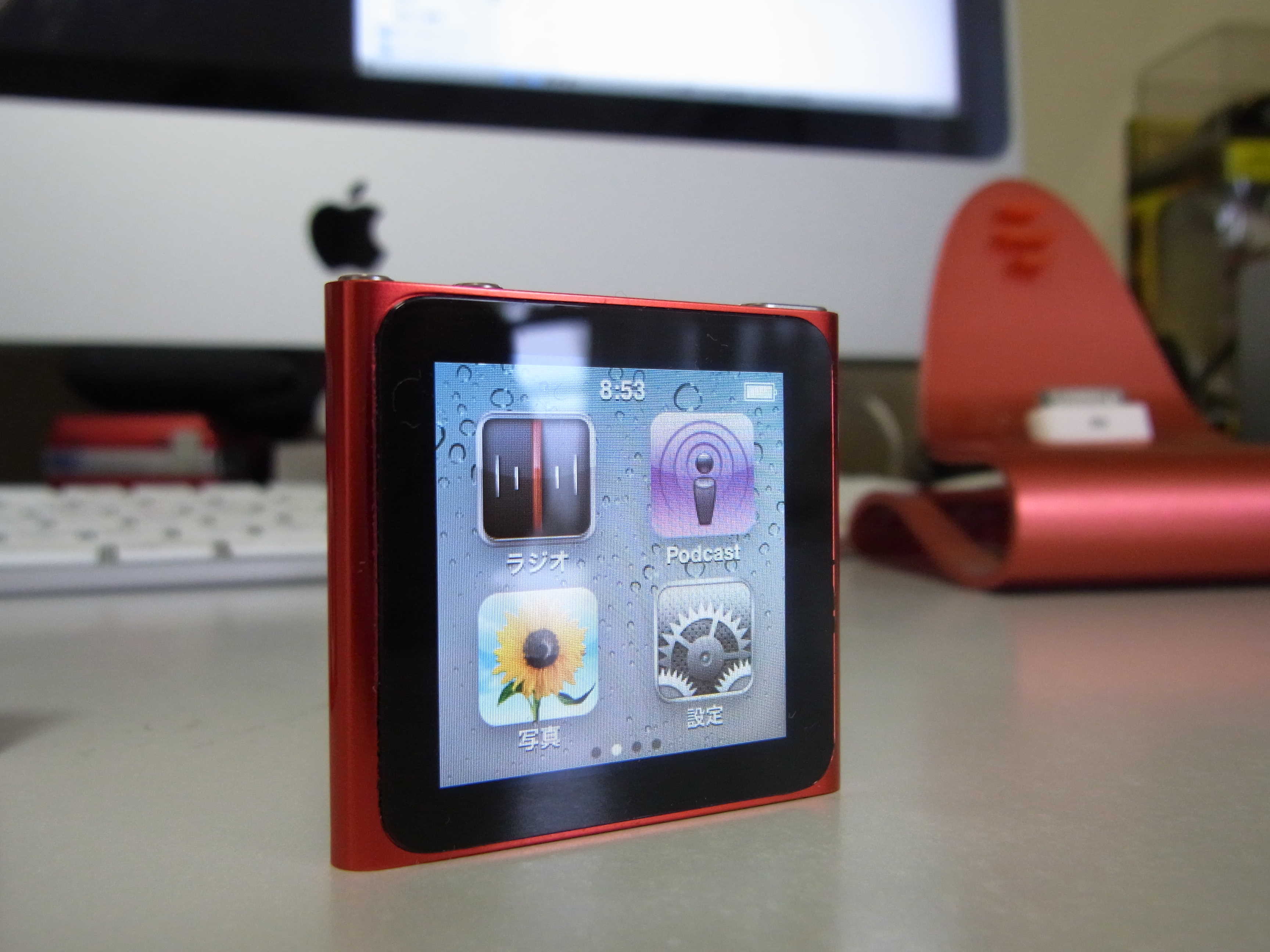
Photo: salchu/Flickr CC
The hexagonal grid of circular app icons that comprises the app launcher screen certainly looks cool. Initially, it was the trademark iconic image of Apple’s new wearable platform. But in practice, it has proven to be incredibly hard to use. The icons are just too tiny to see and tap accurately.
Hexagonal layout app launchers have a grim history. Microsoft proudly launched a similar “honeycomb menu” for Windows Mobile 6.5 way back in 2009, shortly before the platform was scrapped.
The irony is that Apple solved the problem of launching apps on a tiny screen years ago with the sixth-generation iPod nano. App icons were positioned in a regular two-by-two grid, with the ability to swipe between multiple screens. The icons were easy to see, had space for a label and were perfectly finger-size for tapping. This was the ideal solution for the diminutive iPod, and it would be great for Apple Watch as well — albeit scrolling down with the Digital Crown, rather than swiping left and right.
9. The app menu should be hierarchical
Even before you install any third-party apps, the app launcher presents a bewildering array of choices, making it fiddly and time consuming to find the app you are looking for. Personally, I get the Timer and Stopwatch apps mixed up all the time. Their icons look so similar that I have to stop and think for a moment to work out which one I need.
The iPod nano again provided a great solution for this. Its menus were hierarchical, so they were grouped thematically (a bit like folders on iOS, but without the option to create your own).
Structuring the app menu in this way would enable the Alarm, World Clock, Stop Watch and Timer to all be grouped together into a single menu called “Clock,” removing the confusing clutter of similar orange icons from the top-level view.
Third-party apps, which are largely useless, could be lumped into a “My Apps” or “App Store Apps” menu at the bottom.
10. Configure different watch faces for different locations and times
Complications can be very useful. They not only provide information at a glance, but are also convenient shortcuts to launching the apps that you use frequently without needing to delve into the app launcher screen.
But there is a limit to the number of complications you can fit on one watch face. To solve this, I’d like to see Apple enable users to configure multiple watch faces, each with different complications installed, and have them all to view at once so you can quickly swipe between them, without having to use the force-tap configure mode.
You should also be able to specify in which situations you want to use each Apple Watch face, based upon time of day, geographical location or activity. For example, you could have one watch face for when you are at work, another for when you are at home and a third for evenings and weekends. Your Apple Watch could automatically switch between them so it is always presenting the right information based upon what you are currently doing. And you could simply swipe from left to right to switch between them manually.

Graham Bower is a designer, writer, fitness geek, and long-time Apple user. He is the co-host of Apple Core, a podcast about the history of Apple, and the developer of Reps & Sets, a fitness app for iPhone, iPad, and Apple Watch. Connect with Graham on Bluesky or at www.grahambower.com.


40 responses to “How watchOS 3 could fix Apple Watch and end ‘wrist rage’”
I think of the side button as being more like a home button. For me it’s more natural than to press the crown. I would also like to long press the home button to get Siri, which I actually use quite often. I don’t see the point of the home screen at all either. It’s a watch, the homescreen is the watch face and that is where my biggest issue is. None of the watch faces are what I’m after. Modular is close, but not quite there. For a device that is supposed to be so personal as Apple tells us, the ability to have way more watch face options is a no brainer.
Let’s not forget the configuration utility “Watch App” on the iPhone itself. It could use some love, especially when you have made a lot of customizations: I would like to see it have a way to “save or load” an Apple Watch configuration – all the settings and app status (installed, glances, etc.) so if you have to re-initialize your Apple Watch from a full reset you can “restore configuration XXX” and have everything – apps, glances, complications, watch face mods, etc. all restored exactly to the hand-crafted configuration one has already created previously.
The current restore function does not put everything back the way you had it or allow swapping between different configurations.
You have a full Apple watch iCloud backup which you can restore.
Not really true. First, the only way to “force” a backup, is to un-pair the Apple Watch. So to just create an iPhone/iCloud backup of the watch configuration/environment, you have to suffer through the very long re-pairing/reload procedure.
Second, you cannot control the iCloud restore (you only get the “last” backup), and for me it doesn’t bring back all the apps and settings correctly (ok, that may just be a bug or two.)
Completely agree that the UI needs major re-visit, however these suggestions only work if you don’t use apps a lot. I have 53 installed on my watch and I’m frequently using about 20 of them. The idea of having a long scrolling list to access them would be awful. The hex grid is just a little too small (say 20% bigger for each app needed), but even with my large hands/fingers, it’s easy enough to select the app I want. It did take a while to create a way of spacially grouping apps in ‘branches’ out from the centre to find a way of it working well, and some better way of doing that would work.
I agree the crown push should always go back to the watch face – and that the customisation of the faces needs to be better (the only one which gets close to providing a rich enough display is the modular one). However, double press to toggle between 2 recent apps works OK and long press for Siri is ok.
The ‘other button’ ought to be general purpose button with its use determined by the app. So the stop watch should use it as start/stop/reset, the camera app to take a pic etc. Basically it should act as the primary trigger for whatever the apps main function is (so it might be ‘next’ in a news app or mail app).
The crown – yes, zoom is very rarely needed and hence it should just stick to the idea of scrolling – either on the display or through time etc. But, the other button might function as a toggle if there is a rare need to use zoom (like in a map).
Glances – agree that these are weak at the moment but the idea of only having them as additional info behind complications misses the ability I currently use them for most, which is to access things which I don’t have displayed as a complication because not everything would fit. So, I like the idea of allowing say a single tap on a complication to show a glance, and a double tap to go to the app.
Mostly though, I want the watch to use gestures of the hand the watch is on and not need both hands to do anything. Apple have patents to provide this, and if I could trigger actions on the watch by specific movements of the fingers on the same hand as the watch, a lot of the frustrations with the current UI could vanish by becoming irrelevant.
Out of curiosity, what apps to do you use? I haven’t really found any to be useful on the watch.
Besides the built in timer, calendar, alarms, phone, music/media player controlling what’s on the phone, messages, I use:
Messenger, Skype, dark skys, weather pro, fantastical, Evernote, one note, a recorder, outlook, macId, dominos, sofa score, Flipboard, BBC news, f1, trellis, Shazam, Apple Pay, luminos, Philips hue, iConnectHue, lookout, trip advisor, around me, national rail, tube map, tripCase…
Loads of others installed including some silly little games and other Philips hue apps that don’t work as well, things like google maps and other things for when traveling not used often etc.
But, I’m committed to apps – approx 700 on my phone/iPads and a good 80 on the Apple TV too. The big advantage with the Apple Watch is that the vast majority of Apps I use are apps I already have and use on the phone and it just adds features to also have them available via the watch with no extra cost or hassle.
With so many apps, it was vital to turn off the vast majority of apps sending notifications – i wish the default for apps would be no notifications on the watch. A couple of times I’ve missed turning off an app and been woken in the middle of the night with some dumb pointless notification. The last one was an advert for an update to an app – not something I’m likely to take kindly too at 3am
Just read this article
This was a good read and an accurate critique of a brand that usually gets posh reviews regardless of results. At the risk starting a war, I have the gear S2 and it addresses your entire list of improvements/design direction for the Apple watch. In fact if the Apple just copied the gear I’m sure you would be much happier with your watch. Smart watches have a long way to go and there is much improvement needed across the board regardless of the manufacture. But to me, Samsung did what Apple used to do, which was take a complex idea and make it simple and practical; which in return creates a need and demand. Something to think about as your dialing in your crown.
The problem is that the Gear S2 is round which is illogical for a smartwatch display. Apple understands this.
One round looks better and fits the watch function much better than a square watch. Two Samsungs use of the rotating bezel is brilliant and the two together make the round display totally logical. These are some of the major reasons the latest Samsung is a far better smartwatch than the dissapointing and overpriced Apple Watch.
I disagree, I have an Galaxy S7 Edge work phone and Gear S2. My personal phone is an iPhone 6s Plus and I have an Apple Watch Sport. Personally, I find the Apple Watch to be the better interface and design. Honestly I have none of the “issues” that the author has griped about. Even my non-techie in-laws and wife bought apple watches and have been loving them!
I have not spent much time with an Apple Watch, but for sure the Apple Watch was slow, infuriating when raising the wrist to read the screen and the digital crown is not good design especially if you wear the watch on the righrt wrist. Its interface is not intuative either. I also think the watch itself is butt ugly. It sounds like the reviewer knows what he is talking about and as a fellow fitness fan I can say for sure the Apple Watch is nowhere near as good as it is made out to be in this area.
To each their own. The Apple Watch has a TERRIBLE issue with apps – far too slow, and I’ve given up on using 3rd party apps on it.
However, I think the UI is very intuitive. Mine has never been slow on the wrist raise, and I think the fitness stuff is great! I bought it for fitness (replacing a Microsoft Band, which replaced a Nike band), messaging, and usual watch functions and in this area it’s been fantastic! I do wish 3rd party apps worked better, but it’s not why I bought it and not a focus area.
As far as looks, again, to each their own. I think it looks pretty nice (though there are certainly some gaudy bands that just don’t fit the look). I also think the Moto Watch looks nice.
I personally think the UI is intuitive I had no issues when I first bought it figuring it out. I’m a runner and use the watch everyday to run and listen to music. I’ve not had a single issue with tracking workouts. As far as looks go that’s subjective, heck this whole article is subjective, I however like the looks.
I haven’t experienced slowness in raising my wrist to view the times. Apps take some time, but I use my to arm my alarm, control my Philips hue system, and more without issue.
Is your smartphone round? Didn’t think so. A smartwatch is an extension of a smartphone. It displays data, images, video, and application interfaces. Round works great for analog time. Enjoy your limited device. Perhaps they’ll design you a round tablet, monitor, and television as well. How about a truck that looks like a car?
The problem is the Samsung Gear S2 is only any use really if you have Android. Almost none of the features work well with anything iOS/Apple. The other problem – it’s one of many different smart watches for Android where as the Apple Watch is THE platform for iOS – the reason that matters: the Gear S2 is round an hence needs apps designed for it but unless every Android smart watch is round, developers need to create different versions and different interfaces for it and/or any other random variation of what someone thinks a smart watch should be. Contrast that with the Apple Watch – there are basically 2 variations, the 38mm and 44mm and Xcode assists you building apps that will work on both. That means that the built in out of the box experience with the Gear S2 might be great, but you are never going to get every app you have on an Android phone reflected on it unless it wipes out the rest of the Android smartphone market. But, if your needs are limited to the out of the box features and a few 3rd party developments, and as long as you buy into the Google ecosystem instead of Apple, it looks fine.
However, if you need a smart watch to complement an Apple/iOS ecosystem, it’s irrelevant how good it is or not.
The problem is the same with the Apple watch, it only works with IOS devices. In practice this means the Apple Watch is only usable with a small minority of devices while Android compatible watches have far more compatibility.
Agreed. Plus “every app” why do I need every app on a processor and drive 4_6x the size of my watch? I guess if you have to justify paying twice as much for a product that half as much with less practicality then sure. But for me, I use it as a watch first, then dig into the added benefits of tracking my runs, weather, emails, texts, calls, health, calendar.etc… I didn’t plan on my watch replacing phone, just as I didn’t plan on my phone replacing my computer. Just an extension.
Ditto – although, I decided to try the Apple Watch specifically because of the investment I’ve made in Philips Hue lights (which are great, but suddenly you don’t have your normal light switches to even do simple things like turning a light on/off unless you want to lose the ability to then control things remotely). The watch works great for bridging that gap as long as you don’t mind sounding like a prat asking Siri to turn lights on and off for you. :)
What surprised me was that once I found apps that add real value and work Ok, it is useful to have access to some basic aspects of quite a few apps on your wrist.
It’s certainly not about the watch being a replacement, not even close – but in the same way having your phone with you isn’t a substitute for a full blown computer but it’s great for some things, the watch just adds convenience/some additional benefits to having a phone.
It’s an expensive way to add only a little additional benefit for sure and I’m generally advising people the Apple Watch isn’t /really/ worth what it costs yet…but as more apps available on it add more additional value, the balance is shifting.
But – the UI definitely needs drastic improvements to help tip that balance too – hence agreeing with that starting point in the article.
The choice of iPhone isn’t ‘just another phone of many’, it’s a completely different ecosystem. If you prefer the Apple/iOS ecosystem, then the Apple Watch is the only option.
That’s NOT the same as Android, that’s my point. One of the reasons some people prefer the Android ecosystem is choice. But that choice is what also hamstrings pushing things forward because developers need a common denominator in the market to make development worthwhile.
What that means is that it doesn’t matter what wizzo features the cutting edge Android devices have, the majority of app development will be focused on the common denominator.
Apple’s disadvantage (little real choice) is also its strength – developers have a drastically simplified range of platforms to develop for, which means as consumers, you don’t have to worry about some feature your device doesn’t have meaning some app not being useful. As long as you stay fairly current with Apple devices, everything everyone develops will be available.
Sure, with Android, suppliers innovate quicker and the latest devices can have cutting edge new features – but there will always be a significant lag before those features become mainstream/fully utilised and they may remain dead end gimmicks if the rest of the market doesn’t take them on or Android doesn’t adopt support of them into its core (as it has recently with biometric authentication).
So no, it’s not the same problem with the Apple Watch, it’s the flip side of the coin problem – little choice and not at the cutting edge.
Your argument is flawed, while having control over its own phones and ecosystem is an advantage in theory in practice it does not work out that way.
Androids apps have grown at a far faster rate than those of IOS and because of the much less restrictive control there are a far broader range of apps and greater functionality available to Android users as a result. Many Android users do not want or need cutting edge software features so are happy sticking with what they have, other users upgrade so fast and have the choice to choose the phones that give them the features and functionality that they require, that they are always up-to-date.
Then there is the important issue that IOS fans either do not understand or choose to ignore. Features and functionality are often introduced through apps before being embedded into core Android (if indeed they ever do). This has many advantages, one is that you do not have to bloat your phone with stuff you never use unlike with Apple that gives no choice. It also means Android for many years has been way ahead of IOS and Apple is forever playing catch-up. The result of this has been extremely buggy updates for many years that makes upgrading your iPhone a game of Russian Roulette the price being an unstable OS or worse a bricked phone.
Just look at Apple current iPhone line up behind in almost every way in hardware and trying to catch-up on the OS side. Bring on the Apple Watch and Apple Music, both touted as game changers and revolutionary, yet both being highly flawed and failing to even match let alone better the opposition, shows Apples closed ecosystem is not driving it forward, but hampering it. Following others, regurgitating old designs and trying to pass rebadged features as major updates is no longer working and as a result Apple is faltering. Apple needs to open up, start innovating again or risk IOS slipping from an important (in spite of being a minority) OS to one am insignificant minority.
As I said, Android lets app developers do anything, so yes, they can use that to come up with innovations. But that openess makes Android insecure too. Fundamentally. Right at its roots. Innovation/flexibility/less security. But that’s software.
There will be some people doing Innovative things with the latest greatest gizmo on some particular Android device, but the vast majority of dev effort is focused on making apps work on the lowest common denominator. On iPhones, as soon as Apple release a device with a feature, the APIs to use it are in the core OS and just about every iOS developer is ready to use it. That means mainstream apps are often updated and ready to use it even before you can buy the hardware.
As for update issues – I’ve updated 6 generations of iPhones, 5 iPads over goodness knows how many versions of iOS and the worst problem I’ve had is having to force restart one device before the update finished. When an Apple update has ‘bricked’ devices, Apple have always sorted them. Problems have happened undeniably, but it’s a minority issue. Most updates now are a small over the air and update quite quickly…compared to many Android users who are still running an OS 3 or more generations old.
As for Android being ahead – again, the vast majority of Android users and even new devices are not ahead. The choice and openness lets premium devices innovate ahead, but a large part of Android sales are to the cheap end – so it’s not “Android” that is ahead, it’s the odd feature on certain devices.
So current iPhones have been surpassed by the latest expensive Android devices – partly I expect because the last iPhone update was a tock. Apple usually introduce new leading edge features in a tick update – so it will be interesting what the next phones bring. It seems likely to include dual cameras and software features to use it (based on Apple acquisitions to get the IP) which will likely put the iPhone ahead again for a while on that. But being at the leading edge has never been Apple’s market. They innovate by being the best integrators. Which brings me back to – what’s the point of having the latest gizmo on a device if the only apps that use it are the few the manufacturer provides? It’s always much more limited use that way.
As for Apple faltering – the market seems to be hitting its limits for everyone. Apple lost a bit of market share but again, it’s in a tock cycle and they probably didn’t do enough with the 6s – 3D Touch is OK, but it’s not a killer feature. But despite a stall in growth, Apple has done a deal recently in India which is expected to open another huge market which has previously been effectively closed to them. There’s no suggestion (yet) that Apple’s sales will falter significantly and their mark up is massive compared to Android competitors, so despite having less than 20% market share, they make the majority of the profit in the industry still. And then there’s the move to focus on services – Apple Music, expected developments in Apple TV etc…and the possibility of some car thing…I think rumours of their death are premature.
Anyhow – Android = open, rapid innovation, but less secure and fragmented market
IOS = closed, restricted, slower innovation and reliant on Apple to innovate (mostly – the odd rare innovative peripheral), but better security and a more seamless UX across their ecosystem.
Horses/courses. The market is better for having both approaches in it as each drives the other.
In the last year or so it has become very clear that IOS is just as vulnerable as Android in fact news from the US is that IOS and Mac OSX have more vulnerabilities than Android. Use your phone wisely and protect it with good software (something you cannot do on an iPhone) and both IOS and Android are reasonably secure.
I have three different makes of Android phone, I have two Samsungs, one Sony and one Xiaomi. I also have a Sony Tablet. The apps across all are as good as each other, I notice little or no difference. They also seem more stable than apps on the IOS devices I have (although I do not currently have a 6 series iPhone, but I suspect it will make little difference). My experience when I have used 6 series iPhones is they are not as well optimised for a larger screen as Android apps are.
A large proportion of Android devices are way ahead of any iPhone even those in price brackets well below. My Xiaomi Note 3 Pro is ahead and costs a fraction of even the iPhone 6! The features are not odd nor isolated to individual devices, either, most features that define a flagship are present on all.
Apples launch cycle has nothing to do with them being behind, they are more than one generation in arrears for some areas they are years behind. Nor is being the best integrators innovative, indeed it has lead to Apple being niche and slow to innovate,
Personally I do not see Apple failing in the near future, nor would I wish it. However, it is faltering, maybe for now not in profits or even sales of iPhones, but as a market leader, innovator and company of high standards it is faltering badly and generally that leads to financial decline in the medium to long term, maybe even faster in the tech sector.
I agree it is better to have both approaches and competition, but Apple fans making excuse and keep paying top prices for second rate products will eventually not be enough to keep Apple going at current levels and and if Apples market share continues to fall at the current rate it will soon suffer the consequences and we will all be worse off as a result.
The reason you can’t run ‘protection’ software on iOS is because in order for any such software to operate, it has to have low level access to the OS…exactly the same access malicious code needs to operate. Apple done allow this for any apps, where as Android does. There are vulnerabilities in iOS but they come from exploits of bugs where as the vulnerabilities in Android are fundamental in the philosophy. With Android, you start open and then try to close off risks (needing protection software etc), with iOS you run everything sandboxed and the only risk is if there are ways to break out of the sandbox which they’ve missed. If an exploit is found in iOS it is patched – Android can’t be patched to protect it from a fundamentally open and exploitable philosophy. It’s why you can do anything on Android, but you can only do the same on iOS by jailbreaking (or using an exploit to break the security model).
Regarding screen size and apps – old apps using the older APIs don’t scale. Anything written (properly) since before the 6 even came out, scale correctly. Apple updated the OS to support displays of any size one year ahead of bringing out hardware that needed it – that’s how they work. Some legacy apps only do basic scaling, but that’s a tiny minority and none of the mainstream apps. Android has similarly included the necessary APIs for apps to scale now, but they did it backwards. For a while you had devices of sizes apps didn’t support and they looked awful. Different philosophy – Android has the latest hardware but the OS always lags behind supporting innovation from suppliers, Apple know what hardware they have in the pipeline so they ensure the OS is updated ready for it and devs have time to have apps ready.
Take fingerprint readers, they’ve only had an API added to the OS recently. Until then, every instance had their own way of doing things – app developers had an uphill fight to use it and what worked on one device wouldn’t work on a fingerprint reader on another. So while Android devices had fingerprint authentication, most didn’t and everyone did it differently so uptake was limited. iOS supported it from day one when Apple released devices with it
The patern repeats time after time.
As for Apple lagging behind – if you’re selective in features you look at, then yes – but take 3D Touch – still not embedded in Android and how long have Apple had that now? 2 years?
As for Apple faultering – too early to say that. I do think they underestimated the competition and didn’t innovate enough with the 6s generation – 3D Touch isn’t enough and there wasn’t really anything else besides that new…but that’s the first misstep since the iPhone started. If the next gen has some killer feature, it’ll be forgotten. It’s only if this next release disappoints the market that I think it can be called faultering….and that’s if the watch doesn’t show growth and if some car ‘thing’ doesn’t come along etc.
I like almost none of these suggestions :
1) The App focus is a good idea, the apps just need to be able to perform better. Just because they can be slow now does not mean eventually that will not be the most important part of the Watch… it already is to me as I use a number of the built in apps quite frequently.
2) I Strongly disagree that the digital crown should always take you to time, I really really like now how it moves out of an app, or between Time and App worlds. I don’t find it confusing at all and was fine with it after about a week.
3) I like zooming thank you very much, and would be horrified to find the ability to do so had vanished. I already zoom at times in maps and on the app selection screen.
4) Swipe to access applications seems like a good idea until you have to think how to get back…
5) I kind of like the idea of complications that could lead to a glance.
6) Hmm, I can get behind the idea of a complication only Apple Watch feature because that’s all an app needs… but I’m not sure it hurts much to have an app that is al alternate way to get into it for people that don’t use complications.
7) Using the side button to select things seems really clunky to me and takes away from the touch element of the watch. One thing I can say is that I would like the single press to be able to be configured to watch a specific app (or glance?) tied to which face you have selected, or possibly as always Apple Pay primary (instead of two taps as it is now). I think using it to launch a specific app would be really handy though, much more useful than the social sharing thing they focus it on now.
8) Do No Like the list, when you have touch there’s no need for the Nano style list. I really like the large grid overview I can quickly scroll and zoom to get what I want.
9) I don’t think such a tiny screen should be hierarchical. Personally I think that goes for apps also even though you can.
10) I agree that you should be able to use different watch faces much more easily, though I don’t think location and times are necessarily the best way. I really like the idea of task specific faces but don’t think switching between them is too hard at all the way it is now, I think it just needs to be be easier to configure task specific faces on the phone, similar to how you can configure an iPhone home screen in iTunes.
Those are all good suggestions… but please breath! This is still a 1.0 watch hardware (even with Watch2.0 OS)… Remember the slow iPhone 3G with no cut/paste and crapy cam… Now take a nice infusion and let’s be patient and wait for the Watch 2… For that next release I too will be more demanding and hopefull they’ll be integrating some of your good suggestions. Cheers :)
Actually, regarding your number 1 complaint, if you double press the crown, it takes you to the watch face from wherever you are…unless you’re already on the watch face, then it’ll open the last app you were in.
Everyone of these points makes the interface worse!!
Meanwhile, I’m just standing over here with my Casio G-Shock…
Agree 100% With the author. Sadly Apple was too dazzled by their own magic. The Pebble Time took the, er, time to consider the user interface in much more depth than Apple did. It’s much easier to use at 1/5th the price (I own both).
The idea of “leveraged learning” in the original Mac OS made it easy for users to learn new software by sharing a common set of commands. Apple should apply this to their watch after using the Pebble Time and learning the zen of simplicity.
I use Siri to do almost everything on my Apple watch. It works perfectly almost every time.
I wish I could say that… Siri works about 50% of the time for me on the Apple watch. It also bugs me that some actions require the other hand. Apps load way to slow. Siri responds too slowly.
Instead of pushing in the crown, why not pull it out? Just like you pull out (dirty joke alert! ^_^) the crown on a traditional watch to adjust the time, you pull the crown out to enter adjustment mode.
The button should perhaps be a user-configurable button. On a chronograph watch, pushing a button automatically starts the stopwatch. The Apple Watch button could be configured to do the same thing; just push the button and the stopwatch starts running, no need to enter the app launcher to look for a stopwatch app and activate it.
As for the app menu, the apps should be automatically arranged alphabetically. The user can scroll foreward (A-Z) or backwards (Z-A) using the crown.
Of course, the hardware needs upgrading too, My personal preference is for water-proofing and battery life. I would suggest using a non-rechargeable watch battery in order to have a battery life of about 1 year or so. Of course, then the Watch should also need a way to have the user to replace the coin battery.
Already threw my Apple Watch against a wall and broke it. Woes me.
When I push the home button on my iPhone. It does not automatically load the phone app !!!! That’s the first thing I thought of when he said that pressing the crown should bring up the watch face.
Without the wheel to zoom your fingers would be blocking your view of what your trying to zoom.
Completely agree with virtually every item. I might even start wearing it again if Apple were to make these changes, or at least most of them.
Agree with some, but not all of these suggestions. I wear my watch everyday. However, it currently feels like a failed experiment. Honestly, my Microsoft band works better in some ways. Apps on the watch are just too slow to be useful. Glances load way too slowly (I like that you renamed them to stares). Siri is fickle. Surprisingly, my wife really likes hers. I think she just uses it mostly for notifications though.
Umm, that side button also activates Apple Pay and passbook.
How about being able to move the time to any slot you want it to be in?