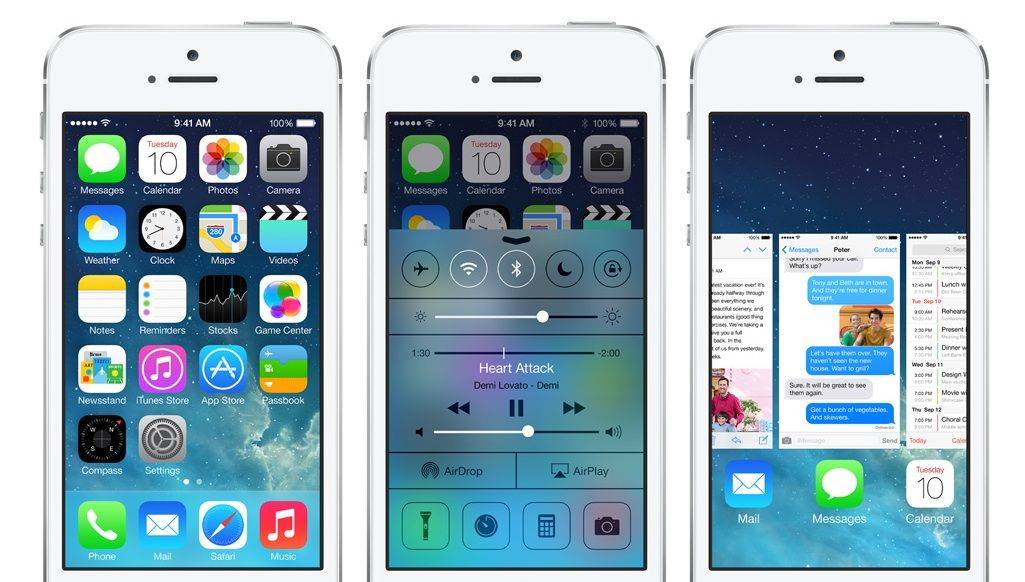
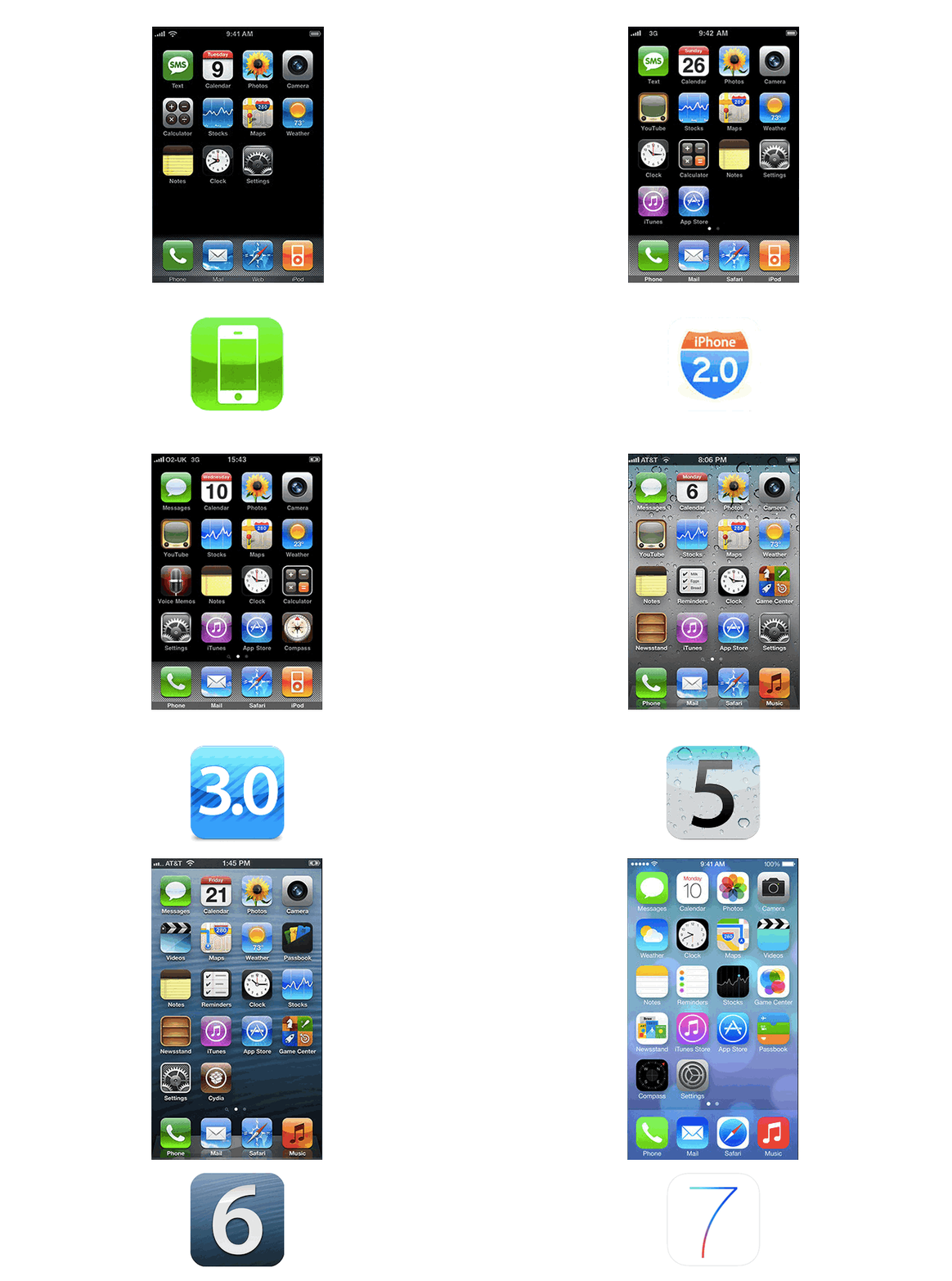
iOS has seen an enormous amount of change over the last few years. When the first iPhone was released, the most entertaining thing to do was to watch YouTube videos and try to find a few web-based games. This was a time before apps, multi-tasking, or folders. Looking back, it’s amazing to see how iOS has transformed from a simple touch operating system, lacking a lot of key features, to a true computing behemoth with more features and tools than one user could possibly need.
Today, the latest version of iOS, iOS 7, is set to arrive. Let’s take a look at how things have changed in Apple’s mobile operating system over the last few years.
iOS 1.0
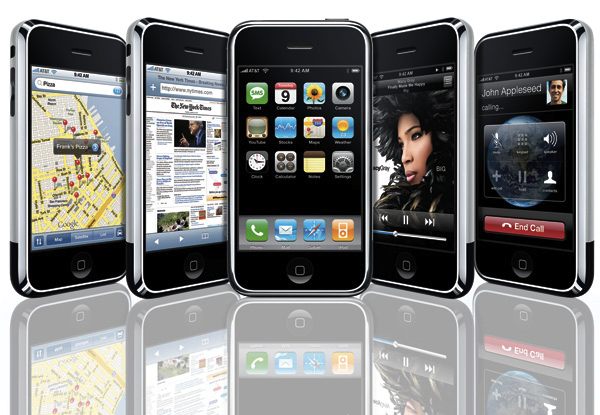
At the unveiling of the original iPhone, Steve Jobs described the iPhone’s software as a variant of OS X. Apple literature referred to the iPhone’s operating system as simply iPhone OS (it was changed to iOS a few years later). Even though iOS 1.0 was innovative in a lot of ways, it was notable just as much for the features it didn’t have, as well as those that it did. When it was released on June 29, 2007, it shipped with only a few apps – Mail, iPod, Calendar, Photos, Clock, Text, Safari, Notes, YouTube, Calculator, Maps, Settings, Camera, Stocks, and Phone. There wasn’t even an App Store or iTunes Store app in iOS. 1.0.
Rather than support third-party applications, Steve Jobs encouraged developers to program web-based applications that would behave like native apps. A couple of months later, Apple changed their mind and created the first iOS SDK that was released in March 2008, paving the way for the 500,000 apps supported on the iPhone today.
iOS 2.0
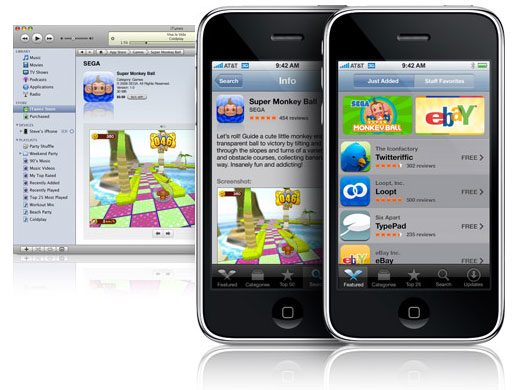
The biggest news about iOS 2.0 was the App Store. Released on July 11th, 2008, the App Store and iOS 2.0’s support for third-party apps gave users access to thousands of apps created by developers. Supported by iTunes and Apple’s carefully crafted ecosystem, the App Store pushed the iPhone years ahead of the competition by providing limitless possibilities on the iPhone. Pretty soon everyone was hearing the catch phrase, “There’s an App for that.”
Push email was also brought to the iPhone via iOS 2.0. To make room for all the new app icons on the Springboard, Apple introduced homescreen pages. Other notable features that appeared in iOS 2.0 were the ability to open MS Office docs, a Contacts icon, ability to take screen captures, ability to save photos in Safari to the Photos app, parental controls, Genius playlist creation, and the addition of emoji.
iOS 3.0
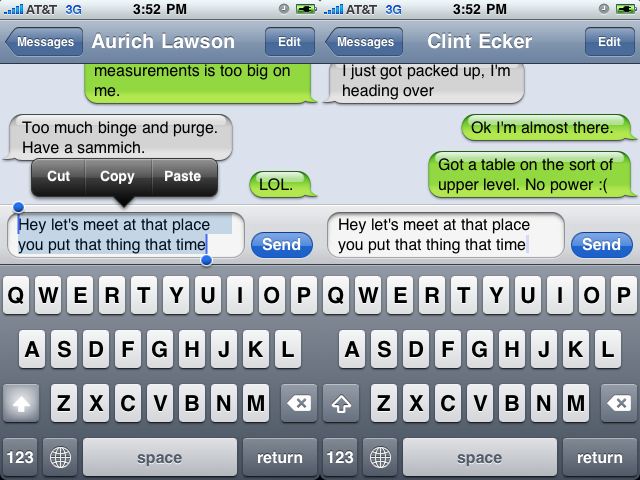
iOS 3 was one of the biggest iOS releases Apple has pushed out. While it didn’t have any earth-shattering new features, the small improvements Apple made to iOS were many. Most of the new features could already be found on competing platforms and were highly requested additions.
Released on June 17 2009, iOS 3.0 brought the ability to finally cut, copy and paste. GPS accuracy was also greatly improved, and Apple added a magnetic compass to the iPhone’s Maps app. Video recording had not been supported in iOS until the release of iOS 3.0, however the iPhone 3GS was the only iOS device that could take video at the time. Along with adding support for MMS, the SMS app was renamed to Messages. Find My iPhone was introduced through MobileMe. Spotlight search also came into play in iOS 3.0 as well as the ability to tether an iPhone to a computer.
iOS 3.2
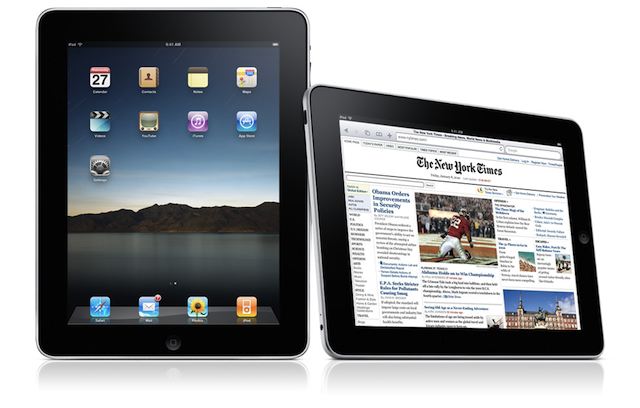
While iOS 3.2 wasn’t a complete iOS update, it did represent the most significant incremental update Apple released. iOS 3.2 came out on April 3, 2010 in order to bring iOS to the iPad. This update was the first time users were given the ability to change their homescreen background as well as support for using the homescreen in landscape mode rather than the portrait mode that was used on the iPhone. iOS 3.2 expanded the iPad’s dock to hold up to six apps, and it brought new gestures and frameworks for new keyboards.
iOS 4.0
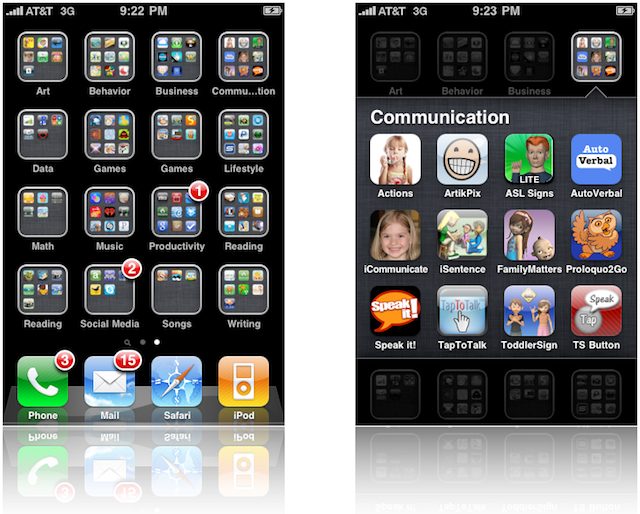
iOS 4 made the iPhone feel like a truly post-PC device. Released on June 17, 2010, one of the biggest features of iOS 4 was the video chatting capabilities of FaceTime. Apple also introduced iBooks, which was the first time Apple offered native support for eBooks on iOS devices. Along with iBooks, a custom dictionary was added.
Multitasking gave users the ability to switch between apps without losing what they were doing. To help users organize the apps on their iDevices, Apple introduced the creation of Folders on the homescreen for apps. A small visual appearance change was made by redesigning the dock to be similar to that of the iPad. Digital zooming was added to the camera. Spotlight now boasted the capability of searching the web or Wikipedia along with the iPhone’s files. GameCenter was also introduced with iOS 4, fostering a community of competitive Angry Bird slinging.
iOS 5.0
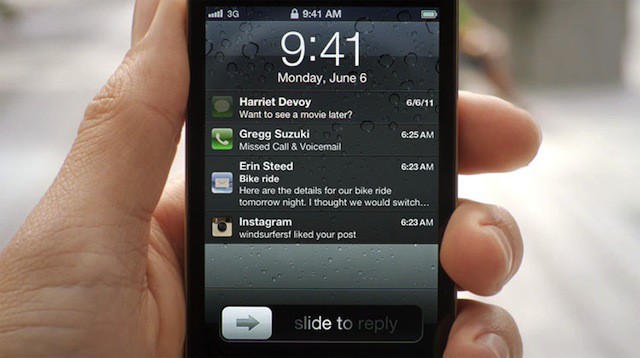
In 2011 Apple pulled out some major weapons to advance the iOS platform in the smartphone operating system wars. The addition of over 200 new features made iOS 5 the biggest iOS update Apple had released prior to that point.
User complaints of the iOS Notification system were finally addressed by adding the new Notification Center. Looking to subvert SMS plans, Apple released iMessage with iOS 5. The Camera app was updated to include the ability to edit photos. Borrowing from popular apps like Instapaper, Apple added a “Read Later” feature to Safari in iOS 5. Wireless syncing was also introduced, which has made iOS devices PC-independent.
Twitter integration made sharing content with friends easier than ever before on an iPhone, and Apple introduced a few new native apps – Reminders, a redesigned Calendar app, Newsstand, and Cards.
A few changes were also made to the iPad version of iOS 5.0 too. Apple added new multi-touch gestures that led to faster app switching and four finger swipe to get back to the homescreen. The Music player on the iPad was revamped with a completely new design. The inclusion of a new split-keyboard for the iPad has also made typing significantly easier when holding an iPad with two hands.
iOS 6.0
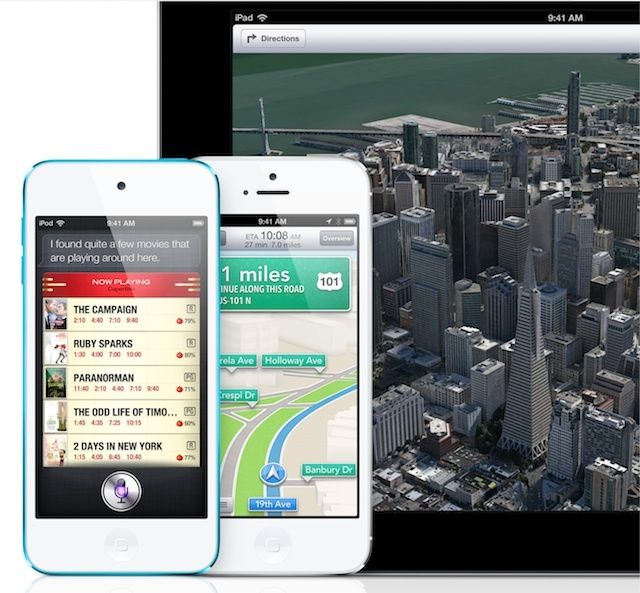
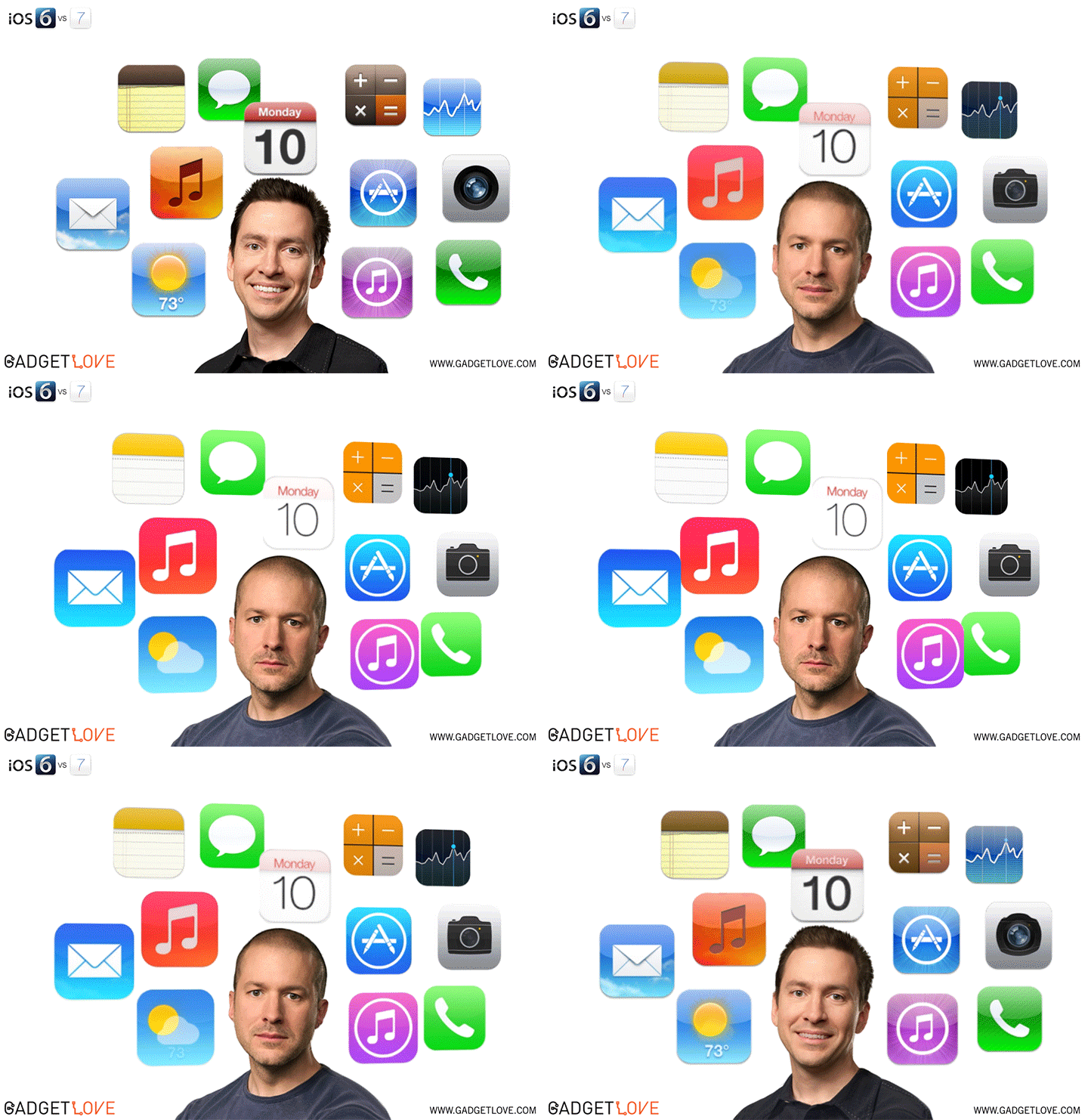
iOS 6.0 marked some of the biggest changes Apple has ever implemented on the iPhone. Apple decided to ditch Google’s Maps app by creating their own Maps solution that also provides turn-by-turn navigation and fly-over 3D modeling of certain cities. The launch of Apple Maps didn’t go too well, which resulted in the subsequent firing of iOS Chief Scott Forstall, but it paved the way for the huge changes of iOS 7.
The App Store was redesigned with an entirely new look and feel that was carried over to the iTunes Store and iBookstore as well. Passbook received a lot of attention as the new iOS 6 features that stores users’ coupons, boarding passes, movie tickets, and more. Facebook integration was also included in iOS 6.0 to go along with the Twitter integration iOS 5.0 enjoyed. FaceTime calls can now be made over cellular networks instead of Wi-Fi only in previous versions. The Phone app was also updated with a new keypad and the ability to respond to incoming calls via text-message rather than answering them.
iOS 6 also brought huge improvements for users with vision, hearing, learning and mobility disabilities. Guided Access helped students with disabilities stay focused by controlling the available touch-points within an app. Siri was also updated with more functionality like the ability to answer sports questions, check movie times, and find restaurants.
iOS 7
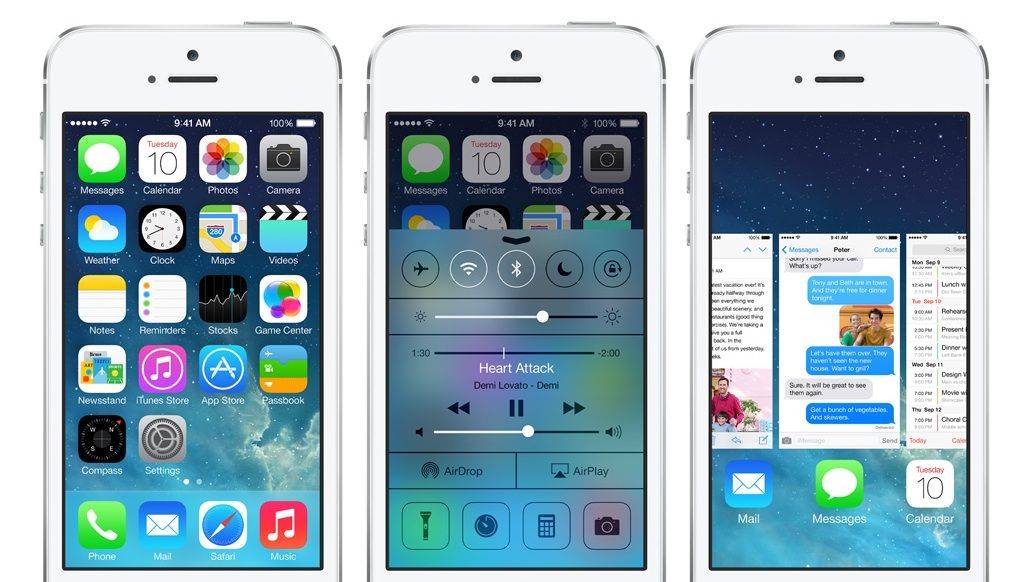
With the departure of Scott Forstall, Apple handed the UI design of iOS 7 over to Jony Ive, in what’s resulted in the biggest visual redesign of iOS we’ve seen since the mobile operating system launched in 2007. Thanks to Ive, many of the rich glossy textures and skeuomorphic UI elements have been ditched, in favor of flatter graphics, colorful gradients, and a lot of sliding transparent panes that are aimed to make iOS feel like it’s a part of your actual iPhone.

Every single screen and app of iOS 7 was put under the knife and redesigned with a simplified look and feel. To start the visual redesign off, Jony created an icon grid that is meant to give developers some guidance on how to proportion their icons so they would look “harmonious” on the new iOS 7 homescreen. (see the GIF on the right). Green felt, wood grain, and leather stitchings have been swapped out for clean, white, glassy spaces wrapped around Apple’s newly preferred Helvetica Nue font.
iOS 7 isn’t just a pretty paint job though as the company also managed to add some incredibly important features. Control Center has been one of the most anticipated additions with its ability to quickly toggle Wifi, Bluetooth, Airplane mode, and a number of other settings, as well as quickly launch your flashlight, calculator or camera.
Multi-tasking received a nice facelift as well by borrowing from HP’s webOS card view when switching apps. Users can double click the homebutton to reveal a screen of app cards that can be swiped up or down to kill an app, or just tap on a card to switch to that app.
iTunes Radio is another big iOS 7 feature that has been in the rumor mill for years. Rather than offering complete access to the entire iTunes music catalog (à la Rdio and Spotify), iTunes Radio is more comparable to Pandora. Pick an artist song, or genre and iTunes Radio will build an entire radio station for you based on your preferences. It’s free thanks to some audio and video ads, but if you subscribe to iTunes Match you can skip the sales pitches.
Other notable new additions to iOS 7 include FaceTime audio calls over 3G/4G, which could take a chunk out of the wireless carriers’ profits if it catches on. Apple also added AirDrop as a convenient way to share pictures, driving directions, video and more with your iPhone-toting friends. App updates now download in the background so you’re never bothered with those pesky badges, and
We can comfortably say, it’s the best version of iOS yet. iOS 7 will be in everyone’s hands (and phones, and tablets) in just a couple hours, in the meantime, check out our excellent reviews on all the new iOS 7 features.

Buster Hein is a freelance writer who lives in Phoenix, Arizona. Twitter: @bst3r.

