For Apple enthusiasts, one Mac is great — but two or more? That’s when things get seriously interesting. Years of Cult of Mac Setups coverage has showcased hundreds of impressive workstations. But these top 10 multi-Mac setups stand out as particularly fascinating examples of how power users leverage Apple’s ecosystem to its fullest potential.
From new M4-powered machines paired with vintage “trash can” Mac Pros to dual MacBook configurations seamlessly integrated with desktop Macs, these workstations demonstrate that having multiple Macs isn’t just about redundancy. It’s about optimizing workflow, separating concerns and yes, indulging in a bit of Apple-fandom excess.
This post contains affiliate links. Cult of Mac may earn a commission when you use our links to buy items.
Maximum fun: Top 10 multi-Mac setups
We’ve combed through years of Setups features to bring you the top 10 multi-Mac workstations that showcase innovative integration methods, impressive hardware combinations and creative solutions to the challenge of managing multiple machines in one workspace. These setups prove that when it comes to Macs, more really can be merrier.
10. Developer dual-Mac dance: Mac mini and MacBook Air

Photo: [email protected]
A French software developer created a clean dual-Mac setup featuring an M4 Mac mini for personal projects and an M3 MacBook Air for professional tasks, both driving a 32-inch BenQ 4K monitor with a Xiaomi light bar. While the setup looks beautiful, Alexandre initially struggled with seamless switching between devices, manually unplugging Thunderbolt cables to alternate between machines.
The elegant solution involves three integration methods: Screen Sharing for remote control, iCloud sync for automatic file synchronization, and implementing a KVM switch to share keyboard, mouse and monitor between both Macs with a single button press.
Read more about the setup: Smoothly integrate 2 Macs in 1 workstation
This mini desktop computer's M4 chip packs a 10-core CPU and 10-core GPU for plenty of processing power. Multiple ports for connectivity include Gigabit Ethernet. Works with iPhone/iPad.
- Powerful M4 chip
- Starts at 16GB unified memory
- Several SSD storage size options
- Headphone jack on front
- BYODKM (bring your own display, keyboard and mouse)

In addition to a large Liquid Retina display and a slim design, this model features a powerful M3 chip, 16GB unified memory and 512GB storage.
- Slim and lightweight
- Powerful M3 chip
- Big, gorgeous display
- Lacks the power of some Pro models

9. Thunderbolt 4 dock helps M3 MacBook Pro share massive display and more
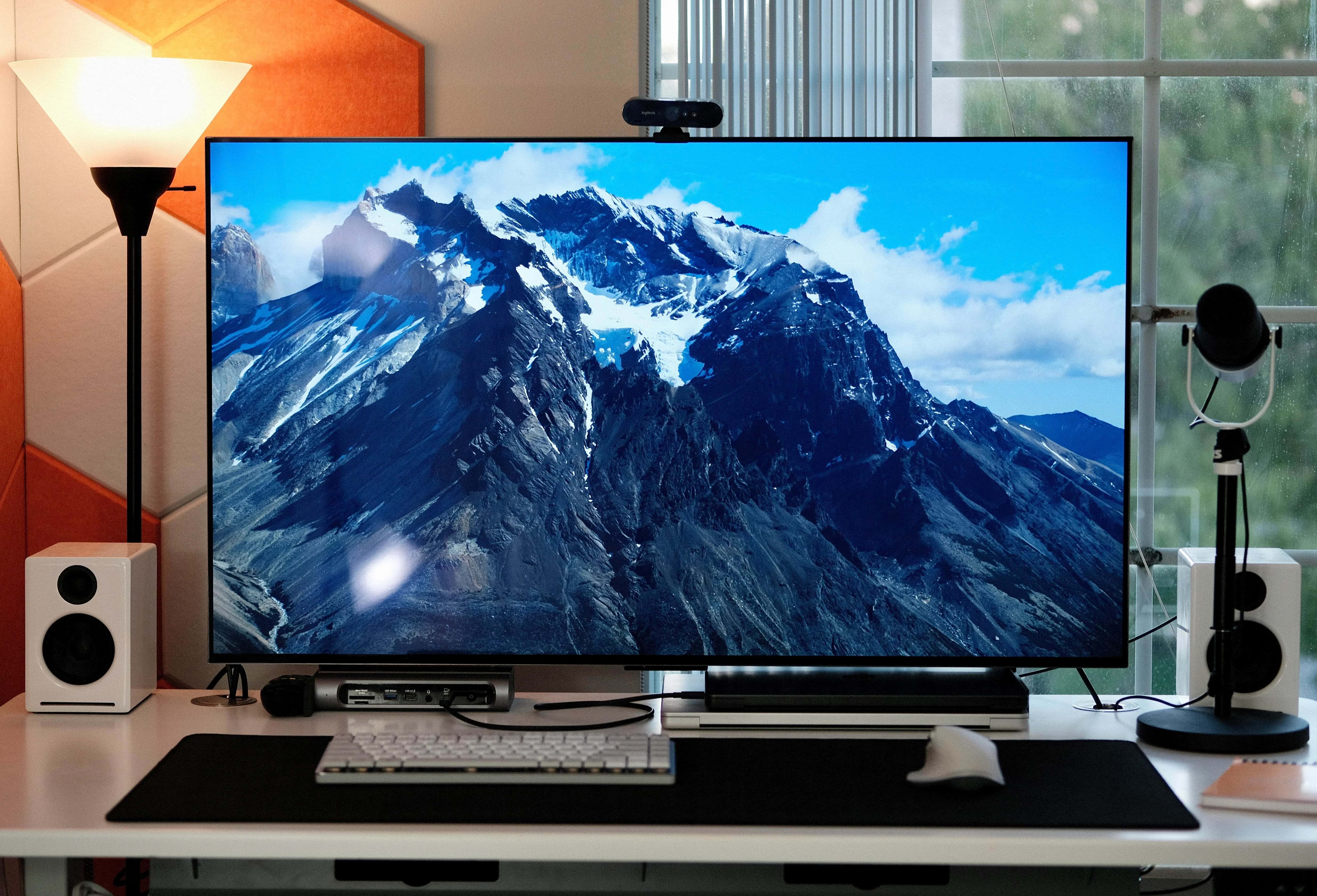
Photo: [email protected]
This setup packs two powerful MacBooks Pro — an M1 Max for work and an M3 Pro for play. To give them hassle-free equal time with peripherals, including a big, beautiful OLED smart TV serving as a display, the user employs a Thunderbolt 4 dock bristling with ports for maximum connectivity options.
Read more: Thunderbolt 4 dock helps M3 MacBook Pro share massive display and more
The renewed 16-inch Apple laptop features an M3 Pro chip, 36GB RAM and 512GB SSD storage. Space black color.
- Powerful M3 Pro chip
- Ample unified memory
- Not the latest model

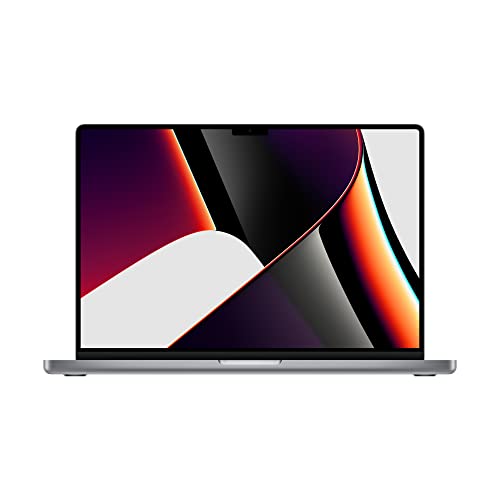
This powerful Apple laptop features a 16-inch Retina display, M1 Max chip with 10‑core CPU and 32‑core GPU, 32GB RAM, and a 1TB SSD, in space gray.
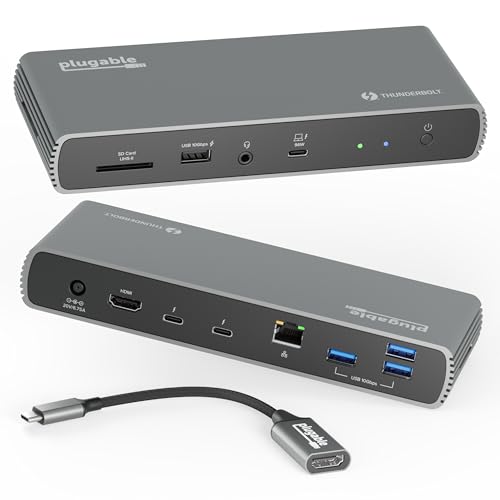
This dock features 100W charging for a laptop. It's Thunderbolt-certified with 3X Thunderbolt ports. It supports a single 8K display or dual 4K monitors, plus 2.5G Ethernet, 1x SD, 4X USB.
8. 3 Macs and KVM switch keep remote worker out of trouble
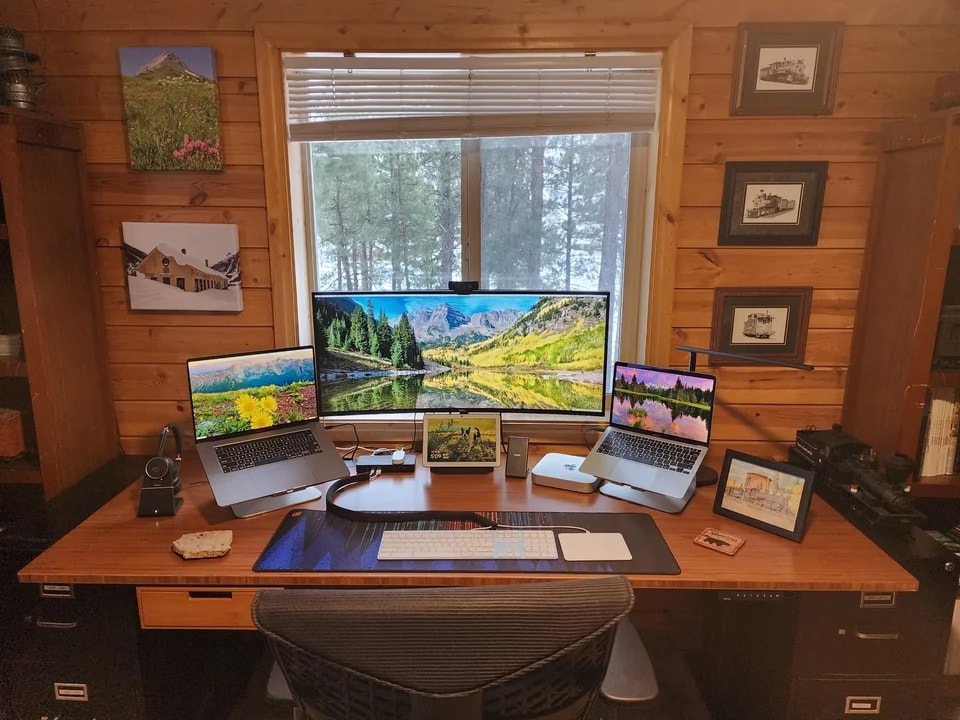
Photo: [email protected]
This computer setup employs three separate Macs — MacBook Pro, M1 MacBook Air and M1 Mac mini — connecting two of them to a big external monitor using a KVM docking station.
KVM switches are handy when you don’t want to switch cables from different computers using the same monitor and input devices. But there’s another reason the user, Greg Coit, chose the method.
Read more: 3 Macs and KVM switch keep remote worker out of trouble
Though small in size, Apple's M1 Mac mini is a powerhouse desktop computer (8GB RAM, 256GB SSD storage).

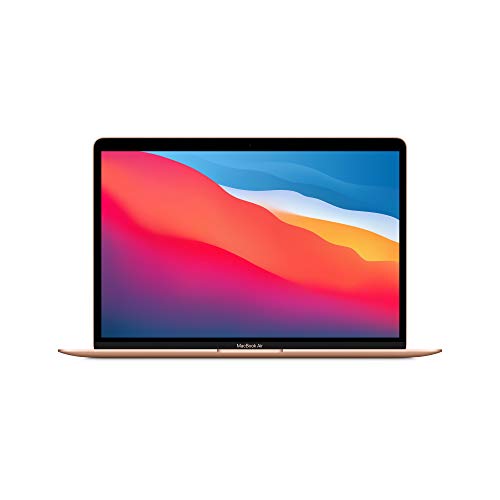
The 2020 MacBook Air might be three years old, but thanks to its M1 chip, it can give other newer laptops a run for their money in the performance and battery life department.
7. Multiple Macs drive phalanx of displays

Photo: [email protected]
Not long after a debate over whether dual external displays should be lined up straight across or angled for better ergonomics, a Mac Studio and dual-MacBook setup addresses the question in a different way. It uses three identical displays in landscape mode, placing the center one one straight and one on either side of it at an angle.
And the setup also offers connectivity tips, running the two MacBooks into two of the displays via a CalDigit dock while the Mac Studio drives one directly.
Read more: Multiple Macs drive phalanx of Dell displays
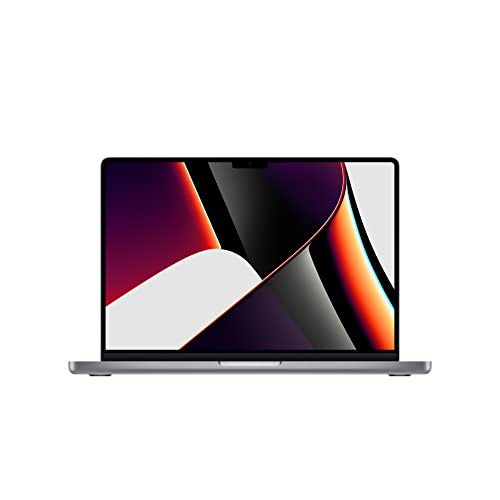
This powerhouse includes an M1 Max chip with 10‑core CPU and 24‑core GPU, 32GB RAM and 512GB SSD in Space Gray (Z15G001WE).
This 2023 machines features an M2 Ultra chip with 24-core CPU and 60-core GPU, 64GB integrated memory and 1TB SSD.
- Tons of computing power
- Plenty of storage space
- Relatively small footprint
- Want smaller? Try Mac mini

6. Triple Mac Pro rig could serve as camera network command center
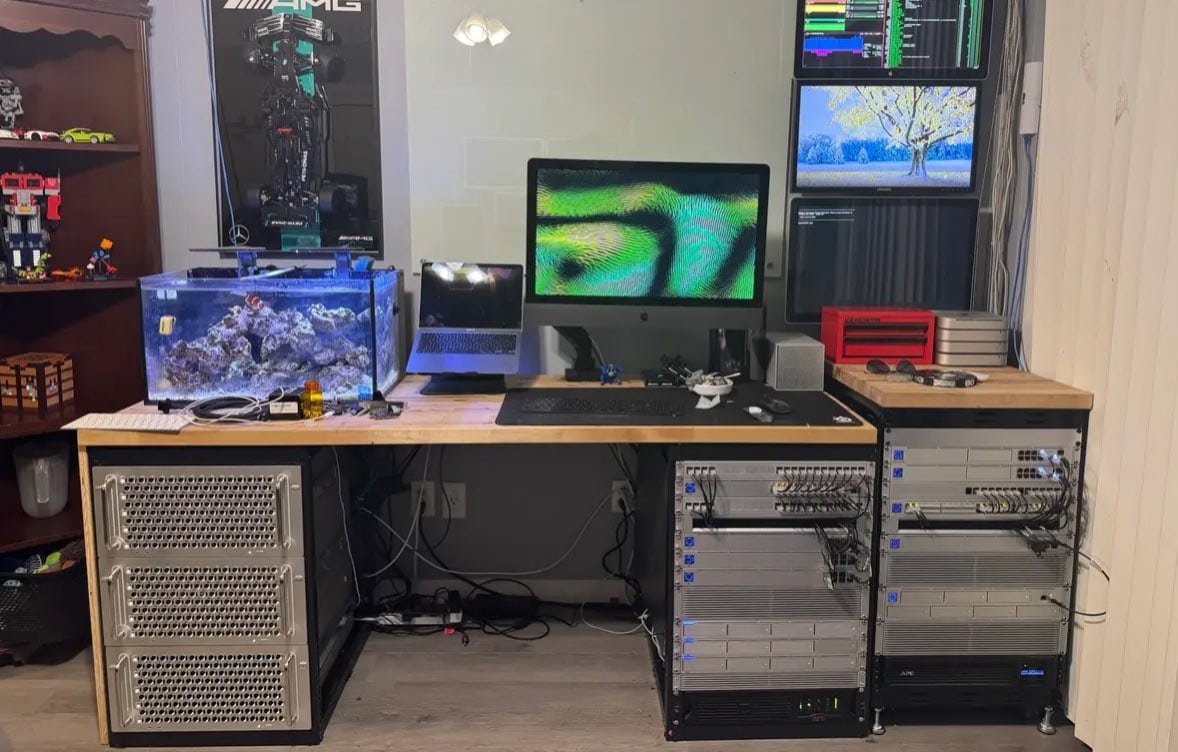
Photo: [email protected]
What do you do if you need to operate a network of video cameras and store all the footage? While it looks more utiltarian than fancy, this power user’s setup runs an astounding trio of Mac Pro desktop computers. And he piles up stacks of high-capacity UniFi Network Video Recorders — known as UNVRs — for video recording-storage from multiple cameras, plus routers and switches galore.
Read more: Triple Mac Pro rig could serve as camera network command center
Get supercharged Apple silicon with the Apple Mac Pro. Featuring the M2 Ultra 24-Core CPU, Mac Pro allows creative professionals to tackle the most demanding workflows with speed and efficiency.
- Apple M2 Ultra 24-Core CPU
- 60-Core GPU, 32-Core Neural Engine
- 8 x Thunderbolt 4 Ports
- Choice of memory and storage capacity
- Expensive
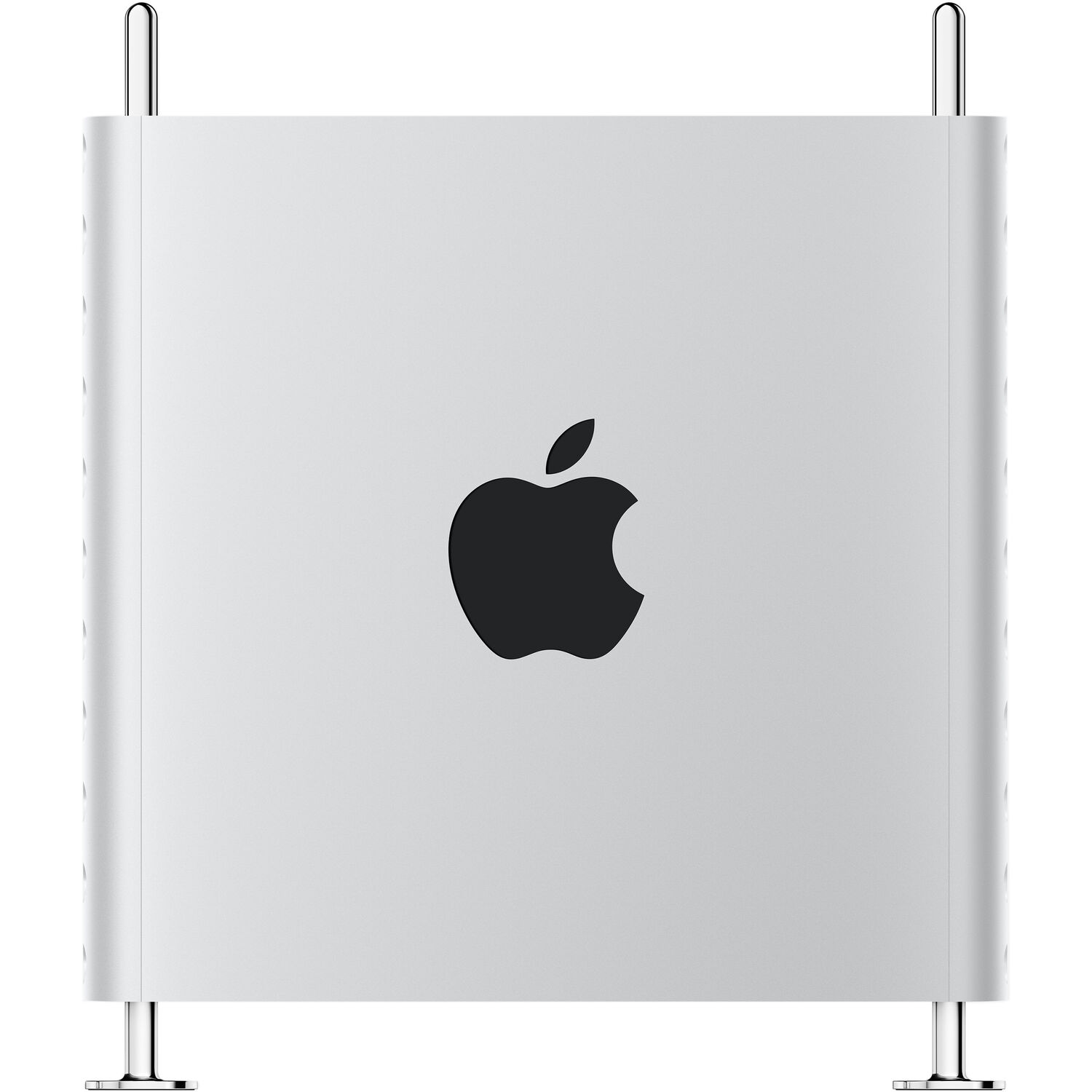
This device lets you add up to 60 cameras to your system, remotely access your camera streams and recordings for free and store your footage locally (not on a cloud server). Works with UniFi Protect application.
- Like the brain of your camera network
- Local storage
- Allows remote access to streams
- Not cheap

5. 5-computer workstation with gargantuan 57-inch display

Photo: [email protected]
Believe it or not, this magnificent setup includes five computers — three Macs and two PCs — each with a specific job to do. The centerpiece is an absolutely massive 57-inch curved ultra-wide Samsung display that equals two 27-inch 4K displays side by side. Among the Mac contingent is even the vintage trash-can Mac Pro still earning its keep. But the display setup is just the beginning.
This workstation also features a Rode PodMic for quality audio recording, open-back Sennheiser headphones, and powerful Klipsch bookshelf speakers paired with a subwoofer for truly immersive sound. The user, a digital marketer, has created a command center that can handle virtually any computing task thrown at it. The sheer scale of that 57-inch display provides unprecedented screen real estate, though it might be pushing the limits of too much of a good thing for some users.
Read more: 5-computer workstation with gargantuan 57-inch display
The new Mac mini is smaller, lighter and 50× more adorable. It's super-powerful and by far the best deal in computing right now.
- Powerful M4 Pro chip
- 512GB storage
- 24GB unified memory
- Compact desktop design
- Headphone jack on front
- BYODKM (bring your own display, keyboard and mouse)

This big display is equivalent to dual 27-inch 4K UHD monitors. The 1000R curved gaming monitor features a 240Hz refresh rate, 1ms response time, DisplayPort 2.1 support, Quantum Mini-LED, DisplayHDR 1000 and AMD FreeSync Premium Pro (LS57CG952NNXZA, 2023).
- Massive screen real estate
- Great for gaming
- Fast refresh rate and response time
- Pretty pricey

4. The professional’s dual MacBook Pro solution: Work and personal separation
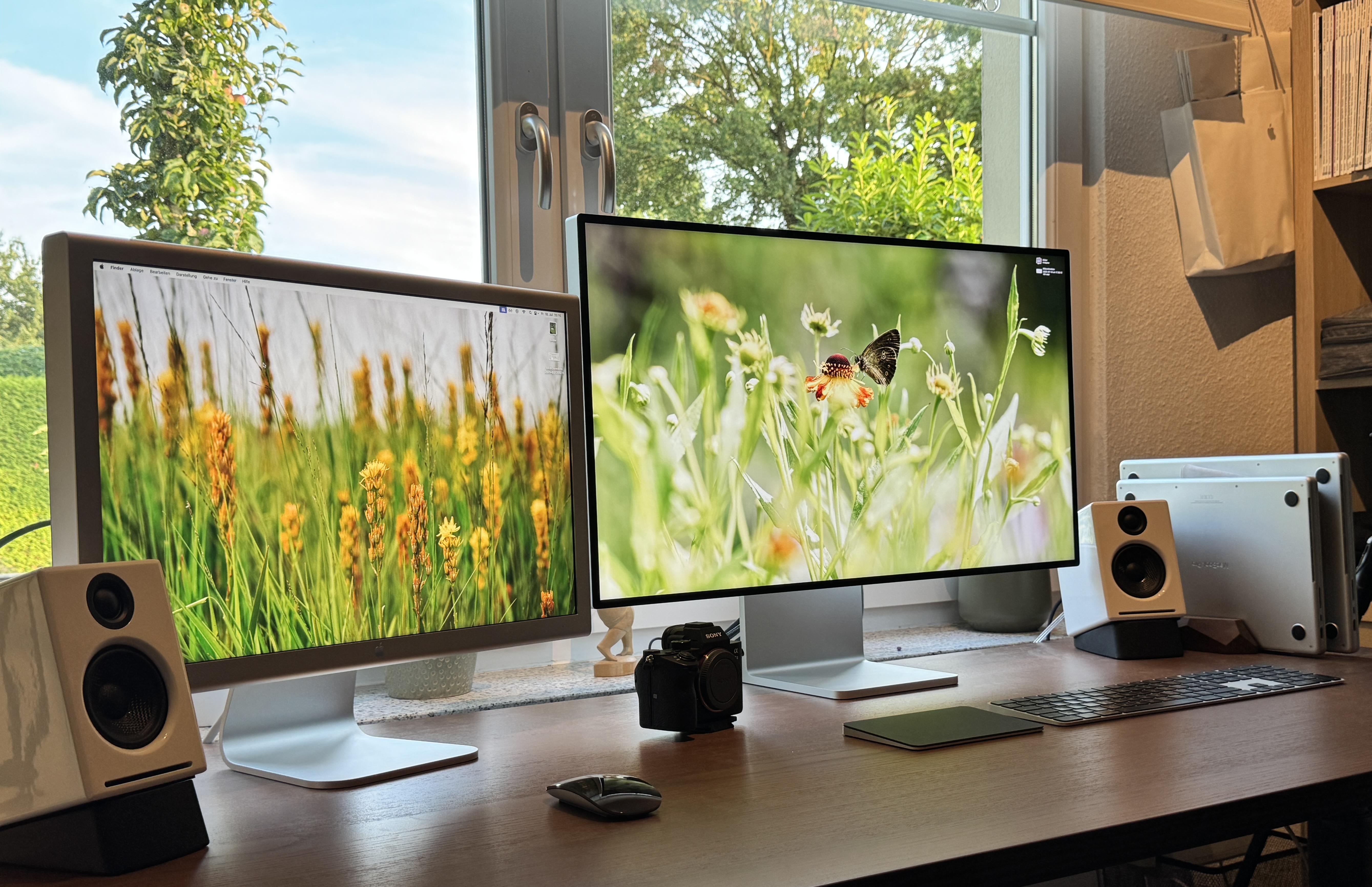
Photo: [email protected]
This dual MacBook Pro configuration posted by someone seeking MacBook mounting tips represents a common scenario for professionals who want clear separation between work and personal computing. The setup features a 14-inch M4 MacBook Pro for work tasks and a 16-inch M1 Pro MacBook Pro for personal use, creating an effective balance that keeps professional and private digital lives distinctly separate.
What makes this setup particularly noteworthy is the “odd couple” monitor pairing: Apple’s premium 32-inch 6K Pro Display XDR sits alongside a 20-year-old 23-inch Cinema Display. Despite the vast technological gap — differences in size, resolution, and capabilities — the owner loves both displays equally. The vintage Cinema Display adds a nostalgic touch while remaining functional, while the Pro Display XDR delivers cutting-edge performance.
Read more: Try these brilliant MacBook mounting and storage tips
There's no better monitor for your Mac than Apple's 32-inch Pro Display XDR. Apple even sells a variant with a nano-texture glass that helps cut down on unwanted glare.
- Incredible 6K resolution
- Generous screen space
- Nano-texture glass option
- Expensive, and options add more cost

This under-desk or wall-mounted rack mount can hold a laptop, keyboard or other small devices like a cable box or router. It's great for keeping your MacBook hidden from view and out of the way.

This is a no-drill steel hanging desk organizer that can hold a connected laptop and other items. Great for the home office, it creates a storage area off the side of your desk.

3. MDM engineer’s MacBook parade: Six M-series laptops for professional testing

Photo: [email protected]
For most of us, owning a single MacBook is luxury enough, but mobile device management engineer showcased a setup with six M-series MacBooks — all for work. The collection includes an M4 Pro MacBook Pro (14-inch), an M4 Max MacBook Pro (16-inch), two M3 Pro MacBook Pros (14-inch), an M3 MacBook Air (13-inch), and an M2 Pro MacBook Pro (16-inch), plus an M1 iPad Pro.
This MDM engineer conducts extensive testing on MacBooks to ensure they work efficiently and securely for enterprise environments. While this might seem excessive, it’s actually essential for his profession. He’s the person who makes sure your work Mac keeps running smoothly.
Read more: Software engineer shows off parade of powerful MacBooks
This Apple laptop features an M4 Pro chip with a 12-core CPU, a 16-core GPU and the same lightweight design we all know and love. Available in space black or silver.
- 14.2-inch Liquid Retina XDR display
- 24GB unified memory (configurable from 16GB to 36GB)
- 512GB SSD storage (configurable to 1TB)
- Same design as previous models

Sporting an M3 chip, Apple's lightweight laptop is built for Apple Intelligence. Includes 13.6-inch Liquid Retina Display, 16GB unified memory, 512GB SSD storage and backlit keyboard with Touch ID.
- Slim and lightweight
- Powerful M3 chip
- Gorgeous display
- Lacks the power of some Pro models

2. Data science powerhouse: M3 MacBook Pro meets vintage trash can Mac Pro

Harvard data science student HuBidenNavalny created an impressively efficient multi-Mac setup that proves you don’t need all-new gear to process massive datasets. The configuration pairs a 2023 M3 Pro MacBook Pro (16-inch with 18GB RAM) with a heavily modified 2013 “trash can” Mac Pro featuring upgraded RAM, storage and a donated eGPU to address GPU failure issues.
Add in a 2018 Intel MacBook Pro for field work, a 2021 iPad Pro, and dual monitors, and you have a versatile data-crunching station. The M3 MacBook Pro handles serious coding and classwork, while the 11-year-old Mac Pro serves as the default web browsing and casual computing device with native DisplayPort connectivity. The older MacBook Pro protects the newer machine during outdoor data collection. Most remarkably, the student assembled this impressive arsenal almost entirely from secondhand sources and university stipends.
Read more: M3 MacBook Pro and modded trash can Mac Pro do data science
The renewed 16-inch Apple laptop features an M3 Pro chip, 36GB RAM and 512GB SSD storage. Space black color.
- Powerful M3 Pro chip
- Ample unified memory
- Not the latest model
1. The ultimate collection: Mac Pro, Mac Studio, Pro Display XDR and dual Studio Displays
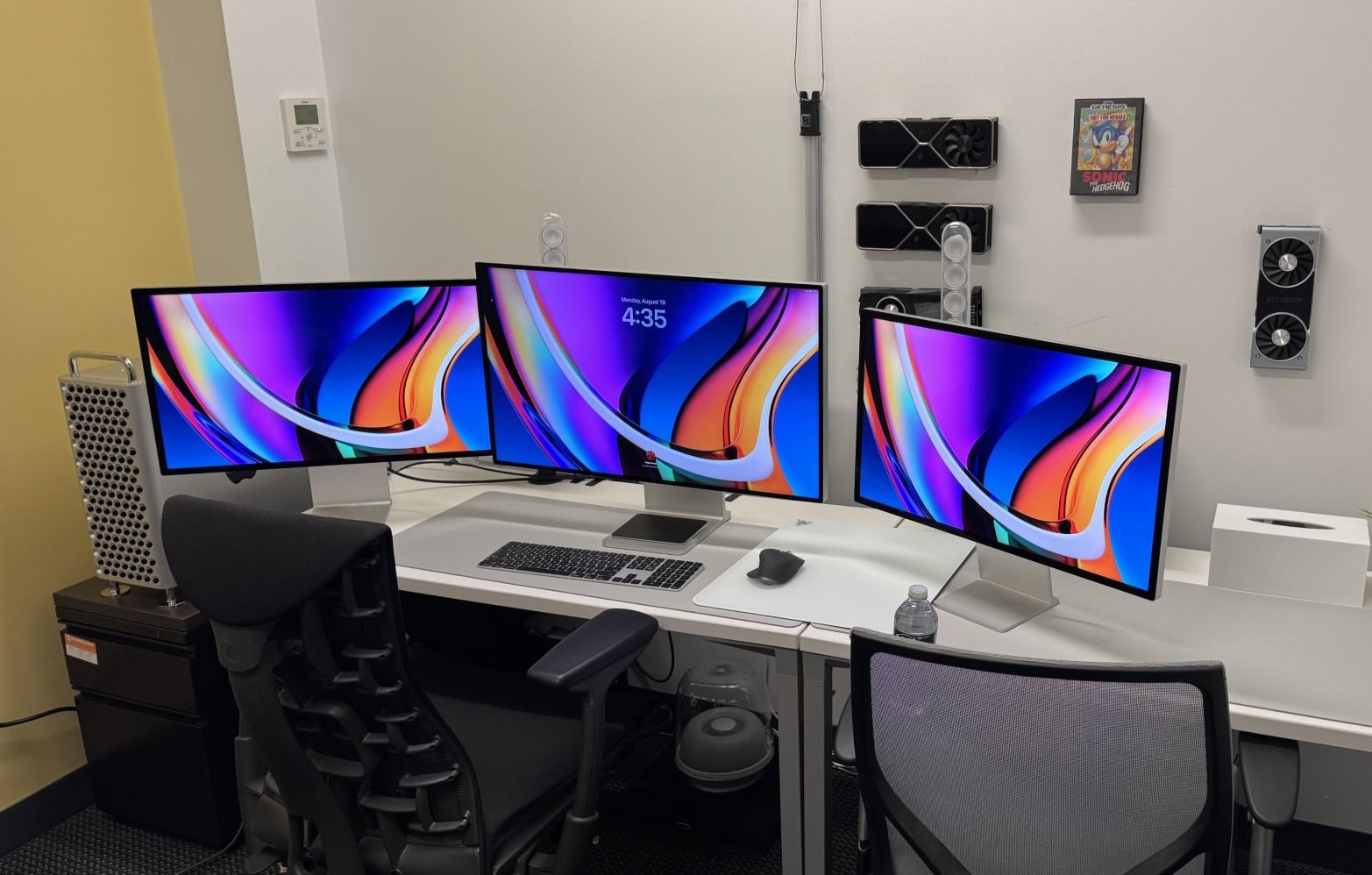
Photo: [email protected]
Looking at some computer setups can induce serious envy, and this one tops the list. This world-beating configuration features a high-end M2 Ultra Mac Pro with 24-core CPU and 60-core GPU, plus a Mac Studio as backup, all driving a 32-inch 6K Pro Display XDR flanked by two 27-inch 5K Studio Displays.
This isn’t just a setup — it’s a statement about the pinnacle of Apple computing power. The M2 Ultra Mac Pro alone starts at over $6,000, while the Pro Display XDR commands $5,000, making this one of the most expensive consumer Mac configurations imaginable. But for professionals handling the most demanding creative workflows, this combination delivers unmatched performance and screen real estate.
Read more: In our dreams: Studio Displays flank Pro Display XDR in M2 Ultra Mac Pro rig
Get supercharged Apple silicon with the Apple Mac Pro. Featuring the M2 Ultra 24-Core CPU, Mac Pro allows creative professionals to tackle the most demanding workflows with speed and efficiency.
- Apple M2 Ultra 24-Core CPU
- 60-Core GPU, 32-Core Neural Engine
- 8 x Thunderbolt 4 Ports
- Choice of memory and storage capacity
- Expensive
This 2023 machines features an M2 Ultra chip with 24-core CPU and 60-core GPU, 64GB integrated memory and 1TB SSD.
- Tons of computing power
- Plenty of storage space
- Relatively small footprint
- Want smaller? Try Mac mini
There's no better monitor for your Mac than Apple's 32-inch Pro Display XDR. Apple even sells a variant with a nano-texture glass that helps cut down on unwanted glare.
- Incredible 6K resolution
- Generous screen space
- Nano-texture glass option
- Expensive, and options add more cost

David Snow, an expert on Apple hardware and software, writes on a variety of technological and cultural topics for Cult of Mac. They include Apple news, technology buying guides, and features about computer setups and Apple TV shows and movies.
With 30 years of experience covering technology and other subjects, he has written and edited for numerous print and online publications, including CMP Media, TechTV.com, CNET, Wired News, Red Herring magazine, Law.com, The National Law Journal and Law Technology News magazine. Among other roles, he served as executive editor of the Law.com network of websites and editorial director, technology, for ALM Media.
Snow graduated with a B.A. from Syracuse University with majors in magazine journalism and psychology. While there, he worked as a reporter for The Daily Orange newspaper and associate editor of Equal Time magazine.
Founder of the blog At the Waterline, he can be reached on X (formerly Twitter) via @atthewaterline and on Mastodon via @dsnow.

