Mobile menu toggle

Setups - page 27

RodeCaster Pro powers Chicago trio’s Bums of Manarchy podcast [Setups]

By

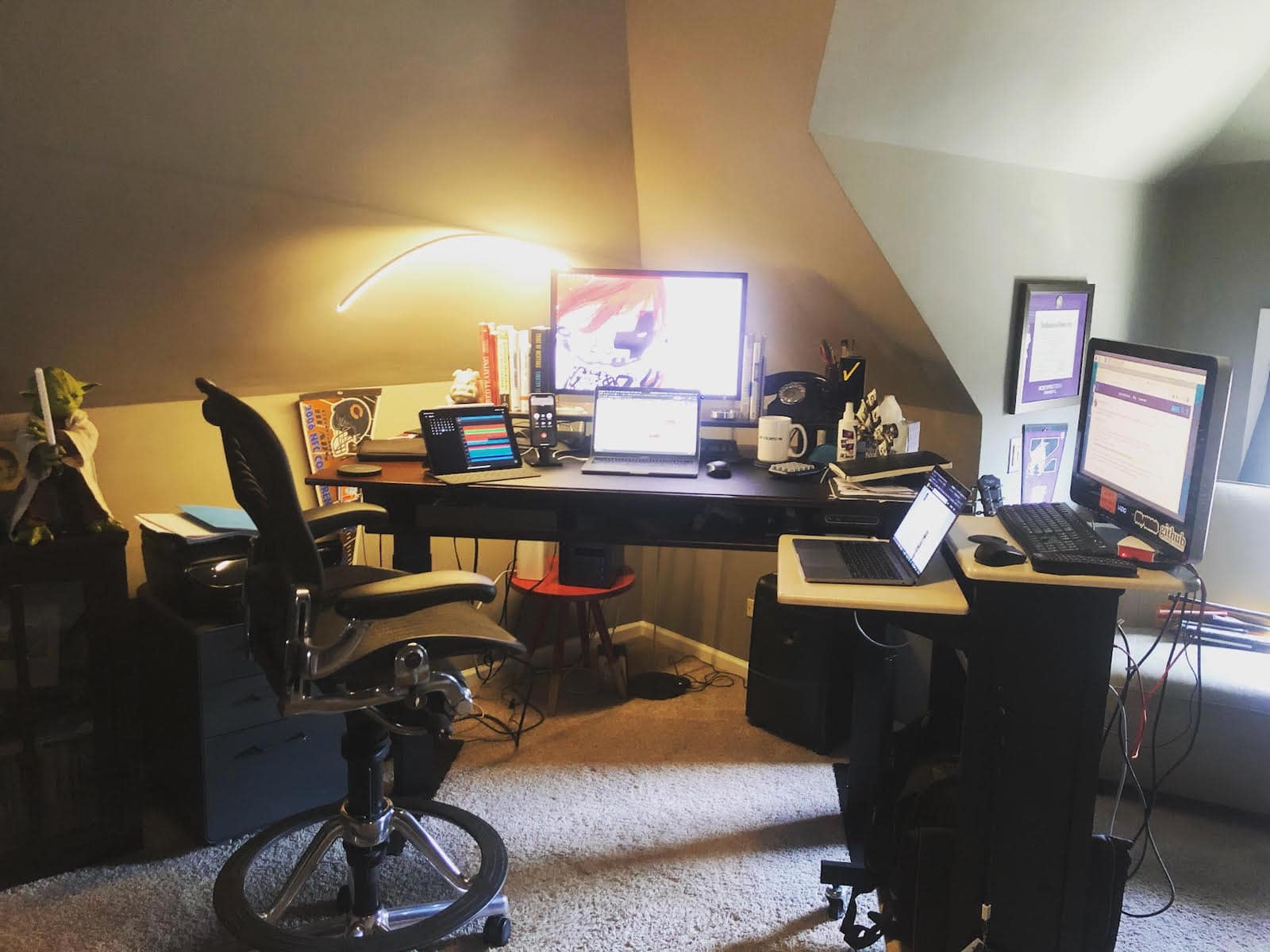
Rocky Lira works his day job and podcast production here.
Photo: Rocky Lira

Rocky Lira, aka “Rocky Bandit,” and his “knucklehead” friends Eddie and Paddy went big into podcasting on a moderate budget recently. And they have the gear and the podcasts in circulation to show for it.

He and his Chicago pals started the weekly show Bums of Manarchy for fun, recording more than a dozen episodes so far. Lira got off to a fast start handling the podcast editing and production. He said he uses an M1 MacBook Pro and an older model, along with two iPad Pros and his iPhone 12 Pro — in concert with a Rode RodeCaster Pro Integrated Podcast Production Studio console.

Coder’s M1 Mac mini display goes ultrawide and vertical [Setups]

By

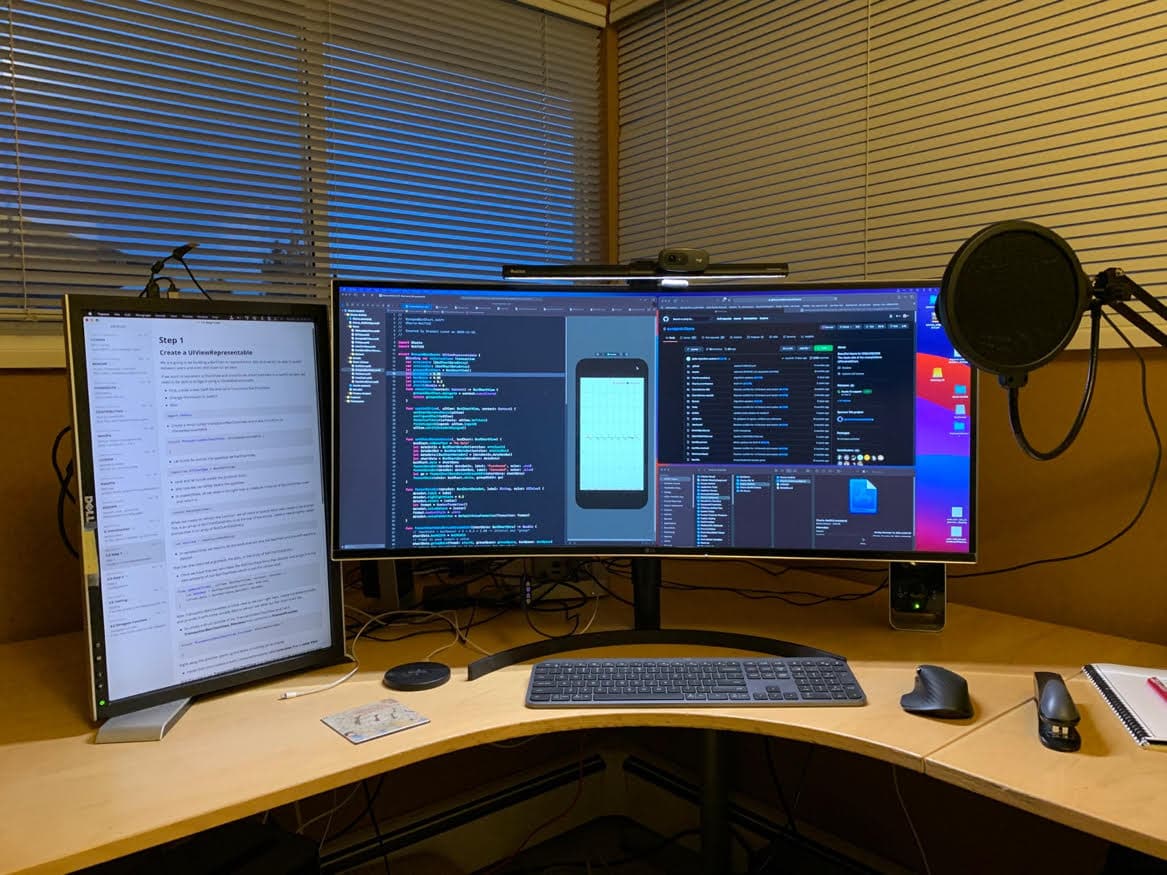
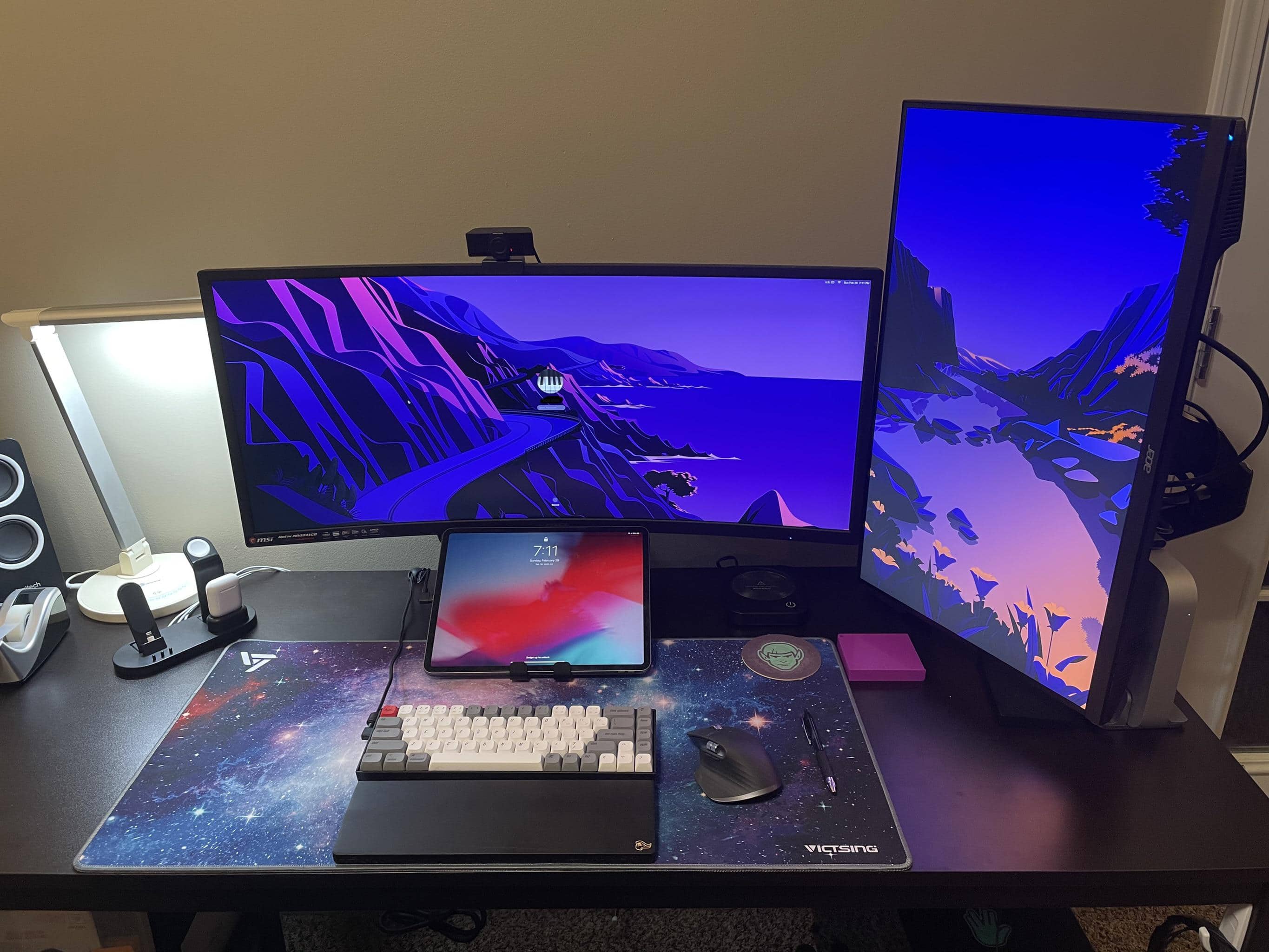
An ultrawide monitor and a vertical one can be a good look.
Photo: CompilingTheFuture @ Reddit

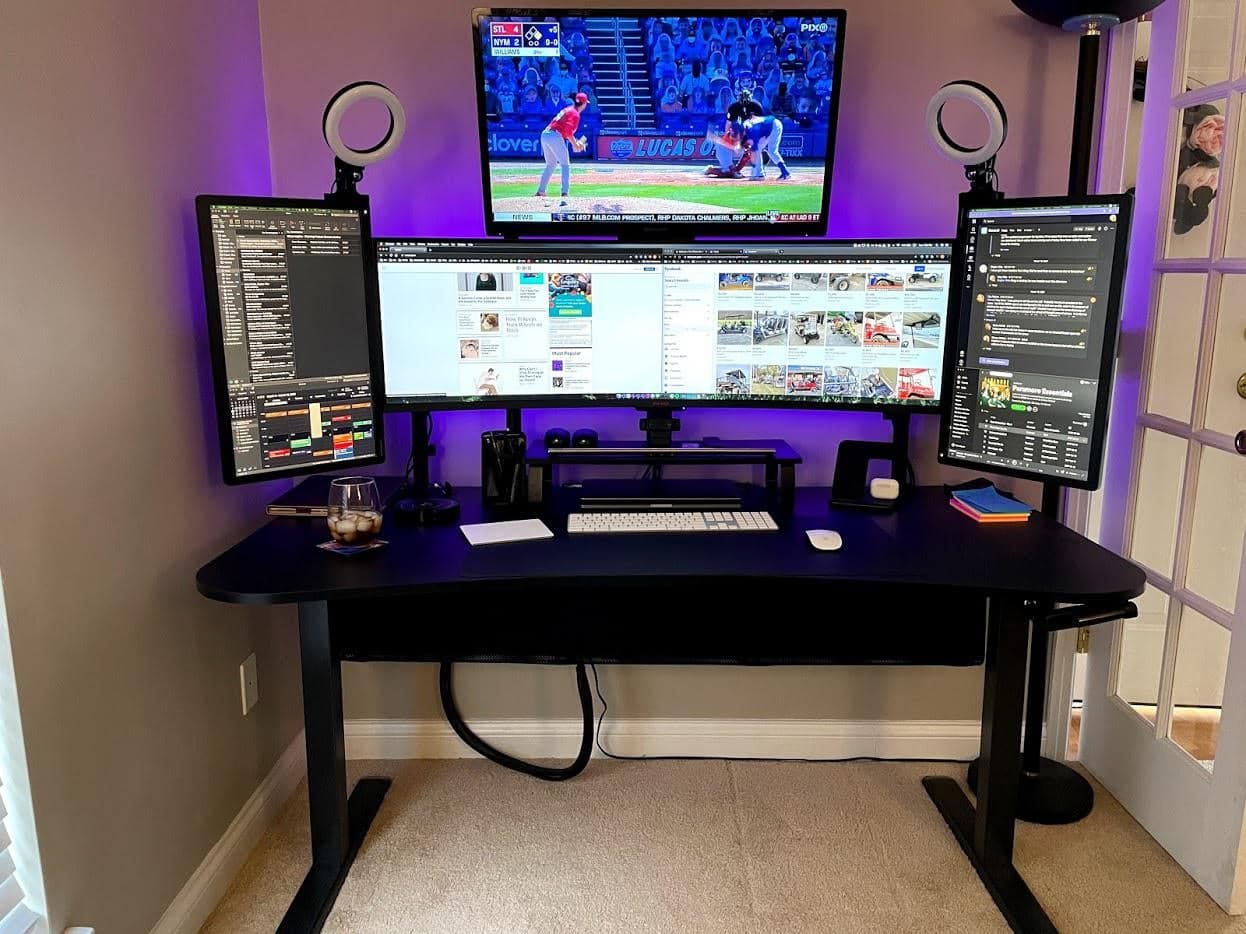
Reddit is a great place to seek advice about computer setups. Redditor CompilingTheFuture did well recently when puzzling over replacing the triple-monitor display running off his M1 Mac mini.

The problem? One of the main issues was that three screens were so wide that peering into the corners required a lot of “neck twisting.” Sounds painful.

Business and tech guru gears up for podcasting [Setups]

By

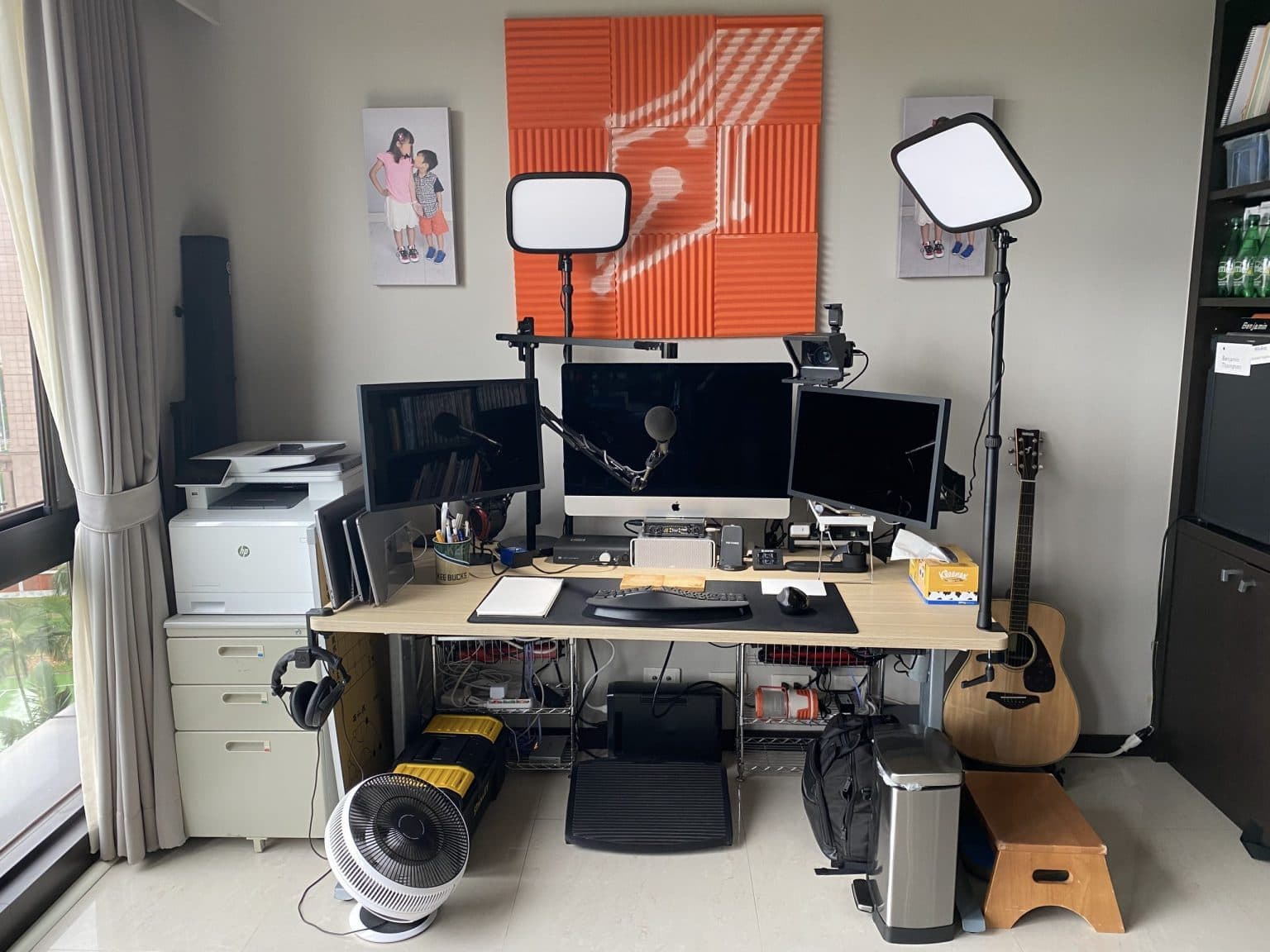
Ben Thompson's setup is wired for great sound.
Photo: Ben Thompson

We noticed business and technology author and noted Mac guy Ben Thompson volunteered a pic of his setup on Twitter when tech and politics writer Casey Newton posted a shot of an immaculate setup, wondering if he has “remotely what it takes to put something like this together.”

Well, Taiwan-based Thompson certainly has what it takes to put together a great setup — even if it’s more lived in and not quite as photo-ready as the one Newton posted.

Designer’s sublime space feeds his creative process [Setups]

By

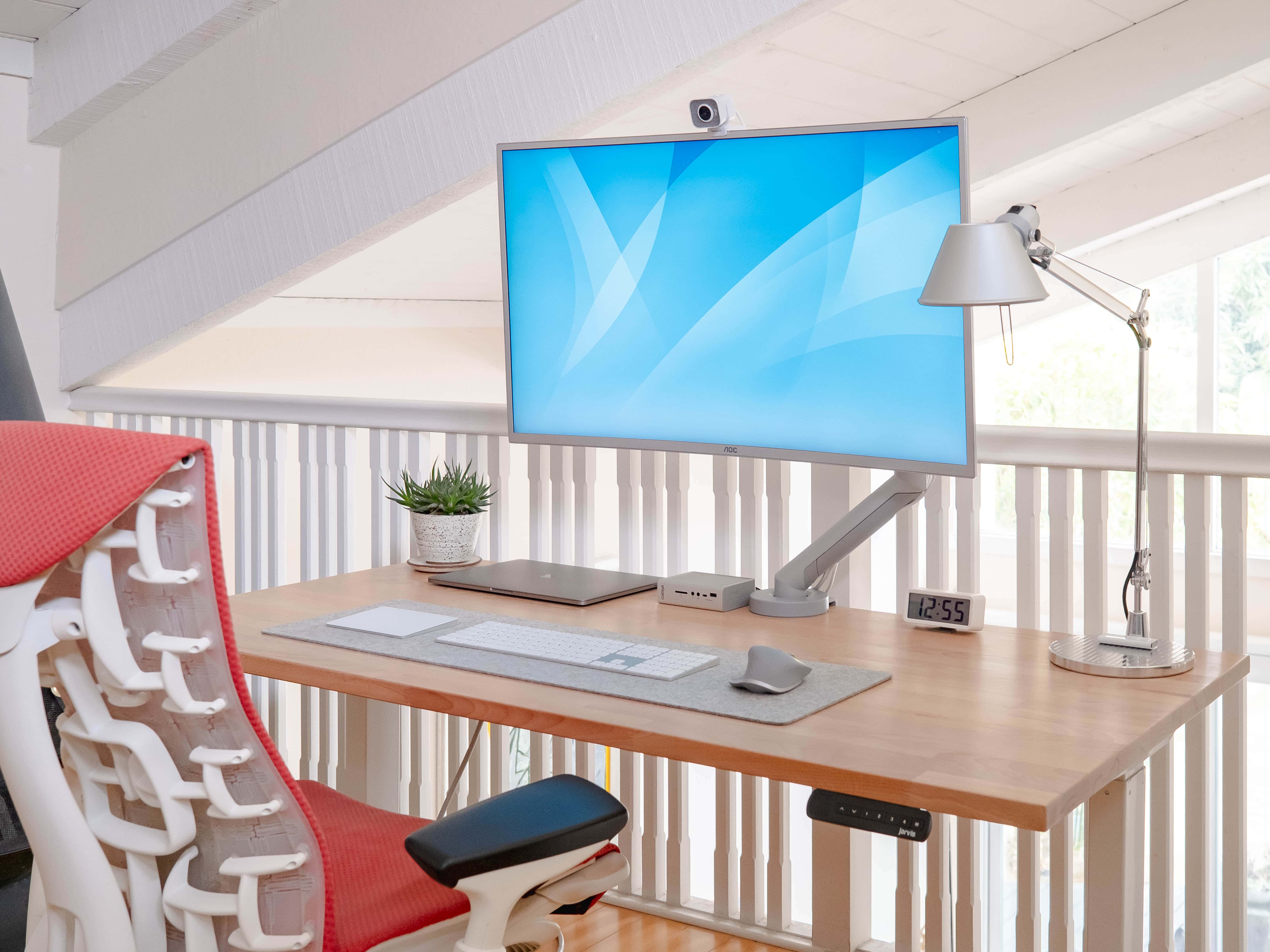
Arun Venkatesan's setup is a light and airy marriage of form and function.
Photo: Arun Venkatesan

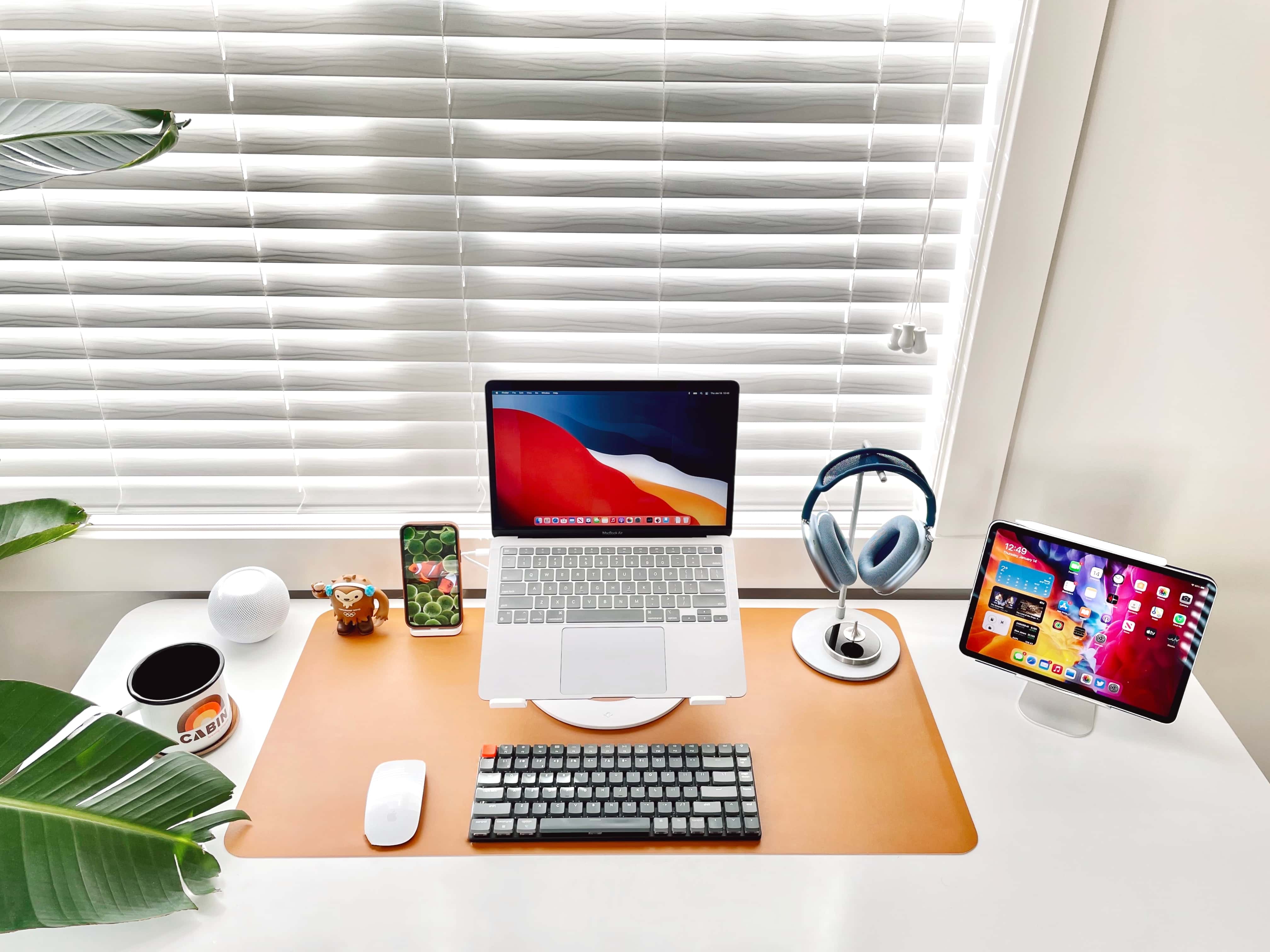
San Francisco-based designer Arun Venkatesan is about to take delivery on a 2020 MacBook Air with an M1 chip to replace the 2013 MacBook Air he uses in tandem with his 2018 MacBook Pro. But the new Mac isn’t really what he’s excited about.

He thinks less about having the latest technology and more about how his tools fit into his design philosophy, which he wrote about at length here. Form and function meet in his elegant and minimal setup.

iOS engineer loves his triple-5K display, except when he doesn’t [Setups]

By

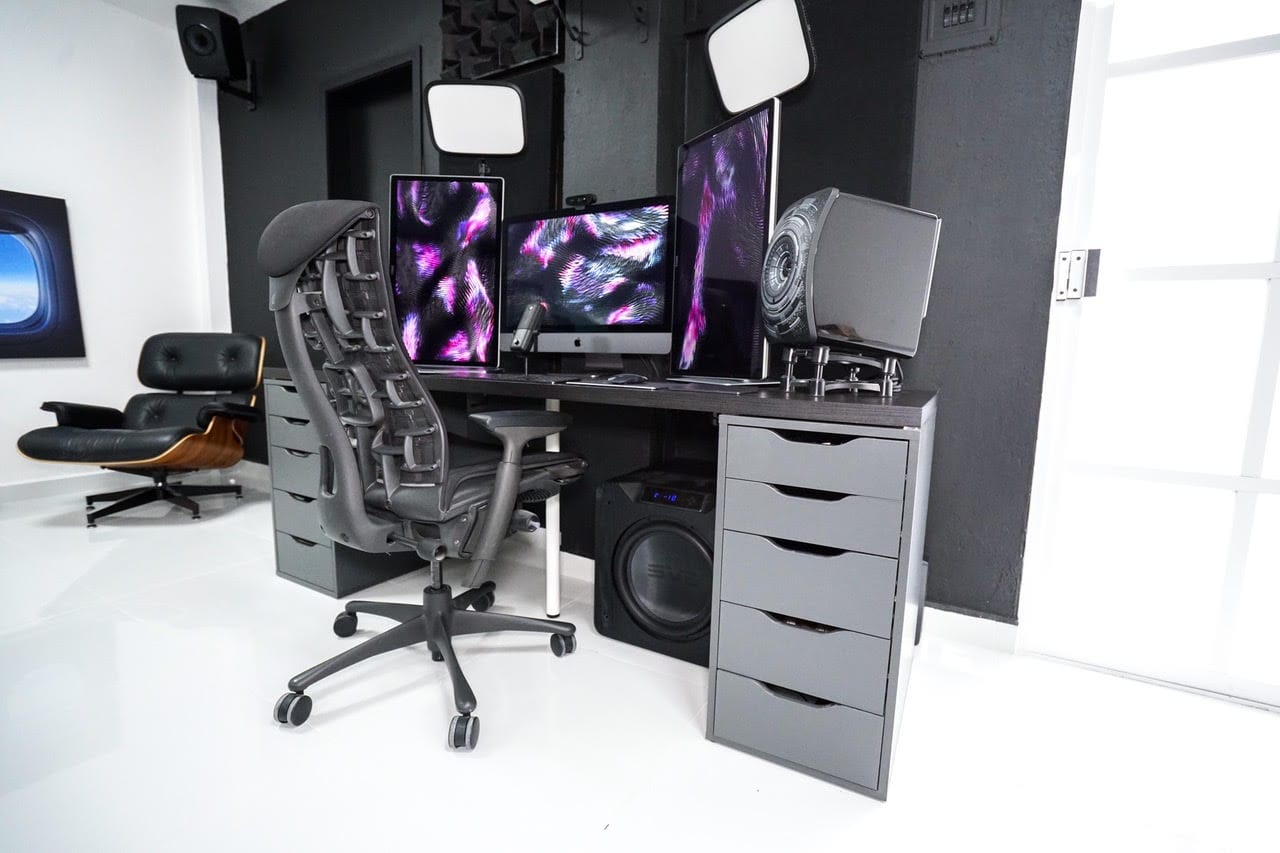
Christian Roman's setup is built for beautiful video and audio: 5K screens, massive subwoofer, pro lighting.
Christian Roman built his setup for beautiful video and audio: three 5K screens, speakers with a massive subwoofer and pro lighting.
Photo: Christian Roman

iOS software engineer Christian Roman has a “love-hate relationship” with his impressive triple 5K display setup.

“It’s fantastic when it works,” he told Cult of Mac. “It’s a nightmare when macOS suddenly decides to stop working with triple screens.”

Engineering student 3D-prints workstation components [Setups]

By

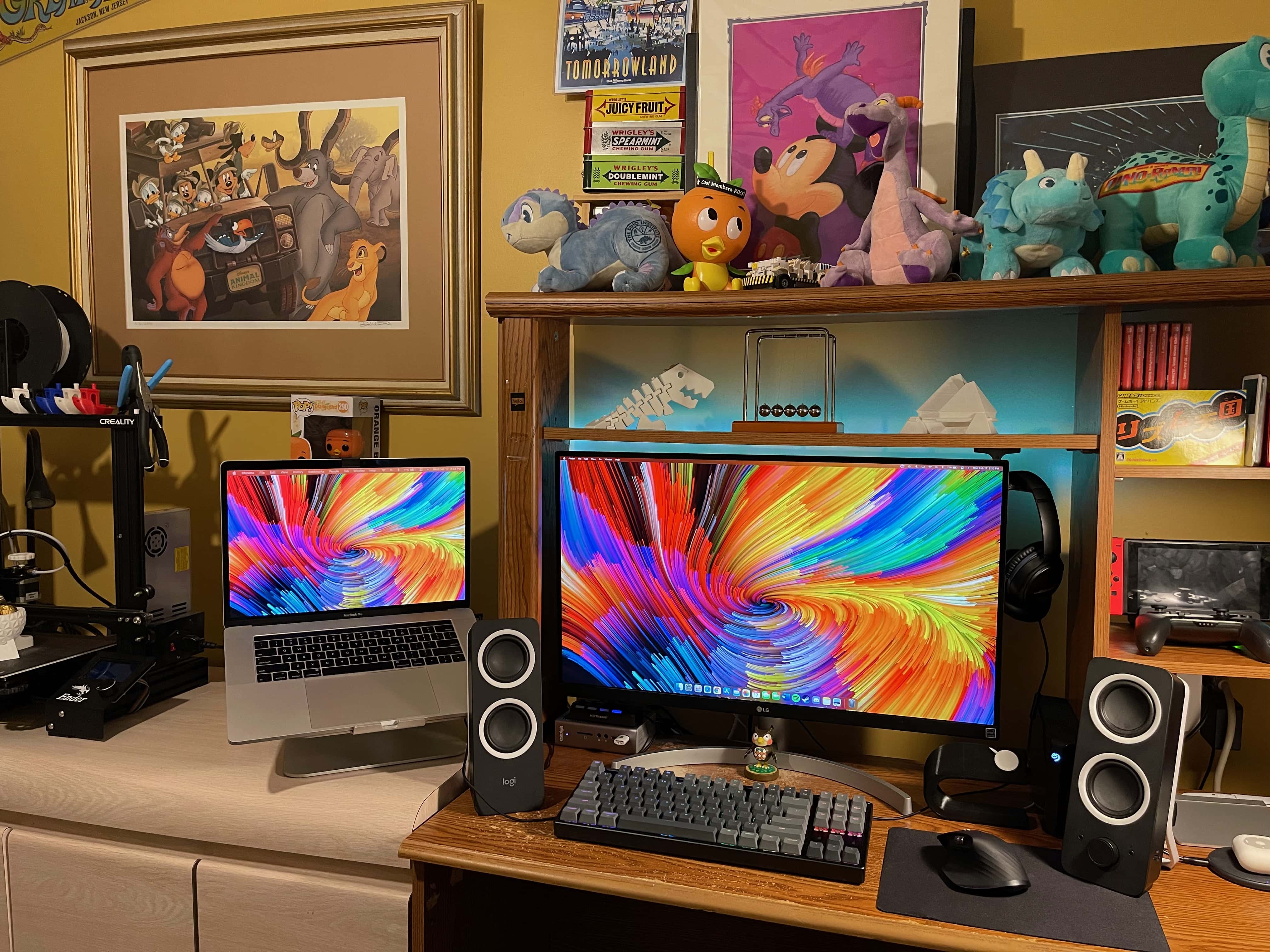
Vincent Belotti's setup includes 3D-printed elements and Nintendo-inspired decorations.
This setup includes 3D-printed elements and Nintendo-inspired decorations.
Photo: Vincent Belotti

Vincent Belotti, a mechanical engineering student at Farmingdale State College on Long Island, New York, has a colorful setup — and we’re not just talking about his screensaver. He 3D-prints some of the components in it himself, and he can’t get enough decor related to his favorite games.

3D printing as a hobby

As an engineering student, Belotti has made 3D printing into a hobby. He uses his MacBook Pro to model and slice prints that become components to enhance his setup. They include an Apple Watch dock, shown on the right side of his desk in these photos, and 3D figurines on the shelf above his monitor.

College freshman sees upside of hunkering down in his parents’ house [Setups]

By

Shad Ahmad's straightforward setup centers on a MacBook Pro and 32-inch monitor.
Photo: Shahid Ahmad

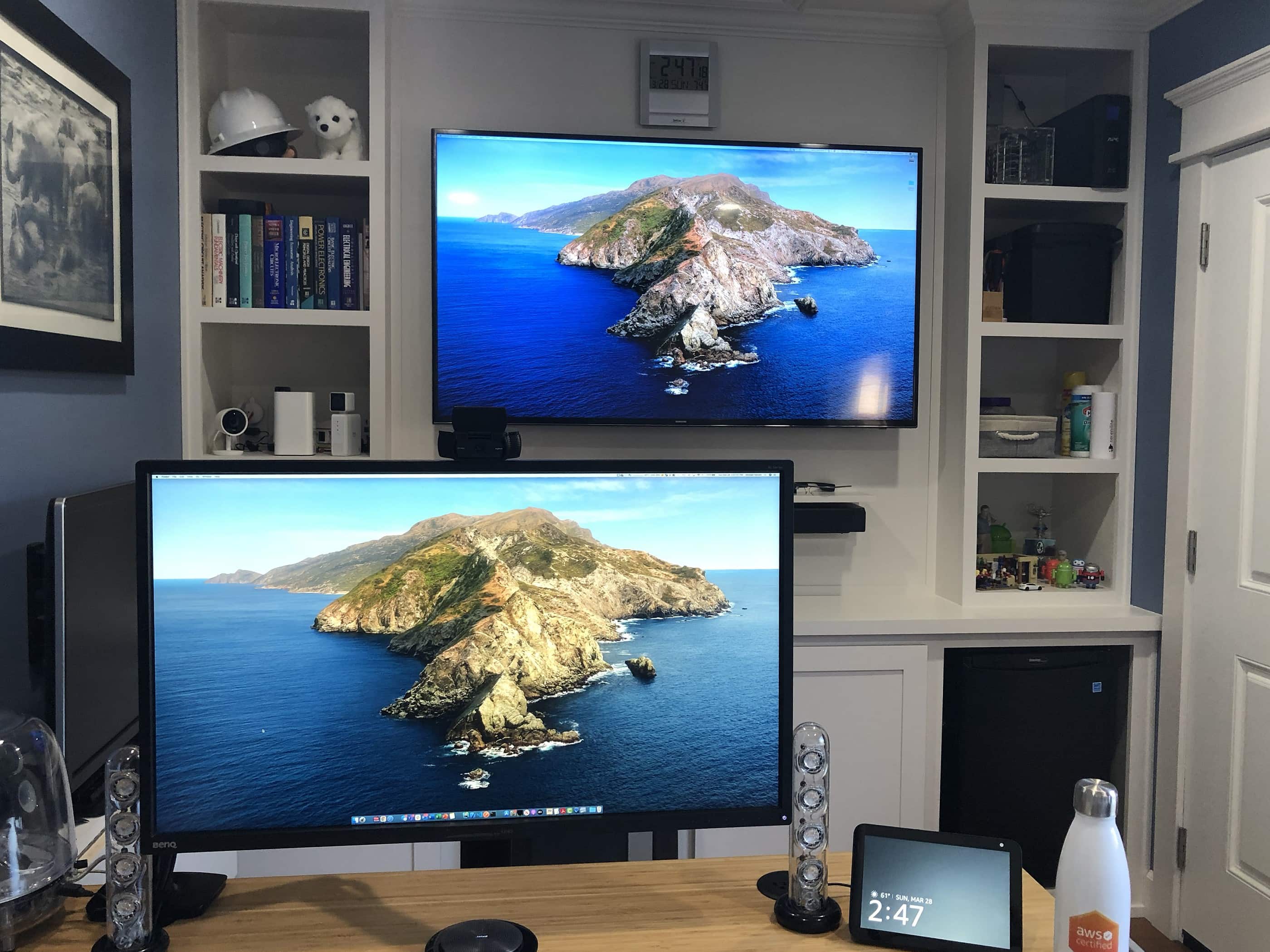
Shad Ahmad was a hard-studying freshman majoring in biology and minoring in history at Harvard University in Cambridge, Massachusetts, when the COVID-19 pandemic struck.

Going home to continue classes for a semester remotely from his parents’ house in Wisconsin may not have been ideal, but Ahmad found a comforting upside. Integrated smart technology makes his life easier, he told Cult of Mac.

Instagram content creator pictures setup perfection [Setups]

By

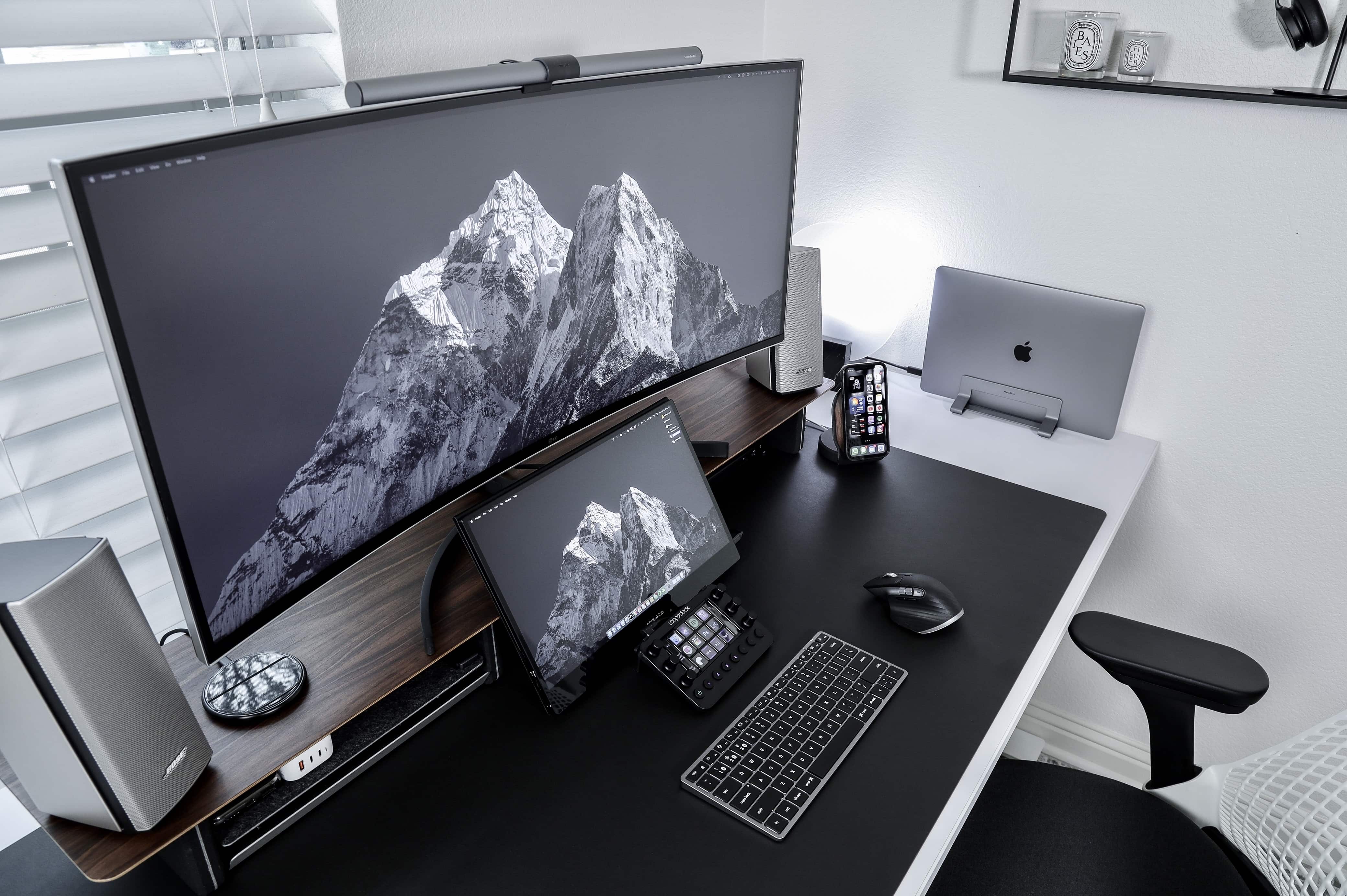
Instagram content creator Matt Tran runs his MacBook Pro with an ultrawide screen and a portable one for different reasons.
Photo: Matt - Instagram @nvzion

Austin, Texas-based photographer Matt Tran initially built his impressive setup to share his pics on Instagram, and you can certainly see a lot of them there. But now he uses his workstation, centered on a MacBook Pro and two monitors of vastly different sizes, to film and edit videos.

“I like having the 38-inch [LG] ultrawide to view the timeline on Final Cut Pro and the smaller, 15.6-inch Desklab portable monitor to review the footage,” he told Cult of Mac.

Colorado finance pro likes his (indoor) open spaces [Setups]

By

Ryan Brookes likes open spaces in and around his setup.
Photo: Ryan Brookes

Ryan Brookes, who works in sales for a financial services firm in Denver, Colorado, likes his open spaces. That includes indoor ones, like a spare, clean setup on his desk. Physical space helps him think, he told Cult of Mac.

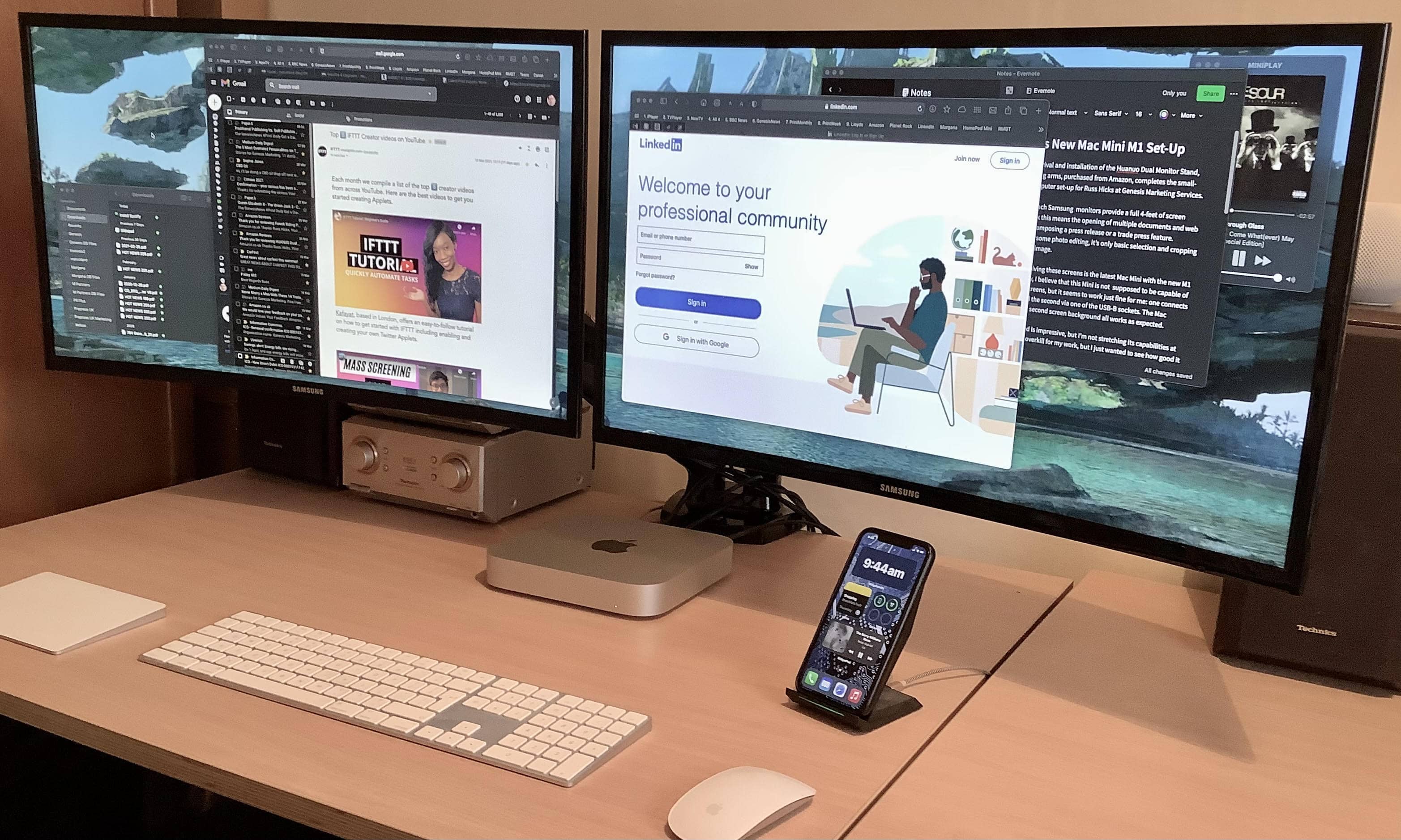
His Mac mini with an M1 chip tethered to a 49-inch Samsung curved monitor probably help him think, too. Those and his iPad, which he will soon pair with a Keychron K1 Mechanical Keyboard.

Working from home means building his setup on his terms [Setups]

By

Wilcox's setup centers on a 27-inch 5K iMac with 28-inch Samsung monitors on either side of it.
David Wilcox's setup centers on a 27-inch 5K iMac with 28-inch Samsung monitors on either side of it.
Photo: David Wilcox

David Wilcox is an IT consultant working from home in Bristol, England. His remote work situation means he gets to tweak his setup just as he likes, he told Cult of Mac.

Wilcox’s central command is a 27-inch 5K iMac from 2019. Humming along with it are two 28-inch U2HE850 monitors paired and run together via a Startech Thunderbolt 3 to Dual DisplayPort Adapter.

With that much screen real estate and a plethora of networking gear, he gets a lot done.

“My first computer was a Sinclair [Research] ZX81,” he said, referring to a machine made by Timex Corp. in the United Kingdom starting in 1981. “So this setup is just about a home-computing Nirvana!”

Health care exec cures cable outbreak threatening healthy work and play station [Setups]

By

Dr. Edward Wang's setup features an ultra-wide monitor.
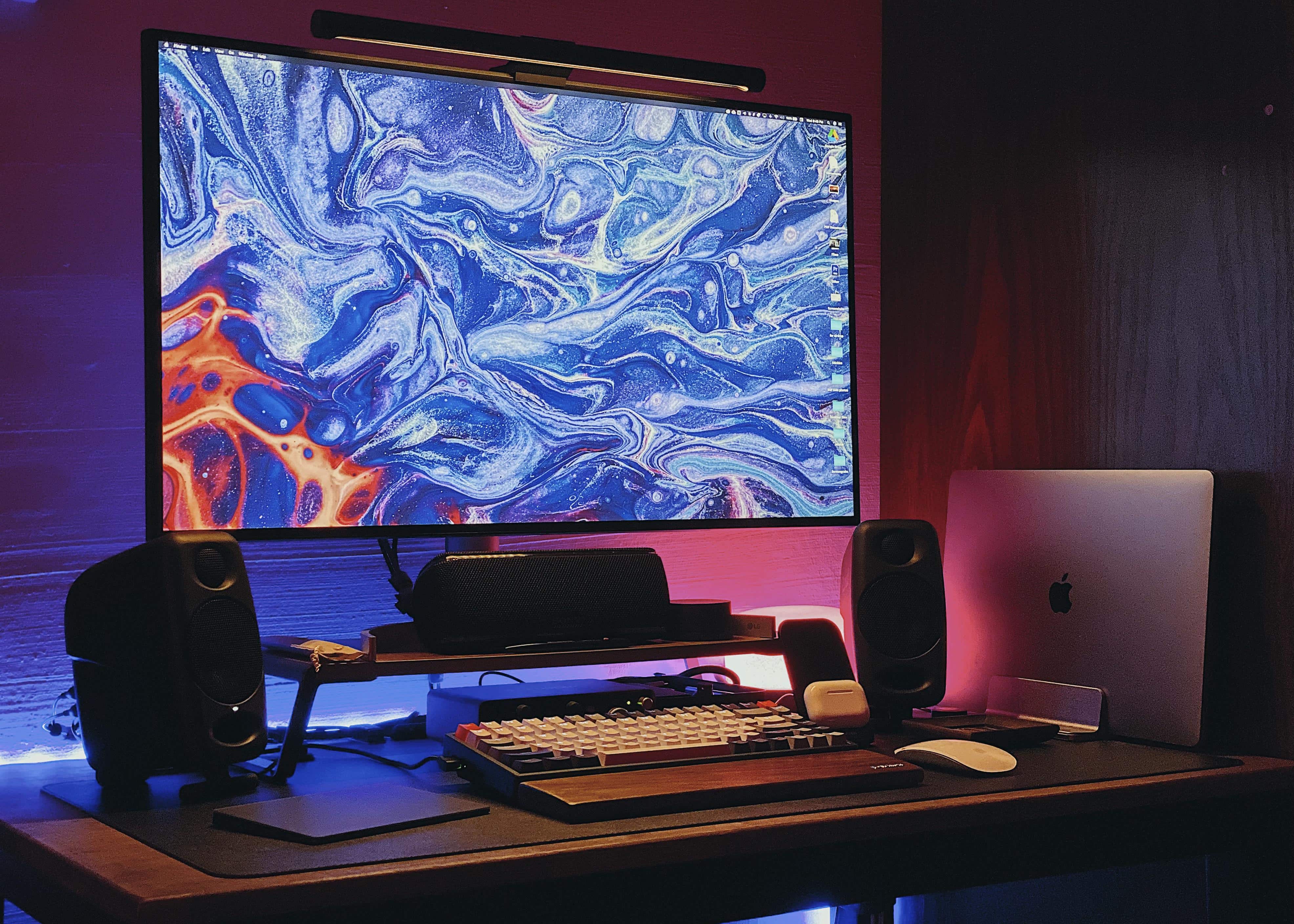
Edward Wang's setup features an ultra-wide monitor. (Note the eye-strain-reducing BenQ Screen Bar lighting atop the monitor.)
Photo: Edward Wang

Basking Ridge, New Jersey-based Edward Wang, Ph.D., is an executive director with Quest Diagnostics. He took some serious time and effort making his setup a clean and powerful tool for health care work and audiovisual play. Once he diagnosed and treated a cable-management malady stemming from several separate pieces of computer and audio equipment, his setup delighted him.

D&D gaming comes to life via Mac mini and magical screen [Setups]

By

A 43-inch curved monitor is the highlight of Duncan Shultz's gaming setup.
A 43-inch wide curved monitor is the highlight of Duncan Shultz's gaming setup.
Photo: Duncan Shultz

Brisbane, Australia-based defense contractor Duncan Shultz loves Dungeons & Dragons. And that’s the main action his Mac-mini-and-wide-screen setup sees, although he also admits to using it to work for a living. An Aasimar Sorcerer’s got to eat, after all.

“The wide screen is simply awesome for my uses,” Shultz told Cult of Mac. “Specifically in running online D&D games. I can have video conferencing, multiple browsers, streaming software and other tools all open and accessible.”

In addition to the aforementioned sorcerer character — goes by the name of Selinth, BTW — Schultz is a dungeon master for Curse of Strahd campaigns, one online and one in person. Online he uses the Roll20 website and in person he uses EncounterPlus for iOS and macOS.

Garage-based man cave and home office relies on a killer screen [Setups]

By

In this setup, an LG curved monitor is great for work as well as movies and TV.
Photo: Paul O'Toole

An IT professional who specializes in Mac and iOS home implementations probably has a leg up on the next guy when it comes to building an Apple-centric home office and man cave.

Or is it a man cave and home office? We’ll let Paul O’Toole, an IT pro from Worcestershire, England, decide that. It’s his, after all. He calls it a “sitting room,” actually.

He turned his garage into an office and movie palace, thanks to an LG 34UC99 curved monitor and a pair of HomePods running with his Mac Pro.

Sound designer’s setup powers a home office and AV wonderland [Setups]

By

Widescreen monitor
When you have more gear than you use, it's time to break it down to basic needs.
Photo: Gareth Owen

Gareth Owen is a London-based professional sound designer whose job involves extensive CAD and acoustic modeling, but he also does sound effects work and multitrack mixing.

So he built a setup that functions as both his home office and a basic home studio.

iMac Pro-based setup handles whatever this animator throws at it [Setups]

By

Curtis Sponsler's iMac Pro-based setup requires both processing power and huge storage capacity.
Curtis Sponsler's iMac Pro-based setup requires both processing power and huge storage capacity for animation..
Photo: Curtis Sponsler

Miami-based Curtis Sponsler has been a 3D animator and motion graphics designer for more than 30 years. These days, that work takes copious amounts of computing power and massive storage capacity.

Fortunately, his current iMac Pro-based setup handles his needs well.

The man even built his own render farm in a closet with dedicated air conditioning to store and cool his video-rendering machines.

Music to your ears? This Mac setup is part workspace, part soundscape [Setups]

By

An audiophile's setup includes not just computers and a killer sound system, but sound enhancers on the walls and in corners.
Photo: Ed Yoon

Ed Yoon has a job many music fans and players would covet. He’s chief operating officer of high-end electric guitar maker and distributor Strandberg Guitars USA in Riverside, California. As you might guess from his line of work, he’s a major audiophile. And his office setup makes a lot of noise to that effect.

OK, not “noise.” Beautiful music.

Even before the pandemic, Yoon had been working a lot from home to manage the company’s operations. Then, as COVID-19 spread, remote work became the norm. Unlike most of us, he needed more than just a desk and a computer with decent speakers. He had to have mind-blowing audio.

Desk space and a monster monitor are keys to this magician’s productivity [Setups]

By

MacBook Pro Setup
A big desk, an enormous screen, and a minimalist philosophy make for a productive setup.
Photo: Allan Hagen

Allan Hagen is a New York-based professional magician and amateur photographer with a serious setup. His favorite part of the setup is the big, stunning Antoccino Desk by RH Modern, which helps him concentrate.

“A big desk with a fairly minimalist setup really lends itself to focusing on the tasks at hand,” he said.

A tiny office corner becomes a tiny workspace [Setups]

By

MacBook Pro Setup
This is where Larsson "vibes at night."
Photo: Andreas Larsson

Andreas Larsson is a Sweden-based security technician who converted a tiny corner of his office into a bonafide workspace. He had limited space to work with so he tried to squeeze every inch out of it. His friend, who works at an office furnishing company, custom-built a desk to span 46 inches — the entire length of his office.

This setup has a minimalism level well over 9,000 [Setups]

By

MacBook Air Setup
A slab of wood, some peripherals and a giant monitor are all you really need for a great setup.
Photo: Mike Leardo

When we published a Setups post with the headline “This desk has a minimalism level of over 9,000,” consultant Mike Leardo felt compelled to send in his own rig to show what peak minimalism really looks like.

You can’t get more minimalist than this — mouse, keyboard and screen.

This setup will make Luddites want to scream [Setups]

By

Mac Pro Setup
Anthony Ivanovsky's setup features a Mac Pro for work and a gaming PC under the desk.
Photo: Anthony Ivanovsky

Anthony Ivanovsky is a Toronto-based marketing expert and IT manager who has a knack for gadgets, both big and small. In his setup, an MSI Optix MAG341CQ 34-inch UltraWide Curved Gaming Monitor immediately draws the eye. And at $500, it costs considerably less than other ultrawides on the market.

On the left-hand side of his desk, standing like a monument, is the commanding Mac Pro. He uses this beast of a machine for video editing, photo editing and for his day job working for a tech startup. Aside from the base Radeon 580X, he also has two additional Radeon VII graphic cards, which may seem like overkill until you learn that he also runs three different YouTube channels.

A gaming monitor is the linchpin of this gamer-friendly setup [Setups]

By

Mac mini setup
This rig conveniently mixes fun with work.
Photo: Merényi Márk

The heart of Merényi Márk’s setup is a 2018 Mac mini. Even though it’s a base-line model, this little Mac that could executes every task he throws at it.

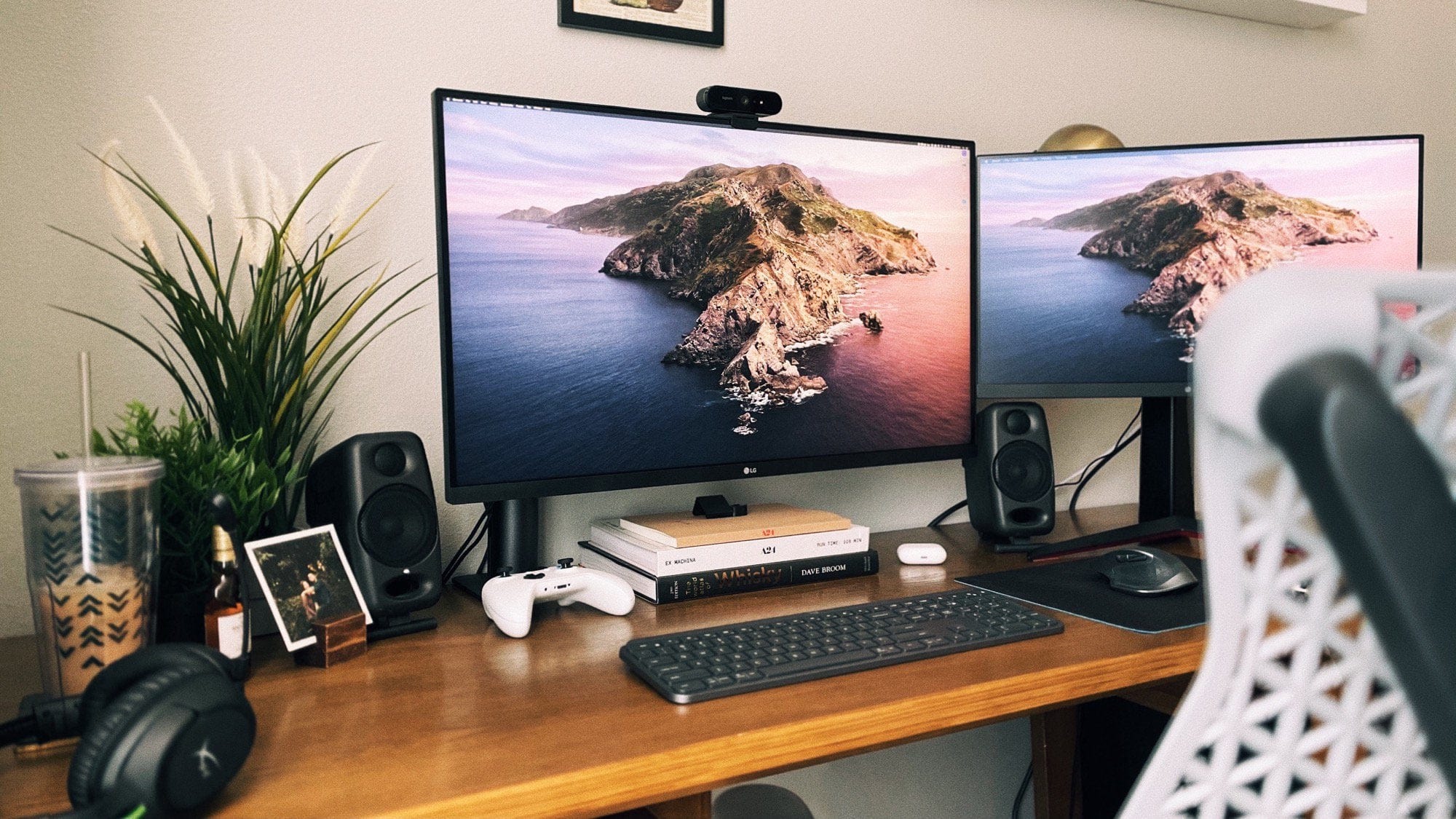
Márk recently ditched his LG UlraWide Monitor and replaced it with an LG 32UK550-B 32-inch 4K VA Monitor, which is made for gaming. He prefers the standard 16:9 aspect ratio of his new monitor when playing on his Xbox. In terms of fewer viewing angles that come with a VA (Vertical Alignment) panel, he sits right in front of it, so it’s not an issue. And he “expected far worse viewing angles and colors from [a VA panel],” so it came as a “pleasant surprise” to him that it’s so good.

This desk has a minimalism level of over 9,000 [Setups]

By

MacBook Pro Setup
No clutter equals no distractions.
Photo: u/TDMarsh

Tyler Marsh has a setup that would make even Marie Kondo proud. He has nothing on his desk besides a couple of family photos and a scented candle, which both spark joy.

The linchpin of Marsh’s rig is an LG 34-inch UltraWide Curved Monitor. It’s the only thing in the setup that isn’t minimalist. He uses the massive screen to run a 2017 MacBook Pro for personal use. He also has a Lenovo ThinkPad T480 14-inch Business Laptop as his work machine.

This designer’s setup is built around Macs old and new [Setups]

By

MacBook Pro Setup
This setup combines new and vintage Apple products.
Photo: u/jhoule1394

COVID-19 forced Jeff Houle to work remotely, which was not a problem since he prefers his personalized WFH desk rather than his drab office desk. Houle is an avid collector, whether it is Disney pins (see the cork board) or old Apple products.

But when it comes to Macs, he does not just collect them. He finds unique ways to reuse them. He held on to his iBook G4 and iMac G4 (which he got at a swap meet for $10) to play old games like the original Sim and Oregon Trail — where he probably found the iBook.

When you want a desk done well, build it yourself [Setups]

By

MacBook Pro Setup
That's how you build a desk on a budget.
Photo: @alexknollphoto

Alex Knoll is a professional photographer with some serious carpentry skills. When he couldn’t find a desk he liked that matched his budget, he decided to just build one himself. He sketched a plan on his iPad with the Procreate app and bought himself a few long slabs of pine and got to work. With a set of $100 table legs he bought from TableLegs.com, the total cost of the materials came out to roughly $300.

This is The Orville special-effects quarantine battlestation

By

Mac Pro setup
A setup built for a pro.
Photo: Brandon Fayette

Brandon Fayette is VFX supervisor for The Orville, Hulu’s hilarious Star Trek-esque sci-fi comedy show from Family Guy creator Seth MacFarlane. Since screen space is vital to Fayette, he runs a triple-monitor rig.

The headliner is a Dell 49-inch UltraSharp Monitor. Its 32:9 aspect ratio means that he needs to find a wide panoramic pic for his screen saver. Next to the UltraSharp, Fayette uses a Wacom Cintiq 27QHD 27-inch monitor. This uber-precise monitor boasts a 2560 x 1440 pixel resolution, which is four times the pixel density of a standard HDTV.

Fayette’s third monitor is an Eizo CG277-BK 27-inch ColorEdge Professional Monitor. With its amazing image quality, it was specifically designed for professional colorists.