Mobile menu toggle

Setups - page 16

Dream job leads to ultimate home workstation [Setups]

By

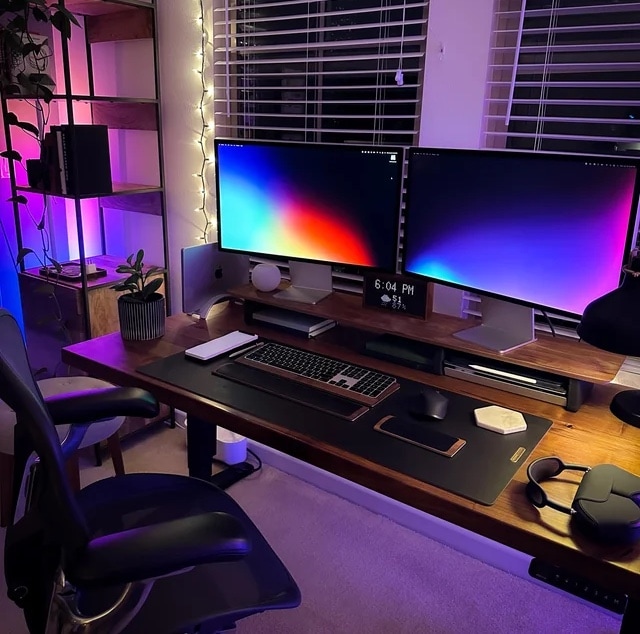
Maybe the right job will land you a tricked out MacBook Pro, Studio Display and all the other treats in this setup.
Photo: [email protected]

Wouldn’t it be great if the right job opened the door to building a killer computer setup? It happened for design and product lead Jaime Creixems.

Today’s featured setup is his M1 Max MacBook Pro and Studio Display-driven wonderland, complete with excellent audio equipment and fun sidelights like Lego sets.

Man shed MacBook Pro rig craves Studio Display [Setups]

By

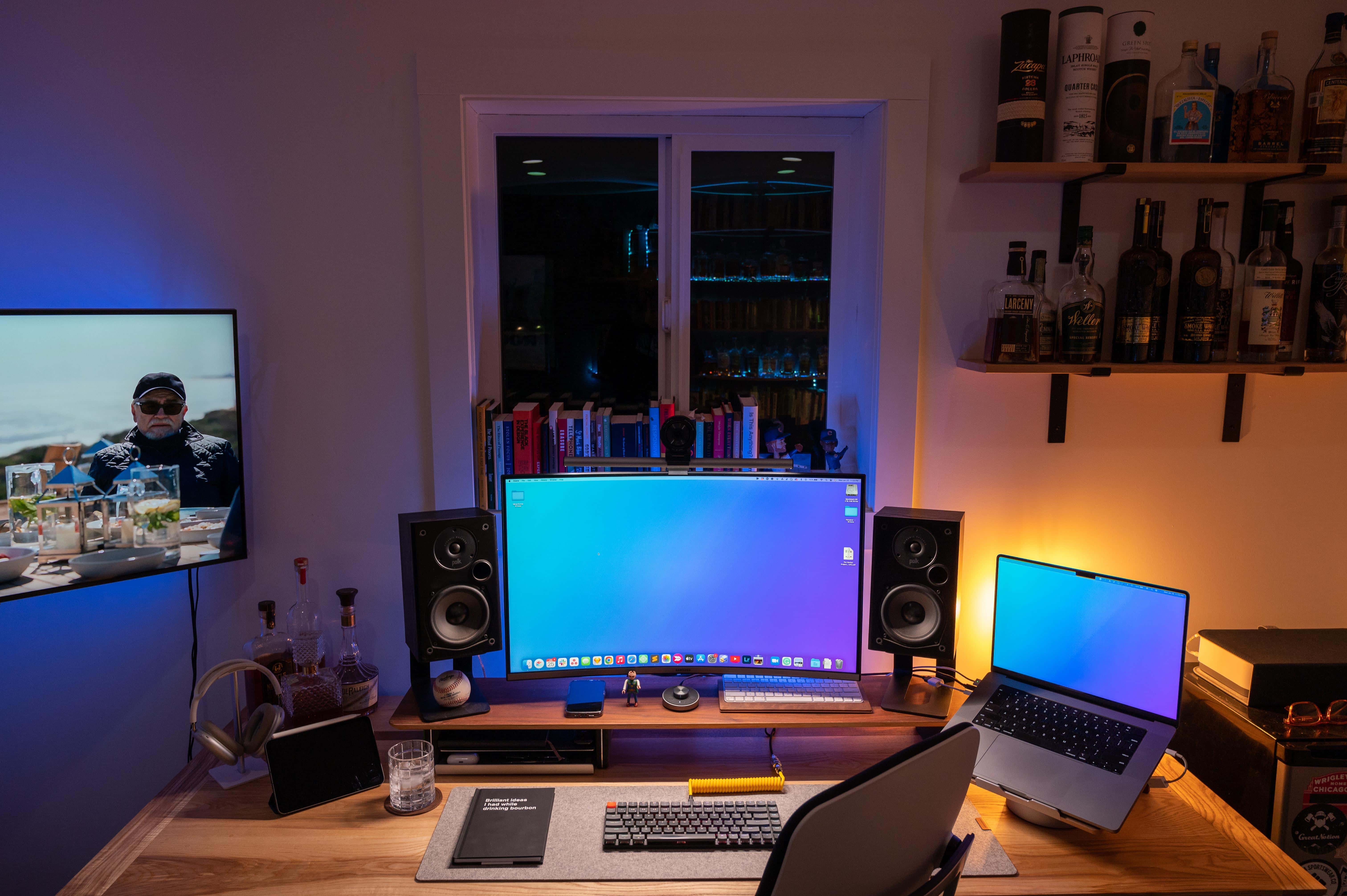
Maxed-out M1 Max MacBook Pro, curved 4K display, solid audio ... but a setup is never really done, is it?
Maxed-out M1 Max MacBook Pro, curved 4K display, solid audio ... but a computer setup is never really done, is it?
Photo: [email protected]

To the age-old question “Is a computer setup ever really done?” the answer is obviously “no.” There’s always something to add or something to fix, and once you do that it’s time to update something else (even if you don’t technically “need” the latest thing).

Today’s well-laid MacBook Pro setup has a nice curved monitor, but its user “craves” a Studio Display like he sees in other setups. And for that matter, how about a quieter mechanical keyboard and some plants that won’t die immediately, too.

IT engineer’s MacBook Pro and Studio Display quietly get the job done [Setups]

By

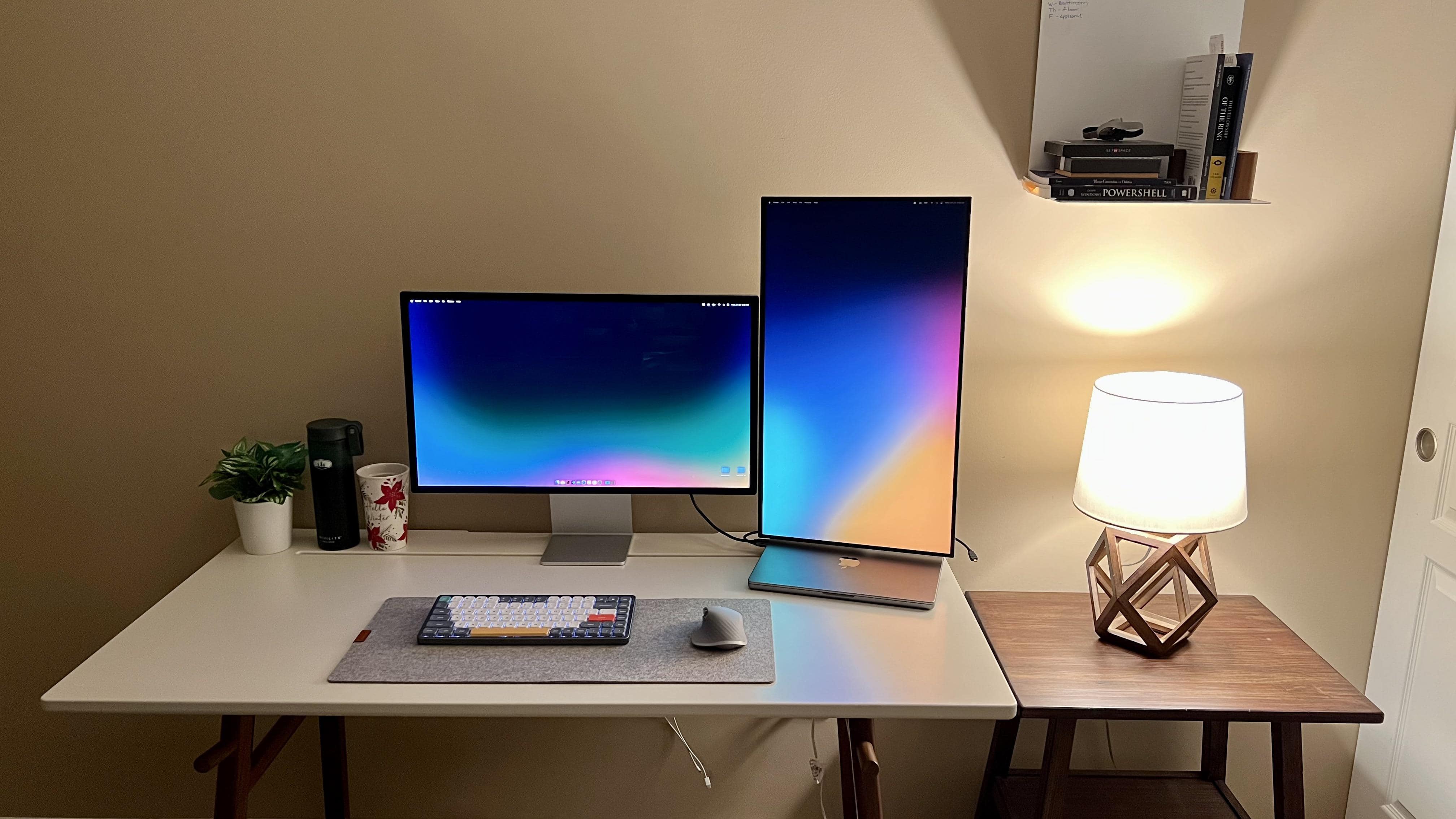
One in landscape, one in portrait. It's what the cool kids do with displays.
Photo: [email protected]

Aspects of Apple silicon chips replacing Intel processors in Macs that you don’t always hear about are how quiet and cool the M1 and M2 machines are by comparison. In today’s featured computer setup, an IT engineer sings his M1 Pro MacBook Pro’s praises in that regard, not to mention its habit of sipping battery power rather than gulping it.

And he’s also got a popular dual-display configuration going. In this case it’s a Studio Display in landscape mode and a Dell 4K display in portrait mode.

eGPU helps keep Intel Mac mini afloat in shipshape workstation [Setups]

By

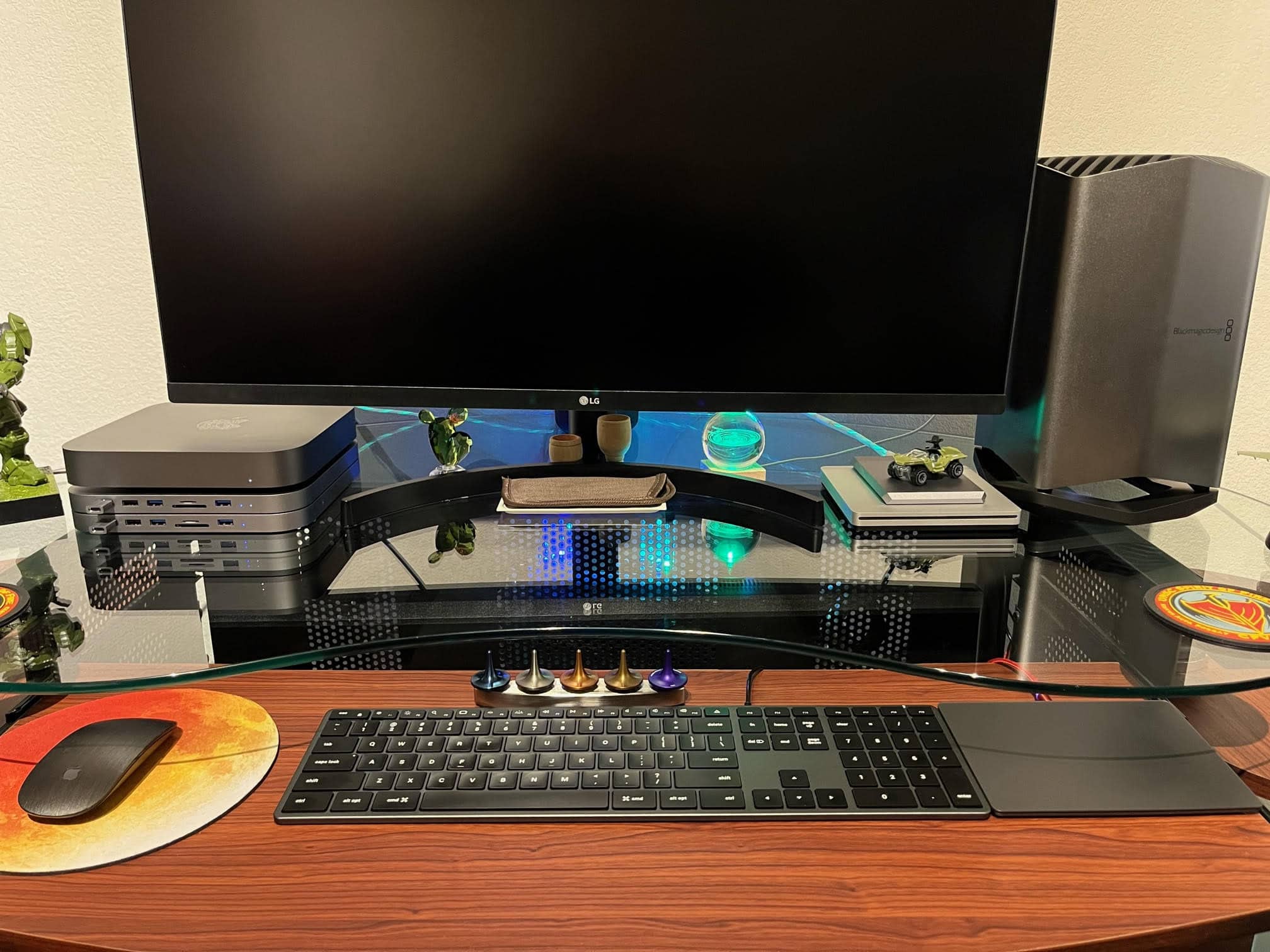
An Intel Mac mini sits atop Satechi hubs to the left of the LG 4K display. An eGPU with a potent graphics card stands to the right.
Photo: Hal Howell

Retired Navy Chief Petty Officer Hal Howell recently shipped his computer setup to Cult of Mac for inspection, so to speak. He emailed photos and words, anyway.

He runs an Intel Mac mini with an outboard engine of sorts on it for extra graphics processing power, plus Satechi USB-C hubs with extra ballast (er, storage).

Check out the full manifest of the Navy man’s gear below.

Gaming station sports Mac Studio and ultra-wide 4K display [Setups]

By

This great-looking setup relies on Mac Studio, MacBook Pro, iPad Pro and a PC.
Photo: [email protected]

In the world of computer setups flaunted on social media, we run across lots of folks who have their cake and eat it, too — in that they’re avid PC gamers who love their Macs, as well. Macs are rarely, if ever, the darlings of hardcore gamers.

Today’s featured setup plays hardball with a PC and Sony PlayStation, but it also covers the Apple bases. In addition to a powerful Mac Studio sharing time on the ultra-wide 4K display with the PC, the workstation boasts a MacBook Pro and an iPad Pro.

‘Budget’ MacBook Air workstation doesn’t look cheap [Setups]

By

Christian Panea setup
It's a "budget" setup, but it really doesn't look it.
Photo: Christian Panea@Workspace Setups Addict

Some budget computer setups look the part — cheap, utilitarian, uninspired, incomplete — and others don’t. Today’s featured setup falls in the latter category. You look at the well-equipped workstation and the word “cheap” doesn’t occur to you.

Against a DIY desk and pegboard, the setup features an M1 MacBook Air, dual Dell displays, some nice AV gear and plenty of nice touches.

Souped up MacBook Pro centers super-symmetrical setup [Setups]

By

There's nothing like a warmly lit, super-symmetrical setup.
There's nothing like a warmly lit, super-symmetrical setup -- especially if it has two Studio Displays.
Photo: [email protected]

When it comes to computer setups, social media loves symmetry. People often praise perfectly symmetrical setups and plenty of folks kind of freak out if anything’s even slightly askew, often supplying their own joking references to obsessive-compulsive disorder, or OCD.

In today’s warmly lit and well-organized workstation, a high-spec MacBook Pro drives dual Studio Displays. And pairs of other items in the room contribute to the overall symmetry.

Tricks to make your workstation look (and sound) beautiful [Setups]

By

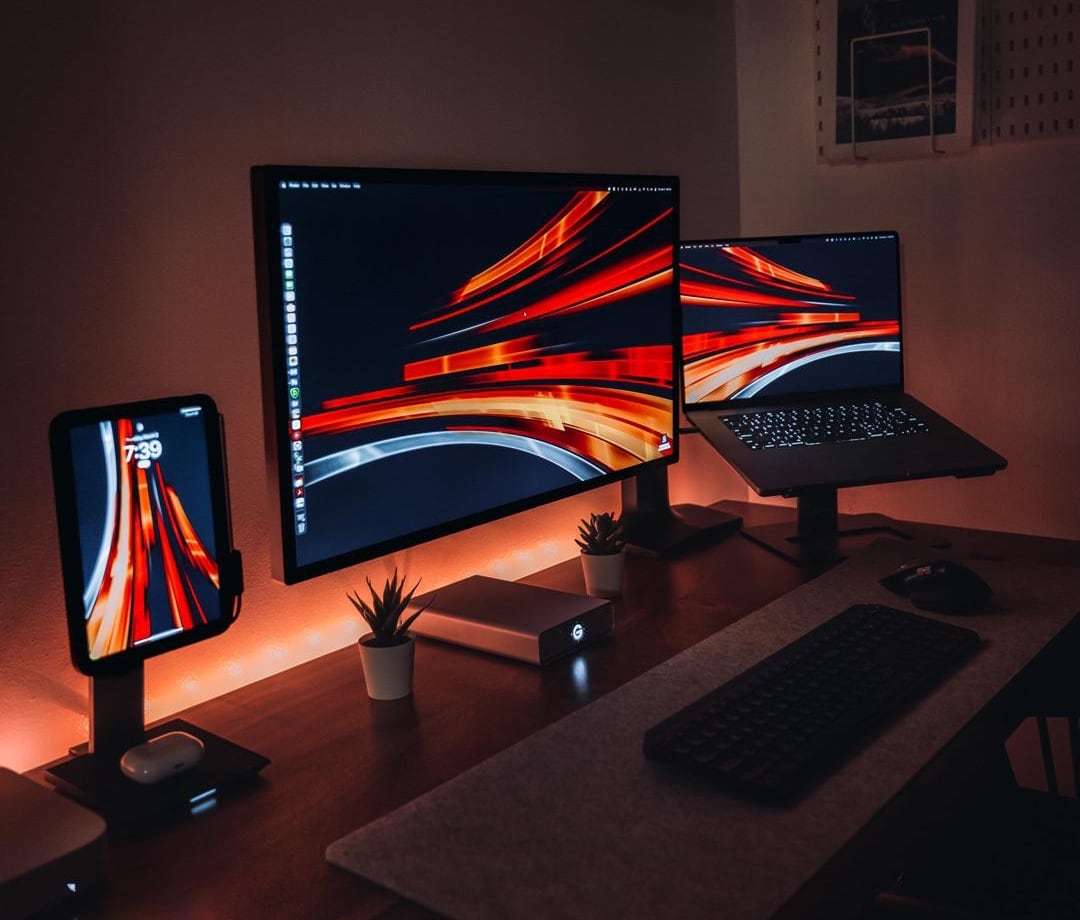
The desktop wallpaper by Basic Apple Guy really does a lot for this setup's visual effect.
Photo: [email protected]

Some workstations look boring and utilitarian while others, at least sometimes, look otherworldly. The difference between the two usually comes down to good lighting, skillful photography — and often a key visual you don’t see every day.

Today’s featured MacBook Pro setup relies on atmospheric lighting and exceptionally cool desktop wallpaper on the displays to make it look fascinating.

And because the workstation is used mainly for audio design and includes great gear, it undoubtedly sounds great, too.

Could this MacBook Pro rig be any more Apple? [Setups]

By

Even the wall art above the Studio Display is Apple -- a deconstructed iPhone.
Photo: [email protected]

Some computer setups are more Apple-ish than others. Apple-y. Apple-centric. Today’s featured M1 Max MacBook Pro outfit welcomes a new Studio Display to replace a recently “retired” 20-inch Cinema Display, and that’s just the start of the Cupertino madness.

Almost everything else in the setup is Apple, too. The input devices, the audio gear — even some of the wall art. And what’s in the book collection? The Cult of Mac hardcover book.

Developer craves more pixels in ultra-wide display [Setups]

By

Text renders more clearly on the MacBook Pro's Liquid Retina display than on the ultra-wide monitor.
Text renders more clearly on the MacBook Pro's Liquid Retina XDR display than on the ultra-wide monitor.
Photo: [email protected]

With modern computer displays, you can have brilliant colors, tons of screen real estate and even a cool curve in the screen. But will you be happy reading text on it? That’s not necessarily a sure thing.

In today’s featured MacBook Pro-based computer setup, a developer finds she likes her 34-inch curved ultra-wide display, but not in every possible way. She craves more pixels, having been “ruined” by her MacBook Pro’s crisp display.

Old Cinema and Thunderbolt displays handle new gear and gaming [Setups]

By

With the right adapter you can use a new Xbox with an old Cinema Display (on the right).
Photo: [email protected]

So many people love Apple gear because the Cupertino tech giant gets a lot right with its hardware. That certainly includes monitors, and not just the phenomenal Pro Display XDR and new Studio Display. We see a fair number of new computer setups relying on classic Apple screens like Cinema Display and Thunderbolt Display.

Today’s featured MacBook Pro and Xbox setup is a good example. Even with a modern gaming console — and given the right adapter — a display from a dozen years ago is still keeping it real.

Developer makes mobile apps with blazing-fast M1 MacBook Pro [Setups]

By

All those smartphones are for testing apps using different OS versions and screen sizes.
Photo: [email protected]

It’s always nice to hear from professionals relying on Apple gear and finding it meets or even exceeds their expectations. That’s a good indicator that Cupertino is going in the right direction.

Today’s featured computer setup shows that enthusiasm. A mobile app developer offers high praise for his M1 MacBook Pro. And his stacked displays and raft of AV gear aren’t bad, either. Let’s take a look.

M1 MacBook Pro conducts ‘ultra-minimalist’ home audio ensemble [Setups]

By

Does this computer setup look
Does this computer setup look "ultra-minimalist" to you?
Photo: [email protected]

Some computer setups are simply music to our ears — almost literally, in some cases. Today’s featured setup sees (and hears) an M1 MacBook Pro playing frontman to a band that includes a few pieces of key audio hardware and software as well as dual curved ultra-wide external displays.

And whether or not it’s “ultra-minimalist,” as stated by the user — it’s not, by almost any definition of computing minimalism — it appears relatively spare and effective.

New year brings ‘great display for a Mac’ to M2 MacBook Pro rig [Setups]

By

Under-desk lighting helps make it a pleasant workspace even with no windows.
Photo: [email protected]

There’s nothing like starting over in a brand new year. One of the best ways to do it is to freshen things up in the place where you spend so much of your waking life — your workspace. But rather than just rewarding yourself with a thrilling new mouse pad, why not roll out a whole new computer setup?

That’s the case with today’s featured M2 MacBook Pro setup. The brawny laptop drives a spacious “4K+” display with the help of some choice input devices. And it all basks in the glow of simple but highly effective lighting.

‘Tiny beast’ M1 Mac mini drives well-lit workstation [Setups]

By

The lighting's not for everyone, but some people think it's pretty cool.
Photo: [email protected]

If you want a healthy computer setup, don’t just check off the “ergonomics” box and leave it at that. In addition to good posture, straight wrists and so on, you’re going to need good lighting to reduce eye strain. And to look good on video, too, of course.

Today’s featured M1 Mac mini setup throws the switch on a couple of lighting products we rarely see.

Mac mini and MacBook Pro trade off in student rig [Setups]

By

Both a MacBook Pro and a Mac mini drive this setup.
Photo: [email protected]

Back in our day — when we walked 5 miles uphill to school both ways — students were lucky to have plywood on cinderblocks for a desk and a laptop weighing, oh, let’s say 25 pounds (we’re too old to remember things).

Nowadays, these kids have pretty swanky computer setups with desktop machines you could toss in a knapsack. Today’s featured item boasts a Mac mini, a MacBook Pro, a 4K display, Magic Keyboard, Magic Trackpad 2 and a Lego building set to die for.

External monitor, MacBook Pro and iPad all float on one arm [Setups]

By

The external display, MacBook Pro and iPad are all lined up on one mount/arm.
Photo: [email protected]

Today’s featured Mac-and-gaming-PC computer setup pulls off a rare feat. It perfectly aligns three displays on one arm. The displays are a substantial external monitor, a MacBook Pro and an iPad Pro mounted vertically (yet running Sidecar).

Read on for tips on how to pull all that off, as well as tricks to using an iPhone as a mounted webcam and more.

Dual Mac minis and Xbox play in gamer’s workstation [Setups]

By

Two Mac minis and an Xbox provide the fun in this gaming setup.
Photo: [email protected]

To a lot of people, “home for the holidays” may mean even more massive amounts of gameplay than usual. That could be the case with the owner of today’s featured computer setup. In addition to two Mac minis, the workstation sports an Xbox Series S with a couple of special-edition controllers.

And two of the three displays in the setup are curved gaming monitors. The other’s 12.9-inch iPad Pro mounted on a stand.

Selling a house got him this Mac-based music studio [Setups]

By

A Mac Studio, two Studio Displays and a whole lot of audio gear and guitars make up this music setup. The Audient iD44 audio interface on the stand in the center of the photograph got replaced with an Apollo X Twin Heritage audio interface.
Photo: [email protected]

“These go to 11,” says lead guitarist Nigel Tufnel about his specially modded guitar amplifiers in music mockumentary classic This Is Spinal Tap. And today’s featured computer setup probably rocks just about that hard, too.

The Mac Studio, dual Studio Displays and array of killer audio gear in the home-basement setup belong to a working New York City-area rocker. Check out details about his chest-thumping rig, below.

Ph.D. student rocks M1 MacBook Pro in whipsmart workstation [Setups]

By

This is what a Ph.D candidate's computer setup looks like.
Photo: [email protected]

A computer setup run by a doctoral degree candidate had better be damned smart, and today’s featured setup doesn’t disappoint. It’s got a powerful M1 MacBook Pro, a recent (but not the latest) iPad Air, a very slick 4K display and a trio of whipsmart input devices boasting plenty of customization options.

And it’s got all that and pretty clever cable management, too. But does the future Ph.D.’s rig smoke a pipe and pretentiously hold forth on esoteric topics? No, it’s actually somewhat modest (down to the nice but not top-shelf headphones).

Formidable Mac trio drives pro streaming rig [Setups]

By

This setup generates a 2-hour streaming show twice a week.
Photo: [email protected]

Ahoy there, would-be video streamers — today’s featured computer setup comes from an airtight and seaworthy pro streaming operation you might want to emulate.

The folks behind Sailing Illustrated streams shared their rig, based on a Mac Studio, an M1 Mac mini, an M1 MacBook Pro, a Rode RodeCaster Pro production studio and a slew of related gear and software.

M1 MacBook Air knows how to have fun [Setups]

By

Lots of toys live in this MacBook Air and gaming PC rig.
Photo: [email protected]

Some setups are no-nonsense, just the facts, ma’am — strictly utilitarian. Others are fanciful and full of toys. Today’s featured setup leans toward the latter, with its burgeoning population of Transformer figures crowding the shelf above the display and even related wall art.

And there’s plenty of gaming going on there, too, via a custom gaming PC and Nintendo Switch OLED in addition to an M1 MacBook Air and 12.9-inch iPad Pro.

Oh, and it has one of the coolest speaker systems ever made, too.

Elderly Mac mini hangs with hot new MacBook Pro in web developer’s rig [Setups]

By

The Mac mini keeps on ticking but the web dev relies most heavily on a 16-inch M1 MacBook Pro.
Photo: [email protected]

In today’s featured computer setup, owned by a web developer, a 2012 Mac mini shares the spotlight with a new 16-inch M1 MacBook Pro.

Before you think, “Wow, the Mac mini must be amazing, competing with that sleek new laptop,” nah, this is more like take-your-great-grandfather-to-work day for the elderly little desktop machine.

It’s around because it still works for light lifting. And it does indeed show impressive longevity.

85-inch screen towers over 3 Cinema Displays under glass [Setups]

By

This custom-made desk and screen setup is mind-boggling.
Photo: [email protected]

Occasionally a computer setup crops up that just makes you say, “WTF?” That’s what a colleague said about a DIY extravaganza he came across in which three 30-inch Cinema Displays were mounted under glass inside a desk.

The Cinema Display imagery shows up on a mammoth 85-inch screen above — all in a huge, homemade desk assembly. WTF, indeed.