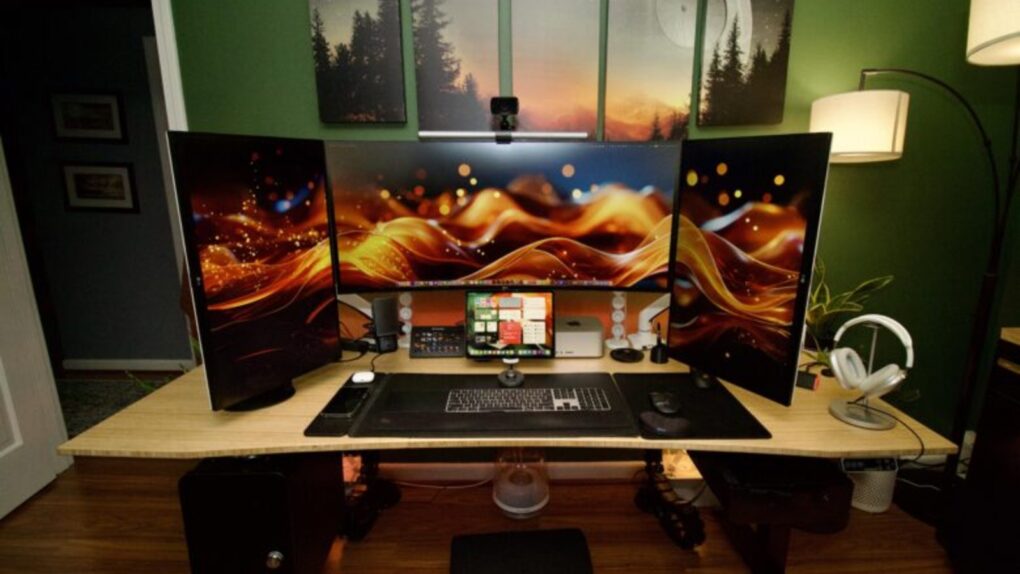
Sitting at a computer for eight or 10 hours a day will eventually catch up with you. Stiff necks, sore wrists, aching backs, eye strain — the toll of a poorly designed workstation is real. And the Cult of Mac Setups archive is peppered with users who know it firsthand. But it also shows an increasingly thoughtful community that does something about it. Here are 10 of the best ergonomic Mac setups from the past several years.
This post contains affiliate links. Cult of Mac may earn a commission when you use our links to buy items.
Best ergonomic Mac setups: Comfort-first workstations done right
The best ergonomic Mac setups in the archive go beyond simply owning a standing desk. They combine multiple layers of well-considered design. That can include monitors at exactly eye level on adjustable arms, ergonomic chairs that move with the body, split or tented keyboards that keep the forearms neutral, vertical or trackball mice that reduce wrist strain, monitor lighting calibrated to ambient conditions and even custom prescription computer glasses.
The result, at its best, is a workstation that you can occupy for hours without penalty. The following 10 best ergonomic Mac setups from the archive show what thoughtful, health-conscious Mac ergonomics actually look like.
10. No external monitor? Build an ergonomically correct setup around your laptop.
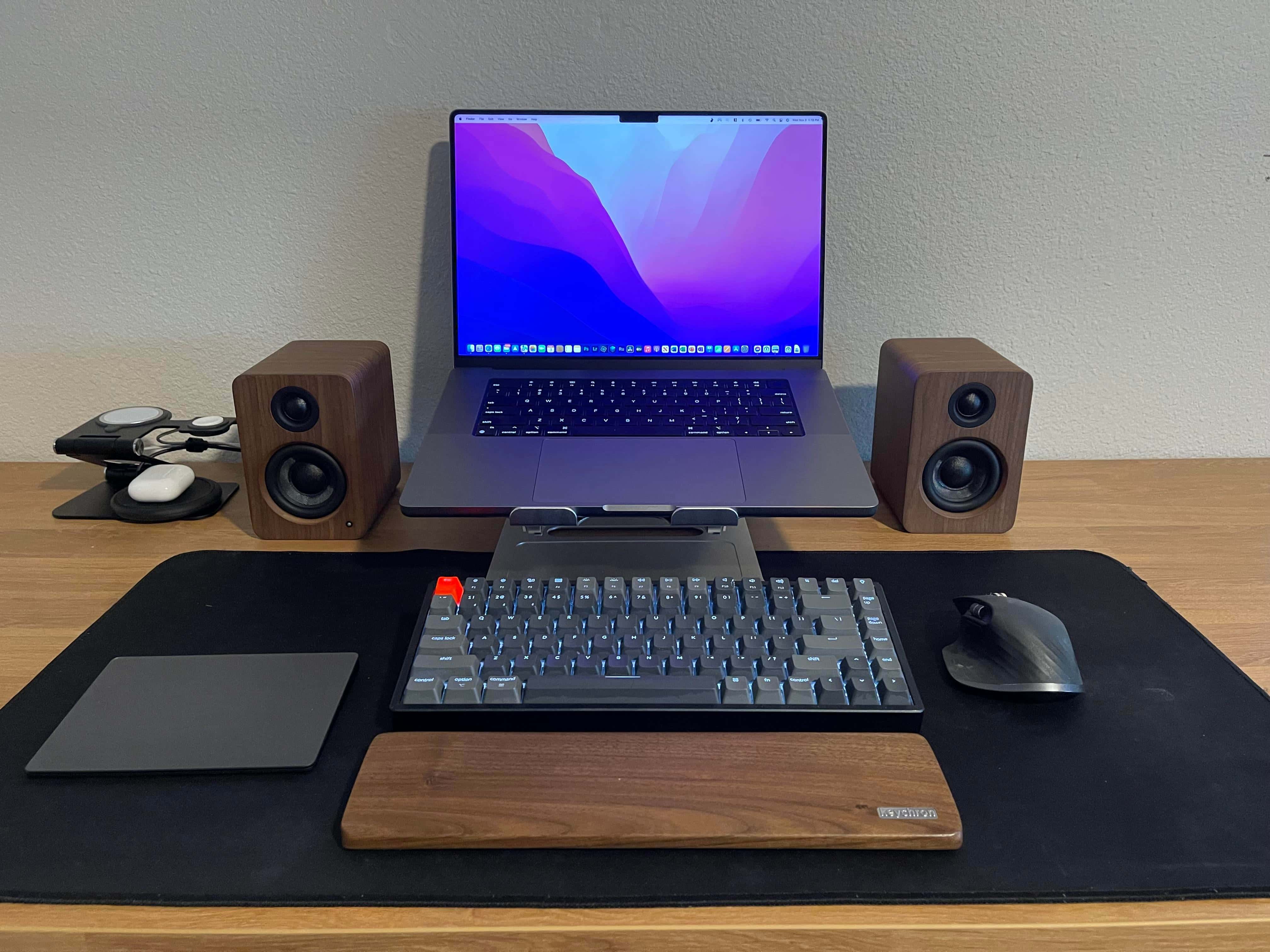
Photo: [email protected]
Setups articles occasionally feature people mid-transition — waiting for a new monitor to arrive while figuring out how to work without one. This one turns that limitation into a useful lesson. The user placed a 16-inch MacBook Pro on a stand to get the screen at eye level, then paired it with a Keychron K2 mechanical keyboard with a wooden wrist rest. So there’s no hunching over the laptop and no typing on a cramped built-in keyboard. The article makes the case that these two moves lay the foundation of any ergonomically sound setup, whether or not an external monitor is in the picture.
Read the full Setups article: No external monitor? Build an ergonomically correct setup around your laptop
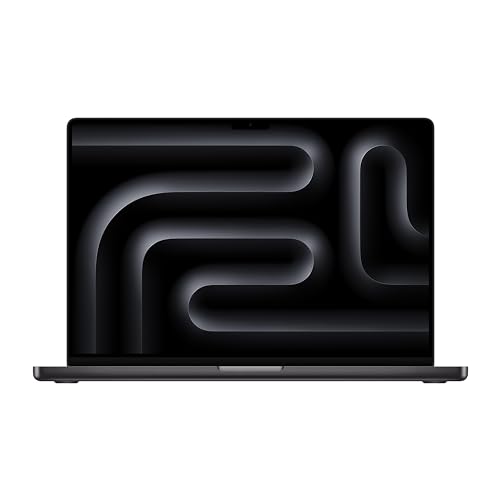
The renewed 16-inch Apple laptop features an M3 Pro chip, 36GB RAM and 512GB SSD storage. Space black color.
- Powerful M3 Pro chip
- Ample unified memory
- Not the latest model
This wood-and-aluminum wireless custom mechanical keyboard includes Hall Effect Gateron Double-Rail Magnetic Switches, 2.4 GHz QMK Bluetooth 5.2 and RGB backlighting. Compatible with Mac, Windows and Linux.
- Premium wood and aluminum body
- Fast acting HE magnetic switches
- Connects to 3 devices via Bluetooth
- Only works with magnetic switches

9. New home calls for new-and-improved workstation

Photo: David Snow/Cult of Mac
Moving to a new home prompted Cult of Mac‘s own setups writer — me — to build a properly ergonomic desk for the first time. And the result was and is instructive. A Fezibo Electric Standing Desk replaces a stationary desk, and a Silybon Ergonomic Office Chair replaces whatever kitchen chair I was using before. Both came in well under the prices of brand-name alternatives while earning strong reviews. “I feel ergonomically correct — or at least not profoundly wrong — for the first time in a while,” I wrote. Back then I had a MacBook Pro, a Dell monitor, an Alogic dock, an iPad Air 5 and a Logitech MX Master mouse on the desk.
Read more: New home calls for new-and-improved workstation
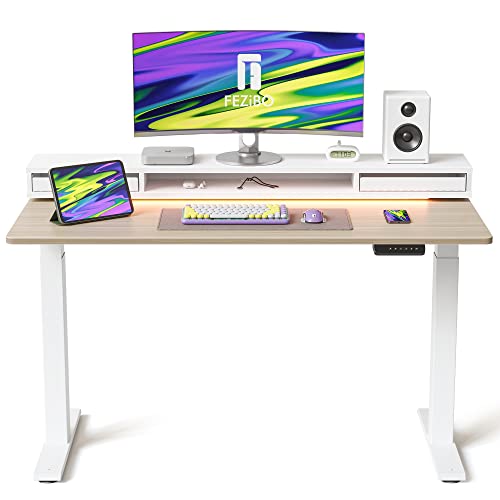
This 55 × 26 inch, height-adjustable motorized standing desk features LED light strips and two drawers under the monitor shelf. Comes in a variety of finishes.
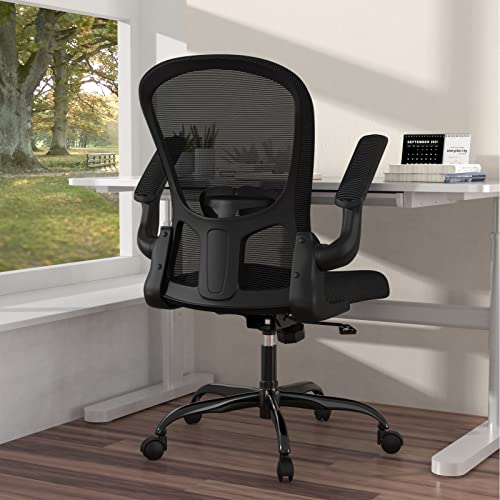
This home office task chair is made from breathable mesh and other materials. It swivels, rocks and provides adjustable lumbar support. It also offers flip-up arms and adjustable height.
8. Mac mini rig’s monster monitor pushes standing desk to limit
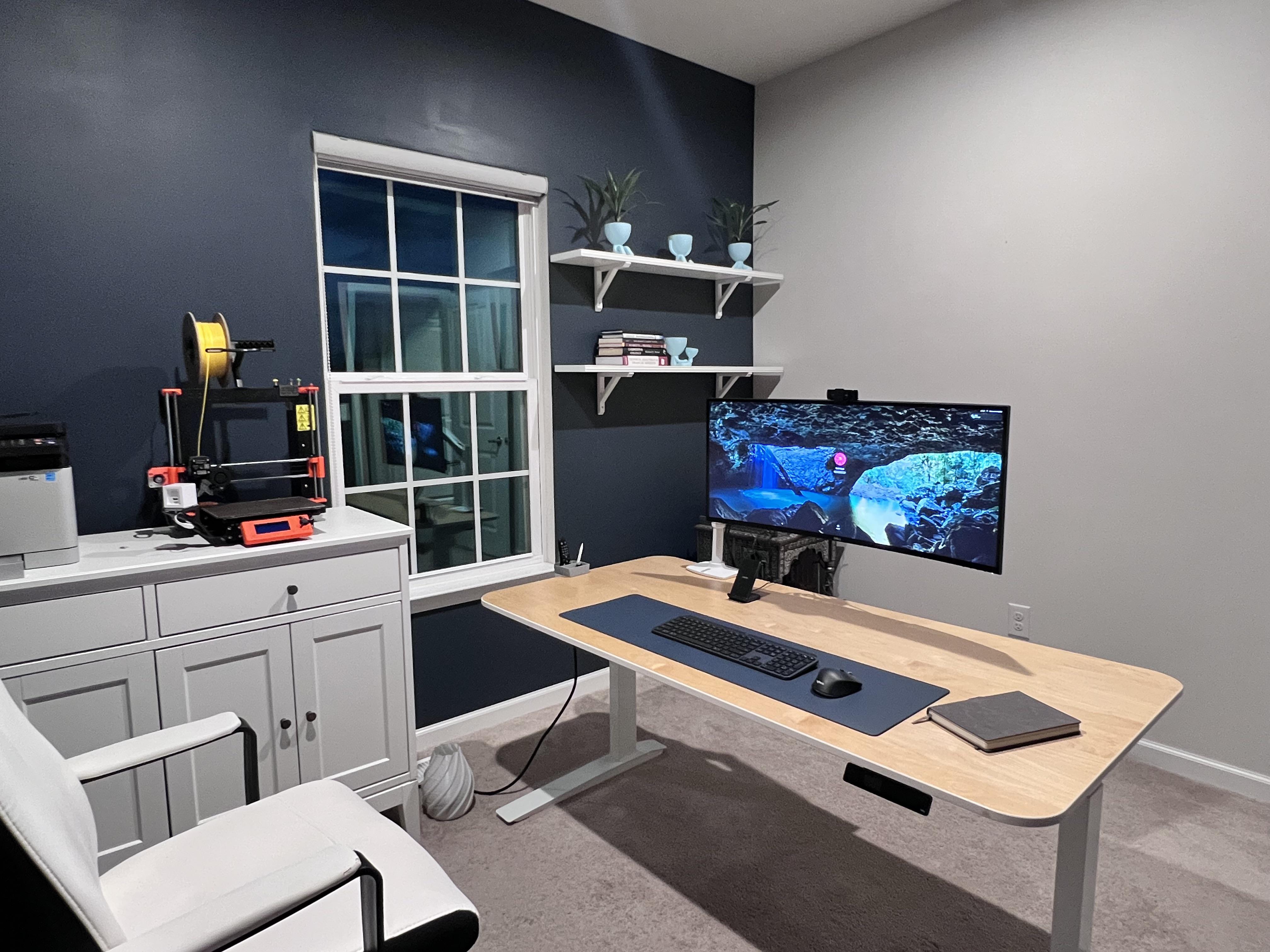
Photo: [email protected]
In this one an M1 Mac mini drives a massive 38-inch Dell curved WQHD ultra-wide monitor mounted on an Ergotron LX arm, all on a standing desk. The Ergotron arm is key — the heavy Dell (about 20 pounds) strains the arm’s tolerances in the extended position, but keeps the display cleanly off the desk and adjustable in height. Commenters asked pointed questions about wobble at standing height. And the user was refreshingly honest: the setup works, though the big screen is right at the edge of what the arm can reliably handle. The Grovemade accessories and considered layout make this a particularly good-looking standing desk setup.
Read more: Mac mini rig’s monster monitor pushes standing desk to limit
This motorized sit-stand desk with an alloy frame measures 42in x 27in with a natural bamboo top. It rises from 30 inches to 49 inches in height with Up/Down Controller.

At 37.5 inches, this curved screen LCD monitor offers plenty of screen real estate with 3840 x 1600 pixel resolution and a USB hub.

7. User goes for ergonomic comfort with Logitech MX Vertical mouse

Photo: [email protected]
A Harvard data science student runs a demanding multi-Mac setup. It’s a 2023 M3 Pro MacBook Pro and an old trash-can Mac Pro for parallel computing. But the reason the setup landed in the Setups archive is its unusual input device. A Logitech MX Vertical wireless mouse handles mousing duties. The MX Vertical holds the wrist in a 57-degree “handshake” position rather than pronated flat, reducing forearm muscle strain by an ergonomist-measured 10 percent. The student pairs it with a Logitech Pop Keys mechanical keyboard. Most of the gear came secondhand from eBay, oriented, as the student explained, around processing a lot of data. That requires staying at the desk for long stretches.
Read more: User goes for ergonomic comfort with Logitech MX Vertical mouse
MX Vertical's ergonomic design can reduce muscle strain because you hold it in a natural, "handshake" position. Works with macOS, iPadOS, Windows, Chrome OS and Linux.
- 4,000 DPI tracking decreases hand movement
- Rechargeable
- Takes a bit of getting used to
- Not as easy to click as traditional mice

6. Best ergonomic Mac setups: Good monitor arms ‘go a long way’
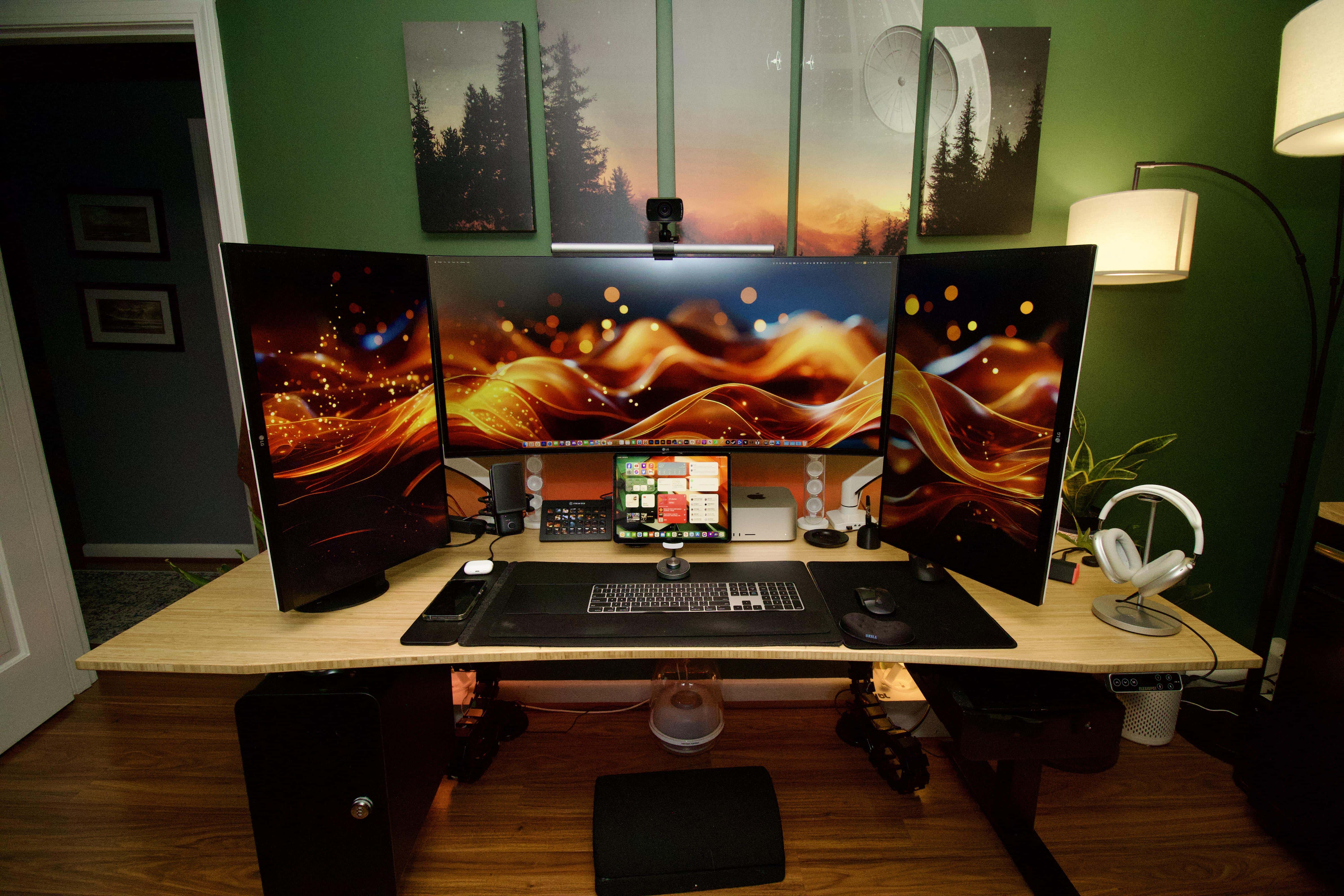
Photo: [email protected]
The case made here is simple. You can own multiple great displays and still look at them wrong if you haven’t put them on adjustable arms at actual eye level. An M1 Ultra Mac Studio with 64GB of unified memory drives an impressively scaled triple-display setup. It includes a 40-inch LG UltraWide at center and two 27-inch LG 4K panels in portrait mode on either side, all on arms. The user singled out the monitor arms as a turning point in their ergonomic journey. “Good arms go a long way bud, don’t think I can ever go back to just the stand,” they said — a sentiment echoed in the comments by multiple people inspired to upgrade. An Elgato Stream Deck, full Apple input trio and a Twelve South keyboard/trackpad tray complete the setup.
Read more: Good monitor arms ‘go a long way‘
This is a tablet stand with adjustable arm and a choice of weighted base or surface clamp for mounting.
- Includes desktop base and adjustable clamp
- Flexible arms allow height adjustment
- There are cheaper stands out there if that's a priority

Each heavy-duty, full-motion VESA mounted arm fits one 17in to 49in monitor weighing up to 50.7 pounds. Allows height, swivel and tilt adjustment.

5. Going ‘ergo everything’ with a MacBook Pro rig
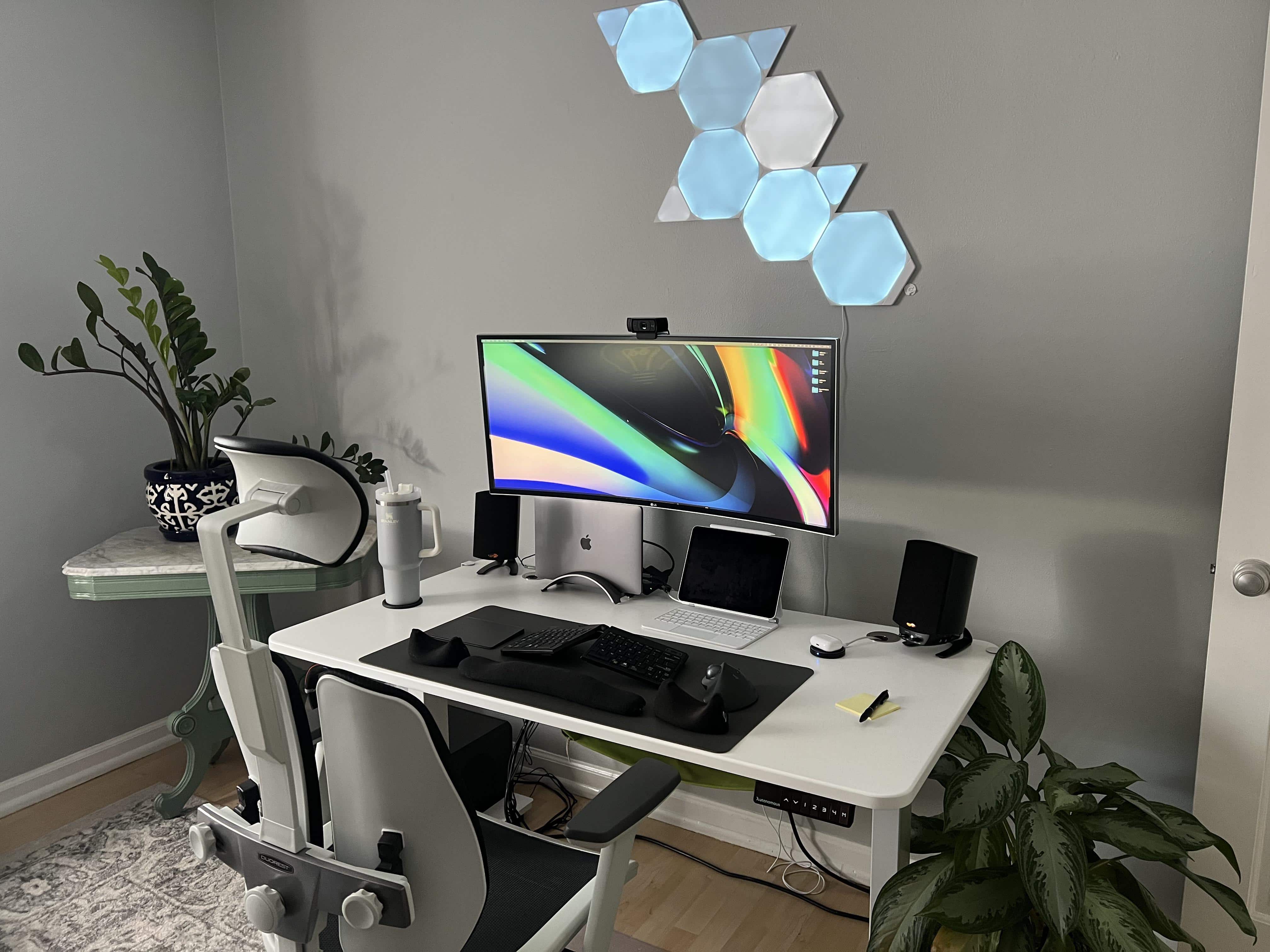
Photo: [email protected]
Few setups in the archive address ergonomics as comprehensively as this one, so it earned a spot in the best ergonomic Mac setups list. The user works at a standing Autonomous desk. They sit in a Duorest Alpha Chair, whose unusual two-piece backrest moves independently with the body. For input they use a Goldtouch adjustable split ergonomic keyboard with foam wrist rests in front of it, a Magic Trackpad and a Logitech Ergo M575 Wireless Trackball Mouse (the trackball reduces repetitive lateral wrist movement). Plants, warm lighting and a large LG 4K monitor round out a setup the user labeled simply “Ergo Everything” — an aspiration that this rig has come closer to meeting than most.
Read more: Going ‘ergo everything’ with an M1 MacBook Pro rig
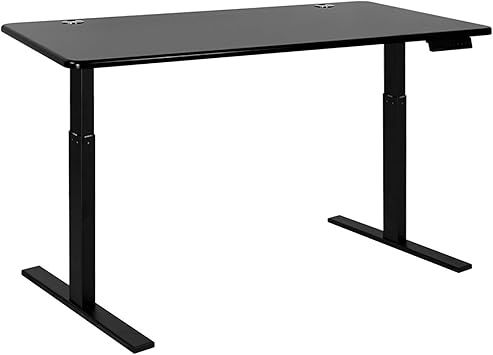
This smart hybrid dual-motor electric standing desk from Autonomous measures 28 inches x 47 inches. Height Range: 39 inches to 70 inches.
This mouse fits the shape of your right hand and allows thumb access to a handy trackball.

4. Would you dare try this radically split keyboard?
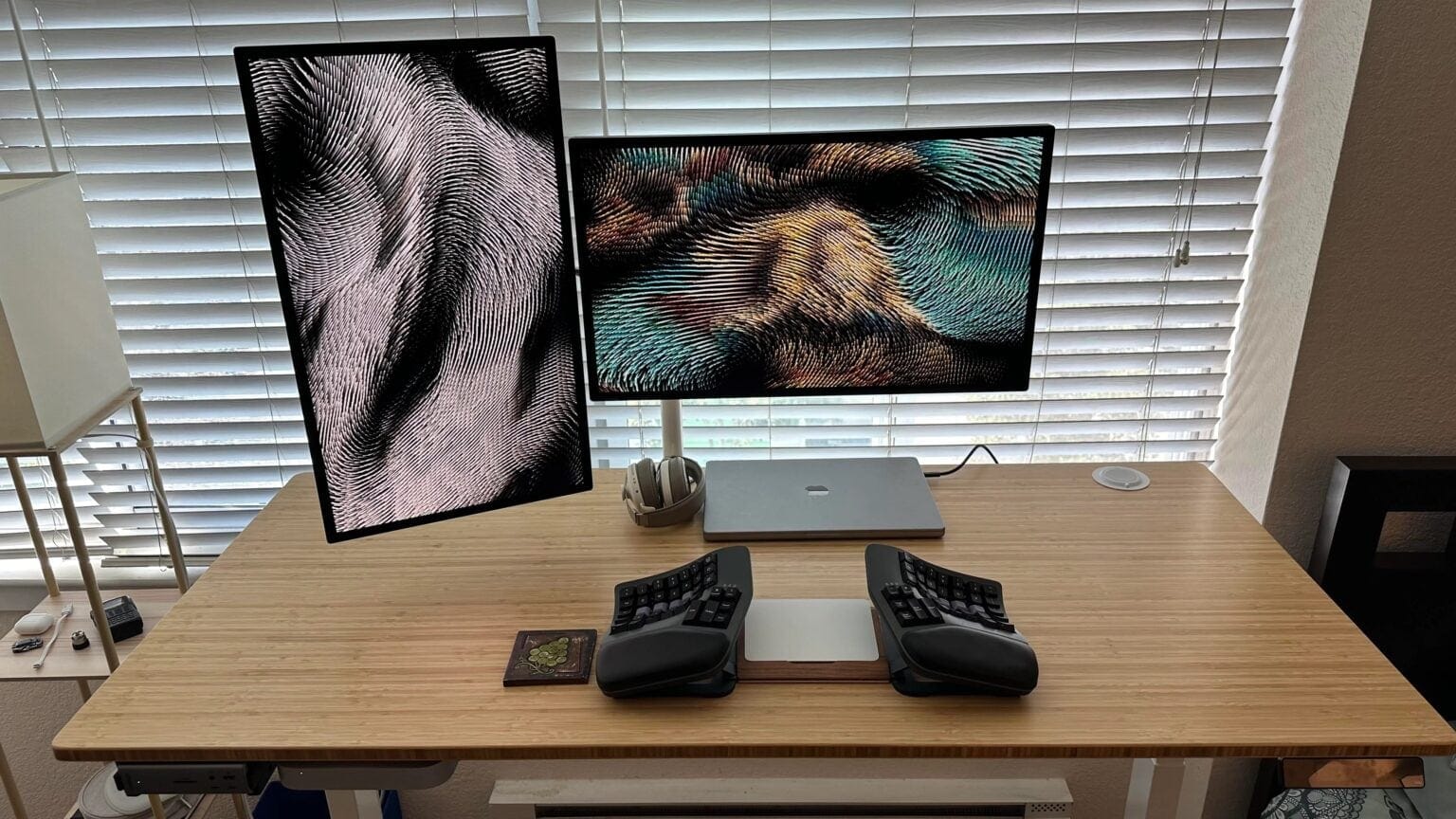
Photo: [email protected]
A developer pushes keyboard ergonomics to the extreme with a Kinesis Advantage 360 Pro split keyboard. It includes two fully separate halves, each with contoured, bowl-shaped key wells, adjustable tenting and unusual key placement designed to shift work from overused pinkies to stronger thumbs. At $459, it’s a serious investment. Strange uses it with a Magic Trackpad 2 tucked between the two halves, all on a fully motorized Jarvis standing desk. The setup also drives a pair of Apple Studio Displays with dual Macs — an M2 Mac mini and an M1 Pro MacBook Pro. “Excuse me sir, your keyboard seems to have broken,” a commenter joked. “Snapped it in half and melted it in my insatiable desire to write Terraform code,” the user replied.
Read more: Would you dare try this radically split keyboard?
This split and contoured Bluetooth mechanical keyboard features a choice of mechanical switches. It's backlit, fully programmable and features adjustable tenting for ergonomic comfort.

This motorized sit-stand desk with an alloy frame measures 42in x 27in with a natural bamboo top. It rises from 30 inches to 49 inches in height with Up/Down Controller.
Apple's popular multi-touch input device is great for gestures.

3. Dual Studio Display workstation prioritizes open space
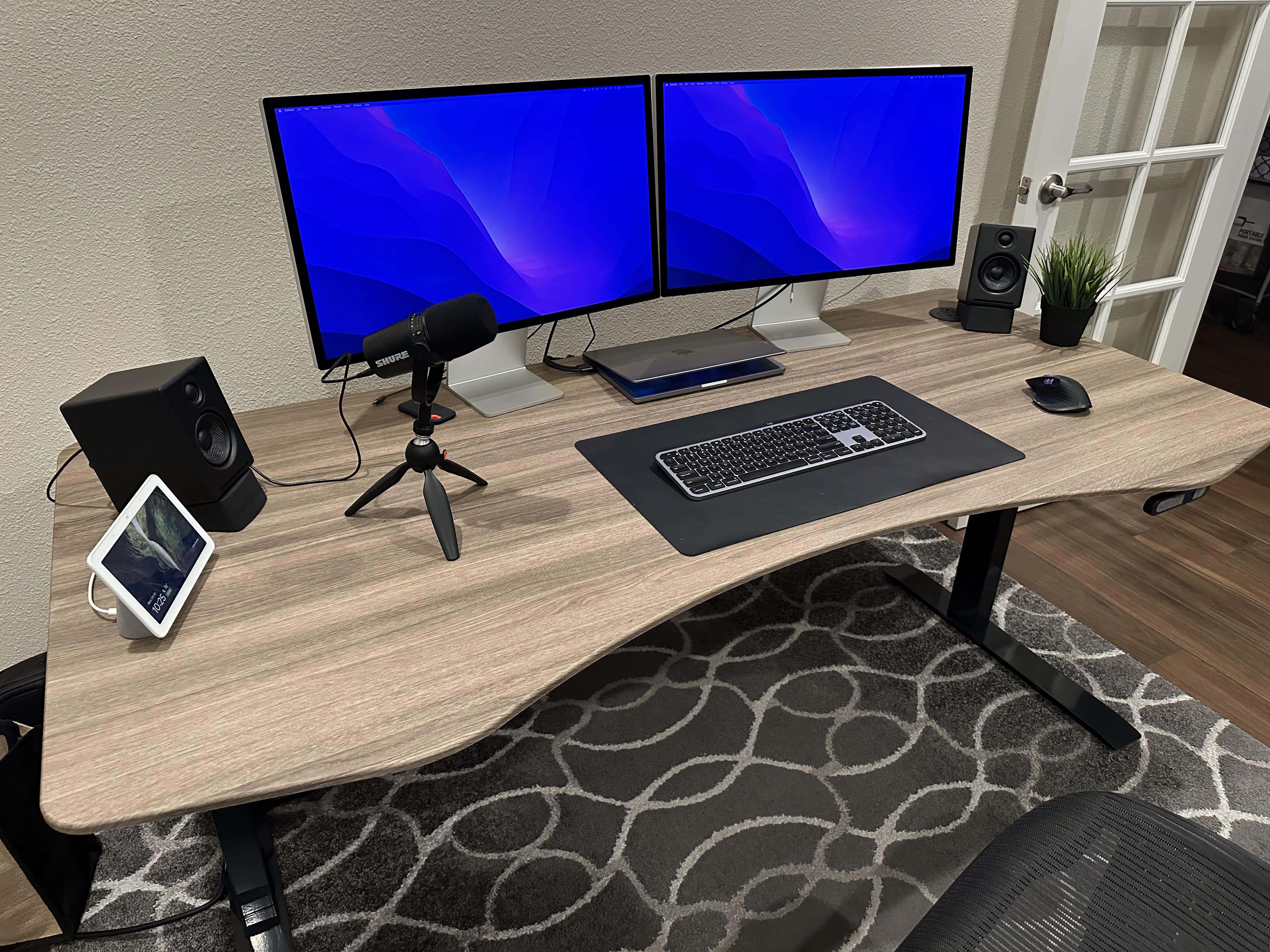
Photo: [email protected]
“I hate clutter or lack of open space so that’s been #1 priority,” said this user. And their MacBook Pro setup with dual Studio Displays delivers on that philosophy in a way that is quietly and deeply ergonomic. The two Studio Displays sit on a 72-inch Apexdesk sit-stand desk — the MacBook Pro drives both — and the sheer openness of the horizontal surface allows the user to maintain a relaxed posture without reaching over gear. Audioengine desktop speakers, a Logitech MX Master mouse, a Shure MV7 microphone on a tripod and a HomePod baby monitor support both work and life. The setup communicates that good ergonomics isn’t only about medical-grade accessories — it’s also about having enough room to actually sit correctly.
Read more: Dual Studio Display workstation prioritizes open space
The 27-inch Apple Studio Display packs an impressive panel coupled with a six-speaker system and studio-quality microphones.
It’s not as beautiful as Apple's Pro Display XDR, but the Studio Display costs thousands less.
- Crystal clear 5K resolution
- Excellent color accuracy
- 12MP Center Stage camera
- Expensive
- Lacks HDR
- Height-adjustable stand costs extra

The ApexDesk Elite Pro is an electric, height-adjustable sit-stand desk ideal for workstation use. This one measures 60 inches by 27 inches. The bamboo top is curved.

Suitable for music or gaming, Audioengine's compact but powerful desktop computer speakers can operate via wire or wirelessly via Bluetooth. Power level: 60 watts.
- Great for music or gaming
- Wired or wireless Bluetooth connectivity
- Some might prefer higher wattage
- Desk stands sold separately

2. Reduce eye strain with these workspace fine-tuning tips

Photo: [email protected]
This 2025 setup is the most methodical ergonomic case study in the archive. The user, a healthcare entrepreneur, spent a full year tweaking their M4 Pro MacBook Pro and Studio Display Nano-Texture standing desk setup to eliminate eye strain. They documented every change. The solutions include a monitor at exactly eye level 26 inches away, a BenQ ScreenBar Halo monitor light adjusted daily to match ambient room light and blinds closed behind the screen for even backlighting. And — most unusually — there’s a a 200-lens optical trial kit to find the exact 0.25-diopter correction in their right eye that made the difference between agony and comfort. “Almost never think about my eyes at the computer now,” they said. The 20/20/20 rule reminder and detailed brightness guidance make this as useful as a guide as it is a setup.
Read more: Reduce eye strain with these workspace fine-tuning tips
Apple's flagship laptop packs a roomy 16-inch 120Hz display, powerful internals with 24GB memory, and all-day battery life.
- M4 Pro chip is powerful and efficient
- Gorgeous screen
- Same (great) design as previous models

Complete with a wireless controller, this glare-reducing monitor light bar lets you adjust brightness and color temperature.
- Glare-free front lighting
- Ambient back lighting
- Wireless controller
- Somewhat expensive

Uplift's market-leading sit-stand desk gets a number of improvements with its third edition, making a great option even better.
- Outstanding build quality
- Smooth, fast and quiet desktop movement
- Many customization options
- With heavy components, not necessarily a one-person assembly job
- On the pricey side, but worth it
1. Ergonomic workstation goal leads to input-device overkill
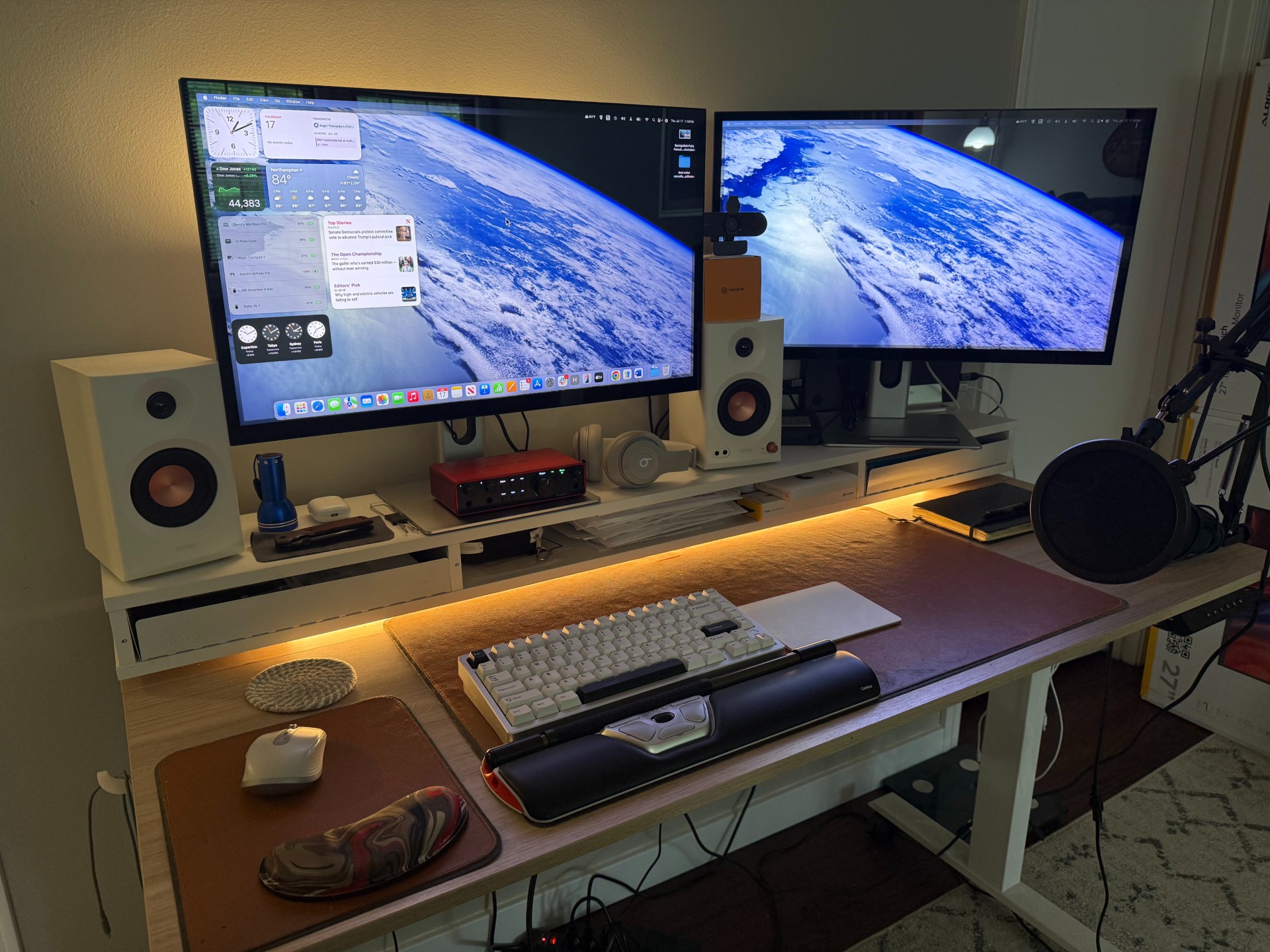
Photo: David Snow/Cult of Mac
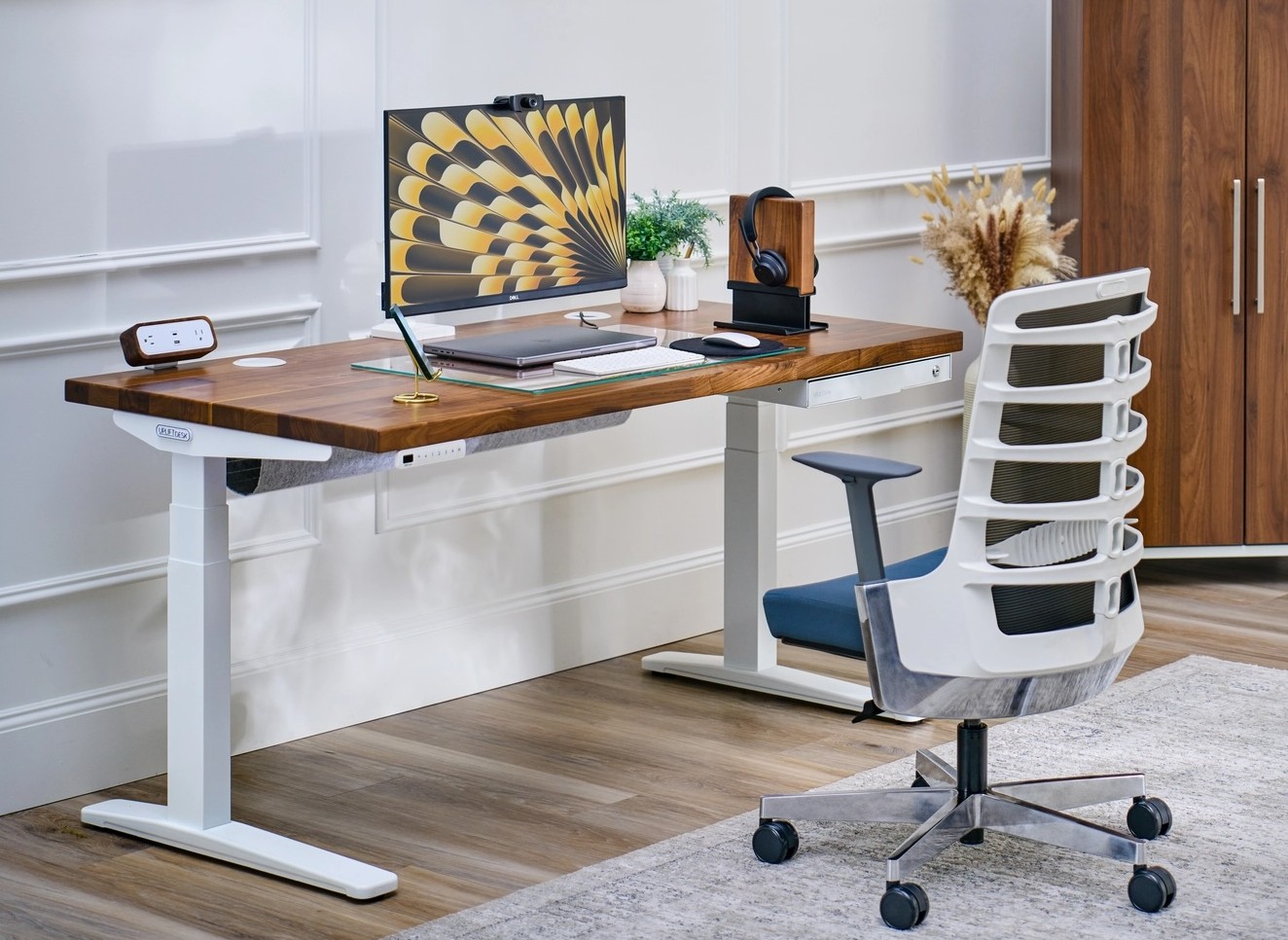
Here I am again. I went all-in on wrist and hand health with this 2025 standing-desk workstation — and then went a step further. The setup already featured an M4 Pro MacBook Pro on a new Uplift Standing Desk V3, dual 5K Alogic Clarity touchscreen displays on arms, a WavLink DisplayLink dock and a Wobkey Rainy 75 mechanical keyboard. But in search of true repetitive-strain-injury prevention, I added a Contour RollerMouse Red Wireless — a device that embeds the mousing function inside a memory foam wrist rest. So the hands never need to leave the keyboard home row. That’s in addition to a Logitech MX Anywhere 3 ambidextrous mouse and an Apple Magic Trackpad 2. Four input devices, each serving a specific ergonomic purpose. Sometimes that’s what it takes to stay healthy at a computer after decades of heavy typing.
Read more: Ergonomic workstation goal leads to input-device overkill
This unusual ergonomic mouse and memory foam wrist rest combo eases pain from repetitive strain injury (RSI). Featuring a textured rollerbar and central control buttons, it's like an ambidextrous mouse. Mac and PC compatible.
- Ambidextrous mouse and wrist rest combo
- Eases strain of RSI
- Customizable controls
- Takes some getting used to
- Expensive

This Mac, Windows and Linux-compatible CNC aluminum mechanical keeb feels solid and sturdy and offers great typing sounds. It features triple-mode connectivity, RGB lighting and VIA/QMK customization.
- Solid build quality, premium feel and sound
- 3 connectivity modes
- Customizable (RGB lighting and key mapping)
- It's hefty; not very portable
- VIA/QMK customization can be tricky
- No Mac keycaps

Logitech's popular mouse for either hand features ultrafast magnetic scrolling, 4000DPI sensor, USB-C, Bluetooth. Pale gray color.


David Snow, an expert on Apple hardware and software, writes on a variety of technological and cultural topics for Cult of Mac. They include Apple news, technology buying guides, and features about computer setups and Apple TV shows and movies.
With 30 years of experience covering technology and other subjects, he has written and edited for numerous print and online publications, including CMP Media, TechTV.com, CNET, Wired News, Red Herring magazine, Law.com, The National Law Journal and Law Technology News magazine. Among other roles, he served as executive editor of the Law.com network of websites and editorial director, technology, for ALM Media.
Snow graduated with a B.A. from Syracuse University with majors in magazine journalism and psychology. While there, he worked as a reporter for The Daily Orange newspaper and associate editor of Equal Time magazine.
Founder of the blog At the Waterline, he can be reached on X (formerly Twitter) via @atthewaterline and on Mastodon via @dsnow.

