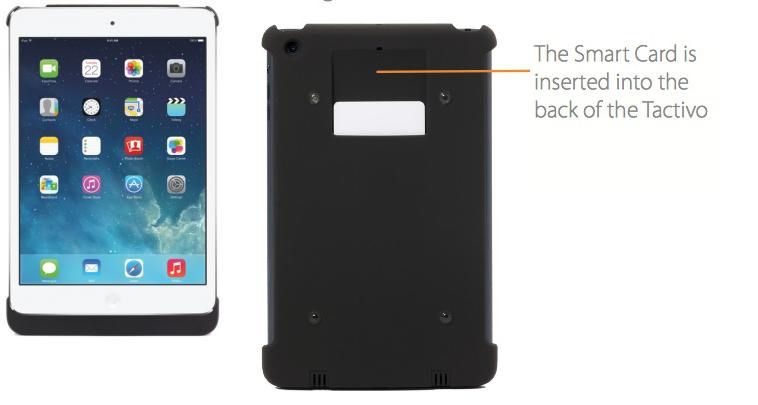
The Tactivo Mini case for the iPad mini lets you lock down apps so they can only be used when you insert a smart-card into a slot on the back. The idea is that businesses and government agencies can secure software on mobile devices, which sounds like a neat idea.
Drug dealers, pimps and other criminals should be getting excited right now, of they live in Germany at least – their burner phones are about to get a whole lot more secure.
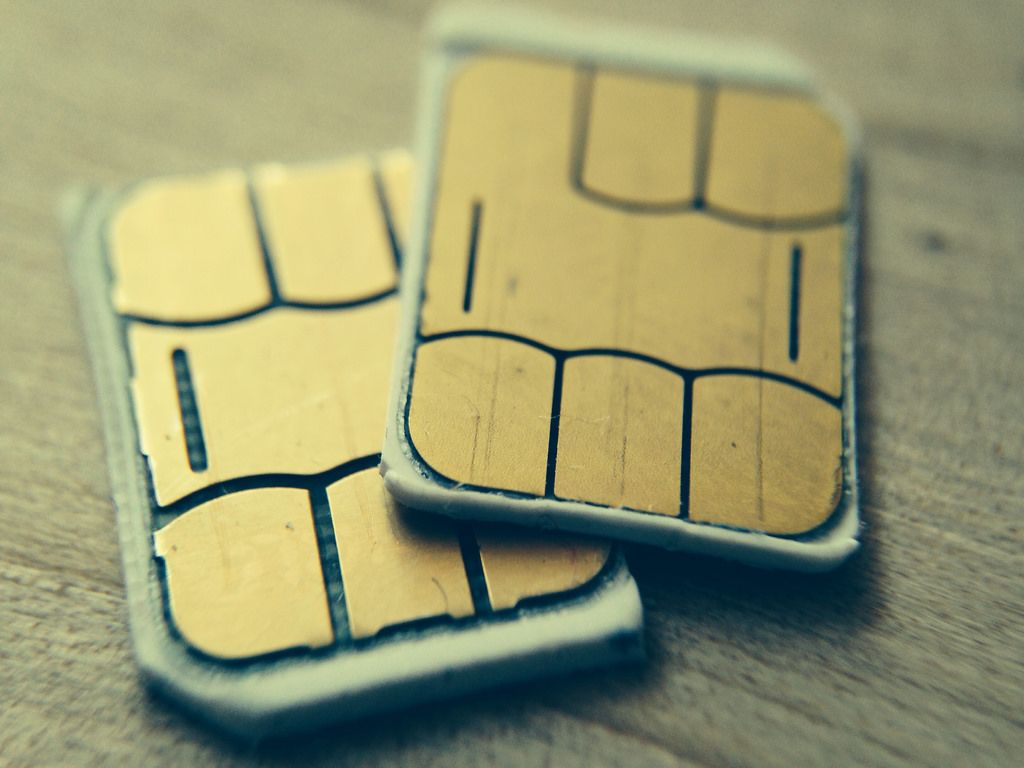
Why? Vodafone Germany has announced an encrypted SIM that will secure your precious data as it leaves the phone. The “digital private key and corresponding certificates” are stored on the SIM itself so it should all work with just a PIN on the device.
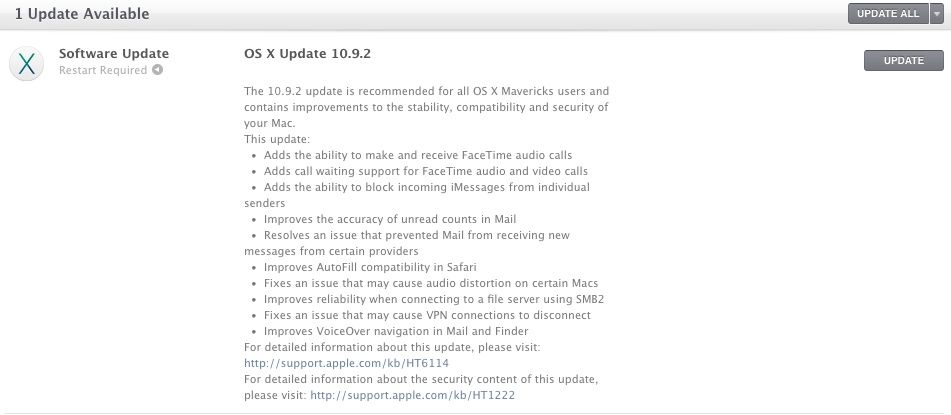
Along with fixing SSL/TLS vulnerability, the update brings in a couple of new features such as FaceTime audio calls, call waiting for FaceTime, the ability to block incoming iMessages, not to mention numerous bug fixes.
The update is available by going to Apple menu () > Software Update to check for the latest Apple software using the Mac App Store.
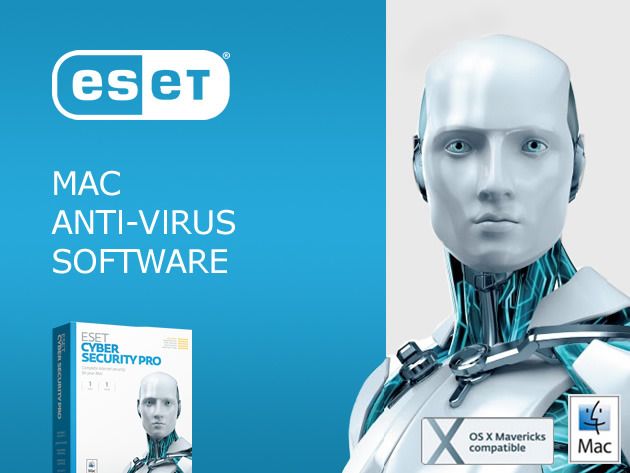
ESET Cyber Security Pro fortifies your Mac’s built-in defenses, protecting against Mac and Windows-based threats, hackers and other attacks all while shielding your kids from inappropriate web content.
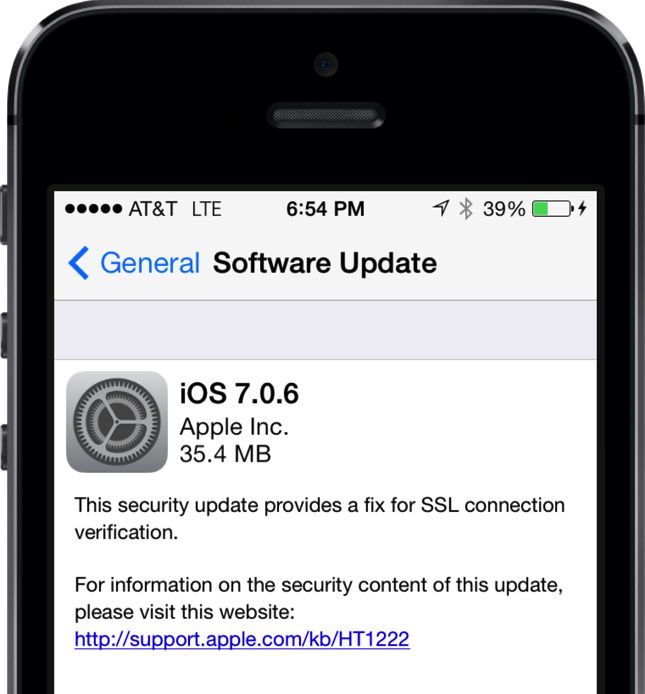
On February 21st, Apple released iOS 7.0.6, a small software update that provided “a fix for SSL connection verification.” The same SSL fix was also released for older iOS 6 devices and the Apple TV. Apple pushes out smaller bug fixes from time to time, so at first glance 7.0.6 seemed like a pretty normal update.
But in reality, Apple patched a major security flaw that has potentially compromised millions of peoples’ data for years. Nicknamed “gotofail,” the bug has been flying under the radar for quite some time, and it still hasn’t been patched in OS X.
The security expert quoted in the piece, Kyle Wilhoit, has just written a blog post that calls out the report, essentially saying that the hacks shown in the video can happen anywhere, and require some risky user behavior to even happen.
That’s a long way from “if [tourists] fire up their phones at baggage claim, it’s probably too late to save the integrity of their electronics,” as Brian Williams claims in the clip above.
To be honest, you could probably leave your new Mac Pro on the floor next to your desk and any office burglars would just mistake it for a rather small trash can. But if you want a little more security, you might consider adding something Apple didn’t provide for: a Kensington-style lock. A new security bracket from MacLocks features a design as clever as that of the computer it protects.
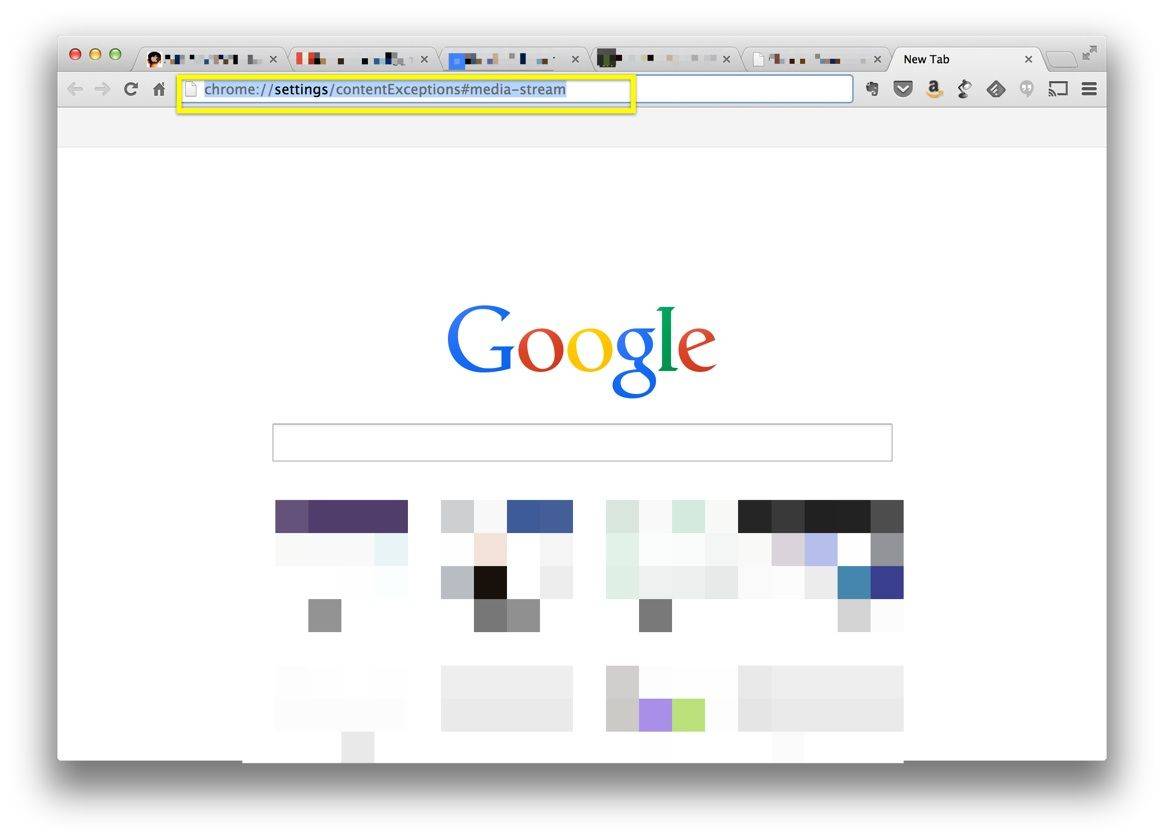
Last week, a speech recognition developer found a potential exploit in the Chrome web browser that could possibly let malicious web sites activate your Mac’s microphone and listen in on any sounds your mic might pick up around you. Even if you’re not actively using your computer, the mic could be active and conversations, meetings, and phone calls could potentially be recorded or listened in on.
Luckily, there’s a way to keep this from happening, because–however remote the possibility–it’s always a good idea to keep your private information, including real-world conversations, private.
Of course, if you don’t use the Chrome browser at all, this won’t apply to you.
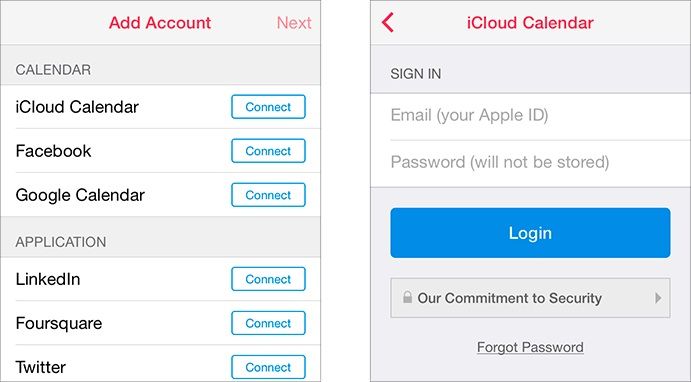
In this era of heightened security fears, when headlines routinely shout about hackers stealing millions of personal records in a single digital heist on some of the nation’s biggest companies, you should never be handing your Apple ID and password over to anyone who isn’t Apple. Yet that’s just the permission that the new Sunrise calendaring app asks when you first load it up, and not only is there no rule against apps doing so in Apple’s internal guidelines, but Cupertino’s actually awarded Sunrise with a coveted spot in the “Featured” section of the App Store.
Java is kind of a pain in the butt, if you ask me, but there are many sites that use it.
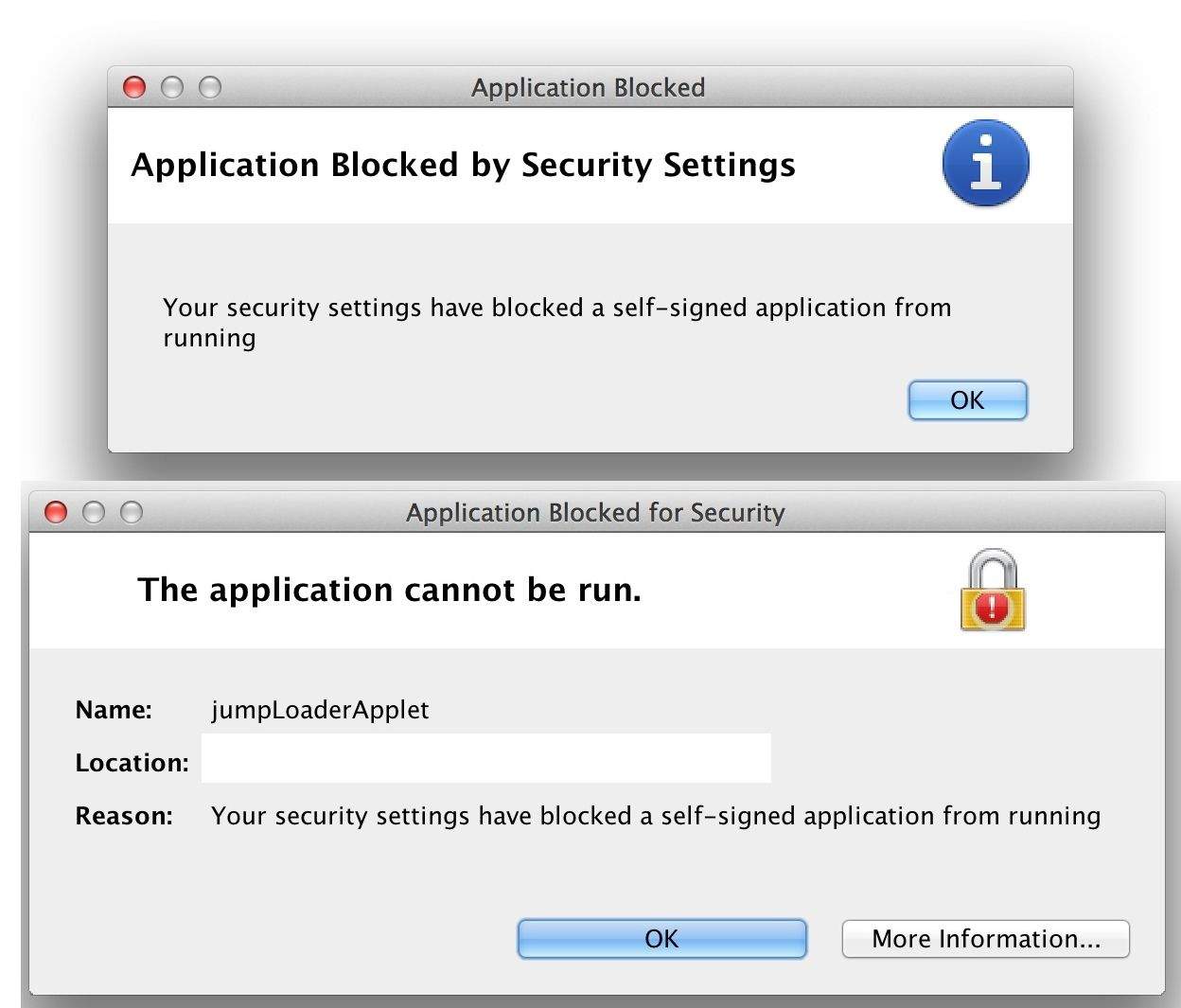
A friend of mine contacted me this weekend looking for help in getting her Java up and running so she could upload photos to her photography business website. See, she’d upgraded to Java 7 and when she went to use the upload function on her website, she got the security warnings above.
After a bunch of googling and messing about on the internets, we figured it out.
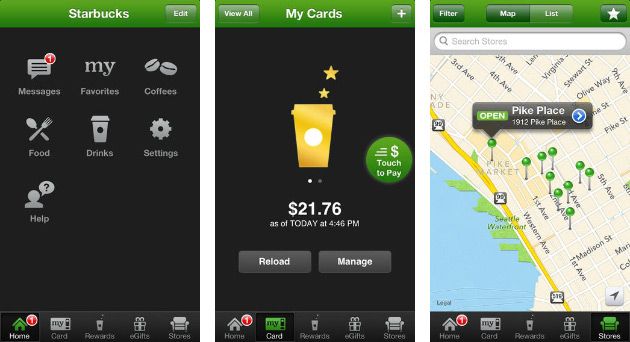
Following yesterday’s report that the official iOS Starbucks app was storing users’ credentials, passwords and GPS location in plain text — a big security no-no — the Seattle coffee maker has quickly pushed an update that seemingly resolves the issue. Or does it?
If you’re particularly concerned about the security of your passwords, you might want to stay away from Starbucks’ official iOS app: the Seattle-based coffee maker has just confirmed that passwords, credentials and location in the company’s app are stored in plain text, and are not hashed or encrypted at all.
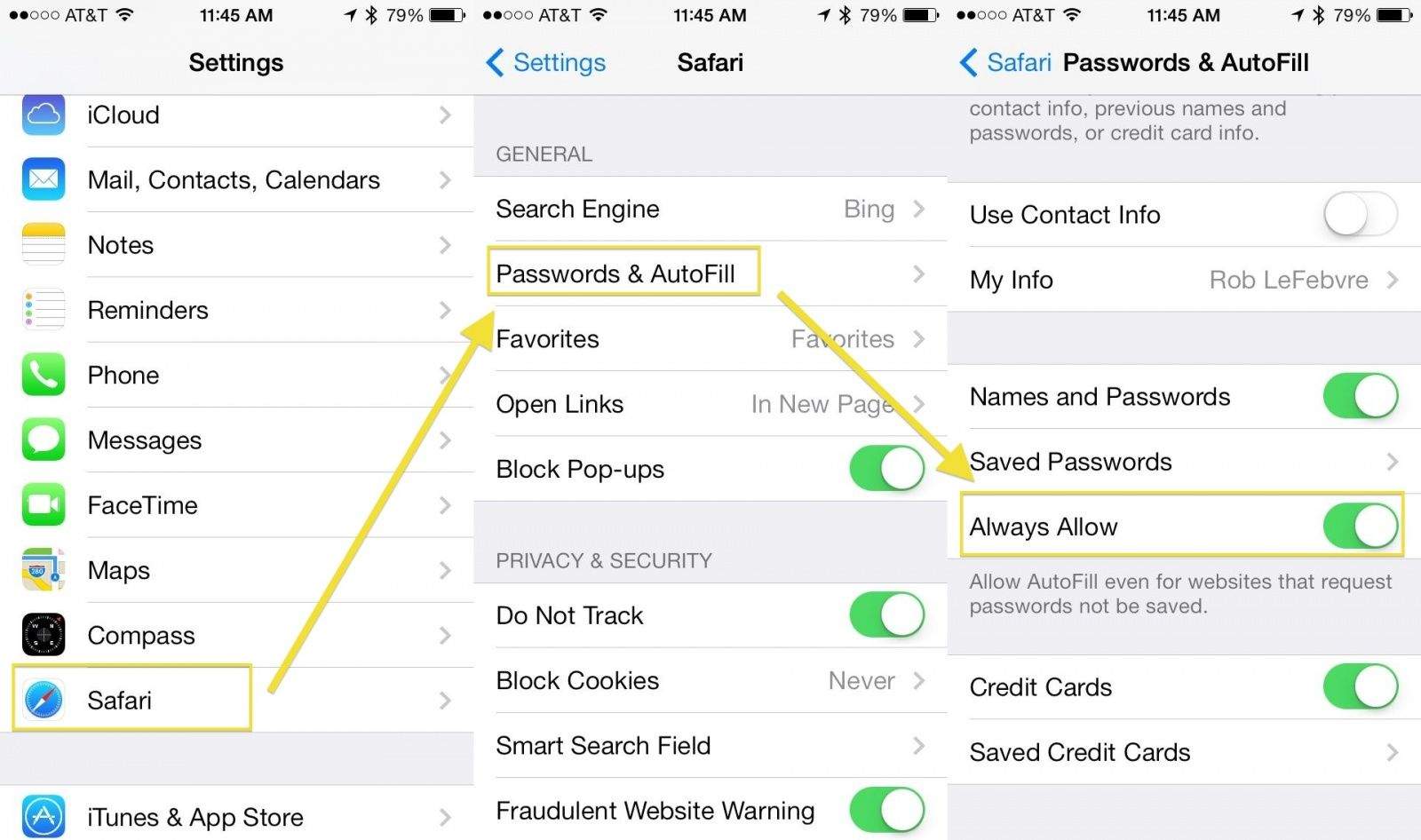
When you browse the web with mobile Safari, you’ll come across sites that ask you to create a login, and that usually requires a password.
You can save your passwords in mobile Safari automatically, but there are some sites that request passwords not be saved. There’s a workaround, though, if you feel like you should be able to save whatever passwords you darn well please, and it’s buried in the Settings app.
Here’s another keyboard from Matias to get you through this post-CES Friday. This one is called the SecurePro, and it’s target market might be the smallest intersection of any Venn diagram ever: Users who want a stylish Bluetooth keyboard AND who require 128-bit AES encryption of its wireless connection.
Probably the world's first connected crockpot. Shiny! Credit: Eli Milchman
LAS VEGAS, CES 2014 – Belkin is really hopping onto this connected-home thing with fiery fervor. They already have a formidable array of Internet-connected devices in their WeMo line — switches, plugs, motion detectors — and now they’ve added light bulbs and a DIY WeMo interface that can be adapted for use with practically anything that’s powered by electricity. Oh, they’ve also just come out with a big, shiny cloud-connected crockpot so you can cook dinner from the office.
Hackers are always hustling to find the next big loophole in computer and internet security. Do yourself a favor and take advantage of this Cult of Mac Deals special offer so that you don’t get caught with your virtual pants down.
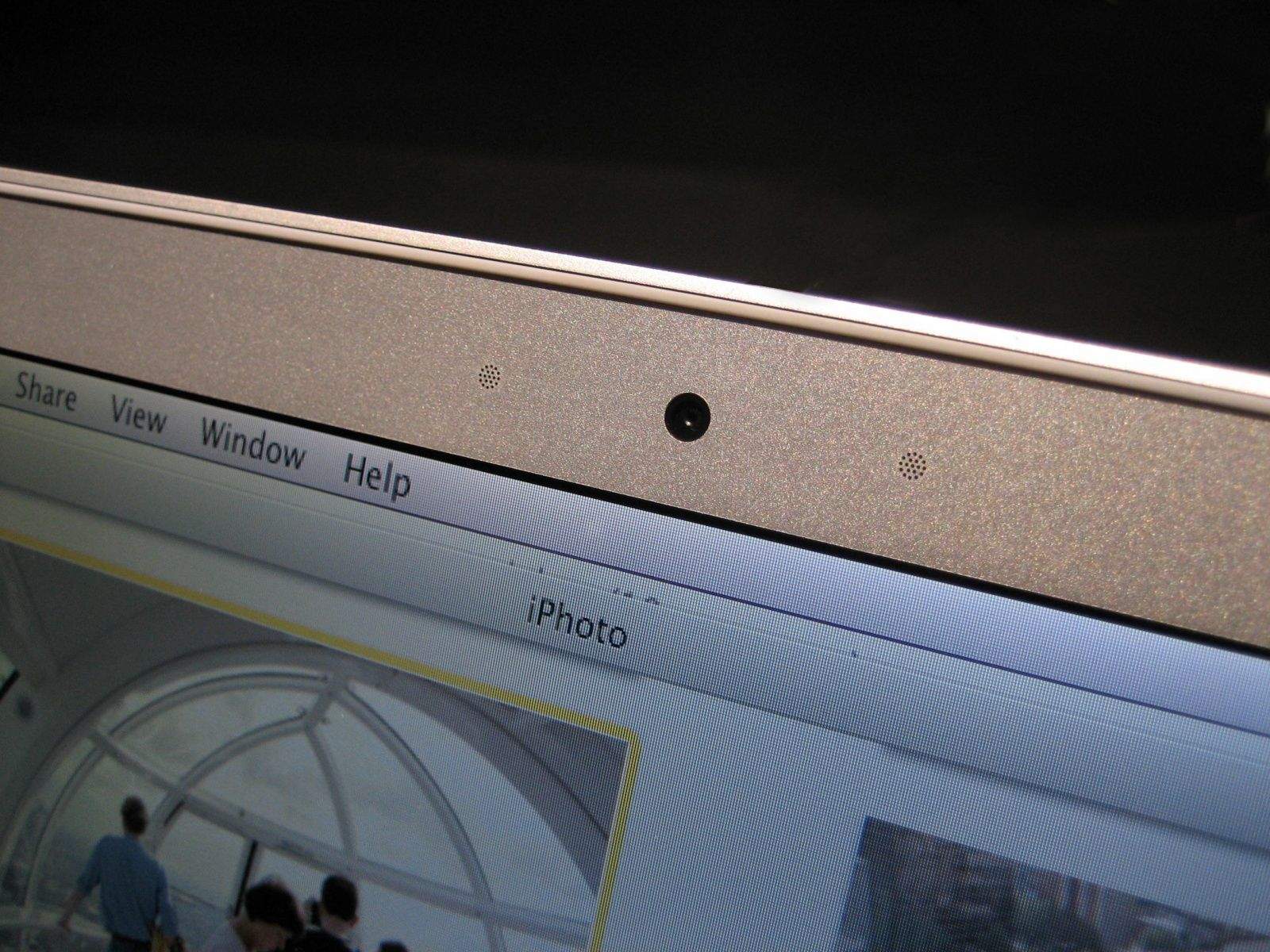
When your Mac’s iSight camera is running, a tiny green light lets you know that it’s turned on. Or at least it’s supposed to. New research from Johns Hopkins University shows how hackers can remotely control the iSight camera in certain Macs without turning on the accompanying LED indicator light.
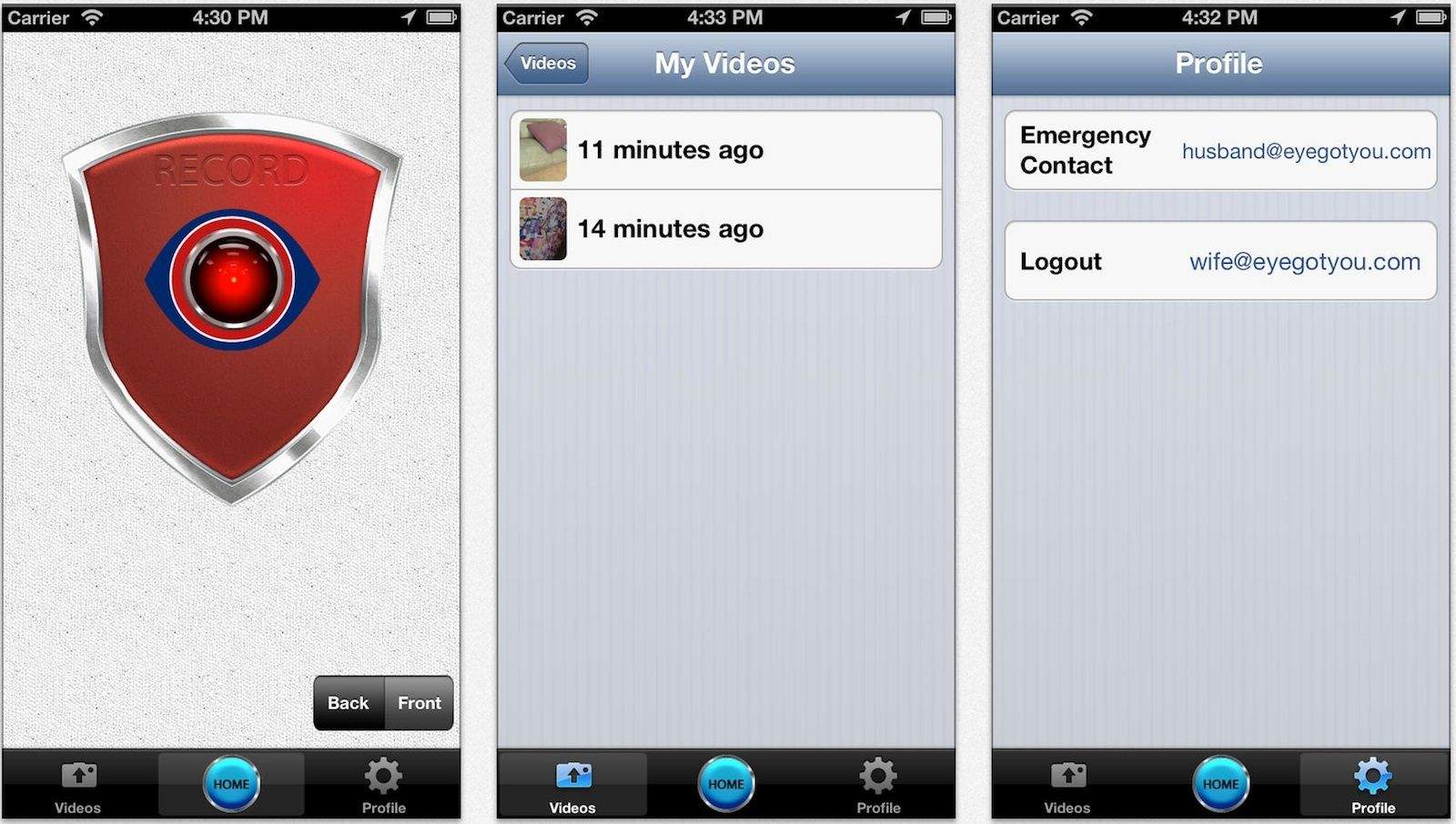
Most of us are aware that the iPhone can be an effective security tool; there are countless clips on YouTube proving its worth as a recording device, and FaceTime, Skype and the like allow someone on the other end to watch, and if needed send help, when things get sketchy.
A recording of a mugging, however, is no use if the muggers steal the phone; and initiating a FaceTime call under extreme stress is probably more difficult than it might seem.
Enter Eye Got You Covered, a $4 app that fixes both those problems and adds other thoughtful features.
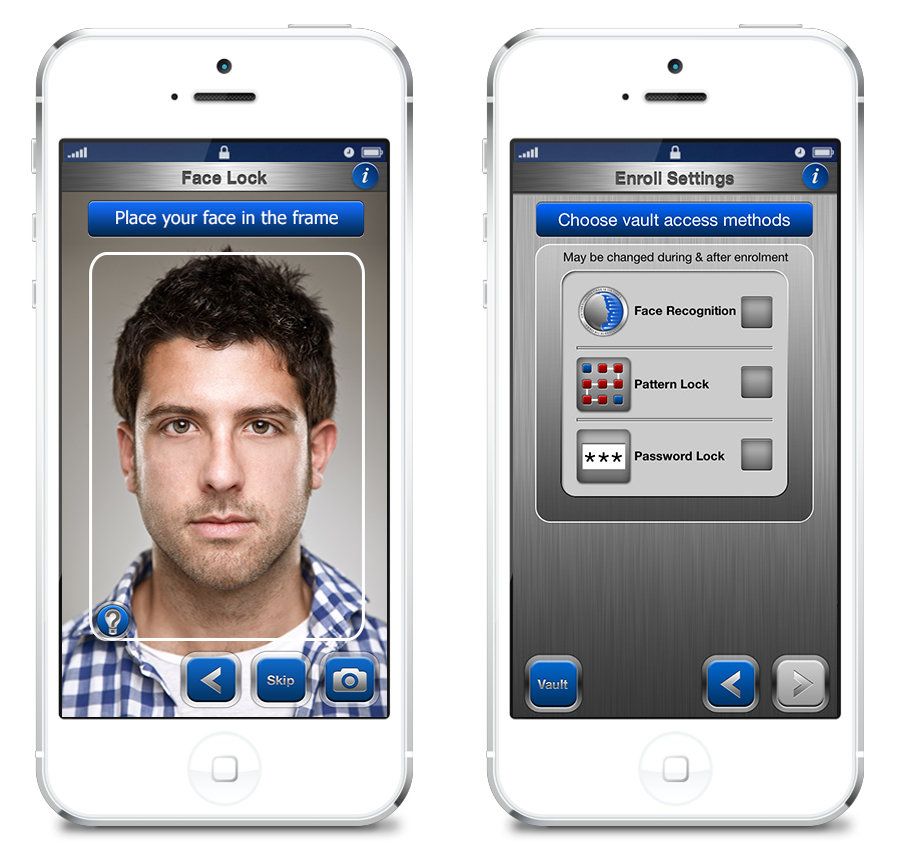
Brazenly calling itself the “ultimate defense” for protecting passwords, documents, credit cards and all your other private stuff, FaceCrypt is being advertised as one of the most secure ways of controlling access to your iOS device.
Instead of asking for an alphanumeric password — or even Touch ID — FaceCrypt requests that users take a “selfie” to prove they are really the person they say they are.
Apple's forthcoming Campus 2 is set to become Silicon Valley's most envy-inducing headquarters: the kind of futuristic home base that belongs in a James Bond movie.
With work progressing nicely, en route to a 2016 opening, we thought the time was right to look at some of the (fictional) headquarters it will be competing against for title of best secret lair of all time.
Scroll through our gallery to take a look at some of our other picks. You never know when Tim Cook will decide to incorporate an underground cave or shark tank into Apple's new home...
Most people are excited about the new Apple 2 campus because of what will come out of it in the form of next gen products.
56-year old Glenn Cartwright is more enthusiastic about its copper pipes and wiring.
Cupertino sheriff’s deputies were dispatched to the Apple 2 site at around 9.30pm on Saturday — responding to reports of a burglary in progress.
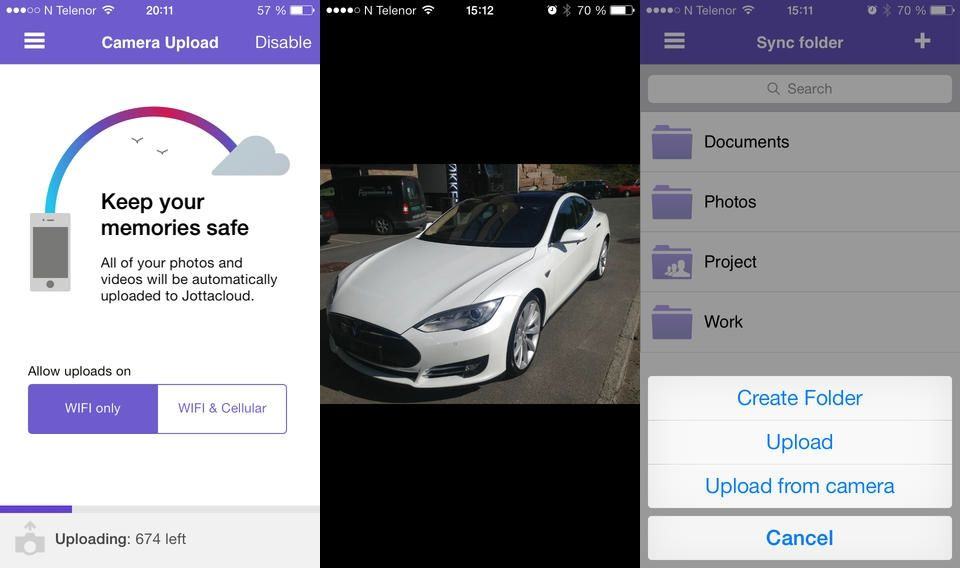
Jottacloud, the “Norwegian Dropbox,” has added automatic photo uploads to its iOS apps. This means that you can not only access your desktop files on the go, but you can also backup and browse your mobile photos, too. Better still, it backs up all you pictures, not just your Camera Roll.
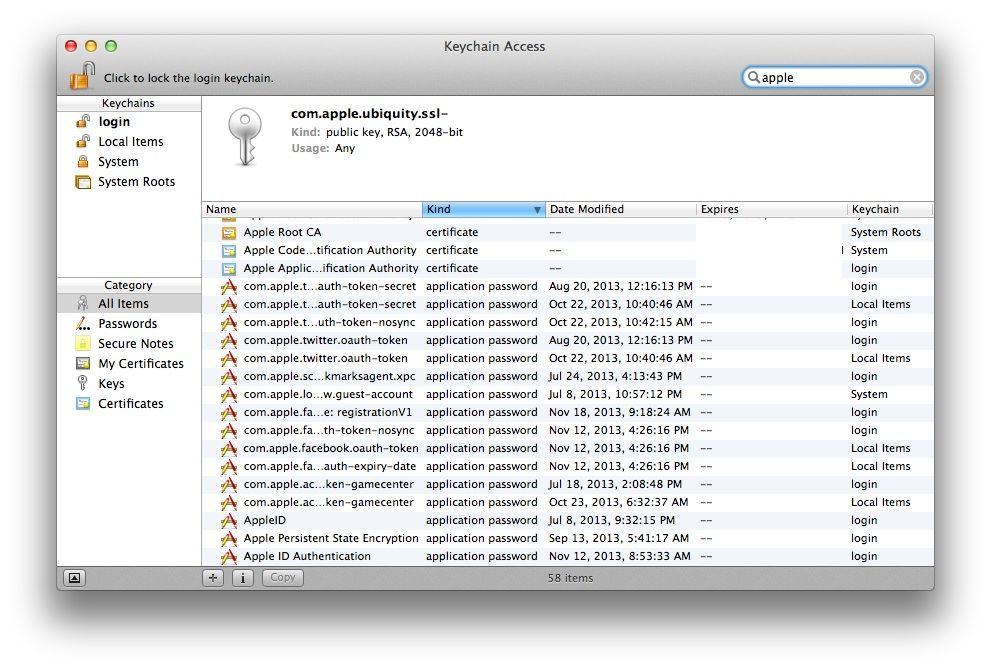
If you store your user name and password details via the Keychain in OS X, you know that Keychain makes it a lot easier to do so. You can store login details for all those websites you visit, including banking info, social network details, and the like, right in the Keychain.
At some point, though, you might forget the actual passwords. It’s like how we used to know all our close friends’ phone numbers by heart, but with the advent of the smartphone, I doubt many of us even know too many of our buddies’ actual digits.
If you want to remember the passwords that are stored in Keychain, though, you’re in luck.
Just because you’re paranoid doesn’t mean they aren’t out to get you. But short of installing an air-gap, what can you really do to improve security on your iDevices?
The good news is that your iPhone is probably the safest phone you can use, but you would be correct not to trust any U.S-based company with your data, even Apple (which makes its money selling you shiny toys and may therefore be less interested in selling your data).
But if you want to move as much of your data as possible away from iCloud, here are some service and products to help you. You won’t find them as convenient as Apple’s built-in services, but they might keep your data a little safer.
Thanks to Apple’s tireless vetting of App Store apps, it’s tricky for an app to flat-out snoop on you. Then again, the behavior of some apps could be thought of as snooping if you squint and look at them the wrong way.
Foursquare is all about location, but that’s because it knows exactly where you are. And Facebook is… Well, Facebook likes to know things about you.
But you can keep earning Mayorships and tweeting your pictures without telling everyone where you live, or letting them post your location to Facebook. Just follow our handy guide to the privacy settings of various famous apps.
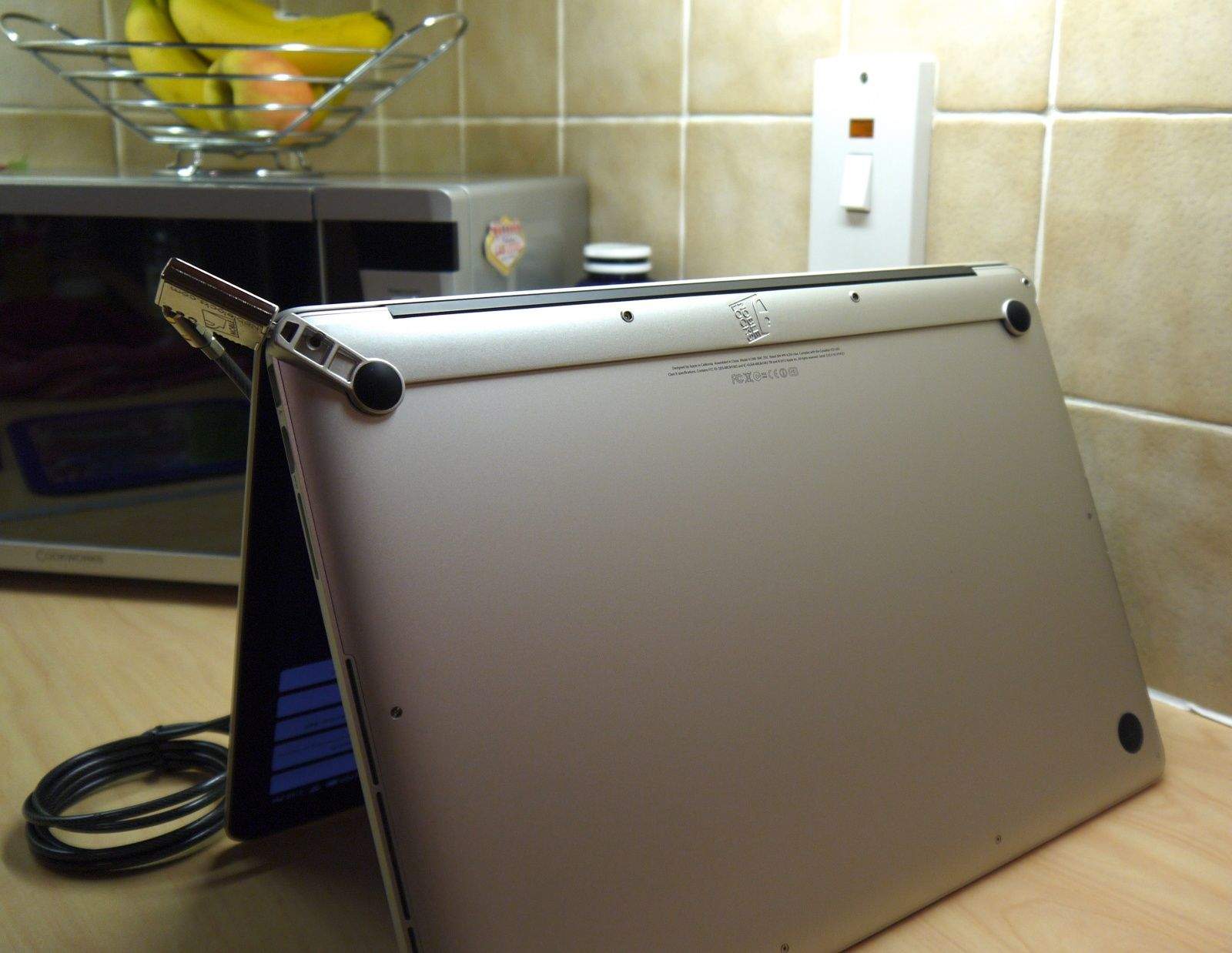
A couple of weeks ago, I reviewed the Maclocks Lockable Cover for Retina MacBook Pro, and although I had a lot of praise for it, I mentioned it my verdict that there was another Maclocks lock I preferred. That’s the Wedge Lock Bracket, which is the closest you’ll get to an integrated lock for your Retina MacBook Pro.
Wedge Lock Bracket by Maclocks Category: Locks Works With: Retina MacBook Pro Price: $59.95
Older MacBook Pros — those that don’t have a Retina display — have a Kensington lock built-in, but in an effort to save space and make the new models really thin, Apple did away with that, as well as things like FireWire, traditional hard-disk drives, and the optical drive.
That poses a security risk. If you work in a public place, or you frequent to Starbucks to get stuff done while on a caffeine high, then you need a way to prevent your MacBook Pro from being stolen when you leave it unattended.
And I think the Wedge Lock Bracket, which screws into the bottom of your MacBook Pro and almost looks like it’s a part of it, is the best and most elegant solution.