Mobile menu toggle

Search results for: mechanical keyboard

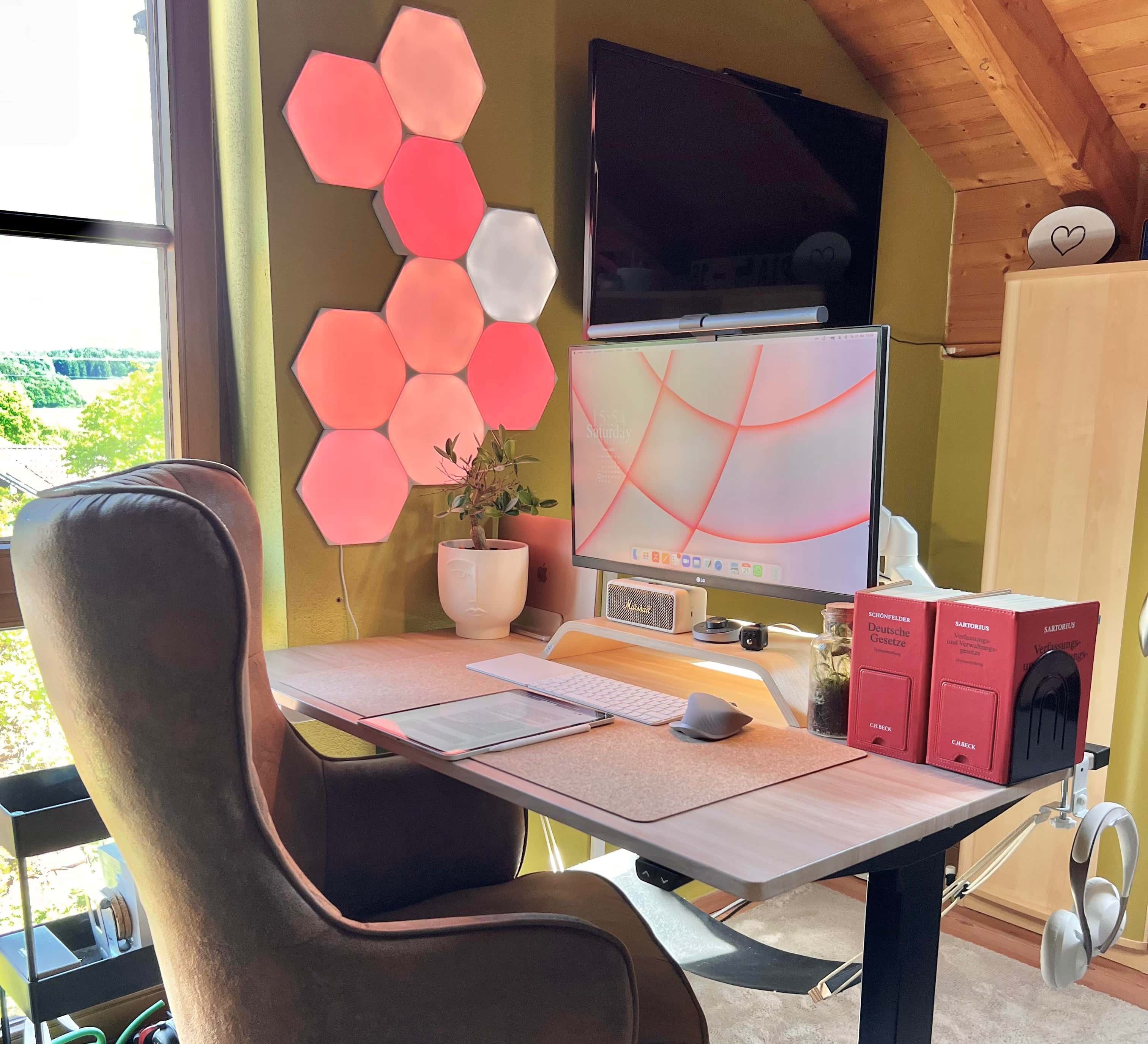
MacBook Air centers wide-ranging workstation in Germany [Setups]

By

It looks like a comfy chair, but you can only get it in Germany.
Photo: [email protected]

We don’t run across huge numbers of computer setups online driven by M1 MacBook Air laptops. When a laptop is the main computer, it’s more often a MacBook Pro.

But a MacBook Air powered by an M1 chip is a formidable machine, whether you’re tossing it in your knapsack for work on the go or leaving it on a stand on your desk, jacked into a USB-C hub and external display.

An M1 MacBook Air drives today’s featured setup — located in Germany — which also features some interesting bits and pieces we haven’t seen elsewhere. Those are a nifty Marshall wireless speaker and a foot hammock.

Going from a 27-inch iMac to an M1 Pro MacBook with a 4K external display [Setups]

By

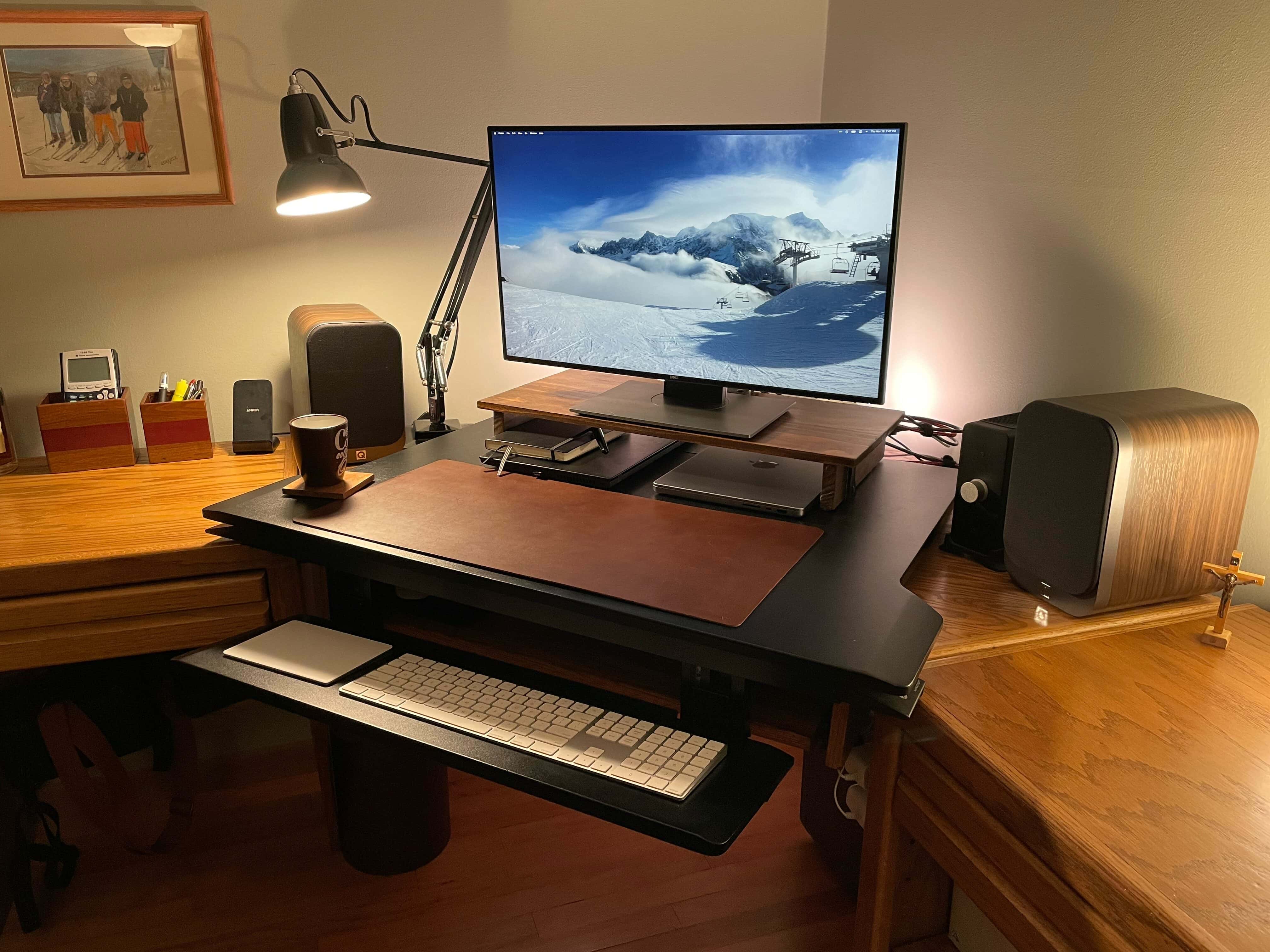
This M1 Pro MacBook setup uses a 27-inch Dell monitor and a pumped-up audio rig.
Photo: Andrew Michletz

Andrew, a customer service experience manager for an internet service provider in Minneapolis, shared his computer setup with Cult of Mac after a big revamp. He replaced a 27-inch 2017 iMac with a 14-inch 2021 M1 Pro MacBook, which he runs alongside his work laptop, a Lenovo ThinkPad T480S. He uses his Apple gear mostly for photo editing and music production.

“With work from home, I needed the ability to use the screen with both my personal computer and my work device,” Andrew told Cult of Mac (he requested we use only his first name). “I had been running Windows on the iMac via Boot Camp and using Miracast to wirelessly extend to the iMac screen from my ThinkPad. When it worked it was great, but it became unreliable over time, and I decided that a monitor with multiple inputs are the way to go.”

Andrew said the Miracast connection with the iMac became unreliable when he got a mesh network. It would sometimes work great, but often fail to connect, despite rigorous troubleshooting. So it was time to do a little shopping.

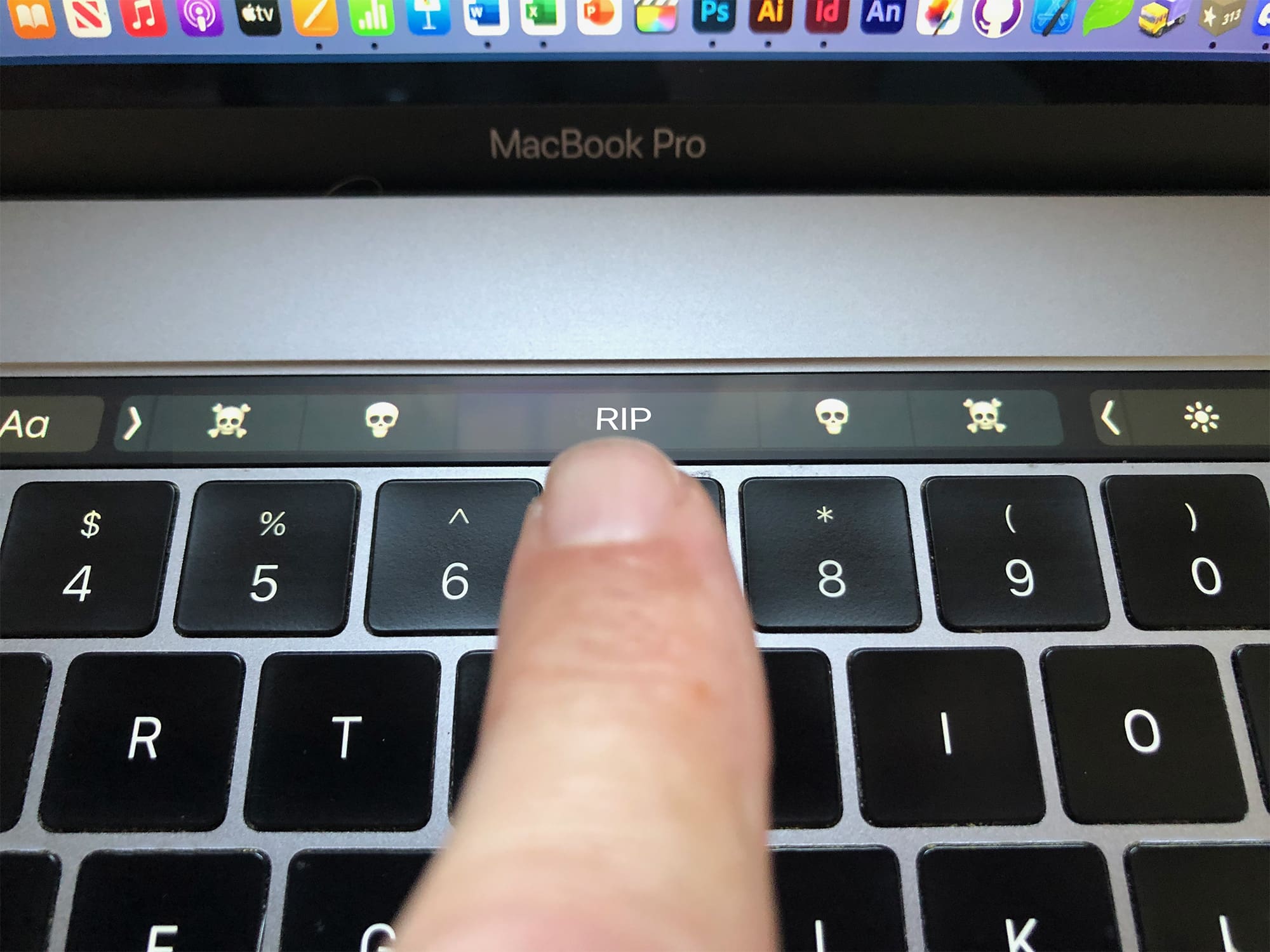
The Touch Bar was doomed from the start. There was no escape.

By

Was the Touch Bar out of touch with pro users needs?
Was the Touch Bar out of touch with pro users’ needs?
Photo: Graham Bower/Cult of Mac

The MacBook Pro’s Touch Bar was a technological marvel in its day. It brought the magic of multi-touch to macOS and, with its stand-alone T1 chipset, it put ARM-based Apple Silicon inside the MacBook when the M1 chip was still just a twinkle in Cupertino’s eye.

There’s no doubt it was a clever piece of engineering, but it proved unpopular with pro users. Many missed the tactile feedback of the traditional Escape key and function keys.

Apple rejigged things last year, shrinking the Touch Bar to make room for a physical escape key, but it was too little too late. Many will be glad to see the Touch Bar go, but I’m gonna miss that little sliver of multi-touch magic at the top of my keyboard.

Logitech kicks off big Memorial Day sale — up to 56% off accessories

By

Logitech Memorial Day sale 2021
Enjoy it before it ends!
Photo: Logitech

Save on stellar accessories in Logitech’s big Memorial Day sale. You can get up to 56% off mice, keyboards, webcams and more, with prices starting at a mere $7.99. Start shopping before the sale ends!

This post contains affiliate links. Cult of Mac may earn a commission when you use our links to buy items.

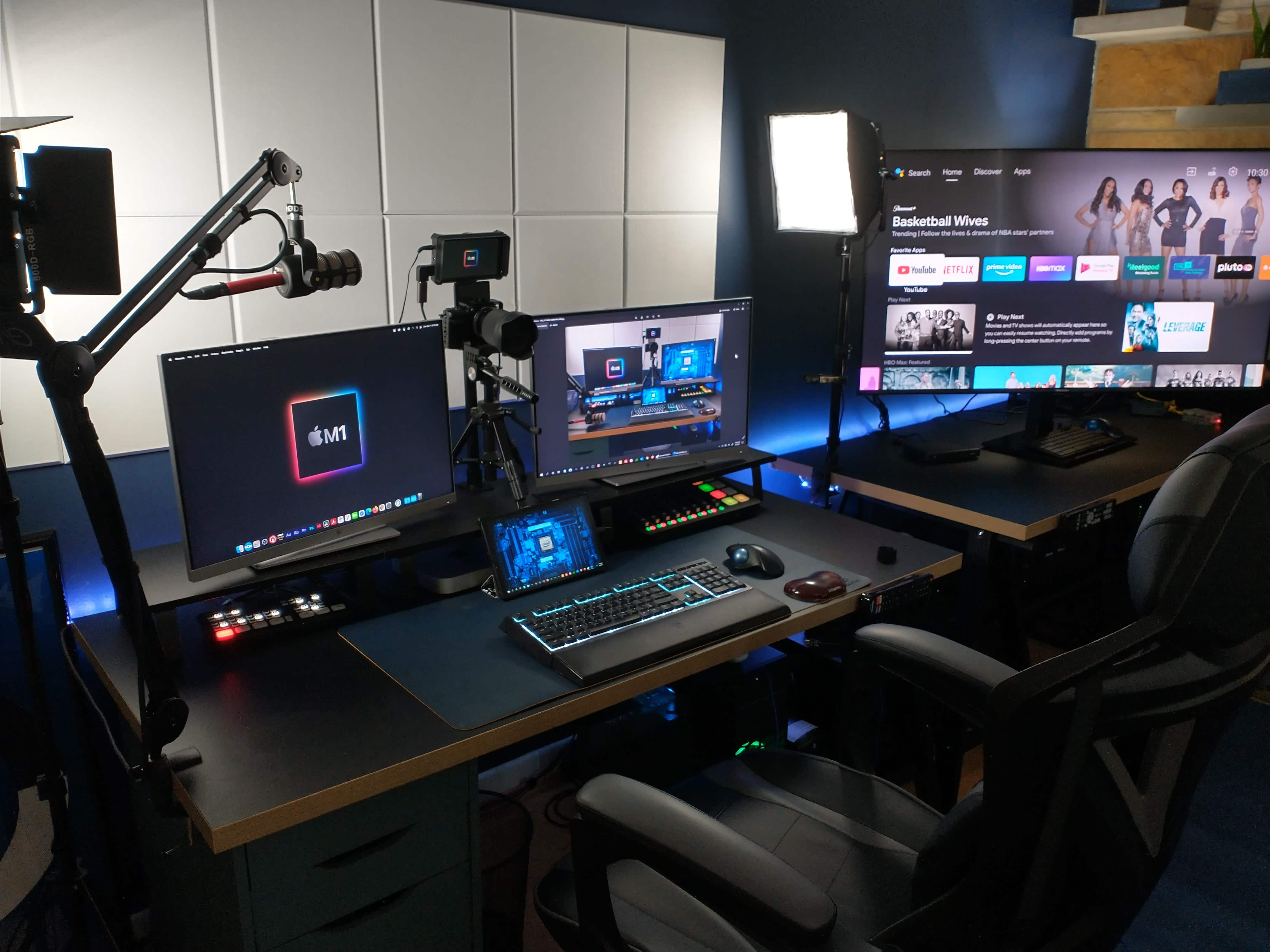
Mac mini and PC setup: Best of both worlds? [Setups]

By

Browsing, remote tech support work, gaming, videoconferencing, podcasting -- this setup does it all.
Photo: LincHayes@Reddit

Web developer LincHayes recently showed off the M1 Mac mini-and-PC-based setup he put together to restart a live tech support business and do some podcasting. It did not fail to impress lots of folks on Reddit.

After all, this is LincHayes’ first time as a Mac owner. And a lot of people relate to running both Macs and PCs in a complex, multifunctional setup with a lot of moving parts.

Working from home? These 11 essential upgrades will save your sanity.

By

Any of these 11 heavily discounted products will have a profound impact on your WFH experience
Any of these 11 products will have a profound impact on your WFH experience.
Photo: Cult of Mac Deals

In theory, you only need a laptop and a table to work from home. But as the months pass, a subpar setup will take its toll on your productivity — and your body. A few choice upgrades can make all the difference.

From dedicated desks to ergonomic mice, here are 11 products that can improve your WFH experience — now on sale for up to 39% off MSRP.

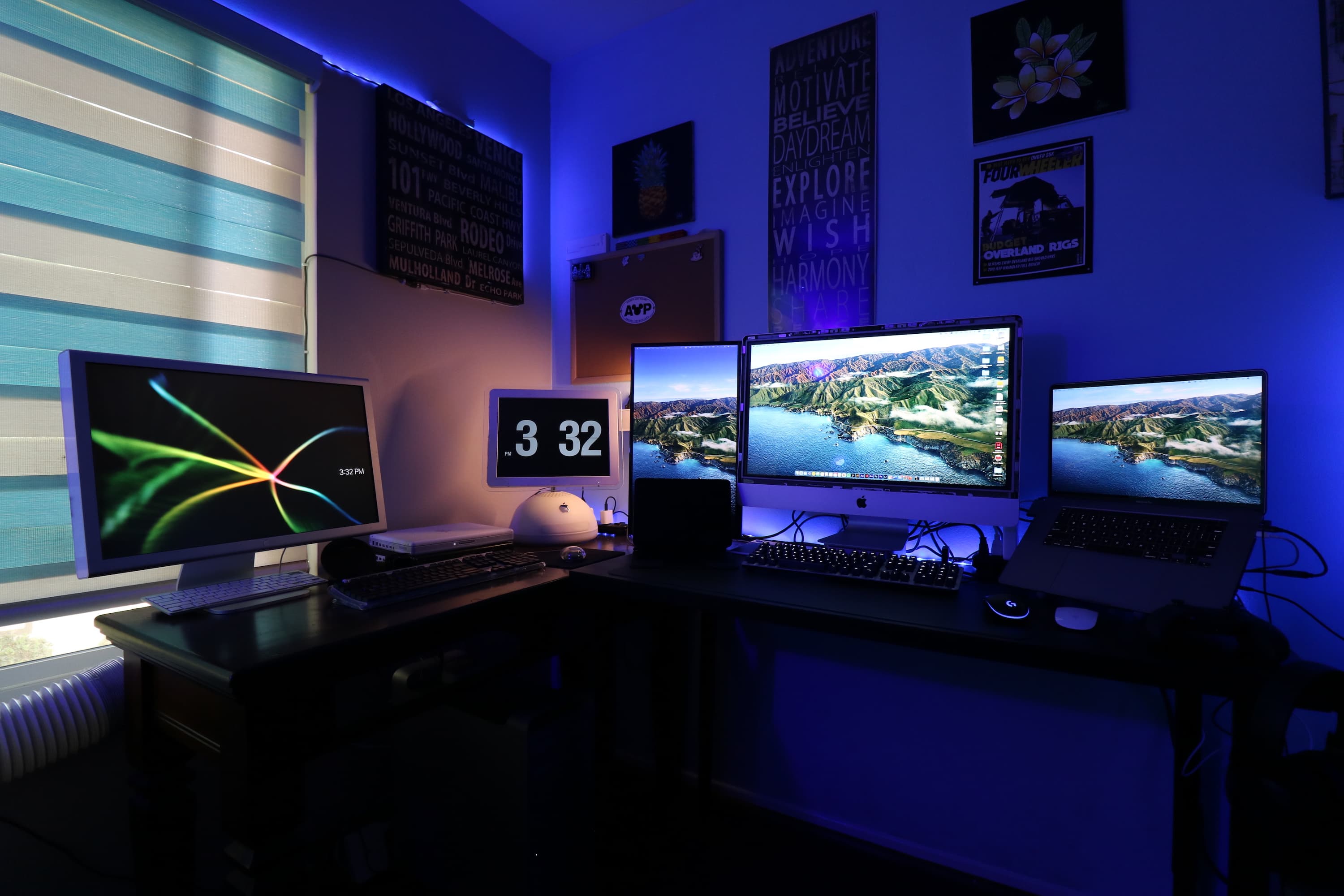
This designer’s setup is built around Macs old and new [Setups]

By

MacBook Pro Setup
This setup combines new and vintage Apple products.
Photo: u/jhoule1394

COVID-19 forced Jeff Houle to work remotely, which was not a problem since he prefers his personalized WFH desk rather than his drab office desk. Houle is an avid collector, whether it is Disney pins (see the cork board) or old Apple products.

But when it comes to Macs, he does not just collect them. He finds unique ways to reuse them. He held on to his iBook G4 and iMac G4 (which he got at a swap meet for $10) to play old games like the original Sim and Oregon Trail — where he probably found the iBook.

How to clean your Apple Card. Seriously.

By

This is the kind of thing your beautiful, clean Apple Card is going to have to deal with.
This is the kind of thing your beautiful, pristine Apple Card is going to have to deal with.
Photo: Matt Biddulph/Flickr CC

The Apple Card isn’t just another credit card. Apple is a hardware company, after all, so its card is special, mkay? If Jony Ive hadn’t disappeared from the Apple lot, then we’d probably even have a Making Of video, with Whispering Joni1 burning with quiet passion about how this is the thinnest, strongest card that Apple has ever made. How Apple’s designers needed to invent an entire new production process to recycle titanium plates reclaimed from broken legs. Etc.

So, if you have an Apple Card, Apple wants you to treat it with respect. And that’s why there is now an official support document telling you how to clean it.

How Apple’s Operations department works [Cook book outtakes]

By

Two Apple operations workers in a factory
Apple's operations, which Tim Cook headed up, is one of the company's secret weapons.
Photo: Apple

Tim Cook book outtakes: How Apple's Operations department works This post was going to be part of my new book, Tim Cook: The Genius Who Took Apple to the Next Level, but was cut for length or continuity. Over the next week or so, we will be publishing several more sections that were cut, focusing mostly on geeky details of Apple’s manufacturing operations.

Apple is famous for design and marketing, but a large part of the company’s success is due to the incredibly complex and efficient manufacturing organization Tim Cook masterminded with Steve Jobs.

No matter how beautiful its products are, the company would go nowhere without a world-class manufacturing and distribution operation that can make millions of devices in the utmost secrecy, to the highest possible standards, and deliver them efficiently all over the globe.

It’s an operation unprecedented in the history of industry. When Jobs and Cook started in 1998, Apple was doing $6 billion in business annually. It now does that every 10 days.