SAN FRANCISCO, MACWORLD 2011 — Even without Apple, Macworld 2011 was packed and there was a great vibe. Check out some of the most interesting products on the show floor.
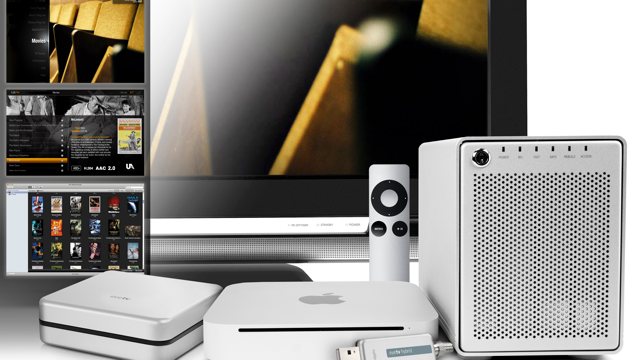
If you want something more capable than an AppleTV to hook up to your television (most notably the ability to play local content), the Mac mini has the perfect form factor for a working HTPC… and now Mac accessory maker OWC is ready to supercharge it for you for that express purpose.
Called the Media Center Solution, the service works by just shipping any new Mac mini to OWC, who then go about upgrading the RAM to 4GB, installing a bundle of open source media center software like (Plex, Handbreak, MakeMKV) and then linking the Mac mini with either a 4, 8 or 12TB RAID, which will allow you to store up to 6,000 hours of DVD-quality video.
That’s not all. Not only will OWC send it to you back with an optional external Blu-Ray drive, you can also pick between two Elgato HDTV interfaces allowing you to use your Mac Mini as a DVR. They’ll even throw in a $15 iTunes gift card and an Apple Remote.
Yeah, I said Sinbad! Apparently it’s an old joke that everyone has a “I-met-Sinbad-at-Macworld” story, after all, he’s been coming to Macworld since 1985. Well since he was going to be here anyway, they asked him to get on stage and give a keynote, and I’m glad they did because it was fantastic.
We start another week of Apple bargains with a new batch of price cuts on select applications from the iPhone App Store, including “Pinball HD.” Also in the spotlight are a leather sleeve for your iPad and a bumper holder for your iPhone 4 from IGg.
Along the way, we’ll also take a look an 83 percent discount on some iPod touch cases, as well as photo manipulation software for your Mac. As always, details on these and many other items can be found at CoM’s “Daily Deals” page right after the jump.
Now that Verizon finally has the iPhone, it makes sense that eventually Apple will try to consolidate both the Verizon and AT&T specific handsets into a single model. But how? One network is CDMA, the other is GSM. They aren’t compatible.
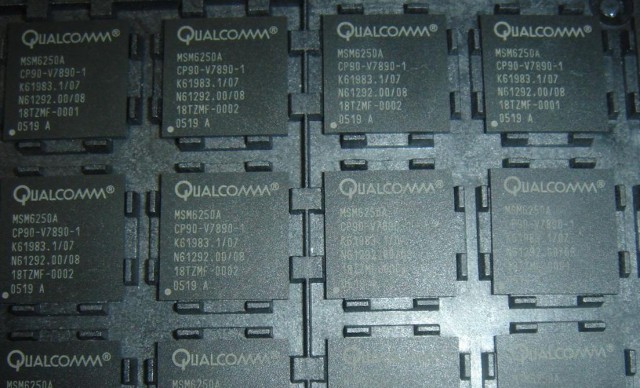
Long before the Verizon iPhone was confirmed, we’d been hearing whispers about a dual CDMA/GSM radio chip manufactured by Qualcomm that would allow future iPhones to connect to both Verizon and AT&T networks. It now looks extremely likely that Apple will be using this Qualcomm-sourced radio component for future iPhones and iPads, instead of the Infineon hardware currently being used.
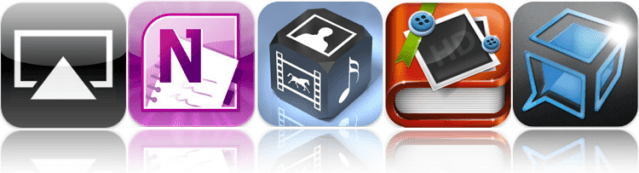
One of our favorite iOS apps to feature in this week’s must-have list lets you stream your media between your iOS devices, or from iTunes on your computer over your Wi-Fi network. AirViewworks in a similar way to the AirPlay feature already built-in to iOS, however, instead of streaming only to your AppleTV, you can stream straight to your iPhone, iPod touch, or iPad.
Microsoft Office users will be familiar with OneNote, the powerful note taking application for all of your ideas that syncs your notes with free Windows Live online storage account, and allows you to access them from virtually anywhere using your phone, computer, or web browser. Now the OneNote application is available for your iPhone, allowing you to make notes while you’re on the go so that you don’t forget another good idea. It’s also free for a limited time!
Cloud Connect Profor your iPad allows you to leave your laptop at home while you’re on the go, but still gain access to the files you have stored on your Mac and PC, or online storage services like Dropbox, iDisk, or Box.net. You can also access your home computer through the built-in screen sharing feature, and view and control your applications just like you’re sitting in front of them.
Find out more about the applications above and check out the rest of this week’s must-have iOS apps, including TapnScrap HDand TalkBox Voice Messenger, after the break!
Pugnacious PC pundit John C. Dvorak is always fun to read. His opinions are often as outrageous as they are insightful. I’ve always been a huge fan, even when I disagree.
Dvorak’s latest post on PCMag.com, headlined “Understanding the iPad Computer,” is one of those I disagree with. In fact, I think his whole argument is exactly the opposite of reality.
In a nutshell, Dvorak attributes the overwhelming success of the Apple iPad not to the user interface, but to the design of the tablet as an output device, rather than input device. He writes:
“It was always assumed that the pad was going to be primarily an input device, like a paper and pen notepad. The successful machines of today are primarily output devices, not a notepad. It was this one simple paradigm shift that appears to be the difference maker.”
The column and conclusion are based on three key assertions, all of them false.
Precorder (on sale now for $1) from Airship Software constantly buffers a few seconds of video before you hit the record button, effectively eliminating “shutter lag.” It’s a brilliant idea that the developers say they borrowed from the Planet Earth team — who used it to film this amazing spectacle of great whites breaching (note: Your results may vary. A lot).
AirView is a free new app that allows you to send video wirelessly between your iOS devices, as well as from iTunes to your iPhone, iPod Touch or iPad.
As perhaps is obvious from the app’s name, AirView taps into the AirPlay functionality in iOS 4.2 which allows you to beam video from your iPhone or iPad to a compatible device like an AppleTV. However, AirPlay doesn’t let you beam video from iTunes to your iPhone, or from your iPhone to your iPad.
AirView remedies that. Just open it on any iOS device and it will show up on your WiFi network as a new destination for video, just as if it were an AirPort Express or AppleTV.
Pretty neat, but grab it now: who knows how this might fall afoul of Apple’s sometimes inscrutable whims.