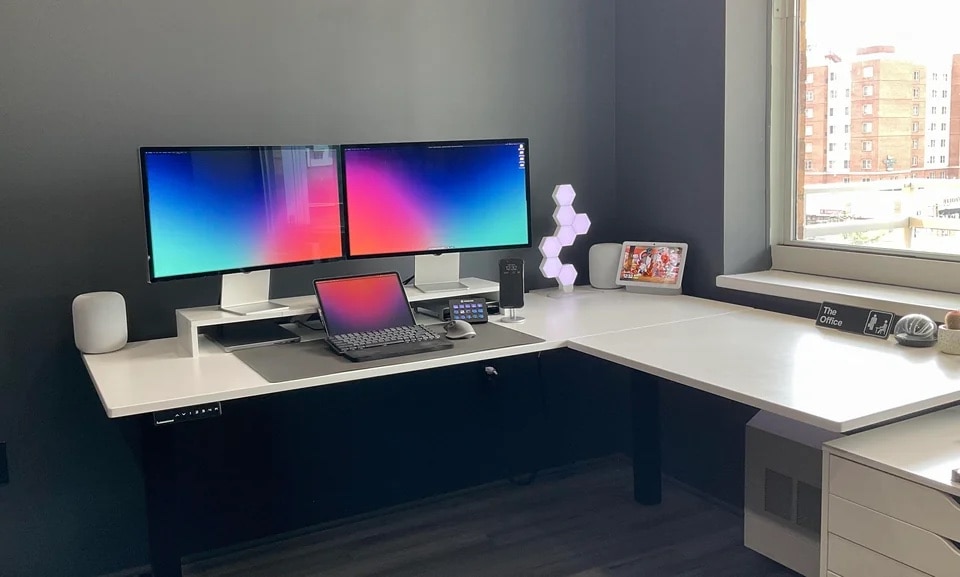
Can you spot the chip/crack in one of the displays? Photo: [email protected]
The owner of today’s MacBook Pro setup chose two Studio Displays over one Pro Display XDR to suit his workflow and because he realized he could bag one of the monitors at half price. Lucky him.
Several folks on social media noticed the damage, and some said they’d grab that deal, too, if they could.
The monitors are 1080p rather than 4K or above, but it's quite a good-looking Mac mini setup. Photo: [email protected]
We know from social media that folks love checking out others’ computer setups. But is it really the headlining hardware they’re after, like the flashiest MacBook Pro or brilliant display? Not always. Sometimes it’s the small stuff they want.
With today’s Mac mini setup with a pair of 1080p displays, people were most curious about a standing desk, a cable-management raceway and a desk organizer. You can find everything in the gear list below.
Seems Mac mini with M2 Pro will be the fastest option for a long time. Photo: D. Griffin Jones/Cult of Mac
A version of the inexpensive Mac mini desktop upgraded with a faster Apple M3 processor will not be on the market for over a year, according to a reliable source.
However, there are other Macs with the M3 chip expected before the end of 2023.
★★★★☆
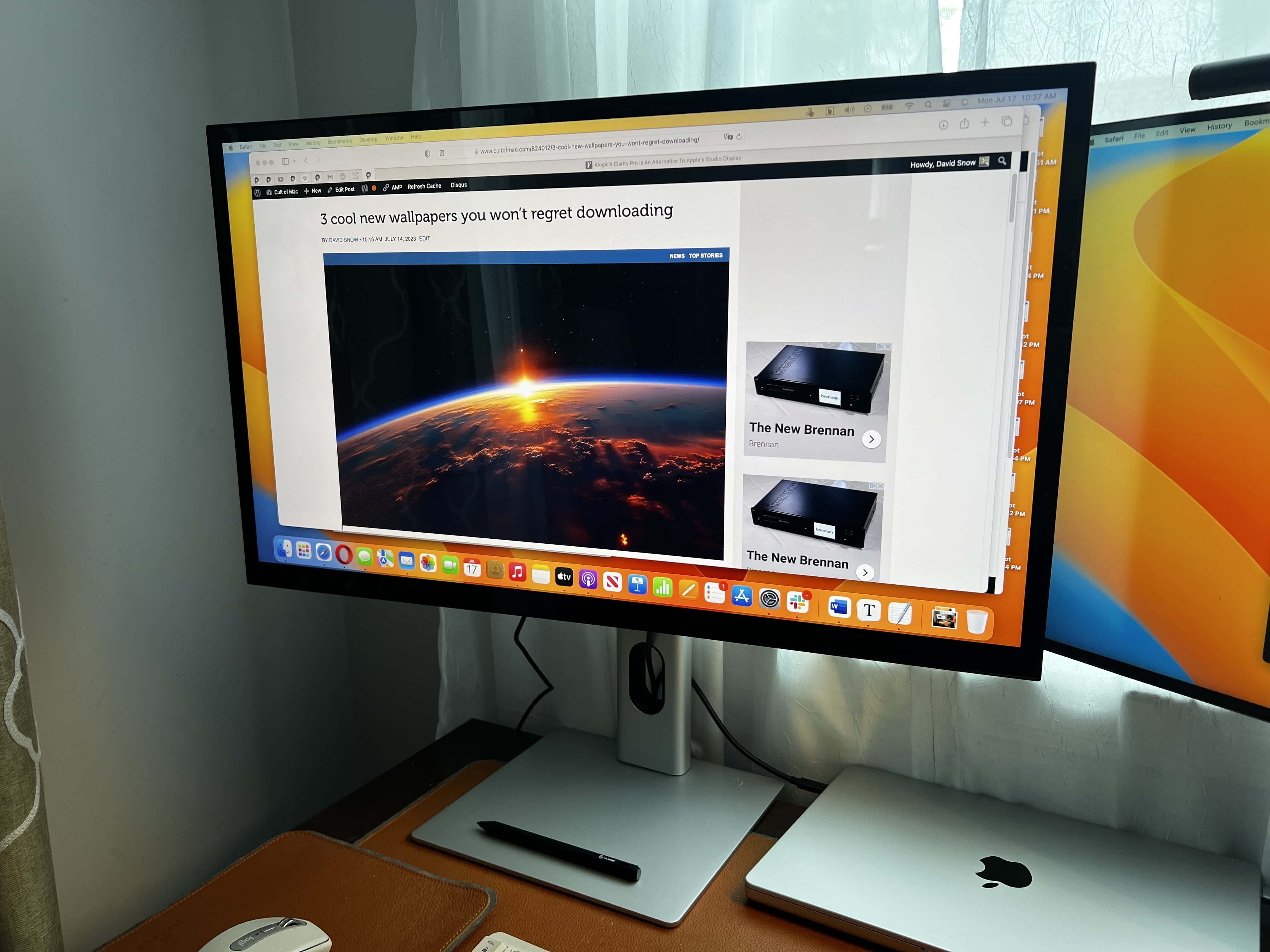
With Alogic's new Clarity Pro Touch display, you get a brilliant touchscreen with retractable 8MP webcam. Photo: David Snow/Cult of Mac
If you’re among the many folks who balk at the high price of Apple’s excellent Studio Display, intriguing new alternatives just arrived. Alogic recently unveiled its new 27-inch Clarity Pro and Clarity Pro Touch 4K displays, building up the line after releasing the original Clarity display last year.
I gave the Clarity Pro Touch a go and found it beautiful to look at and highly functional, as well. Priced at hundreds less than Apple’s Studio Display, either of the new Clarity displays should make a tempting alternative.
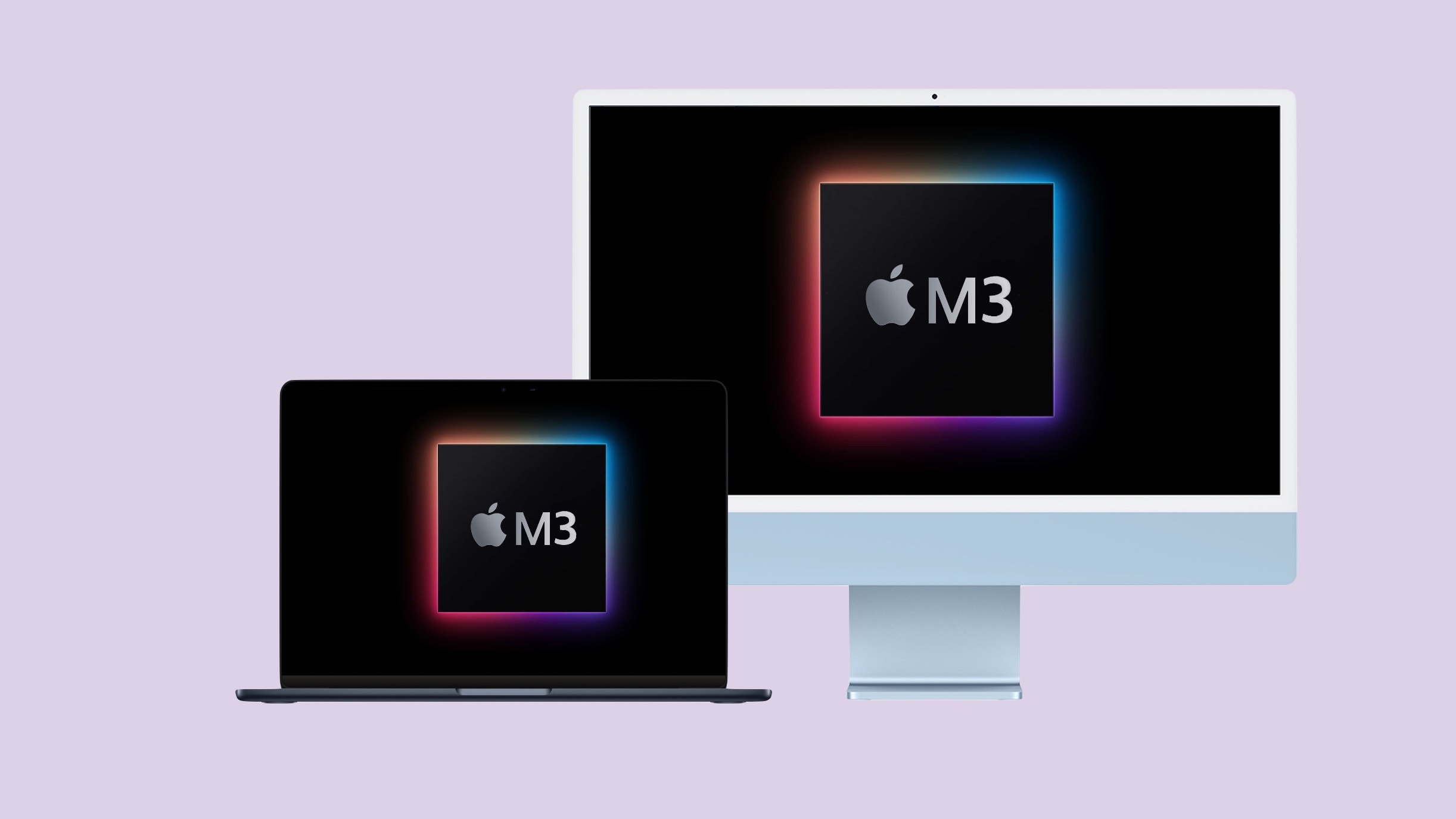
The Apple M3 is almost here, and it’s reportedly going into multiple Macs. Image: Ed Hardy/Cult of Mac
The next generation of Apple silicon is right around the corner, and the upcoming M3 processor is supposedly going into multiple new Macs before the end of 2023.
Here is what we know about the iMac and the two MacBooks we have to look forward to this autumn.
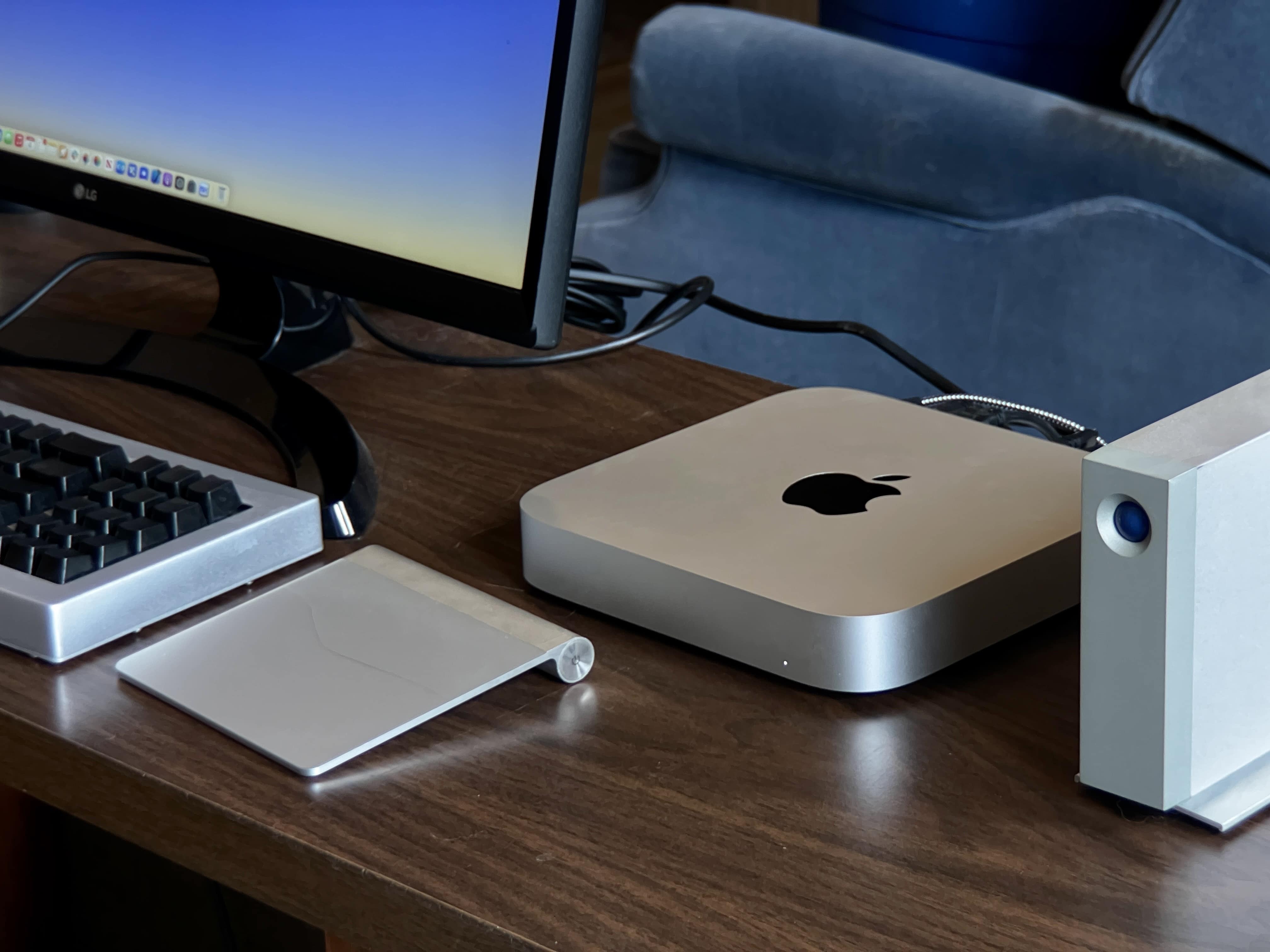
An M1 Mac mini drives a n LG display in this Chicago-area setup. Photo: Bill Penhale
While Apple is finally putting out an M2 Mac Pro even as its powerful Mac Studio machines conquer most hardcore computing tasks, the truth is most users can more than get by with an M1 or M2 Mac mini. That goes for Bill Penhale, who sent us his setup from Shorewood, Illinois, near Chicago.
“I am pretty techy for 70, ha!,” the retired sales director told Cult of Mac. And judging by his M1 Mac mini-powered setup, with a fine 4K external display, solid audio and loads of external storage, that’s certainly true.
It took months to put together this well-put-together setup. Photo: [email protected]
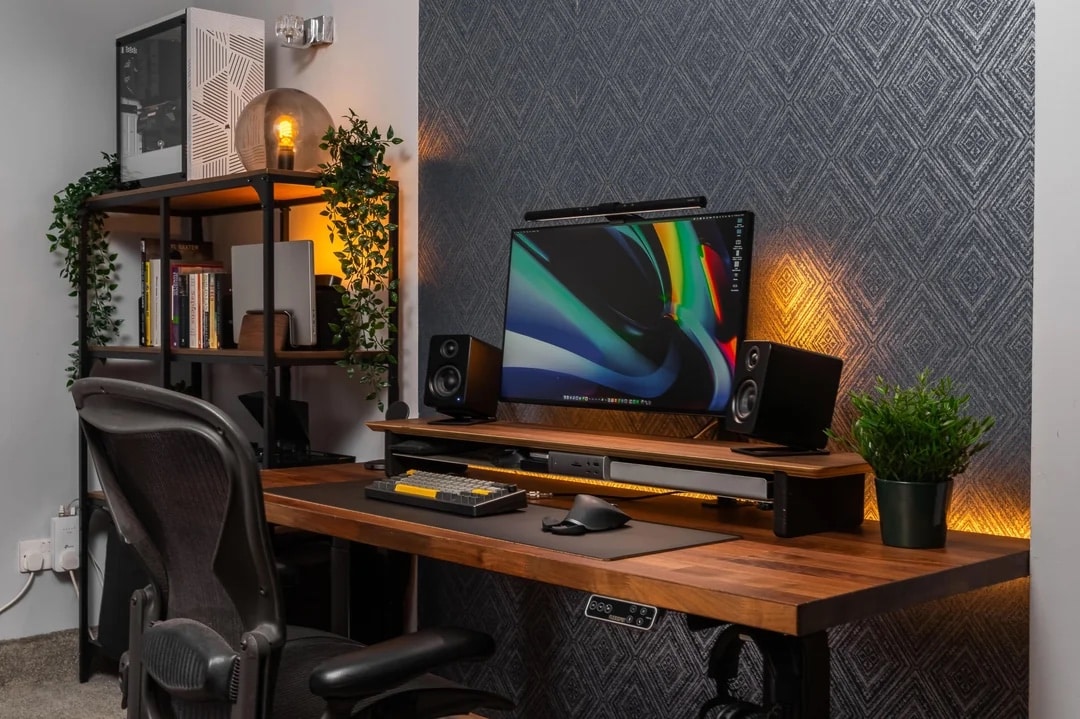
There’s nothing like stained wood to make a computer setup look like a class act. Today’s featured M1 Max MacBook Pro and custom PC workstation places those powerful machines on shelves off to the side that more-or-less match the desk.
Relocating the computers makes more room on the beautiful wooden desktop, which ups the quality even further with a handsome wooden desk shelf for the external display and other items.
Would you buy an iMac with a 30-inch+ display? Photo/Graphics: Apple/Rajesh
Aside from the inevitable iPhone refresh (and the headset everyone’s buzzing about), Apple reportedly has several other major new products lined up for launch in 2023 and the first half of 2024. This includes revamped iPad Pros with OLED displays, new Macs powered by a next-gen M3 processor and an upgrade to the Apple Watch Ultra.
Apple also is supposedly in the early stages of developing an iMac with a display that measures more than 30 inches.
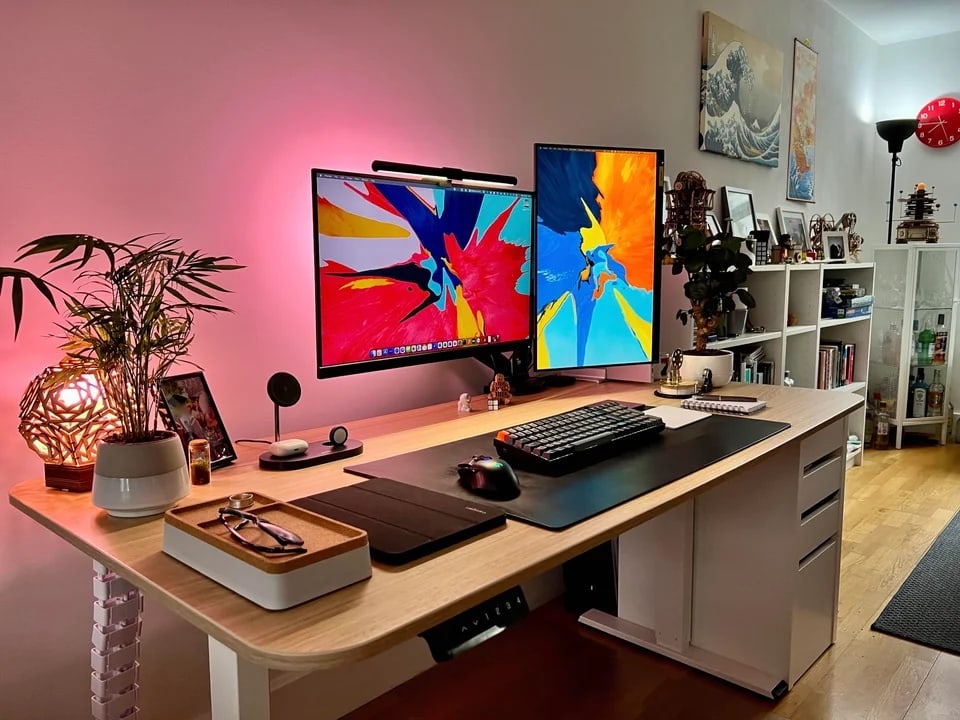
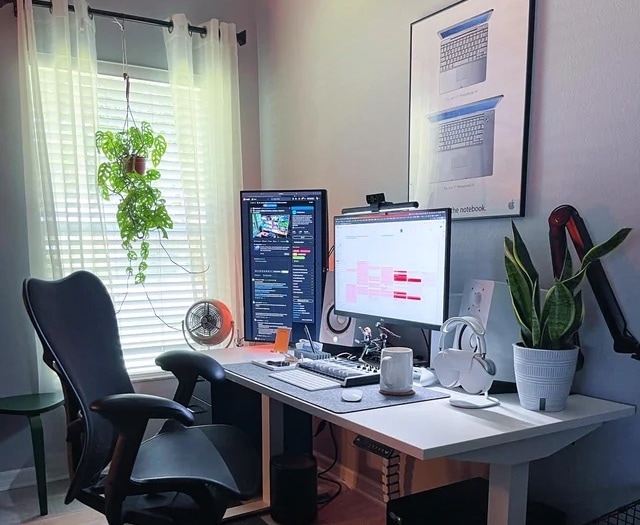
Adding a second 27-inch monitor in portrait mode enhanced the setup. And look at that classic PowerBook G4 poster! Photo: [email protected]
Adding a second or third external display in portrait mode can really enhance a computer setup and its workflow. The owner of today’s featured MacBook Pro setup lucked into a second monitor and set it up vertically. Many people find the orientation suits certain tasks, like coding or reading email.
And who doesn’t love a classic Apple poster? Don’t miss the nice framed PowerBook G4 poster on the wall above the desk in the photograph above.
Certain new iOS 17 features will not come to all iPhones capable of running the new OS. Photo: Apple
iOS 17, iPadOS 17 and macOS Sonoma are not big upgrades. However, they will bring plenty of little improvements that add up to a better experience on iPhone, iPad and Mac. Despite that, Apple dropped support for some older iPhones, iPads and Macs with its upcoming OS releases.
That’s only part of the disappointment equation, though. Several new features won’t work on older Apple gear, even though the devices can run the new operating systems.
Many of the new features in iOS 17 and iPadOS 17 that won’t make it to older iPhones and iPads will go missing primarily because they are very resource-hungry. As for Macs, several macOS Sonoma features won’t come to Intel-based machines. This is sort of a given, since Apple switched to in-house chips that deliver better performance while maintaining ruthless power efficiency. The list of features not available on Intel Macs will only expand over time until Apple eventually drops support for them altogether.
Now that you the reasons for the omissions, here’s a rundown of new features in iOS 17, iPadOS 17 and macOS Sonoma that won’t work on older devices.