Mobile menu toggle

Search results for: Apple One

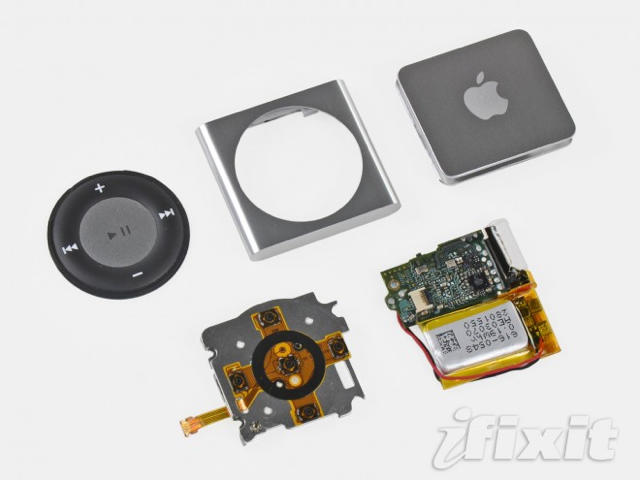
iFixIt Breaks Apart The New Shuffle, Declares It A DIYers Nightmare

By

post-58309-image-f6feca91ec3fbd2b6f1da71cb3c9b44b-jpg

Our friends over at iFixIt may have been beaten to the punch by the gadget dissectors over at the FCC when it came to tearing down the new iPod Touch and spilling its secrets-stuffed guts onto the table for the whole world to see, but they’ve still got what it takes: their quick teardown of the new iPod Shuffle is now up on their website as an easy-to-follow tutorial.

We say “easy-to-follow.” We don’t mean “easy-to-perform.” A device this small is made up of component parts that are even tinier, and iFixIt says the new iPod Shuffle is incredibly difficult to vivisect, which is bad news for modders and DIYers… especially if you want to replace the new Shuffle’s miniscule 3.7-volt battery, which is soldered right to the logic board. Then again, for $49, if the Apple Store won’t replace your bum battery after a year, you might as well just pick up a new one.


Talking with Mac Hacker Charles Miller

By

post-58273-image-cade6cd6a03d1721a3c62d25476d7182-jpg
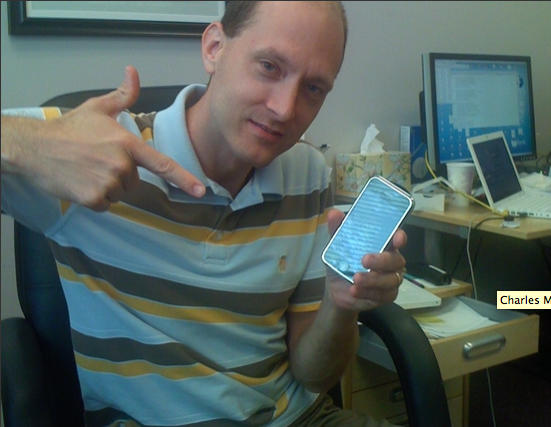
Mac hacker (and user) Charles Miller. @Macdirectory.

Charles Miller has made his reputation hacking Macs. His most recent exploit earned him $10,000 by exposing soft spots in Mac OS X Snow Leopard and Safari in March. It was the third year in a row he hacked into a MacBook at CanSecWest Pwn2Own hacker contest.

Mac Directory sat down with Miller, whose Wikipedia entry describes him as a “security researcher,” to to talk about Apples weaknesses, his rep and whether Apple devices are still safer than PCs.

Question:> It is said that “Apple products” are safer than Windows-based products. Is this really true or are hackers too busy hacking PC-based devices?

Charles Miller > Both of your statements are true. They are safer exactly for the reason that not many criminals are looking at them. Most malware is written with the purpose of compromising as many hosts as possible, and that means Windows. There is nothing inherently more secure about Macs, in fact they’re probably a little easier to break into, but really they are protected for the moment by their limited market share.

Warp into the Future with this High-Tech Mac Home Office

By

villa-f-for-it-entrepreneur-3a

From Vienna comes news of one of the most striking homes (and Mac home offices) I’ve ever seen. Designed by architects Najjar & Najjar, the owner of Villa F is an IT entrepreneur and aficionado of Macs and Lamborghinis.  He wanted a living space that reflected his passions.  The futuristic result is something which wouldn’t be out of place on the Starship Enterprise.

There is a vast open space that connects the entrepreneur’s working space with a lounge area, a bar and a kitchen.  Almost everything inside the Villa F is digitally controlled.  There are Plasma TVs, a huge aquarium with computer generated graphics, LED lighting and sound systems that respond at a click of the mouse. [Born Rich]

iHome Announces First Vague AirPlay-Compatible Wireless Speaker

By

post-58163-image-8f31867d9439ae8f79a978b6cb19ae31-jpg

The full import of the announcement didn’t exactly sink in at the time, but when Steve Jobs announced last Wednesday that AirTunes was becoming AirPlay, he was really announcing that media-streaming on Apple devices was getting a lot more open. Not only would AirTunes be extended to hardware beyond AirPort Expresses, making every AirPlay-compatible peripheral capable of sucking up tunes across the room, and not only was he opening AirTunes to an expanded gamut of media types including video and photos, but he was also opening the door for iOS devices to stream media directly to other devices, with no iTunes intermediary required.

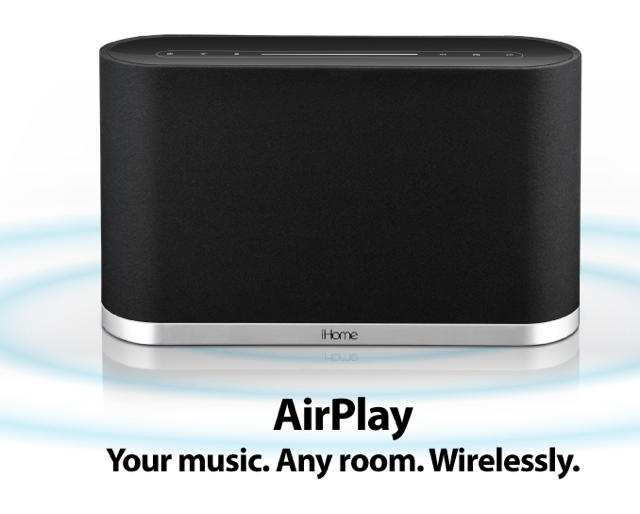
I have to admit that as someone with three AirPort Expresses, I’m embarrassed that I didn’t realize immediately how cool this was. Thankfully, third-party accessory makers were quicker on the uptake than I was, and iHome has already announced their first AirPlay compatible wireless speaker system. Scant details so far (except for a rechargeable battery) and obviously — since this is just a speaker — it’s humble beginnings. But just you wait. An AirPlay compatible television is coming, mark my words.

[via TUAW]

How-To Fix Your Automator iTunes Workflows

By

post-58127-image-c79d32e0241d6ac09da2fa8a3ca241e0-jpg

When we posted on Friday that iTunes 10 had killed off old Automator workflows, it had all the hallmarks of a bug… and as it turns out, a but it is.

As it turns out, the problem is caused because Automator detects iTunes 10 as being a lower version number than iTunes 9, because Automator apparently sorts version numbers alphabetically instead of numerically.

As it turns out, the fix isn’t entirely onerous: simply open up the info.plist inside the packages of your non-functioning workflows and manually change the version number. If you absolutely can’t live without your iTunes Automator workflows until Apple managed to issue a Software Update, here’s your stop gap solution.

Nike+ GPS Now In App Store: Track Your Runs Without $19 Shoe Sensor

By

post-58168-image-9192232e8da279f9e83fb6a6fdd634d2-jpg

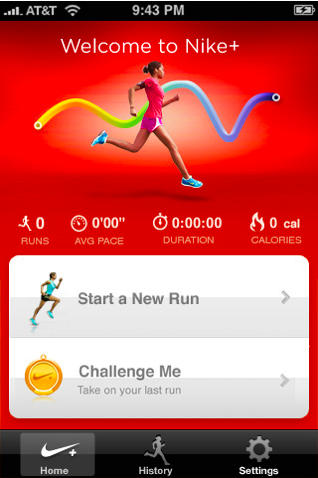
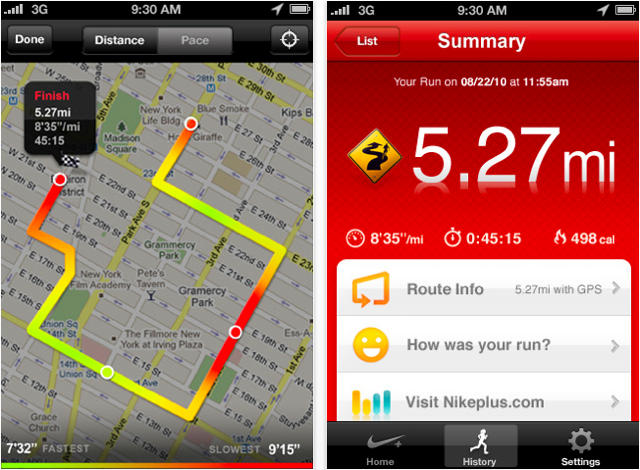
Nike has released its Nike+ GPS app in to the App Store this morning, and it allows users with a GPS enabled device to track their runs without the $19 Nike+ shoe sensor accessory. Record your pace, distance and the route you ran using just your device’s built-in GPS and accelerometer.

It’s a $1.99 app and it does a whole lot of impressive stuff: motivational messages from Nike’s top athletes aim to push you further to improve your workout and reach your goals, while your personalized ‘PowerSong’ is designed to give you that extra boost.

Voice feedback as you run to tells you how you’re doing and when you’ve finished, you can upload your stats to your Nikeplus.com account (free) to compete with friends, join challenges, set goals and connect with the rest of the Nike+ community.

At just $1.99, the athletes among you will save themselves a small fortune by not having to fork out for the shoe sensor running accessory.

Nike+ GPS is compatible with the iPhone 3GS, iPhone 4 and the iPod Touch (2nd generation and above), running iOS 4.0. Get it in the App Store here.

App Twists Faces For Cheap Giggles

By

post-58136-image-309dd7cd139e0fd76a33a4650a8ac69f-jpg

Just like the crazy photo-warping effects on Apple’s own Photo Booth app that comes standard on every Mac, Real-Time Distorter can create some freaky cool images — but on an iDevice.

My nephew and I have been playing around with the app this weekend, and we’ve managed to squeeze way more fun than I’d thought from the buck I plunked down. Only four or five of the 11 effects are real winners, but that’s more than enough to play around with; not all the results end up being funny, but even the ones that lack wackiness can be interesting. Added bonus: The app can make video clips. Hopefully developer MacPhun will add Facebook and Twitter sharing in a future update.

How To Switch Off Ping

By

20100902-switchoffping.jpg

Got Ping? Wish you’d not bothered?

You might be over the moon about Apple’s baby social network, but on the off chance that you’re not, here’s a quick’n’simple guide to de-Pingifying your iTunes. It’s not difficult.