Mobile menu toggle

Search results for: Apple One

‘Back to the Future’ Episode 2 Now Available for iPad

By

back-to-the-future-episode-2-iPad


The second in a series of five Back to the Future games for the iPad has finally hit the App Store today. This touch-based puzzle adventure from Telltale Games delivers a mesmerising experience that remains true to the original trilogy, with innovative touch controls and impressive visuals.

This episode is called “Get Tannen,” and its App Store description reads:

Marty is keeping an eye on Doc Brown’s proverbial date with scientific destiny when he and 1980s Doc must prevent gang boss Kid Tannen from wreaking havoc on Marty’s family and erasing his girlfriend from the future!

Just like the first episode, this one is $6.99 and compatible with the iPad only. If you’re a fan of this movie and a lover of adventure games, this title is guaranteed to please.

iPad 2 Now Ships Worldwide in 1-2 Weeks

By

ipad2-1week-shipping.png

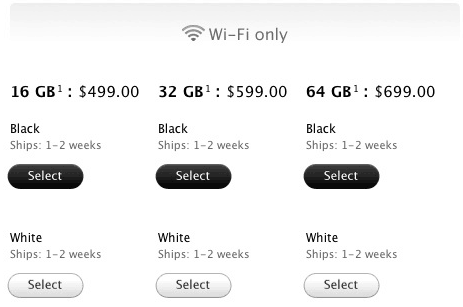
Apple seems to be catching up with the demand of the iPad 2 after shipping times for orders from the Apple online store dropped to just 1-2 weeks last night. Those in the U.S. noticed the change first, but it slowly spread to every country in which the device is currently available.

Shortly after its launch, shipping times for the iPad 2 hit 4-5 weeks, but as Apple deals with demand and orders begin to tail off a little, shipping times have continued to slowly drop.

New ‘Untrackerd’ Jailbreak Hack Stops iOS From Storing Location Data

By

untrackered1.jpg

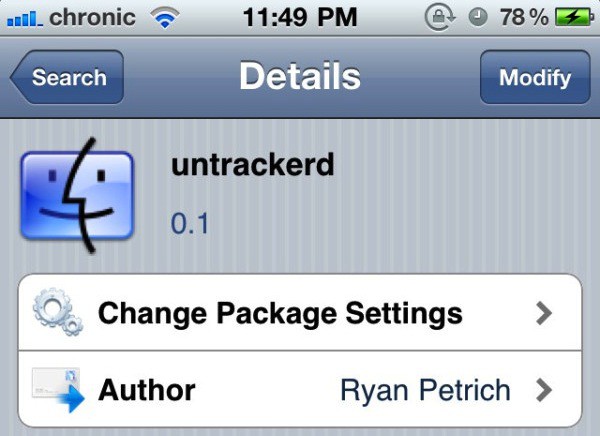
Reports yesterday revealed that your iPhone and iPad 3G have been secretly logging the date, time, latitude and longitude of every place you have ever been, then storing this information in an unencrypted file on your computer when you sync your device with iTunes.

Untrackerd is a new jaibreak utility that promises to stamp out this invasion of your privacy:

This package installs a daemon (process that can run in the background) to clean consolidated.db file) No new icons are added to your homescreen. There are no options to configure.

Enter to Win Free Download Codes for FX Photo Studio App for iOS Devices

By

Egret - Pencil Sketch-Burnt Paper
Made with FX Photo Studio © Lonnie Lazar

Perhaps you caught our recent review for the killer iOS photo app, FX Photo Studio. If you didn’t rush out and buy it right away based on the stunning (cough, cough) examples in the accompanying gallery, or – heaven forfend – on the basis of its five stars, then here’s your chance to get it on your device for FREE.

Just go to Cult of Mac’s Facebook page and like us before midnight Friday PST (that’s about 36 hours from the time of this post) and you’ll be entered into a drawing for one of six free download codes for FX Photo Studio for iPhone and iPad.

That’s it. If you already like us on Facebook (yay!) you’re already entered, so don’t feel the need to “unlike” and then “Like” again to get in on this awesome opportunity.

Winners will be notified of their bounty and good fortune during the day on Friday.

Daily Deals: $929 MacBook Pro, MacBook Pro, 32GB iPod touch

By

cult_logo_featured_image_missing_default1920x1080

806909-large806909-large806909-large

If you are looking for a deal on a MacBook Pro, we have several choice. First up is a selection of 20 MacBook Pro laptops from the Apple Store, starting at $929 for a 2.4GHz model. Next is a 2.4GHz MacBook Pro from ExperCom for $1,049. The last item in today’s spotlight is a 32GB iPod touch for just $275.

Along the way, we check out a solar charger for your iPhone, a 93 percent discount on select iPhone 4 cases, and a Bluetooth keyboard for your iPad. These and many other deals can be found at CoM’s “Daily Deals” page right after the jump.

Hitachi’s New USB HDDs Let You Access Their Contents From The Cloud

By

Screen shot 2011-04-20 at 10.12.06 AM

Between services like Dropbox and Amazon’s new Cloud Locker, not to mention Apple’s presumed imminent entry into the market, cloud storage is pretty hot right now, and it’s all done in software. That inevitably means that cloud storage will start creeping out to markets oversaturated with competitors boasting pretty much identical hardware… markets like USB hard drives.

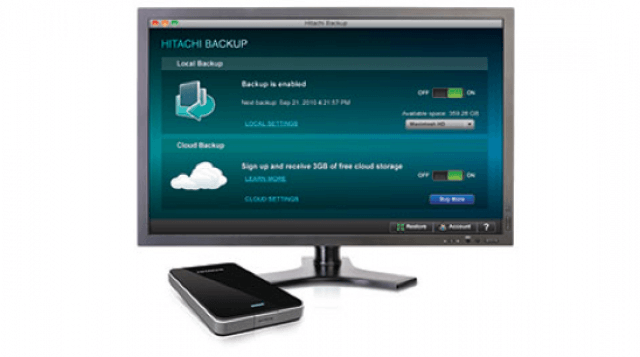
As far as I know, Hitachi’s new Touro Pro line of USB hard drives now come with up to 3GB of free online cloud storage, which is upgradeable to 250GB for $49.99 per year.

That’s actually a pretty fantastic deal, considering 100GB of Dropbox storage costs $19.99 per month. On the other hand, while Hitachi is delivering native applications to allow users to access the data they’re storing in the cloud on their iPads and iPhones, but given that Dropbox is the de facto iOS standard for cloud storage, Dropbox will still have the advantage of cross-app compatibility.

Otherwise, Hitachi’s line-up of Touro Pro hard drives are pretty standard 7200 RPM drives. The desktop models come with storage capacities between 1TB and 3TB, and are priced between $130 and $230. The Mobile Pro drives, on the other hand, come in 500GB and 750GB capacities, and are priced at $110 and $130 respectively.

Make Windows 7 Look Just Like OS X Lion For Some Reason

By

1030-windows-7-lion

If you want Lion on your Mac, you’ve either got to be a developer or, in the immortal words of Malcolm Reynolds, “aim to misbehave.” Even if you just want your Mac to look like it’s running Lion, you’re out of luck.

But are you the kind of person who sometimes stumbles across a pungent pile of offal in the streets outside of your local butcher’s shop, and instead of crinkling your nose and walking quickly past, stops to adorn it with an array of sparking gemstones, festive ribbons and pretty flowers? Do you also use a PC? You’re in luck.

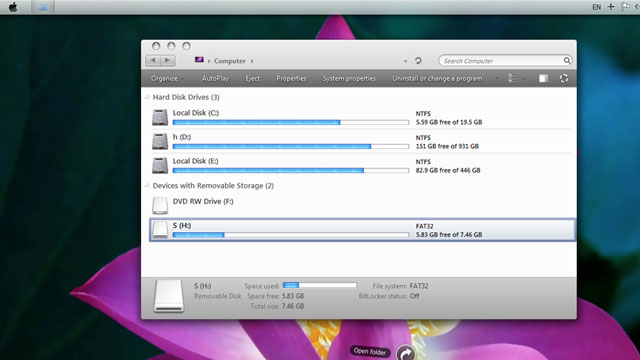
As it turns out, it’s a counterintuitively easy process to make your Windows 7 install look like Apple’s still unreleased operating system. All you need to do is download the Lion Skin Pack and run the installer, no patching required.

[via Lifehacker]

Benchmarks Prove You Should Be Buying Your Next MacBook Pro With An SSD

By

macbookpro_adata_ssd

I live on this long, steep hill that some days just feels so infinite and Sisyphean that I fear I might be the character of some inexplicably forgotten short story by Jorge Luis Borges. On particularly hot summer days, I’ll sometimes muse to myself, halfway up this interminable hill, that walking really is for suckers, and I should just lop off these wimpy locomotive appendages and treat myself to some of those robo-legs I’ve had my eye on for so long.

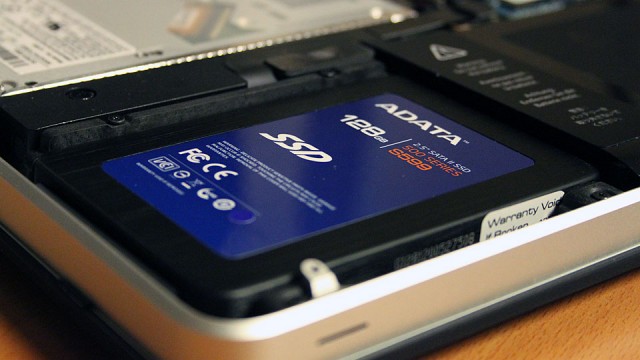
Apple doesn’t make robot-legs, unfortunately. What they do make are MacBooks that come with SSD drives… and to me, investing in one was pretty much the direct equivalent of having my computer’s old weak, broken legs cut off and some rocket-powered karate kickers transplanted in their place. You simply will not believe how fast computing can be with an SSD, or how slow your current “fast” computing experience is without one.

Need more proof than my say so? MacWorld tested a few MacBook Pros — a couple with SSDs, a couple identically specced without — and found notable speed improvements.

Music As It Should Be, Brought To You By Sonos

By

Sonos_S5_Bedroom

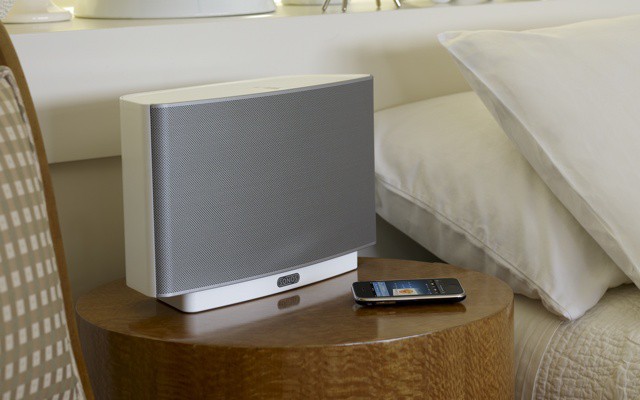
With Sonos announcing only yesterday that Airplay support was coming to the Sonos range, as well as updating their iPhone and iPad apps – we thought it was about time we took the Sonos for a spin.

Let me start this by saying the Sonos multi-room system is the best solution available for getting multiple sources of music playing throughout your home – period. It’s not necessarily the cheapest, but it is without doubt the most complete solution you will find – and we love it!