Mobile menu toggle

Search results for: Apple One

Benchmarks Prove You Should Be Buying Your Next MacBook Pro With An SSD

By

macbookpro_adata_ssd

I live on this long, steep hill that some days just feels so infinite and Sisyphean that I fear I might be the character of some inexplicably forgotten short story by Jorge Luis Borges. On particularly hot summer days, I’ll sometimes muse to myself, halfway up this interminable hill, that walking really is for suckers, and I should just lop off these wimpy locomotive appendages and treat myself to some of those robo-legs I’ve had my eye on for so long.

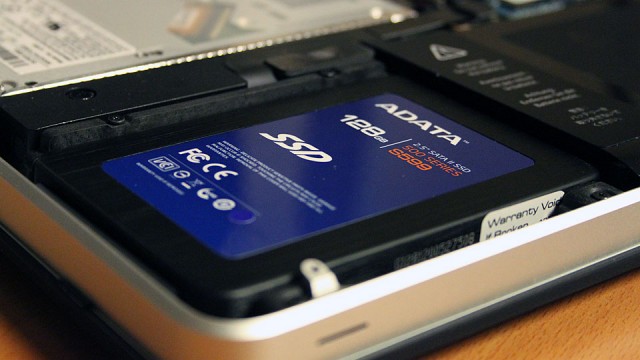
Apple doesn’t make robot-legs, unfortunately. What they do make are MacBooks that come with SSD drives… and to me, investing in one was pretty much the direct equivalent of having my computer’s old weak, broken legs cut off and some rocket-powered karate kickers transplanted in their place. You simply will not believe how fast computing can be with an SSD, or how slow your current “fast” computing experience is without one.

Need more proof than my say so? MacWorld tested a few MacBook Pros — a couple with SSDs, a couple identically specced without — and found notable speed improvements.

Music As It Should Be, Brought To You By Sonos

By

Sonos_S5_Bedroom

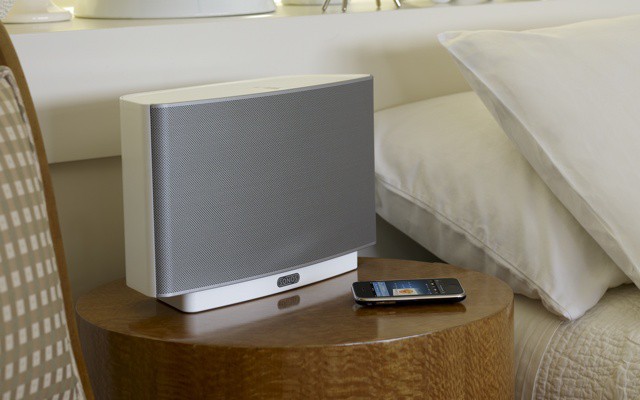
With Sonos announcing only yesterday that Airplay support was coming to the Sonos range, as well as updating their iPhone and iPad apps – we thought it was about time we took the Sonos for a spin.

Let me start this by saying the Sonos multi-room system is the best solution available for getting multiple sources of music playing throughout your home – period. It’s not necessarily the cheapest, but it is without doubt the most complete solution you will find – and we love it!

Still Looking for an iPad 2? There’s an App For That!

By

findone-iphone.png

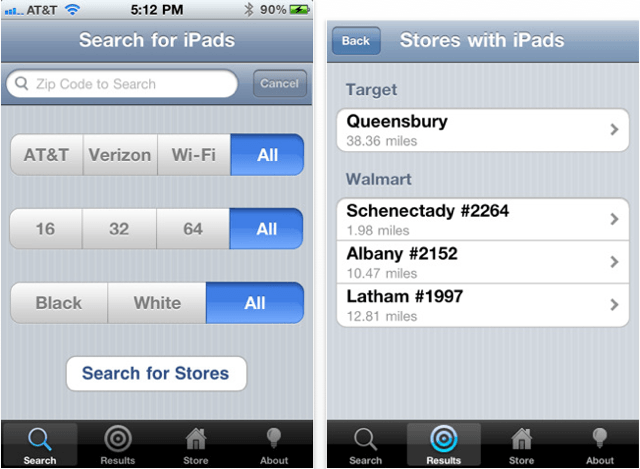
If you’re still taking time out of your day to call every Apple reseller in your area in the hope of finding that iPad 2 you’re after, the new FindOne app for iPhone could save you a lot of time and effort.

You select which model of the iPad 2 you want and FindOne checks the inventory of every Target and Walmart store in your vicinity to see if they have your chosen device in stock.

Solio’s Rocsta Solar Charger is Flexible, But Lean on Juice [Review, Earth Day]

By

rocsta-1

The iPhone is a phenomenal tool for a bit of tromping about in the bush; navigation, stargazing, photographing/filming and even staying alive can all be accomplished with the help of the little gadget. That is, if it’s got any juice left.

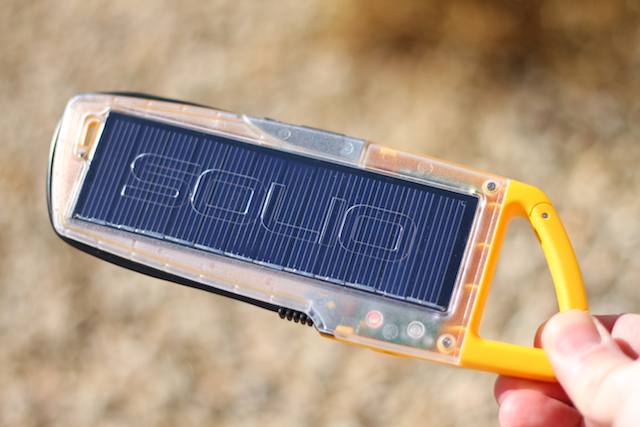
Solio’s Rocsta ($80) — a solar panel mated to a thin slab of a battery in a sleek, flat, user-friendly housing — seems to have been created with a nod to minimalist adventurous types who want a rugged, no-fuss solar charger aong on their next Iditarod or photo shoot for National Geographic.

The Maglus Is A Stylus Designed To Magnetically Stick To Your Smart Cover

By

maglus

As a man who leaves as many discarded pens as his wake as a molting peacock after a spontaneous squid attack, one of my many problems with styluses for iOS devices is where to put them when you’re not using them. Unless I can physically attach the stylus to my iPhone or iPad itself, it’s gone.

When the iPad 2 came along with its Smart Cover in tow, I thought I had the answer. The Pogo Stylus has a clip to attach to shirt pockets and the like, and I thought it could fairly easily slip on the Smart Cover itself. In fact, this does work, but it pushes the Smart Cover away from the iPad 2 display just enough for the detritus at the bottom of my bag — a fragrant snuff made up of tobacco detritus, cookie crumbs and Cheetos dust — to siphon its way through the gap and onto the screen. Blech.

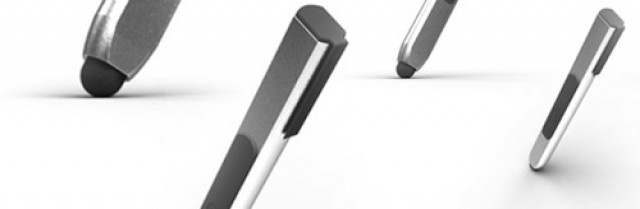
Here’s a smart alternative, though. Applydea (short for Apply the Idea, and not pronounced “Apple Idea” or “App Lydia”) designed a very clever aluminum stylus called the Maglus, which comes replete with magnets that allow you to stick the stylus directly to the Smart Cover or iPad 2 spine.

Side-By-Side Comparison: Samsung vs. iOS Homescreen Icons

By

Screen shot 2011-04-19 at 8.37.05 PM

Earlier today, we linked former Engadget editor Nilay Patel’s incredible breakdown of the Apple vs. Samsung lawsuit, largely to discuss Apple’s sales numbers for iPod Touches and iPads and the like.

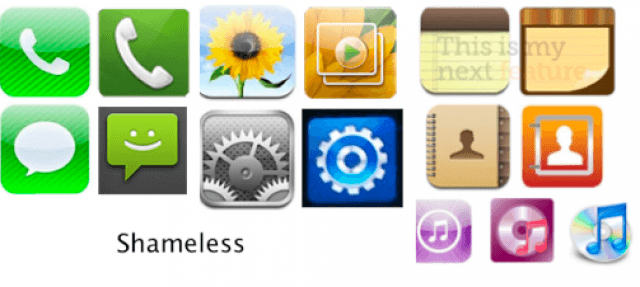
We thought, though, that Patel’s most compelling argument that Apple was in the right was worth its own post: check out the “borrowing” Samsung did from iOS for their TouchWiz homescreen icons.

We’d realized, of course, that Samsung’s icons had been “inspired” by Apple, but putting them side-by-side really just makes the theft look totally shameless. How does a company like Samsung think it’s cool to openly rip-off one of its biggest customers like that? I’m shocked it took Apple this long to sue.

Steve Jobs Loves Noah Wyle in Pirates of Silicon Valley

By

noahwyle

Steve Jobs isn’t the kind of guy who likes it when smartass no-goodniks pretend to be him. Take it from me, a man who once spent the better part of six months in traction after donning a turtleneck and trying to bluster my way past security at Apple’s Corporate HQ by loudly squealing “My name is Steve Jobs!” in my best Truman Capote voice.

There’s at least one man out there, though, who has pretended to be Steve Jobs and not found his teeth grinning out of the opposite orifice. That man is Noah Wyle, aka that dreamy Dr. Carter from E.R., who played Steve Jobs in the famous 1999 biopic Pirates of SIlicon Valley.

So says Paul Allen, at least. He’s the co-founder of Microsoft, a notorious patent troll and the author of the new biography Idea Man. He says that Noah Wyle portrayed Jobs as a “mean-spirited jerk.” Far from being offended, Jobs seemingly approved, saying that Wyle did “a fantastic job.” Or should we say… fantastic Jobs. Groan, cymbal crash, sound of rotten tomatoes pummeling human flesh.

Student Scholarship Applications For WWDC 2011 Now Being Accepted

By

wwdc_sold_out1

Are you a student teetering on the brink of an abyss of poverty some might describe as utterly Dostoevskyan? Barely enough coins in your pockets to buy tonight’s dinner — a single can of brine-soaked beans — and a sufficient volume of cheap lard trimming candles to light your midnight studies and pre-dawn app programming exercises, let alone the $1599 to attend this year’s WWDC? No need to hit your land lady with an axe handle for her hidden gold cache. Apple’s willing to give you a scholarship to attend WWDC in June at San Francisco.

According to Apple, to apply, you must be “at least 18 years of age, currently enrolled part-time or full-time at a college or university, and either an iOS Developer University Program member, Mac Developer Program member, or ADC Student member as of August 1, 2010 or later, and have identified yourself as a “Student” in your developer profile.”

About the only provision Apple’s making besides the academic ones is that applicants be talented, as they “will be judged on technical ability, creativity of ideas expressed in products or projects, prior WWDC attendance, technical and work experience.” No morons, in other wosrds.

Scholarship tickets will be passed out by May 3rd, with application due by April 26th. There will be 150 scholarship winners in all. Get on it there, Raskalnikov.

Deskscribble for Mac Lets You Doodle On Anything

By

screenshot1

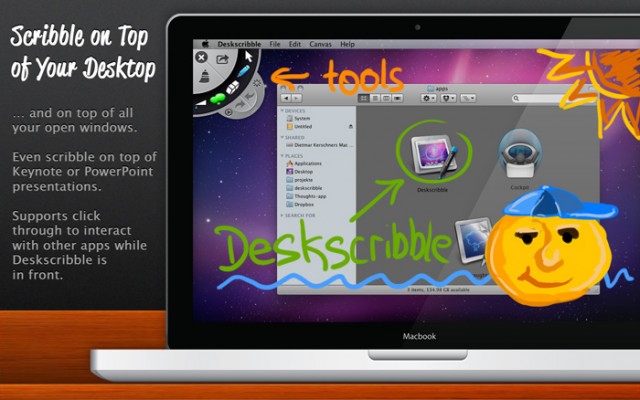
This is pretty neat. Deskscribble for the Mac is a new app that allows you to use your mouse, trackpad or Wacom tablet to deface, tag, scribble upon or vandalize anything you see on your Mac’s screen.

For example, if you were reading this post with Deskscribble open, you could easily vandalize my author bio photo… say, by blackening out one of my teeth, or drawing visible oscillations meant to denote pungent stench waves that are emanating from my body, or even just by drawing a cigarette poking out of the beak of the little budgerigar sitting on my shoulder.

Defacing the bio photos of Cult of Mac authors you find obnoxious is just the tip of the iceberg of Deskscribble’s functionality, though. You can also use it to highlight sentences in web pages you want to remember for later, circle interesting Craigslist ads, make notes to yourself atop of open windows, etc.

Pretty neat, although best with a tablet. If you’re interested in Deskscribble, it can be purchased for just $9.99 in the Mac App Store.

[via MacStories]

4 Million iPads Sold Since December, 60 Million iPod Touches Sold Since 2007

By

img_127202_apple-ipod-touch

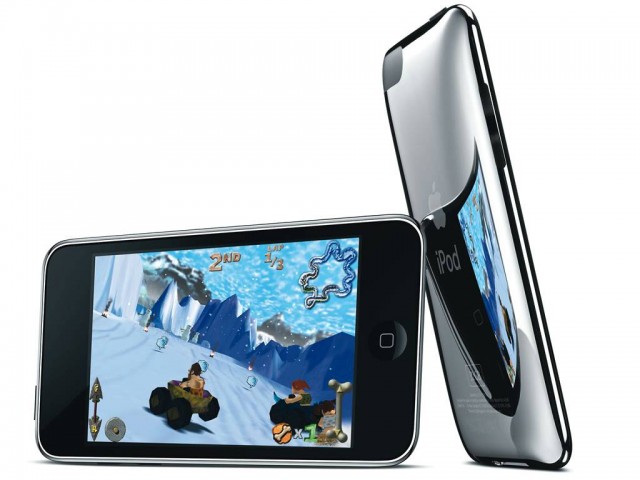
Apple’s usually pretty good about crowing about the number of devices it’s managed to sell to consumers… at least when they’re selling well. Yet Cupertino has kept iPod Touch numbers surprisingly close to its breast since the plucky touch PMP debuted in 2007.

Not that Apple hasn’t released numbers at all, just that they generally dump all iPod numbers into one catch-all “iPod” category. No one’s ever really believed this was because the Touch was a shameful dud — clearly it’s a hot seller — but if you ever wanted to know exactly how many iPod Touches were floating out there in the wild, just waiting to beam out their secret personality suppression fields once Steve Jobs finally gets around to thumbing that “Global Domination” button in his office… well, you had to guesstimate.

No longer. One interesting little perk of Apple’s lawsuit against Samsung is that we finally know how many iPod Touches have been sold: 60 million since it launched in September 2007.