Mobile menu toggle

Search results for: Apple One

Wired Correspondent Suffers Through the Downside of Cloud-Delivered OS X Lion

By

downloadlionimage

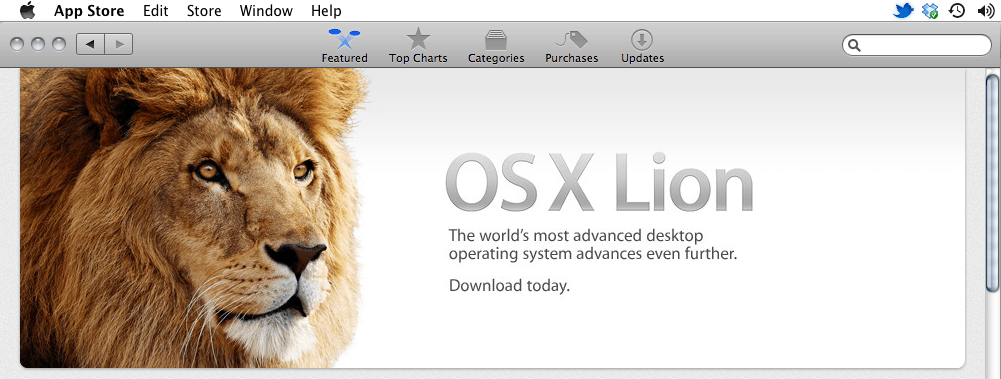
Today is a huge day for Mac users. For the first time ever, Apple is offering a major Macintosh operating system upgrade exclusively over the Internet. The company has also discontinued much of the boxed software it offers in a clear signal that it hopes and expects to see the vast majority of applications for the Mac delivered through the App Store from this day forward. Just as it did with music (and to limited degree with DVDs), Apple wants to eliminate all physical artifacts from its computing experiences other than the hardware it makes.

But there are downsides to this. Immaterial purchases don’t carry all the same property rights that physical ones do. When the iTunes Music Store launched, users quickly learned that it’s a lot harder to return or resell an album bought from Apple than it is to do the same with a CD. With the iOS App Store, we all know that it’s not easy to get your money back if you make a foolish purchase.

Save Your Bandwidth! Prevent OS X Lion Installer From Self-Destructing!

By

MacOSXDestruct

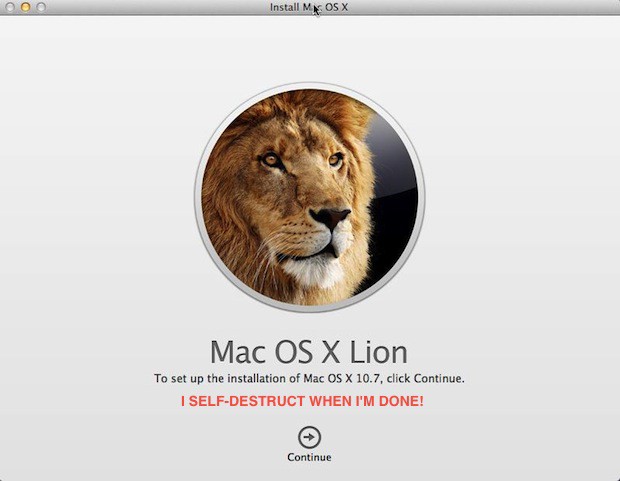
Here’s a little known fact about the OS X Lion installer — it self-destructs after it completes the OS X Lion installation and if you are on a limited or capped ISP data plan that sucks. Especially if you plan on upgrading more than one Mac in your home or office. Luckily, you don’t need to download the OS X Lion installer on each computer and waste precious data or time.

You only need to download it once if you follow this quick and easy tip before installing OS X Lion the first time.

Which Mac mini To Buy? Get The $799 2.5Ghz Intel Core i5 Model With 4GB Of RAM. Here’s Why

By

Screen Shot 2011-07-20 at 11.54.39 AM

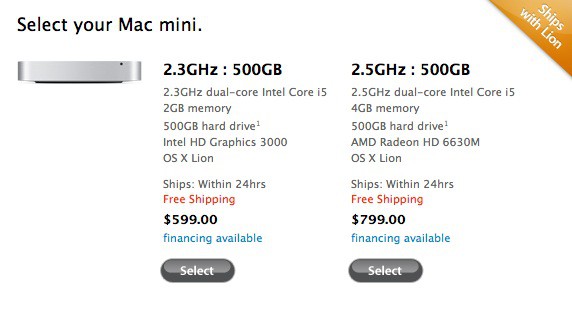
Apple’s refreshed 2011 Mac minis are a tempting choice for users who want a roc solid, low-footprint desktop machine on a budget. But exactly how much of a budget do you need to allot yourself?

No matter which Mac mini you buy, you’ll be getting a deceptively small machine, absolutely packed with some top-of-the-line tech, like Thunderbolt. But if we had to recommend just one, we’d recommend the $799 Mac mini with a 2.5GHz Intel Core i5 processor and 4GB of RAM.

Here’s why.

Which MacBook Air To Buy? Get The 128GB 11-Inch Model With 4GB of RAM. Here’s Why

By

Screen Shot 2011-07-20 at 8.51.38 AM

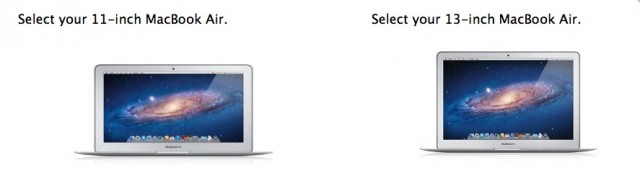
Today, Apple released new Sandy Bridge MacBook Airs with Thunderbolt ports, backlit keyboards and all-around upped specs. Any MacBook Air you get will, in all likelihood, be the best laptop you’ve ever owned, but how do you know which MacBook Air is right for you?

After nine months of using and loving our last-gen MacBook Airs, we know which one we’d recommend to most people: the 128GB 11-inch MacBook Air with 4GB of RAM. Here’s why.

OS X 10.7 Lion Is The First Great PC Operating System Of The Post-PC Age [Review]

By

comreviewlionheader

Editor’s Note: This post has been stickied to top of the front page. If you scroll down there is probably new content below it.

Intro

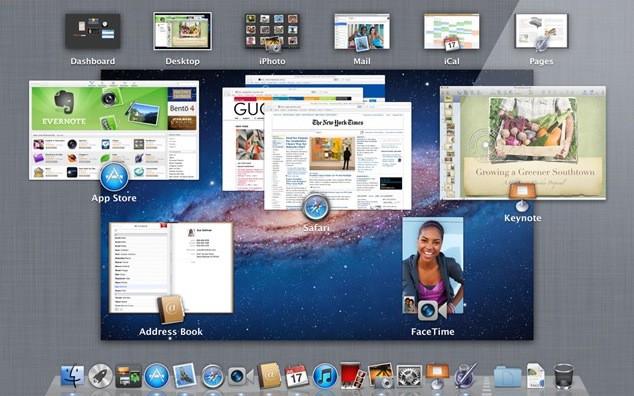
OS X Lion is the eighth major release of Mac OS X, and it brings to the table several ideas from iOS, like Launchpad (a matrix display of installed applications, similar to the iOS Home Screen — and the Mac App Store) which is being used to deliver the new OS.

Despite the iOS inspiration, Lion’s not a huge shift from previous versions, and it won’t turn your Mac into a faux iOS device. Rather, it borrows some of iOS’s best ideas and uses them to polish the core Mac experience, making Lion the most attractive, cohesive, user-friendly and idiot-proof OS X yet.

It’s a big accomplishment overall. Lion not only looks cleaner and nicer, it fixes a surprising number of long-time niggles. But it also adds some nice new features, and while there are some changes that will cause consternation, like reverse scrolling, almost everything added is for the better.

The question isn’t whether you should spend $29 on Lion, because that’s just a no-brainer. No, the real question is: now that we’re in the post-PC age, how will Lion change the way you use your Mac, and how does it set the stage for the Mac of the future?