Mobile menu toggle

Search results for: Apple One

Retina Artwork Bloats iPad Apps To More Than Double Their Size

By

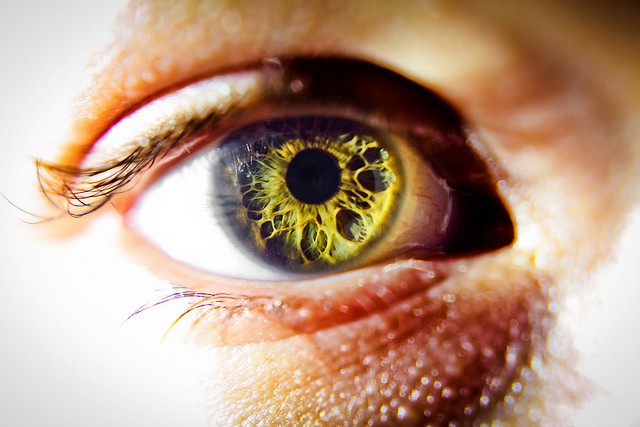
A retina, surrounded by an eye. Photo Bodey Marcoccia (CC BY-SA 2.0)

The new iPad appears to be all upside: A retina display, 4G connection, no loss in battery life and a potentially great new camera. But there is a dark side lurking in there somewhere, one that you won’t see until developers start to update their apps to be retina ready, and those apps start to gobble up your 16, 32 or 64GB of storage by the Gigabyte.

What am I talking about? Bitmap images. When quadrupled in size to look nice on the hi-res screen, bitmaps bloat the apps containing them. For example, iMovie for iOS jumps from a merely large 70MB to a terrifying 404MB. That 16GB iPad is starting to look a little small, right?

Getting The Most Out Of Your Mac’s Battery – Part II [OS X Tips]

By

JZ_Battery

Part II of this two-article series focuses on battery usage. Battery usage refers to how long you can use your Mac off of a single charge cycle. In addition to proper battery care, there are numerous ways to improve or supplement battery usage. When there’s no power outlet available, consider the following two options. First, optimize your Mac for maximum battery life. Second, supplement your Mac’s battery with a secondary power source.

Getting The Most Out Of Your Mac’s Battery – Part I [OS X Tips]

By

JZ_Battery

The new iPad requires a lot more power than the iPad 2. How much more power? So much that despite an astounding 70% increase in the new iPad’s battery capacity (42.5 watt-hour up from 25 watt-hour), it will still run for the same amount of time as the iPad 2 on a single charge. The new iPad is a power-hungry beast and, therefore, knowing a thing or two about its battery is more important than ever.

If you’ve owned any type of portable device for an extended period of time you’ve probably noticed that its battery gets worse with time. You may have wondered what you could do to maximize your device’s battery life or even suspected that a short-lived battery was defective, but didn’t know what to do about it. Maybe you’re interested in extending the usage time you get out of a single charge or need even more battery power than your Mac’s internal battery has to offer, but don’t know what to look for in an external battery pack. This is a two-part guide on the battery basics everyone needs to know. It’s aim is to give you useful information about the batteries used by all of your Macs – including the new iPad.

They’re Big! Sample Photos And Screenshots From New iPad

By

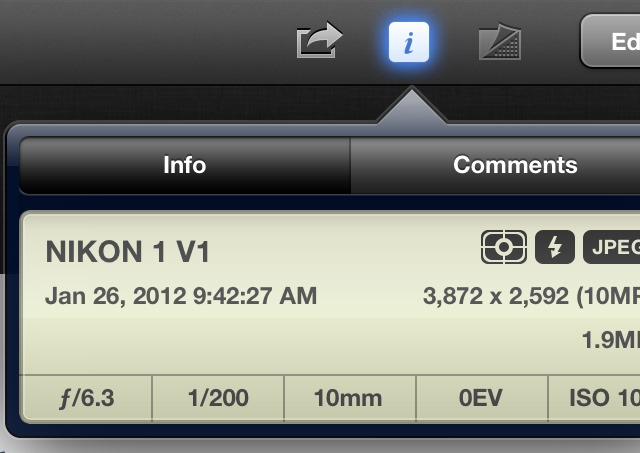
This is a 640 pixel chunk taken from iPhoto on the iPad. Incredible

Vietnamese bloggers at Tinhte.vn — fresh from their early iPad unboxing yesterday — have taken the new iPad’s new camera and retina display for a spin. The results are not exactly surprising, but if you click the screenshot below you’ll get an idea of just how many pixel Apple has managed to squeeze into the iPad’s 10-inch screen.

These DODOcases Will Make Your New iPad Look Like A Stylish Book

By

Screen Shot 2012-03-13 at 11.03.48 PM

DODOcase makes some great iOS device accessories, but they’re most known for their series of unique iPad cases. Apple’s new iPad is arriving this Friday, and DODOcase has announced its new line of books cases for the magical tablet.

The Classic ($60), Essentials ($70), and Spring Summer ($80) lines are available for purchase now.

IDC Increases Its 2012 Tablet Forecast, Predicts Android Overtaking iOS By 2016

By

post-152855-image-4d89b52f283e6621f4ed2fe6d798ce24-jpg

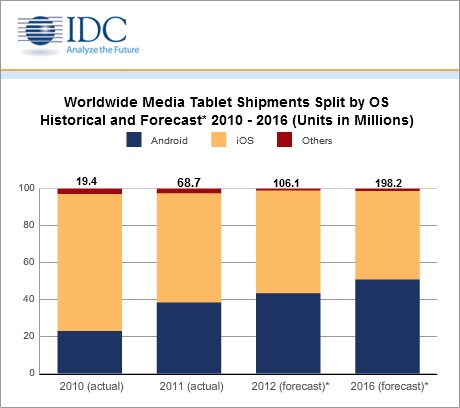
Today the International Data Corporation raised its 2012 tablet forecast to 106.1 million units, up from its previous forecast of 87.7 million units thanks to a stronger-than-expected 2011 finish. According to IDC, tablet shipments rose 155%, leading to a full-year 2011 total of 68.7 million units shipped. The IDC credits Amazon for raising consumers’ awareness of the tablet category in 2011 thanks to their popular $199 Kindle Fire.

CloudOn, Nivio Get Cloud-Based Office Onto Your iPad While Staying On Microsoft’s Good Side

By

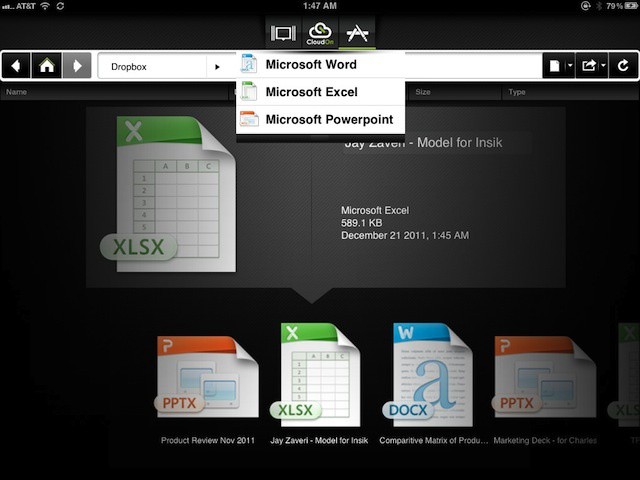
CloudOn brings cloud-based version of Office 2010 to the iPad without licensing or legal concerns

Last week Microsoft accused cloud gaming company OnLive and users of its OnLive Desktop of pirating Windows 7. OnLive made headlines when it launched OnLive Desktop earlier this year and again when it updated the product to support additional features and subscription plans. The app, which is available for the iPad and for Android, provides users with a cloud hosted Windows 7 desktop complete with the core Office apps (Word, Excel, and PowerPoint) as well as Adobe Reader and a copy of Internet Explorer that iPad users can use to play Flash content.

After not voicing an opinion about OnLive Desktop for several weeks, Microsoft publicly announced that the OnLive was violating its license agreements and effectively breaking the law in the process. The issue appears to be specific to the licensing restrictions when offering Windows 7 in a virtual desktop scenario.

Although OnLive Desktop is probably the most well known cloud-based Windows and Office mobile solution, it isn’t the only one. And its competitors are quick to point the legality of their services and their compliance with Microsoft’s licensing policies.

Configurator Was Designed To Keep IT Managers From Spying On Employees

By

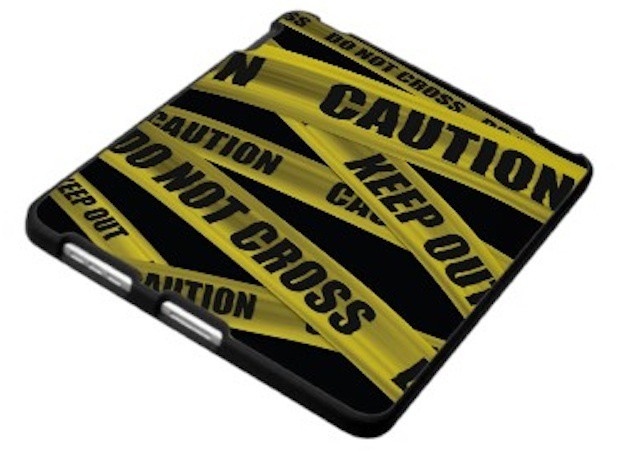
Keep Out iPad case by Zazzle
Apple wants to be sure employees know when their iOS devices are managed at work

One short sentence in the help documents for the new Apple Configurator tool shows that the company is aware that many workers are bringing their personal devices into the office. More noteworthy is the fact that it shows that Apple is thinking about some of the potential privacy issues that can arise in situations like BYOD programs where a personal iPhone or iPad is managed by a company’s IT department.

The sentence in question is in the section on supervised or managed devices. It reads as follows:

Important: When a device is initially supervised during the Prepare process, it’s wiped of all content and settings. This prevents a person’s personal device from being supervised without their knowledge.

Siri Is Ready To Sing You Stairway To Heaven [Humor]

By

sirisung
Songs Sung by Siri is the next wave of auto-tune

Siri is arguably, the best digital personal assistant in the world. She can tell you if you need an umbrella. Wake you up when your late. Remind you that you forgot to buy your girlfriend a birthday present, and so many other tasks that sure are nifty. She’s better than having a personal assistant because she doesn’t get all pissed off when you tell her to go get you a coffee, or call in sick so she can go hangout at the beach with her friends.

Did you know Siri can sing too? Yeah, she totally can, and it’s like having J.Lo in your back pocket at all times, without the obtrusive lady lumps. Need proof? Here’s Siri singing a tear jerking robotic rendition of Stairway To Heaven.