Mobile menu toggle

Search results for: Apple One

Quicken Finally Works With Lion But Is It Too Little, Too Late?

By

Intuit finally releases a Lion-comatible version of Quicken
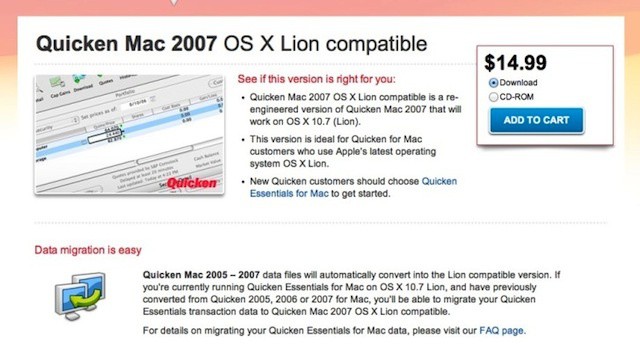
Intuit finally releases a Lion-compatible version of Quicken

When Lion was released last summer, there was a big outcry because Apple had decided to kill off Rosetta, the emulation engine that allowed Macs with Intel processors to run apps designed for Macs with Power PC processors. Apple’s position was that it had made the switch to Intel and stopped selling Power PC Macs five years earlier and it was time for users and developers to move on. Most developers did move on to releasing universal apps that could run on Macs with either processor or that were Intel-only.

One company that dragged its heals was Intuit, maker of the popular Quicken personal finance app. When Lion shipped, users of Quicken 2007, the most recent version, were faced with options that really weren’t that good: not upgrade to Lion, install a stripped down version called Quicken Essentials that was built for Intel Macs, run the Windows version of Quicken, or switch to a different app.

The New iPad Takes Much Longer To Charge Than The iPad 2

By

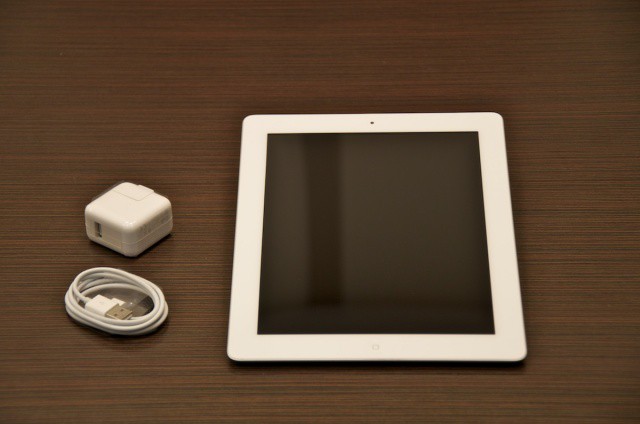
ipadcharger
Your new iPad will be spending a lot more time with its battery charger than the iPad 2.

Every single thing about the new iPad is more power hungry than the iPad 2. The Retina Display requires more power to drive its double resolution display. The LTE capability requires more battery to suck in faster mobile data speeds. Even the doubled RAM capacity uses more electricity.

Despite all of this, though, the new iPad has the same great battery life as the iPad 2: 10 hours of battery using 3G, 9 hours battery using LTE. Apple’s achieved this extraordinary feat by packing almost twice the battery capacity into the same space.

That’s great news when you’re around town. But it comes at a cost: charging the new iPad to full is a total bitch.

Even BitTorrent Sites Are Serving iPad-Friendly TV Shows

By

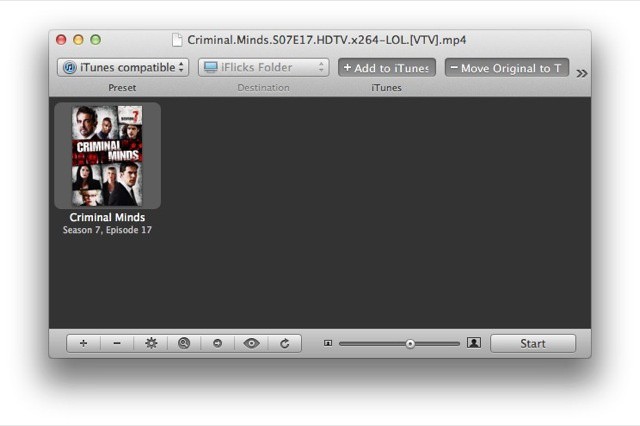
The excellent iFlicks doing its job

If you live outside the U.S and UK, you’ll find that the easiest and quickest way to get your favorite TV shows onto your iPad is via BitTorrent. But until now, you had to do some heavy post-download processing to make the XVID files play on your iPad, or at least use third-party software to play it.

Now, many BitTorrent groups have switched to the x264 MP4 format for most new releases. That’s good news for iPad and Apple TV users, but there’s even more entertainment to be had from this story: The BitTorrent pirates are crowing about the switch and even threatening to boycott the downloads.

Yes, you read that right. Pirates are threatening to boycott illegal TV show downloads.

Byword Is An Elegant iCloud-Syncing Markdown Editor For iOS

By

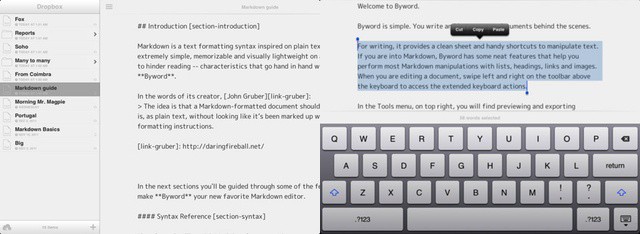
Byword stands out from the Markdown crowd with its elegant simplicity

After a brief moment in the iTunes in the iTunes App Store sun last week, Markdown text editor ByWord has officially arrived on your iPad and iPhone. It’s a companion to the excellent OS X version of ByWord, and is one of a growing number of apps to sync using iCloud.

Carriers Win Again: The New iPad Won’t Let You Use FaceTime Over 4G

By

Poor Dieter Bohn from The Verge can't make a FaceTime call over 4G on his new iPad.
Poor Joshua Topolsky from The Verge can't make a FaceTime call over 4G on his new iPad.

The new iPad uses blazing fast LTE 4G networking to let you stream YouTube faster than you can say “Tim Cook’s your uncle,” but you still can’t use the tablet to make FaceTime calls over 4G or 3G. Calls fail to connect when the third-gen iPad isn’t connected to a WiFi network, just like they do on the iPhone.

iPhone users have been hammering for FaceTime over 3G since the video calling technology was introduced by Steve Jobs and Jony Ive back in 2010, but Apple has yet to flip the switch. Due to the data-heavy nature of video calls, the carriers are likely to blame.

It’s Fabulous: Here’s What Early Reviewers Are Saying About The New iPad

By

Can Apple's early iPad reviewers charm you into buying the new iPad?

Apple always gives a few select media outlets a sneak preview of their newest products so they can post their reviews before the rest of us peons get to own their magical device. The embargo on reviews for the new iPad just lifted this evening, and so far everyone’s impressed with the retina display and 4G speeds, but is there anything they’re disappointed with in the new iPad?

Here’s what the first reviewers are saying:

Readdle Updates Remarks & PDF Expert To Add Retina Artwork, New Features

By

Remarks will be one of Readdle's first apps to get Retina artwork.
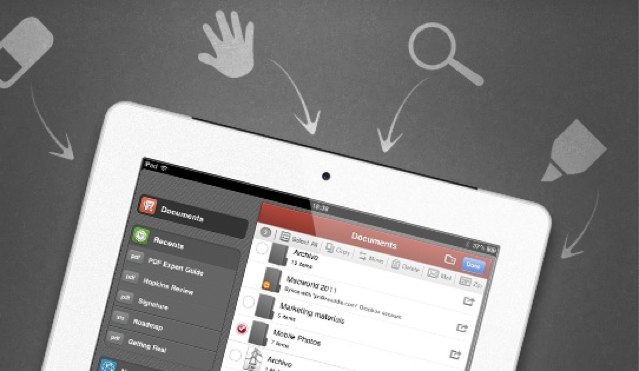
Remarks, along with PDF Expert, will be one of Readdle's first apps to get high-resolution artwork.

We’re huge fans of Readdle’s productivity apps here at Cult of Mac, and we’re delighted that they’re getting ready for the new iPad’s Retina display. Remarks and PDF Expert will be Readdle’s first two apps to get high-resolution artwork in their latest updates, in addition to a number of new features.

Quickoffice Locks Down Data On Workplace iPads While Keeping Employees Productive

By

Quickoffice for iPad (ow available with business security features)
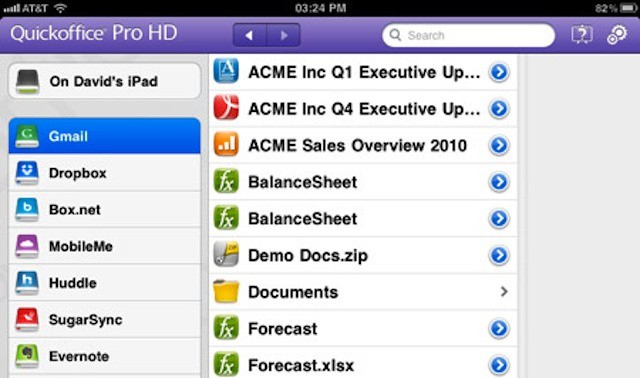
Quickoffice for iPad (now available with business security features)

Quickoffice is launching an enterprise version of its signature Microsoft Office-like iPad app that includes several noteworthy enterprise features, including data encryption and the ability to disable some consumer-oriented features that could lead to confidential business data being copied off of a user’s iPad. The update also incorporates volume licensing through Apple’s volume purchase plan as well as a year of premium maintenance and support.

While there are a number of solutions out there that offer iPad users the ability to view, create, and edit Office files, including Apple’s iWork apps, they tend to fall short of some enterprise needs. While it’s possible to meet these security and management needs by using a combination of mobile management products and native apps, those combinations really don’t integrate well into a single solution. The new Quickoffice ProSelect HD app is designed to address the security needs of IT and the productivity needs of users with a single app.

The MacBook Pro Will Be Killed In April By The 15-Inch MacBook Air [Rumor]

By

MacBook-Air-logo-close-up
Source claims the 15-inch MacBook Pro will become the MacBook Air's next victim.

The MacBook Air has become increasingly popular since Apple overhauled the ultraportable and introduced an 11-inch model back in October 2010. The company also dropped its price, making it more affordable for the average consumer and paving the way for the death of the white plastic MacBook.

But it seems the MacBook won’t be the Air’s only victim. According to one accessory vendor, the MacBook Pro will be killed of by a 15-inch MacBook Air in April.